Creating music used to require years of training, expensive equipment, and technical knowledge of digital audio workstations. In 2026, AI music generators have changed that equation entirely. You can now type lyrics into a browser, choose a genre, and receive a fully produced song with AI-generated vocals in minutes.
This isn't about replacing professional musicians or creating the next platinum album. AI music generators serve a different purpose: they give content creators, podcasters, small business owners, and hobbyists access to original music without the traditional barriers of cost, skill, and time.
This guide explains how online AI music generators work, what they can realistically create, and when they make sense to use instead of traditional music production methods.
Quick answer: Imagera's AI music generator turns a text prompt into a complete song — instrumental plus AI vocals — online in your browser, with no instruments, recording gear, or studio needed.
1.How do you create a full song with AI vocals online in 2026?
In Imagera, describe the mood, genre, and lyrics you want, then generate. A finished track — verse, chorus, and AI vocals — typically renders in under a minute. You can spin up many variations by tweaking one prompt, choose from a range of style directions, export in seconds, and spend credits per track rather than paying hourly studio fees.
2.Why use an AI music generator instead of recording in a studio?
A traditional session takes real time and budget to book, track, and mix, and locks you into whatever you capture on the day. Imagera creates a usable draft in roughly a minute, so you can iterate through several versions before you'd finish a single studio take. The two biggest barriers to releasing music are usually time and cost — exactly the hurdles AI generation removes while keeping full prompt control in your hands.
3.What Is an Online AI Music Generator?
AI Music Generator Online — Create Songs with AI Vocals Instantly is a practical Imagera workflow: start from a real source file, describe what should change, generate with credits shown up front, and review before you publish. This guide covers the steps, quality checks, and when to use related tools.
An AI music generator is a browser-based tool that creates complete songs from text descriptions. You provide inputs like genre, style, mood, and lyrics, then the AI generates instrumental tracks and vocals that match your specifications.
Unlike traditional music production software (digital audio workstations like Ableton, Logic Pro, or FL Studio), you don't need to understand music theory, MIDI controllers, audio mixing, or sound design. The AI handles composition, arrangement, instrumentation, vocal performance, and production in one automated process.
3.1How It Differs from Traditional Music Production
Traditional music production follows this workflow:
- Compose melodies and chord progressions (requires music theory knowledge)
- Arrange instruments and song structure (requires compositional skills)
- Record or program individual instrument tracks (requires technical skills)
- Mix levels, EQ, compression, effects (requires audio engineering knowledge)
- Master the final track (requires specialized expertise)
An AI music generator compresses this into:
- Describe what you want in plain language
- AI generates the complete track
- Download and use
The trade-off is control. Traditional production gives you precise manipulation of every sound element. AI generation gives you speed and simplicity at the cost of fine-grained adjustability.
3.2Who Should Use AI Music Generators?
AI music generators work best for:
- Content creators who need background music for YouTube videos, podcasts, or streams without copyright concerns
- Social media managers creating short-form content for TikTok, Instagram Reels, or YouTube Shorts
- Small business owners needing custom music for advertisements, presentations, or websites
- Independent game developers seeking affordable background music and sound effects
- Songwriters and musicians creating quick demo tracks to test ideas before investing in full production
- E-learning course creators who need neutral background music that doesn't distract from educational content
- Hobbyists and experimenters exploring music creation without committing to learning production software
If you need radio-ready tracks with nuanced performances, precise mixing, and professional-grade production values, traditional production with human musicians remains the better choice. AI music generators excel at creating functional, original music quickly and affordably.
4.How AI Music Generation Works
The process of creating music with AI follows a straightforward workflow that takes minutes rather than hours or days.
4.1Step 1: Choose Song Type (Vocal vs Instrumental)
First, decide whether you want a song with sung vocals or an instrumental-only track.
Vocal songs work when you have specific lyrics and want the AI to perform them with a singing voice. This works well for actual songs, parodies, jingles, or any content where words are central to the message.
Instrumental tracks work better as background music where vocals would compete with narration or dialogue. Podcast intros, YouTube background music, and ambient soundscapes typically work better as instrumentals.
4.2Step 2: Select Genre and Style
AI music generators support multiple genres, each with distinct characteristics:
- Pop: Catchy melodies, clear song structure, commercial appeal
- Rock: Guitar-driven, energetic, varied from soft rock to hard rock
- Electronic/EDM: Synthesizers, beats, dance-focused rhythms
- Hip-Hop: Beat-focused with rap or sung vocal delivery
- Jazz: Complex harmonies, improvisation-style elements
- Classical: Orchestral instruments, formal composition structures
- Lo-Fi: Relaxed, downtempo, often used for study or work music
- Ambient: Atmospheric, minimal structure, background-focused
Genre selection significantly impacts the AI's composition choices. A "happy upbeat song" generates very different results when specified as pop versus jazz versus electronic.
4.3Step 3: Enter Lyrics or Describe the Mood
For vocal tracks, write your lyrics with basic song structure in mind:
- Verse sections that tell the story or set the scene
- Chorus sections that repeat and contain the main hook
- Optional bridge sections that provide contrast
The AI interprets line breaks and repetition to understand song structure, but you don't need to explicitly label sections. Natural writing with repeated choruses usually works well.
For instrumental tracks, describe the mood, energy level, and intended use:
- "Calm acoustic guitar for meditation background"
- "Energetic synthwave for action montage"
- "Mysterious piano with strings for suspense scene"
More specific descriptions generally produce better results than vague requests.
4.4Step 4: AI Generates the Track
After you submit your prompt, the AI processes your request through several stages:
- Composition: Generates melody, harmony, and chord progressions that match the genre
- Arrangement: Determines song structure, when instruments enter, dynamic changes
- Instrumentation: Selects and synthesizes virtual instruments appropriate to the style
- Vocal synthesis (if applicable): Converts lyrics to sung performances with pitch, timing, and expression
- Production: Applies mixing, effects, and mastering to create a cohesive final track
This process typically takes 30 seconds to 2 minutes depending on song length and complexity. The AI works faster than real-time, so a 3-minute song generates in under a minute.
4.5Step 5: Preview and Download
Once generation completes, you can:
- Preview the track in your browser
- Regenerate with the same prompt for variations
- Adjust the prompt and try again
- Download the final audio file
Downloaded files typically come as MP3 or WAV formats ready to use in video editing software, DAWs, or directly upload to content platforms.
Credit costs vary by song length. Check Imagera's pricing for current rates per generation.
5.What Types of Music Can AI Create?
AI music generators in 2026 handle a wide range of styles and formats, though quality varies by genre based on training data and technical complexity.
5.1Pop Music
AI excels at pop because the genre follows predictable structures and has been heavily represented in training data. You can generate:
- Upbeat pop anthems with catchy hooks and energetic instrumentation
- Ballads with emotional vocal delivery and simpler arrangements
- Dance-pop with electronic elements and strong beats
- Indie pop with more relaxed, authentic-feeling production
Example prompt: "Upbeat pop song about summer adventures, catchy chorus, female vocals, beach vibes"
The AI will generate verse-chorus structure, layered instruments, and pop production techniques like compressed vocals and bright mixing.
5.2Rock Music
Rock generation works well for straightforward rock styles:
- Classic rock with electric guitars, bass, drums, and sung vocals
- Soft rock with acoustic elements and melodic focus
- Alternative rock with varied instrumentation and modern production
More extreme subgenres (death metal, progressive rock) produce less consistent results because they require technical performance complexity that AI struggles to convincingly replicate.
Example prompt: "Driving rock song about overcoming challenges, powerful guitar riffs, anthemic chorus"
5.3Electronic and EDM
Electronic music is particularly well-suited to AI generation because it's already created with digital tools. The AI can effectively generate:
- House and techno with repetitive beats and synthesizer patterns
- Ambient electronic with evolving soundscapes
- Synthwave with retro 1980s aesthetic
- Chill electronic for background and focus music
Example prompt: "Deep house track, 120 BPM, hypnotic bass line, minimal vocals, club atmosphere"
Electronic genres often sound more polished than acoustic ones because the AI doesn't need to simulate the physical nuances of real instruments.
5.4Hip-Hop and Rap
The AI music generator can create hip-hop tracks with:
- Beat production matching requested style (trap, boom bap, cloud rap)
- Sung melodic sections for hooks and choruses
- Rap delivery of written lyrics with appropriate flow
The quality of rap delivery varies more than sung vocals because rap requires precise rhythmic timing and natural speech patterns that challenge current AI systems.
Example prompt: "Trap beat with 808s, autotuned sung chorus about success, energetic vibe"
5.5Jazz
Jazz presents unique challenges because it relies on improvisation, complex harmonies, and musical conversation between instruments. AI-generated jazz tends toward:
- Smooth jazz with relaxed tempos and accessible melodies
- Jazz-influenced instrumentals that borrow harmonic vocabulary without full improvisation
- Background jazz suitable for ambient listening
Expect more "jazz-flavored" results than authentic bebop or free jazz performances.
Example prompt: "Smooth jazz instrumental, saxophone lead, walking bass, cocktail lounge atmosphere"
5.6Classical Music
Classical generation works best for:
- Simple orchestral pieces with clear melodic lines
- Solo piano compositions in romantic or minimalist styles
- String quartet arrangements with traditional harmony
Complex symphonic works or period-specific classical styles (baroque counterpoint, romantic orchestration) produce less historically accurate results.
Example prompt: "Peaceful piano solo, Chopin-inspired, gentle dynamics, contemplative mood"
5.7Vocal Songs vs Instrumental Tracks
The same genre can be generated with or without vocals depending on your needs:
Vocal tracks work for:
- Songs where lyrics convey important meaning
- Content where the music is the focus, not background
- Jingles and advertisements with memorable messages
- Musical parodies or creative projects
Instrumental tracks work for:
- Background music in videos where dialogue or narration is present
- Study, work, or meditation music
- Video game soundtracks
- Situations where vocals would be distracting
Instrumental versions of vocal genres (instrumental pop, rock without vocals) typically generate faster and more consistently than their vocal counterparts.
5.8Custom Style Prompts for Unique Sounds
Beyond selecting standard genres, you can combine elements or describe unique aesthetics:
- "Lo-fi hip-hop with jazz piano and rain sounds"
- "Epic cinematic orchestra with electronic elements"
- "Acoustic folk with melancholic cello"
- "1990s nostalgic pop-rock with retro synths"
The AI interprets these hybrid descriptions by blending characteristics from multiple training examples. Results vary in quality, but experimentation often produces interesting combinations you wouldn't find in standard genre templates.
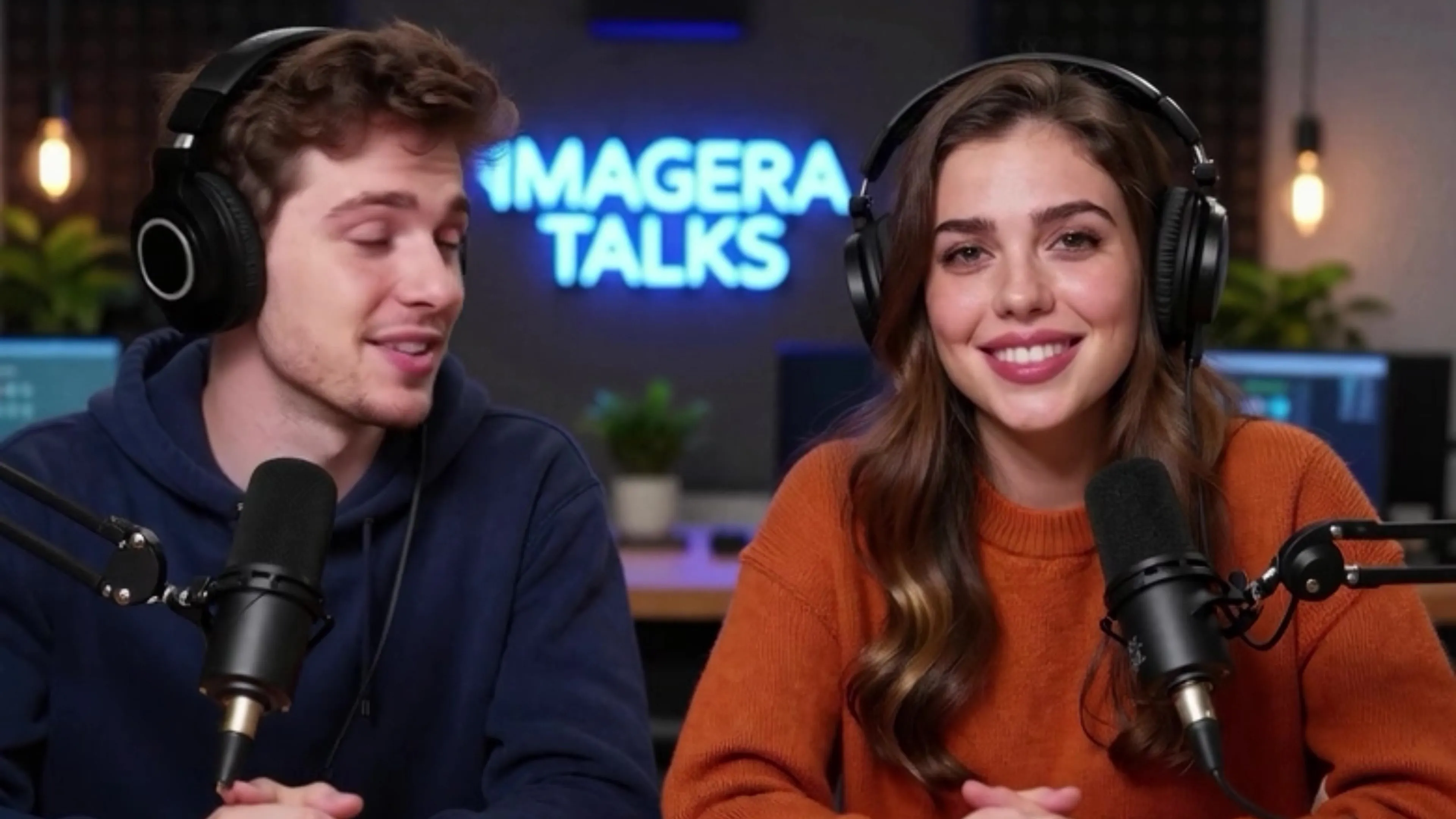
6.Use Cases for AI-Generated Music
AI music generators solve practical problems for specific use cases. Here's when they provide real value.
6.11. YouTube Background Music (No Copyright Strikes)
YouTube's Content ID system automatically detects copyrighted music and can demonetize videos or remove them entirely. AI-generated music solves this problem:
- Original tracks you own the rights to use
- No licensing fees beyond the generation cost
- Genre-matched to your video's tone and pacing
- Custom length matching your video duration
This matters most for:
- Vlogs and lifestyle content
- Tutorial and educational videos
- Gaming videos and streams
- Product reviews and unboxings
Generate instrumental tracks that provide atmosphere without competing with your narration or on-screen audio.
6.22. Podcast Intros and Outros
Professional podcasts benefit from consistent branding music:
- Memorable intro music that identifies your show
- Outro music for consistent episode endings
- Transition music between segments
- Background music for intro/outro narration
AI generation lets you create custom podcast music for a one-time cost instead of:
- Using royalty-free tracks that thousands of other podcasts also use
- Paying recurring licensing fees for stock music
- Hiring a composer for custom music production
The result is unique branding that doesn't sound obviously AI-generated when used as short intro/outro clips.
6.33. Social Media Content (TikTok, Reels)
Short-form video platforms thrive on trending audio, but original music provides advantages:
- No copyright concerns when platforms expand commercial use policies
- Unique audio that can't be used by competitors
- Perfectly timed to your video's 15-60 second length
- Brand consistency across multiple posts
Generate upbeat, energetic tracks matched to your content's pace. Electronic and pop styles work particularly well for social media's fast-paced aesthetic.
6.44. Demo Tracks for Songwriters
Professional songwriters and musicians use AI generation as a pre-production tool:
- Quick demos to test if a lyric or concept works as a song
- Reference tracks to communicate ideas to collaborators or clients
- Placeholder music during the writing process before recording
- Arrangement ideas to explore different instrumentation approaches
The AI-generated version isn't the final product, but it's a fast way to hear your lyrics performed and decide if they're worth investing in full production.
Musicians report this speeds up the writing process by letting them test 5-10 ideas in the time it would take to roughly record one.
6.55. E-Learning Course Soundtracks
Online courses benefit from subtle background music that:
- Maintains engagement during longer lectures
- Provides continuity between course segments
- Sets appropriate mood (focused, energetic, calm) for different lesson types
- Sounds professional without being distracting
AI-generated ambient, classical, or lo-fi tracks work well here. Generate several variations and rotate them across modules to prevent the repetition fatigue that comes from using the same stock track throughout a 10-hour course.
6.66. Game and App Background Music
Independent game developers and app creators face a challenge: custom music is expensive, but stock music sounds generic and may be used by competing products.
AI generation provides:
- Unique background tracks that define your product's audio identity
- Multiple variations for different levels, menus, or app states
- Affordable iteration to test different musical directions
- Scalable production as you need more tracks
This works best for:
- Casual mobile games
- Productivity and meditation apps
- Educational software
- Indie games with modest budgets
AAA game studios still hire composers for orchestral scores and thematic depth that AI can't yet match. But for indie developers, AI-generated music is often the difference between generic stock audio and a coherent sonic identity.
7.AI Music vs Traditional Music Production
Understanding when to use AI versus traditional production requires comparing them across several dimensions:
| Feature | AI Music Generator | Traditional DAW Production |
|---|---|---|
| Skill Required | None; uses plain language | High; requires music theory, mixing, sound design |
| Time Investment | 1-2 minutes per track | Hours to weeks depending on complexity |
| Upfront Cost | $19.99/month subscription | $200-2000 for software, more for instruments/plugins |
| Per-Track Cost | Credits (~$0.50-2 per song) | Time only (but hundreds of hours to learn) |
| Quality Ceiling | Good for functional music | Professional/commercial grade possible |
| Customization | Limited to prompt parameters | Complete control over every sound element |
| Originality | Unique but within style boundaries | Limited only by creativity and skill |
| Copyright | You own generated tracks | You own recorded/composed work |
| Iteration Speed | Instant (generate variations) | Slow (manual edits required) |
| Learning Curve | Minutes | Months to years |
| Best For | Background music, demos, content | Professional releases, nuanced compositions |
7.1When AI Music Makes Sense
Choose AI generation when:
- Speed matters more than perfection: You need music today, not next month
- Budget is limited: You can't afford to hire musicians or spend hundreds on software
- Music is functional, not focal: Background music where listeners aren't analyzing production quality
- You need many variations: Testing different musical directions quickly
- You lack music production skills: No time or interest in learning DAWs
- Copyright simplicity is important: Want clear ownership without licensing complexity
7.2When Traditional Production Makes Sense
Choose traditional production when:
- Music is the product: Releasing an album, single, or music that will be critically evaluated
- You need precise control: Specific mix decisions, exact instrumental tones, nuanced performances
- You have specific musicians in mind: Session players, vocalists with particular styles
- You already have production skills: Time investment already made, incremental cost is just time
- You're creating a signature sound: Developing a unique sonic identity that defines your brand
- You need live performance capability: Music that will be performed by real musicians later
7.3The Hybrid Approach
Many creators use both:
- AI for rapid ideation: Generate 10 variations to find the right direction
- Traditional for refinement: Take the best AI concept and produce it properly with real instruments
- AI for background elements: Generate ambient pads or textures, layer real instruments on top
- AI for demos: Test song concepts, then hire musicians for final recording
This combines the speed and low barrier of AI with the quality ceiling of traditional production.
8.Tips for Getting Better AI Music
AI music generators respond to how you communicate your requirements. These strategies produce more usable results.
8.1Be Specific About Genre, Tempo, Mood
Vague prompts produce generic results. Compare:
Vague: "Happy song"
Specific: "Upbeat indie pop, 120 BPM, acoustic guitar and hand claps, summer road trip energy"
The second prompt gives the AI clear parameters:
- Genre and subgenre (indie pop, not generic pop)
- Tempo (120 BPM is moderately fast)
- Instrumentation (acoustic guitar, hand claps)
- Mood context (summer road trip)
This constraints the possibility space and increases the chance the AI produces what you envision.
8.2Write Clear Lyrics with Structure (Verse/Chorus)
The AI infers song structure from how you format lyrics. Help it by:
Using repetition for choruses:
Verse 1: [Unique lyrics] Chorus: [Repeated catchy section] Verse 2: [Different unique lyrics] Chorus: [Same repeated section]
Line breaks and phrasing:
- Short lines suggest pauses and phrasing boundaries
- Longer lines suggest faster delivery or sustained notes
- Consistent syllable counts help the AI maintain rhythm
Rhyme scheme:
- Clear rhymes (AABB, ABAB) help the AI understand lyrical structure
- This doesn't guarantee perfect delivery, but it improves coherence
8.3Iterate on Style Prompts
Your first generation rarely produces exactly what you want. Treat it as a starting point:
- Generate initial version with your best guess at the prompt
- Identify what's wrong: Too slow? Wrong instruments? Vocals don't fit?
- Adjust one variable: Change tempo, add instrument specification, modify mood descriptor
- Generate again: Compare to previous version
- Repeat: Narrow in on the target sound
Example iteration:
- Attempt 1: "Rock song" → Too heavy, aggressive
- Attempt 2: "Soft rock song" → Better energy, but too slow
- Attempt 3: "Soft rock song, upbeat tempo, 140 BPM" → Closer, but needs specific instruments
- Attempt 4: "Soft rock song, upbeat 140 BPM, jangly guitars, cheerful" → Success
This process wastes some credits, but saves time compared to trying to perfect the prompt mentally before any generation.
8.4Use Instrumental Mode for Backgrounds
If your music will sit behind narration or dialogue, vocal tracks create problems:
- Competing frequencies: Human voices occupy the same frequency range as sung vocals
- Listener distraction: Lyrics draw attention away from your narration
- Mixing challenges: You'll spend time ducking or filtering vocals anyway
Generate instrumental versions for:
- YouTube tutorials and explainers
- Podcast background beds
- Video game soundtracks where dialogue is present
- Corporate videos with voiceover
Save vocal generations for content where the music is meant to be heard fully and stands on its own.
8.5Combine AI Tracks with Manual Production
The AI music generator output doesn't have to be your final product. You can:
- Layer real instruments: Add live guitar or piano on top of AI-generated backing
- Replace vocals: Use AI instrumental, record your own singing
- Mix multiple AI generations: Combine drums from one track with melody from another
- Add effects: Run AI output through reverb, EQ, compression in your DAW
- Edit arrangement: Cut sections, rearrange structure, extend or shorten parts
This hybrid approach uses AI to skip the hardest part (creating something from nothing) while retaining creative control over the final sound.
9.Limitations to Know About
AI music generation has improved dramatically, but understanding current limitations prevents disappointment.
9.1Not Replacing Professional Musicians for Complex Compositions
AI music in 2026 handles straightforward songs competently but struggles with:
- Emotional nuance: A professional vocalist conveys subtle emotion through timing, vibrato, breath control
- Musical conversation: Jazz improvisation requires musicians listening and responding to each other in real-time
- Complex arrangements: Symphonic music with multiple independent melodic lines and orchestration nuance
- Genre authenticity: Music deeply rooted in cultural traditions (traditional folk, authentic blues, cultural ceremonial music)
If you're creating music where the quality is the product itself—albums, film scores, music that will be critically evaluated—human musicians still produce noticeably superior results.
Use AI for functional music where "good enough and fast" beats "perfect but slow and expensive."
9.2Quality Varies by Genre (Pop/Electronic Strongest)
Training data distribution affects output quality:
Genres that work well:
- Pop (heavily represented in training data)
- Electronic (already created digitally, no acoustic complexity)
- Hip-hop beats (production style is digital by default)
- Simple rock structures
Genres that struggle:
- Jazz (requires improvisation and complex interaction)
- Classical (demands period-accurate orchestration and counterpoint)
- Blues (relies on subtle expressive techniques like bends and slide)
- Traditional folk (cultural authenticity and acoustic instrument nuance)
This gap will narrow as training improves, but as of 2026, stick to pop, electronic, and straightforward rock for most reliable results.
9.3Limited Fine-Grained Control vs DAWs
Digital audio workstations let you:
- Adjust individual instrument volumes and EQ
- Change specific notes in a melody
- Modify the exact timing of a drum hit
- Apply different effects to different sections
- Automate parameters over time
AI generators give you high-level controls (genre, mood, tempo) but no ability to say "make the guitar quieter in the second verse" or "change this note from C to D."
You get what the AI generates. Your only option is regenerating with a modified prompt and hoping it addresses your concern.
For most background music uses, this lack of control is acceptable. For music that needs precise production decisions, it's a dealbreaker.
9.4AI Vocals Improving but Not Indistinguishable Yet
AI-generated singing voices in 2026 are surprisingly good:
- Correct pitch and rhythm
- Appropriate emotional affect for the genre
- Clear pronunciation of lyrics
- Natural vibrato and expression
But trained ears notice:
- Occasional unnatural phrasing or breath placement
- Slight robotic quality in sustains
- Less dynamic range than human vocalists
- Difficulty with very fast or complex lyrical delivery
For background vocals, ad jingles, demo tracks, and content where music isn't the focus, AI vocals work well. For lead vocals in music releases where listeners will scrutinize performance quality, human vocalists remain clearly superior.
The gap is closing—2024's AI vocals were noticeably worse—but hasn't disappeared yet.
10.Deeper guide (practical production)
11.Related tools on Imagera
12.See it in action — real Imagera output
These are real, unedited results from the Imagera music generator — the exact tool this guide covers.
13.Start Creating AI Music Today
AI music generation in 2026 serves a specific purpose: creating original, functional music quickly and affordably for people without music production expertise.
It won't replace the nuanced composition and performance of professional musicians for artistic music releases. But for content creators, small businesses, and hobbyists who need background music, demos, or simple songs, AI generation removes traditional barriers of cost, skill, and time.
The technology works best when you:
- Use it for appropriate use cases (background music, demos, content creation)
- Provide specific prompts about genre, mood, and style
- Iterate to improve results rather than expecting perfection on first try
- Understand the limitations around control and vocal quality
Visit Imagera's AI Music Generator to create your first track. Plans start at $19.99/month, giving you access to browser-based music generation without software installation or production knowledge required.
Whether you need a podcast intro, YouTube background music, or want to hear your lyrics performed, AI music generation provides a practical solution to a problem that once required expensive equipment and years of training.
14.Related product guide
- See also: /blog/music-factory-ai-studio-guide-2026