Dataset Generator
Build a training set from one face — varied angles, lighting and expressions. From 100 credits a set.
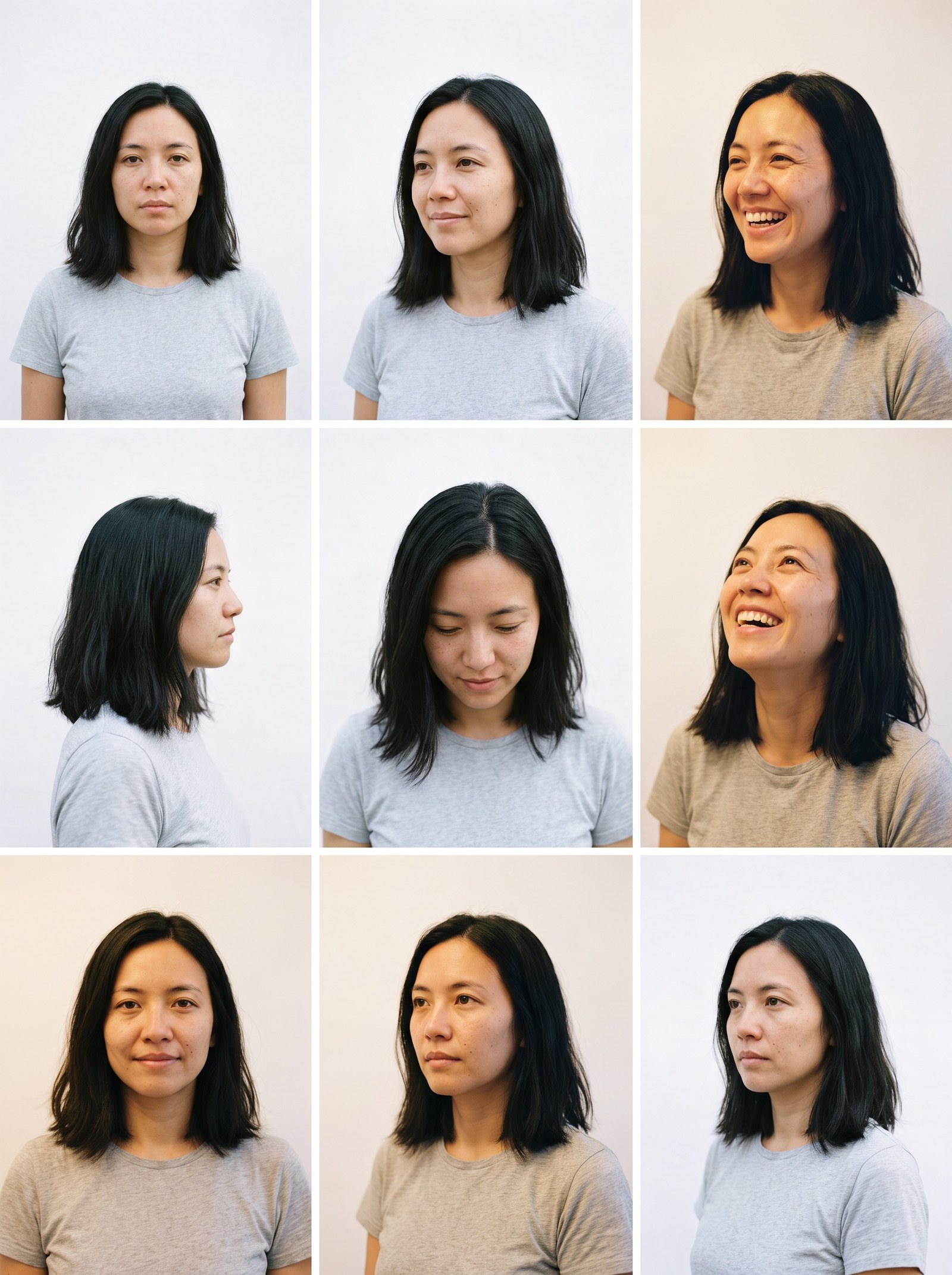
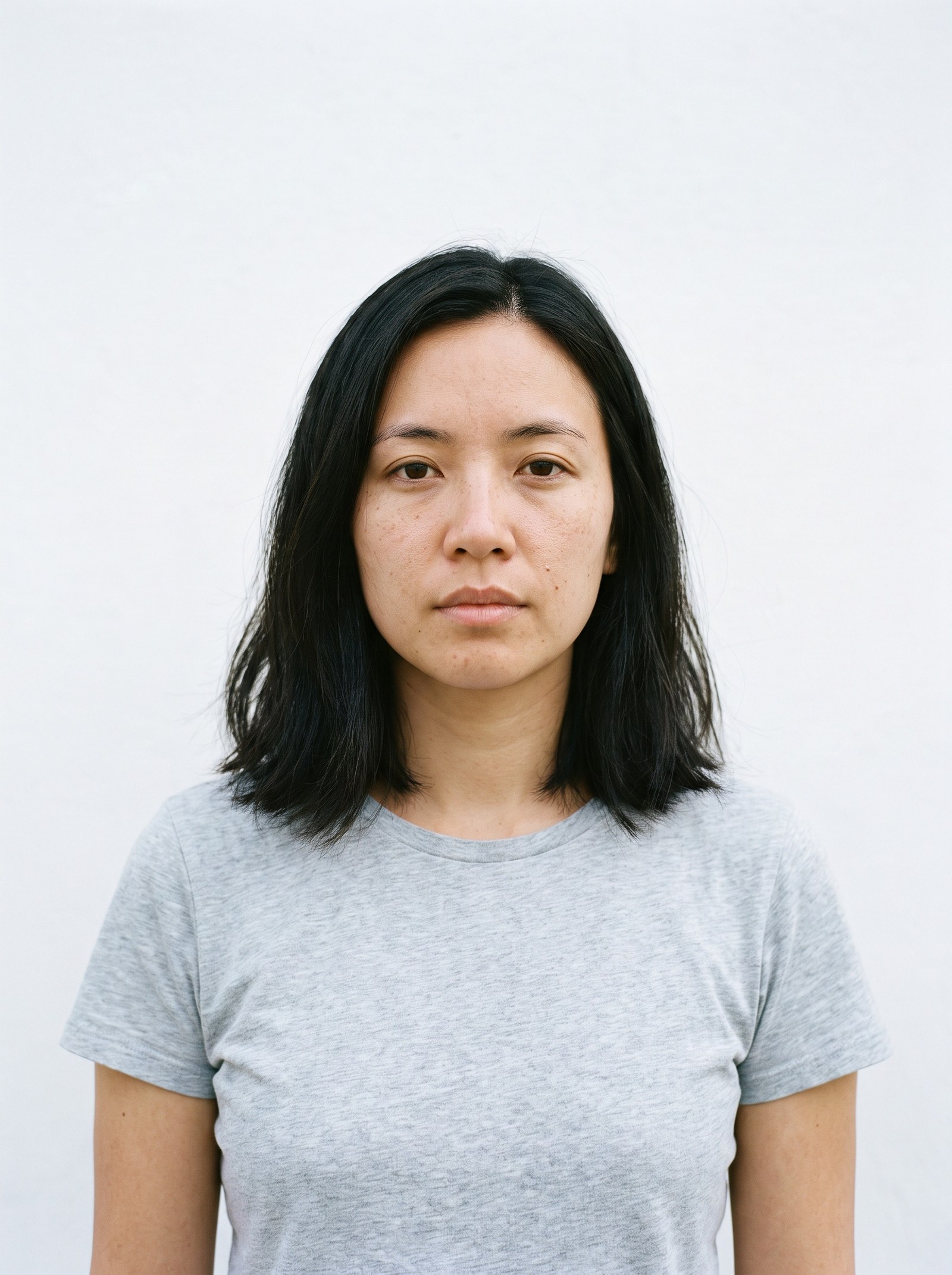 BeforeAfter
How do I build a training set from one photo?
The Dataset Generator builds a training set from a photograph you already have. Give it a reference photo of your subject and a short description of who they are, and it generates a run of new images of that person — headshots, upper-body, full-length and wider environmental frames across different angles, expressions and light — anywhere from 5 to 50 pictures in one pass.
- Set size
- 5–50 images, 20 recommended
- Credits
- 20–35 per image — from 100 for the smallest set, 600 for the recommended one
- Input
- One reference photo of the subject and a line describing them
- Subject
- A person, or a product or object
Updated September 4, 2026
Cite this page: https://imagera.ai/image/personal-influencer/dataset-gen
What a generated set gives a training run
Variety you did not have to photograph
A model reproduces the situations it was trained on and struggles with the ones it never saw, which is why a folder of thirty near-identical selfies trains an identity that only works in that one seat. The generator works from a prompt pool that deliberately spreads a set across framings — tight headshots, upper-body, full-length and wider environmental shots — with different angles, expressions and lighting in each. The breadth comes from the pool, not from how many afternoons you spent with a camera.
Know more →The originals are references, not raw material
Nothing you upload is cropped, re-framed, altered or thrown away. The photos you provide are read as references for the identity and every image in the set is generated fresh against them, so you can hand the tool the only good photograph you have without worrying about what it will do to it. What comes back is new material alongside your original, not a processed version of it.
Know more →Look at the set before you spend a training run
The set arrives as images you can actually inspect — one job per picture, each landing as it finishes — so you can see whether it spans the angles and lighting you care about before committing to training. That ordering matters, because a weak model is far more often a symptom of the photographs it learned from than of the training step, and the photographs are the part you can still change.
Know more →How the set is actually built
One photograph and a line describing who is in it. Every frame after that is generated, one job at a time.
One reference photograph is enough to start
The run refuses only when there is no reference at all — a single clear photo of your subject is a valid input, and you can add more when you have them. Each generated image is produced against those same references, which is what keeps one recognisable person across the whole set rather than a family of near-twins. A front-on, evenly lit shot with the face large and unobstructed carries further than several dim or heavily filtered ones, because every frame in the set inherits whatever the references made legible.
Try it now →You choose the size, the subject and how hard each image works
A set can be anywhere from 5 to 50 images, with 20 marked as the recommended size in the picker. The subject can be a person or a product or object, and the two use different prompt pools, so a product is photographed the way a product needs to be rather than posed like a portrait. Two engines and three quality rungs set how much work goes into each frame, and the price follows: 20 credits an image on the lower-cost engine and 30 to 35 on the higher one. Every combination is priced on the button before you commit.
Try it now →What a whole set costs, in one number
The charge is the per-image rate multiplied by the number of images, reserved up front and settled per image that succeeds. That puts the smallest set at 100 credits, the recommended 20-image set at 600 on the balanced rung, and the largest and most detailed set the picker allows at 1,750. It comes out of the same credit balance as the rest of the suite, so building the set and training on it afterwards draw on one pool rather than two plans.
Try it now →How to build a training set
Three steps in the browser. No install, no GPU.
Add a reference photo of your subject
Upload a clear, well-lit photograph of the person, product or object you want the set to be of. One is enough to run; more references give the generator more of the subject to work from. The photo is used as a reference and comes back unchanged.
Describe the subject and choose the size
Write a short line saying who or what is in the reference — this is what every generated prompt is built around. Then pick whether the subject is a person or a product, how many images you want (5 to 50, with 20 recommended), and how hard each one should work.
Generate the set
Each image is submitted as its own job and lands as it finishes, so a large set does not run as one long wait. The total is shown on the button first — from 100 credits — and images that fail are not charged for. When the set is done it is the material you hand to a training run.
Who needs a generated training set
You have one good photo and no archive
The usual blocker on training an identity is not the training, it is finding enough usable photographs of the subject. If what you actually have is a single clean shot — a headshot, a product photo taken once, a frame of a character you designed — this is the step that turns it into a set with enough spread to train on, without booking a shoot to manufacture the variety by hand.
Try it now →The last model came out weak
When a trained identity drifts or only convincingly renders the subject in one situation, the tell is usually the input: near-duplicates that taught it a narrow slice, or a pool that was all one angle and one light. Rebuilding the set with real spread across framing, expression and lighting, then training again, changes the part of the process that was actually at fault.
Try it now →Products, objects and invented characters
The subject does not have to be a person. A brand training on a single product photograph, or a designer working from one rendering of a character, runs the same path with the object prompt pool instead of the portrait one — multiple views and contexts generated from the reference, so the eventual model renders the thing consistently rather than learning one accidental crop.
Try it now →Discover more AI features
Pro LoRA Generator
For advanced users — bring your own LoRA for a consistent style or character.

Lipsync Studio
No camera, no shoot, no retakes — a photo and a voice note become a video of that person saying it, or a clip you already shot says something new.
AI Influencer Generator
Create a consistent virtual influencer — generate a face or train yours, then make photos and reels
LoRA Trainer
Train custom AI models on your own images
Frequently asked questions
What does the Dataset Generator actually produce?
New photographs of your subject. It reads the reference photos you upload plus a short description of the subject, then generates the number of images you asked for — spread deliberately across tight headshots, upper-body shots, full-length frames and wider environmental ones, in different angles, expressions and lighting. It does not crop, re-frame, filter or otherwise edit the photos you supply; those are references, and they come back exactly as they went in.
How many reference photos do I need?
One is enough to run, and you can add more. What matters more than the count is that the subject is clearly legible: front-on or three-quarter, evenly lit, face or product large in the frame and not hidden behind sunglasses, heavy shadow or motion blur. Every image in the generated set inherits whatever the references made clear, so a single sharp photograph carries further than several dim ones.
How big can a set be, and what does it cost?
A set is 5 to 50 images, with 20 marked as the recommended size. The charge is a flat rate per image multiplied by the size: 20 credits an image on the lower-cost engine and 30 to 35 on the higher one. That puts the smallest set at 100 credits, the recommended set at 600, and the largest and most detailed one at 1,750. The total is quoted on the button before you commit, and images that fail are not charged.
Does the set go into training automatically?
No — it is a step you take. The generated images land in your library as each job finishes, and you select them when you start a training run, the same way you would select photographs you took yourself. Keeping the two steps separate is deliberate: it lets you look at the whole set and decide whether it spans the situations you care about before spending a training run on it.
Can I build a set for something that is not a person?
Yes. The subject control offers a person or a product or object, and the two draw on different prompt pools — a product is photographed from the angles and contexts a product needs rather than posed like a portrait. It is the same flow either way: a reference photograph, a short description of the subject, a set size, and a generated set to train on.
Key takeaways
What comes out of a single reference photograph
A run of frames of the same recognisable person, spread across the things a training set needs to vary: head turn, chin angle, eyeline, expression and the colour and softness of the light. Every one of them traces back to the reference you supplied, which is what makes the set teach one identity rather than an average of several.
What a reference photograph needs to be
Front-on or close to it, evenly lit, with the subject large in the frame and nothing across the face. Plain and unstyled is an advantage rather than a limitation — the reference is there to state who the subject is, and everything about setting, framing and light is decided afterwards, per image, by the generator.
Generating a training set vs shooting one vs training on what you have
| Dimension | Imagera Dataset Generator | Shooting the photographs yourself | Training on the few photos you already have |
|---|---|---|---|
| What you need before you start | One clear photo of the subject and a line describing them | A subject, a camera, a location and time on both sides of the lens | Whatever is already in the folder — usually not enough |
| Spread of angles, expressions and light | Set by the prompt pool — headshot, upper-body, full-length and wider frames in each run | As wide as you plan for, if you remember to vary it on the day | As narrow as the day those photos were taken |
| Time to a usable set | One pass — each image runs as its own job and lands as it finishes | A shoot to schedule, then selection and export | None — but the set is the problem, not the wait |
| What happens to your originals | Read as references and returned unchanged; nothing is cropped or discarded | Not applicable | Used directly, limits and all |
| Effect on the trained model | Learns the subject across situations it was never photographed in | Strong, in proportion to how well the shoot was planned | Tends to render the subject only in the situation it saw |
| Cost | From 100 credits a set, 600 for the recommended 20, from the balance the whole suite shares | A shoot day, or your own afternoon | Nothing, then a training run that disappoints |
Use responsibly
Because the Dataset Generator is often the first step toward a model of a real person, the responsible practice starts with the material, not the software. Prepare datasets only from images you have the right to use: your own likeness, a subject you own such as your product or brand, or talent who has cleared their photos for this purpose. This is not a limitation of the tool so much as a discipline of doing identity work well — a model is only as defensible as the photos it learned from, and a clean-provenance dataset is one you can build on without second-guessing it later.
It helps to think about consent as scoped rather than blanket. If you are training on another person, being clear about what the model will be used for — and keeping a record that they agreed to it — is the kind of housekeeping that saves trouble down the line, especially if the identity becomes a recurring asset you generate from for months. The same care applies to source images pulled together from different shoots: knowing where each set of photos came from, and that you were entitled to use all of it, keeps the finished model on solid footing.
One photo is enough to start
Build the set, look at it, and only then spend a training run on it. The photographs are the part that decides how the model turns out.
Build a training set →