Imagera AI - AI content creation platform for generating images, cloning voices, creating avatars, and enhancing videos. Privacy Policy | Terms

IMAGERAAI
Blog Post
Video Call Tips

Camera-On Culture: Look Good Without Dread (2026)

Hate camera-on meetings? Practical ways to look presentable on Zoom and Meet every day — and Imagera GlowCam for low-effort confidence. 7-day free trial.

By Imagera AI Team13 min readJuly 16, 2026Updated: July 19, 2026
Share:
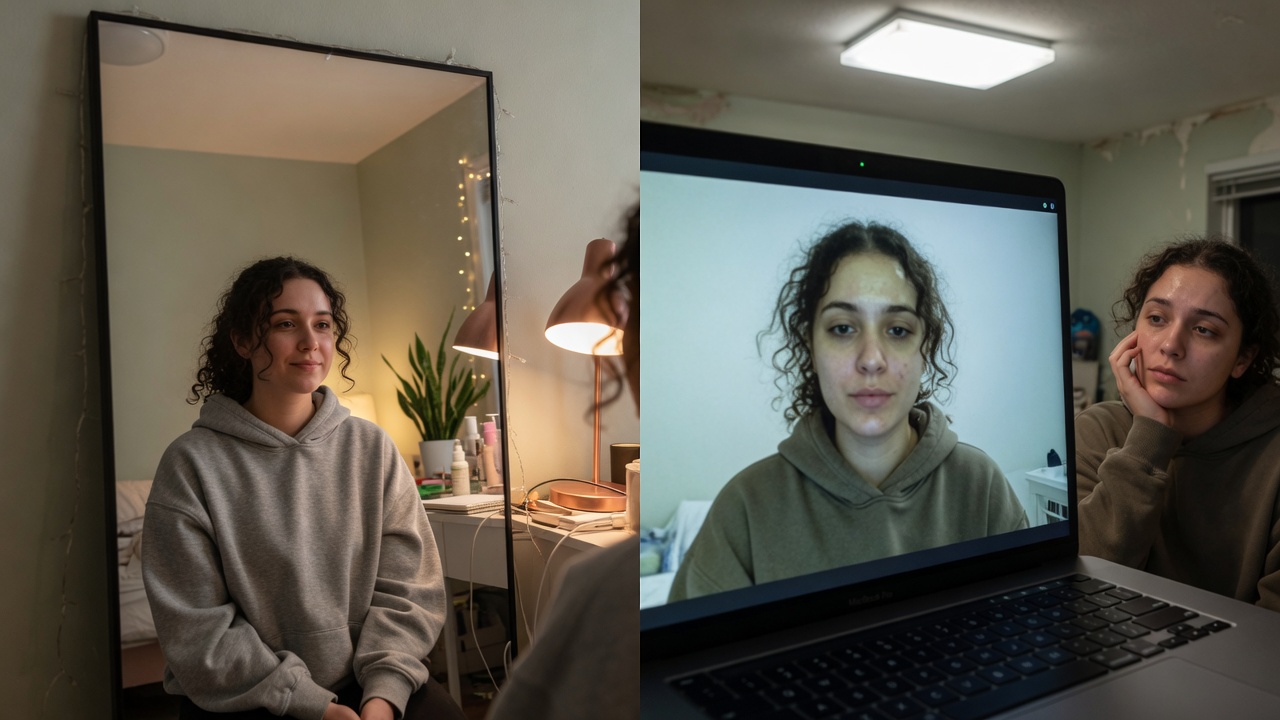
Calm professional leaving the camera on during a required meeting

TL;DR

You can survive camera-on culture without a full glam routine: one lamp, one framing setup, and Imagera GlowCam on a saved natural preset so turning the camera on stops feeling like a threat. 7-day trial, no card.

Try it yourself — no setup

A real-time beauty filter & background for your webcam on Google Meet, Zoom, Teams and more — right in your browser.

You can be excellent at your job and still feel your stomach drop when the calendar says camera on. Reddit threads are full of it: all-day camera policies, hybrid “we need to see faces,” the person who is always on while everyone else is a black tile.

Low-effort natural presence for all-day camera-on work

Low-effort natural presence for all-day camera-on work.

This is not about loving surveillance. It is about a work reality where visibility is treated as professionalism — and where looking rough on a bad laptop becomes a daily tax on confidence.

Here is how to leave the camera on without dreading it — and how Imagera GlowCam turns “I need ten minutes to look human” into “I’m ready in one.”

Quick answer: Camera-on dread is largely fixable in under 5 minutes: better lighting, a raised camera angle, and Imagera's AI polish can make you look noticeably more put-together on video without changing anything about your face or your morning routine.

1.How can you look good on camera without dreading every meeting in 2026?

Start with 3 fundamentals: raise your webcam to eye level, face a window or lamp, and frame yourself from mid-chest up. Then let Imagera enhance still headshots and clips to 4K in under 60 seconds. Most remote workers feel at least a little self-conscious on video, so these 3 quick fixes remove most of that friction fast.

2.Why do so many people avoid turning their camera on?

Cameras-off has become a habit for a lot of teams, driven by appearance anxiety and plain "Zoom fatigue." Imagera addresses the appearance half: generate 10+ polished profile headshots or upscale meeting-ready video to 8K, so 1 good asset covers dozens of calls in 2026.

3.Why camera-on hits so hard

Turning on video is not neutral. It means:

  • You can be watched while you think
  • Your home becomes semi-public
  • Your face becomes part of your performance review folklore
  • Self-view creates a second job: monitoring yourself

People do not hate “collaboration.” They hate unpaid appearance labor stacked on top of actual work — especially when the camera makes them look worse than they do across a desk.

4.The career math (uncomfortable but real)

In many teams, camera-off is read as:

  • Disengaged
  • Multitasking
  • “Not a culture fit”
  • Harder to promote because leaders “don’t feel they know you”

Fair or not, the people who can tolerate being seen often collect more informal credit. Looking acceptably good on camera is how some workers reclaim agency inside a rule they did not write.

5.The minimum viable “camera-on kit”

You do not need a studio. You need a repeatable 60-second setup.

5.1Hardware of dignity (cheap)

  1. One front light — desk lamp or small ring light. Permanent position.
  2. Laptop height — stand or books. Permanent.
  3. Headset — looks intentional; audio is part of looking professional.
  4. Backdrop zone — the one wall that is always “good enough.”

5.2Software of dignity

  1. One saved live look — Imagera GlowCam Meeting or Natural preset, strength locked so you never fiddle mid-standup.

When the invite hits, you are not reinventing your face. You are flipping switches you already trust.

6.Where GlowCam fits (without turning work into content creation)

GlowCam is a Chrome extension that polishes your outgoing webcam on browser Meet, Zoom, Teams, and other supported call sites.

For camera-on culture specifically, the win is low daily friction:

  • Skin that does not look grey under fluorescent leftovers
  • Under-eye help on short-sleep mornings
  • Soft background when the room is real life
  • Same look every day so you stop re-deciding
  • On-device design — not “upload my face to the cloud to be allowed at work”
  • Instant off if you need raw camera

Trial: 7 days, no card. From $24.99/month after.
GlowCam · Chrome Web Store

Working parents on forums often treat mild video polish like “skip foundation and still look awake.” That is the right mental model: grooming for the medium, not cosplay.

7.A weekday system that prevents dread

WhenHabit
Sunday 10 minWipe lens, test light, confirm GlowCam preset
Each morningClothes from the “camera half” of the closet
Before first callLight on → height check → GlowCam on → hide self-view if needed
Between callsDo not reopen sliders; trust yesterday’s settings
Hard daysUnder-eye only; skip everything else
FridaysOptional lower strength; protect energy

Dread lives in uncertainty. Systems kill uncertainty.

8.Psychological tricks that are not cheats

  • Hide self-view after you confirm framing. You cannot hate a tile you are not studying.
  • Pin the speaker, not yourself.
  • Stand for one call a day if energy crashes — posture changes face shadows.
  • Name the fear (“I look tired”) and answer with a lever (“lamp + under-eye”) instead of avoidance.

9.When camera-off is still the right call

Illness, unsafe environments, bandwidth collapse, grief — camera-off is legitimate. Tools should not guilt you into performing wellness you do not have.

Use GlowCam for the days you choose to be seen and want a fair image — not as a mandate to never rest.

10.Managers reading this

If you require cameras, you also own the human cost. Consider:

  • Cameras for decision meetings, optional for status dumps
  • Not punishing people for messy real homes
  • Modeling “good enough” light instead of perfection

Employees will still search for how to look okay. Point them at light and humane tools; do not demand glam.

11.Fixing the Three Things That Actually Make You Dread the Camera

Most camera anxiety isn't about your face — it's about three fixable variables that compound. Diagnose which one is yours before you blame yourself.

Your eyeline, not your appearance. On most laptops the webcam sits above the screen while your eyes track the participant grid below it, so you read as looking down and disengaged even when you're fully present. Raise the laptop until the lens hits your upper forehead, or drop your speaker-view window to the top of the display so your gaze lands near the camera. This single change fixes more "I look bad on camera" complaints than any lighting rig.

Backlight, not skin. A window or lamp behind you forces the camera to expose for the bright background and crush your face into a silhouette. Put your dominant light in front of you — a window you face, or a lamp beside the monitor — and let the background be the darker plane. Soft and frontal beats bright and behind every time.

Latency, not confidence. When your image stutters or freezes mid-sentence, colleagues read it as hesitation. Wired ethernet, camera off during others' turns, and closing bandwidth-hungry tabs do more for your on-screen presence than practicing your delivery.

11.1When to invest effort, by scenario

ScenarioWhere the effort pays off
Daily standupEyeline + one frontal light — skip everything else
Client / sales callAdd a clean, non-distracting background and a tidy upper third
Recorded async videoFraming and pacing matter more than live latency
Panel or webinarTest the full setup 10 minutes early; freezes read worst to large audiences

11.2The still-photo layer

Live framing handles the meeting, but your profile picture, team page, and speaker bios are where most people actually form a first impression — and where a bad frame lingers for months. If reshooting isn't realistic, Imagera's headshot and photo-enhancement tools can take an existing selfie and produce a clean, professional-looking portrait — even lighting, tidy background, natural skin — for a handful of credits, so your static presence matches the effort you put into the live one.

One honest caveat: none of this replaces psychological safety on the team. If people freeze on camera because feedback feels punishing, better lighting won't fix it — that's a culture problem wearing a technical costume. Treat the setup tips as removing friction, not manufacturing comfort that the environment doesn't support.

TopicLink
Why the camera liesWhy you look worse on camera
Daily remote lookRemote work video appearance
FatigueLook less tired
ProductGlowCam

13.Key takeaways

  1. Camera-on dread is often appearance labor, not antisocial personality.
  2. A permanent light + height setup beats daily improvisation.
  3. GlowCam makes “look acceptable” a one-toggle habit.
  4. Visibility still influences who gets informal career credit.
  5. Invisible polish > performing perfection.

14.Kill camera dread with a weekday system

Mon: Lens wipe + confirm lamp position.
Daily standup: Minimum GlowCam strength or off if light is perfect.
Client blocks:

Work-Natural
preset only.
Friday: One note — what still triggers dread (clutter, height, sleep)? Fix environment, not your face identity.

Dread falls when surprise dies. Infrastructure > willpower. GlowCam.

15.Who camera-on culture hurts — and who recovers

ICs under all-day video policies, hybrid teams that equate tiles with commitment, anyone whose home is not a studio. Recovery is a boring kit (light, height, one preset), not more self-criticism.

16.The unpaid second job

Camera-on culture creates a second job description nobody wrote down:

  • Be visually available
  • Keep the home “professional enough”
  • Manage self-view anxiety
  • Recover face between meetings with no buffer

Tools that compress that second job into a toggle are not frivolous. They are how people stay in the arena without burning out on appearance labor.

17.Boundary scripts that still look good

You can be on camera and still protect yourself:

  • “I’m on video for the decision portion; may go audio for the working session.”
  • “Give me 30 seconds to fix light” (then actually fix light).
  • “I’ll stay video-on; please don’t mind the real apartment” — with blur already handling the worst of it.

GlowCam supports the third: you look intentional without performing a show home.

18.Hybrid office days vs home days

Office conference rooms have different light. Save two presets:

Home-Meeting
and
Office-Meeting
. Switching is faster than rebuilding from zero and prevents “why do I look orange in the glass room?” surprises.

19.Closing

You do not have to love camera-on culture to survive it with dignity. Build a boring, repeatable setup. Let GlowCam carry the daily polish. Spend your courage on the work, not on dreading the red camera icon.

20.Where to open next

GoalLink
GlowCam productGlowCam
PricingPricing
Still headshotsAI Headshot

Repeatable camera-on kit: lamp, height, clean desk

Repeatable camera-on kit: lamp, height, clean desk.

21.Surviving all-day camera-on

Standup: minimum strength or off if light is good.
Client block: one saved

Work-Natural
preset.
Back-to-backs: hide self-view so dread cannot compound.

TriggerEnvironment fixSoftware fix
“I look messy”Clear 1m behind youSoft blur
“I look tired”Face lightUnder-eye low
“I hate being watched”Hide self-viewStop slider fiddling
Managers demand cameraBoring kit always readyOne-click preset

Managers: camera-on without psychological safety still fails. Tools help appearance labor; culture still matters.

GlowCam

22.The unpaid second job (why dread is rational)

Camera-on policies stack appearance labor on top of actual work:

  • Your home becomes semi-public
  • Self-view trains micro-criticism nobody else is doing
  • One bad tile becomes “how you show up” folklore

That is why a boring kit beats motivation speeches. When light, height, and a saved preset are automatic, turning the camera on stops feeling like a performance review of your face.

23.Weekday system that prevents dread

DaypartDefaultWhy
StandupsLight on; GlowCam
Standup
(almost off) or off if light is perfect
Low stakes — do not burn willpower
Client / external
Work-Natural
preset only
Consistency beats experimentation
All-handsSoft blur if room is messy; hide self-viewReduces surveillance feeling
Back-to-backsDo not open sliders between callsFiddling is where dread grows
Friday 10 minNote one trigger (clutter, height, sleep)Fix environment weekly

If dread spikes mid-week, check surprise (new room, dead lamp bulb, greasy lens) before you blame your face.

24.Scripts when camera-on feels unfair

You can protect yourself without sounding hostile:

  • “I’ll stay on video; can we also keep chat for async notes?”
  • “Happy to be on camera — sharing my screen for the deck so faces aren’t the only signal.”
  • For managers: “Camera-on works better when people know the purpose (collaboration vs attendance theater).”

Tools make the tile fairer. Norms decide whether camera-on is trust or surveillance.

25.Try GlowCam — start your free trial

This guide is about Imagera GlowCam — a real-time, on-device webcam beauty filter for Google Meet, Zoom, Microsoft Teams, and more in Chrome. Use the links below to convert from reading to installing.

GoalAction
Start free (7 days, no card)Open GlowCam product page
Install the extensionChrome Web Store — GlowCam
Compare plansPricing
Decision / alternativesSnap Camera alternative · Zoom Touch Up alternative

What you get on a work call: natural skin + under-eye polish, optional makeup, background calm, and saved presets (standup / client / interview). Processing is designed to stay on your device.

Convert now: Get GlowCam — free 7-day trial → install once → save a low-strength Work-Natural preset → join your next high-stakes call looking like yourself on a good day.

Frequently Asked Questions

How do I look good on camera every day without makeup?
Front light, eye-level camera, clean top, GlowCam Natural/Meeting at low strength. That stack replaces a long routine for many people.
Is using a filter unprofessional at work?
Invisible correction is widely treated like good lighting. Obvious effects are what read unprofessional.
Will my company allow a Chrome extension?
Policies vary. GlowCam emphasizes on-device processing; follow IT rules. Trial it on personal machine first if needed.
What if only I am on camera?
That power dynamic is real. Looking composed helps; so does gently asking for shared norms. The tool cannot fix culture alone.
Does GlowCam work on Zoom and Meet?
Yes on supported browser call sites via Chrome.
Cost?
7-day free trial (no card), then from $24.99/month. See GlowCam pricing on the product page.

Imagera AI Team

AI Content & Editorial Team

The Imagera AI editorial team brings together AI researchers, product specialists, and content strategists covering practical AI creation workflows.

Areas of Expertise:

AI Image GenerationAI Voice RecreationAI Avatar CreationContent Marketing

Put this guide to work

A real-time beauty filter & background for your webcam on Google Meet, Zoom, Teams and more — right in your browser.

A real-time beauty filter & background for your webcam on Google Meet, Zoom, Teams and more — right in your browser.