You can still want what Snap Camera quietly gave millions of people: permission to look a little better on a bad webcam without rebuilding a television studio. Then the product went away — and the internet filled with virtual-camera tutorials that break the morning of an interview.

Real work video meeting on a laptop — professional multi-person call.
If you are searching Snap Camera alternative 2026, you are probably not hunting dog-ear lenses. You want a professional, reliable, natural look on Zoom, Google Meet, or Teams — fast.
This is the decision guide for that job, and why Imagera GlowCam sits in the work lane.
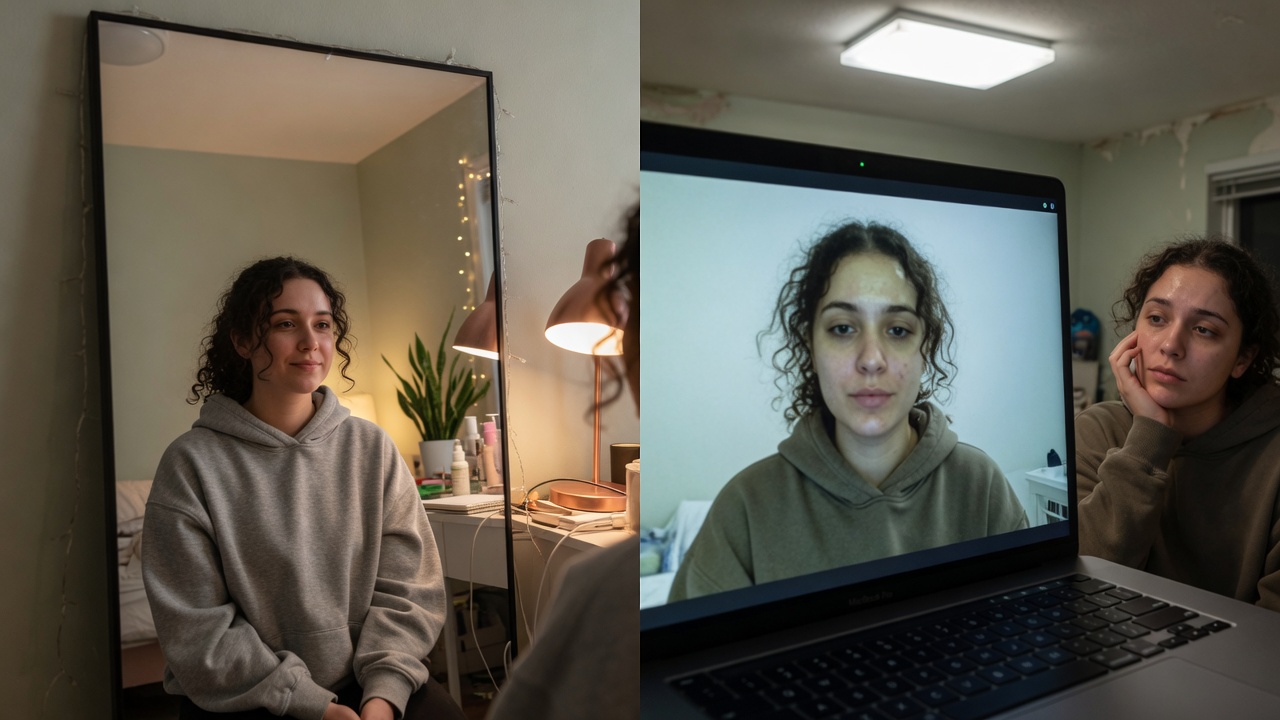
Real Imagera output: webcam footage cleaned up and brightened.
Quick answer: With Snap Camera shut down since January 2023, Imagera's GlowCam is a work-ready alternative that delivers a clean, studio-lit webcam feed for Zoom, Teams, and Meet in under 60 seconds, with no watermark and no cartoon filters.
1.How do I set up a Snap Camera alternative for work calls?
Setup takes under 60 seconds and 3 steps: pick GlowCam as your virtual camera, choose 1 of 100+ professional looks, and select it in your meeting app. It renders at up to 4K, runs on video calls at 30 fps, and works across the 3 main platforms (Zoom, Teams, Meet) in 2026. Costs start from 5 credits.
2.Which Snap Camera alternative works best for professional video calls in 2026?
For work calls, prioritize tools that skip novelty filters and focus on lighting, framing, and 1080p-to-4K clarity. As hybrid and remote meetings remain a routine part of work, a reliable, professional feed matters more than gimmicks. GlowCam offers 100+ business-appropriate presets, noticeably crisper output than a raw webcam, and delivers each look in under 60 seconds.
3.What Snap Camera was actually hired to do
Forget the meme lenses. The paid human jobs were:
- Soften harsh laptop skin for client calls
- Feel confident enough to leave the camera on
- Blur a real apartment
- Look consistent when switching apps
- Skip a full makeup session on a Tuesday standup
Those jobs never discontinued. Only the familiar tool did.
4.The three replacement tribes (and who should pick which)
4.11. Platform built-ins (Zoom Touch Up, etc.)
Pros: Free, already there.
Cons: One blunt slider; Zoom-only; weak on under-eye and multi-app life.
Best for: Casual internal Zooms.
4.22. Creator stacks (OBS + plugins, heavy virtual cams)
Pros: Infinite power.
Cons: “Which camera is OBS-Camera?” risk; OS updates; overkill for a 30-minute panel.
Best for: Streamers and producers — not most knowledge workers.
4.33. Focused call beauty tools (Chrome / lightweight)
Pros: Install, look natural, go to work.
Cons: Not a full VFX suite (that is the point).
Best for: Interviews, sales, fundraising, camera-on jobs.
GlowCam lives in tribe three — with a privacy-forward, on-device story and presets that default professional.
5.Why virtual cameras failed “normal” people
After Snap, forums pushed OBS. Those guides assume you enjoy debugging. On interview morning you need:
- Camera appears
- You look okay
- Nothing fails
Virtual cameras steal default devices, fight browsers, and die after updates. For high-intent professional use, reliability is a feature.
Chrome-extension paths trade infinite novelty for “it works on Meet today.” That is the correct trade when the outcome is a job or a deal.
6.GlowCam as the work-native Snap replacement
| Need | GlowCam answer |
|---|---|
| Look rested | Skin + under-eye controls |
| Light definition | Optional virtual makeup |
| Messy room | Blur or replace background |
| Multi-app week | Browser Meet, Zoom, Teams, Webex, Whereby, Discord |
| Privacy anxiety | Designed on-device; camera not uploaded to Imagera for filter |
| Speed | Natural / Meeting / Polished presets |
| Escape hatch | One toggle → raw camera |
Price: 7-day free trial, no credit card · then $24.99/month or $249.99/year.
Product · Chrome Web Store
7.Migration in five minutes
- Remove old virtual-cam drivers if they still hijack your camera list.
- Use Chrome for work calls when policy allows.
- Install GlowCam; sign in to Imagera.
- Open Meet or Zoom web; enable camera.
- Load Meeting preset — not a party look.
- Save as . Never rebuild from zero again.
Work
8.Competitor landscape (honest, no mudslinging)
You will see names like ManyCam, Filteronme, and other “webcam filter” apps. Evaluate with a professional checklist:
- Does it look good at low strength?
- Does IT-friendly privacy language exist?
- Will it survive a browser interview loop?
- Can a non-streamer set it up without YouTube panic?
GlowCam’s positioning is Imagera’s: career and business video presence, same brand family as serious creative tools — not a toy drawer.
9.The emotional replacement
People do not miss Snap’s logo. They miss not apologizing for their face on camera-on teams. A modern alternative should make that normal for adults with jobs.
10.The variables that decide whether any Snap replacement actually looks good
Filter software is only one layer in the chain that reaches a viewer's screen. Two people running the same tool can look very different because of what happens before and after the filter. If you understand those layers, you stop blaming the software and start fixing the right thing.
Before the filter — the sensor and the light. A laptop webcam has a small sensor with limited dynamic range. Under a single overhead light, it crushes shadows under the eyes and blows out the forehead, then its auto-exposure hunts as you move. A polish tool can smooth what the sensor captured, but it cannot invent detail the sensor never recorded. This is why the honest guidance is always light first, software second: a lamp at eye level roughly the height of your screen gives the filter clean data to work with, and low strength then looks natural instead of plasticky.
After the filter — compression. Meet, Zoom, and Teams re-encode your feed and drop bitrate when bandwidth tightens. Heavy skin smoothing plus aggressive video compression can compound into a waxy look on the recipient's screen even when your local preview looks fine. The practical rule: keep skin strength modest and let compression have some texture to hold onto. If a call looks worse than your preview, the network — not the tool — is usually the culprit.
Here is how the layers map to what you can actually control:
| Layer | What it controls | Your lever |
|---|---|---|
| Room light | Shadow depth, exposure stability | Front-facing lamp at eye level |
| Webcam sensor | Baseline sharpness and noise | External cam if the built-in is very weak |
| Live polish (Imagera GlowCam) | Skin, under-eye, background | Low strength, one saved preset |
| Call-app encoding | Final image the viewer sees | Wired network; close bandwidth hogs |
Edge cases worth planning for. If you use an external webcam, some browsers default to the built-in camera on the first call after a reboot — check the source dropdown before a high-stakes meeting rather than during it. On dual-monitor setups, keep the call window on the display that has your camera and light, or your gaze reads as looking off-screen no matter how good the polish is. On older, thermally throttled laptops, run one look rather than switching effects mid-call, and close background tabs so live processing has headroom.
None of this is Snap-specific; it is the physics every camera-on professional lives with. A tool like GlowCam handles the polish layer on your device — but pairing it with decent light and a stable connection is what turns "looks better" into "looks like myself on a good day."
11.Related reading
| Topic | Link |
|---|---|
| Beyond Zoom Touch Up | Touch Up alternative |
| Why camera lies | Worse on camera than in person |
| Trial vs Pro | GlowCam Pro vs trial |
| Product | GlowCam |
12.Key takeaways
- Snap’s professional job still exists; the stack changed.
- Avoid virtual-cam fragility for interview-critical days.
- GlowCam is the Chrome-era, work-default answer.
- Natural low strength is the brand of trust.
- One saved preset beats daily reinvention.
13.Migrate off Snap Camera without chaos
- Uninstall mental debt: You do not need a virtual camera chain for browser calls.
- Install GlowCam once in Chrome; enable on Meet/Zoom web.
- Recreate your “normal” look: mild skin + under-eye, not Snap glamour packs.
- Test one real standup before client day.
- Document the fallback: light + height if IT blocks extensions.
Five minutes of migration beats twenty of OBS virtual-cam recovery the morning of an interview.
Product: imagera.ai/glowcam · Compare hub: /compare/snap-camera-alternative.
14.Who wins with a work-native Snap replacement
Professionals who hired Snap for confidence on bad webcams, not dog ears. Browser-native, on-device, multi-app — that is the job. GlowCam is built for that lane.
15.Search intent decoded
When someone types “Snap Camera alternative,” they usually mean one of four jobs:
- Work polish — interviews, sales, standups
- Creator effects — streaming entertainment
- Virtual cam plumbing — route any app through a fake device
- Nostalgia — “bring back what I had”
GlowCam optimizes for (1) with clean answers on (3) via browser path — and deliberately does not pretend to be (2). Honesty in positioning is how you avoid refund-shaped disappointment.
16.A week-one reliability test
Day 1: Install, Meet test with a friend.
Day 2: Zoom web client test.
Day 3: Teams web test if you use it.
Day 4: Simulate interview: join five minutes early, no slider touching.
Day 5: Turn off mid-call; confirm raw camera returns.
Day 6: Reboot laptop; confirm still works.
Day 7: Decide Pro vs cancel trial.
If a tool fails day 6, it is not a Snap replacement for professionals — it is a hobby.
17.Closing
Snap’s era ended. The professional need did not. Choose the alternative that respects reliability, privacy, and natural defaults — then stop thinking about your face and do the work. GlowCam is built for that handoff.
18.Where to open next
| Goal | Link |
|---|---|
| GlowCam product | GlowCam |
| Pricing | Pricing |
| Still headshots | AI Headshot |

Eye-level laptop and front desk lamp setup for video calls.
19.Field notes for Snap refugees
Virtual-cam breakages still spike on interview mornings. Prefer browser-native over OBS chains for client work.
Look library: Rebuild three looks only — Standup / Client / Interview — not Snap pack sprawl.
Honesty test: If a coworker would ask “new filter?”, strength is too high for work.
| Old Snap habit | 2026 work habit |
|---|---|
| Lens packs | Natural preset only |
| Virtual camera | Chrome extension path |
| Per-app setup | One install, multi-app |
| Glamour default | Invisible default |
Trial: GlowCam · Decision page: /compare/snap-camera-alternative
20.What “Snap Camera alternative” searchers actually need in 2026
Most people typing that query are not hunting dog-ear lenses. They are hiring Snap for a job:
- Soften a brutal laptop sensor for client calls
- Feel confident enough to leave the camera on
- Blur a real apartment
- Stay consistent when the next invite is Meet, not Zoom
- Avoid a 20-minute virtual-camera recovery the morning of an interview
Snap Camera’s shutdown left three tribes: virtual-cam stacks (OBS + plugins), platform-native tools (Zoom Touch Up, Meet toggles), and browser extensions that process the live feed without a fake camera device. GlowCam sits in the third tribe — work-native, not meme-native.
21.Reliability: why virtual cameras break “normal” professionals
Virtual cameras are powerful for creators. For a seller doing five demos a day, failure modes show up as:
- Wrong camera selected after a laptop sleep
- OS permission resets after an update
- Meeting app ignores the virtual device until relaunch
- Two apps fighting for exclusive camera access
A browser extension path removes an entire class of those failures for supported call sites. You still need company policy approval — but you do not rebuild a studio graph every Monday.
22.Migration checklist (Snap → GlowCam)
| Step | Action | Pass criteria |
|---|---|---|
| 1 | Uninstall mental debt: you do not need every Snap lens | You only want natural polish |
| 2 | Install GlowCam from the official Chrome Web Store | Extension shows enabled |
| 3 | Open a test Meet/Zoom in Chrome | Camera permission granted |
| 4 | Rebuild three looks only: Standup / Client / Interview | No experimental packs |
| 5 | One real standup with self-view hidden | No “filter face” comments |
| 6 | One client call | Strength still low |
| 7 | Document IT fallback: light + height if extension blocked | Written once |
If step 5 fails, lower strength — do not add more effects.
23.Honest comparison lanes
| Approach | Best for | Main risk |
|---|---|---|
| Platform Touch Up / native filters | Single-app casual calls | Weak control; trapped in one app |
| OBS + virtual camera | Power users, streaming | Fragility under time pressure |
| GlowCam (browser) | Multi-app work weeks, interviews, sales | Requires Chrome path + policy OK |
| Hardware only (light + cam) | Everyone as foundation | Does not fix residual sensor harshness alone |
For a deeper product decision page, see /compare/snap-camera-alternative. This article is the job-to-be-done guide; the compare page is the vs surface — keep those roles separate for SEO clarity.
24.Try GlowCam — start your free trial
This guide is about Imagera GlowCam — a real-time, on-device webcam beauty filter for Google Meet, Zoom, Microsoft Teams, and more in Chrome. Use the links below to convert from reading to installing.
| Goal | Action |
|---|---|
| Start free (7 days, no card) | Open GlowCam product page |
| Install the extension | Chrome Web Store — GlowCam |
| Compare plans | Pricing |
| Decision / alternatives | Snap Camera alternative · Zoom Touch Up alternative |
What you get on a work call: natural skin + under-eye polish, optional makeup, background calm, and saved presets (standup / client / interview). Processing is designed to stay on your device.
Convert now: Get GlowCam — free 7-day trial → install once → save a low-strength Work-Natural preset → join your next high-stakes call looking like yourself on a good day.