Topaz Gigapixel used to be something you bought once. Since 3 October 2025 it is subscription-only: $149 a year, or $29 a month (topazlabs.com/pricing, checked 23 September 2026). If you upscale a handful of photos a month, that changes the math. This guide compares what the Gigapixel desktop app still does well with browser upscaling on Imagera's AI Image Upscaler, and what each one costs.
0.1Real before and after: Imagera upscaling
| Before (low-res) | After (upscaled) |
|---|---|
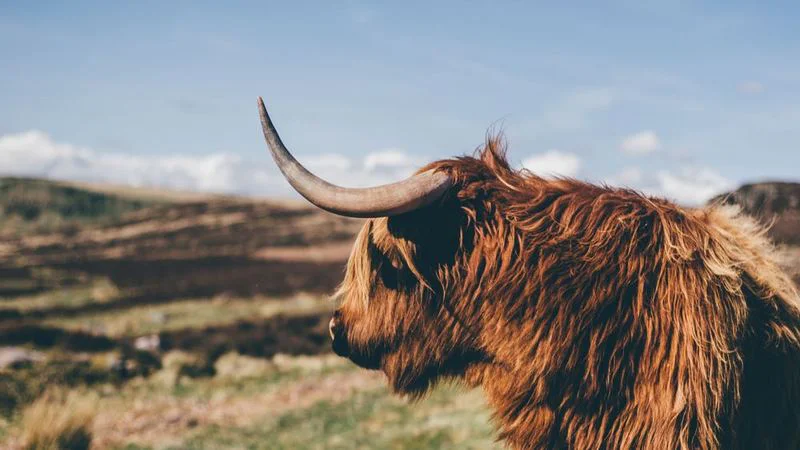 | 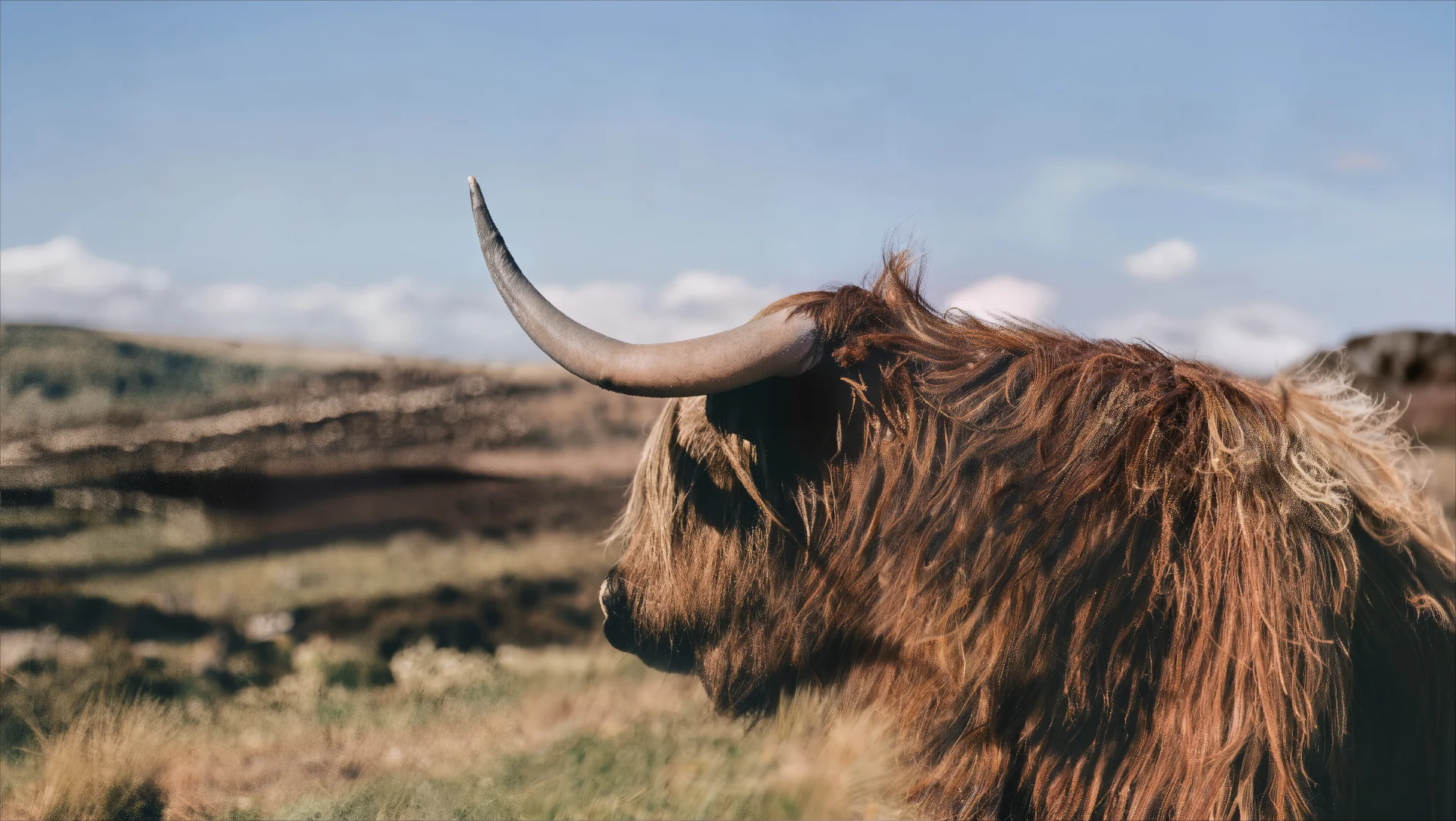 |
Before → after with Imagera's Image Upscaler: 800 by 450 in, 1920 by 1083 out (2.4×).
Quick answer: Gigapixel is now a $149-a-year (or $29-a-month) desktop subscription. Imagera's image upscaler runs in the browser, enlarges photos up to 16K and bills per image in credits, from 15 credits. Heavy, steady users with a capable workstation get good value from Gigapixel; occasional users usually spend less per image in the browser.
1.What does Topaz Gigapixel cost in 2026?
Topaz stopped selling perpetual licences on 3 October 2025 (digitalproduction.com, 2 October 2025). As of September 2026, Gigapixel is $149 a year or $29 a month; the all-app Topaz Studio bundle, which includes Gigapixel, is $399 a year; and the separate browser app, Topaz for Web – Image, lists at $19 a month or $199 a year, with a lower promotional price at the time of writing (topazlabs.com/pricing, checked 23 September 2026). If you bought a perpetual licence before the cut-off, you keep the version you own.
2.Is an online upscaler like Imagera good enough for large prints and 8K displays?
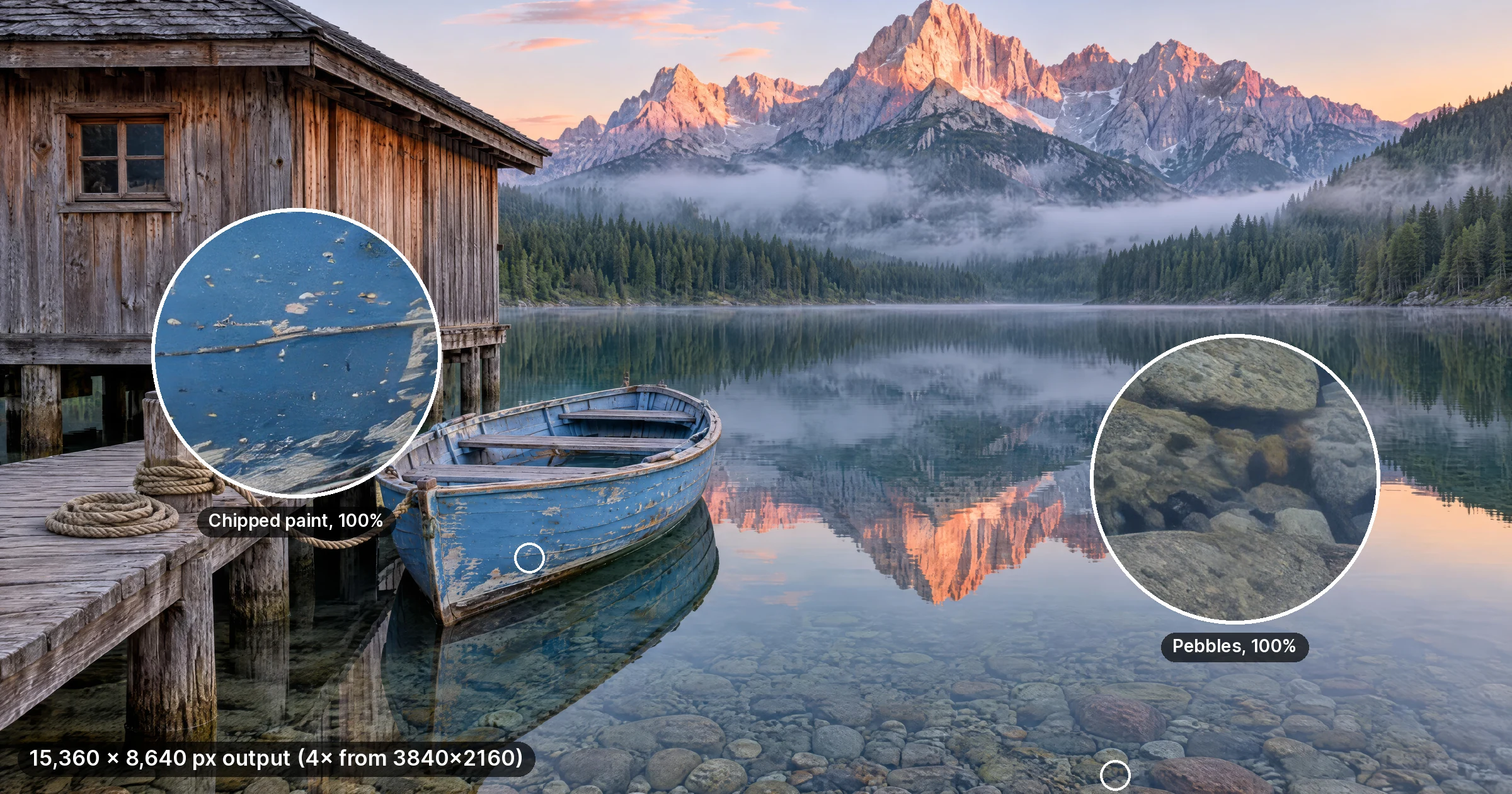
For most jobs, yes. Imagera's main engine outputs up to 16K on the long edge, which at 300 DPI prints at about 51 inches; 8K covers a native 8K display. The honest rule is to pick the smallest output that serves the print or screen: 4K for most web and print work, 8K to 16K only when you crop hard or print large. You pay per image in credits, and larger outputs cost more.
3.Related tools
| Job | Page |
|---|---|
| Topaz alternative for photos and video | Topaz alternative online · Topaz Video AI alternative |
| Core enhancer studio path | AI Video Enhancer |
| Image / Gigapixel-class upscale | Image upscaler · Super resolution |
| Pricing | Imagera pricing (packs from 350 credits, pay-first) |
4.Quick Comparison
| Feature | Topaz Gigapixel | Imagera AI Image Upscaler |
|---|---|---|
| Price (September 2026) | $149/year or $29/month | From 15 credits per image |
| Platform | Desktop app (Windows, macOS); Topaz for Web is a separate plan | Browser |
| Max output | Up to 6x enlargement | Up to 16K (Imagera AI engine); 2x or 4x (Imagera Pro engine) |
| Engines | Several enhancement models plus face recovery | Two: Imagera AI (photos, art, screenshots) and Imagera Pro (keeps skin, hair and fabric more natural) |
| Batch processing | Local queue | Up to 10 images per run |
| Plugins | Lightroom and Photoshop | — |
| Offline use | Yes | No — needs a connection |
| Processing location | Your hardware | Cloud |
5.Where Topaz Gigapixel Excels
Topaz Gigapixel has genuine advantages worth acknowledging:
Offline processing. Everything runs locally. No internet connection is needed after installation, and your images never leave your machine.
Annual plan for heavy use. At $149 a year, someone upscaling hundreds of images a month on a workstation they already own pays very little per image.
Mature ecosystem. Topaz has been refining upscaling models since 2018. The software is stable, well documented, and works as a Lightroom and Photoshop plugin.
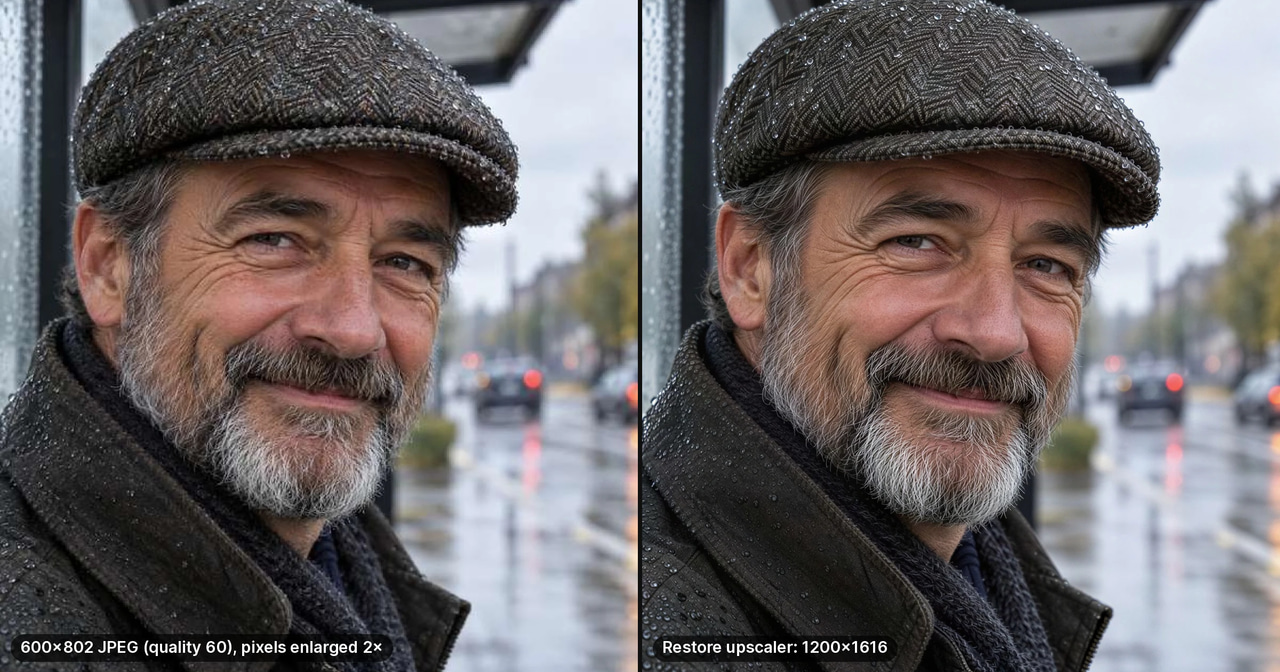
Face recovery. The dedicated face model handles low-resolution faces particularly well, recovering detail from heavily compressed portraits.
6.Where an Online Alternative Makes Sense
6.1You Process Sporadically
$149 a year works out to about $12 a month whether you upscale ten images or none. On Imagera an upscale costs from 15 credits per image, larger outputs cost more, and the exact cost shows on the button before you run. Count the images and revisions you realistically need in a month before you compare.
6.2You Work Across Devices
The desktop app runs where it is installed. The browser upscaler works the same from a laptop, a tablet or a borrowed office computer, because the processing happens on Imagera's servers, not on the device in front of you.
6.3You Need Very Large Outputs
On a local machine, very large outputs are limited by graphics memory: the software tiles the image to fit, then stitches the tiles back together, and time grows with size. In the browser, the output size does not depend on your device. Imagera's main engine goes up to 16K.
6.4You Batch Small Sets
Upload up to 10 images in one run; they are dispatched together and come back as one grouped job, instead of queueing one after another on your own GPU.
7.Resolution Comparison
| Output | Topaz Gigapixel (desktop) | Imagera |
|---|---|---|
| 2K (2,048px) | Yes | Yes |
| 4K (4,096px) | Yes | Yes |
| 8K (7,680px) | Yes; speed depends on your GPU | Yes |
| 16K (15,360px) | Limited by your graphics memory | Yes, with the Imagera AI engine |
Gigapixel can reach very high resolutions, but on a consumer GPU a 16K job is slow and can run out of memory. On Imagera the same request runs on the server, and the credit cost for each output size shows before you start.
8.Pricing Breakdown
8.1Topaz Gigapixel (September 2026)
- Gigapixel: $149 a year, or $29 a month
- Topaz Studio (all apps, includes Gigapixel): $399 a year
- Topaz for Web – Image: $19 a month or $199 a year at list price
- Perpetual licences: no longer sold since 3 October 2025
Source: topazlabs.com/pricing, checked 23 September 2026.
8.2Imagera AI Image Upscaler
- Per image: from 15 credits; larger outputs and the Pro engine cost more
- Before you run: the exact credit cost shows on the button
- Credits: from a plan or a pack; packs start at 350 credits
- Batch work: up to 10 images per run, priced per image
8.3When Each Makes Economic Sense
Choose Topaz if you upscale hundreds of images every month, already have a capable GPU, need the Lightroom or Photoshop plugin, or must work offline.
Choose Imagera if you upscale occasionally, work across devices, need an occasional 16K output for a large print, or want to pay only for the images you run.
9.Quality Comparison
Quality depends on the source more than on the brand. Topaz's models are strong on general photography and faces. Imagera offers two engines: Imagera AI for photos, art and screenshots up to 16K, and Imagera Pro, a premium pass that keeps skin, hair and fabric more natural at 2x or 4x.
For general photography both deliver professional results; the differences show on specific content, which is why the only comparison worth trusting is your own files at 100% zoom.


10.Who Should Switch?
10.1Stay with Topaz Gigapixel if:
- You already own a capable GPU and a perpetual licence
- You process hundreds of images monthly
- You need Lightroom or Photoshop plugin integration
- Offline processing is a requirement
10.2Try Imagera if:
- You upscale occasionally (a few to a few dozen images a month)
- You work across devices or on shared computers
- You need an occasional 16K output for a large print
- You want to pay per image instead of per year
11.Migration Guide: Switching from Topaz Gigapixel
If you're already using Topaz and want to evaluate Imagera, here's a practical comparison workflow.
11.1Step 1: Test with Your Own Images
The most reliable comparison is using your own images, not sample galleries. Take 5-10 representative images from your typical workflow — portraits, landscapes, product shots, whatever you upscale most.
11.2Step 2: Match the Settings
Upscale each image to the same target resolution on both platforms. In Topaz, use the default model. In Imagera, start with the Imagera AI engine at the same output size; for portraits, run the Imagera Pro engine as well and compare.
11.3Step 3: Compare at 100% Zoom
View both outputs at full pixel resolution, not fitted to screen. Look at:
- Edge sharpness — are lines crisp without halos?
- Texture reconstruction — does skin, fabric, or foliage look natural?
- Noise handling — does the upscale add artifacts or smooth important detail?
- Color accuracy — are tones consistent with the original?
11.4Workflow Differences to Expect
| Topaz Workflow | Imagera Equivalent |
|---|---|
| Open image in app | Upload in browser |
| Select AI model | Choose Imagera AI or Imagera Pro |
| Adjust face recovery | Use Imagera Pro for portraits, or the HD face restorer |
| Export to Lightroom | Download the file |
| Process locally (GPU-dependent) | Process on the server |
12.Common Questions
12.1Is Imagera as good as Topaz Gigapixel for quality?
For general photography, both produce professional results. Topaz gives you more models and manual control; Imagera gives you two engines and a 16K ceiling in the browser. Test your own typical file on both before deciding.
12.2Can I use my own upscaler models with Imagera?
No. The upscaler runs its two built-in engines, Imagera AI and Imagera Pro; custom model files are not supported.
12.3Does Imagera work on mobile devices?
Yes. The upscaler runs in any modern browser — desktop, laptop, tablet, or phone. Processing happens on the server, so your device does not affect quality or speed.
12.4Is there a free trial?
Cloud AI upscaling uses credits. Check the current pack options and the quote for your own image, then start with a small test to compare the result against your requirements.
Part of the AI Image Upscaling series. See also: How to Increase Image Resolution Without Quality Loss | AI Image Generator | Video Enhancer
13.How much VRAM does Topaz Gigapixel need, and how does a cloud upscaler get around it?
Gigapixel's practical ceiling is set by your GPU's memory. Large outputs are processed in tiles that fit the available memory and are then stitched, so a machine that handles 4K comfortably can slow to a crawl — or fail — at 16K, and tiling seams are a common complaint on very large local upscales. A browser upscaler sidesteps the limit because the job runs on the server: the same laptop that stalls at 4K locally can request a 16K render on Imagera's Image Upscaler.
14.Can you match Topaz's face-recovery quality on an online upscaler?
Topaz's dedicated face model is genuinely strong on heavily compressed portraits. On Imagera, the Imagera Pro engine is the one to try for portraits, because it keeps skin, hair and fabric more natural; for a badly degraded face, run the HD face restorer first and then upscale. Compare both results at 100% zoom before you spend credits on a whole batch.