Super Resolution AI Online Natural 4K Upscaling — No Artifacts
AI upscaling to 1080p/2K/4K. Ultra-high resolution. Batch process up to 5 images.

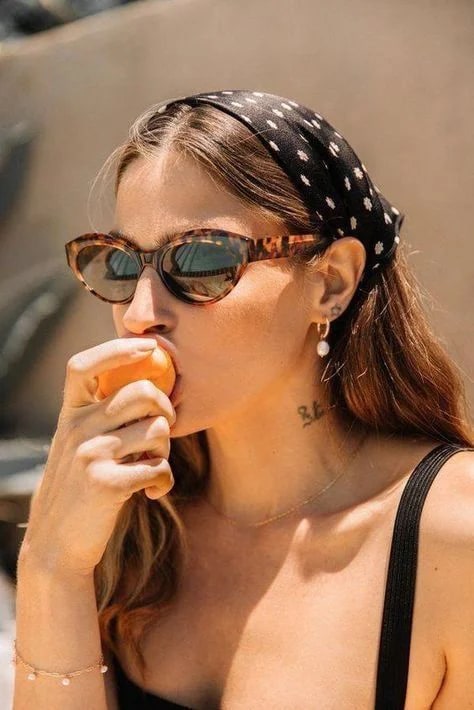 BeforeAfter
What is AI super resolution?
Super resolution AI enlarges an image by reconstructing detail rather than stretching pixels. Imagera rebuilds edges, textures and small text as it scales your file to 1080p, 2K or 4K, so the result reads as a sharper photograph instead of a blurred one blown up. Skin, fabric and hair keep their natural grain — no waxy faces, halos or scattered artifacts.
- Credits
- From 15 per image
- Files
- JPEG, PNG, WEBP
- Output
- Up to 4320px on the long edge
Updated September 4, 2026
Cite this page: https://imagera.ai/image/super-resolution
What the upscale actually recovers

Superior Quality
Our AI focuses on producing the highest quality results possible. Single-step diffusion technology delivers natural-looking enhancement without the artifacts other tools produce.
Know more →
See Details You Didn't Know Existed
Recover hidden details in blurry photos. Our AI reconstructs text, facial features, and fine textures that other tools miss completely.
Know more →
Natural Results, Not AI-Fake
Your images look enhanced, not artificial. Unlike competitors that create waxy skin and synthetic eyes, our technology maintains lifelike textures and natural tones.
Know more →Why the result does not read as processed
Natural texture at 1080p, 2K or 4K — no waxy skin, no halos, no smeared edges.
One-Step AI: Quality Without Compromise
Traditional upscalers need 15-50 processing steps that often degrade quality. Our single-step diffusion AI delivers superior results by processing everything at once—maintaining detail coherence across the entire image. Single-step diffusion transformer architecture. One pass means the jawline, the weave of a fabric and the grain of a wall are all rebuilt against the same picture, so nothing drifts between stages the way it can when an image is run through a chain of enlargements.
Try it now →Natural Enhancement, Not Over-Processing
Many tools create waxy skin and artificial-looking results by over-sharpening. Our AI maintains natural textures—pores, fabric weave, paper grain—for results that look enhanced, not fake. Adversarial training on real high-resolution imagery. That is the difference you notice first at full zoom: pores stay pores, hair stays strands, and a face still reads as a photograph of a person rather than an illustration of one.
Try it now →Text and Detail Recovery
Blurry text, fine print, architectural details—our AI reconstructs information other upscalers miss. Particularly effective for recovering readable text from screenshots and photos. Adaptive window attention for fine detail reconstruction. It is the pass to run before a screenshot goes on a slide or a small product shot goes to print, where a label or a serial number has to stay readable once the frame is three times the size it started at.
Try it now →How to upscale an image with super resolution
Three decisions: the file, the target size, the download.
Upload your image
Drop in the JPG, PNG or WebP you want enlarged. Use the original file rather than a re-saved copy or a screenshot of one — every re-compression throws away detail the upscale would otherwise have to rebuild from nothing.
Choose 1080p, 2K or 4K
Pick the long edge the job needs: 10 credits for 1080p, 20 for 2K and 40 for 4K, which reaches 4320px. The credit cost shows on the button before you run anything.
Compare, then download
Check the result against the original at full zoom — faces and any small text are where an upscale gives itself away. Then download the enlarged file and use it wherever the small one was too soft: a print, a listing photo, a thumbnail, a poster.
When a bigger file is the whole job
Print-on-Demand Sellers
AI art generators output 1024x1024 images. Marketplaces like Redbubble need 7632×6480px. Bridge the gap instantly. Typical files: Etsy digital downloads, Redbubble print designs, Society6 art prints, Printify product mockups.
Try it now →Content Creators
Upscale your viral AI creations for TikTok carousels, Instagram posts, and YouTube thumbnails without quality loss. Typical files: AI caricatures, Ghibli-style portraits, AI action figures, Meme templates.
Try it now →Photographers
Rescue old photos, crop and zoom without losing quality, and prepare images for large format printing. Typical files: Vintage photo restoration, Crop and enlarge details, Wedding photo enhancement, Portfolio upgrades.
Try it now →Discover more AI features
Frequently asked questions
What is AI super resolution?
AI super resolution uses deep learning to intelligently upscale images while adding realistic detail. Unlike basic interpolation that just stretches pixels, our AI reconstructs missing information—recovering text, facial features, and textures that weren't visible in the original. The result is genuinely sharper images, not just bigger ones.
How is this different from your Image Upscaler?
Super Resolution is designed for speed and simplicity—instant 4K enhancement in seconds with one-click processing. Our Image Upscaler goes further, up to 16K. Choose Super Resolution for quick tasks up to 4K, and the Image Upscaler when you need larger output.
Can I upscale AI-generated images from AI image generators?
Yes! Our AI is specifically optimized for AI-generated content. Super Resolution scales these to 4K (4320px) while preserving the original artistic style—perfect for printing, selling, or posting on social media.
What resolution can I upscale to?
Super Resolution supports three output tiers: 1080p (1920px), 2K (2048px), and 4K (4320px). For resolutions beyond 4K (up to 16K), use our professional Image Upscaler tool which offers more advanced options.
How does the processing work?
Our AI uses single-step diffusion technology that prioritizes quality over speed. While processing time varies by image complexity and resolution, the results are consistently natural-looking without the waxy artifacts common in other tools.
Why do faces look natural instead of waxy?
Many upscalers over-sharpen and create synthetic-looking skin. Our AI was trained on high-quality photography to maintain natural pore structure, realistic skin tones, and authentic eye detail.
Is this good for print-on-demand (Etsy, Redbubble)?
Absolutely. POD platforms require high-resolution files (Redbubble needs 7632×6480px for large prints). Super Resolution to 4K gets you most of the way there for smaller products. For maximum print sizes, combine with our Image Upscaler to reach 16K resolution.
How much does super resolution cost?
Pay-per-use pricing: 1080p costs 10 credits, 2K costs 20 credits, and 4K costs 40 credits per image. Every run costs at least 15 credits, so a single 1080p image is 15. Pay with credit packs or optional Pro. Process only what you need.
Can I process multiple images at once?
Yes! Batch process up to 10 images in one run. Perfect for social media content batches, product photo sets, or AI art collections. Each image processes independently for maximum speed.
Does it work on old or blurry photos?
Yes. Our AI excels at recovering detail from degraded sources—removing blur, reducing noise, and reconstructing fine details. It's particularly effective at recovering readable text and facial features from low-quality originals.
What file formats are supported?
Upload JPG, PNG, or WebP images. Output is delivered in the same format to preserve your workflow. Full color profile preservation for professional use.
Do I keep commercial rights to enhanced images?
Yes, 100%. All enhanced images are yours with full commercial usage rights. Sell prints, use in marketing, publish anywhere—no attribution required, no licensing fees.
How do I upscale AI Caricature portraits for printing?
The viral AI Caricature trend (February 2026) outputs images at 1024x1024px—too small for quality prints. Use Super Resolution to upscale to 4K before printing as wall art, canvas prints, or framed gifts. For poster-sized prints on Redbubble, combine with our Image Upscaler for 16K output!
Can I upscale AI Action Figure Box images?
Yes! The AI Action Figure Box trend creates fun collectible packaging mockups, but at limited resolution. Upscale to 4K for large poster prints. Many Etsy sellers are framing these—Super Resolution makes them print-shop quality. The detailed packaging text stays sharp and readable.
How do I make Ghibli-style portraits print-ready?
Studio Ghibli AI portraits are perfect for wall art—over 700 million created! But they need upscaling for quality prints. Super Resolution enhances the dreamy Ghibli aesthetic while scaling to 4K. Our AI preserves the soft watercolor feel without adding unwanted sharpness.
Can I upscale Italian Brainrot meme images?
Yes! Turn your Tralalero Tralala or Bombardiro Crocodilo into high-resolution art prints. Super Resolution handles surrealist content perfectly—the AI adds detail while preserving the absurdist style. Frame your favorite Brainrot character as genuine wall art!
Should I upscale before or after creating Dancing Photo videos?
BEFORE! The Sway Dance (Dancing Photo) trend works best with high-resolution source images. Upscale your portrait with Super Resolution first, then generate the dance video. Higher resolution input = smoother, more detailed dancing animations.
Learn more
Guides on resolution, print sizes, and getting more out of a small original.
AI Image Prompts Guide
Create AI art optimized for upscaling
Upscale an Image Free (No Signup, No Watermark)
Enlarge images 2x/4x in the browser; the photo is never uploaded
Topaz Alternative Online
Compare Imagera super resolution with Topaz, paid per image in credits
All AI Tools
Browse the complete Imagera toolkit
DALL-E Alternative
Generate and upscale AI art — compare Imagera vs DALL-E output quality
Best LoRA Models for Realism
Pair super resolution with the right LoRA models for maximum detail
Browse All Guides
Step-by-step tutorials for upscaling and image enhancement
Key takeaways
How is Super Resolution different from Image Upscaler?
Super Resolution = quality + simplicity (4K max, natural results, one-click). Image Upscaler = bigger output (up to 16K). Choose based on the size you need.
Can I upscale AI-generated images?
Yes! Optimized for AI-generated content. Super Resolution scales to 4K while preserving artistic style. Perfect for POD sellers and content creators.
How much does it cost?
1080p: 10 credits. 2K: 20 credits. 4K: 40 credits per image. Every run costs at least 15 credits, so a single 1080p image is 15. Pay only for what you use via credit packs, or subscribe for monthly credits.
Super resolution vs enlarging in a photo app
| What matters | Imagera | Resizing in a photo app |
|---|---|---|
| What happens as it grows | Edges, texture and small text are reconstructed at the new size | The same pixels are interpolated onto a bigger grid |
| Long edge | Up to 4320px on the 4K tier | Any size you like, at the detail the original had |
| How faces read | Skin, pores and hair stay photographic | Soft focus is enlarged along with everything else |
| Cost | 10, 20 or 40 credits per image by tier | Nothing to pay, and nothing recovered |
Make the small file big
Open the studio with the upscaler already selected. Credits show on the button before you run.
Upscale my image →