The best CivitAI and Midjourney alternative in 2026 is Imagera AI. It solves both platforms' core problems simultaneously: it runs the entire CivitAI model library (100,000+ LoRAs) in your browser with no GPU, no downloads, and no local setup — and it gives you the granular creative control that Midjourney's locked-down pipeline can never offer. Chain up to 4 LoRAs at adjustable strengths, use ControlNet and inpainting, generate video and music, and upscale to print-ready resolution — all from a single monthly subscription starting at $19.99.
Civitai's problem: It is a model library, not a practical generator. You download models and run them locally, which requires a capable NVIDIA GPU, technical setup, and significant disk space. For most people, the barrier is a wall, not a ramp.
Midjourney's problem: No LoRA support, no inpainting, no ControlNet, and a Discord-first interface that does not suit professional workflows. At $10–$60/month, you are locked into one aesthetic pipeline with no path out.
This guide covers every major alternative — comparing pricing, features, LoRA support, and real-world usability so you can find the platform that fits your creative workflow.
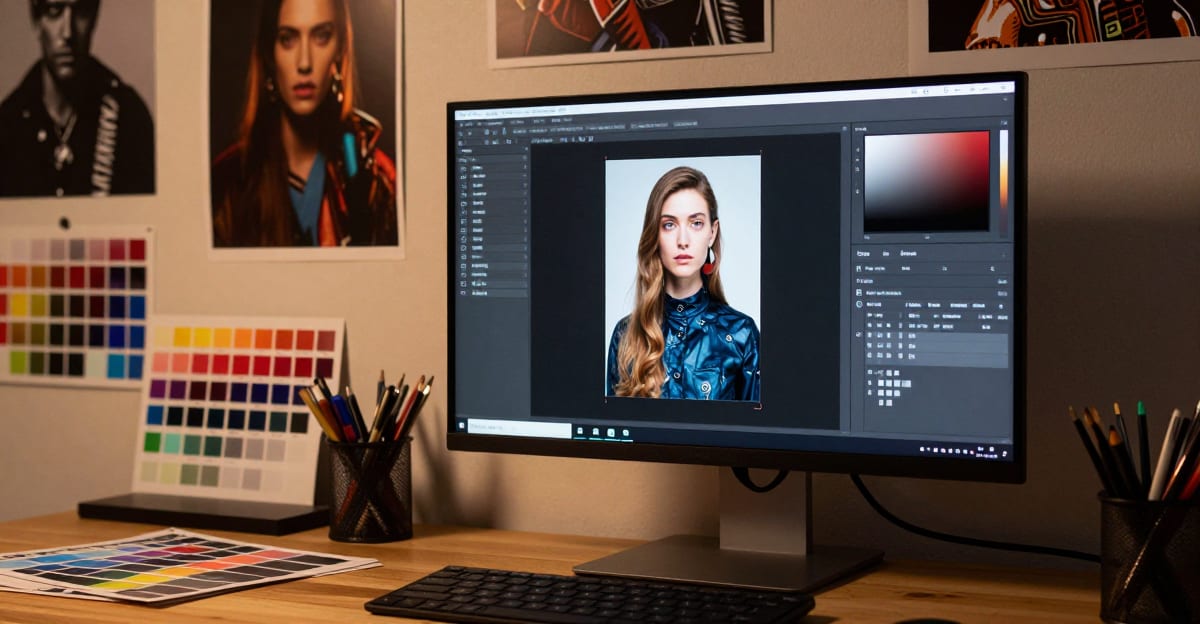
Quick answer: The best CivitAI and Midjourney alternative in 2026 is Imagera, which runs the full 100,000+ CivitAI LoRA library in your browser with no GPU, no downloads, and no local setup.
1.What makes Imagera the best CivitAI and Midjourney alternative in 2026?
Imagera runs the entire 100,000+ CivitAI LoRA library directly in your browser with zero downloads and no GPU. You can chain up to 4 LoRAs at once, each with its own 0–2 strength slider, generate images in roughly 15–30 seconds, and upscale results to 16K resolution for print — all inside a single suite of 100+ connected creative tools in 2026.
2.Can I use my CivitAI LoRA models without a local GPU?
Yes. Paste any CivitAI LoRA URL and the model loads instantly — no CivitAI account, no 2–10 GB model files, and no local setup. Missing LoRA support is a common reason creators outgrow prompt-only generators, and Imagera closes that gap with 100,000+ community styles plus 4-LoRA chaining, all running in the browser.
3.Quick Comparison
| Platform | LoRA Support | Local GPU Needed | Free Tier | Pricing | Best For |
|---|---|---|---|---|---|
| Imagera AI | 100K+ via CivitAI URL | No (cloud) | Yes (credits) | From $19.99/mo | LoRA chaining, full creative control, image+video+music |
| Midjourney | No | No (cloud) | No | From $10/mo | Highest default image quality |
| Civitai (Generator) | Yes (native) | No (on-site gen) | Limited | Credit-based | Model browsing + testing |
| Leonardo.ai | Limited | No (cloud) | 150 tokens/day | From $12/mo | Balanced quality and features |
| Adobe Firefly | No | No (cloud) | Limited | From $19.99/mo | Commercially licensed imagery |
| DALL-E 3 | No | No (cloud) | ChatGPT Free | Via ChatGPT Plus | Casual, conversational generation |
| ComfyUI (local) | Unlimited | Yes (NVIDIA) | Free (open-source) | GPU cost | Maximum technical control |
| RunDiffusion | Yes (via cloud) | No (cloud) | No | From $0.50/hr | Cloud-based technical workflow |
4.Why Users Are Switching: CivitAI and Midjourney Pain Points vs. Imagera AI
Before diving into individual platforms, here is a direct breakdown of the specific pain points that drive users away from CivitAI and Midjourney — and how Imagera AI addresses each one.
4.1CivitAI Pain Points vs. Imagera AI
| CivitAI Pain Point | Why It's a Problem | How Imagera AI Solves It |
|---|---|---|
| Requires local GPU (NVIDIA, 8GB+ VRAM) | $500–$2,000 hardware cost blocks most users | Cloud GPU processing — no hardware required |
| Models must be downloaded (2–10 GB each) | Storage fills up fast; large files are slow to download | Paste any CivitAI LoRA URL — model loads instantly in-browser |
| Complex local setup (Python, CUDA, ComfyUI) | Hours of configuration; frequent errors and updates | Zero setup — open browser, start generating |
| No LoRA chaining in on-site generator | Can only use one LoRA at a time in Civitai's generator | Chain up to 4 LoRAs simultaneously with per-LoRA strength sliders |
| On-site generator credit costs are high | Credits deplete quickly with even moderate usage | Flat monthly plans from $19.99 with generous credit allocation |
| Content policy instability | Models removed without notice, creator work at risk | Stable, clearly defined content policy; no surprise removals |
| Image generation only | No video, music, or audio generation | 100+ tools — image, video, music, voice all in one platform |
| No image upscaling to high resolution | Must install separate upscaler plugins locally | Built-in Image Upscaler up to 16K resolution |
4.2Midjourney Pain Points vs. Imagera AI
| Midjourney Pain Point | Why It's a Problem | How Imagera AI Solves It |
|---|---|---|
| No LoRA support | Cannot access 100K+ community-trained styles | Full CivitAI LoRA integration with URL-based loading |
| No LoRA chaining | Cannot combine multiple style influences | Chain up to 4 LoRAs with independent strength controls |
| No inpainting | Cannot fix specific regions without full regeneration | Full inpainting with mask + targeted prompt |
| No ControlNet | Cannot guide composition with pose/depth/edge references | ControlNet with pose skeleton, depth map, and edge detection |
| Limited image-to-image | "Image Prompt" blends rather than transforms with denoise control | Full I2I with denoise slider for precise input/output balance |
| Discord-first interface | Unprofessional for client work; public prompts on Basic plan | Dedicated web app with private generation and organized projects |
| No free tier | $10/month minimum with no trial | Pay-first: buy credits before generating |
| Image generation only | No video, music, or voice generation | Video Generator, Music Generator, Voice Generator included |
| One aesthetic pipeline | Locked into Midjourney's distinctive look | Multiple base models + 100K+ LoRAs for any aesthetic |
| Pricing increases without feature parity | $60–$120/mo Pro plans vs. alternatives with more features at less | Plans from $19.99/mo with LoRA, inpainting, ControlNet included |
5.Imagera AI — Best CivitAI Alternative for LoRA Users
Why it's the top alternative: Imagera AI runs the full CivitAI model library in your browser. Paste any CivitAI LoRA URL — no downloading, no local setup, no GPU. The platform handles all GPU processing in the cloud, giving you access to 100,000+ community-trained models with a better interface than either Civitai or Midjourney.
5.1Key Advantages Over Civitai
| Feature | Civitai (Local) | Imagera AI |
|---|---|---|
| LoRA access | Download + local setup | Paste URL, instant use |
| GPU required | Yes (NVIDIA, 8GB+ VRAM) | No (cloud processing) |
| LoRA chaining | Manual configuration | Built-in, up to 4 LoRAs |
| Strength control | Per-workflow setup | Slider for each LoRA |
| Setup time | Hours (install, configure) | Zero (browser-based) |
| Models available | 100,000+ (must download) | 100,000+ (direct from CivitAI) |
5.2Key Advantages Over Midjourney
| Feature | Midjourney | Imagera AI |
|---|---|---|
| Custom LoRA models | Not supported | 100,000+ via CivitAI |
| LoRA chaining | Not supported | Up to 4 simultaneous |
| Image-to-Image | Limited (blend mode) | Full I2I with denoise control |
| Inpainting | Not supported | Yes |
| ControlNet | Not supported | Yes (pose, depth, edge) |
| Style mixing | Prompt-only | LoRA strength sliders |
| Base model choice | Midjourney only | Multiple Imagera-optimized models |
5.3Imagera AI Core Features
- Text-to-Image Generator: Describe what you want, get results in 15–30 seconds using any CivitAI LoRA
- Image-to-Image: Upload a reference photo, transform it using LoRA styles with denoise control
- LoRA Chaining: Combine up to 4 CivitAI LoRAs at adjustable strengths
- Inpainting: Edit specific regions of generated images with mask + targeted prompt
- ControlNet: Guide generation with pose, depth maps, and edge detection
- Image Upscaler: Scale results up to 16K resolution for print
- Extreme Detailer: Fix AI artifacts and add photorealistic detail to any generation
- Photo Style Transfer: Apply any LoRA style to your own photos
- AI Background Studio: Replace or generate backgrounds for product and portrait photography
- Image Editor: Non-destructive editing, inpainting, and compositing in one tool
- Pricing: Pay-first packs from $19.99/month
5.4Beyond Image Generation: Imagera's 100+ Tool Suite
What makes Imagera fundamentally different from Civitai and Midjourney is scope. While those platforms are image-only tools, Imagera is a complete AI creation suite with 100+ tools across every creative domain:
- Personal Influencer — Train AI on your face, generate unlimited photos in any LoRA style. Create a consistent AI persona that Civitai and Midjourney simply cannot replicate.
- AI Video Generator — Turn your AI images into cinematic video with text-to-video and image-to-video generation. Neither Civitai nor Midjourney offer video.
- Video Enhancer — Upscale and restore AI-generated video to broadcast quality.
- Music Generator — Generate full songs with AI vocals, instrumentals, and custom styles — 14 audio tools in one dashboard.
- LoRA Trainer — Train your own custom LoRA models in the browser. No GPU, no setup, no Python.
This means you can go from generating an AI image to upscaling it to 16K, turning it into a video, and adding music — all without leaving Imagera. Start creating →
Imagera AI also supports creative applications that go well beyond static image generation. If you want to create an AI caricature from a photo or generate AI action figures in trending styles, the platform's LoRA chaining and I2I pipeline make these workflows significantly more consistent than prompt-only generators. You can even create Studio Ghibli AI art with purpose-trained style LoRAs — something Midjourney can only approximate.
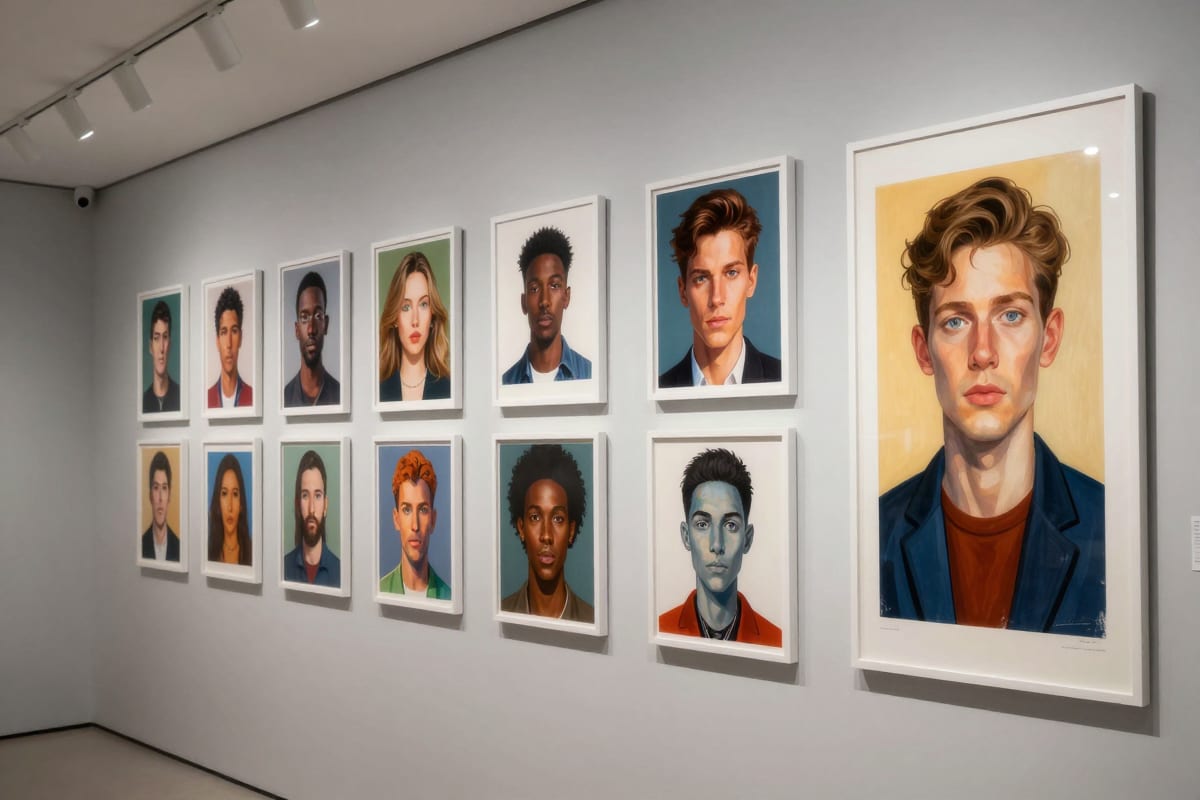
6.Complete Feature Comparison: Imagera AI vs CivitAI vs Midjourney vs DALL-E vs Adobe Firefly
This table covers every major feature dimension across the five platforms most users compare in 2026. Use it to identify exactly which gaps matter for your specific workflow.
| Feature | Imagera AI | Civitai (On-site Gen) | Midjourney V7 | DALL-E 3 | Adobe Firefly |
|---|---|---|---|---|---|
| Price: Free tier | Pay-first (packs from $19.99) | Limited free credits | No | ChatGPT Free (limited) | Limited (Creative Cloud trial) |
| Price: Lowest paid plan | $19.99/month | Credit bundles (~$15) | $10/month | Via ChatGPT Plus $20/mo | $4.99/mo (25 credits) |
| Price: Premium plan | Custom/Studio | Volume credit packs | $60–$120/month | API pricing | Included in Creative Cloud |
| LoRA Support | Yes — 100,000+ via CivitAI URL | Yes — native CivitAI models | No | No | No |
| LoRA Chaining | Yes — up to 4 simultaneous | No | No | No | No |
| Max LoRA count per generation | 4 | 1 | 0 | 0 | 0 |
| LoRA strength control | Per-LoRA slider (0–2) | Fixed | Not applicable | Not applicable | Not applicable |
| Image-to-Image | Full I2I with denoise slider | Basic | Image Prompt blend (limited) | Limited | Yes (generative fill) |
| Inpainting | Yes — mask + prompt | Limited | Vary (region) — basic only | Limited | Yes (generative fill) |
| ControlNet | Yes — pose, depth, edge, canny | No | No | No | No |
| Upscaling | Yes — up to 16K | Limited | Yes (2x/4x built-in) | No | Limited |
| Background Removal | Yes — AI Background Studio | No | No | No | Yes |
| Image Editing | Yes — Image Editor | No | Limited | Limited | Yes (Photoshop integration) |
| Video Generation | Yes — Video Generator | No | No | No | No |
| Music Generation | Yes — Music Generator | No | No | No | No |
| Voice Generation | Yes | No | No | No | No |
| Model Variety | Multiple Imagera-optimized models | SD 1.5, community checkpoints | Midjourney V7 only | DALL-E 3 only | Firefly models only |
| Browser-Based | Yes | Yes | Yes (web app) | Yes (via ChatGPT) | Yes |
| API Access | Yes | No | Yes (limited) | Yes | Yes |
| Batch Generation | Yes | Limited | Yes | No | No |
| Personal Influencer / Face Model | Yes — Personal Influencer | No | Limited (--cref) | No | No |
| Style Transfer | Yes — Photo Style Transfer | No | Limited | No | Limited |
| LoRA Training | Yes — in-browser LoRA trainer | Community uploads | No | No | No |
| Commercial License | Yes — paid plans include rights | Model-dependent | Yes — paid plans | Yes — paid plans | Yes — licensed content |
| Commercially Safe Training Data | Imagera-managed | Community-contributed | Proprietary | Proprietary | Yes — licensed only |
| Mobile Experience | Web (mobile-optimized) | Web (mobile-optimized) | iOS/Android app | iOS/Android (ChatGPT) | Web (mobile-optimized) |
| Privacy Controls | Cloud; private mode on paid plans | Uploads public by default | Public on Basic | ChatGPT settings | Creative Cloud settings |
6.1What This Table Tells You
The pattern is clear. Imagera AI is the only cloud platform that combines LoRA access at scale, LoRA chaining, full inpainting, ControlNet, video generation, music generation, and a complete creative toolkit in a single subscription. Civitai wins on model browsing and community depth. Midjourney wins on out-of-box aesthetic polish and mobile experience. Adobe Firefly wins on commercial IP safety.
If your primary use case is accessing CivitAI LoRAs without local hardware, or you want a single tool that covers image, video, and audio creation, Imagera AI has no direct competitor in the cloud space.
7.Why Users Are Leaving Civitai in 2026
Civitai's reputation as the definitive home for community AI models remains largely intact — but its role as a practical creative tool for everyday users is quietly eroding. In 2026, a growing number of artists, designers, and hobbyists are actively searching for a Civitai alternative, and the reasons go deeper than simple inconvenience.
7.1The Model Download and Local Setup Complexity Barrier
Civitai's core design assumes you have a local environment capable of running AI image generation. In practice, that means:
- A modern NVIDIA GPU with at least 8 GB of VRAM (realistically 12 GB+ for newer model architectures)
- A working Python environment with CUDA configured correctly
- A local generation interface (ComfyUI or similar) installed, updated, and debugged
- 10–50 GB of storage per model checkpoint you want to run
- Separate LoRA storage, embeddings, and upscale models
- Time — often measured in hours — spent diagnosing driver issues, dependency conflicts, and memory errors
For intermediate users this is manageable. For anyone coming from tools like Midjourney or Adobe Firefly, the learning curve is a wall, not a ramp. The result is that Civitai's enormous model library is effectively inaccessible to a large portion of its audience, who can browse models but cannot practically use them.
7.2Civitai Generator Limitations: Credits, Queue Times, and Inconsistency
Civitai added its own on-site generator to address this gap. But the generator has its own problems. Credit costs are high relative to third-party cloud platforms, queue times during peak hours can stretch to several minutes per generation, and the interface lacks the advanced features — LoRA chaining, ControlNet granularity, inpainting precision — that power users expect.
Users who want iterative work — trying different LoRA combinations, running inpainting passes, generating at different aspect ratios — quickly exhaust credits or patience. Imagera AI's image generator solves this with a purpose-built LoRA interface at flat monthly pricing.
7.3Community Trust Issues After Policy Changes
Civitai has faced broader trust erosion. Concerns about model policy stability, creator rights, and monetization decisions have made some creators uncomfortable. The community that made Civitai valuable — thousands of creators who trained and shared models freely — is fragmenting. Some models that were once publicly available have been taken private or moved to Discord-gated communities.
7.4The Alternative Ecosystem Has Matured
The alternatives have gotten genuinely good. Cloud platforms for AI image generation made significant advances in model compatibility, LoRA support, and feature depth throughout 2024 and 2025. Users no longer have to choose between Civitai's model library and a polished generation experience — Imagera AI offers both through direct CivitAI URL integration.
8.Why Users Are Looking Beyond Midjourney in 2026
Midjourney remains one of the most technically impressive AI image generators on the market. The output quality from V7 is difficult to argue with — it consistently produces polished, aesthetically strong images. But in 2026, a meaningful portion of its user base is actively looking for Midjourney alternatives, and the reasons are structural.
8.1No LoRA Support: The Number One Complaint
This is, by a wide margin, the most common complaint about Midjourney across forums, Reddit, and creator communities. LoRA models allow users to direct generation toward specific styles, characters, products, or aesthetics that no amount of prompt engineering can replicate from a base model alone.
Midjourney gives you exactly one style pipeline. That means:
- You cannot generate a specific person's likeness consistently
- You cannot replicate a specific artist's style with precision
- You cannot apply product-specific styles for commercial work
- You cannot chain multiple style influences at controlled strengths
The 100,000+ LoRA models on CivitAI represent a creative dimension that Midjourney simply cannot access. Imagera AI makes all of them available via URL paste — no download, no GPU.
8.2Discord-Only Interface: Persistent Frustration
Midjourney's web application has expanded, but the platform's DNA remains Discord-first. Generating AI images through a chat interface — where your prompts and outputs are visible to strangers in public channels unless you pay for private mode — is fundamentally unsuitable for client work, proprietary design projects, or anything requiring confidentiality.
8.3Price Increases Without Proportional Feature Growth
Midjourney's pricing now ranges from $10/month (Basic) to $60/month (Pro) to $120/month (Mega). At $10/month, you get 200 image generations with no LoRA support, no inpainting, no ControlNet, and no image-to-image with granular control.
Imagera AI offers LoRA chaining, inpainting, ControlNet, and image-to-image from $19.99/month. For users who care about creative control — not just output volume — the value comparison increasingly favors alternatives.
8.4Lack of Inpainting, ControlNet, and Granular Image-to-Image
Professional AI artists consider inpainting, ControlNet, and image-to-image generation with denoise control to be baseline features. Midjourney either does not offer them or offers limited versions through workarounds. These gaps are not minor inconveniences — they are fundamental workflow tools for character consistency, product visualization, architectural rendering, and iterative design work.
8.5One Aesthetic Pipeline Limits Creative Flexibility
Midjourney's distinctive look is both its strength and its limitation. Without LoRA support or base model switching, there is no path to escape the Midjourney aesthetic. Users trying to create anime-style art, raw photorealistic composites, illustration styles tied to specific artists, or hyper-niche aesthetics hit a ceiling. Midjourney can approximate many styles through prompting, but it cannot faithfully replicate styles the way a purpose-trained LoRA can.
9.How to Switch from CivitAI/Midjourney to Imagera AI (Step-by-Step Tutorial)
Whether you are coming from CivitAI or Midjourney, the migration to Imagera AI is straightforward. Here is a complete five-step tutorial to get you generating with full LoRA support in minutes.
9.1Step 1: Create Your Imagera AI Account
Go to imagera.ai/auth and sign up — purchase credits before cloud generation. You will receive generation credits immediately on account creation. These credits cover your first generations while you get familiar with the platform.
Once inside, explore the main navigation. The Image Generator is your primary workspace for LoRA-based image generation. You will also see the Image Upscaler, Video Generator, Music Generator, and dozens of other tools — all accessible from your dashboard.
9.2Step 2: Find LoRA Models on CivitAI (No Account Needed)
Go to civitai.com and browse LoRA models using the filters. You do not need to be logged in or have a CivitAI account. Use the following filters to find what you need:
- Type: LoRA (not Checkpoint — those are full base models, not style adapters)
- Base Model: Select the model family you want to work with
- Category: Realistic, Anime, Style, Character, Concept, etc.
- Sort by: Most Downloaded or Highest Rated for quality results
Once you find a LoRA you want to use, copy its URL directly from your browser address bar. The format is https://civitai.com/models/[ID]/[model-name]. That URL is all you need — no download required.
For curated recommendations, see our guide on the best LoRA models for realistic AI images.
9.3Step 3: Load the LoRA URL into Imagera AI
Open the Image Generator in Imagera AI. In the generation panel, locate the LoRA input section. Paste the CivitAI URL into the LoRA field. Imagera AI will validate the URL and load the model's metadata — you will see the model name, preview images, and compatible base models populate automatically.
If the LoRA requires a specific base model, Imagera AI will prompt you to select the correct one or switch automatically. This is handled for you — no manual configuration.
To chain LoRAs (one of Imagera's most powerful features), add a second URL to an additional LoRA input field. You can add up to four LoRAs per generation. This lets you combine a photorealism LoRA with a lighting style LoRA, or a character LoRA with an art movement LoRA.
9.4Step 4: Adjust Strength Sliders and Write Your Prompt
Each loaded LoRA has a strength slider from 0 to 2 (default 1.0). Strength controls how strongly the LoRA influences the output:
- 0.3–0.6: Subtle style influence, blends naturally with other LoRAs
- 0.7–1.0: Clear style application; the LoRA's characteristics are prominent
- 1.2–1.5: Strong emphasis, useful for style-dominant generations
When chaining LoRAs, experiment with total combined strength. Two LoRAs at 0.8 each will generally produce a more balanced result than one at 1.5 and one at 0.3.
Write your prompt in natural language. If you are coming from Midjourney, you do not need to use parameter syntax (--ar, --stylize, etc.) — these are replaced by interface controls. Write descriptively, set your aspect ratio with the selector, and adjust CFG and steps in the advanced panel if needed.
For Midjourney users who want to understand how your existing parameters translate, see the parameter mapping table in the migration section below.
9.5Step 5: Generate, Upscale, and Export
Click Generate. Imagera AI's cloud GPUs process the request in 15–30 seconds depending on resolution and ControlNet settings. The output quality from the same LoRA is functionally equivalent to running it locally — the underlying model and inference process are identical; only the hardware changes.
From here, your workflow can go in any direction:
- Upscale to 16K: Use the Image Upscaler to scale any generation to print-ready resolution
- Fix details: The Extreme Detailer adds photorealistic detail and fixes common AI artifacts
- Edit regions: The Image Editor lets you inpaint, composite, and adjust any area
- Change backgrounds: AI Background Studio removes and replaces backgrounds for product photography
- Apply a different style: Photo Style Transfer applies LoRA styles to uploaded photos
- Create video: The Video Generator and Video Enhancer turn your image into cinematic motion
- Add music: The Music Generator creates original tracks to pair with your visual content
For Midjourney users: the biggest adjustment is learning which LoRAs and settings produce your desired look. The learning curve is real but short — and what you gain (LoRAs, inpainting, ControlNet) represents a qualitative expansion of creative capability.
10.Midjourney — Best Default Quality (But Limited)
Best for: Users who want high-quality images from text prompts without any technical setup or model management.
Midjourney V7 produces arguably the best out-of-the-box image quality of any AI generator. Its aesthetic is distinctive — cinematic lighting, rich colors, and a polished look that requires minimal prompt engineering.
Strengths:
- Highest default image quality with minimal prompting
- Strong community and prompt sharing ecosystem
--crefcharacter reference for consistency- Excellent for photorealistic and artistic styles
- Native iOS/Android app
Limitations:
- No LoRA support — locked into Midjourney's built-in styles
- No inpainting or regional editing
- No ControlNet for structural guidance
- No image-to-image with denoise control
- Discord-based interface (web app available but limited)
- No free tier — starts at $10/month
- Image generation only — no video, music, or voice
Verdict: Midjourney is the right choice if you want premium quality from prompts alone. It is the wrong choice if you need LoRA styles, inpainting, ControlNet, or technical control over the generation process.
11.Leonardo.ai — Best Mid-Range Option
Best for: Users who want cloud-based generation with some model customization at moderate cost.
Leonardo.ai offers 150 free tokens per day, multiple base models, some custom model support, and features like real-time canvas generation. It is positioned between Midjourney's simplicity and Imagera's full control.
Strengths:
- Generous free tier (150 tokens/day)
- Real-time canvas for iterative creation
- Multiple pre-built models and styles
- Clean, modern interface
Limitations:
- Limited LoRA support compared to full CivitAI access
- No LoRA chaining
- No CivitAI URL import
- Higher pricing than Imagera for equivalent access
- No video or music generation
12.Other Notable Alternatives Worth Considering
12.1Adobe Firefly: The Enterprise and Commercially Safe Choice
Adobe Firefly is built around a single non-negotiable advantage: it was trained exclusively on licensed content, including Adobe Stock images and openly licensed works. For enterprise teams, agencies, and designers working on commercial projects where IP provenance matters, this is significant.
Firefly integrates directly into Photoshop and other Creative Cloud applications, making it the natural choice for design teams already in the Adobe ecosystem. What it lacks is the creative depth of LoRA-powered platforms — no custom model loading, no community LoRAs, no video or music generation.
Best for: Enterprise design teams, agencies producing commercial assets, Adobe Creative Cloud users.
Pricing: Standalone plans from $19.99/month for 25 generative credits.
12.2DALL-E 3 via ChatGPT: The Casual User's On-Ramp
OpenAI's DALL-E 3, accessible through ChatGPT, remains the easiest AI image generator to use for someone with zero experience. You describe what you want in conversational language and DALL-E 3 generates it. For users who occasionally need AI images without wanting to learn a new tool, it is a reasonable choice.
The output quality is solid for general use cases but falls short on precision, consistency, and creative control. No custom models, no LoRAs, no ControlNet, and each generation is somewhat unpredictable.
Best for: Casual users, content writers needing quick illustrations, ChatGPT users.
Pricing: Available on ChatGPT Plus ($20/month) or with API credits.
12.3Playground AI: Starter Tier with Mixed Canvas
Playground AI offers a genuine free tier with higher generation limits than most competitors, along with a mixed canvas feature that lets you composite AI generations with real images.
Best for: Budget-conscious users, hobbyists, anyone wanting a mixed canvas workflow.
Pricing: Free tier (500 images/day on older models); paid from $15/month.
12.4NightCafe: Multi-Model Credit System
NightCafe supports multiple generation models and has a social community gallery popular among casual AI art enthusiasts. LoRA support is limited and there is no ControlNet, but the credit system is relatively affordable.
Best for: Hobbyists, AI art community participants, users who want to compare outputs from multiple models.
Pricing: Free trial credits; paid packs from $19.99 equivalent.
13.ComfyUI / Local AI Generation — Best for Technical Users
Best for: Users with NVIDIA GPUs who want unlimited, free, local generation with maximum control.
Local generation tools are the gold standard for technical users. Both are free, open-source, and support every CivitAI model, LoRA, embedding, and checkpoint available.
Strengths:
- Completely free (beyond GPU cost)
- Unlimited generation with no credits or limits
- Full CivitAI model support
- Maximum technical control — every parameter adjustable
- No data leaves your machine (privacy)
Limitations:
- Requires NVIDIA GPU with 8GB+ VRAM (~$300–$1,500)
- Significant setup time (Python, CUDA, model downloads)
- Technical knowledge required
- Model storage requires substantial disk space (2–10GB per model)
- No cloud access — tied to your hardware
Verdict: If you already have a capable GPU and enjoy technical configuration, local tools are unbeatable for price and control. If you do not have the hardware or prefer simplicity, Imagera AI gives you the same CivitAI model access in a browser.
14.RunDiffusion — Cloud-Based Technical Workflow
Best for: Users who want a full technical interface without buying a GPU.
RunDiffusion rents cloud GPU instances pre-configured with ComfyUI, Automatic1111, or other generation interfaces. You get the full local experience in a browser session.
Strengths:
- Full technical interface in the browser
- All CivitAI models supported
- No local hardware required
- Pay by the hour ($0.50–$1.50/hr)
Limitations:
- No free tier — costs accumulate with usage
- Session-based (environment resets unless you pay for persistent storage)
- Requires technical knowledge
- More expensive than Imagera for casual users
15.When to Choose What
| Your Situation | Best Choice | Why |
|---|---|---|
| Want CivitAI LoRAs, no GPU | Imagera AI | 100K+ LoRAs via URL, cloud processing |
| Want highest default quality | Midjourney | Best out-of-box aesthetics |
| Have an NVIDIA GPU, want free | ComfyUI | Unlimited, free, max control |
| Need LoRA chaining | Imagera AI | Only cloud platform with 4-LoRA chaining |
| Want free credits daily | Leonardo.ai | 150 tokens/day free tier |
| Want cloud technical workflow | RunDiffusion | Full generation UI in browser |
| Want one tool for image+video+music | Imagera AI | Image + video + audio + LoRA in one |
| Commercial IP safety matters | Adobe Firefly | Trained on licensed content only |
| Just need quick casual images | DALL-E 3 (ChatGPT) | Easiest interface, no learning curve |
| Want to train custom LoRA models | Imagera AI | In-browser LoRA trainer, no GPU needed |
| Need 16K image upscaling | Imagera AI | Native upscaler integrated with generator |
16.Pricing Comparison: Total Cost of Ownership
Headline subscription prices are only part of the story. A complete cost-of-ownership analysis needs to account for hidden costs: electricity for local GPU users, storage for model files, the time value of setup and maintenance, and credit economics for cloud platforms.
16.1Monthly Cost Table by User Type
| User Type | Midjourney | Civitai (Local) | Imagera AI | Leonardo.ai | RunDiffusion |
|---|---|---|---|---|---|
| Casual (50 images/mo) | $10/mo (Basic) | $0 + GPU depreciation | Pay-first / $19.99/mo | Free tier | ~$5–10/mo (by hour) |
| Regular Creator (500 images/mo) | $30/mo (Standard) | $0 + $15–30/mo electricity $19.99/mo | $12/mo | $25–50/mo | |
| Professional (2,000+ images/mo) | $60/mo (Pro) | $0 + electricity + upgrade pressure | $19.99/mo | $30/mo | $80–150/mo |
| Studio (10,000+ images/mo) | $120/mo (Mega) | $0 + enterprise GPU costs | Custom/Enterprise | Custom | $300–500+/mo |
16.2The Hidden Costs of Local CivitAI Workflow
The "free" local generation model is not actually free when you account for:
- GPU purchase: A capable NVIDIA RTX 4070 Ti costs approximately $700 new. An RTX 4090 for serious generation work costs $1,600–2,000.
- Electricity: Running a high-end GPU at load consumes approximately 300–450W. Eight hours of daily generation at $0.15/kWh adds $16–20/month in electricity costs alone.
- Storage: Model checkpoints run 5–7 GB each. Maintaining a library of 10–15 models plus LoRA collections easily requires 100 GB+ of fast SSD storage.
- Time: Initial setup takes 4–8 hours for a non-expert. Ongoing maintenance — updating, resolving dependency conflicts, debugging — adds hours monthly.
- GPU depreciation: Spread a $700 GPU over 3 years; the true monthly cost is roughly $20–25/month before electricity.
When these costs are included, local generation for a typical creator runs $40–80/month equivalent — competitive with mid-tier cloud plans but without the convenience or anywhere-access.
16.3Why Imagera AI Is Most Cost-Effective for LoRA Users
For users whose primary use case is working with CivitAI LoRA models, the math is straightforward. The only cloud platforms that offer meaningful LoRA support are Imagera AI and RunDiffusion. RunDiffusion requires you to understand technical generation interfaces and charges by the hour. Imagera AI offers a dedicated LoRA-first interface at a flat monthly rate starting at $19.99.
For users who also want video generation (including tools like AI frame interpolation for smoother video output), AI music production, or voice synthesis — capabilities that would require separate tool subscriptions elsewhere — Imagera AI's unified platform offers additional compounding value.
17.Understanding LoRA: Why It Matters for Alternatives
LoRA (Low-Rank Adaptation) is the technology that makes AI art truly customizable. A LoRA is a small file (50–200 MB) that modifies an AI model's style without retraining the entire model.
CivitAI hosts 100,000+ community-trained LoRAs covering every conceivable style — photorealism, anime, specific art movements, individual artist styles, product photography, cartoon styles, and more.
Why LoRA support is the key differentiator between platforms:
- Without LoRA: You are limited to the platform's built-in styles
- With LoRA: You access 100,000+ community styles for any aesthetic
- With LoRA chaining: You combine styles in ways no single model can match
Midjourney's lack of LoRA support means you get one (excellent) style engine. Imagera AI's CivitAI integration means you get access to the entire community's creative output.
For a deep dive, see our guide on the best LoRA models for realistic AI images. And if you want to learn how to train your own LoRA models without needing a local GPU, see How to Train a LoRA Model Online — No GPU Required.
18.Migrating from Midjourney to Imagera AI: Parameter Translation Guide
Switching from Midjourney involves re-learning how to express creative direction in a more granular system. For most users this is a feature, not a burden, because you gain control you never had in Midjourney. The table below maps Midjourney parameters to their Imagera AI equivalents.
| Midjourney Parameter | Imagera AI Equivalent | Notes |
|---|---|---|
--ar 16:9 | Aspect ratio selector in UI | Set width/height or choose preset ratio |
--ar 1:1 | Square preset | Direct equivalent |
--stylize [50–1000] | LoRA strength slider (0–2) | Low stylize = low LoRA strength; high stylize = high strength |
--chaos [0–100] | CFG scale + seed randomization | Higher CFG = more prompt adherence; lower = more variation |
--quality [0.25–2] | Steps slider (20–50) | More steps = higher quality, slower generation |
--cref [image URL] | Image-to-Image + character LoRA | Use I2I for structure; LoRA for style consistency |
--sref [style ref URL] | Style LoRA from CivitAI | Find equivalent style LoRA and paste URL |
--no [element] | Negative prompt field | "Avoid X" goes in the negative prompt box |
--seed [number] | Seed field in advanced settings | Direct equivalent; lock seed for variation runs |
--tile | Tiling option in settings | Available for seamless texture generation |
--v 7 | Base model selector | Choose Imagera's optimized models for closest quality match |
18.1Feature Gaps: What Midjourney Has That Imagera AI Does Not
Being accurate matters here. There are areas where Midjourney still has an edge:
- Default aesthetic coherence: Midjourney's output is highly polished with minimal prompting. Getting equivalent results in Imagera AI requires learning which LoRAs and settings produce your desired look.
- Native mobile app: Midjourney has well-developed iOS and Android apps. Imagera AI's mobile experience is browser-based.
18.2Feature Gains: What Imagera AI Adds
The capabilities you gain by moving to Imagera AI are substantial:
- LoRA access: 100,000+ style models via CivitAI URL
- LoRA chaining: Combine up to 4 LoRAs at independent strengths
- Inpainting: Fix specific regions of an image without regenerating the whole thing
- ControlNet: Guide composition and pose with skeleton overlays, depth maps, and edge detection
- Image-to-Image: Transform reference photos with precise denoise control
- Video generation: Generate short video clips from your images or prompts
- Music generation: Access audio creative tools in the same platform
- Personal Influencer: Create a consistent AI persona trained on your face
- LoRA training: Train your own custom models in-browser without a GPU
For users building a creative workflow around AI virtual influencers or consistent character systems, Imagera AI's combination of LoRA + ControlNet + I2I unlocks consistency levels that Midjourney's --cref alone cannot match.
19.Deeper guide (practical production)
20.Related tools on Imagera
21.See it in action — real Imagera output
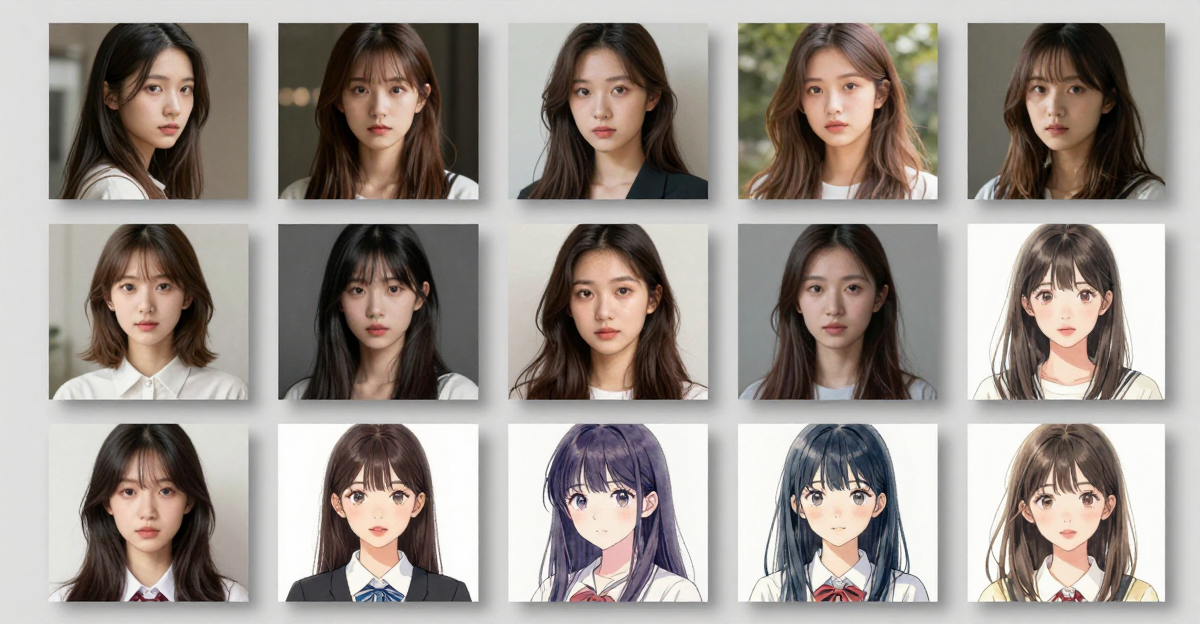
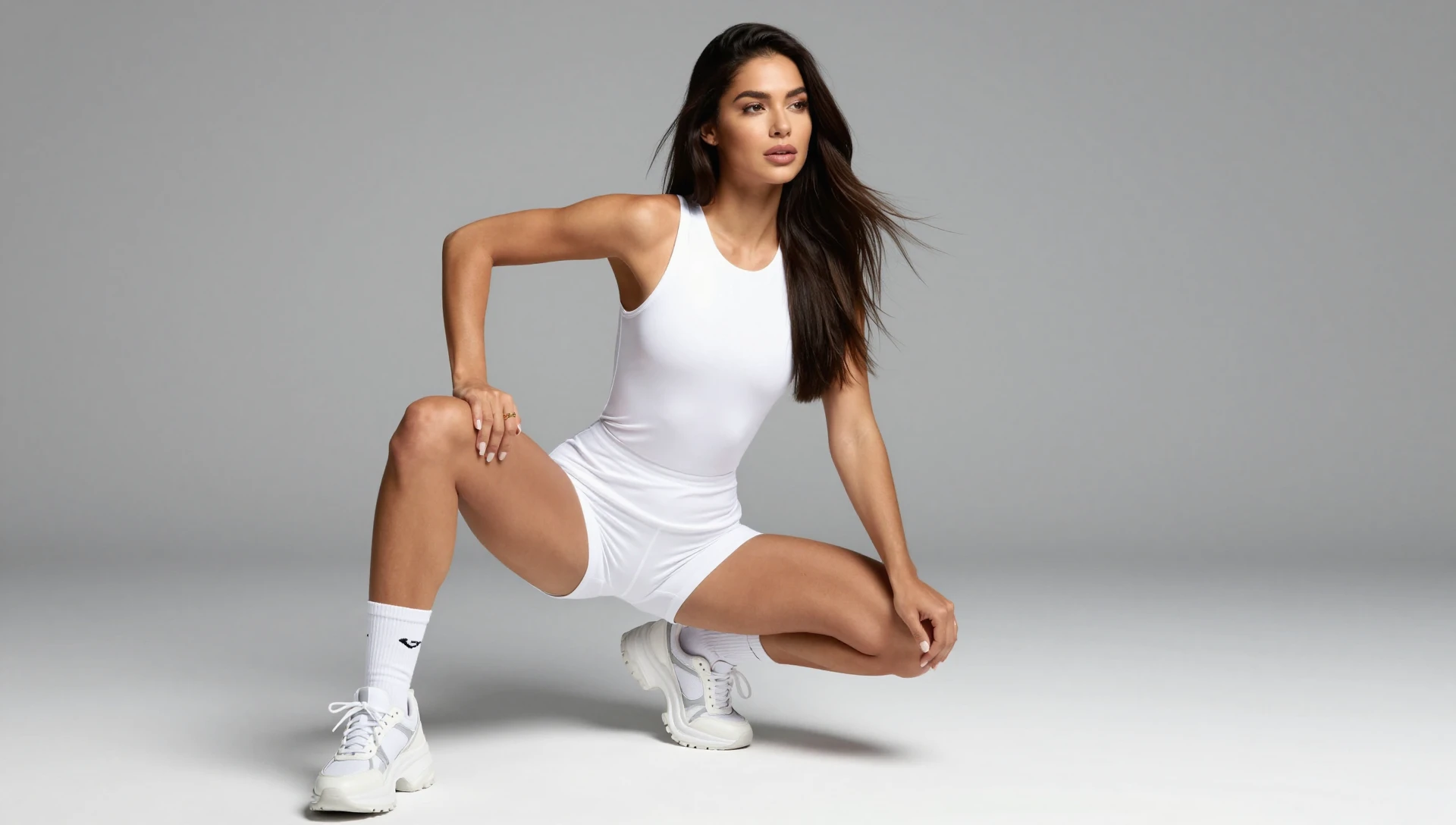
These are real, unedited results from the Imagera image generator — the exact tool this guide covers.
22.Start Creating with 100,000+ Styles
Whether you are switching from Civitai, Midjourney, or looking for your first AI image generator — Imagera AI gives you the largest LoRA library with zero hardware requirements. Plus 100+ tools that go far beyond image generation:
- Generate images with 100,000+ LoRA models
- Create a consistent AI influencer persona
- Turn images into cinematic AI video
- Enhance and restore video with the Video Enhancer
- Upscale to 16K resolution for print
- Add fine detail with the Extreme Detailer
- Apply LoRA styles to photos with Photo Style Transfer
- Replace backgrounds with AI Background Studio
- Edit and composite with the Image Editor
- Create full songs with AI
- Train your own custom LoRA models in-browser
Start Creating on Imagera AI →
No credit card required. No downloads. No GPU needed. Paste any CivitAI LoRA URL and generate in seconds.
23.Related Resources
- Best LoRA Models for Realistic AI Images — Curated LoRA selection guide
- What Is LoRA? — Complete guide to AI model fine-tuning
- How to Train a LoRA Model Online — No GPU Required — In-browser LoRA training guide
- AI Caricature Generator — Turn photos into caricatures with AI
- AI Action Figure Generator — Create action figure art from photos
- Studio Ghibli AI Art Generator — Ghibli-style art with LoRA models
- Upscale Image to 16K — AI upscaling guide
- Create an AI Virtual Influencer — Build consistent AI personas
- AI Frame Interpolation Online Free — Smooth and enhance AI-generated video
- Best Free AI Music Generator — Add music to your AI creative workflow
24.Start here (product links)
Use these live product pages (from Imagera tool catalog / free-tools registry):
- /all-tools — tool hub
- /pricing — pricing
24.1Free vs paid (honest)
Imagera has true free on-device tools under /free/* (no upload, WASM/CPU — see free-tools registry).
Cloud AI studios (upscale 16K, talking avatar, LoRA train, etc.) are pay-first: buy credits from pricing (packs from $19.99). Do not expect free unlimited commercial cloud generation.