
Webex, Whereby, and Discord share one frustrating gap: none of them ship a real beauty filter for your webcam. Zoom and Teams at least offer light "touch up" toggles, but on Webex, Whereby, and Discord you're stuck with your raw camera feed — harsh overhead light, a tired end-of-day look, and a busy background you can't blur.
The short answer: you don't need OBS or a virtual camera to fix this. GlowCam is a Chrome extension that layers a natural AI beauty filter onto your webcam feed in real time, right inside the browser tab where your call runs. It handles skin retouch, virtual makeup, background blur or replace, and subtle reshape — and because it processes everything on your device, your video is never uploaded or stored. One install works across Webex, Whereby, and Discord (web) with no per-app plugins.
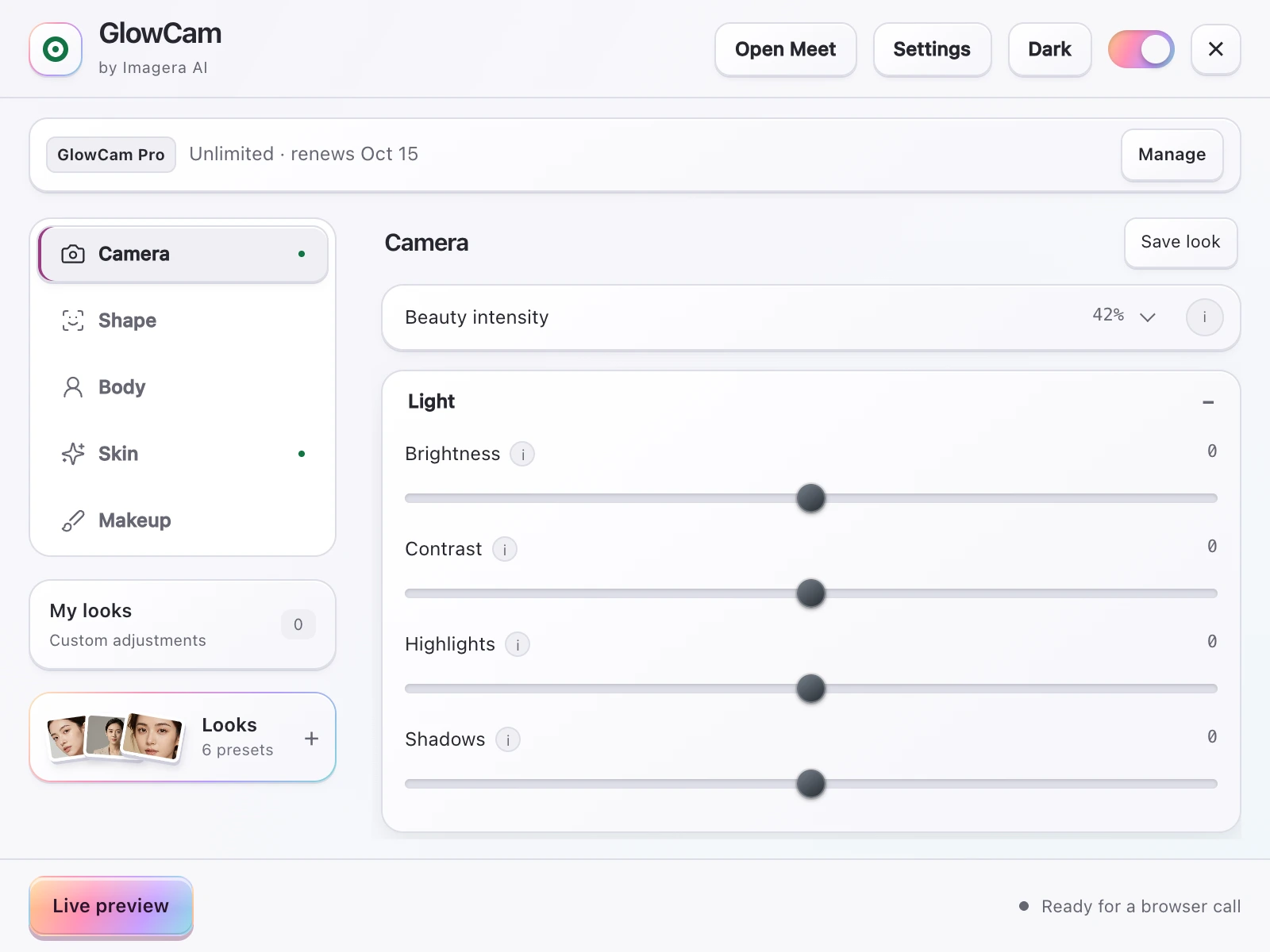
Screenshot of the GlowCam extension's controls. The filter runs on your own device, inside the browser tab of your call.
1.Why Webex, Whereby, and Discord leave you exposed
Each of these platforms is great at what it does — but beauty and appearance controls aren't part of the package.
- Cisco Webex (webex.com): Enterprise-focused, with strong meeting tools but no consumer-style skin smoothing or makeup layer for your self-view.
- Whereby (whereby.com): A clean, browser-first meeting room that deliberately keeps things minimal — which means no built-in retouch or background replacement on lower tiers.
- Discord (web): A huge creator and community platform where people go live and screen-share constantly. Despite that, Discord has no native webcam beauty filter — creators are left to hack something together.
The usual "solution" you'll find online is heavy: install OBS Studio, add a filter plugin, configure a virtual camera, then select that virtual camera inside each app. That's a lot of setup for a quick call, it eats CPU, and it breaks every time an app updates its camera picker.
GlowCam skips all of it. There's no OBS, no virtual camera device, and nothing to reconfigure per platform.
2.How GlowCam works without OBS or a virtual camera
GlowCam is a Chrome extension. Once it's installed, it enhances the webcam feed that your browser hands to the meeting or call — so the app simply sees a better-looking version of you, with no extra "camera" to pick from a dropdown.
Because there's no virtual camera in the chain:
- Setup is one click, not a multi-step OBS pipeline.
- Nothing changes per app. The same install covers Webex, Whereby, and Discord in the browser.
- Your feed stays local. GlowCam runs 100% on-device — your video is never uploaded or stored on a server.
It also doesn't need a GPU. The enhancement runs in real time on ordinary laptops, so you're not locked out because you're on a lightweight machine.
3.What you can adjust
GlowCam is built around looking natural, not fake — the goal is "well-rested and put-together," not a plastic mask. You get:
- Skin retouch — evens out tone and softens harsh webcam lighting without erasing texture.
- Virtual makeup — a subtle, professional layer for days you didn't have time.
- Background blur or replace — on-device, with no green screen required. Ideal for a messy home office or a busy Discord stream.
- Hair colour (Pro) — refresh or change your hair tone on camera.
- Subtle reshape (Pro) — natural, gentle contouring that never tips into obvious editing.
Prefer not to fiddle? Start from a preset — Natural, Meeting, or Polished — then fine-tune any single feature with per-feature sliders. On a quick Discord call you might use only skin retouch and background blur; for a client meeting on Webex you can turn up the Polished look.
4.Platform-by-platform: getting set up
The flow is the same everywhere, which is the whole point of skipping OBS.
Webex on the web: Join or start your meeting at webex.com in Chrome. Open GlowCam, pick a preset, and your self-view is enhanced immediately — no virtual camera to select in Webex's settings.
Whereby: Open your Whereby room (whereby.com) in Chrome, enable GlowCam, and adjust background blur or replace to clean up your space. Because Whereby is browser-native, there's nothing else to install.
Discord (web): Hop into a voice channel with video, or go live, in the Discord web app. Turn on GlowCam for instant retouch and background control — the fix that Discord itself doesn't provide. For creators, this is the difference between a raw stream and one that looks intentional.
If you're a creator juggling Discord plus meetings on Webex or Whereby, one GlowCam install covers all three — no per-app plugin maintenance.
5.The privacy angle: why on-device matters
Uploading your camera feed to a cloud "AI filter" service means trusting a third party with a live video stream of your face, your home, and whoever walks behind you. For work meetings that can be a compliance problem, and for creators it's just unnecessary exposure.
GlowCam avoids the question entirely: processing happens on your device, and the feed is never uploaded or stored. That makes it a safe default for confidential Webex calls and comfortable for anyone streaming to a public Discord server. On-device isn't just a nice-to-have here — it's the reason you can use an AI filter on a sensitive call without a second thought.
6.Try it free
You can add a natural AI beauty filter to Webex, Whereby, and Discord in the time it takes to install a Chrome extension. There's a free 2-day trial and no card required, so you can test it on your next real call before deciding.