You can complete this on Imagera without installing software: upload a real source file, describe the change, confirm credits up front, generate, and review before you publish. How to: 6 Signs of AI Generated Images in Portraits — this guide covers the steps, quality checks, and when to open related tools.
Detecting AI-generated art is harder than detecting AI-generated photos. Photography has objective reference points — real cameras produce specific noise patterns, compression artifacts, and sensor characteristics. Art has no such anchors. Every artist has a different style, and "intentional imperfection" is often the point.
But AI-generated art still has detectable patterns. You just need to know where to look.
This guide covers how to identify AI-generated digital art, illustrations, paintings, and mixed-media work in 2026 — whether you're a gallery curator, art director, educator, or artist yourself.
Why AI Art Detection Is Different from Photo Detection
Photo detection tools analyze technical signatures: noise fingerprints, compression patterns, frequency distributions. These work because cameras produce consistent, measurable characteristics that AI doesn't replicate.
Art detection is harder for three reasons:
1. No physical reference point. There's no camera sensor to compare against. Digital art created in Photoshop, Procreate, or Clip Studio has no noise fingerprint either.
2. Style variety is expected. In photography, "too perfect" is suspicious. In art, perfection might be the artist's intention. Smooth gradients, clean lines, and idealized proportions are legitimate artistic choices.
3. Mixed workflows blur the line. Many human artists use AI as part of their process — generating initial compositions, refining references, or creating backgrounds. At what percentage does human-plus-AI become "AI art"?
Despite these challenges, AI art has consistent tells that human-created art doesn't.
The 6 Signs of AI-Generated Art
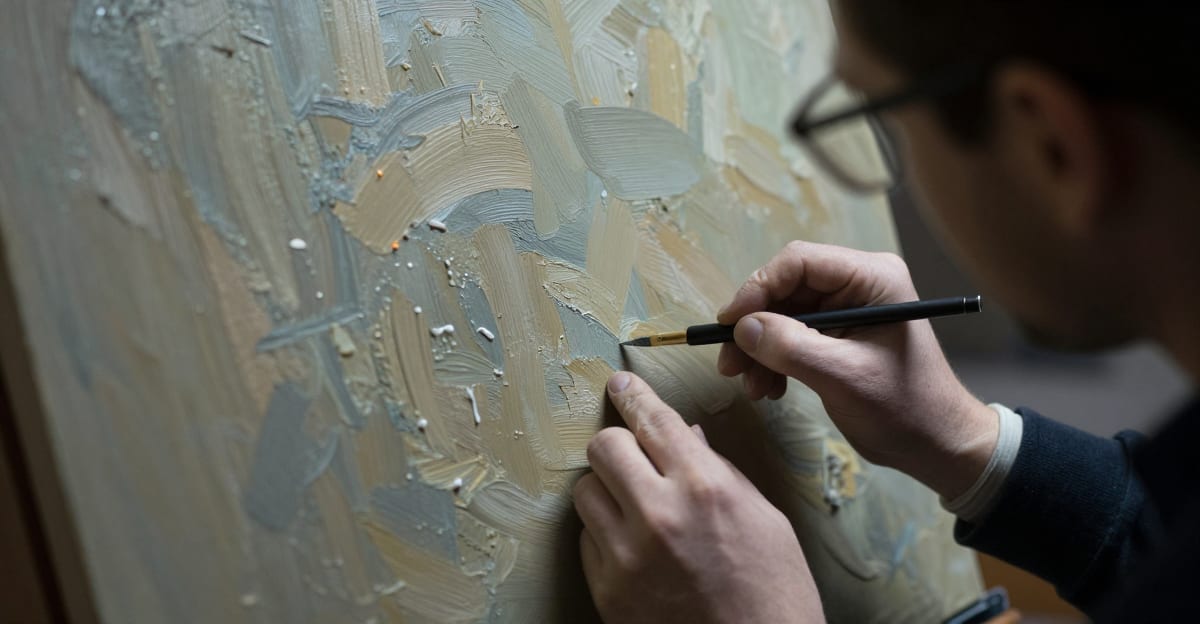
1. Inconsistent Detail Density
Human artists apply detail deliberately. A portrait might have detailed eyes and looser brushwork on the clothing. A landscape might have a detailed foreground and impressionistic sky.
AI distributes detail erratically:
- Hyper-detail next to vague areas — one section rendered at photographic quality while an adjacent area is blurry or undefined
- No hierarchy of importance — background objects get the same rendering attention as the subject
- Detail without purpose — intricate patterns or textures that don't serve the composition
- Inconsistent rendering technique — one area looks painted while another looks photographed
Human artists create detail hierarchies intentionally. AI doesn't understand compositional importance.
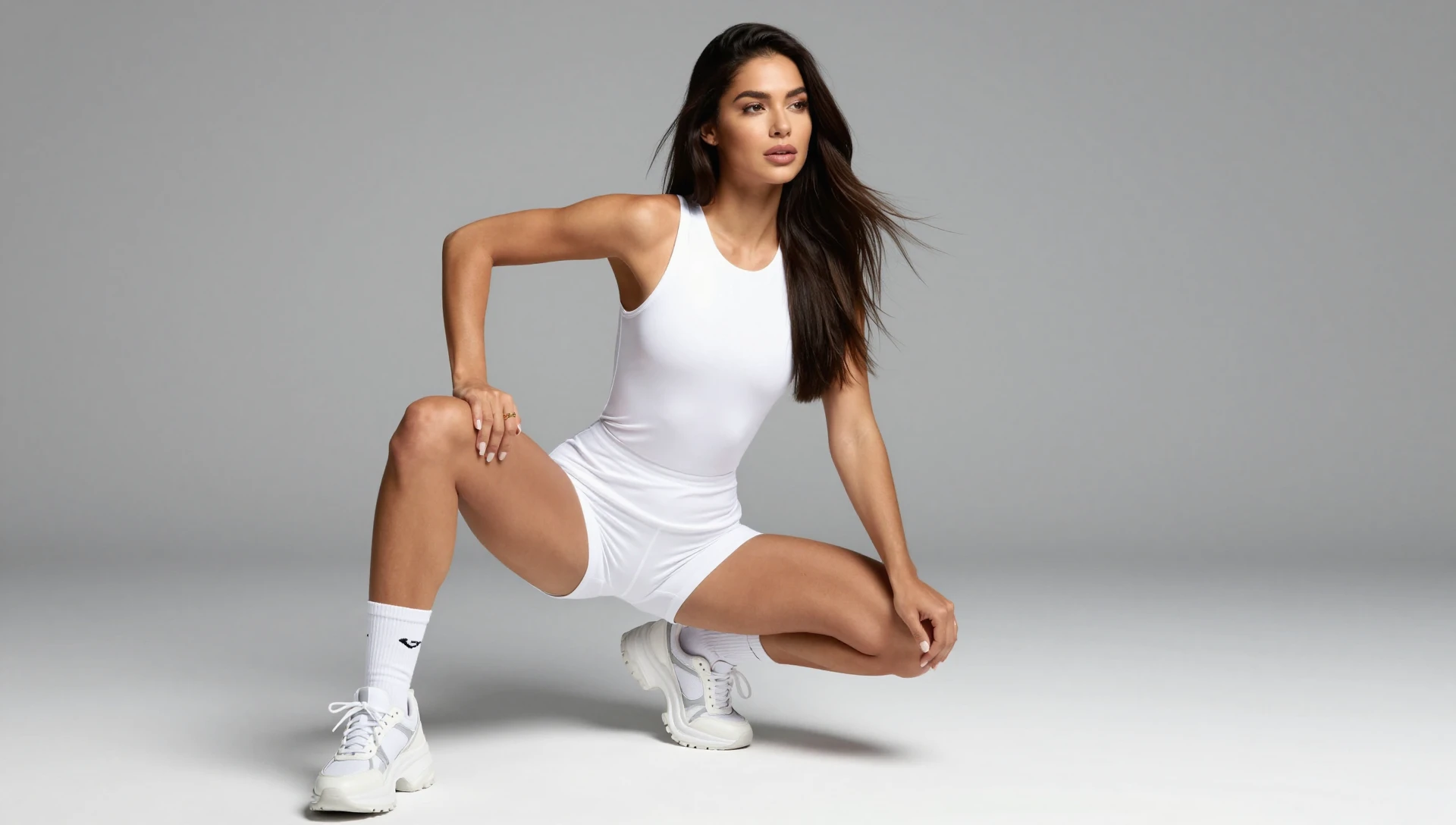
2. Anatomy Errors in Complex Poses
AI handles simple poses well but breaks down with complexity:
- Joints that don't connect — elbows, wrists, and knees in impossible configurations
- Floating limbs — arms or legs disconnected from the torso when partially obscured
- Hand and finger anomalies — still the most reliable tell, even in stylized art
- Asymmetric muscle structure — one arm significantly different from the other in non-artistic ways
In stylized art, anatomy violations are common by design. The difference: human artists break anatomy consistently with their style. AI breaks anatomy randomly.
3. Semantic Incoherence
AI generates visual patterns without understanding what things are:
- Objects that serve no function — buttons that don't align with buttonholes, buckles attached to nothing
- Impossible spatial relationships — a chair that intersects a table, a person sitting above a seat
- Physics violations — fabric that defies gravity, liquid that flows upward, shadows that don't match objects
- Logical contradictions — a character holding a sword while their hand is in their pocket
Human artists might simplify or stylize, but they understand what objects do. AI creates visual approximations.
4. Repetitive Micro-Patterns
Zoom in on AI art and you'll often find:
- Tiling textures — the same small pattern repeated across surfaces, especially in hair, fur, and foliage
- Fractal repetition — similar shapes appearing at multiple scales in ways that don't occur naturally
- Grid-like underlying structure — subtle regularity in what should be organic patterns
- Uniform noise — identical grain or texture across different materials that should look different
Human artists vary their mark-making even within the same technique. Brushstrokes in one area differ subtly from those in another. AI tends toward mechanical uniformity.
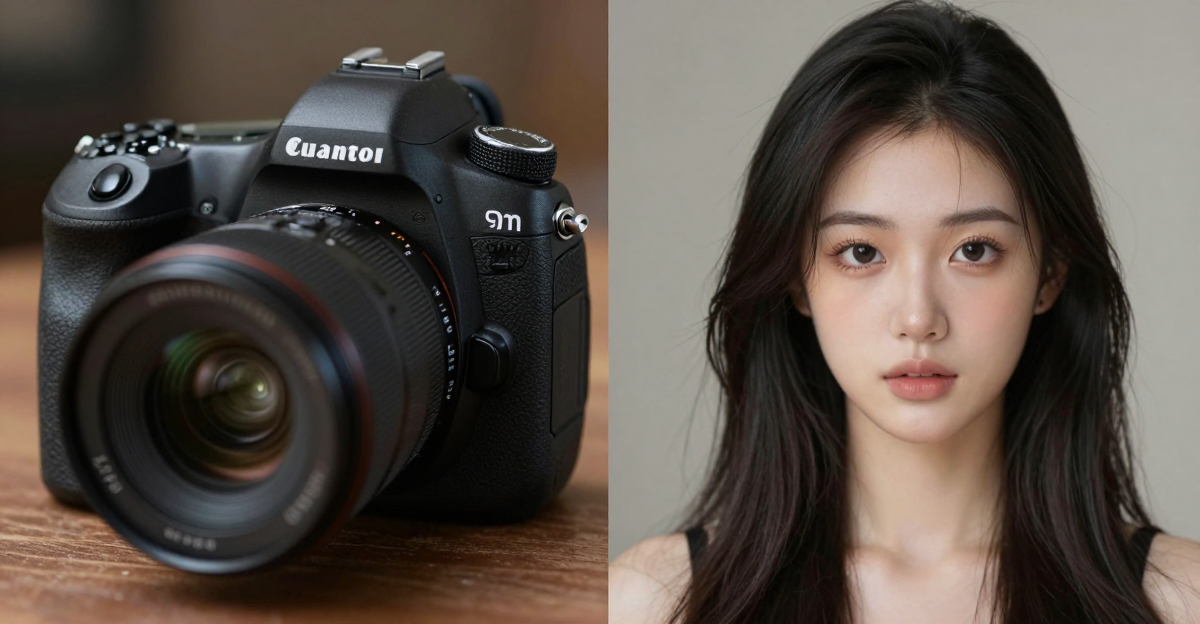
5. Typography and Symbols
If the artwork includes any text, symbols, or writing:
- Pseudo-language — characters that look like writing but aren't any real alphabet
- Inconsistent symbol systems — runes or glyphs that change style within the same piece
- Garbled signatures — AI sometimes generates artist-signature-like marks that aren't legible
- Floating or disconnected text — words that don't sit properly on surfaces
This is one of the strongest tells. If you see text-like elements in art, examine them closely.
6. Style Blending Artifacts
AI mixes reference styles in ways human artists don't:
- Conflicting rendering techniques — cel-shading in one area, painterly strokes in another, with no transition
- Anachronistic elements — medieval armor rendered with modern lighting techniques
- Resolution inconsistency — some elements at high resolution while others appear at lower resolution in the same piece
- Genre mixing without intention — photorealistic elements inside cartoon-style compositions without clear artistic purpose
AI Art Detection Tools
Standard Image Detectors on Art
The same tools that detect AI photos can be run on AI art, but they are less reliable on it:
| Tool | What it reports | Notes on art |
|---|---|---|
| Hive AI | An AI-likelihood score | Lower confidence scores on stylized art |
| Illuminarty | A score plus a guess at the generator | Generator guesses are less reliable for art |
| AI or Not | A verdict with a confidence level | Watch for false positives on clean digital art |
| SightEngine | A score through its API | Test it on your own illustration styles first |
Accuracy drops on art because these tools are primarily trained on photographic content. Artistic styles introduce patterns that overlap with AI artifacts.
For what each tool checks and how to test detectors yourself, see our AI image detector comparison.
Art-Specific Detection Methods
Hugging Face specialized models: Search for models specifically trained on art datasets. Check each model card for the data it was trained and tested on before you trust its score.
Reverse art search: Tools like SauceNAO and IQDB search art databases. If an image appears nowhere in artist portfolios, DeviantArt, ArtStation, or Pixiv, that's circumstantial evidence.
Process evidence: Real artists typically have:
- Work-in-progress shots or timelapse recordings
- Layer history in their working files
- Consistent style development visible across their portfolio
- Social media posts showing their process
AI art has none of this provenance trail.
When Tools Aren't Enough
For high-stakes decisions (gallery acceptance, competition judging, commercial licensing), tools should supplement — not replace — expert evaluation.
An experienced art director can identify:
- Whether a style is internally consistent
- If the skill level matches the complexity
- Whether the compositional choices reflect intentional design decisions
- If the artist's body of work shows natural development
AI Art Detection by Medium
Digital Illustration
Easiest tells: Inconsistent line weight, detail density variation, hand/finger errors in character art.
What makes it hard: Digital illustration already looks "clean" compared to traditional media, reducing the contrast between AI and human work.
Concept Art
Easiest tells: Semantic incoherence (impossible architecture, non-functional design elements), style blending within a single piece.
What makes it hard: Concept art is deliberately exploratory, and rough or inconsistent elements can be intentional.
Paintings (Digital)
Easiest tells: Repetitive micro-patterns visible at zoom, lack of directional brushstroke consistency.
What makes it hard: Many painting styles already use smooth gradients and soft edges that overlap with AI characteristics.
Mixed Media / Collage
Easiest tells: Resolution inconsistencies between elements, impossible lighting across combined pieces.
What makes it hard: Mixed media inherently combines different source materials, making inconsistency expected.
What This Means for Artists
If you're a human artist concerned about your work being flagged as AI:
Document your process. Record timelapses, save work-in-progress versions, keep layer files. Process proof is the strongest defense.
Maintain a consistent portfolio. A body of work showing style development over months and years is difficult for AI to replicate.
Share your process publicly. Post WIPs, sketches, and behind-the-scenes content. This builds both authenticity and audience.
If you're using AI as a creative tool:
Be transparent. Disclose AI involvement when submitting to competitions, galleries, or commercial clients. The art world values honesty about process.
Add genuine creative input. Use AI for ideation but develop the work significantly through your own skills. The more human input, the more genuinely yours the result becomes.
Common Questions
Can AI art detectors identify art from any AI generator?
Detection accuracy varies by generator and style. Default styles from mainstream generators (Midjourney, DALL-E, Stable Diffusion) are the easiest to catch. Custom-trained models and heavily post-processed outputs are harder to identify, and no tool is reliable on every AI art style.
Is there a difference between detecting AI photos and AI art?
Significant difference. Photo detectors analyze technical signatures (sensor noise, compression patterns) that are absent in art. Art detection relies more on visual pattern analysis — detail consistency, anatomical accuracy, semantic coherence. Art detection is fundamentally harder and less reliable than photo detection.
Can human artists accidentally trigger AI art detectors?
Yes. Digital art created in Photoshop, Procreate, or similar tools occasionally gets flagged — especially highly polished, symmetrical work. False positive rates on human digital art tend to be higher than for photography (roughly in the low-to-mid teens versus high single digits, though the exact figures vary by detector and image type). Process documentation helps dispute false positives.
How do AI art competitions verify submissions?
Most competitions now require some combination of: process timelapse or video, working files with layer history, artist portfolio review showing consistent style development, and tool-assisted detection scanning. No single method is foolproof, so multiple verification approaches are standard.
Will AI art eventually be completely undetectable?
The gap is narrowing. Purpose-built systems like Imagera's AI image generator already achieve low detection rates on photographic content. See our guide to bypassing AI detection for technical details. Art detection faces the additional challenge that artistic intent creates legitimate reasons for many "AI-like" characteristics. As generators improve, distinguishing AI art from human art will increasingly require process verification rather than output analysis.
Part of the AI Detection & Authenticity series. See also: Is This AI Generated? | AI Image Detector Comparison | AI Image Checker Tools
Related tools on Imagera
Which of the six tells is most reliable for anime and stylized art?
Hand and finger anatomy remains the single most reliable tell across every art style, because stylization gives an artist license to bend proportions but not to lose count. A human anime artist draws four fingers and a thumb even in a loose, exaggerated style; AI drops or fuses digits at random. For anime specifically, the second-strongest tell is repetitive micro-patterns in hair — zoom in and AI hair often tiles the same strand cluster, while hand-drawn hair varies stroke by stroke.
The reason this ranking holds is that anatomy errors are structural while style is surface. You can restyle a piece — flatten it, cel-shade it, add grain — without fixing a six-fingered hand underneath. That's why hand anatomy survives heavy stylization as a tell, whereas softer signals like "too-smooth gradients" get camouflaged by legitimate artistic choices.
| Visual tell | Reliability on stylized art | Why it survives stylization |
|---|---|---|
| Hand / finger anatomy | Highest | Digit count is structural, not stylistic |
| Repetitive micro-patterns (hair, fur) | High | Tiling is a generation artifact, not a brush choice |
| Semantic incoherence (non-functional objects) | High | Understanding of objects can't be faked by style |
| Typography / pseudo-text | High when text present | AI can't spell real words at any style level |
| Inconsistent detail density | Medium | Overlaps with intentional artistic focus |
| Overly smooth gradients | Low on stylized art | Many clean styles use smooth gradients legitimately |
How should you verify a commissioned piece without accusing the artist?
Ask for process artifacts before you run any detector — layered working files, sketch-to-final progressions, or a timelapse. Legitimate artists keep these as a matter of habit, and requesting them is a normal industry step, not an accusation. Frame it as portfolio due diligence: "Could you share the layered file and a couple of WIP shots?" A real artist supplies them quickly; the request itself filters most cases.
Only after that, run the final piece through a detection signal and compare against the six visual tells. Treat detector output as one input among several — art detectors are less reliable on stylized content than on photos, so a single "AI-likely" score is not proof. The combination of missing process evidence plus structural tells (bad hands, tiling hair, pseudo-text) is far more convincing than any tool score alone. For a broader signal you can run the image through AI Content Detection as a supporting data point.