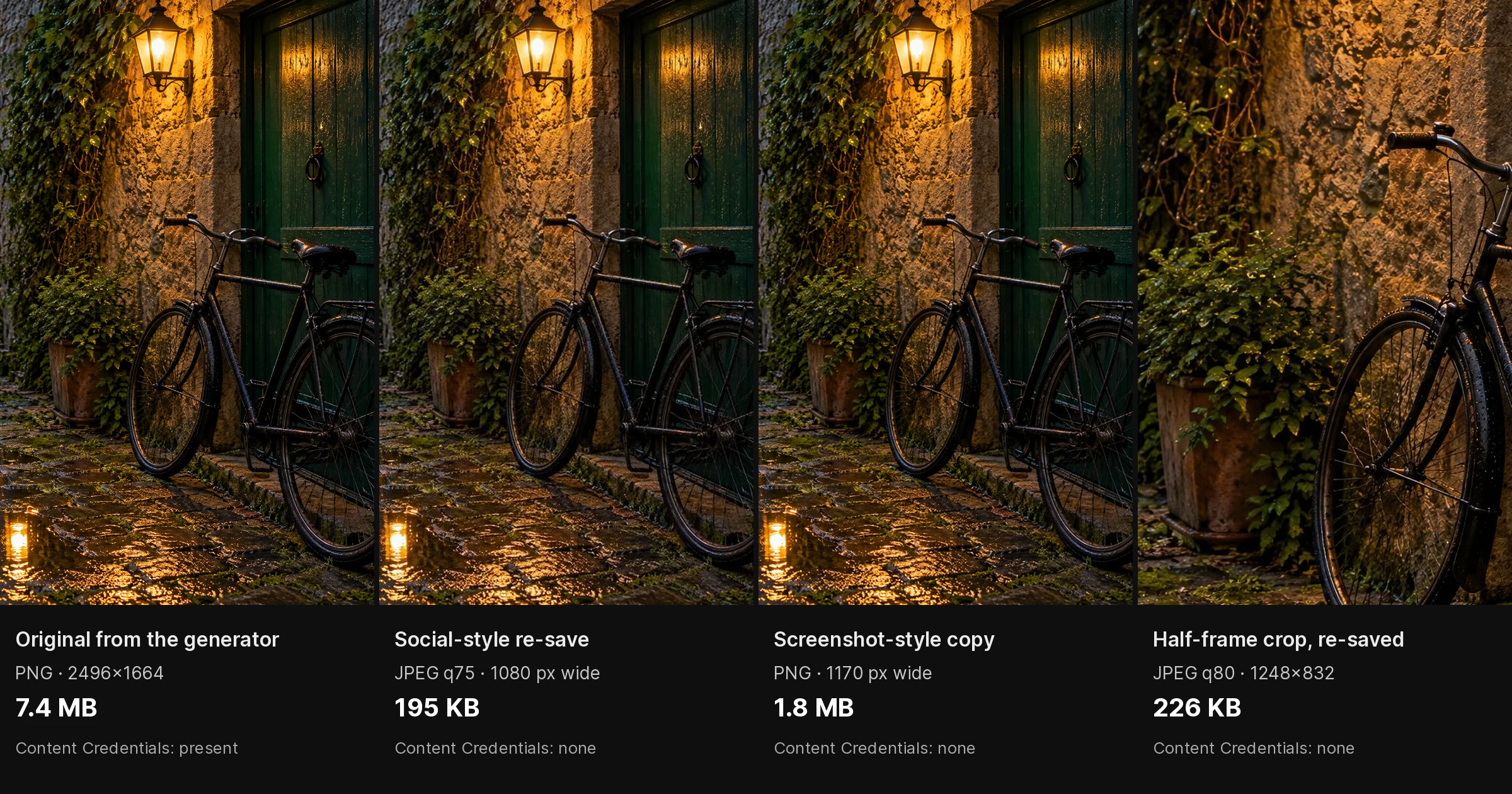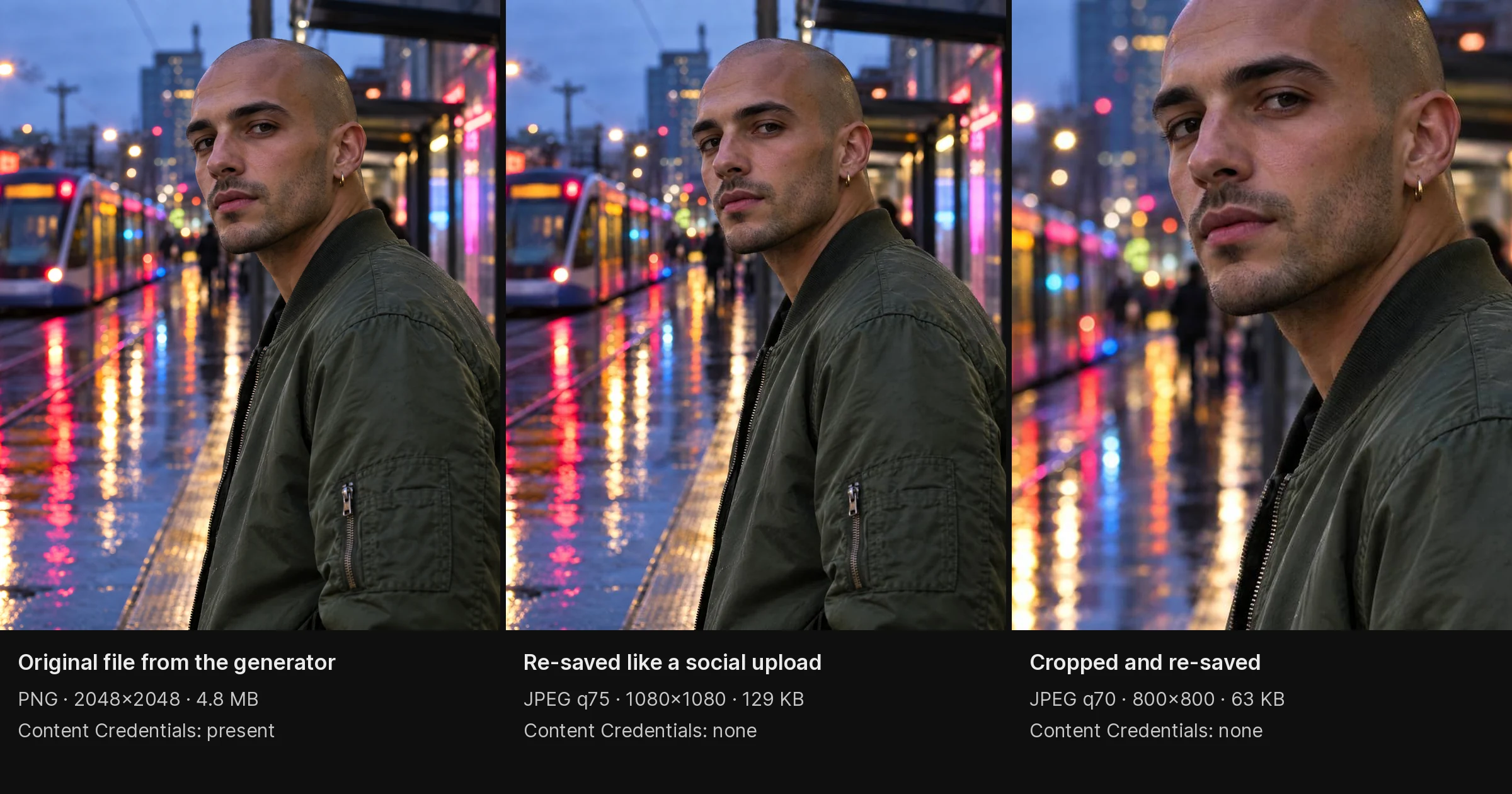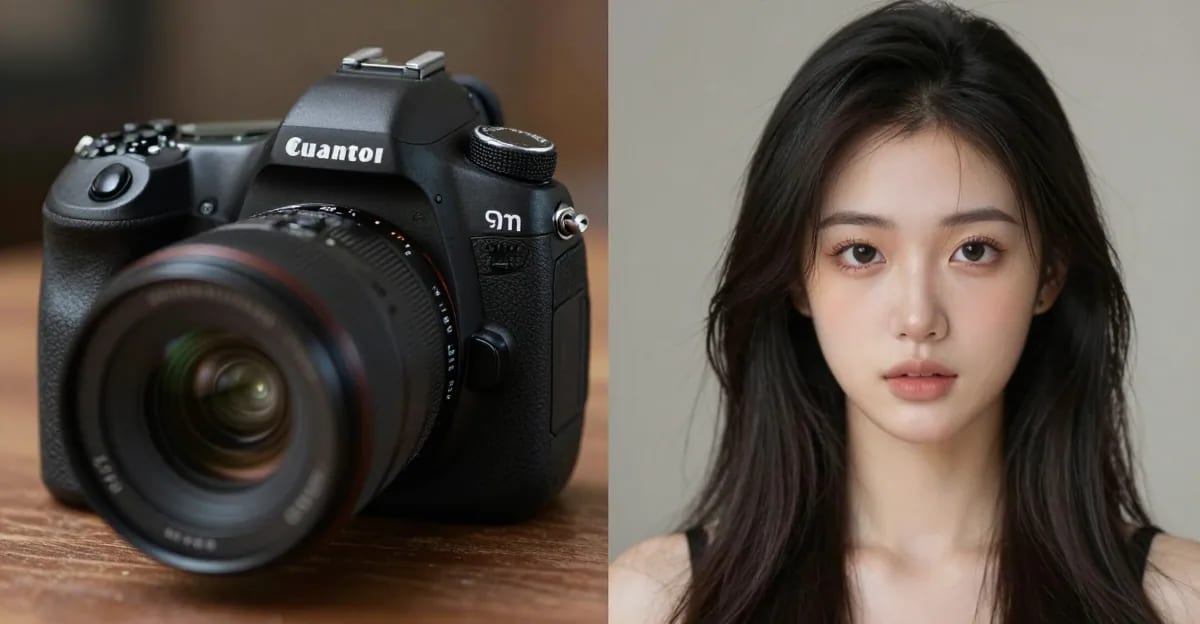
You see a photo online that looks almost perfect. Maybe too perfect. The lighting is cinematic, the composition is flawless, the skin is poreless. Something feels off but you can't pinpoint what.
Is this AI generated?
It's a question millions of people ask every day. As AI image generators improve, the line between real photography and AI-created images gets harder to spot. But visual tells still exist — if you know where to look.
This guide covers every method for checking whether an image is AI-generated in 2026, from visual inspection to metadata analysis to dedicated authenticity tools. Read it top to bottom the first time, then use the checklist at the end whenever you need a quick answer. The goal is a confident, evidence-based verdict — not a guess.
Quick answer: You can often tell an image was made by AI by checking hands, text, and textures — warped fingers, garbled signage, over-smooth poreless skin, and inconsistent shadows remain the most reliable visual tells in 2026.
What are the fastest visual signs an image is AI-generated?
Scan 4 zones in under a minute: hands (count fingers — AI still commonly botches close-up hands), background text (letters warp or repeat), skin (unnaturally poreless), and shadows (multiple light directions in one scene). Zoom to 100% or a 4K crop, and most casual fakes reveal at least one tell this way.
Why are AI images harder to spot in 2026 than 3 years ago?
Generator quality has improved dramatically, so melting faces and gibberish text — once near-universal — now show up far less often in modern outputs. Newer models render 8K detail and handle hands better, leaving a few subtle tells instead of many obvious ones. Combine your own eye with metadata checks and a couple of detection tools for a confident verdict.
Why This Matters More in 2026
A few years ago, spotting an AI image was easy: mangled hands, melting faces, gibberish text. Today, most of those obvious tells are gone. That has real consequences for anyone who relies on images to make decisions:
- Journalists and fact-checkers need to confirm a photo is real before it runs.
- Marketplace and rental platforms deal with listing photos that may be fabricated.
- HR and recruiting teams occasionally receive AI-generated headshots on applications.
- Brands want to know whether an "influencer" endorsement photo is genuine.
- Everyday users simply want to know if the viral image in their feed actually happened.
The stakes range from mild curiosity to fraud prevention. This guide gives you a method that scales with the stakes: fast visual checks for casual questions, and a layered, tool-assisted process for anything that matters.
What "Checking for AI" Actually Means
There is no single button that returns a perfect yes/no. Every reliable approach is really a process of accumulating evidence. You combine three independent layers:
- Visual inspection — the artifacts your eyes can catch.
- Metadata and provenance — the data baked into (or missing from) the file.
- Detection tools and reverse search — statistical and source-based checks.
No layer is conclusive on its own. A photorealistic AI image can pass a casual glance. A real photo can have its metadata stripped. A detection tool can be wrong. But when two or three layers agree, your confidence climbs quickly. Think of it like a jury: one witness proves little, but consistent testimony from several proves a lot.
The 7 Visual Signs of AI-Generated Images
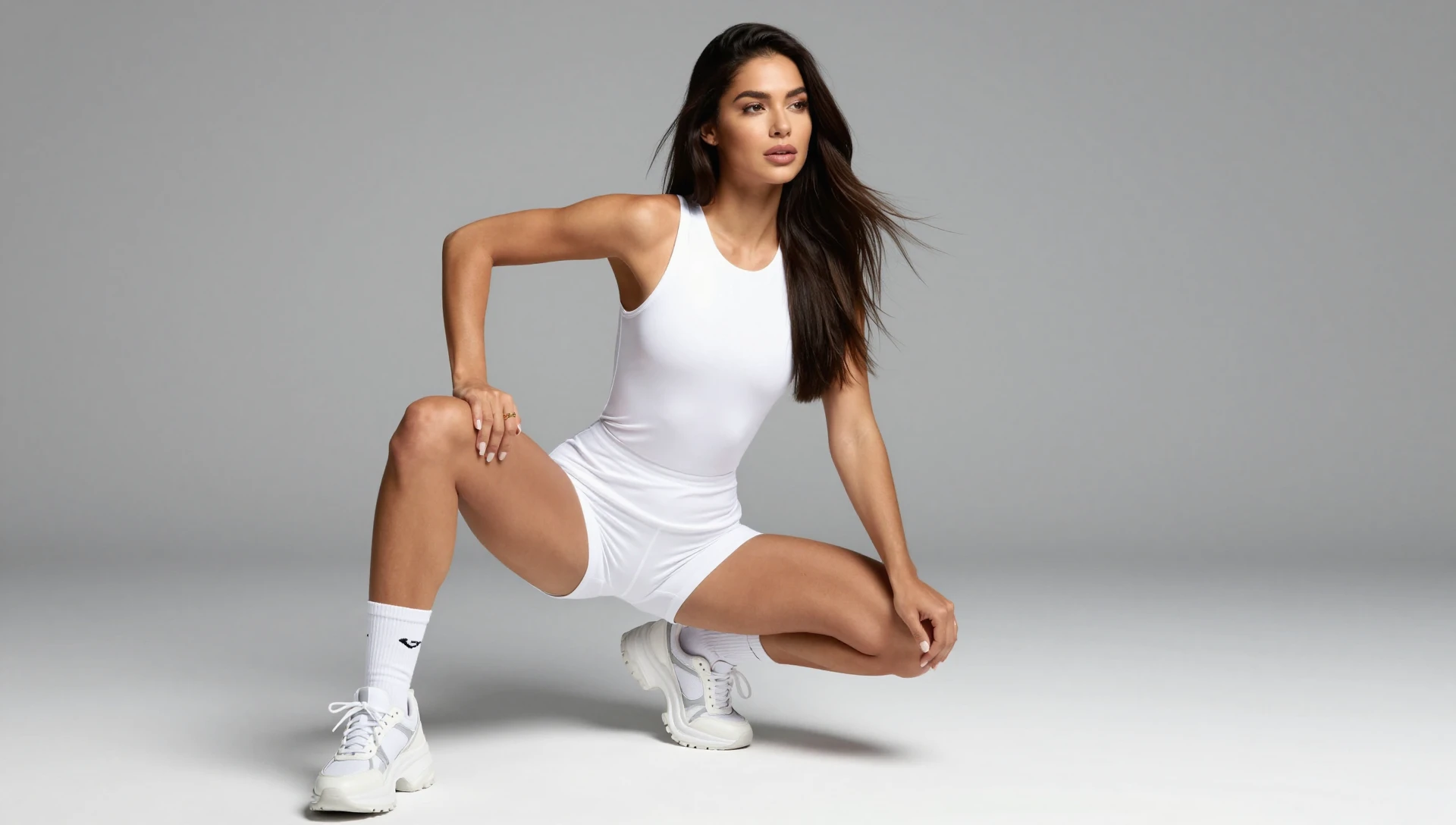
Start here. Visual inspection is free, instant, and often decisive. Zoom to 200-400% and inspect these seven areas in order — hands and text are the highest-yield checks, so do them first.
1. Hands and Fingers
The most reliable tell in 2026. AI still struggles with hand anatomy:
- Extra or missing fingers — count carefully, especially in group shots
- Fused fingers — two digits melting into one
- Impossible joint angles — fingers bending the wrong way
- Inconsistent sizing — one hand noticeably larger than the other
Hands have improved dramatically since 2023, but complex hand poses (holding objects, interlocked fingers) still trip up most generators. If a person is gripping a coffee cup, holding a phone, or clasping their hands, look closely — that's where models break.
2. Skin Texture and Pores
Real skin has pores, fine lines, subtle discoloration, and uneven texture. AI images often show:
- Plastic-smooth skin — no visible pores at any zoom level
- Uniform complexion — no natural blotchiness, moles, or imperfections
- Waxy appearance — skin looks coated rather than natural
- Perfect symmetry — real faces are always slightly asymmetric
This is one tell that advanced generators like Imagera AI specifically address. Our skin detailer and camera noise tools add authentic texture that matches real photography — which is exactly why texture alone can't be the last word. When skin looks airbrushed to plastic, treat it as a flag, then confirm with other layers.
3. Text and Lettering
AI-generated text is often garbled:
- Nonsense words — letters that almost spell something but don't
- Inconsistent fonts — letter styles change mid-word
- Floating text — words that don't sit properly on surfaces
- Blurry fine print — AI avoids rendering small text accurately
If you see a sign, book cover, license plate, or label in an image, zoom in on the text. Garbled lettering is one of the strongest indicators — and it's hard for a generator to fake convincingly at small sizes.
4. Background Inconsistencies
AI pays less attention to backgrounds than subjects:
- Repeating patterns — trees, windows, or objects duplicated unnaturally
- Impossible architecture — staircases that go nowhere, doors that don't align
- Melting objects — background elements that blur into each other
- Inconsistent perspective — straight lines that curve or converge wrongly
The subject may look flawless while the background quietly falls apart. Crowds, cityscapes, and shelves full of products are prime hunting grounds.
5. Lighting and Shadows
Real light follows physics. AI sometimes doesn't:
- Missing shadows — objects floating without casting shadows
- Contradictory light sources — shadows pointing different directions
- Over-perfect lighting — every surface lit evenly with no harsh shadows
- No light falloff — distant objects as bright as nearby ones
Pick one clear light source in the image and ask: do all the shadows agree with it? Disagreement is a strong tell.
6. Symmetry and Proportions
AI tends toward unnatural perfection:
- Too-symmetrical faces — perfectly mirrored left and right halves
- Identical earrings or accessories — real jewelry is never perfectly identical
- Uniform crowd members — people in backgrounds looking too similar
- Perfect body proportions — unnaturally ideal figure ratios
Check paired items specifically: earrings, cufflinks, shoes, glasses arms. Real objects come in matched-but-not-identical pairs; AI often renders them subtly different or eerily perfect.
7. Eyes and Teeth
Close-ups often reveal AI artifacts:
- Different pupil shapes — one round, one slightly oval
- Inconsistent reflections — each eye reflecting a different scene
- Too-perfect teeth — identical, evenly spaced, uniformly white
- Iris detail — AI irises often lack the complex fibrous texture of real eyes
The eyes are the classic close-up test. Real eyes reflect the same environment in both pupils. Mismatched reflections — a window in one eye, nothing in the other — are a giveaway.
Metadata Analysis
Visual inspection isn't always enough. When you can access the original file (not a screenshot), check the metadata — it often settles the question in seconds.
EXIF Data
Real photos contain camera data: model, lens, aperture, shutter speed, GPS coordinates. AI images typically have:
- No EXIF data — stripped or never existed
- Generic metadata — software name instead of camera model
- Missing GPS — no location data (though many photographers strip this intentionally)
How to check: Right-click the image → Properties → Details (Windows) or Get Info (Mac). Online tools like Jeffrey's EXIF Viewer or ExifTool work for any image.
A caveat that trips people up: missing EXIF does not prove AI. Social platforms strip metadata on upload, screenshots remove it entirely, and privacy-conscious photographers delete it on purpose. Absent metadata is a reason to keep looking, not a verdict.
C2PA Content Credentials
Some AI generators now embed C2PA content credentials — digital certificates that identify AI-generated content. Adobe Firefly, Google Imagen, and OpenAI DALL-E all embed these markers.
How to check: Upload to Content Credentials Verify to see if the image contains provenance data.
Not all generators add C2PA data, so absence doesn't confirm the image is real. But when a credential is present, it's strong, tamper-evident evidence about where the image came from — one of the most reliable signals available in 2026.
Using AI Detection Tools
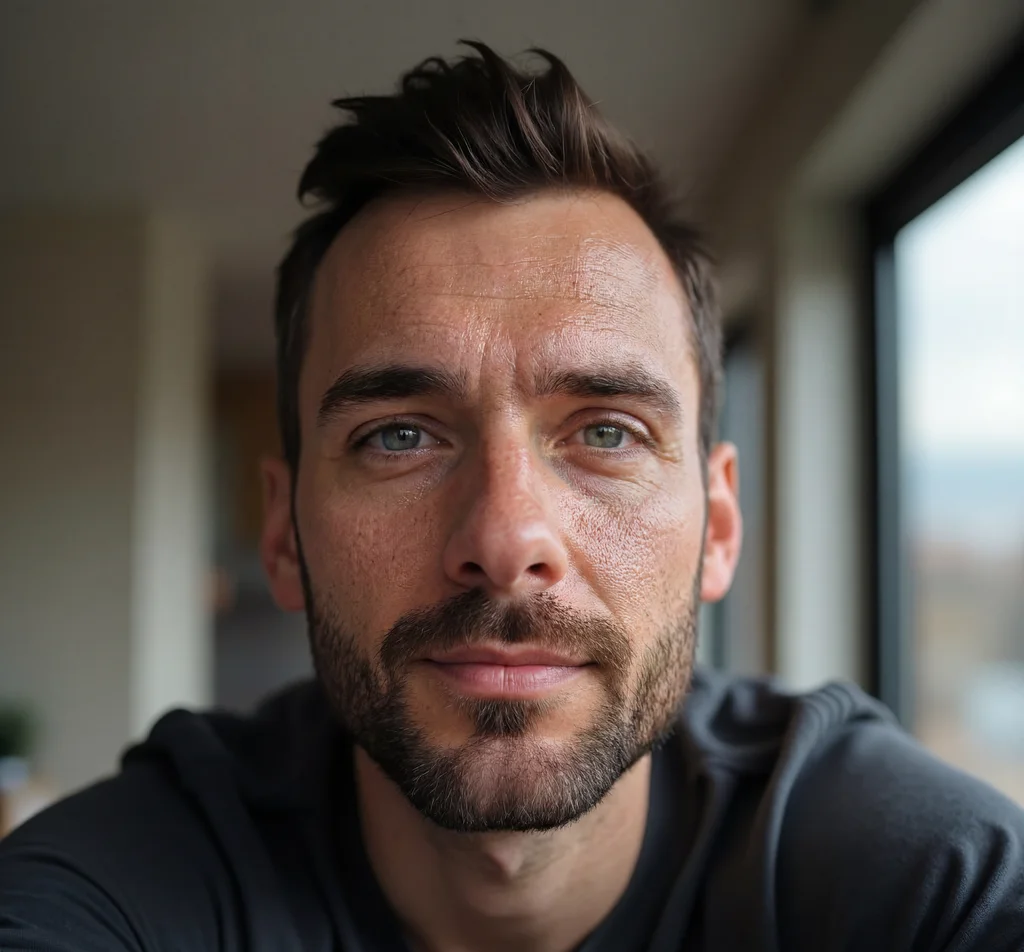
When visual inspection and metadata aren't conclusive, dedicated detection tools help.
For a detailed comparison of the best tools available, see our AI image detector comparison guide.
Popular detection tools:
| Tool | Strengths | Limitations |
|---|---|---|
| Hive AI | High accuracy on common generators | Struggles with post-processed images |
| Illuminarty | Identifies specific generator used | Requires high-resolution input |
| AI or Not | Simple binary result | Less detail than alternatives |
| SightEngine | API-based, batch processing | Paid service |
Important caveat: Detection tools are not infallible. They work by identifying statistical patterns from known AI generators. Images that have been heavily post-processed, compressed, or built with authenticity-focused pipelines can read as more photographic to these tools — which is exactly why you should treat any single tool score as one input, not a final answer. For a fuller picture of which tools exist and how they behave, see our AI image checker tools roundup and the AI art detector guide.
For higher-stakes checks, Imagera's own AI Content Detection runs a structured authenticity scan you can point at images, so you get a documented result rather than a gut feeling.
Step-by-Step: How to Check One Image
Here's the exact order to work through when you have a specific image in hand. It moves from fastest/free to slowest/most thorough, so you often reach a verdict early.
- Look at the whole image first. Does anything feel off — the too-perfect lighting, the uncanny gloss? Note your gut reaction, then verify it.
- Zoom to 200-400% on hands and text. These are the highest-yield areas. Garbled text or a six-fingered hand is close to a confirmation.
- Inspect eyes, teeth, and paired accessories. Check reflections in both eyes and whether earrings/shoes match naturally.
- Scan the background. Look for repeating patterns, melting objects, and impossible architecture behind the subject.
- Check lighting consistency. Pick one light source and confirm every shadow agrees with it.
- Open the file metadata. Look for EXIF camera data and run it through a C2PA credential checker.
- Run a detection tool. Use one or two tools and note whether they agree with your visual read.
- Reverse image search. Confirm whether the image appears elsewhere and where it originated.
- Weigh the context. Who posted it, on what account, with what history?
- Reach a confidence level. Not "yes/no" but "high / medium / low confidence it's AI," based on how many layers agree.
If steps 2-3 already scream AI (extra fingers plus gibberish text), you can stop early. If the image is clean, keep going — a photorealistic image needs the deeper layers before you call it.
Common Use Cases: Who Needs to Check, and How Deep
Not every check needs the full ten steps. Match your effort to the stakes.
- Casual social media curiosity. You just want to know if that viral portrait is real. Visual inspection alone (steps 1-5) is usually enough. No tool required.
- Journalism and fact-checking. A photo may run in a story. Do the full process, prioritize C2PA credentials and reverse image search, and document your findings. A structured scan via AI Content Detection gives you a citable result.
- Marketplace and rental fraud. Listing photos of a "product" or "apartment" that may not exist. Reverse image search is your best friend here — fabricated listings often reuse or generate images that appear nowhere else legitimately.
- HR and hiring. An applicant headshot looks suspiciously polished. Visual inspection plus a detection scan is proportionate; treat results as one signal in a hiring decision, never the sole basis.
- Brand safety. Verifying an endorsement or user-generated photo before amplifying it. Combine detection tools with source verification of the account that posted it.
The pattern is consistent: casual questions get free visual checks; anything with money, reputation, or safety on the line gets the layered process.
When a Paid Scan Is Worth It
Free visual checks handle most everyday curiosity. A paid, documented scan earns its keep when a wrong answer has a cost:
- Journalism — a mislabeled image damages credibility.
- Brand safety — amplifying a fake endorsement is a real risk.
- Marketplace fraud — money changes hands based on the photo.
- HR and legal cases — decisions about people need a record, not a hunch.
For these, running the image through AI Content Detection produces a structured result you can point to. Casual curiosity can start with free visual checks and stop there; escalate to a scan only when the answer needs to hold up.
Comparison: Methods for Checking AI Images
Each method has a different cost and reliability. Here's an honest side-by-side. Detection-tool prices below are typical third-party services; Imagera's scan is priced in credits, not per-check dollars.
| Method | Cost | Speed | Reliability | Best for |
|---|---|---|---|---|
| Visual inspection | Free | Seconds | Moderate — misses polished images | Everyday curiosity, first pass |
| EXIF / metadata check | Free | Seconds | Situational — often stripped | When you have the original file |
| C2PA credential check | Free | Seconds | High when present | Images from major generators |
| Reverse image search | Free | ~1 minute | Moderate — finds source, not AI directly | Fraud, provenance, reused photos |
| Third-party detector | Free–paid ($/mo or per API call) | Seconds | 75-95%, varies by generator | Confirming a visual suspicion |
| Imagera AI Content Detection | Credits (from the credit balance you buy) | Under a minute | Structured, documented result | High-stakes checks needing a record |
No row is a silver bullet. The strongest approach is to combine the free layers first, then add a tool when the free layers disagree or the stakes are high.
Tips for Getting an Accurate Verdict
- Use the original file when you can. Screenshots strip metadata and add their own compression, which weakens both visual and statistical analysis.
- Zoom aggressively. Most tells only appear at 200-400%. A quick glance at thumbnail size catches almost nothing in 2026.
- Check multiple regions, not just the face. The face may be clean while the hands, background, or text give it away.
- Let layers vote. Don't stake your conclusion on one signal. Aim for agreement across at least two of visual, metadata, and tool checks.
- Consider intent and context. A brand-new account posting a "breaking news" image with no other source deserves more scrutiny than a decade-old photographer's portfolio.
- State a confidence level, not a certainty. "High confidence this is AI" is more honest — and more useful — than a flat yes when no single method is perfect.
Common Mistakes to Avoid
- Treating "no EXIF" as proof. Uploads, screenshots, and privacy tools all remove metadata from real photos.
- Trusting one detector blindly. Accuracy ranges from roughly 75-95% depending on the generator and image quality. A single score is evidence, not a verdict.
- Judging from thumbnails. Compression at small sizes hides the exact artifacts you're hunting for.
- Assuming "too perfect" always means AI. Professional retouching, studio lighting, and heavy editing can make a genuine photo look synthetic. Confirm with another layer.
- Ignoring provenance. Where and by whom an image was posted is often more decisive than any pixel-level check.
- Confusing reverse image search with detection. Reverse search tells you if an image exists elsewhere — not whether it was AI-made.
Why AI Images Are Getting Harder to Spot
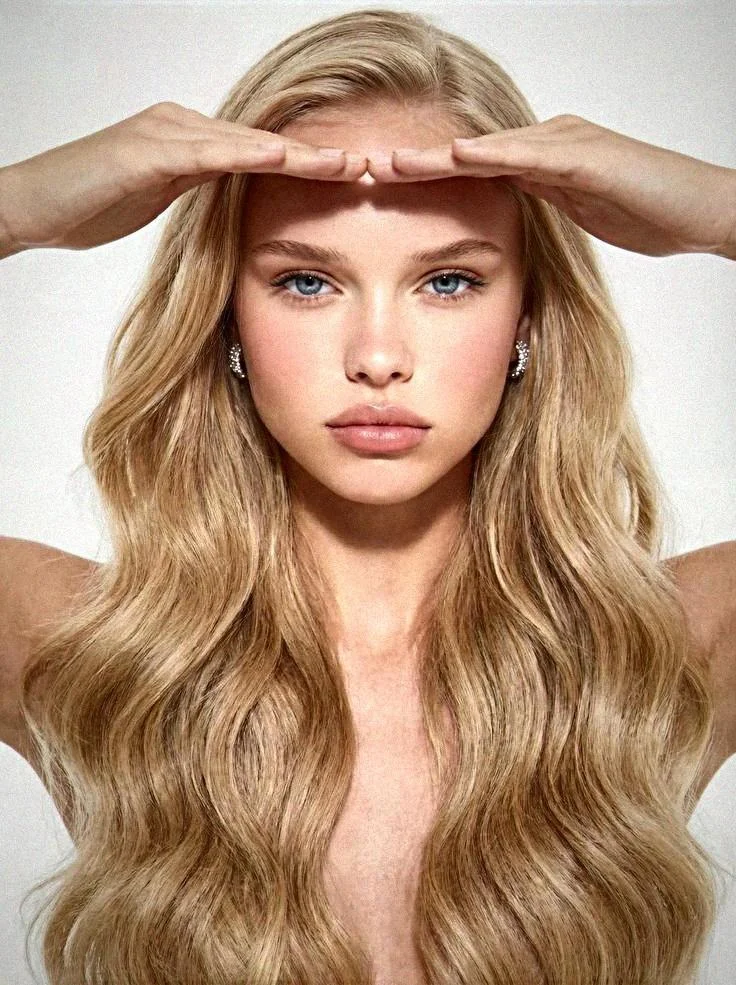
Recognition is a moving target. Each generation of AI models addresses the tells from the previous one:
2022-2023: Obvious tells — mangled hands, extra fingers, uncanny faces 2024: Hands improved, but skin texture and backgrounds still exposed AI 2025: Post-processing pipelines added noise, compression, and natural imperfections 2026: Purpose-built authenticity systems create output that reads as genuine photography
Tools like Imagera's real camera noise, skin detailer, and extreme detailer exist to add the natural imperfections real cameras produce:
- Camera noise removes the "too-clean" digital fingerprint
- Skin texture adds authentic pores, lines, and imperfections
- Compression artifacts match how real cameras and platforms process images
The reason this matters for your check is simple: because polished, photorealistic images are now common, the surface-level tells alone are no longer enough. That's precisely why the layered method in this guide — visual plus metadata plus tools plus context — is the honest way to reach a verdict.
What to Do If You Suspect an AI Image
- Zoom in on hands, text, and backgrounds — check for the 7 visual tells above
- Check metadata — look for EXIF data and C2PA credentials
- Run through a detection tool — use Hive AI or Illuminarty, or Imagera's AI Content Detection for a documented result
- Reverse image search — Google Lens or TinEye can find the original source
- Consider context — where was it posted? Does the account have a history of real photos?
No single method is 100% reliable. Use multiple approaches for confidence, and report a confidence level rather than a false certainty.
Examples: Working Through Real Scenarios
Scenario 1 — The "perfect" influencer portrait. A lifestyle photo looks flawless. Visual pass: skin is plastic-smooth, but that alone isn't proof. Zoom on the hand holding a latte — two fingers merge into one. Background café signage reads as near-gibberish. Two independent visual tells agree: high confidence AI. No tool needed.
Scenario 2 — A news image with no source. A dramatic "breaking" photo appears on a day-old account. Visually clean. Metadata: no EXIF (inconclusive — could be an upload strip). C2PA check: no credential. Reverse image search: appears nowhere else, ever. A detection tool flags it as likely AI. Combined with the suspicious account and absent provenance, that's a strong case to distrust it — and a good candidate for a documented AI Content Detection scan before it spreads.
Scenario 3 — A vintage-looking family photo. Grainy, imperfect, slightly asymmetric faces. Visual inspection finds no artifacts. Metadata shows real camera EXIF from an older phone. Reverse search finds it in a family blog from years ago. Every layer points to authentic. Confidence it's a real photo: high.
The lesson across all three: it's the agreement between layers, not any single clue, that produces a reliable answer.
Common Questions
Can AI detection tools always identify AI images?
No. Detection tools have accuracy rates between 75-95% depending on the generator and image quality. Images that have been post-processed, compressed, or built with authenticity-focused pipelines may read as more photographic. Always combine tool results with visual inspection and, when possible, metadata and provenance checks.
Are AI-generated images illegal?
Creating AI images is legal in most jurisdictions. However, using AI images for fraud, impersonation, non-consensual deepfakes, or misleading commercial purposes may violate specific laws. The legality depends on how the images are used, not how they're created.
Do social media platforms detect AI images automatically?
Most major platforms (Meta, X, TikTok) are implementing AI labeling systems, but enforcement is inconsistent. C2PA metadata is increasingly used for labeling. However, images without embedded credentials aren't automatically flagged. Platform policies vary and change frequently.
How accurate is reverse image search for finding AI images?
Reverse image search finds whether an image exists elsewhere online — it doesn't detect AI generation directly. If an image appears nowhere else and has no source attribution, that's circumstantial evidence but not proof of AI generation. Pair it with visual and tool checks.
Can screenshots of AI images be detected?
Screenshots add additional compression and remove metadata, making detection harder. The visual tells remain, but statistical analysis becomes less reliable. Most detection tools perform worse on screenshots than original files, so track down the original whenever you can.
Is this image AI generated?
Work the layered process: inspect hands, text, eyes, and backgrounds; check EXIF and C2PA credentials; run a detection tool; reverse-search the source; and weigh the context. When two or more layers agree, you have a confident answer — for anything high-stakes, confirm with AI Content Detection.
Can I tell if a photo is AI without a tool?
Often, yes. Look for warped hands, inconsistent jewelry or text, impossible reflections, and plastic skin — but modern models hide many of these. For anything high stakes, run a proper scan in AI Content Detection.
Part of the AI Detection & Authenticity series. See also: AI Image Detector Comparison | AI Image Checker Tools | AI Art Detector Guide
Start creating (credit packs from 350 credits)
Imagera cloud tools are pay-first — buy credits, then generate.
- AI Image Humanizer
- Real Film Grain
- Make AI Images Look Real
- Skin Detailer
- Pricing & credit packs
- All tools
Next step: open a tool page, check the credit cost, buy a pack if you need one, then generate.
Tools and next steps
| Task | Tool | Starting cost |
|---|---|---|
| Generate images from text or another image | AI Image Generator | Current quote shown before generation |
| Run a documented authenticity scan | AI Content Detection | Credits from your balance |
| Add authentic camera texture to an image | Real Camera Noise | Credits per run |
| Add realistic skin detail | Skin Detailer | Credits per run |
| Buy credits or compare plans | Pricing | From $19.99 |