Choosing an AI avatar generator depends on what you actually need — a talking head for corporate training, a full-body animated character for social media, or a custom AI persona for brand content. The market has matured, but pricing models and capabilities vary significantly, and the "best" tool for a solo creator making TikToks is rarely the best tool for an enterprise L&D department producing hundreds of compliance modules.
This comparison breaks down the top four AI avatar platforms in 2026 based on real features, actual pricing, and practical use cases. Rather than ranking them from best to worst, we map each tool to the specific job it's built to do — because the honest answer to "which is best" is almost always "it depends on your workflow."
1.What Makes a Good AI Avatar Generator?
Before comparing tools, here's what actually matters when you're evaluating platforms. These are the dimensions that determine whether a tool fits your workflow — not just marketing checkboxes.
- Lip sync accuracy — how natural do the lip movements look? Poor lip sync is the single fastest way to break the illusion of a real speaker.
- Full-body animation — does the tool animate more than just the mouth? A moving mouth on a frozen frame reads as a "talking photo"; a person who shifts posture and gestures reads as a presenter.
- Custom avatar creation — can you use your own photos, or are you locked into stock characters and a filmed enrollment session?
- Pricing model — subscription vs pay-per-use, and what you actually get for your money once you account for real output volume.
- Output quality — resolution, frame rate, and export options (MP4, MOV, WEBM) that fit your downstream editing pipeline.
- Language support — how many languages and voices are available, and whether lip sync holds up in each one.
- Identity consistency — does the face stay the same across a long video, or does it subtly drift and distort over several minutes?
The right tool balances these against your budget and your output cadence. A platform that's excellent for one polished monthly video may be the wrong economics for someone shipping fifteen short clips a week.
2.Platform Comparison
2.1Imagera AI Avatar Generator

Imagera takes a different approach than most avatar platforms. Instead of locking features behind monthly subscriptions, it uses a credit system where you pay for what you generate — no seats, no monthly minimums, no "use it or lose it" minute allocations.
Key features:
- Full-body animation from a single photo — posture shifts, hand gestures, head movements, and facial expressions, not just a moving mouth on a static frame
- Audio-driven multi-modal synchronization: lip shapes match the audio, the head naturally turns and nods, and expressions respond to intonation
- Upload any high-quality portrait photo as your avatar source — no filmed enrollment session required
- Up to 4 minutes per avatar video, generated in Full HD 1080p
- Frame-consistent identity preservation so the face stays the same from the first frame to the last
- Works with AI-generated voices from the built-in voice generator
- 50+ languages with lip-sync animation per language
- Export in MP4, MOV, or WEBM for any platform
- Full commercial rights on every video
Pricing: Pay-per-use via credits. Avatar generation starts at 30 credits per 10-second clip (~$0.92). Plans start at $19.99/month for a credit package, scaling up for heavier users, with no annual commitment required. You buy credits and spend them across avatars, images, voice, and other tools in the same suite.
Best for: Creators who want full-body animation, pay-per-use pricing, and the ability to generate the source image, voice, AND avatar in one platform without juggling separate subscriptions.
2.2HeyGen
HeyGen focuses on marketing and corporate video production. It offers both stock avatars and custom avatar creation from video uploads.
Key features:
- 100+ stock avatars with professional appearance
- Custom avatar creation from a short video recording (not a single photo)
- 175+ languages and 300+ voices
- Script-to-video workflow
- API access for enterprise integration
Pricing: Free tier with limited features. Paid plans start around $24/month (Creator), with higher tiers for teams (roughly $39/seat/month). Custom avatars require paid plans.
Best for: Marketing teams needing polished corporate-style avatar videos with a large stock-avatar library.
2.3Synthesia
Synthesia prioritizes enterprise consistency. It's widely used for L&D (learning and development) content in large organizations, and much of its value proposition is governance and compliance rather than raw creativity.
Key features:
- 230+ stock avatars across diverse ethnicities and styles
- Custom avatars from video submissions
- 140+ languages
- SOC 2 compliance for enterprise security
- Template-based editing system for brand consistency
Pricing: Starter plan roughly $18-29/month with limited minutes. Creator plan roughly $64-89/month. Enterprise pricing available (and can reach thousands per month for large teams). Per-minute costs add up quickly for high-volume users.
Best for: Enterprise L&D teams with compliance requirements and consistent branding needs across many videos.
2.4D-ID
D-ID offers a Creative Reality Studio focused on turning photos into talking-head videos. It's one of the earlier players in the AI avatar space and leans developer-friendly.
Key features:
- Photo-to-video avatar creation
- Integration with conversational AI for interactive avatars
- API for developer integration
- Web-based and API access
Pricing: Free tier with watermarked output. Lite plan from roughly $5.99/month. Pro plans from roughly $29/month. Enterprise available.
Best for: Developers who need API access and interactive avatar capabilities baked into their own apps.
3.Feature-by-Feature Comparison
The table below expresses Imagera's cost in credits (its native unit) and competitors' costs in their subscription dollars, since the pricing models aren't directly comparable dollar-for-dollar.
| Feature | Imagera | HeyGen | Synthesia | D-ID |
|---|---|---|---|---|
| Full-body animation | ✅ Yes | ❌ Head only | ❌ Head only | ❌ Head only |
| Use own photo | ✅ Any photo | ⚠️ Video required | ⚠️ Video required | ✅ Any photo |
| Multi-modal sync (head, gestures) | ✅ Built-in | ❌ Lip only | ❌ Lip only | ❌ Lip only |
| Max duration | 4 minutes | 5 minutes | 10 minutes | 5 minutes |
| Pay-per-use | ✅ Credits | ❌ Monthly | ❌ Monthly | ⚠️ Limited |
| Built-in voice gen | ✅ 50+ languages | ✅ 300+ voices | ✅ 140+ languages | ✅ Via partners |
| Output resolution | ✅ Full HD 1080p | ✅ 1080p+ | ✅ 1080p+ | ⚠️ 720p+ |
| Entry price | 30 credits / 10s (~$0.92) | $24/mo | $18/mo | $5.99/mo |
| Commercial rights | ✅ Full | ✅ Full | ✅ Full | ✅ Full |
4.Pricing Breakdown: Real Cost Per Video
The monthly subscription price doesn't tell the full story. What matters is your effective cost per finished video at your real output volume. Here's what each platform actually costs per video:
Imagera: 30 credits per 10-second clip (~$0.92). Because credits are shared across the whole suite, you're not paying for idle avatar capacity in months you don't use it. A creator shipping short-form clips pays only for the seconds they actually render.
HeyGen: Creator plan (around $24/month) includes limited minutes. A 1-minute avatar video uses 1 minute of your allocation, and overages are charged separately. Effective cost lands roughly $2-5/video depending on length and how much of your allocation you use.
Synthesia: Starter plan (around $18-29/month) includes a fixed pool of minutes. A 2-minute training video consumes roughly $3.60-5.80 worth of your allocation, and longer videos increase per-unit costs. If you don't use your minutes, you lose them.
D-ID: Lite plan (around $5.99/month) includes limited minutes; Pro plan (around $29/month) includes more. Per-video cost ranges from roughly $1.50-4.00 depending on length and plan.
Bottom line: Imagera's credit system delivers the lowest per-video cost for creators producing multiple short-form videos, because you never pay for unused capacity. Subscription models can be more predictable for users with steady, moderate monthly usage who reliably consume their minute allocation. Match the model to your cadence, not just the headline price.
5.Step-by-Step: How to Create an Avatar Video in Imagera
Here's the actual workflow, start to finish. The whole process typically takes a couple of minutes of your active time; generation runs in the background.
- Upload a single high-quality photo. One person, clearly visible, well lit, facing the camera. Higher source quality produces a more realistic avatar. Avoid group shots and low-resolution images.
- Add your script or voice. Type or paste the text you want the avatar to speak, or bring in a voiceover generated with the built-in voice generator across 50+ languages.
- Customize the settings. Adjust voice, background, and animation options so the output matches your brand or the platform you're posting to.
- Generate. Imagera drives full-body animation from the audio — lips, head movement, gestures, and expressions all synchronized to the speech.
- Review and download. Preview the result in Full HD 1080p and export in MP4, MOV, or WEBM for wherever it's going next.
Because generation is credit-metered, you can render a short test clip first, confirm the look and lip sync, then commit to the full-length version — a workflow that's far harder to do economically on a fixed monthly minute allocation.
6.Common Use Cases: Who It's For
AI avatar generators serve very different audiences. Here are the concrete scenarios where each type of user gets the most value.
- Corporate training and L&D. Produce dozens of onboarding, safety, and compliance modules without booking a studio, a presenter, or a shoot day. When a policy changes, you re-render the affected clip instead of reshooting. Enterprise teams with strict governance and template consistency needs are exactly where Synthesia's compliance tooling earns its subscription.
- Course creators and educators. Build an entire course with one consistent AI presenter and no camera anxiety. Update a single lesson the moment your content changes, without re-filming everything around it.
- Marketing and growth teams. Spin up spokesperson variations for A/B testing ad creative at a fraction of traditional production cost. Pay-per-use pricing shines here because you can render many short variants cheaply and kill the losers.
- Social media creators. Ship a steady cadence of talking-head or presenter clips for YouTube, TikTok, Reels, and LinkedIn without filming yourself every day. Full-body animation is the difference between a clip viewers scroll past and one they stop on.
- Multilingual localization. Present the same message in multiple languages with lip-synced audio, avoiding separate dubbing sessions and reshoots for each market.
- Real estate and sales. Give every listing or product a professional on-camera presenter without hiring one, so your inventory videos look consistent across the board.
- Developers building interactive experiences. If you need avatars embedded in your own app with an API and conversational responses, D-ID's developer-first tooling is purpose-built for that.
7.When to Choose Which
Choose Imagera if:
- You want full-body animation (not just talking heads)
- You prefer pay-per-use over monthly subscriptions
- You want to generate the source image, voice, AND avatar in one platform
- You create short-form content for social media (TikTok, Reels, Shorts) at volume
- You value only paying for the seconds you actually render
Choose HeyGen if:
- You need polished corporate stock avatars quickly
- Your team produces marketing videos at scale with predictable monthly usage
- You require API integration for automation
- A large stock-avatar library matters more than pay-per-use economics
Choose Synthesia if:
- You work in enterprise L&D with compliance requirements
- You need template consistency across hundreds of training videos
- SOC 2 compliance is mandatory
- You have a dedicated, steady monthly video production budget
Choose D-ID if:
- You're a developer building interactive avatar applications
- You need API-first integration
- You want to combine avatars with conversational AI
- Your use case is primarily photo-to-video conversion inside your own product
8.The Full-Body Animation Difference
Most avatar generators only animate the face and mouth area. Imagera's full-body animation means the person in your video shifts posture, moves their hands, adjusts head position, and shows natural facial expressions beyond just lip movements — all driven by the audio track.
This matters because viewers can tell when someone is a "talking photo" versus a naturally animated person. When the head stays perfectly still and only the mouth moves, the brain registers something as off even if it can't name it. Coordinated movement — a slight head tilt on emphasis, a hand gesture that lands with a point, eyebrows that lift with a question — is what sells the illusion of a real speaker.
For social media content especially, this difference determines whether viewers scroll past or stop to watch. On feeds where you have roughly a second to earn attention, a presenter who moves like a person outperforms a static frame that merely talks.
9.Tips for Best Results
Getting a convincing avatar is mostly about the input. A few practical habits make a large difference:
- Start with one strong photo. One person, sharp focus, even lighting, facing the camera. The single biggest quality lever is source resolution and lighting, not settings.
- Avoid busy or cluttered backgrounds in the source photo when you can — a cleaner subject gives the animation more to work with.
- Match voice pace to content. A measured pace reads as authoritative for training; a livelier delivery suits social clips. The voice you choose shapes the head movement and expression timing.
- Test short before committing long. Render a 10-second clip first to confirm the look and lip sync, then generate the full-length version. Credit pricing makes this cheap.
- Keep individual videos within the 4-minute limit and split longer content into logical segments — this also makes future edits and re-renders far easier.
- Write for the ear, not the eye. Short sentences and natural phrasing lip-sync more cleanly than dense, comma-heavy prose.
10.Common Mistakes to Avoid
- Uploading a group photo or low-resolution image. The AI needs one clearly defined subject; crowds and blur degrade the result.
- Expecting a filmed enrollment where none is needed. Imagera works from a single photo, so don't over-prepare a multi-angle shoot for it.
- Ignoring consent and rights. Only animate photos you have the rights to use. Creating an avatar of someone else without their permission is off-limits — treat this as a hard rule, not a suggestion.
- Optimizing on headline subscription price alone. A $18/month plan that wastes half its minutes can cost more per finished video than pay-per-use. Calculate your effective cost at your real output volume.
- Cramming too much into one clip. Long, dense scripts strain both attention and lip sync. Break content into focused segments.
11.Examples: Mini Scenarios
The course creator. A solo educator building a 20-lesson course records no video. They generate one consistent AI presenter from a single headshot, write each lesson script, and render lessons one at a time. When they revise Lesson 7's pricing example three weeks later, they re-render only that clip — no reshoot, no continuity mismatch.
The performance marketer. A growth team wants to test five spokesperson hooks against one ad. With pay-per-use credits they render five 15-second variants cheaply, run them, and keep the two that convert. On a fixed monthly-minute plan, that experimentation would either blow the allocation or feel too expensive to try.
The enterprise L&D lead. A large organization needs 200 compliance modules with strict brand governance and audit requirements. Here the calculus favors a subscription platform built for template consistency and SOC 2 compliance — the workflow value outweighs per-video price. Different job, different best tool.
12.Combining Avatars with Other AI Tools
One significant advantage of an all-in-one platform is workflow efficiency. Because everything runs on a single credit balance and a single login, you can move from idea to finished video without stitching together separate subscriptions. With Imagera:
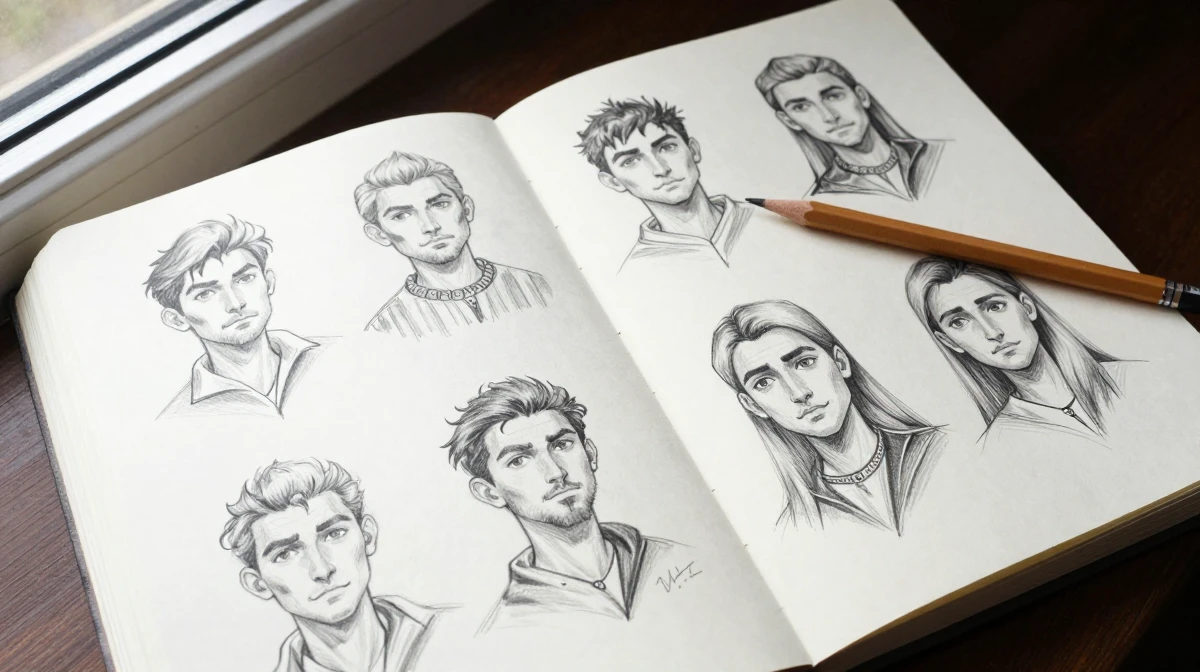
- Generate a custom face with the image generator
- Create the voiceover with the voice generator
- Animate the avatar with the talking avatar tool
- Upscale the video with the video enhancer
This entire pipeline stays within one platform, one credit system, one login. Competing platforms typically require separate subscriptions for each step, which fragments both your workflow and your budget.
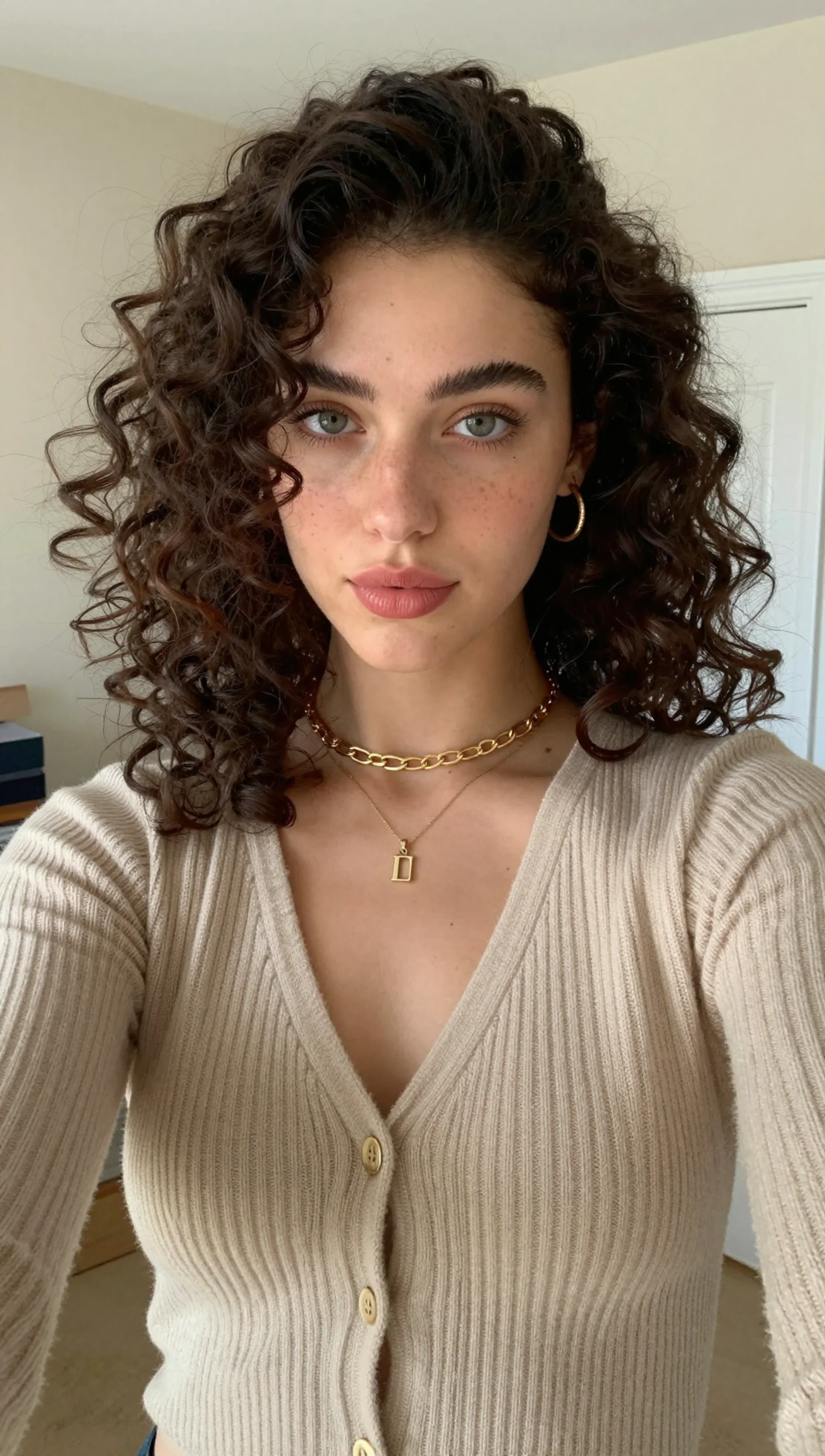
13.See it in action — real Imagera output
These are real, unedited results from the Imagera talking avatar — the exact tool this guide covers.
14.Conclusion
The best AI avatar generator depends on your specific use case and budget. For the lowest cost-per-video with full-body animation and pay-per-use flexibility, Imagera leads — especially for creators shipping short-form content at volume who don't want to pay for idle avatar capacity. For enterprise L&D with compliance needs, Synthesia is purpose-built. For corporate marketing with stock avatars, HeyGen delivers polish. For developers needing API integration, D-ID provides the tooling.
The through-line: don't optimize on headline price alone. Map the tool to your real output cadence, the animation quality your audience expects, and whether you'd rather own a monthly allocation or pay only for what you render. Get those three right and the "best" tool for you becomes obvious.
Try Imagera AI Avatar Generator — full-body animation from any photo, starting at $19.99/month.
Related: How to Create Talking Avatar Videos | AI Avatar Prompts Guide | HeyGen vs Imagera