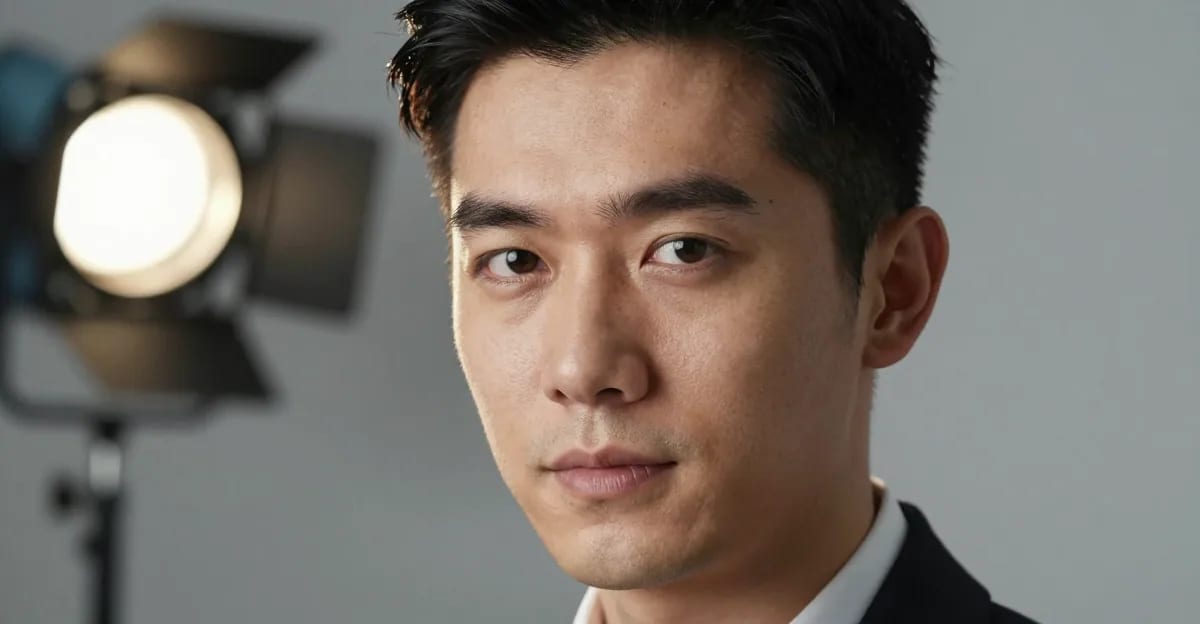
Your LinkedIn profile, resume, and professional branding all lean on one image: your headshot. Traditional photography studios charge $150–$500 per session, need to be booked days ahead, and hand you three to five usable frames after a week of editing. An AI headshot generator flips that: you upload a few clear selfies, pick the look and quality you want, and get a studio-lit professional portrait in minutes — built from your own photos so it still looks like you.
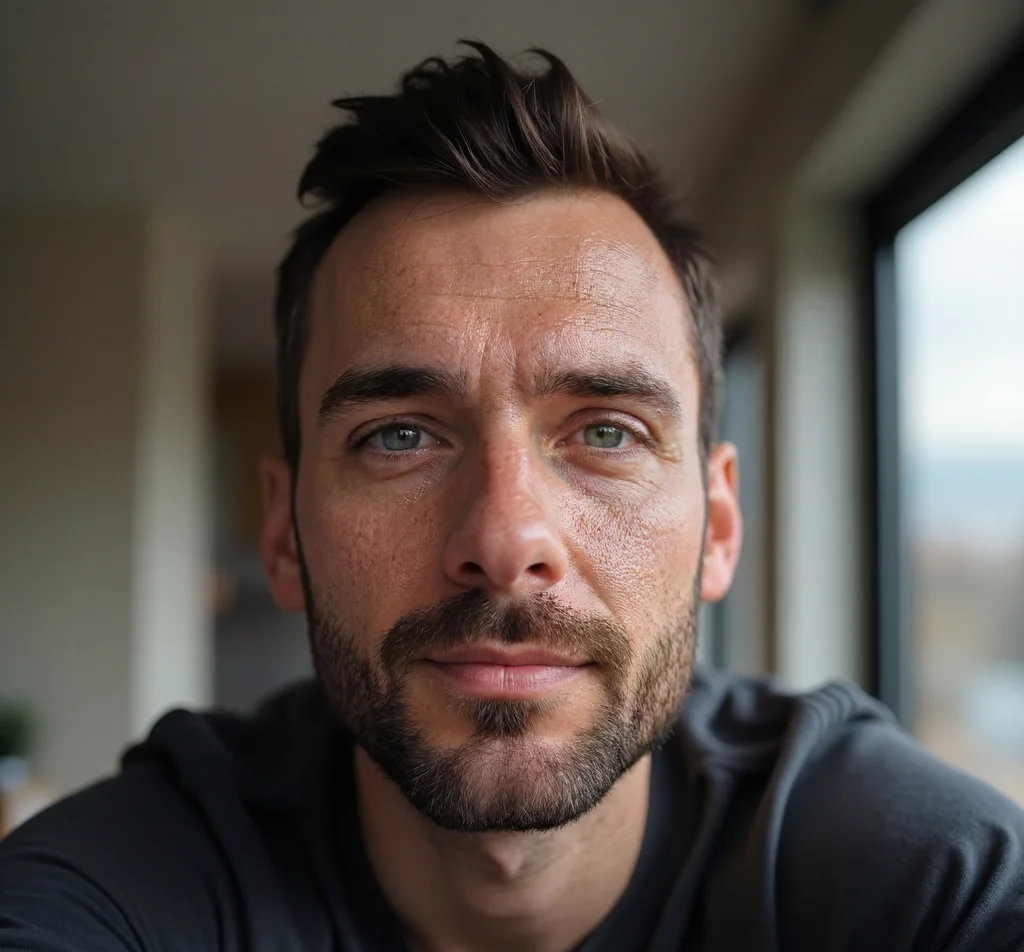
Imagera's AI Headshot Generator is a practical workflow, not a novelty filter: start from real selfies, choose a style and resolution, see the credit cost up front, and review the result before you use it anywhere. This guide covers exactly what the tool does, the step-by-step process, who it's for, how it compares to a photographer, and how to get the most faithful result.
Quick answer: Imagera's AI headshot generator turns a few casual selfies into studio-quality professional headshots in under 60 seconds, with no photographer, studio booking, or lighting kit required.
1.How does an AI headshot generator work in under 60 seconds?
You upload 5 to 10 clear selfies, Imagera analyzes your face across 100+ subtle features, and it renders polished 4K headshots in under 60 seconds each. In 2026, that replaces a costly studio session and its multi-week turnaround, letting you generate 20+ background, wardrobe, and lighting variations from a single upload, far more looks than a single traditional shoot would produce.
2.Are AI-generated headshots good enough for LinkedIn and resumes?
Yes. Imagera outputs sharp 4K portraits with realistic skin texture, even lighting, and natural framing suitable for LinkedIn, resumes, and company directories. You can produce 15+ ready-to-use options in one session, so it's easy to pick a clean, consistent look that presents you professionally across every platform. A polished, up-to-date headshot helps you make a strong first impression and keeps your personal brand consistent wherever people find you.
3.What an AI headshot generator actually does
An AI headshot generator turns casual selfies into a professional head-and-shoulders portrait. The important distinction — and the thing that separates a good tool from a gimmick — is that it is identity-preserving. Imagera studies your face across the photos you upload and renders a fresh, studio-lit portrait that keeps your real features intact while upgrading the parts that make a photo look "professional": lighting, framing, background, and business attire.
You are not retouching a single photo, and you are not generating an invented face. You are getting a new professional headshot built from your likeness. That matters because a professional headshot is only doing its job if the person who shows up to the interview, the showing, or the audition matches the picture.
What separates a professional headshot from a selfie isn't an expensive camera — it's five things working together:
- Soft, even lighting with no harsh shadows or blown-out highlights.
- A clean, uncluttered background — a neutral studio tone or a gently blurred office.
- Business attire in a solid, muted colour.
- A relaxed, confident expression that reads as approachable and credible.
- The right crop — head and shoulders, from about mid-chest up, eyes roughly a third down from the top.
Imagera applies all five from a single upload, so you don't need a studio, a stylist, or a camera to get a portrait that looks deliberately made rather than snapped at arm's length.
4.How Imagera's AI headshot generator works
The AI Headshot studio runs entirely in your browser — no software to download and no appointment to book. Here's what happens under the hood, in plain terms.
You upload your reference photos. Imagera accepts up to four selfies per headshot. It reads your face across all of them, which is why variety helps: photos taken from slightly different angles and in different lighting give the model more to work with and produce a truer likeness than a single frame.
You choose a style and quality tier. Pick the look that matches where the photo will be used — LinkedIn, corporate, real-estate, resume, medical, or actor/creative — then choose the quality tier and output resolution. The Pro quality tier is tuned for the most faithful likeness, which is the setting to reach for when it needs to look unmistakably like you.
Imagera renders the portrait. It rebuilds the lighting, background, wardrobe, and framing to studio standard while preserving your real facial identity. The result is saved to your history, ready to download and use anywhere.
Because it's built from your own photos rather than a fabricated face, the output stays recognizably you. It refines the setting, grooming, and lighting — it doesn't swap your face for a stranger's.
5.Step-by-step: creating your headshot
Here is the full walkthrough, start to finish. The whole thing typically takes a couple of minutes.
- Open the AI Headshot studio. No installation — it loads in your browser.
- Upload one to four selfies. One good photo works, but two to four clear, recent images from slightly different angles noticeably improve the likeness. Use natural daylight where you can, keep your whole face visible, and skip sunglasses, heavy filters, and group shots.
- Pick your style. Choose the look tuned for where the photo will live — a clean LinkedIn look, a formal corporate portrait, a bright real-estate shot, a conservative firm-bio look, and so on.
- Choose quality and resolution. Select the quality tier (Pro for the truest likeness) and the output resolution that fits the final use — a small LinkedIn crop needs less than a website hero image or print.
- Confirm the credits shown. The studio displays the credit cost before you generate, so there are no surprises.
- Generate and review. Your portrait renders and lands in your history. Review it, generate variations if you want a different outfit or background, and download the winners in high resolution.
That's it — no scheduling, no travel, and no waiting a week for retouched edits.
6.Who it's for — common use cases
The same studio engine is tuned for very different contexts. A few concrete scenarios:
Job seekers and career switchers. Applying to a tech startup and a finance firm in the same week? Generate an approachable, professional-casual look for one and a formal business look for the other, so your photo fits the industry you're pitching. A current headshot that matches how you look in interviews builds trust before you say a word.
LinkedIn and personal brand. Your profile photo is the first thing a recruiter, client, or hiring manager sees. LinkedIn's own data shows profiles with a photo receive far more views and connection requests than those without. Imagera builds a clean, business-attire portrait tuned for LinkedIn's circular crop — and because it's built from your real photos, it stays within LinkedIn's rule that your photo must reflect your likeness.
Corporate and remote teams. Getting a whole team photographed usually means coordinating schedules across offices and time zones. Instead, each person uploads their own selfies and picks the same style, so an entire team ends up with a consistent, on-brand set of headshots for the about page, directory, and email signatures — without a single group shoot.
Real-estate agents. Your headshot greets clients on Zillow, the MLS, yard signs, and every sold post before you meet in person. Imagera renders a bright, warm, trustworthy look that keeps your real face, so the agent on the sign is the one at the door — and you can refresh it any time you rebrand or change firms.
Doctors, lawyers, and other regulated professionals. A firm bio or hospital directory photo has to read as credible and, in many cases, must accurately depict you to satisfy professional-conduct rules. Imagera's likeness-preserving approach keeps the portrait honest while delivering the conservative, firm-bio or clinical look these contexts expect.
Actors and creatives. Casting directors scan thousands of submissions and expect the person in the room to match the thumbnail. Imagera can produce a grounded theatrical look and a brighter commercial look from one upload — useful for building range, with the honest caveat that for the highest-stakes casting submissions, a traditional shoot is still the industry norm.
Students and new graduates. Your first professional headshot for a first job hunt, internship application, or university profile — without the cost of a studio you don't yet need.
7.AI headshot generator vs a photographer
Both approaches have real trade-offs. This is an honest comparison, not a claim that one is strictly better — a photographer directing you in person still has advantages an upload can't match. Where an AI generator wins is speed, cost, and flexibility. Competitor studio prices below are typical US market ranges; the Imagera column is expressed in credits because the per-image cost varies by plan.
| Factor | Imagera AI Headshot | Traditional photographer |
|---|---|---|
| Turnaround | Minutes, from your couch | Days to book, shoot, then wait for edits |
| Cost | Runs on credits — a fraction of a session | ~$150–$500 per US session, more in major cities |
| Outfits & looks | Several styles from one upload | One or two setups per sitting |
| Reshoots | Regenerate any time | Book and pay for a new session |
| Whole team | Same studio look for everyone, no coordination | Coordinate schedules, travel, and locations |
| Your likeness | Built from your own selfies | Your real photo, captured on the day |
| In-person direction | Self-directed | A pro poses and lights you live |
The takeaway: for a LinkedIn refresh, a team about-page, or trying several looks cheaply, an AI generator is fast and low-cost. For a once-in-a-decade executive portrait where live art direction matters, a photographer still earns their fee.
8.Tips for the best results
The quality of your output is heavily shaped by the quality of your input. A few practical rules:
- Upload two to four photos, not one. More angles and lighting conditions give a stronger, truer likeness.
- Use clear, recent, well-lit images. Natural daylight selfies usually beat harsh indoor light. Your face should be fully visible and roughly front-facing.
- Skip filters, sunglasses, and heavy makeup in your uploads — they hide the features the model needs to preserve.
- Start from neat clothing. The styles apply business attire automatically, but tidy, uncluttered clothing in your source photos helps the result.
- Choose the Pro quality tier when likeness matters most — it's tuned for the truest result.
- Wear solid, mid-tone colours for a professional look. Avoid pure white and pure black (they blow out or flatten on screen) and tight patterns like thin stripes, which can shimmer at small sizes.
- Generate a few variations and pick the most natural lighting and expression rather than settling for the first render.
9.Common mistakes to avoid
- Using a blurry or low-resolution source photo. The model can only work with what you give it — a soft input produces a soft result.
- Uploading a group shot or a photo with another face in frame. Crop to just you before uploading.
- Choosing a look that changes how you actually appear. A headshot that ages, slims, or restyles you into a stranger backfires the moment you show up in person — and for realtors, lawyers, and casting it can breach the "true picture" standards these fields expect.
- Over-retouching in a separate editor afterward. Imagera's output already balances polish and realism; piling on filters undoes that and pushes the photo into obviously-edited territory.
- Settling for one render. The best headshot usually isn't the first one — generate a batch and shortlist the most skin-true, natural result.
10.Example scenarios
The LinkedIn refresh. You changed roles and your old profile photo is four years and one haircut out of date. You upload three recent selfies, choose the LinkedIn look at the Pro tier, generate a small batch, and pick the frame with the most natural smile. Total time: under five minutes, and the crop drops straight into LinkedIn's circular frame with no pixelation.
The whole sales team. Your company relaunches its about page and needs eleven matching headshots across three cities. Instead of flying everyone in, each person uploads their own selfies and selects the same corporate preset — background, lighting, and crop — so the team page reads as one consistent, on-brand set.
The realtor rebrand. You switch brokerages and need a warmer, on-brand agent photo for Zillow, the MLS, and yard signs by the weekend. You generate a bright, approachable look, export it at high resolution so it stays sharp on a 24×18-inch sign, and update every profile the same afternoon.
11.Pricing
Imagera headshots run on credits, and the studio shows the exact credit cost before you generate. Credits come with subscription plans or top-up packs, so a batch of LinkedIn looks typically costs a fraction of a single studio session. Because the dollar cost per credit varies across plans, the honest way to think about it is in credits, not a fixed per-photo price.
- Starter packs from $19.99 — a pool of credits for individuals who want a professional headshot or two and a few variations.
- Pro — $19.99/month — a larger monthly credit allowance, suited to people maintaining a personal brand or refreshing looks often.
- Business — $49.99/month — the largest allowance, aimed at agencies, HR teams, brokerages, and larger teams generating headshots for many people.
Compare that to traditional photography, where a single session runs $150–$500, retouching adds more, and turnaround is one to two weeks for three to five final frames. With Imagera, one upload can produce several looks, and re-generating later costs credits rather than another full session. See current pricing plans for the exact allowances.
12.Quality and output
Headshots are generated at high resolution suitable for LinkedIn, company websites, resumes, business cards, and print. You choose the output resolution to match the final use, and outputs preserve natural skin tone and detail rather than the over-smoothed "plastic" look that gives cheap AI portraits away. If you need a passport, visa, or ID photo instead — where an official document spec applies — use the dedicated Passport & ID Photo maker, which formats your real photo to a country's exact size and background rules.
13.A note on authenticity
Modern AI headshots read as studio photography to most people, and that's a good thing — but the honest way to use one is as a flattering, current portrait of you, not a different person. Imagera is built around identity preservation for exactly this reason: the point is to keep your real face while upgrading everything around it. Platforms like LinkedIn permit AI-assisted profile photos on the condition that the image reflects your genuine likeness, which is precisely how an identity-preserving generator works. If you're curious how detection tools evaluate AI imagery in general, our AI image detector comparison explains how those authenticity checks work and what they look at.
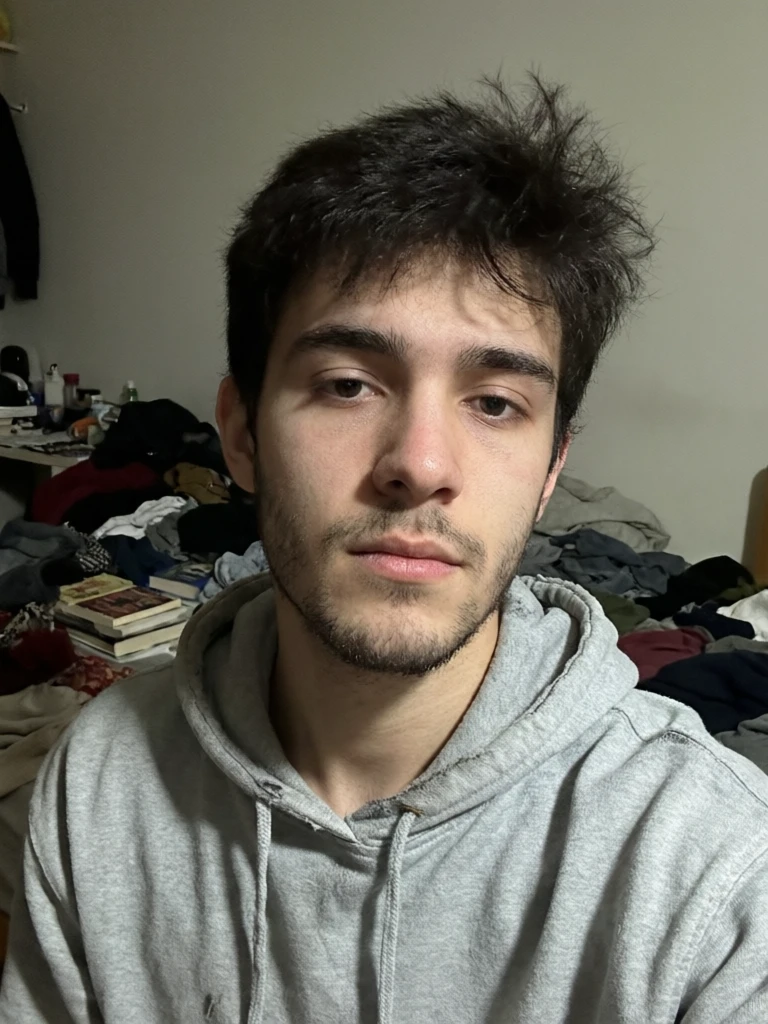
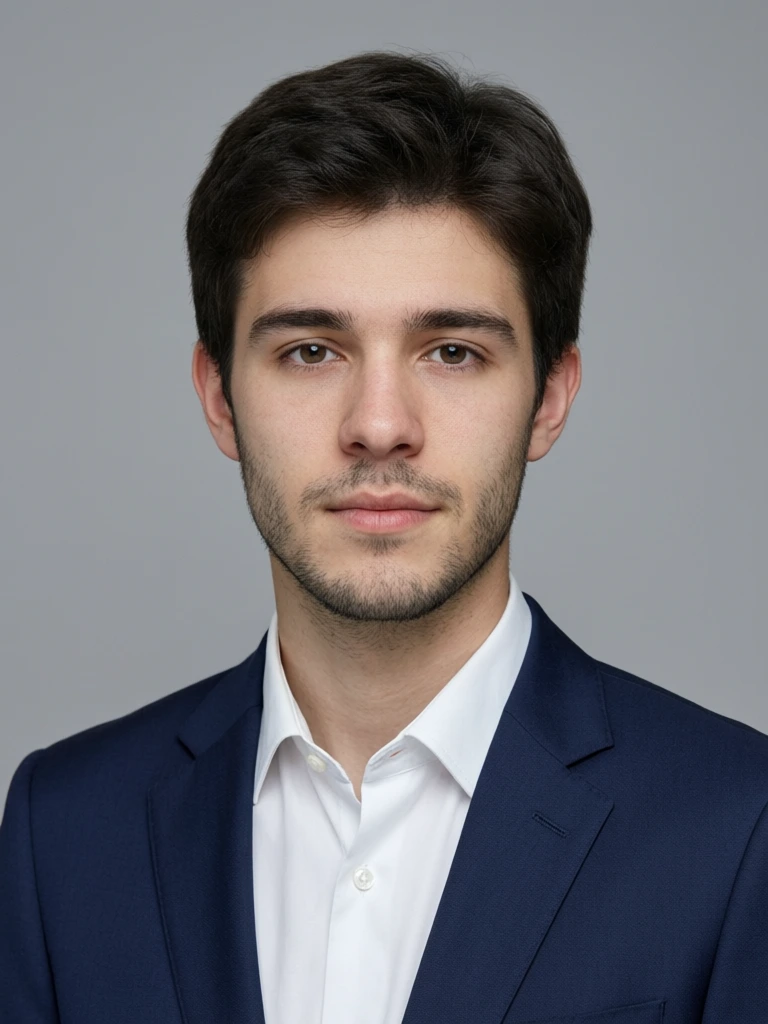
14.See it in action — real Imagera output
These are real, unedited results from the Imagera ai headshot — the exact tool this guide covers.
15.Bottom line
An AI headshot generator gives you a professional, studio-lit portrait in minutes, built from your own selfies so it still looks like you. It's faster and cheaper than a studio session, it lets you try several looks from one upload, and it's ideal for LinkedIn, resumes, team pages, and profession-specific bios. The honest limits: it self-directs the styling rather than posing you live, and the best results come from good source photos and the Pro quality tier. Start from real selfies, keep your likeness true, and use it wherever a polished, recognizable photo of you matters.
Create your professional headshot →
16.Related product studios
17.Where to go next (product links)
18.Tools and next steps
- Open the AI Headshot studio.
- Upload one to four clear, recent selfies.
- Pick a style, quality tier, and resolution for where the photo will be used.
- Confirm the credits shown in the studio.
- Generate, review, and download only the winners.