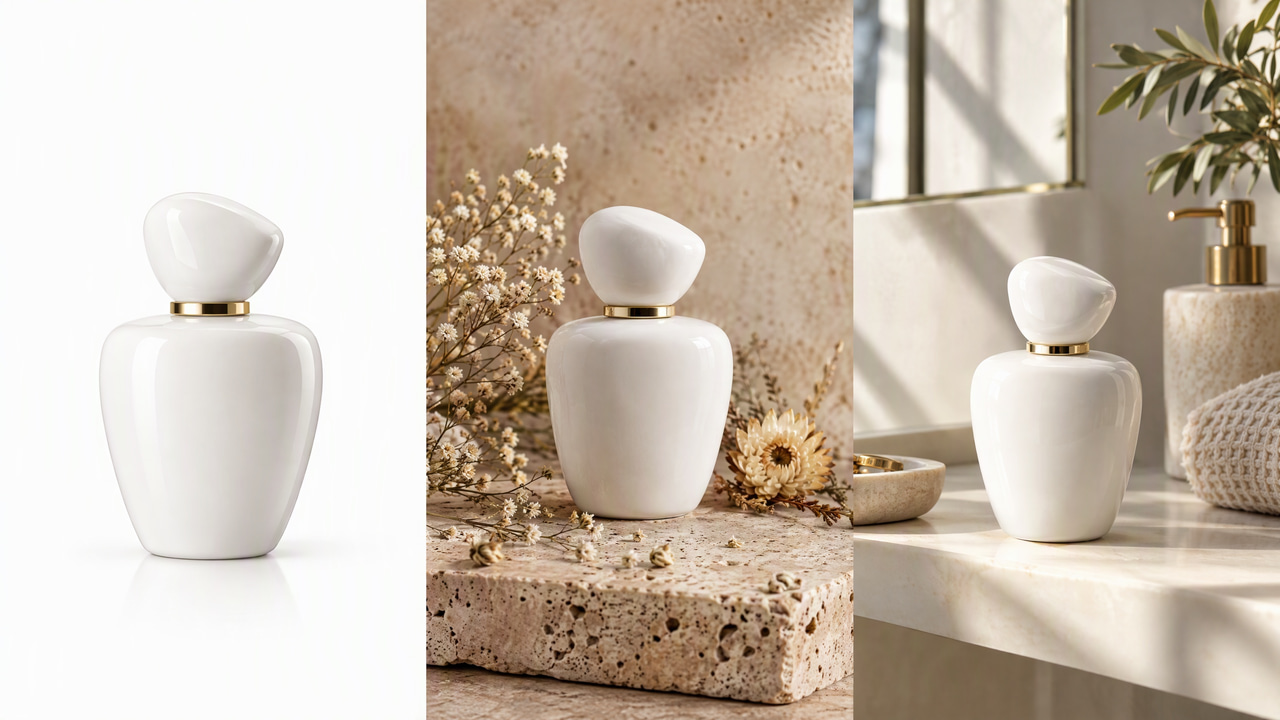
Product photography is the single biggest conversion driver in ecommerce. High-quality product images increase conversion rates by 30-40% compared to basic smartphone shots. But professional photography costs $25-75 per product for studio shoots — unsustainable when you have hundreds of SKUs.
AI product photography changes this equation. Generate studio-quality backgrounds, create lifestyle scenes, and produce marketplace-compliant catalog images from a single product photo.
This guide covers using Imagera's AI tools for ecommerce product photography, from background removal to catalog-ready output. Everything runs in your browser — no camera gear, no studio booking, and no plugin to install.
Quick answer: Imagera turns a single phone photo into studio-grade ecommerce product shots in under 60 seconds, generating clean-background, lifestyle, and model images at up to 8K without a physical shoot.
1.How much can AI product photography cut studio costs for an online store?
A traditional catalog shoot can run into hundreds of dollars per SKU and take 1-2 weeks; Imagera compresses that to under 60 seconds per image at a few credits each. Stores with 100+ SKUs can produce 4K-8K, on-model, and white-background variations in a single afternoon, generating multiple angles per product from just one source photo.
2.Are AI-generated product images good enough for marketplaces in 2026?
Yes. Imagera outputs 4K and 8K resolution that clears the 1000px-plus minimums on major marketplaces, and produces pure-white backgrounds plus lifestyle variants per listing. Filling out a complete image set per SKU, with clean-background hero shots and lifestyle context, gives shoppers the full view they expect and directly supports your add-to-cart and conversion goals.
3.What AI Product Photography Actually Is
AI product photography is the practice of turning one plain photo of your product into a finished commercial shot without a physical set, lights, or a photographer. Instead of building a scene in front of a camera, you build it after the fact: the software separates your product from whatever was behind it, then places it into a clean studio backdrop or a styled lifestyle scene that you describe in words.
It is not about faking a product or misrepresenting it. The product itself stays exactly as photographed — same shape, same label, same colors. What changes is the environment around it. That distinction matters, because marketplaces care about accuracy. A genuine photo of your item, dropped onto a proper white studio background, is fully legitimate catalog imagery. Imagera is built around this: keep the real product, replace only the surroundings.
For a small store this means you can shoot a product once on a kitchen table and end up with a listing-ready image in minutes. For a larger catalog it means you can give hundreds of SKUs the same look without booking hundreds of shoots.
4.The AI Product Photography Pipeline
Professional product photography with AI follows a consistent pipeline:
- Capture — Take a basic product photo (smartphone is fine)
- Remove background — Clean isolation of the product
- Generate background — Studio or lifestyle scene creation
- Enhance — Upscale, adjust lighting, fix details
- Export — Marketplace-compliant formats and sizes
Imagera handles steps 2-5 in a single platform. You only need to take the initial photo.
5.Step 1: Prepare Your Product Photo
You don't need a professional camera. A smartphone with decent lighting produces workable source images.
Requirements:
- Clear, sharp photo of the product
- Even lighting (window light or basic ring light)
- Product fills most of the frame
- No extreme shadows or reflections
- Any background (AI removes it anyway)
What doesn't matter:
- Background quality (gets removed)
- Perfect lighting (AI can enhance)
- Multiple angles per shot (though more angles help for listings)
A little care at this stage pays off later. A sharp, well-exposed source photo gives the AI clean edges to cut around and accurate colors to preserve. Shoot in daylight near a window if you can, keep the product parallel to the camera to avoid distortion, and wipe down glossy surfaces so reflections don't fight the cut-out. You are not trying to make this shot beautiful — you are giving the tools a clean starting point.
6.Step 2: Background Removal
Use Imagera's background remover for clean product isolation.
How it works:
- Upload your product photo
- AI identifies the product boundary and separates the subject from everything behind it
- The background becomes fully transparent
- Export as PNG with a transparent background
Imagera's free background remover does this in one click and runs privately in your browser — your photo is never uploaded to a server. Choose an image, the tool cuts out the subject, and a transparent PNG downloads straight to your device. There's no brushing, no sliders, and no sign-up.
Best practices:
- Products with clear edges (hard goods, packaged items) produce clean, sharp cutouts
- Soft edges (clothing, hair, translucent items) may need minor refinement, because the cut line is decided automatically and fine detail can look slightly soft
- If you want to tidy a few stray edge pixels, open the finished PNG in any editor you already use and touch it up there
The transparent PNG is your building block. From here you can drop the product onto any new background, whether that's a flat brand color, a generated studio scene, or a lifestyle setting.
7.Step 3: AI Background Generation
This is where AI product photography transforms your workflow. Instead of renting a studio, you generate the exact background you need using Imagera's paid AI Background Studio, which replaces the background entirely and relights your subject so it blends naturally into the new scene.
7.1Studio Backgrounds
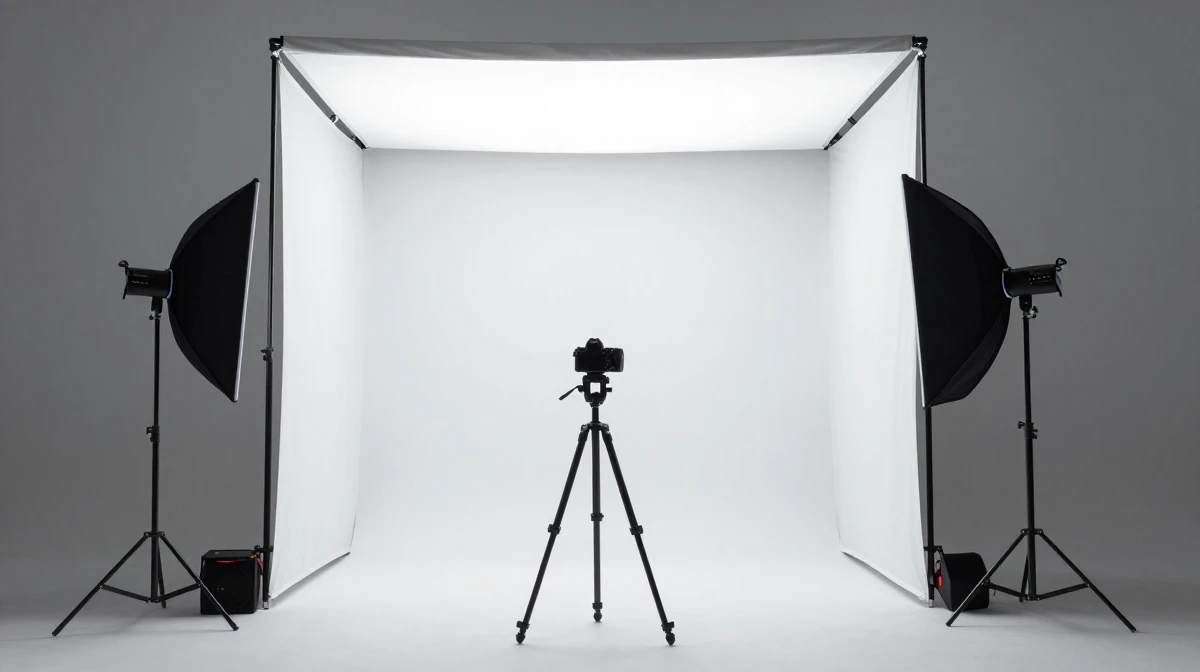
Clean, professional product-on-white or product-on-color backgrounds. These are the standard for Amazon, Shopify, and most marketplace listings.
Using Imagera's product photography tool:
- Upload your product image
- Describe the scene you want in plain language
- Prompt: "professional product photography, clean white studio background, soft shadow underneath, even studio lighting"
- Generate — AI creates the studio setting around your product and relights it to match
Marketplace-specific settings:
- Amazon: Pure white background (#FFFFFF), product fills 85%+ of frame
- Etsy: Lifestyle or clean backgrounds, natural lighting preferred
- Shopify: Consistent style across catalog, brand-appropriate backgrounds
- eBay: Clean backgrounds, accurate color representation
7.2Lifestyle Backgrounds
Place your product in real-world scenes that tell a story:
- Kitchen counter for food products and kitchenware
- Desk workspace for tech accessories and office supplies
- Bathroom shelf for cosmetics and personal care
- Outdoor scene for sporting goods and outdoor equipment
- Living room for home decor and furniture accessories
Prompt example: "professional product photography, skincare bottle on marble bathroom counter, soft natural window light, eucalyptus sprig, luxury spa atmosphere, commercial quality"
Lifestyle shots do a different job from studio shots. A white-background image tells shoppers exactly what they're buying; a lifestyle image tells them how it fits into their life. Most high-converting listings use both — the clean studio shot as the main image, and one or two lifestyle scenes among the additional images.
7.3Seasonal and Campaign Backgrounds
Generate campaign-specific imagery without reshooting:
- Holiday: Gift wrapping, seasonal decor, festive lighting
- Summer: Beach, outdoor, bright natural light
- Back to school: Desk setup, notebooks, educational setting
- Valentine's: Romantic lighting, red accents, gift presentation
Change your entire catalog's mood by swapping background prompts — no new photography needed. A skincare line can go from spa-neutral in January to sun-drenched summer in June using the same source photos and a new prompt.
8.Step 4: Image Enhancement
After generating your product scene, enhance to commercial quality:
8.1Upscaling
Use the image upscaler to increase resolution:
- 2x upscale: Good for web and social media
- 4x upscale: Catalog quality, zoom-ready for marketplace listings
- Higher resolution output for packaging and marketing materials
Marketplace zoom features reward high resolution — Amazon, for example, enables hover-to-zoom when your image is large enough. Upscaling a generated scene before export means shoppers can inspect texture and detail without the image turning soft.
8.2Lighting Adjustment
The background studio can shape perceived lighting through your prompt:
- Add "soft studio lighting" to prompts for even illumination
- "Dramatic side lighting" for luxury products
- "Natural window light" for lifestyle authenticity
Because the tool relights the subject to match the scene, the lighting you describe in the background carries through to the product itself, so it doesn't look pasted on.
8.3Color Accuracy
Important for products where color matters (clothing, cosmetics, paint):
- Keep prompts focused on the background so the product's own colors are preserved
- Generate multiple variants and compare to the physical product
- Slight color correction may be needed for exact matching
Color is the one thing you should never let drift. If a customer orders "sage green" and receives something bluer, you get returns and bad reviews. Always place a generated image next to the real item before you publish, and pick the variant that matches.
9.Catalog Consistency at Scale
The biggest advantage of AI product photography is consistency. Every product gets the same lighting, shadow style, background, and overall look — impossible to maintain across hundreds of manual photoshoots.

9.1Building Templates
- Create your ideal product shot for one SKU
- Save the prompt and settings you used
- Apply the same prompt and settings to every product in your catalog
- Process new additions using the same template as your store grows
A consistent catalog reads as a real brand. When every thumbnail on a collection page shares the same background tone, shadow, and framing, the grid looks deliberate and professional — and shoppers trust professional-looking stores more.
9.2Brand Guidelines Integration
Define your brand's product photography style once:
- Background color and style
- Shadow type and intensity
- Lighting direction and warmth
- Crop ratio and product positioning
Then apply consistently to every new product image through AI generation. Write it down as a short prompt template your whole team can reuse, so a new SKU added six months from now still matches the ones you shot today.
10.Step-by-Step: Your First Catalog-Ready Image
Here's the full workflow end to end, using one product:
- Shoot the product on any surface in even light, filling most of the frame.
- Open the background remover and drop in the photo. Download the transparent PNG cut-out.
- Open the product photography tool and upload your product.
- Describe your scene — start with a clean white studio prompt for the main image.
- Generate and review. Produce a few variants and pick the one where lighting and color look right.
- Upscale the winner with the image upscaler to 4x for zoom-ready quality.
- Generate a second scene — a lifestyle background — for your additional images.
- Export in the size and aspect ratio your marketplace requires.
The first product takes the longest because you're deciding your look. Once you've locked a prompt template, each additional SKU is mostly upload, generate, upscale, export.
11.Cost Comparison
11.1Traditional Product Photography
- Studio rental: $50-200/hour
- Photographer: $50-150/hour
- Props and styling: $20-100/session
- Post-production: $5-25/image
- Total per product: $25-75+ (more for lifestyle shots)
- Turnaround: 3-7 days
11.2AI Product Photography with Imagera
- Background removal: Free (the browser-based background remover)
- Studio or lifestyle scene generation: 15 credits per image
- Upscaling: separate credit cost per image, sized to your export needs
- Turnaround: Under 5 minutes per image
On any plan, a single product refresh costs a handful of credits rather than a studio day. That's an entire product catalog refresh for less than the cost of a single traditional photoshoot, and you can iterate on the look as many times as you like.
12.Comparison: AI vs Traditional vs Free Tools Only
| Factor | Traditional shoot | Free tools only | Imagera |
|---|---|---|---|
| Background removal | Manual masking, $5-25/image | Free, browser-based | Free, browser-based |
| New studio/lifestyle scene | Physical set + photographer | Not available | 15 credits per image |
| Subject relit to match scene | Yes, in-camera | No | Yes |
| Batch multiple products | Slow, session-limited | One at a time | Batch processing |
| Turnaround | 3-7 days | Instant (cut-out only) | Under 5 minutes |
| Cost per finished scene | $25-75+ | $0 (no new scene) | A few credits |
Free browser cut-out tools are great for the removal step and cost nothing, but they stop at a transparent PNG — they can't build a new scene or relight your product. A traditional shoot gives you total physical control but at high cost and slow turnaround. Imagera sits in between: free removal, plus paid scene generation when you need a finished composite.
13.Common Use Cases
- Amazon FBA sellers refreshing a main image to a compliant pure-white background without reshooting.
- Shopify store owners giving a mixed catalog one consistent look before a launch or rebrand.
- Etsy makers turning a single handmade-item photo into both a clean shot and a cozy lifestyle scene.
- Dropshippers replacing supplier stock photos with distinctive, branded imagery so their listings don't look identical to competitors.
- Marketing teams producing seasonal ad creative from existing product photos instead of booking a new shoot every quarter.
- Solo founders who can't afford a studio but still need listings that look credible enough to earn a purchase.
14.Who It's For
This workflow fits anyone who sells physical products online and can't justify a photographer for every SKU. If you're a one-person shop, it replaces a cost you probably couldn't afford anyway. If you're a growing brand with hundreds of SKUs, it replaces a bottleneck — the slow, expensive, hard-to-schedule photoshoot — with something you can run in an afternoon. It's less useful if your product's exact real-world context is the selling point in a way words can't capture, or if a marketplace category has strict photo-authenticity rules you must follow; in those cases, use AI for the clean studio main image and shoot lifestyle context yourself.
15.Platform-Specific Requirements
15.1Amazon Product Photography
- Main image: Pure white background, product fills 85%+ of frame
- Additional images: Lifestyle, infographic, size reference
- Minimum 1000px on longest side (2000px+ recommended)
- JPEG or PNG format
15.2Shopify Store
- Consistent aspect ratio across catalog (1:1 square recommended)
- File size under 20MB
- Multiple angles per product
- Lifestyle images for collection pages
15.3Etsy Listings
- First photo: Clean, well-lit product shot
- Additional: In-use lifestyle shots, scale reference, detail closeups
- Natural lighting preferred by Etsy shoppers
- 2000px minimum on shortest side
15.4Social Media Ads (Meta, TikTok)
- Square (1:1) or vertical (4:5, 9:16) formats
- Eye-catching lifestyle backgrounds
- Text-free product images (add text in ad creative)
- Multiple variants for A/B testing
16.Tips for Best Results
- Give the tool a clean source. Sharp focus and even light in the original photo lead directly to cleaner cutouts and truer colors.
- Be specific in prompts. "Product on a marble bathroom counter with soft natural window light" beats "nice background." Name the surface, the light direction, and the mood.
- Match lighting between subject and scene. If you describe a warm, sunlit background, expect the product to be relit warm too — that's what makes it blend.
- Generate several variants. The first result is rarely the best. Compare a handful and keep the one that looks most natural.
- Upscale last. Enhance resolution only after you've picked the final scene, so you're not upscaling variants you'll discard.
- Keep a reference of the real product on hand to check color and proportion before publishing.
17.Common Mistakes to Avoid
- Skipping the color check. A background that looks great but shifts your product's color leads to returns. Always compare to the physical item.
- Fighting a bad source photo. If the original is blurry or badly lit, no amount of prompting fully fixes it. Reshoot the source instead.
- Over-styling the main image. Marketplace main images want a clean product on white, not a busy scene. Save the styling for additional images.
- Ignoring aspect ratios. Exporting the wrong shape means the marketplace crops your product awkwardly. Set the ratio before you export.
- Inconsistent backgrounds across a catalog. Mixing warm and cool tones across products makes a store look thrown together. Lock one template.
18.Examples
A candle maker on Etsy. Sarah photographs a single candle on her kitchen table. She removes the background for free, then generates two scenes: a clean off-white studio shot for the first image, and a cozy wooden-shelf-with-soft-lamplight scene for the second. Both come from the same source photo, and both match her brand's warm palette.
A phone-accessory dropshipper. The supplier's photos are generic and everyone in the niche uses them. He removes the backgrounds and drops each product onto a consistent light-gray studio backdrop with a soft shadow, giving his whole catalog a distinct, branded look that no competitor shares.
A skincare brand's seasonal refresh. For summer, the marketing lead regenerates the existing product lineup on a bright, sun-lit background and reuses the images across the store and ad campaigns — no new shoot, same products, a fresh seasonal feel.
19.Advanced Techniques
19.1Multiple Angle Views
Give shoppers more to look at:
- Photograph from several angles
- Remove backgrounds from each
- Apply consistent AI backgrounds to all of them
- Add the angle set to your listing so buyers can inspect the product from every side
19.2A/B Testing Backgrounds
Use AI to generate multiple background variants and test which converts better:
- White studio vs lifestyle scene
- Warm lighting vs cool lighting
- Minimal vs styled backgrounds
- Different seasonal themes
19.3Batch Operations
For large catalogs:
- Photograph all products against any background
- Remove backgrounds for the whole set
- Apply consistent AI backgrounds
- Upscale to marketplace requirements
- Export in platform-specific formats
20.Common Questions
20.1Can AI product photos meet Amazon listing requirements?
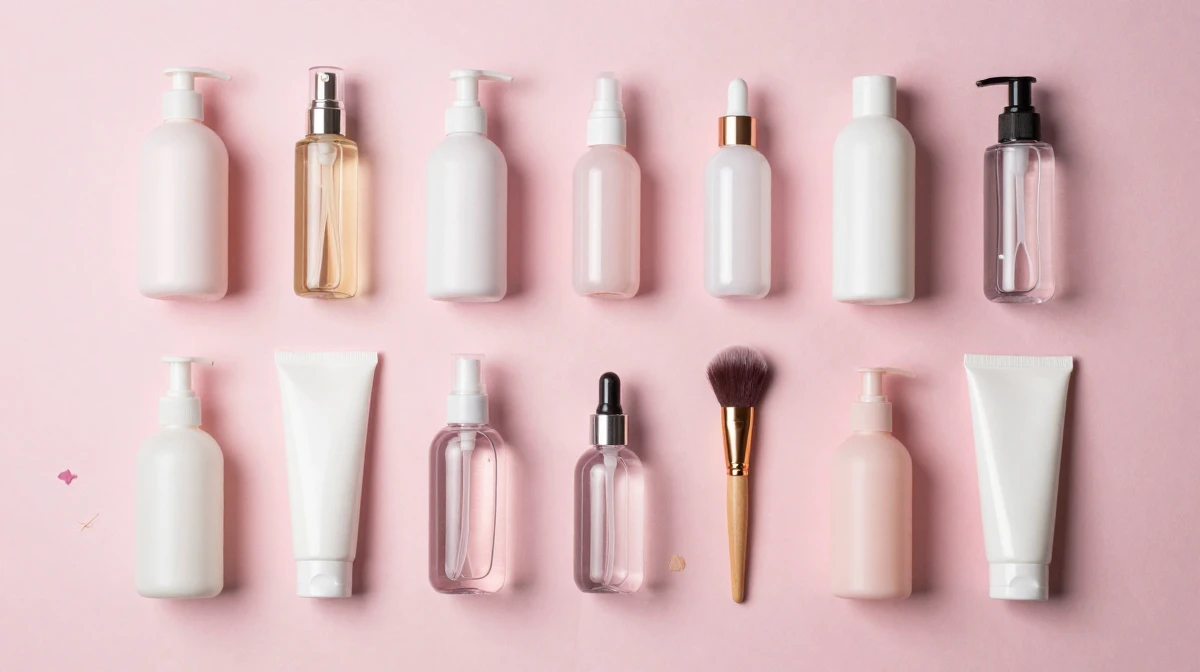
Yes. Generated backgrounds can produce pure white (#FFFFFF) studio shots that meet Amazon's main image requirements. Use proper prompting for clean white backgrounds and ensure the product fills at least 85% of the frame.
20.2Are AI-generated product backgrounds accurate to the real product?
The product itself stays exactly as photographed — Imagera changes only the background around it and relights the subject to match the new scene. That keeps the shape, label, and details of your item true. The one thing to verify every time is color: generate a few variants, place them next to the physical product, and publish the one that matches.
20.3Is the background remover really free and private?
Yes. Imagera's background remover runs in your browser on your own device — your photo is never uploaded to a server, there's no watermark, and no sign-up. You get a transparent PNG cut-out back instantly. The paid scene generation is a separate, optional step for when you want a finished composite instead of just a cut-out.
20.4How do I maintain color accuracy with AI backgrounds?
Keep your prompt focused on the background and lighting rather than the product, so the tool preserves your item's original colors while changing the scene around it. Generate multiple variants, then always compare the final image to the physical product before publishing.
20.5Is AI product photography accepted by marketplaces?
Yes. Amazon, Shopify, Etsy, eBay, and all major platforms accept AI-enhanced product photography. The requirements are about image quality, accuracy, and compliance — not the production method. Because the product itself is unchanged and only the background is replaced, a clean generated main image meets those standards.
20.6How many product images can I make on a plan?
Scene generation costs 15 credits per image, and background removal is free, so your monthly image count depends on your plan's credit balance. The Pro plan's 1,200 monthly credits cover dozens of scenes, and you can generate multiple variants per product to pick the best result.
20.7What if my product has fine details like hair, fur, or transparent parts?
Hard-edged products (bottles, boxes, gadgets) cut out cleanly. Soft or translucent subjects — fur trim, mesh, glass — are decided automatically at the edge, so very fine detail can look slightly soft. For these, generate a few variants and, if needed, touch up stray edge pixels in any editor you already use before exporting.
21.Start Creating Product Photos
Remove backgrounds, generate studio scenes, and build your catalog — all from your browser.
Try AI Product Photography — from $19.99/month, no studio needed.
22.Bottom line
AI product photography lets you turn one plain photo into a full set of marketplace-ready images without a studio, a photographer, or days of turnaround. Remove the background for free in your browser, generate a clean studio or lifestyle scene at 15 credits per image, upscale to zoom-ready resolution, and export in the size each platform wants. The product stays accurate — only the background changes — which keeps you compliant while giving your whole catalog a consistent, professional look.
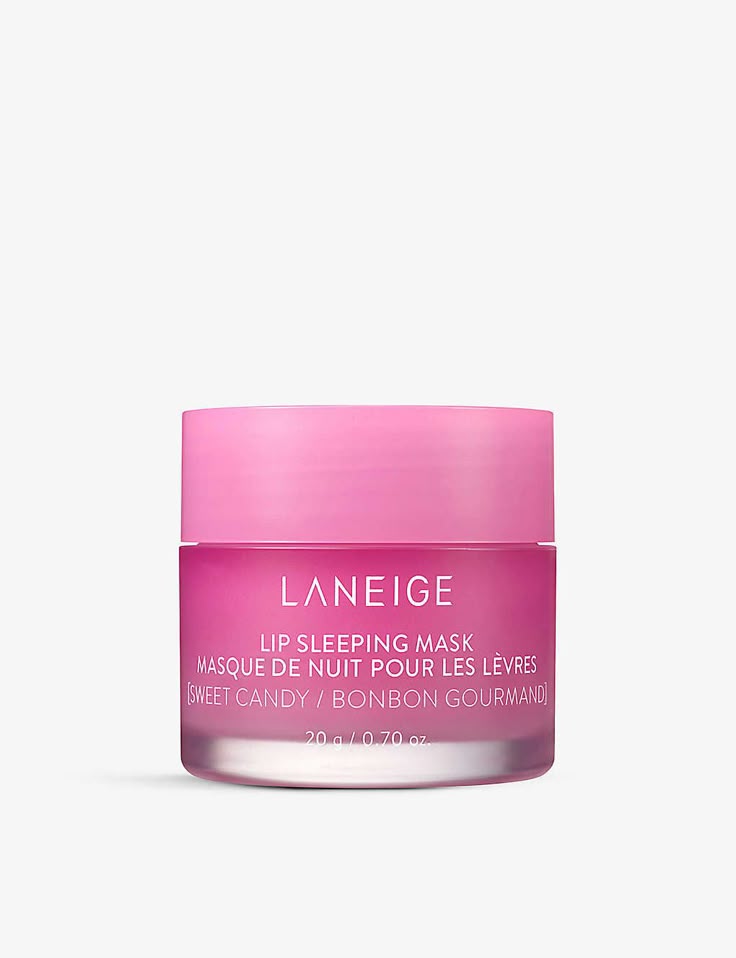
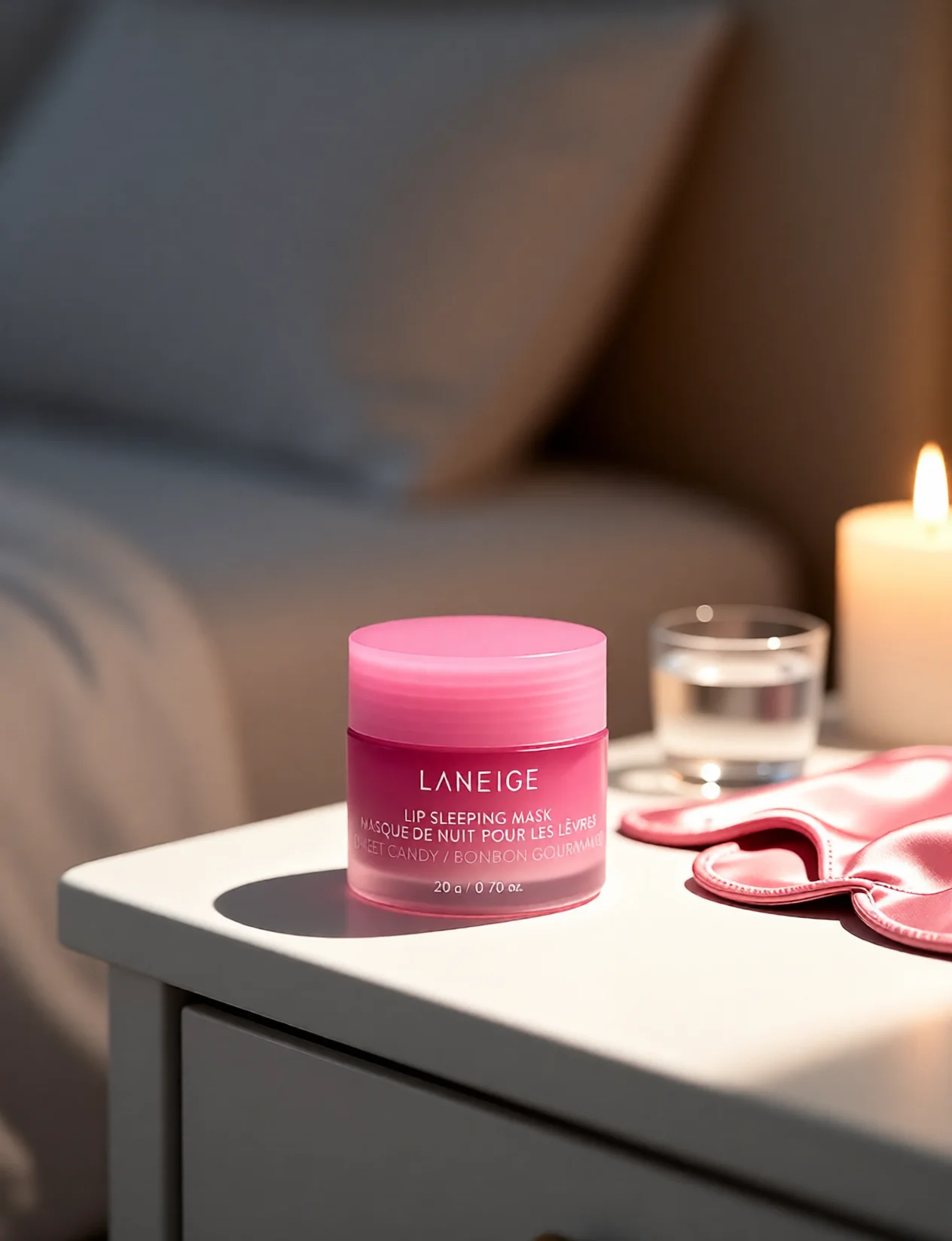
23.See it in action — real Imagera output
These are real, unedited results from the Imagera product photography — the exact tool this guide covers.
24.Tools and next steps
| Step | Tool | What it does |
|---|---|---|
| Remove background | Background remover | Free, private, browser-based transparent PNG cut-out |
| Generate a scene | Product photography | Studio and lifestyle backgrounds, 15 credits per image |
| Replace any background | AI Background Studio | Replace and relight backgrounds, batch process |
| Increase resolution | Image upscaler | Zoom-ready, catalog-quality output |
| Create from a prompt | Image generator | Build product scenes and campaign imagery |
Related: AI Background Changer for Ecommerce | AI Background Remover Guide | Image Upscaler