AI Background Remover & Replacer: Change Backgrounds with AI
Go beyond simple background removal — replace any photo background with AI-generated scenes. Describe a beach, rooftop terrace, or product backdrop, and AI places your subject naturally into the new environment.

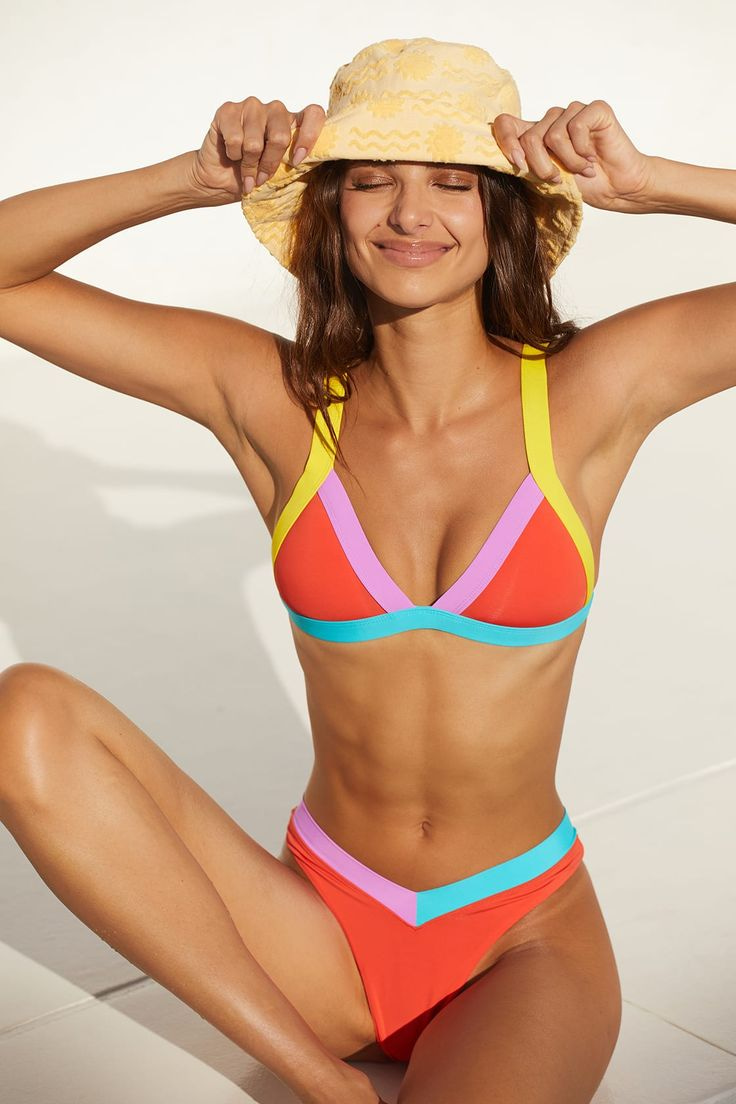 BeforeAfter
What does an AI background remover and replacer do?
A background remover cuts the subject out and leaves a transparent cutout. A replacer generates a new scene instead. Imagera AI Background Studio does the second: upload a photo, describe the place and the light in plain English, and the whole frame is re-rendered — your subject in the scene you named, shadows and colour temperature built in the same pass. It runs in the browser and returns a finished image, not a cutout to composite.
- Credits
- From 15 per edit
- Files
- PNG, JPG or WebP in · PNG or JPG out
- Per edit
- 1 subject photo + up to 2 scene references
- Output
- About 2 MP at 2K
Updated August 7, 2026
Cite this page: https://imagera.ai/image/ai-background-studio
 Illustration
What you no longer have to set up
No Masking, No Green Screen
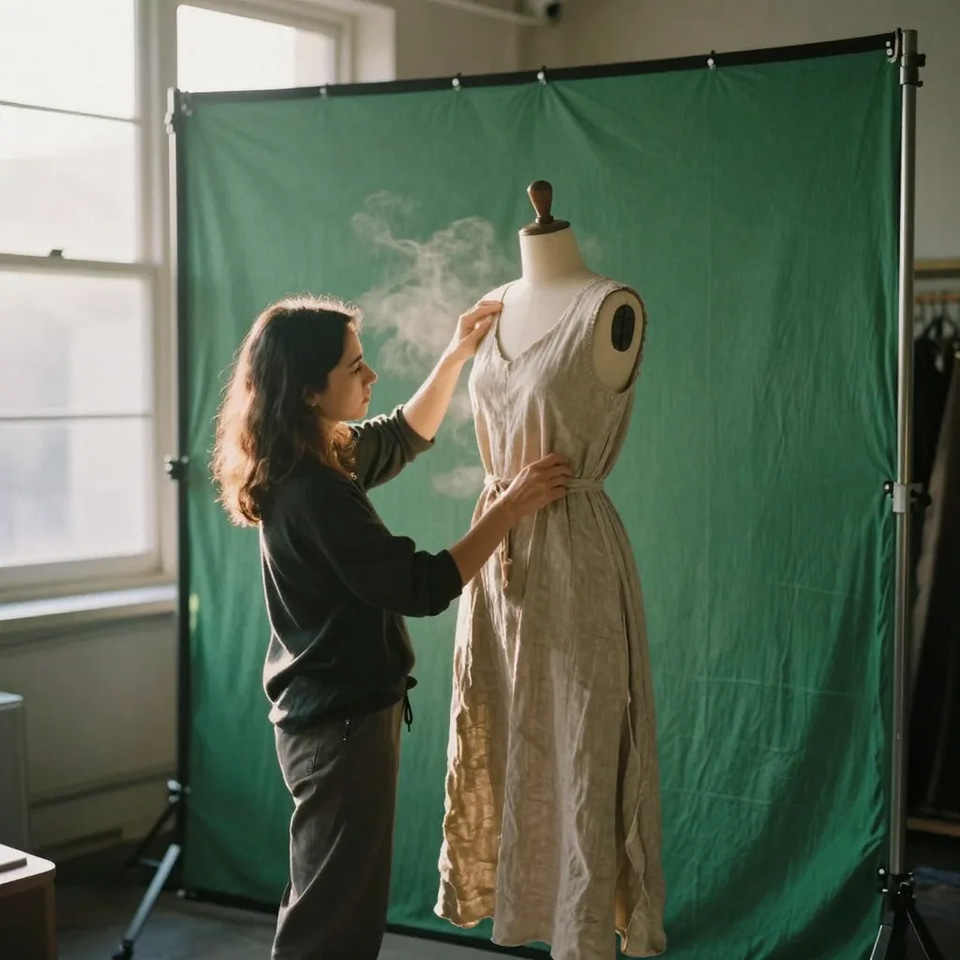
There is no cut-out step to get wrong. Describe the scene and the frame is re-rendered around your subject in a single pass — no lasso, no mask, no green screen, and nothing to composite afterwards.
Know more →Consistent Catalog Backgrounds
Run the same product through one described backdrop repeatedly to build a uniform catalog — every SKU on the same marble surface or the same studio sweep — so your listing grid looks professionally shot rather than a mix of sources.
Know more →E-Commerce & Product Ready
Create professional product photography from simple shots. Place products in lifestyle settings, build consistent catalog backgrounds, and produce a full set of listing images from one clean shot.
Know more →Why this is a replacer, not a cutout tool
You name the place and the light; the frame is rebuilt as one photograph rather than a cut-out dropped onto a plate.
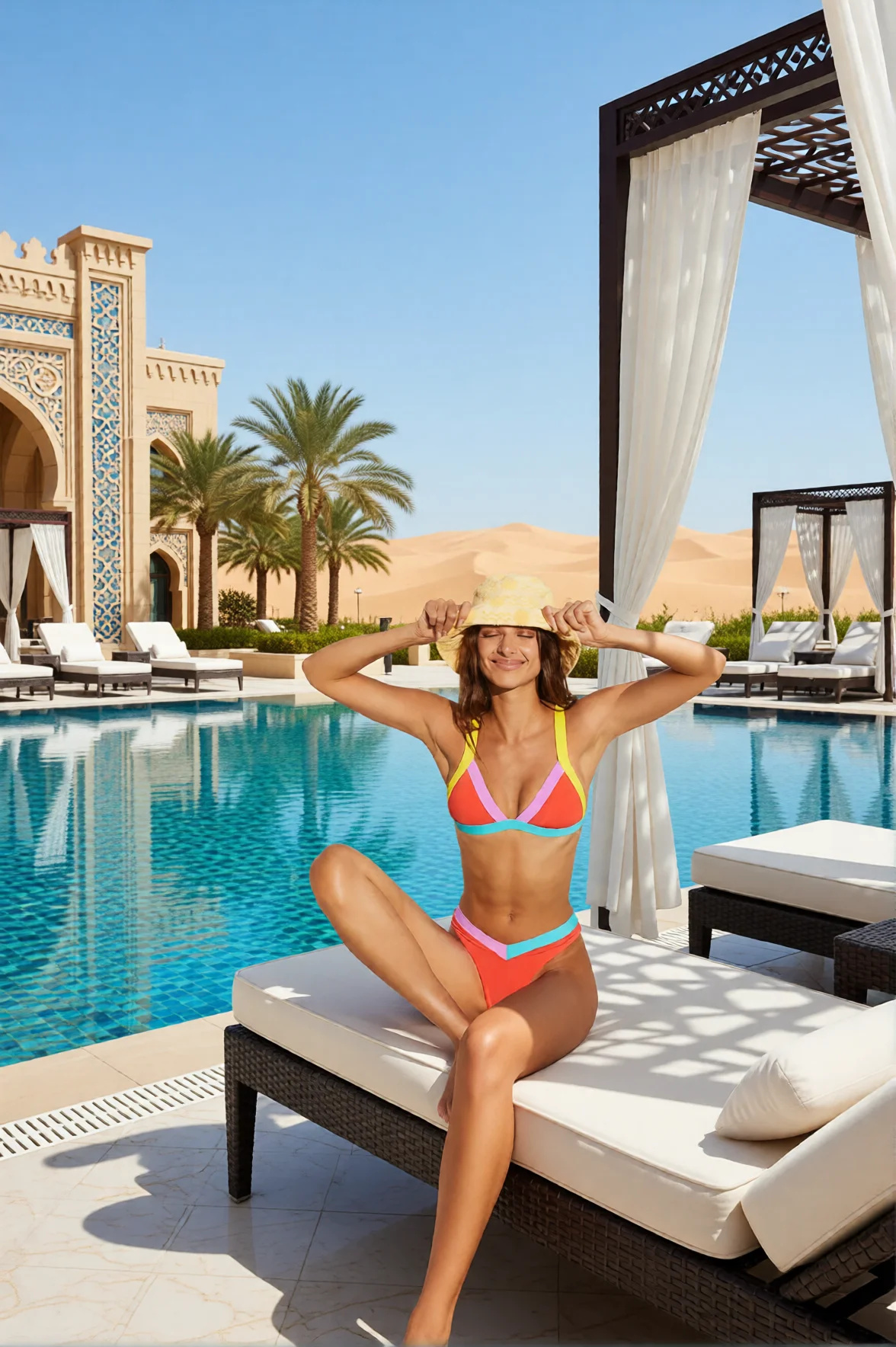
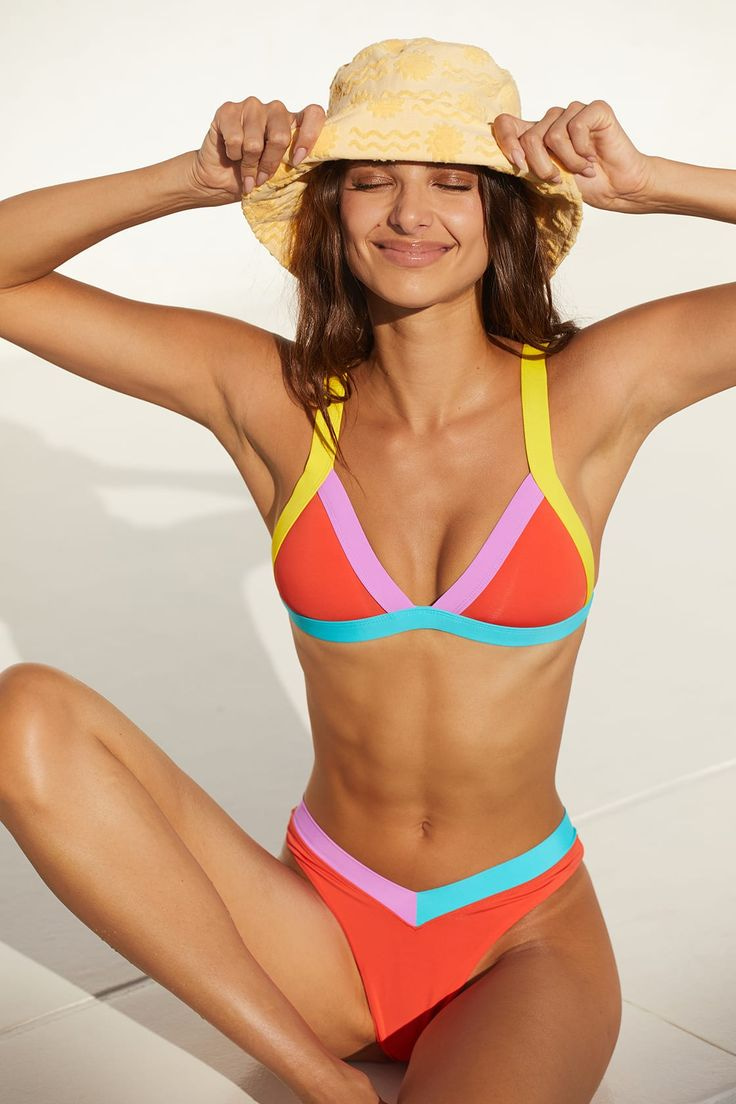 BeforeAfter
Name the place instead of masking one
A cutout tool hands you a subject on a transparent canvas and leaves the hard part — finding a scene, matching its perspective and painting a shadow where the feet meet the floor — to you. Here the scene comes out of the sentence you type: a desert resort with a pool, a rooftop at sunset, a plain studio sweep. Name the light as well as the place, because the direction you describe is what the shadows and the colour temperature across the whole frame are built from.
Try it now →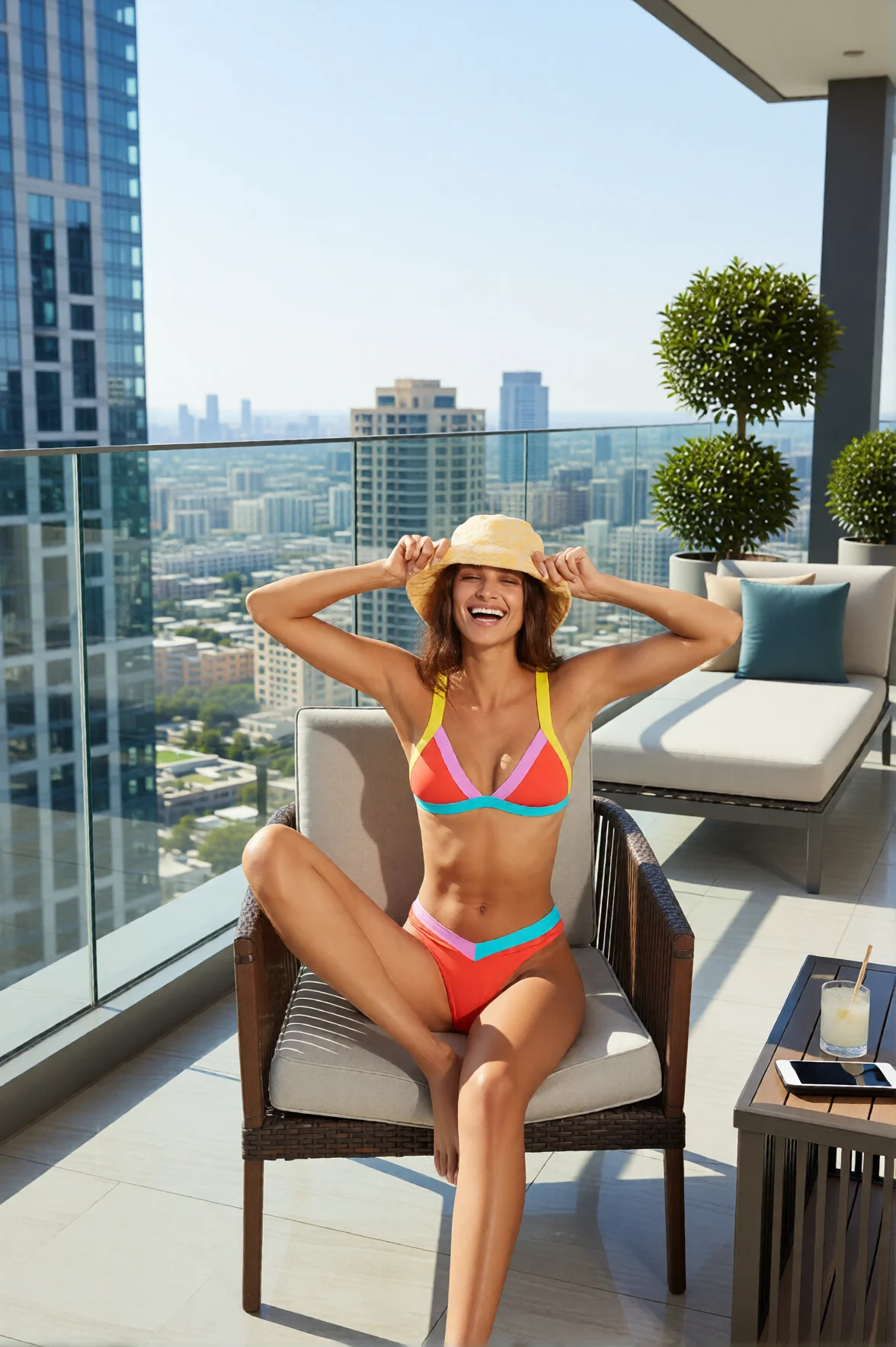 BeforeAfter
The same upload, a different sentence, a different place
This row and the one above start from the same file: one sentence sent it to a desert resort, another to a rooftop at midday. Run it again for each place a campaign needs — a white sweep for the marketplace listing, a lifestyle kitchen for the ad, a seasonal set for the launch — without re-photographing anything. Each place is its own paid edit, and every version lands in your library side by side. A 2K edit costs more than a 1K one, so explore directions at 1K and re-run only the winner at 2K.
Try it now →How to change a photo background with AI
No green screen, no masking, no compositing — a photo and one sentence.
Upload the photo
PNG, JPG, JPEG or WebP. For the most faithful subject use a well-lit source where it stands clearly apart from whatever is behind it right now — the original background itself does not matter, it is about to go.
Describe the scene and the light
One clear sentence naming the environment, the lighting and the time of day: "a golden-hour beach with warm sun from the left, turquoise water in the distance". Naming the light direction is the single biggest factor in whether the subject looks naturally placed.
Pick an engine and download
1K output is the default at 15 credits; 2K at 20 credits holds the most detail. The exact total shows on the button before the run starts. Compare the result against your original — the whole frame is re-rendered — then download it.
Where people use it
Portrait and headshot backdrops
A good portrait taken in a spare bedroom, a car park or against a cluttered office wall becomes a studio portrait by naming the backdrop: a plain neutral sweep for a company page, soft rim light for a profile, a rooftop or a foyer for something with more atmosphere. The whole frame is re-rendered, so read the face and the clothing in the result before you use it — and re-run if something has shifted.
Discover more AI features
Frequently asked questions
How does AI Background Studio work?
Upload a photo, describe the new background you want in plain English, and the whole frame is re-rendered with your subject in the scene you described. It is one generation, not a cut-out pasted onto a plate — which is why the light, the shadows and the surface under the subject agree with the place you named instead of looking stuck on. It works with people, products, and objects.
How is this different from simple background removal tools like Remove.bg?
Traditional background removers give you a transparent cutout and stop there. AI Background Studio goes further — it generates an entirely new, AI-created scene around your subject. Instead of a blank background, you get a photorealistic environment (beach, studio, cityscape) with matched lighting and perspective. It replaces backgrounds, not just removes them.
Can I create any type of background?
Yes. Describe luxury resorts, rooftop terraces, beaches, forests, professional studios, cityscapes, product settings, or any scene you can imagine. The AI generates photorealistic backgrounds matching your text description. The more specific your prompt, the better the result — include details about lighting, time of day, and environment style.
Will my subject look natural in the new background?
That is what the generation is aiming for: lighting direction, shadow angles, color temperature and perspective are built into the same pass as the subject, so the result reads as one photograph rather than a cut-and-paste. Because the whole frame is re-rendered, the subject is drawn again too — pose, expression, clothing texture and fine detail like hair strands usually come back as they were, but they are not carried over pixel for pixel. Compare the result against your original before you publish it, and re-run if a detail matters.
Can I use this for e-commerce product photos?
Yes. AI Background Studio is widely used for placing products in lifestyle settings, creating context shots for Amazon and Shopify listings, and building professional product photography from simple white-background product images. It is significantly faster and cheaper than hiring photographers for every product variation.
What image formats and sizes are supported?
Upload images in PNG, JPG, JPEG, or WebP format. The result is a re-rendered image — roughly 2 MP at 2K output — rather than your original file at its original pixel size; pick the output shape in the studio. Upload something larger and the result still comes back at the edit endpoint's own size, not yours. For best results, use well-lit source photos where the subject is clearly visible against the original background.
How much does AI Background Studio cost?
Each background replacement costs 15 credits at 1K, the default size, or 20 credits at 2K when you want the most detail held. Monthly plans start at $19.99/mo with credits included. There is no free cloud credit grant on signup — purchase a plan or credit pack to generate.
Do I need to install any software?
No. AI Background Studio runs entirely in your browser — desktop, tablet, or phone. There is nothing to download or install. Upload your image, type your prompt, and download the result. Uploads and results are kept in your account so you can come back to them, and you can delete either at any time from your dashboard.
How do I write a background prompt that gives realistic results?
Describe the environment, the lighting, and the time of day in one clear sentence — the more specific, the better the match. Instead of "a beach," write "a golden-hour beach with soft warm sunlight from the left, turquoise water in the distance, and blurred palm trees behind the subject." Naming the light direction is the single biggest factor in whether the subject looks naturally placed, because the shadow angle and color temperature in the result come out of what you describe. For product shots, describe the surface (marble, oak, linen) and whether you want a studio backdrop or a lifestyle setting.
Can I keep the same subject and swap through several different backgrounds?
Yes — that is one of the most common workflows. Upload the same source photo and run it once per scene: a white studio backdrop for the marketplace listing, a lifestyle kitchen for the ad, and a seasonal setting for a campaign. Each run is a separate edit from the same source file, so you build a set of variations from one shoot instead of re-photographing. Every run re-draws the whole frame, so put the set side by side and keep the versions where the subject reads right. This is how e-commerce teams produce a full catalog of context shots from one clean product image.
How does background replacement handle hair, glass, and transparent edges?
There is no cut-out step, so there is no mask edge to go wrong: individual hair strands, the rim of a wine glass, jewelry and semi-transparent fabric are drawn as part of the new scene rather than lifted out of the old one. That is what avoids the halo a basic remover leaves around fine detail, and it is also why those areas are re-drawn rather than carried across — soft edges are where a difference between your source and the result is easiest to spot. Give it a well-lit photo with clear separation between the subject and whatever is behind it now, and check those areas in the result.
Is AI Background Studio good for real estate and virtual staging?
It is used for it, with a caveat. You can place a subject or product into a room scene, refresh a dated backdrop, or generate a lifestyle setting around a listing detail. For full virtual staging of empty rooms, the results are illustrative rather than a survey-accurate representation of the property, so they suit marketing imagery rather than legal disclosure. Always label AI-staged imagery per your local real-estate advertising rules.
Will the AI ever change my product or subject instead of just the background?
It can, and it is worth knowing why. The model re-renders the whole picture rather than lifting your subject out and dropping it somewhere else, so the product shape, a label, or a person's expression and clothing are drawn again on every run rather than copied across. Most of the time they come back as they were. On difficult inputs — busy original backgrounds, low contrast between subject and backdrop, small print on packaging — they can shift. Use a well-lit source photo where the subject stands clearly apart from the original background, and compare the result against it before you publish.
Learn more
Guides on writing scene prompts, product backdrops for marketplaces, and how replacement differs from removal.
Best Free Background Remover (2026)
One-click transparent PNGs tested on hair, products and fine edges
Product Photography Guide
AI background changer for e-commerce product photography
Remove.bg vs Imagera
Compare background removal vs AI background replacement tools
AI Image Prompts Guide
Write prompts for stunning background replacements
Photography Studio Overview
Explore all 7 AI photo editing tools
Prompt Writing Guide
Master prompt writing for realistic scene generation
Edit Images with AI Text Prompts
Combine background removal with text-based inpainting for complete scene changes
DALL-E Alternative
Compare Imagera background studio vs DALL-E editing capabilities
Browse All Blog Posts
Tutorials and tips for AI background removal and product photography
Key takeaways
AI Background Studio vs. Background Remover vs. Manual Masking
| Capability | Imagera AI Background Studio | Basic Background Remover | Manual Masking (Photoshop) |
|---|---|---|---|
| What you get | A finished image of your subject in a new AI-generated scene | Transparent PNG cutout only | Cutout you composite yourself |
| New background scene | Generated from a plain-English prompt | Not included — bring your own | Sourced and composited by hand |
| Lighting & shadow match | Subject and scene lit in the same generation | None — flat cutout | Manual dodge, burn, and shadow painting |
| Hair, glass & soft edges | Re-drawn as part of the new scene — no mask edge to halo | Varies — often halos on fine detail | Frame-perfect but slow to mask |
| Skill required | Describe the scene in one sentence | Upload and download | Selection, masking, and compositing skill |
| Time per image | Seconds | Seconds (cutout only) | Minutes to hours per image |
| Pricing | From 15 credits per edit (20 at 2K) | Per-image or subscription (cutout only) | Desktop software license + your time |
The person is right. The room is wrong.
Open the studio with the background changer already selected. Credits show on the button before you run.
Change this background →