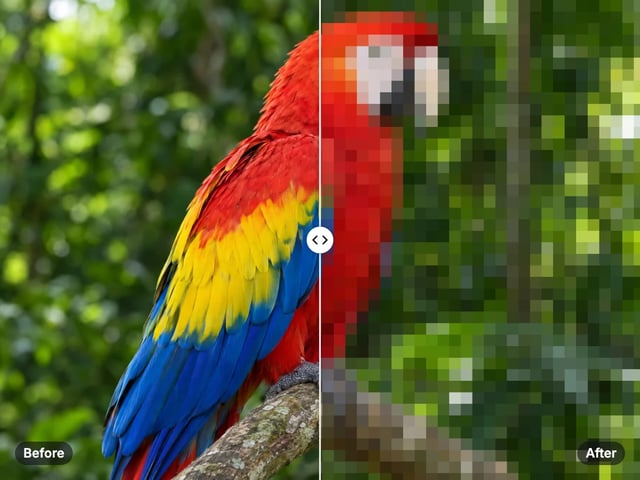
Removes GPS location
Geotags can reveal where a photo was taken (your home, your child's school). This removes them before you share.
Imagera AI - AI content creation platform for generating images, cloning voices, creating avatars, and enhancing videos. Privacy Policy | Terms
Privacy · free · private
Strip GPS location, camera model and timestamps from your photo before posting — instantly in your browser. Your image is never uploaded or saved on our servers.
The metadata strip runs in your browser. Your photo (and the location data inside it) is never uploaded to any server — unlike many "EXIF remover" sites that silently upload.
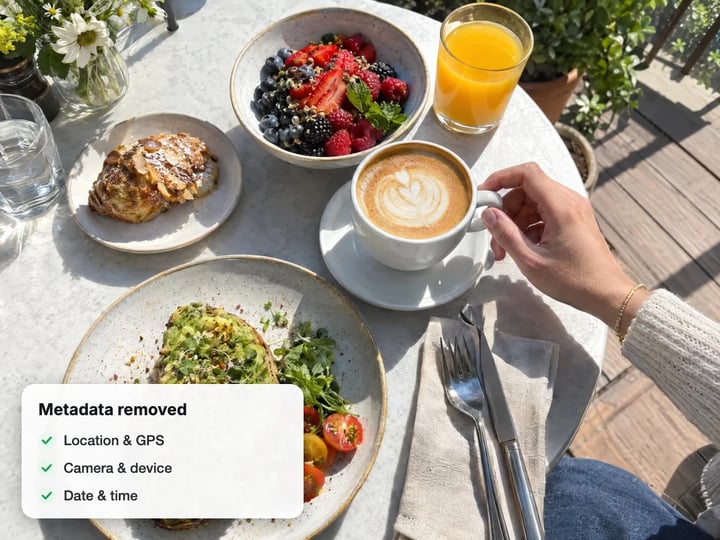 Real result
Quick answer
Imagera's free EXIF and metadata remover strips the hidden details out of your photos — the GPS location, the camera make and model, and the date and time the shot was taken. It all happens right on your device, so your photo is never sent anywhere or saved on a server. It's free, there's no account to create, and there's no watermark. Just open the page, drop in your photo, and download a clean copy in seconds.
Your photo never leaves your device — nothing is uploaded or saved on our servers.
How it works
Open the free EXIF remover — no install, no sign-up.
Pick a JPG, PNG or WebP. It is processed privately, never uploaded or saved on our servers.
GPS, camera info and timestamps are stripped in your browser.
The cleaned image downloads straight to your device.
Why this one
Geotags can reveal where a photo was taken (your home, your child's school). This removes them before you share.
Camera make/model, serial numbers and capture times are removed too — a clean, anonymous image.
Many free EXIF removers upload your file to their server. This one never does — it all happens on your device.
JPEGs are stripped losslessly (pixels untouched); other formats are cleanly re-encoded.
Continue in Imagera
EXIF & Metadata Remover edits the pixels you have. These studios use AI to create what is not in the picture yet — they run on credits.
 Next step
Too small to print? Enlarge a photo to 4K, 8K or 16K (15,360 px on the long edge).
Open studio Imagera
Edit images with Imagera Edit. Inpaint, modify, and transform any part of your image.
Open studio Imagera
Replace any photo background with AI-generated luxury scenes.
Open studioWho it is for
Quick private edits before posting — no account wall for a single fix.
Prep product photos for size limits without uploading client inventory.
Handle faces and unpublished work without sending files to a random server.
Guide
Every photo your phone or camera takes comes with a layer of hidden information attached to the file. This hidden data — often called EXIF metadata — can include the exact GPS location where the picture was taken, the make and model of your camera or phone, and the precise date and time of the shot. You can't see any of it when you look at the photo, but anyone who receives the file can pull it out.
An EXIF remover finds that hidden layer and deletes it, so you're left with a photo that looks exactly the same but no longer carries those private details. Imagera's free EXIF and metadata remover clears the fields that matter most for your privacy: GPS location, camera make and model, and the time the photo was captured. For JPG photos, your picture itself is never touched — the quality stays exactly the same.
Most people share photos every day without realising the file can quietly reveal where they live, work, or spend their time. A single picture posted online with its location data intact can point to a home address within a few metres. That's why clearing this hidden data is worth doing in so many everyday situations — posting on social media, selling an item online, sending a photo to someone you don't know well, or sharing your work publicly.
It's not just about location either. The hidden details can show exactly which phone or camera you used and reveal the time of day you were somewhere. Clearing all of this before you share is a simple privacy habit that takes just seconds — and this tool makes it free, with nothing ever uploaded.
Selling online: Photos you snap at home can carry your home's GPS location, which then travels with the listing for any buyer to see.
Social media posts: Some platforms clear part of this hidden data, but not always and not completely — clearing it yourself first is the only way to be sure.
Journalists and activists: Publishing a photo with its location attached can put sources or subjects at real risk.
Parents sharing children's photos: Schools, playgrounds, and home addresses can all show up in the hidden location data of a phone snapshot.
Freelancers and photographers: Clients can end up with files that quietly reveal your camera details or the exact time of a shoot you'd rather keep to yourself.
Formal or sensitive documents: When you're submitting a photo as part of a legal matter or a workplace process, you may not want the hidden details going along with it.
When you open Imagera's EXIF remover and pick a photo, everything happens right on your device. Your picture is read inside your browser, the hidden information is cleared out, and a clean copy is prepared for you to download. Your photo simply never gets sent anywhere.
For JPG photos, only the hidden data is removed — the picture itself is left completely untouched, so there's no loss of quality at all. For PNG and WebP photos, the tool saves a fresh, clean copy with the hidden data gone. Either way, the cleaned file downloads straight to your device. There's no waiting in a queue and no uploading — it works the way a desktop program would, except there's nothing to install.
The privacy here isn't just a promise written in a policy — it comes from how the tool is built. Everything runs on your own device, which means there's simply no server for your photo to be sent to. Your image, and the location hidden inside it, stay with you from start to finish.
This is the real difference from many of the free EXIF remover sites out there. A lot of them quietly upload your photo to their own servers, clear the data there, and send a copy back. That means a stranger's server has seen your photo — and the location inside it. With this tool, that never happens. Your photo simply never leaves your device. There's no account to create and no sign-up to get through first.
The tool clears the hidden details most likely to put your privacy at risk: the GPS location where the photo was taken, the make and model of your camera or phone, and the date and time the shot was captured.
What doesn't change is the photo itself. The picture looks identical after the hidden data is removed. The file gets a little smaller because those extra details are gone, but the way your image looks is fully preserved — and for JPG photos there's no re-saving step, so there's truly no loss in quality.
The tool works with JPG, PNG, and WebP photos, and the clean copy downloads to your device in the same format. One thing worth knowing: it removes hidden data only. It doesn't edit your picture — it won't blur faces, crop the image, or scrub a visible watermark printed onto the photo — and it works with photos, not videos or PDFs.
Free vs studio
Questions people ask
No — your photo never leaves your device. Everything happens right in your browser, so your image and the location hidden inside it are handled on your own device and nothing is sent anywhere. Your photo simply never gets uploaded, which is what makes this genuinely private.
Yes. The tool removes the GPS location completely from the file. Once it's gone, the coordinates can't be recovered, so nobody who receives the photo afterward can pull the location out of it. The picture you see stays exactly the same — only the hidden details are cleared.
For JPG photos, the picture itself is left completely untouched, so there's zero loss in quality. PNG and WebP photos are saved as a fresh, clean copy, which may change the file size slightly but won't make any visible difference. The tool never edits, compresses, or changes the way your image looks.
Because the hidden data in a photo can reveal the exact location where you took it, the phone or camera you used, and the date and time of the shot. Clearing it before you post to social media, sell something, or share publicly stops anyone from pulling that information out of the file — even when the platform doesn't clear it for you.
Yes. The tool works right in your phone's browser, so there's no app to install on iPhone or Android. Open the page in Safari or Chrome, pick a photo from your camera roll, and download the clean copy straight to your phone. There's no account, no sign-up, and no watermark — and everything happens on your phone, not a server.
Yes. The tool runs entirely in your browser, so it works on any Mac or Windows computer in Chrome, Firefox, Safari, or Edge with nothing to install. Just open the page, drop in your photo, and download the cleaned copy.
No watermark is added. You get back a clean copy of your original photo with the hidden data removed — identical to your source for JPG, and visually identical for PNG and WebP. This is the free in-browser tool. Imagera's paid cloud tools, which add AI enhancement and the ability to clean many photos at once, are an optional upgrade and not part of this free remover.
It removes the hidden data in your photo, such as the camera make and model, the GPS location, and the date and time the photo was taken. It doesn't change your picture, so it can't blur faces, crop the image, or scrub a visible watermark printed onto the photo. It also works with photos only — not videos or PDFs.
Yes. The tool handles JPG, PNG, and WebP. For JPG the picture is left untouched, and for PNG and WebP you get a fresh, clean copy with the hidden data removed. If you have a HEIC photo from an iPhone, convert it to JPG first — your phone or any converter can do this — and then run it through the tool.
Yes. The free in-browser tool adds no watermark and gives you back a clean copy of your original, so it's a good fit for client delivery, stock photo submissions, and other professional work. It handles one photo at a time. If you need to clean a large batch of files at once, the paid Imagera plan adds that as an optional upgrade.
More free tools
Complete your workflow
These pair with Magic Photo Editor. Every tile says what the tool actually does — without leaving this page.
Change pose — keep the face. Best in-house people editor.
Backgrounds, clutter, color — one sentence, ship.
Multi-image campaign briefs with precise control.
Turn selfies into LinkedIn-ready portraits
Lock one face across every generation
Change the words, color or font of text baked into a photo, poster or screenshot.
Free passport, visa & ID photos — auto-cropped to any country's exact size, background and file size, right on your device.
Too small to print? Enlarge a photo to 4K, 8K or 16K (15,360 px on the long edge).
AI upscaling to 1080p/2K/4K. Ultra-high resolution. Batch process up to 5 images.
Imagera AI Team
Unified AI creation platform