
Replace words and fix typos while AI matches the original font
Change words in any image — same font, same lighting.
Imagera AI - AI content creation platform for generating images, cloning voices, creating avatars, and enhancing videos. Privacy Policy | Terms
Change text color, font style, and typography in images. Modify brand text, signage, and lettering while preserving the rest of the scene.
From 25 credits per edit · No subscription required
Input
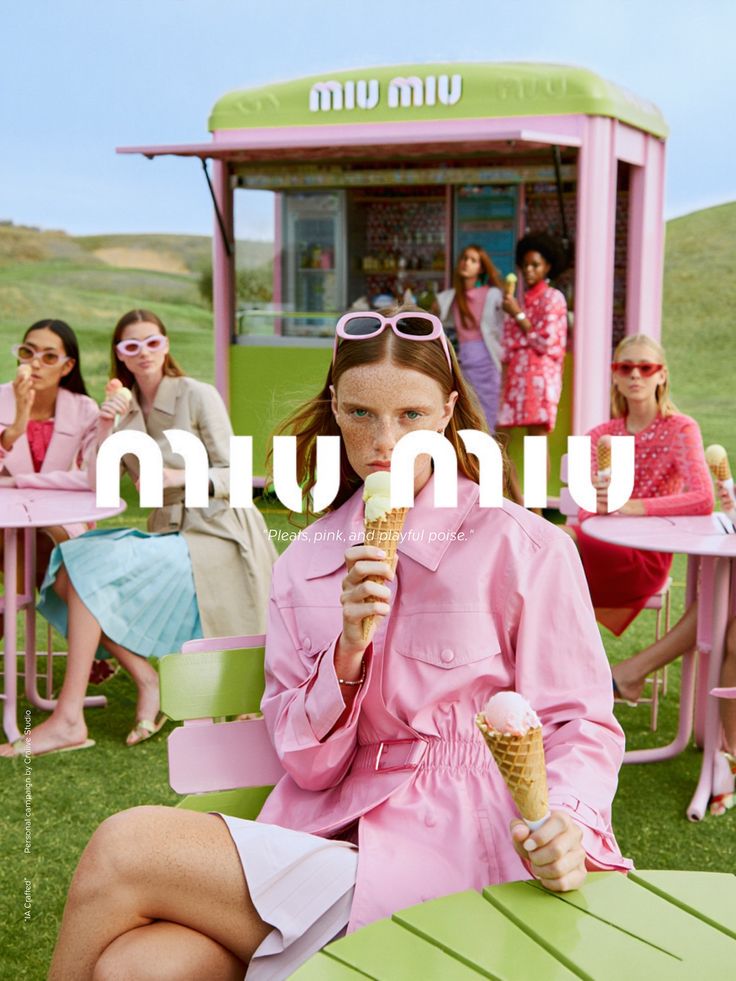
Output

Prompt Used
Change the large text in the center to green color and a different font style. Replace the current bold rounded font with an elegant serif font. Keep the tagline in its current white color and font underneath.
Powered by cutting-edge AI technology that delivers unmatched quality and performance
Change text color, switch font families, adjust weight and style — all through a natural language description.
Background, layout, images, and non-text elements stay exactly as they are. Only the specified text changes.
Modified text matches the scene's lighting, perspective, and shadow direction for a natural integrated look.
Test different color and font combinations in seconds instead of opening design software for each variation.
Change text on a screenshot, JPG, or exported PNG even when you no longer have the source PSD, Figma file, or the exact font that was used. The AI reads the on-image lettering and re-renders your requested change directly on the pixels.
Recolor or restyle text baked into a photograph — a storefront sign, a menu board, a product label, a poster mockup — where the text is part of the scene and cannot be selected as an editable layer in any normal editor.
Text that sits on an angled wall, a curved bottle, or a receding banner keeps its original perspective, skew, and curvature after the color or font change, so the edit reads as part of the photo rather than a flat overlay.
AI researchers, engineers & content specialists
Imagera is a unified AI creation platform for images, video, voice and avatars. Outputs ship at up to 16K resolution with no watermark and a commercial license included — choose from 500+ AI models in a single workspace.
Change text in images with AI — edit text color, font and typography in brand text, signage and lettering. 15 credits per image.
AI Text Editor Change text in images with AI — edit text color, font and typography in brand text, signage and lettering. 15 credits per image.
Learn more about AI Text Editor features, pricing, and how it compares to alternatives.
Questions
Everything you need to know about AI Text Editor
Upload an image with text and describe what you want to change. AI modifies the text color, font style, or typography while preserving all other elements of the image including layout and composition.
Yes. Change text from white to blue, switch from bold rounded to elegant serif, or both at once. Describe all changes in your prompt and AI handles them together.
Yes. AI Text Editor can modify brand text, signage, labels, and any visible text in images. It preserves the surrounding design while changing the specified text properties.
The AI generates text that matches the scene's lighting, perspective, and overall aesthetic. Changed text integrates naturally with the rest of the image.
To change text in an image with AI, upload the image, then type a plain-English instruction such as "change the headline from white to bright blue" or "swap the bold rounded font for an elegant serif." The AI locates the on-image lettering, applies your color, font, or weight change, and re-renders it in place while leaving the background, layout, and every other element untouched. You never need the original design file or the exact font that was used — the tool reads the text directly off the pixels. For a longer walkthrough with example prompts, see the how to edit text in an image with AI guide.
Yes. This works as an AI text changer for real photos as well as flat graphics. Change text on a photo of a storefront sign, a menu board, a printed product label, a poster, or a banner — anywhere the words are baked into the scene as pixels. The AI preserves the surface texture, perspective, curvature, and lighting of the original photo so the recolored or restyled text still reads as part of the shot. That is the key difference from a text overlay tool, which can only stamp new flat text on top rather than modifying the lettering that is already there.
No. One of the main reasons to use an AI image text changer is that you do not need the original font file, the source PSD, or a Figma document. Traditional editors force you to re-install the exact typeface and select a live text layer before you can touch a single word. Here, you simply describe the change — "make the logo text gold," "switch to a clean sans-serif," "make the sign text heavier" — and the AI re-renders it directly on the exported image. This makes it practical to edit screenshots, client hand-offs, and marketplace photos where the editable source no longer exists.
The strongest results come from color changes, font-style swaps, weight and casing changes, and restyling short pieces of prominent text such as a headline, a logo wordmark, a sign, or a price. Very small body copy, dense paragraphs, and heavily stylized script can be less predictable because the AI has to reconstruct fine letterforms. For best accuracy, describe exactly which text to change and the property you want — for example, name the color, the font feel, and whether to keep the rest of the text as-is. Iteration is inexpensive: test several color and font directions on Imagera Queen, the cheaper default engine, then settle on the one you want.
Yes — the AI Text Editor is built to change one text property while holding everything else constant. Ask it to change the wordmark from white to blue and it keeps the icon, tagline, spacing, and background exactly as they were. This is the core benefit over re-exporting from a design file: you get a targeted, non-destructive change to just the lettering you named. If you also want a fresh backdrop behind the same logo, pair it with the AI Background Studio, and for full scene restyling try Photo Style Transfer.
Pricing is in credits, not per-word charges, so a busy revision session stays affordable. Each edit spends the credits per edit shown on this page. Imagera Queen is the default at 20 credits and is the cheaper of the two, so explore directions there first; re-run only the winner on Imagera Warrior at 25 credits when you want the fastest turnaround and the most detail held. There is no free cloud credit grant on signup — you generate from a plan or credit pack, and credits do not expire. Because you can preview and re-run on the cheaper engine, it is realistic to explore five or six typography variations before committing to a final image. For broader multi-element retouching beyond text, the full AI image editor covers backgrounds, objects, and scenes in the same credit system.
A text overlay app stamps brand-new flat text on top of your picture; it cannot touch the words already printed in the scene. This AI image text changer modifies the existing lettering itself — the sign, the label, the headline that is fused into the pixels — so a color or font change follows the original perspective, curve, and lighting instead of sitting on top as an obvious sticker. Use an overlay when you want to add a caption; use the AI Text Editor when the text is already in the image and you need to recolor, restyle, or swap its typeface without the result looking pasted on.
Yes. Screenshots and exported JPGs are exactly the case this tool is built for. Once a design is flattened to a PNG or JPG the text is no longer a selectable layer, so a normal editor cannot change it without a rebuild. Upload the screenshot, describe the change — for example "change the button label color to green" or "make the heading a serif font" — and the AI re-renders that text on the image. This is common for updating marketing screenshots, refreshing a slide exported from a deck, or fixing a color in an image handed off without its source file.
Yes — the edit is deliberately narrow. When you name a specific piece of text and the property to change, the AI holds the background, layout, other text, images, and effects exactly as they were and only alters the lettering you specified. A tagline stays put when you recolor the headline above it; a product photo behind a price tag is untouched when you restyle the price. This targeted, non-destructive behavior is what makes it safe for brand assets, signage, and client work where the surrounding design must not shift.
Write short, direct instructions that name the text and the change. Effective examples: "Change the large centered headline from white to bright blue, keep the same bold rounded font, size, and position." "Replace the serif tagline font with a clean modern sans-serif, keep the color." "Make the storefront sign text gold and slightly heavier, keep the sign and background unchanged." "Recolor the price label from black to red, leave everything else identical." The pattern is consistent — identify the text, state the color/font/weight you want, and explicitly ask to preserve the rest. Vague prompts like "make it look nicer" give unpredictable results; specific property-level prompts give clean, faithful edits you can iterate on with Imagera Queen, the cheaper default engine.
Upload PNG, JPG, JPEG, or WebP. Output is returned at high resolution matching the source, and full commercial rights are included on paid plans, so you can use edited signage, logos, and product images in listings, ads, and client deliverables. The tool runs entirely in the browser on desktop, tablet, or phone — nothing to install — and your original images are processed securely and not stored after the session.
Change text color, font style, and typography in images. Modify brand text, signage, and lettering while preserving the rest of the scene.
From 25 credits per edit · No subscription required
AI-generated text modifications. Font accuracy depends on prompt detail. 20 credits per edit on the default engine.
Modify text color, font style, and typography directly in images. Change brand text from white to blue, swap font families, adjust weight — all while preserving the surrounding design.
Handles brand logos, storefront signage, packaging labels, and any visible text. AI matches the modified text to the scene's lighting, perspective, and shadow direction for a natural look.
Test different color and font combinations in seconds. No need to open design software for each variation. 20 credits per edit on Imagera Queen, 25 credits on Imagera Warrior.
A traditional editor needs the text on its own live layer, the exact font installed, and manual matching of color, shadow, and warp before you can change a single word. An AI image text changer works straight on a flattened photo or screenshot: you describe the change in plain words and it re-renders the lettering in place. Here is how the common approaches compare:
| Approach | Needs the original font/layer? | Input | Best for |
|---|---|---|---|
| Imagera AI Text Editor | No — reads the on-image lettering | Plain-English prompt | Flattened photos, screenshots, signage |
| Photoshop / GIMP | Yes — live text layer + matching font | Manual layer editing | Full re-design from source files |
| Canva | Yes — text must be a Canva element | Click + retype | Templates you build inside Canva |
Yes. The tool recolors and restyles text that is part of a real photograph — a shop sign, a menu board, a printed label, a poster on a wall — where the words are pixels in the scene rather than an editable layer. It keeps the surrounding photo, the surface texture, and the text's original perspective and lighting so the changed lettering looks like it was always shot that way.
E-commerce sellers refreshing a color or price on a marketplace product photo they no longer have the source file for; social and content teams recoloring headlines on exported graphics to fit a new campaign palette; agencies making a quick logo-text color change on a client asset without re-opening the brand kit; and anyone updating a screenshot, slide, or sign where the text is baked in. The common thread is flattened images: whenever the editable layer is gone, an image text changer is faster than rebuilding the file. It complements AI product photography for full listing refreshes.
Be specific about which text and which property. Name the exact words or the position ("the large centered headline"), state the target color or font feel ("bright blue," "elegant serif," "heavier weight"), and tell it what to leave alone ("keep the tagline white"). Detailed prompts produce sharper, more faithful letterforms, especially for logos and signage. Run a couple of passes on Imagera Queen, the cheaper default engine, to compare directions before you finalize.
Complete your workflow
These pair with AI Text Editor. Every tile says what the tool actually does — without leaving this page.
Replace words and fix typos while AI matches the original font
Replace backgrounds while keeping your text edits
Apply art styles to images with edited text
General-purpose AI image editing with Imagera Edit
Add freckles, pores, scars, tattoos. Remove blemishes. Fix plastic AI skin instantly.
Remove flyaway hair and fix fine imperfections with surgical AI precision.
Free passport, visa & ID photos — auto-cropped to any country's exact size, background and file size, right on your device.
Explore our guides and resources to get the most out of this tool
Guide to editing text in images, changing signs, and modifying captions with AI
Write clear prompts for text modifications in images
Explore all 7 AI photo editing tools
Edit text in photos with AI — change signs, labels, and captions online
Edit text in AI images without local tools — compare Imagera vs Stable Diffusion
Step-by-step tutorials for text editing and image manipulation
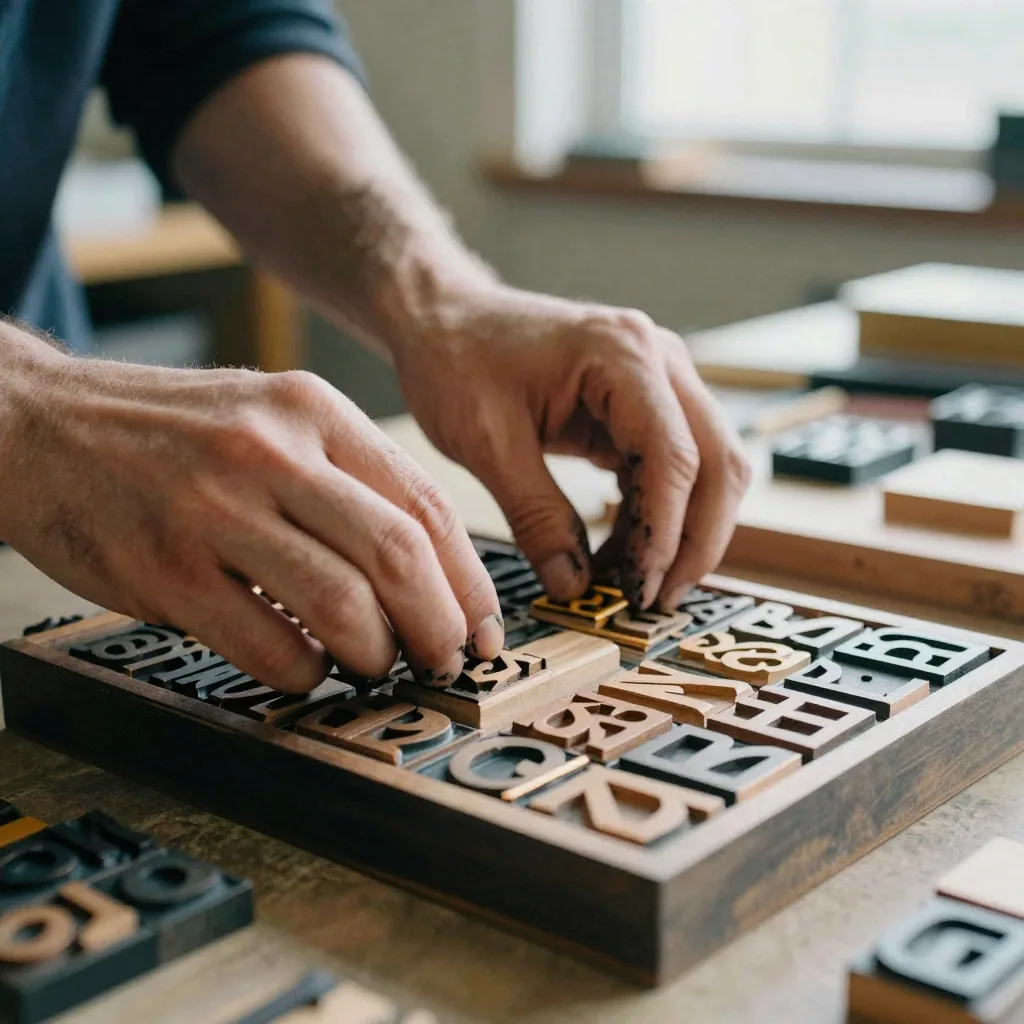
Use the primary CTA on this page to enter the tool.
Add your media or brief and set the options you need.
Create the result and export with commercial rights on paid plans.
Demo proof — then open the studio on your file.
This is a real result. Get the same quality on your file — plans start at $19.99.
10 credits per image on most tools · Plans start at $19.99