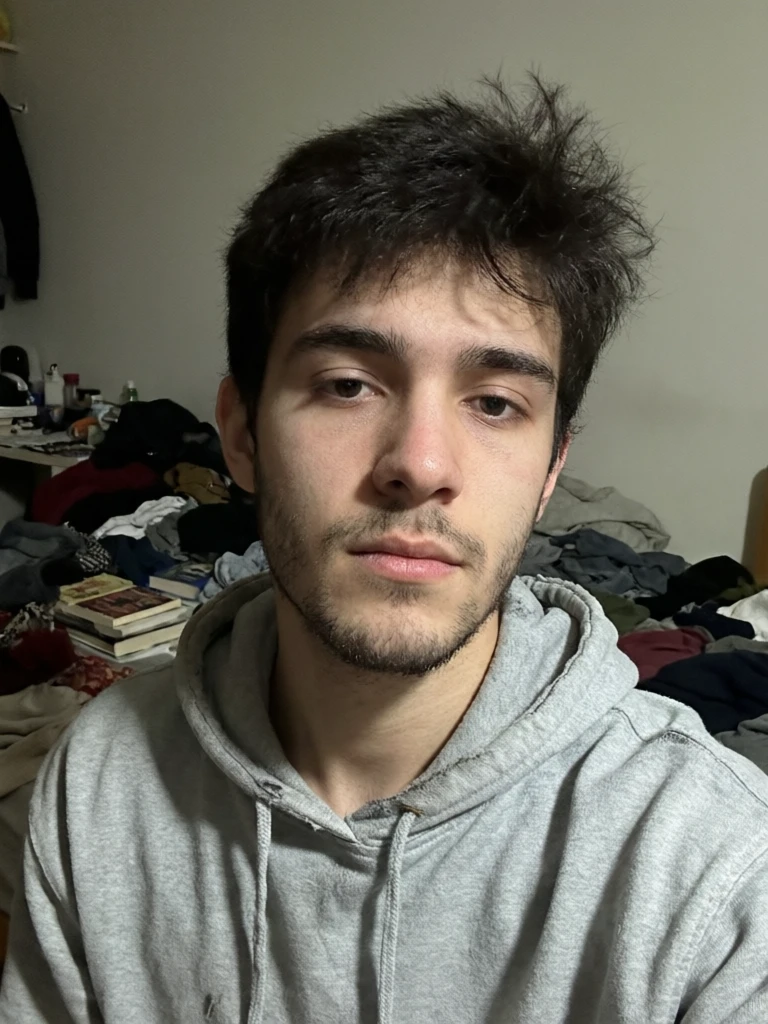
TL;DR: Yes — LinkedIn permits AI-enhanced and AI-generated profile photos, as long as the result still reflects your likeness. A LinkedIn spokesperson confirmed the platform allows AI tools "to enhance or create profile photos," but "the photo must reflect your likeness." Fully fabricated faces break the rules. An AI headshot is safe — and policy-compliant — when it looks like the real you.
Quick answer: Yes, AI-generated headshots are allowed on LinkedIn as long as they accurately represent your current appearance; LinkedIn's policies target deceptive or fake profiles, not the tool used to create a professional photo.
Are AI headshots safe to use on your LinkedIn profile in 2026?
They are safe when they look like you. A clean, current headshot helps recruiters and connections recognize you at a glance, so it's worth getting right. With Imagera you can generate 4K to 8K studio-quality headshots from 1 selfie in under 60 seconds, producing 100+ variations while keeping your real face, so recruiters recognize you instantly and no profile-authenticity rules are triggered.
Will AI headshots hurt my credibility with recruiters?
Not if they stay accurate. An outdated or mismatched photo costs you more credibility than a well-made AI-assisted one. Your profile should reflect a real, identifiable person, so keep your hairstyle, glasses, and features true to life. Imagera lets you regenerate across 100+ lighting and background options without altering your identity, giving you polished, recognizable results in just a couple of minutes.
Are AI headshots allowed on LinkedIn?
Yes, and there's no asterisk on the headline. LinkedIn has never banned AI headshots. Its Professional Community Policies ask only that you "not use an image of someone else, or any other image that is not your likeness, for your profile photo." Nothing there prohibits the technology itself.
When the trend exploded, LinkedIn addressed it head-on. A company spokesperson told CNBC: "We recommend being authentic in your profile picture as this helps maintain trust. We do allow the use of tools, including AI, to enhance or create profile photos. However, the photo must reflect your likeness." That position was reaffirmed in 2026 press coverage as AI headshots went mainstream among job seekers. The takeaway is simple: the tool is fine; the resemblance is the rule. An AI headshot is treated the same way a professionally retouched studio portrait always has been.
If you remember one sentence from this entire guide, make it this: LinkedIn regulates who is in the photo, not how the photo was made. Every rule below is a restatement of that single principle.
What does "must reflect your likeness" actually mean?
It means the person in the photo has to be recognizably you. LinkedIn draws the line at identity, not technique. Retouching skin, correcting lighting, swapping a t-shirt for a blazer, or cleaning up a cluttered background all keep your likeness intact. Inventing a sharper jaw, a different face, or a younger stranger does not.
Think of it as the difference between enhancing a photo and replacing yourself. Studio photographers have smoothed blemishes and fixed exposure for decades, and that has always been acceptable. The likeness standard simply extends that same logic to AI: anyone who has met you in the last year should look at the image and immediately recognize you. When that's true, you are firmly inside the policy. When it stops being true — when your bone structure, age, or proportions shift — you've crossed from a better photo of yourself into a portrait of someone who doesn't exist.
A useful gut-check is the "meeting room" test. Picture the recruiter, client, or hiring manager who saw your profile photo yesterday walking into a room to meet you today. If they'd greet you without a second glance, your headshot reflects your likeness. If they'd do a double-take — or quietly wonder whether they have the right person — the image has drifted too far, no matter how flattering it looks on screen. Likeness isn't about how good you look; it's about whether the good-looking version is still unmistakably you.
How does an AI headshot actually work?
A likeness-preserving AI headshot is not a fresh AI portrait invented from a text prompt — it's a studio-grade photo rebuilt from your own uploaded pictures. Understanding the mechanism is the fastest way to see why a well-built tool stays inside LinkedIn's policy by design rather than by luck.
Here's the workflow behind an AI headshot on Imagera, step by step:
- You upload up to four selfies. More angles and lighting conditions give the tool more of your real face to work with, which strengthens the resemblance. One clear photo works; two to four is better.
- The tool studies your face across those photos. It reads your actual features — your bone structure, eye shape, proportions, and expression — as the anchor for everything it produces.
- You pick a style and quality tier. LinkedIn, corporate, real-estate, resume, and actor looks each carry the right lighting, attire, and framing for that context. A Pro-quality tier is tuned for the truest likeness.
- The portrait renders. Imagera generates a new, studio-lit headshot that keeps your real features while upgrading the lighting, background, grooming, and framing — the same things a photographer would fix in a real shoot.
- It saves to your history, ready to download. You get a high-resolution file you can use on LinkedIn, a resume, a company about-page, or a directory.
The important distinction: you are not stylizing a single photo, and you are not conjuring a stranger from a prompt. You're getting a professional headshot built from your likeness. That architecture is exactly what keeps the output on the compliant side of LinkedIn's rule — the face going in is the face coming out, just better lit and better dressed.
Allowed vs. against policy: where is the line?
The safest test is recognizability. If a colleague who met you yesterday would still know your face at a glance, you're inside the policy. The table below maps common edits against LinkedIn's likeness standard, so you can judge your own AI headshot before you ever hit upload.
| Edit | Reflects your likeness? | LinkedIn stance |
|---|---|---|
| Lighting, color and exposure correction | Yes | Allowed |
| Skin cleanup, stray-hair and blemish removal | Yes | Allowed |
| Background swap and professional attire | Yes | Allowed |
| Subtle, true-to-life retouching | Yes | Allowed |
| Reshaping facial features or bone structure | No | Against policy |
| De-aging or changing body type | No | Against policy |
| A fully synthetic face that isn't yours | No | Against policy — removable |
The pattern is consistent: every "allowed" edit improves the production quality of a real photo, while every violation changes who you are. Keep your output on the left side of that table and the rest of LinkedIn's rules largely take care of themselves.
Is it safe — could your LinkedIn account be restricted?
It's safe when the image is genuinely you. LinkedIn runs deep-learning models that check whether profile photos are AI-generated, but those systems exist to remove fake and fraudulent accounts — not authentic members who used AI to polish a real photo. Risk rises only when the face stops matching reality.
Here's the honest read. LinkedIn's enforcement targets profiles that are "intentionally fraudulent or do not reflect true identity," and account restrictions follow from that, not from the mere presence of AI. A likeness-preserving AI headshot is not what those detection systems are designed to catch. The larger exposure for most professionals isn't technical at all — it's reputational. A face that's been quietly redesigned can survive the algorithm and still cost you trust the moment you walk into an interview looking different from your photo. Which brings us to disclosure.
Do you need to disclose that your headshot is AI-generated?
LinkedIn doesn't require disclosure — but recruiters are split, and that split matters more than the rulebook. In a survey of 1,087 recruiters by Ringover, 76.5% actually preferred AI headshots in a blind comparison, yet 88% believed AI use should be disclosed, and 66% said they would be put off once they discovered a photo was AI-generated.
That tension is the real story. The same recruiters who chose the AI image when they didn't know cooled on it the instant they did. Human detection is unreliable, too — recruiters correctly spotted AI headshots only 39.5% of the time, barely better than a coin flip. So the practical guidance is about trust, not compliance. If your AI headshot is a faithful, lightly enhanced version of you, there's genuinely little to "disclose" — it meets the same bar as a retouched studio portrait, and recruiters who liked it in the blind test would still meet the person they expected. If it materially changes how you look, the better move is to either lead with honesty or not use that image at all.
How do you create a LinkedIn headshot that stays within the rules?
Start from real photos of yourself and keep your defining features untouched. The goal of a compliant AI headshot is a better photo of you — correct lighting, a clean background, sharp focus, interview-ready attire — not a new person. Build from your own face and the likeness rule resolves itself.
A premium AI headshot workflow is anchored to your actual uploaded photos, so the output preserves your bone structure, age, and expression while upgrading the things any studio would fix anyway. For a portrait tuned to the platform's square crop and framing, our LinkedIn headshot generator is purpose-built. And if you work in a regulated field — or simply want certainty before you publish — the AI headshot compliance guidance walks through likeness, identity, and exactly where the lines sit. Upload a recognizable photo, keep your edits honest, and you'll satisfy both LinkedIn's written policy and the skeptical recruiter reading your profile.
Step-by-step: a compliant LinkedIn headshot in five moves
You don't need a photographer, a studio, or a plan more expensive than a coffee to land a policy-safe profile photo. Here's the practical sequence.
- Gather two to four recent selfies. Use photos taken within the last year or two, in decent light, where your face is fully visible and roughly front-facing. Variety in angle and lighting helps the tool lock onto your real likeness. Skip heavy filters, sunglasses, group shots, and anything blurry.
- Choose the LinkedIn or corporate style. These presets carry the neutral background, soft professional lighting, and business attire recruiters expect. The style handles the "make it look professional" part so you don't have to change anything about your face to get there.
- Select a quality tier tuned for likeness. The Pro tier is optimized for the truest resemblance — the right choice when the photo has to hold up to someone who will meet you in person.
- Generate and compare against a real photo of yourself. Put the output side by side with a recent unedited picture. Ask: same jawline? Same eyes? Same apparent age? If yes on all three, you're compliant. If any answer is "not quite," regenerate or switch to a more faithful source photo.
- Publish, and keep the source photo handy. There's nothing to hide with a likeness-preserving headshot, but keeping the original selfie means you can always show the honest baseline it was built from.
The entire loop takes minutes, and because regenerating is cheap and fast, there's no reason to settle for an image that drifts from your real face.
Who it's for: common use cases
A likeness-preserving AI headshot fits any professional context where a real, recognizable photo of you is expected — which is most of them. Concrete scenarios:
- Job seekers refreshing a LinkedIn profile. The recruiter's first impression is your photo. A clean, well-lit headshot that still looks like you signals that you take the search seriously without misrepresenting yourself.
- Corporate and team about-pages. Everyone on the team uploads their own selfies and picks the same style, so the whole directory ends up in one consistent studio look — no coordinating a single group shoot.
- Real-estate agents. A bright, trustworthy agent photo for listings, signage, and brokerage profiles. (Note that Zillow, MLS, and Realtor.com apply the same "true picture" honesty standard — the AI headshot compliance hub covers each one.)
- Resume and CV photos where they're expected — common across much of continental Europe, less so in the US, UK, Canada, and Australia.
- Doctors, attorneys, and other credentialed professionals building out firm bios, hospital directories, and practice websites. (Government IDs and credentialing are a different story — see the honest limits below.)
- Students and new graduates creating a first professional headshot for internship and entry-level applications, without a photographer's fee.
- Actors and creatives who want editorial lighting and a characterful expression for casting profiles.
The common thread: every one of these is a marketing or profile surface where the rule is honesty and recognizability, not a government-issued identity document.
Comparison: AI headshot vs. a photographer vs. a raw selfie
Each option has honest trade-offs. This table frames them fairly — our column is priced in Imagera credits (a single upload can produce several looks), while a photographer is a per-session dollar cost that varies widely by market.
| Imagera AI headshot | Studio photographer | Raw selfie | |
|---|---|---|---|
| Turnaround | Minutes, from your couch | Days to book, travel, then wait for edits | Instant |
| Cost basis | Imagera credits, per image | Per session ($100–$400+ typical) | Free |
| Multiple looks | Several styles from one upload | One sitting, limited changes | One shot |
| Consistency for a team | Same studio look for everyone | Coordinate schedules and locations | None |
| Reshoots | Regenerate any time | Pay for another session | Retake yourself |
| Professional polish | Studio lighting, background, attire | Studio lighting, background, attire | Depends entirely on you |
| Your likeness | Built from your real photos | Your real photo | Your real photo |
The honest read: a great photographer still produces a great result, and a raw selfie is free. The AI headshot wins on speed, cost-per-look, and team consistency — as long as the tool is built to preserve your likeness rather than reinvent your face.
Tips for best results
- Upload variety, not just your best photo. Two to four selfies from slightly different angles and lighting conditions give the tool more of your real face to anchor to, which produces a stronger resemblance than a single image.
- Use recent photos. A headshot that looks like you three years ago isn't a true likeness today. Fresh source photos keep the output honest.
- Front-facing and well-lit beats dramatic. Natural daylight, a clearly visible face, and a roughly straight-on angle give the most faithful result.
- Pick the style that matches the destination. The LinkedIn preset for LinkedIn; corporate for an about-page; real-estate for listings. The style changes the setting, not your face.
- Choose the highest-likeness quality tier when it counts. For a photo that has to survive an in-person meeting, the Pro tier's likeness tuning is worth it.
- Sanity-check against reality before publishing. Put the output next to a recent unedited photo and confirm your defining features are intact.
Common mistakes to avoid
- Treating "flattering" as the goal instead of "faithful." The most dangerous edits are the subtle ones — a slimmer jaw, smoother-than-life skin, a decade shaved off — because they're the ones that pass the algorithm but fail the interview. Enhance the photo, not the person.
- Generating a face from a text prompt. A portrait invented from a description isn't your likeness by any definition and won't hold up on a professional profile. Always build from your own uploaded photos.
- Using a stranger-flattering "someone else" look. If you find yourself picking a result because it looks like a more attractive person rather than a better photo of you, you've crossed the line.
- Assuming disclosure fixes a mismatch. Telling a recruiter "it's AI" doesn't rescue an image that changes how you look. Disclosure is a trust courtesy for faithful photos, not a loophole for inaccurate ones.
- Reusing an old headshot forever. Refresh your photo every couple of years, or whenever your appearance changes. Because regenerating takes minutes, there's no reason to run an outdated likeness.
- Using an AI headshot for a government ID. Passports and visas explicitly ban AI-edited photos — this is not a LinkedIn-style honor system. Route those through a document-photo spec engine, not a headshot generator.
Examples: three scenarios, one rule
The recruiter's blind test, in real life. A candidate uploads four daylight selfies, picks the LinkedIn style and the Pro tier, and publishes a clean, blazer-clad headshot on a neutral background. In the Ringover survey, recruiters preferred exactly this kind of image 76.5% of the time — and because it still looks like the candidate, the interview confirms rather than contradicts the profile. Compliant, and effective.
The over-edited cautionary tale. A different candidate loves how a result "improves" their jaw and erases a few years. The image sails past LinkedIn's detection (which targets fraudulent accounts, not polished real photos) but earns a visible double-take at the interview. No policy was technically triggered — yet the trust cost was real. The problem wasn't AI; it was the loss of likeness.
The whole-team refresh. A ten-person startup wants a consistent about-page. Each teammate uploads their own selfies and selects the same corporate style. The result is one cohesive studio look across the entire directory, generated in an afternoon, with every face still recognizably that person's. This is precisely the use case the likeness rule was designed to permit.
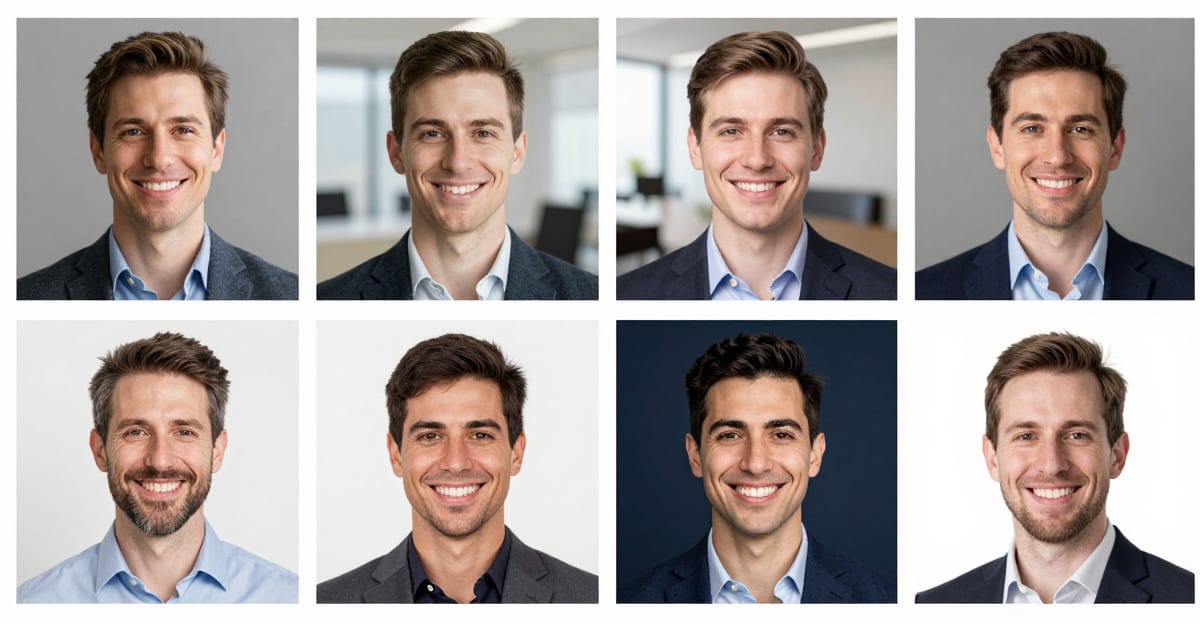
See it in action — real Imagera output
These are real, unedited results from the Imagera ai headshot — the exact tool this guide covers.