Create standards-ready passport and ID photos
Free passport, visa & ID photos — auto-cropped to any country's exact size, background and file size, right on your device.
Imagera AI - AI content creation platform for generating images, cloning voices, creating avatars, and enhancing videos. Privacy Policy | Terms
Your LinkedIn photo is the first thing a recruiter, client or hiring manager sees — and LinkedIn's own data shows profiles with a photo get up to 21× more views and 9× more connection requests than those without. Imagera's LinkedIn headshot generator turns a few selfies into a studio-quality profile photo that still looks like you: real face, upgraded lighting, clean business attire and a background tuned for LinkedIn's circular crop. Because it's built from your own photos rather than an invented face, it satisfies LinkedIn's rule that your photo must reflect your likeness — and lands in minutes, not a week-long studio booking. The sections below cover exactly what LinkedIn's policy allows, how to crop for the circular avatar, what to wear and which background to choose, and how AI headshots compare to a traditional studio session on cost, speed and consistency.
| Need | Typical alternative | Imagera |
|---|---|---|
| Speed | Desktop installs, queues, or studio bookings | Browser studio — generate when you need it |
| Pricing | Annual seats you may not fully use | Credit-based — pay when you create |
| Workflow | One narrow tool, many tabs | Connected Imagera suite for the full job |
Use Imagera AI Headshot with role-specific guidance — upload selfies and get a professional portrait styled for your profession in minutes.
Professional AI headshot A professional AI headshot is a career-ready portrait generated from selfies with likeness preserved for LinkedIn, licensing, and CVs.
Use Imagera AI Headshot with role-specific guidance — upload selfies and get a professional portrait styled for your profession in minutes.
Before/after demo proof — then open the studio on your own file.
Professional lighting and framing in one pass. Ship LinkedIn-ready portraits today.
Plans start at $19.99/mo
A LinkedIn headshot generator turns your selfies into a studio-quality profile photo. LinkedIn permits AI-created photos as long as the image reflects your real likeness, so Imagera builds your headshot from your own photos — keeping your face recognizable while upgrading the lighting, framing and business attire, ready in minutes. Upload three or four clear selfies, pick a LinkedIn or corporate look, and export a high-resolution square that sits cleanly inside LinkedIn's circular crop.
Imagera builds your headshot from your own selfies, so it stays recognizably you — which is exactly what LinkedIn's profile-photo rules require. You get better lighting, framing and attire, not a different face that drifts away from how you look in interviews. Upload three or four recent, front-facing photos in varied light and the likeness holds up even at the tiny sizes LinkedIn renders in search and the feed.
Business attire, a clean background and soft studio lighting tuned for LinkedIn's circular crop. Choose a polished look — corporate, approachable or executive — without booking a photographer, changing clothes or leaving your desk. Because the framing is built for the circle, your face stays centred and sharp whether it appears as your full profile photo or a small avatar beside a post.
Changed roles, glasses or hairstyle? Regenerate a fresh, on-brand headshot in minutes from your laptop — no rebooking, no reshoot fee — and download a high-resolution square ready for your profile. A photo that matches how you look today keeps you credible: a stale headshot from five years and one haircut ago quietly undermines the trust the rest of your profile is trying to build.
Yes — with one condition. LinkedIn's profile-photo guidelines require that your photo reflect your likeness and prohibit using someone else's image, stock photography, celebrity photos or fabricated faces. A LinkedIn spokesperson confirmed to CNBC in 2025 that the platform allows tools, including AI, to enhance or create profile photos as long as the result still looks like you. The line LinkedIn draws is between enhancement and impersonation: touching up lighting, background and attire is fine; inventing a face that isn't yours is not. Because Imagera builds your headshot from your own selfies and preserves your real features rather than generating a stranger, it stays recognizably you — an identity-preserving portrait, which is exactly what the rule asks for. Treat the result as a flattering studio photo of yourself, not a different person.
LinkedIn Help — Profile photo guidelines and conditionsFor LinkedIn, solid mid-tone colours photograph best — a structured blazer, a crisp collared shirt or a fine-gauge knit, with simple necklines and minimal logos or busy patterns. Avoid pure white or pure black, which can blow out or flatten on screen, and skip thin stripes or small checks, which can shimmer (moiré) once LinkedIn shrinks your photo to a thumbnail. Match the formality to your field: a full suit and tie reads right for finance, law or consulting, while a smart blazer over an open collar suits tech, sales and creative roles. Imagera's LinkedIn presets apply clean business attire automatically, but neat, uncluttered clothing in your selfies gives the truest result.
LinkedIn crops your photo into a circle, so a clean, slightly out-of-focus background keeps the focus on your face. Soft neutral grey, muted blue or a blurred office setting all read as professional, while busy or high-contrast scenes get distracting once cropped. A subtle gradient now reads as more current than a flat solid colour on many profiles, and a gentle brand-aligned tone can help you stand out in the feed without competing with your expression. Imagera generates plain studio, gradient and blurred-office backgrounds tuned specifically for that circular crop, so your photo holds up from the profile hero down to a tiny avatar in a comment thread.
of 1,087 recruiters could correctly identify AI headshots in a blind test — modern AI photos now read as studio shots · source

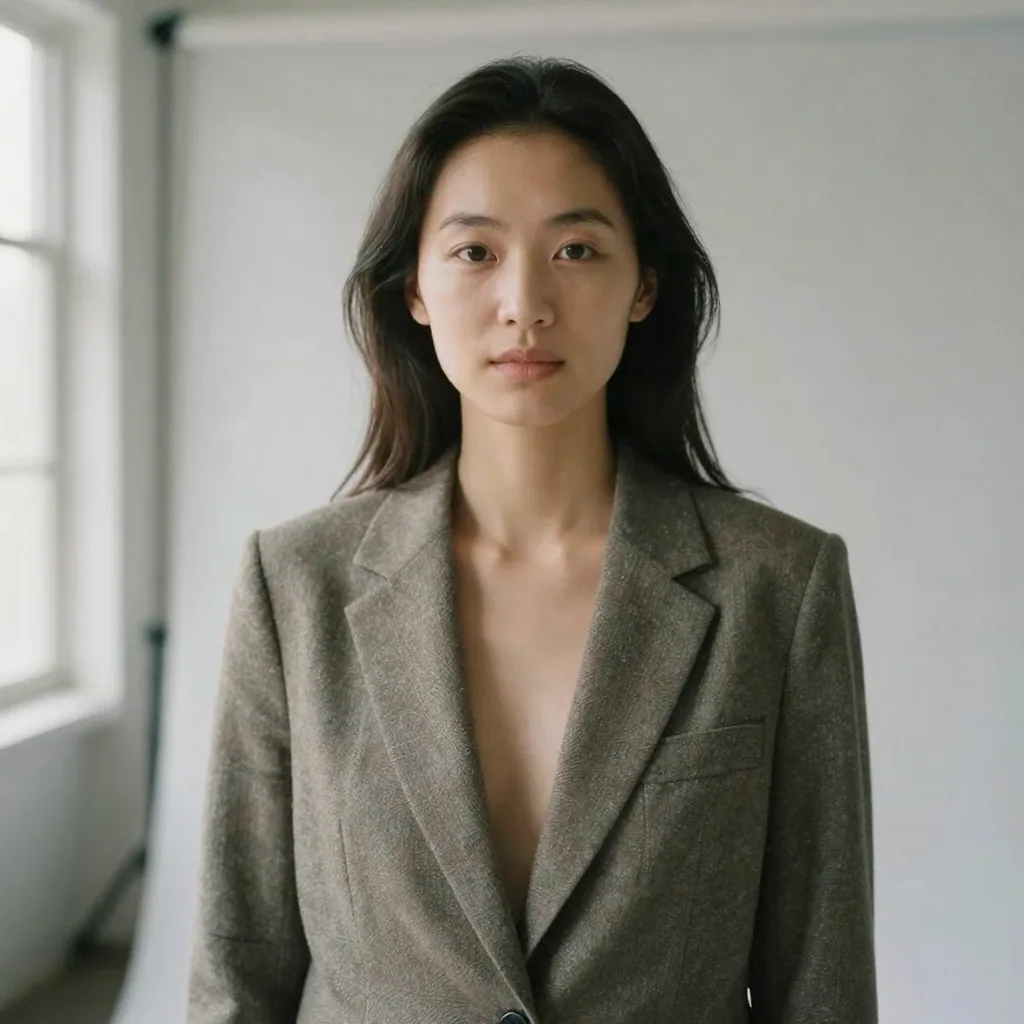
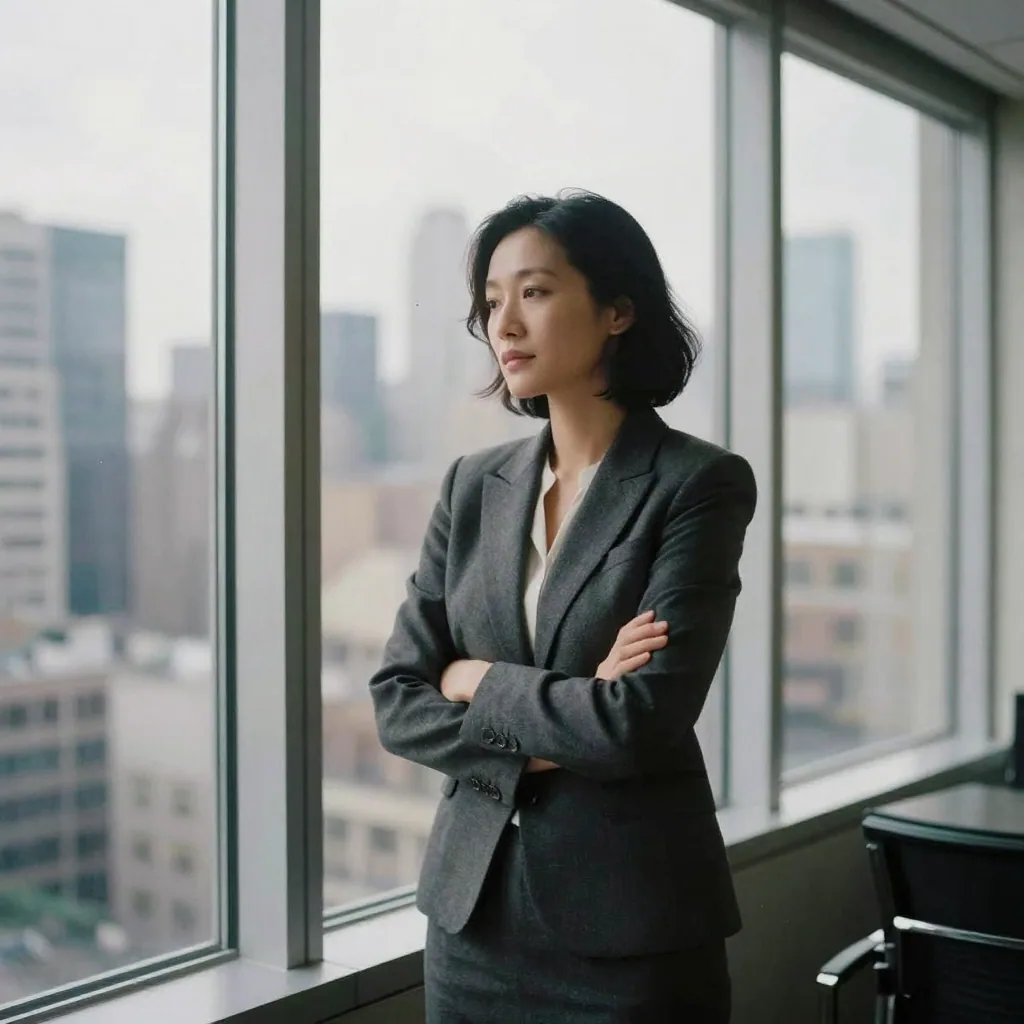
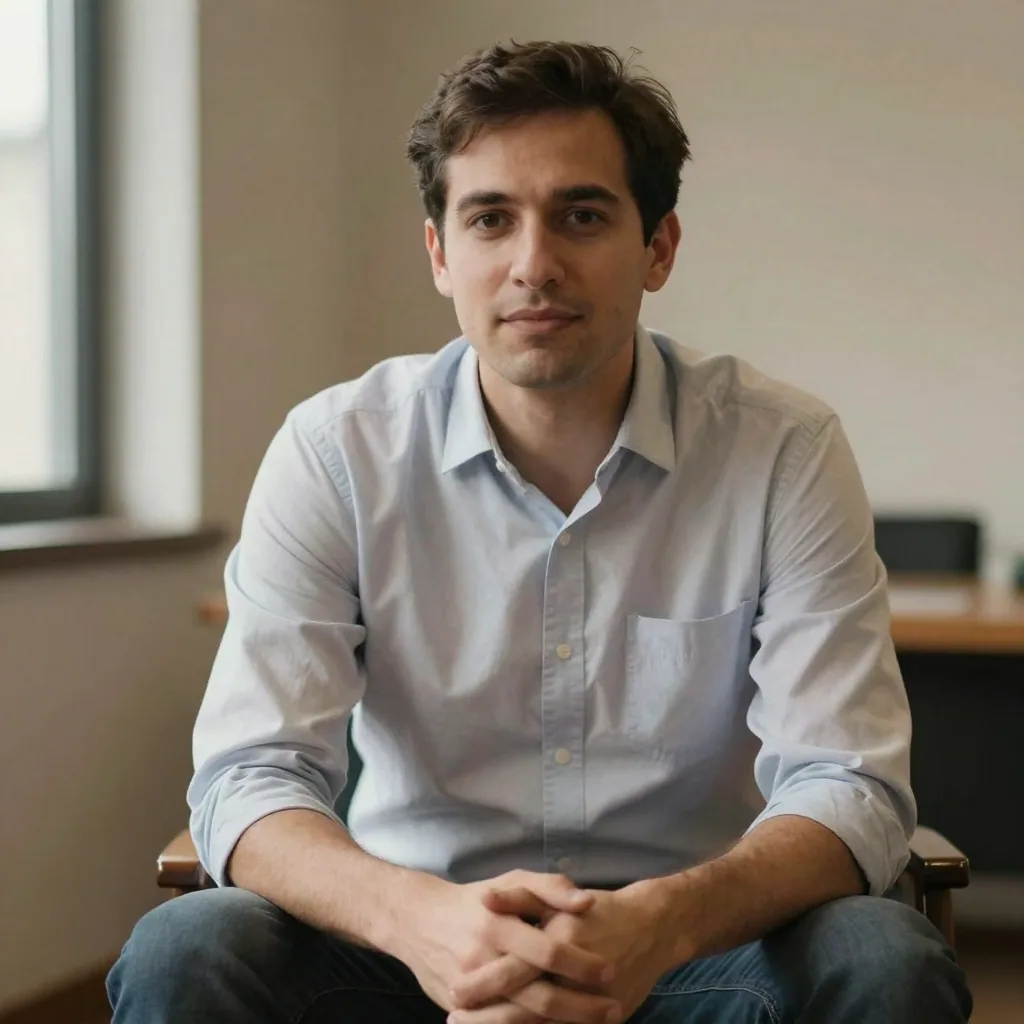
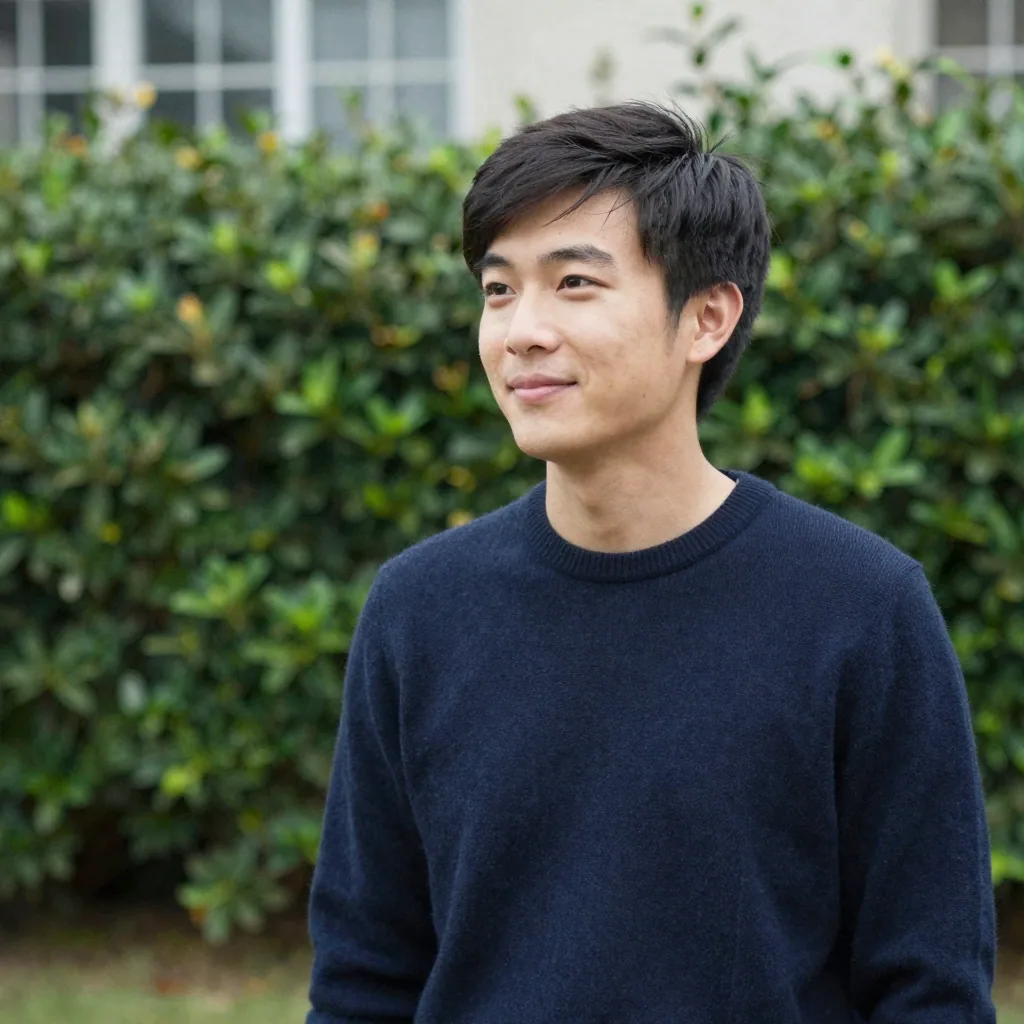
A genuine, teeth-showing smile is the safe choice for LinkedIn. In PhotoFeeler's study of 60,000 ratings, a smile with teeth nearly doubled likability versus a closed-mouth smile and also lifted perceived competence. A relaxed, slightly squinted look reads as confident rather than tense. For senior legal or executive profiles, a calmer closed-mouth expression can also work well.
Likely not, if it preserves your likeness. In a Ringover blind test of 1,087 recruiters, hiring pros correctly identified AI headshots only 39.5% of the time — barely better than chance. That said, 88% of recruiters say AI use should be disclosed, so treat your Imagera headshot as a flattering studio photo of you, not a different person.
Solid, mid-tone colours and simple necklines photograph best — a blazer, collared shirt or smart knit, with minimal logos or busy patterns. Avoid pure white or pure black, which can blow out or flatten on screen. Imagera's LinkedIn presets apply clean business attire automatically, but starting from neat, uncluttered clothing in your selfies gives the truest result.
Refresh it every two to three years, or sooner if your appearance changes noticeably — new glasses, a different hairstyle, a weight change — or when you move into a more senior role. A current photo that matches how you look in interviews builds trust. Because regenerating with Imagera takes minutes, refreshing is far easier than rebooking a studio.
Yes — that's the core of how Imagera works. It studies your face across several selfies and keeps your real features while upgrading the lighting, framing and attire. Upload three to four clear, recent photos from slightly different angles for the most faithful likeness. LinkedIn's own rules require your photo to reflect your likeness, which is exactly what an identity-preserving headshot delivers.
LinkedIn recommends a square image of 400 × 400 pixels (minimum 300 × 300, up to 7680 × 4320), saved as PNG or JPEG under 8 MB. Anything smaller gets upscaled and looks blurry. Imagera exports high-resolution square headshots that drop straight into LinkedIn's circular crop with no pixelation.
Yes, measurably. LinkedIn's own data shows profiles with a photo receive up to 21× more profile views and 9× more connection requests than those without. A face also triggers a trait judgment in about 100 milliseconds, so a clean, well-lit headshot shapes a recruiter's first impression before they read a single word of your profile.
Yes. Each person uploads their own selfies and selects the same Imagera preset — background, lighting and crop — so your team's profiles share one consistent studio look without coordinating a group shoot. It's the easiest way to keep an about-page or sales team visually on-brand across different cities and schedules.
LinkedIn masks your square photo into a circle roughly 300–400 pixels across on the profile and much smaller in the feed and search results, so a tight head-and-shoulders crop reads best — your face should fill most of the frame, your eyes about a third down from the top, with a little breathing room above your head. Keep nothing important in the corners, because the circular mask clips them. Imagera frames its LinkedIn headshots to survive that crop at every size the platform renders it, from your profile hero down to a comment-thread avatar.
Match the look to who you want to reach. If you sell or recruit, an approachable, warmer style with a genuine smile and a soft office backdrop invites connection requests; if you're a founder, partner or senior leader, a cleaner corporate look on a plain neutral background signals authority. Imagera's LinkedIn and Corporate styles cover both ends, and because you can regenerate from the same upload in minutes, it's practical to try a couple and pick the one that fits the role you're targeting rather than committing to a single studio setup.
For most professionals a plain neutral or gently blurred office background is safest — it keeps attention on your face and works at every crop size. A subtle colour that ties to your personal or company brand can help you stand out in the feed, but avoid busy, high-contrast or novelty backgrounds that get distracting once LinkedIn shrinks the photo to a circle. Our professional headshot background guide (/blog/professional-headshot-background-2026) breaks down which colours read best before you commit.
They do different jobs. Your headshot is the trust and recognition signal in the circle; the banner — the wide image behind it — is space to communicate what you do, with a tagline, your company, or a clean brand colour. A polished headshot over an empty default banner still looks unfinished. A consistent, professional Imagera headshot paired with a simple, on-brand banner gives your profile a coherent first impression a recruiter processes in seconds.
Yes, and using one consistent photo across LinkedIn, your company's team page, a conference bio, your email signature and other networks is a deliberate strategy — it builds recognition, so people who see you in one place recognise you in another. The headshots you generate are yours to reuse, and Imagera exports at high resolution so a single portrait crops cleanly to each platform's shape. For a broader career-photo overview, see our LinkedIn headshot guide (/blog/best-ai-headshot-generator-for-linkedin-2026).
Three to four is the sweet spot. One clear photo can work, but a small set taken from slightly different angles, in different light, gives the model more of your face to learn from — which produces a truer, more consistent likeness than a single reference. Use recent, front-facing shots where your whole face is visible, and skip sunglasses, hats, heavy filters and group photos. If you're not happy with the first result, add a couple more varied selfies and regenerate.
No — that's the point of the tool. Imagera rebuilds the lighting, background and framing itself, so you don't need a DSLR, a ring light or a studio; clear phone selfies in soft daylight are plenty. A traditional LinkedIn headshot session in the US often runs a few hundred dollars and takes a week between booking and edits, whereas an Imagera headshot runs on credits and lands in minutes from your laptop, with several looks from one upload.
It can. LinkedIn's own data shows profiles with a photo get up to 21× more views and 9× more connection requests, but a dark, blurry, cropped-from-a-party photo undercuts the credibility of everything else on the page. Because a face triggers a trust judgment in about a tenth of a second, an outdated or amateur photo quietly costs you. Regenerating a clean, current headshot with Imagera takes minutes, so there's little reason to leave a weak one up.
Yes — and you should, because your headshot needs to match how you actually look when you show up. Imagera preserves the real features in your selfies, including glasses, facial hair and your natural hairstyle, rather than swapping them out. If you wear glasses every day, upload photos wearing them so the portrait matches your in-person look; the goal is an accurate, flattering version of you, not a different person.
For an active job search, lean approachable. Recruiters skim profiles quickly, and a warm, genuine smile reads as confident and likeable — PhotoFeeler's large study found a teeth-showing smile boosted both likability and perceived competence. Very senior, legal or finance roles can carry a calmer, composed expression, but for most candidates a relaxed smile on a clean background is the safe, high-performing choice. Imagera lets you generate both and compare before you pick one.
In practice, rarely. In a Ringover blind test of over a thousand recruiters, hiring professionals correctly identified AI headshots only about 39.5% of the time — barely better than a coin flip — because a likeness-preserving portrait reads as a normal, well-lit studio photo of you. The thing to avoid is heavy glamour editing that changes your age or features, which starts to look artificial. Keep your Imagera headshot an accurate, flattering version of yourself and it simply looks like a good professional photo, which is all a recruiter expects to see.
Last updated: June 2026 · Imagera formats real headshots from your own photos and preserves your likeness.
Use the primary CTA on this page to enter the tool.
Add your media or brief and set the options you need.
Create the result and export with commercial rights on paid plans.
Imagera AI Team
Unified AI creation platform
Complete your workflow
These pair with Studio Headshot Maker. Every tile says what the tool actually does — without leaving this page.
Create standards-ready passport and ID photos
Adjust pose and styling while keeping the same face
Prepare finished portraits for high-resolution delivery
AI upscaling to 1080p/2K/4K. Ultra-high resolution. Batch process up to 5 images.
Add freckles, pores, scars, tattoos. Remove blemishes. Fix plastic AI skin instantly.
Edit images with Imagera Edit. Inpaint, modify, and transform any part of your image.
Remove flyaway hair and fix fine imperfections with surgical AI precision.