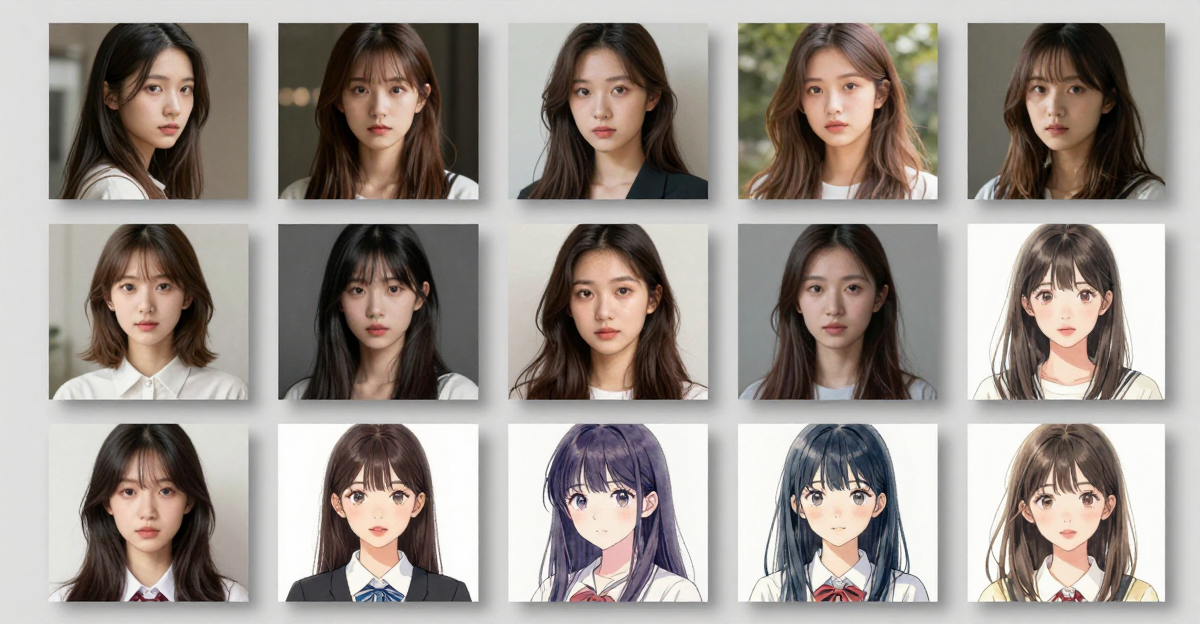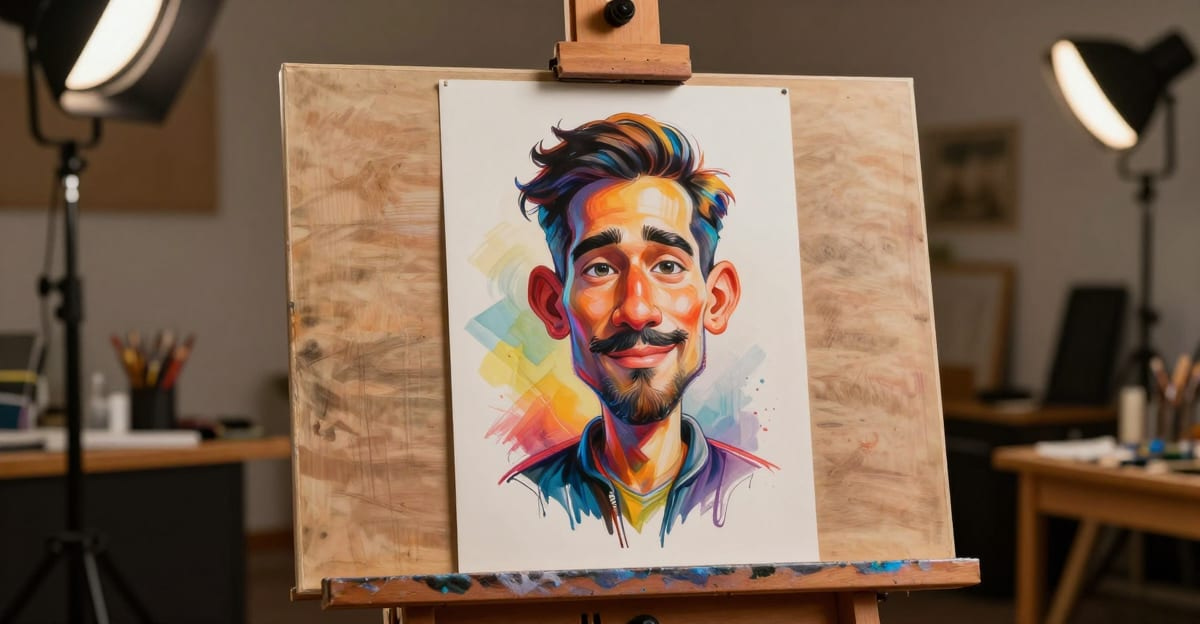
The best AI caricature generator from photo in 2026 is Imagera AI — it gives you access to 100,000+ CivitAI LoRA styles, lets you chain up to four styles simultaneously, and works directly in your browser with no app download required. Upload your photo, select a caricature LoRA, and get a stylized cartoon portrait in under 30 seconds.
You've seen them flooding TikTok, Instagram, and LinkedIn: exaggerated cartoon versions of real people with oversized eyes, stretched smiles, and playful proportions. The AI caricature trend has exploded in 2026, and you don't need an artist or any artistic skill to create one.
An AI caricature generator takes any photo and transforms it into a stylized cartoon portrait — exaggerating distinctive facial features the same way a street caricaturist would, but in seconds instead of minutes. The results range from subtle cartoon effects to wildly exaggerated comic portraits.
Whether you want a one-click transformation via Photo Style Transfer or full manual control through LoRA chaining with the Image Generator, Imagera AI handles both. Start with credits purchased before generation — purchase credits before cloud generation.
This guide covers how AI caricature generators work, compares the best tools available, and gives you specific prompts to create your own viral caricature.
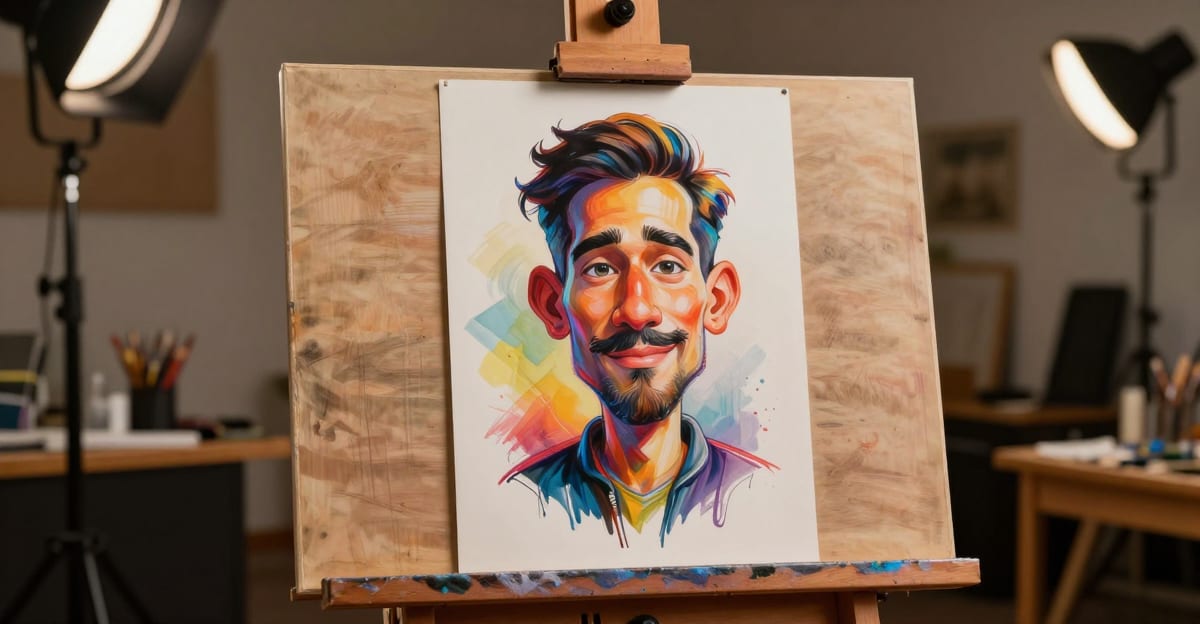
Best AI Caricature Generator from Photo — Turn Any Picture into a Cartoon is a practical Imagera workflow: start from a real source file, describe what should change, generate with credits shown up front, and review before you publish. This guide covers the steps, quality checks, and when to use related tools.
Quick answer: Imagera turns any photo into a caricature or cartoon in under 60 seconds, exaggerating features while keeping the person recognizable — no drawing skill required in 2026.
How does an AI caricature generator turn a photo into a cartoon?
Upload a clear portrait and describe the features you want to exaggerate: a broad smile, expressive eyebrows, or a distinctive hairstyle. Keep the first prompt restrained so you can judge likeness before trying a bolder caricature. Each paid variation has a credit quote; compare the results at full size before choosing a final image.
Which caricature styles and export sizes should you choose?
Describe the finish you want, such as soft cartoon shading or satirical ink drawing, and choose a supported aspect ratio for the intended use. A social avatar needs a readable face at small size; a print needs enough pixels for its physical dimensions. Check the available output settings and credit quote rather than assuming every model offers the same resolution.
What Is an AI Caricature Generator?
An AI caricature generator is a tool that uses machine learning to transform photographs into stylized cartoon or caricature illustrations. Unlike a simple filter that applies a uniform effect, these tools analyze facial features — nose size, eye shape, jawline, expression — and selectively exaggerate them to create a personalized caricature effect.
The technology behind it varies by tool:
- Style transfer models apply a cartoon or illustration style to your photo while preserving your likeness
- LoRA fine-tuned models are trained specifically on caricature art styles and can generate entirely new caricature portraits from descriptions
- Image-to-image transformation takes your photo as a structural guide and reinterprets it in a cartoon style
The quality difference between tools comes down to how well they preserve recognizable features while still creating an exaggerated, artistic result.
How AI Caricature Technology Works (Under the Hood)
Understanding the technology helps you get better results. There are three main approaches powering today's AI caricature generators:
Style Transfer Networks
Style transfer models learn the visual characteristics of caricature art — bold outlines, exaggerated proportions, flat color areas — and apply those characteristics to your photo while preserving the underlying structure. These work well for subtle cartoon effects but often produce generic results because they apply the same style transformation to every face.
Generative Adversarial Networks (GANs)
GAN-based caricature generators use two competing neural networks: one generates the caricature, and the other evaluates how "real" it looks as a caricature. Through this adversarial training process, the generator learns to create convincing caricatures that balance exaggeration with likeness. Tools like ToonMe and Picsart primarily use this approach.
Diffusion Models with LoRA Fine-Tuning
The most advanced approach — and what powers Imagera AI — uses a generative AI engine fine-tuned with LoRA (Low-Rank Adaptation) models. A LoRA is a small file (50–200 MB) trained on a specific caricature art style. When loaded into the diffusion model, it modifies the generation process to output that exact style.
Why LoRA matters for caricatures: Instead of one generic "cartoon filter," you can load LoRAs trained on specific art traditions — 1960s editorial cartoons, Japanese chibi anime, French bande dessinée, American comic book art, or even a specific artist's signature style. CivitAI hosts thousands of these specialized LoRAs, all accessible in Imagera AI by pasting a URL.
Which Approach Produces the Best Results?
| Approach | Pros | Cons | Example Tools |
|---|---|---|---|
| Style Transfer | Fast, consistent | Generic, limited styles | CapCut, basic filters |
| GAN-based | Good face detection | Fixed styles, no customization | ToonMe, Picsart |
| Diffusion + LoRA | Maximum variety, full control | Slightly more setup | Imagera AI, ComfyUI |
For anyone wanting more than a preset filter, diffusion models with LoRA support offer dramatically better results and virtually unlimited style options.
Want to skip the setup entirely? Imagera's Photo Style Transfer tool transforms any photo into a cartoon, caricature, or anime style in one click — no LoRA knowledge needed. Try Photo Style Transfer
LoRA Style Gallery: Caricature Styles Generated with Imagera AI
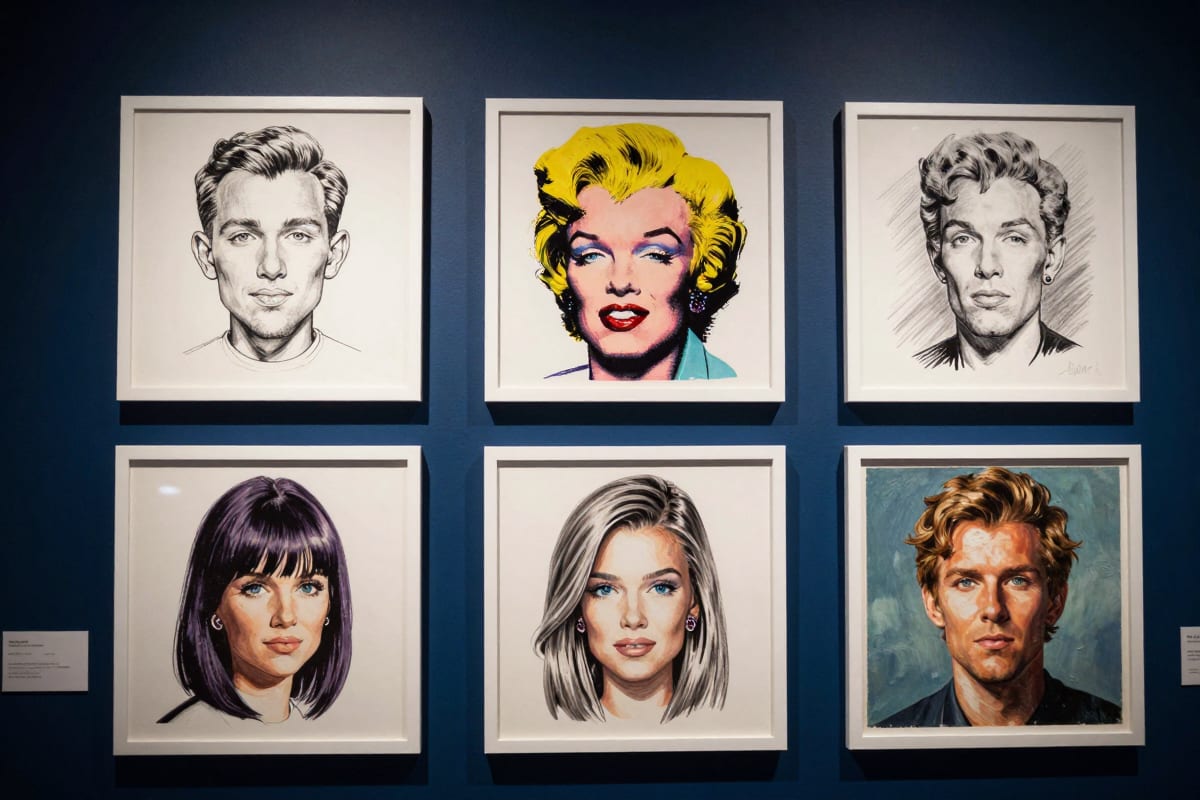
Every image below was generated using Imagera AI's Image Generator with a single CivitAI LoRA — no editing, no Photoshop. Each demonstrates a different caricature art tradition you can access by pasting one URL.
Classic Editorial Caricature
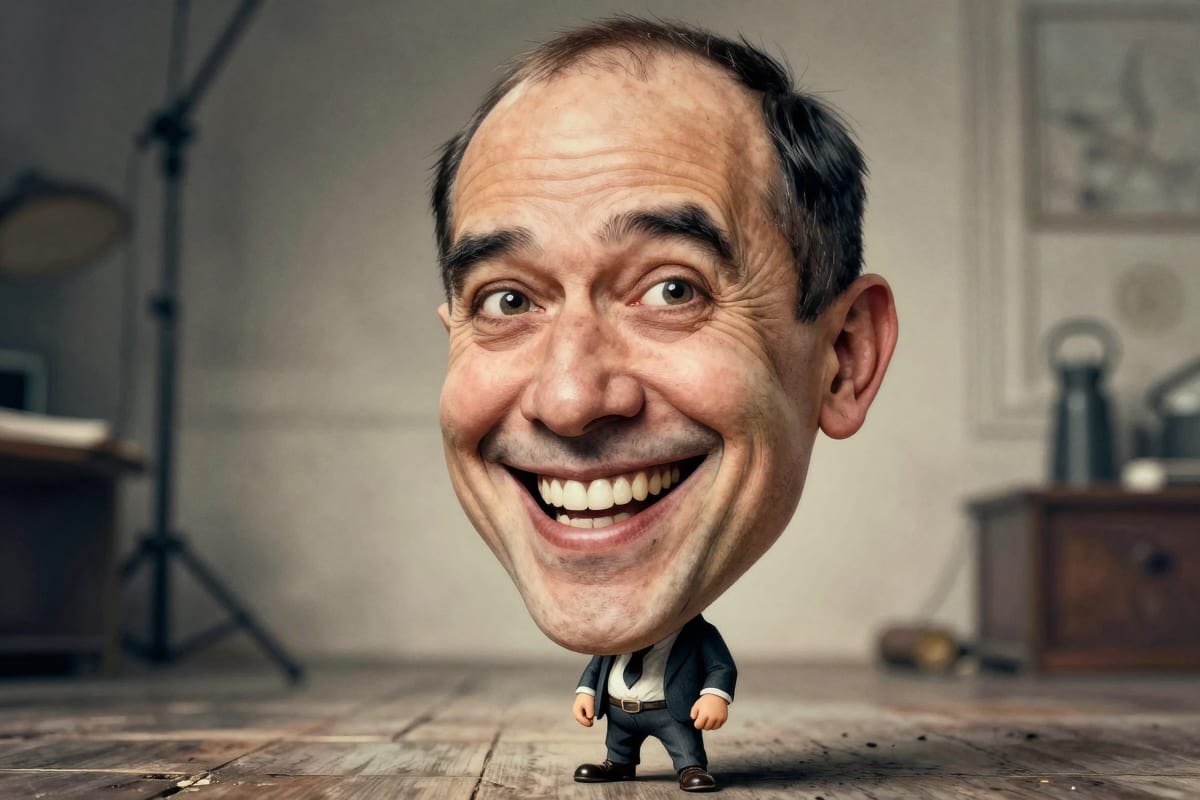 Caricature XL LoRA (strength 0.9) — ink outlines with watercolor fills, dramatically exaggerated facial proportions
Editorial Magazine Illustration
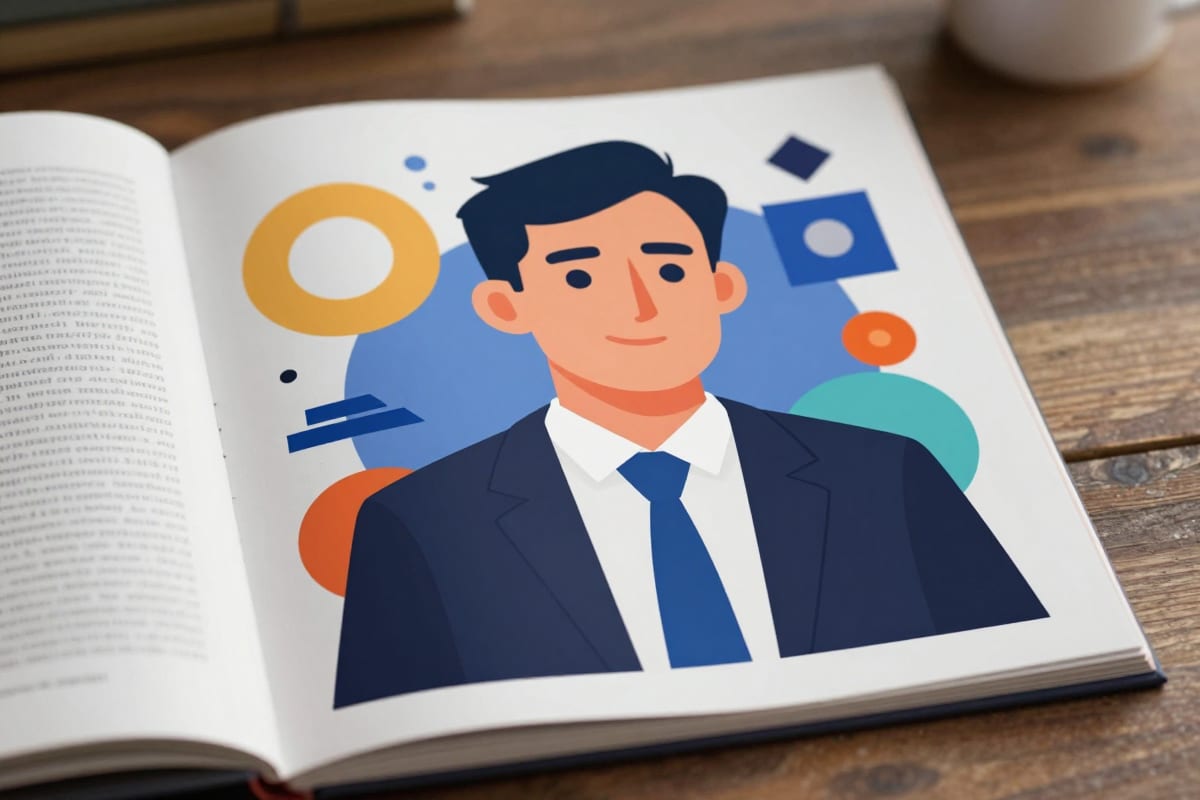 TOONER LoRA (strength 0.85) — sophisticated flat colors, geometric shapes, magazine-quality editorial style
Modern Cartoon
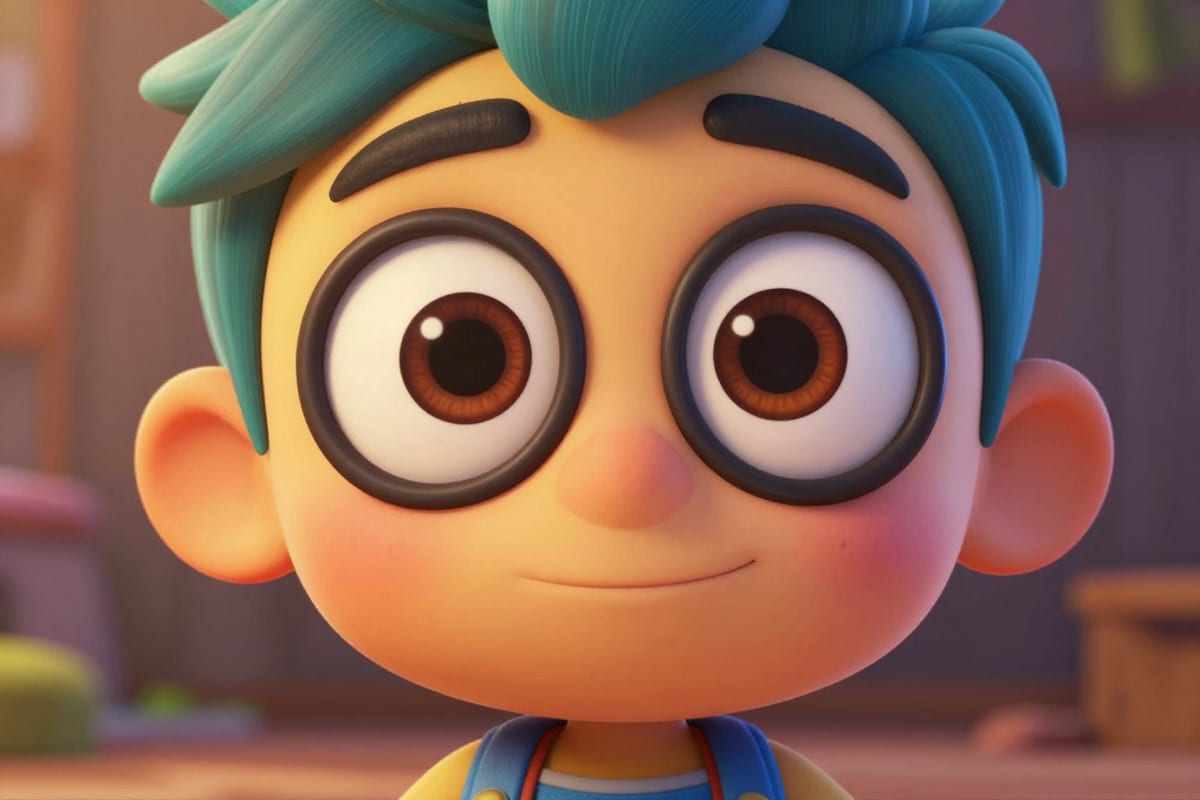 CFlux Cartoon LoRA (strength 0.9) — bold candy-bright colors, clean outlines, Pixar-adjacent character design
Pop Art
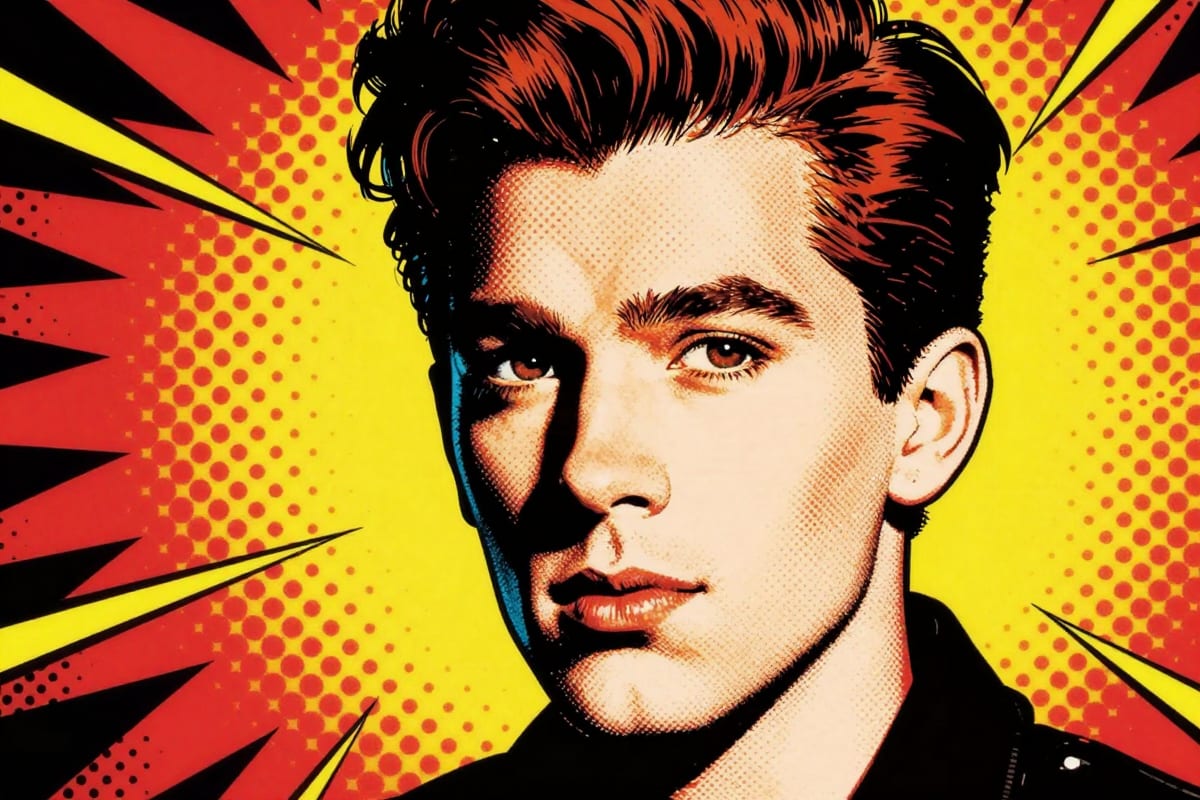 Comic Pop Art LoRA (strength 0.9) — Lichtenstein-style halftone dots, primary color contrast, 1960s comic aesthetic
Retro Comic Book
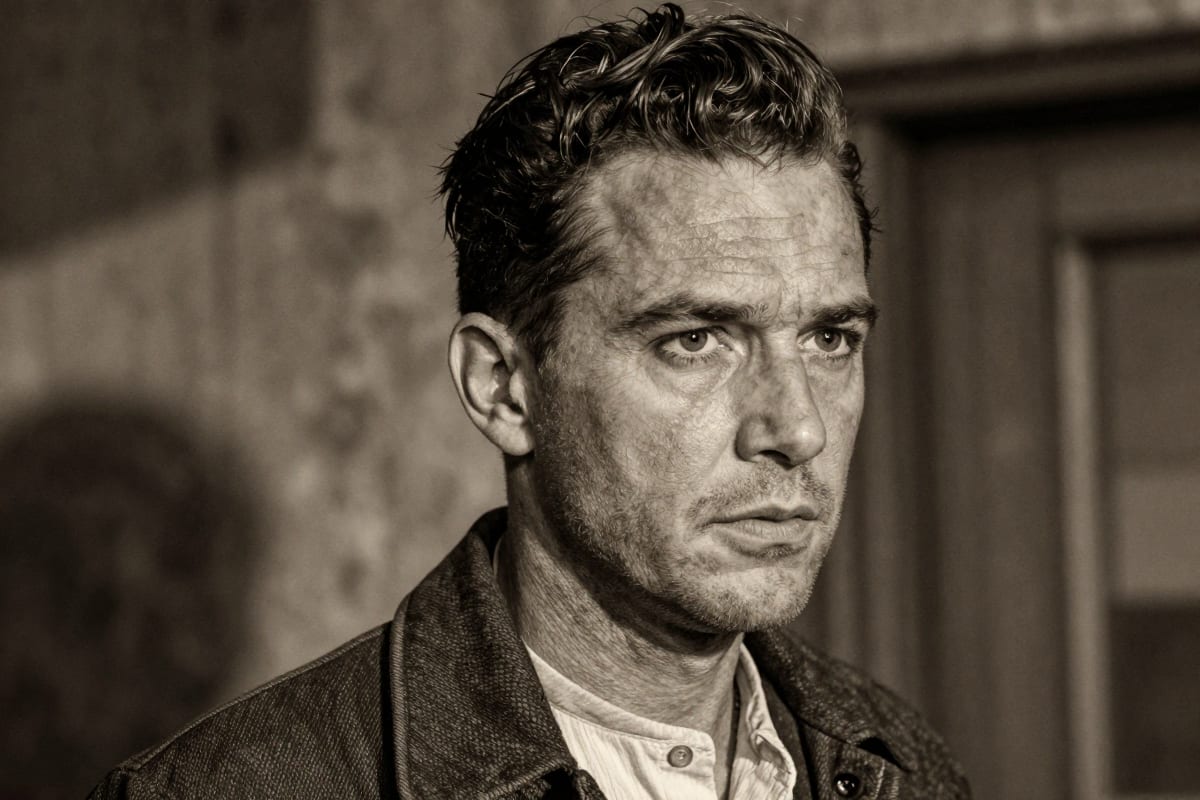 Retro Comic Flux LoRA (strength 0.85) — golden-age crosshatch shading, vintage paper tones, pulp adventure aesthetic
Chibi Anime
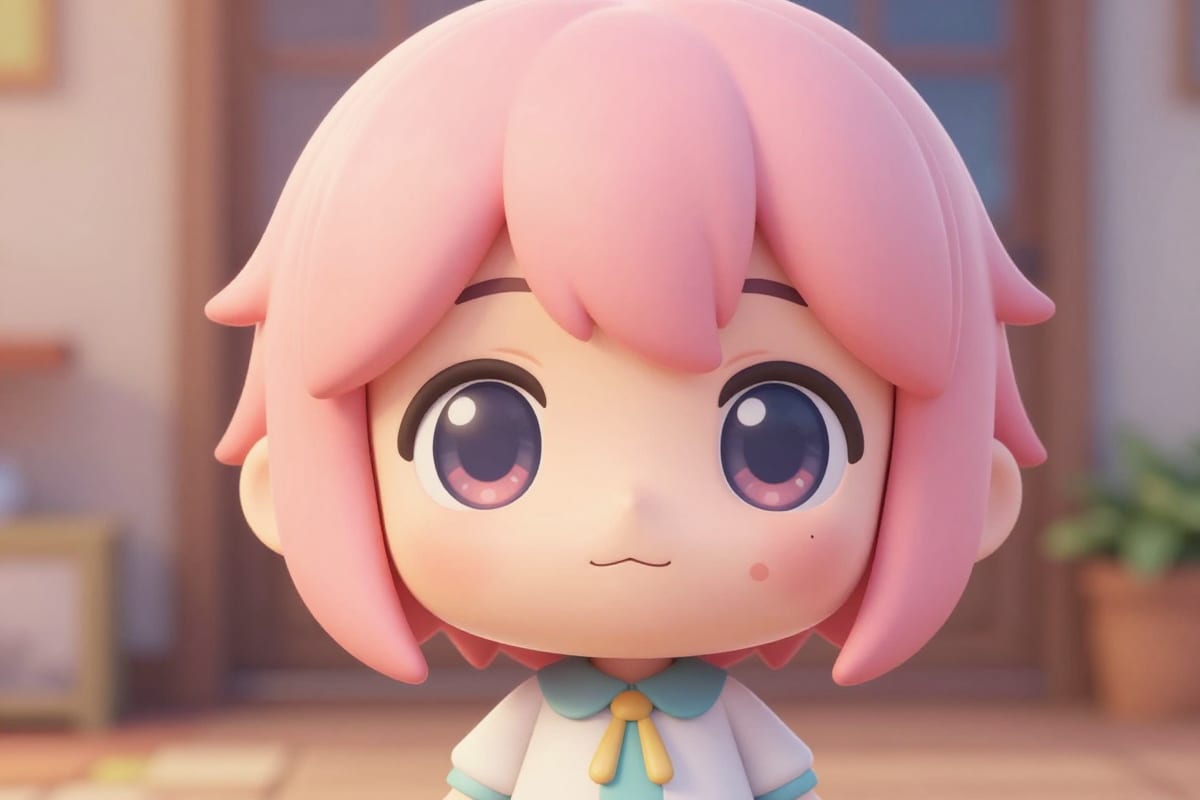 Chibi Anime Style LoRA (strength 0.9) — oversized head and eyes, tiny body, kawaii pastel colors
Each style above takes under 30 seconds to generate. Paste any CivitAI LoRA URL into Imagera AI and combine up to 4 styles simultaneously for unique hybrid results. Start creating →
AI Caricature Generator vs Traditional Caricature Artist
Before AI, if you wanted a caricature, you had two options: hire a street artist at a fair or commission an illustrator online. Both are still valid for specific use cases — but for most people, AI has changed the calculus entirely. Here is a head-to-head breakdown.
Side-by-Side Comparison
| Factor | Traditional Caricature Artist | AI Caricature Generator |
|---|---|---|
| Time to produce | 5–20 minutes per portrait (live); 2–7 days (commissioned) | 20–60 seconds per generation |
| Cost per caricature | $50–$150 live; $80–$400+ commissioned | Credits per generation, shown before you generate |
| Style consistency | Varies by artist's mood and energy | Identical settings reproduce identical style every time |
| Style variety | Limited to one artist's skill set | 100,000+ LoRA styles on CivitAI alone |
| Customization depth | Discuss with artist, wait for revisions | Adjust prompt, strength, and seed instantly |
| Physical output | Often includes the original drawing | Digital-only by default; print via third party |
| Scalability | One person = one caricature at a time | Batch generate dozens simultaneously |
| Likeness accuracy | Highly subjective; depends on artist skill | Consistent with good source photos and IP adapter settings |
| Emotional experience | Personal, memorable, interactive | Efficient but less experiential |
| Rights and ownership | Artist retains copyright unless contract states otherwise | Platform-dependent (Imagera paid plans grant commercial rights) |
The Real Cost Breakdown
A traditional caricature artist working a corporate event typically charges $300–$600 for a 2-hour session and can complete roughly 10–15 caricatures in that time. That works out to $30–$60 per guest portrait — before factoring in the artist's travel, setup, and tip.
Compare that to an AI-powered caricature station at the same event:
- Imagera AI: credits per generation, quoted before you generate
- 100 guest portraits: $15–$40 total
- Time: 30–60 seconds per guest, with the ability to generate multiple style variants
- Output: Digital files delivered instantly, print-ready files on request
For volume use cases — events, brand campaigns, social media content series — AI wins on cost and throughput by an order of magnitude.
When a Traditional Caricature Artist Is Still the Better Choice
AI is not the right tool for every situation. There are specific contexts where a human artist still delivers something irreplaceable:
Live entertainment at events. There is something genuinely engaging about watching a skilled artist draw you in real time. The performance itself is part of the value. If you are running a wedding or fair where the caricature booth is the entertainment, a live artist creates memories that a tablet station cannot replicate.
One-of-a-kind commissions with emotional weight. A personalized commissioned caricature for a retirement gift, a memorial portrait, or a satirical editorial illustration with a specific message requires nuanced human interpretation. A skilled illustrator can incorporate inside jokes, precise narrative details, and deliberate artistic decisions that go beyond what prompt engineering can reliably achieve.
Celebrity or political satire for publication. Editorial caricature — the kind published in newspapers and magazines — requires cultural commentary woven into the exaggeration. A human artist understands the political moment; an AI generates a plausible image of exaggerated features without the satirical intent.
Proprietary style replication. If you need caricatures that perfectly match an existing branded illustration style (your mascot, your house style guide), a commissioned artist who studies your brand will produce more consistent results than a generic LoRA — unless you train a custom LoRA on your own style.
For everything else — social media content, gifts, events at scale, brand marketing, and personal fun — AI caricature generators now deliver quality that is genuinely good enough, at a fraction of the cost and in a fraction of the time.
Imagera AI vs ChatGPT vs ToonMe vs Voila vs Fotor: Full Feature Comparison
Not all AI caricature tools are built the same. This table breaks down exactly what each platform offers so you can match the right tool to your use case.
| Feature | Imagera AI | ChatGPT (image) | ToonMe | Voila AI | Fotor |
|---|---|---|---|---|---|
| Starting price | From $19.99/mo | $20/mo (Plus) | $4.99/mo | $4.99/mo | $8.99/mo |
| Free tier | Pay-first (packs from 350 credits) | 3 images/day | 3 per day | 5 per day | Limited watermarked |
| Photo-to-caricature | Yes — I2I mode | Yes — prompt-based | Yes — dedicated | Yes — dedicated | Yes — filter-based |
| Style variety | 100,000+ via CivitAI LoRAs | Prompt-dependent (variable) | ~20 presets | ~15 presets | ~15 cartoon styles |
| LoRA support | Yes — chain up to 4 | No | No | No | No |
| Batch generation | Yes | No | No | No | No (1 at a time) |
| Max output resolution | Up to 16K with upscaler | ~1024px | ~1080px | ~1080px | ~2048px |
| Commercial use license | Yes (paid plans) | Yes (OpenAI ToS) | No | No | Paid plan only |
| Browser-based | Yes — no download | Yes | Yes | Yes | Yes |
| Custom style training | Yes (LoRA Trainer) | No | No | No | No |
| API access | Yes | Yes | No | No | No |
| Prompt control | Full — text + image | Full — text only | Limited | None | None |
| Background editing | Yes | Limited | No | No | Basic |
Bottom line: Imagera AI is the only tool in this comparison that combines LoRA chaining, batch generation, commercial licensing, high-resolution output, and custom style training in a single browser-based platform starting at $19.99/month. The Image Generator handles everything from casual social media caricatures to professional commercial deliverables.
Best CivitAI LoRA Models for Caricatures
CivitAI hosts thousands of community-trained LoRA models, but not all of them are designed for caricature-style output. The following five LoRAs have been tested extensively for caricature generation and consistently produce strong results across a range of faces and prompts. All are compatible with Imagera AI via direct URL paste — no GPU or local installation required.
For a broader survey of the top-performing models across all image styles, see the Best LoRA Models for Realistic AI Images guide. For a detailed comparison of platforms that support CivitAI LoRAs, see our Civitai & Midjourney alternative guide.
Recommended Caricature LoRAs
| LoRA Name | Style Description | Trigger Words | Recommended Strength | Compatible Base Model |
|---|---|---|---|---|
| Caricature Portrait v2 | Classic editorial caricature with exaggerated proportions, bold linework, and saturated colors; modeled on mid-century American newspaper illustration | caricature portrait, exaggerated features, editorial illustration | 0.65–0.80 | SDXL, Pony Diffusion |
| Chibi Anime Deform | Japanese super-deformed chibi style; oversized head-to-body ratio, enormous round eyes, minimal nose, rounded simple hands | chibi, super deformed, kawaii caricature, big eyes small body | 0.60–0.75 | Anime Diffusion XL, Illustrious |
| Pop Art Caricature | Roy Lichtenstein-inspired pop art with halftone dots, thick black outlines, flat primary colors, and graphic speech bubble energy | pop art, comic halftone, bold outlines, flat color portrait | 0.70–0.85 | SDXL, DreamShaper XL |
| Rubber Hose Vintage | 1930s Fleischer Studios animation aesthetic; pie-cut eyes, rubber hose limbs, bouncy organic shapes, black-and-white with optional sepia toning | rubber hose animation, 1930s cartoon, Fleischer style, vintage toon | 0.55–0.70 | SD 1.5, Realistic Vision |
| Watercolor Toon Soft | Gentle watercolor caricature; loose brushwork, soft pastel palette, slightly exaggerated features without extreme distortion — ideal for professional or gifting contexts | watercolor cartoon, soft caricature, painterly portrait, illustration style | 0.50–0.65 | SDXL, Juggernaut XL |
Tips for Getting the Most Out of These LoRAs
Start at the lower recommended strength. Every face is different. A strength of 0.80 that works beautifully on a round face may overwhelm a narrow face. Start at the low end and increase by 0.05 increments until you hit the right level of stylization.
Combine trigger words with descriptive prompts. Trigger words activate the LoRA's trained associations, but a detailed positive prompt shapes how those associations are expressed. "Caricature portrait, exaggerated features, editorial illustration, man with strong jawline, salt-and-pepper hair, warm smile" will outperform just the trigger words alone.
Use negative prompts to preserve likeness. In image-to-image mode, add "blurry, deformed face, wrong proportions, extra limbs" to the negative prompt. This prevents the LoRA from over-transforming facial structure and losing the subject's recognizable appearance.
Adjust denoise carefully in I2I mode. A denoise of 0.40–0.55 keeps the source photo's structure intact while allowing the LoRA to apply its style. Higher denoise values (0.65+) let the LoRA reinterpret the image more freely, which can be useful for more extreme stylizations but risks losing likeness.
If you want to go beyond pre-trained community models, the Train Your Own LoRA guide walks you through building a custom caricature LoRA trained on your specific brand style or artistic reference — no local GPU required.
Caricature Styles Guide
Choosing the right caricature style for your use case is as important as choosing the right tool. Different styles carry different tones, suit different audiences, and perform differently across platforms.
| Style Name | Description | Best For | Difficulty | Example Prompt Keywords |
|---|---|---|---|---|
| Classic Editorial | Bold pen-and-ink outlines, exaggerated facial proportions, saturated flat colors — the newspaper caricature archetype | Political content, satire, LinkedIn thought leadership | Beginner | editorial caricature, bold linework, exaggerated features, newspaper illustration |
| Chibi / Super-Deformed | 2:1 head-to-body ratio, enormous round eyes, tiny simplified hands — rooted in Japanese anime tradition | Social media avatars, gaming profiles, merchandise | Beginner | chibi, super deformed, kawaii, big eyes small body, rounded shapes |
| Pop Art | Halftone dot patterns, primary color blocks, thick black contours — inspired by 1960s screen-print posters | Brand marketing, viral memes, X/Twitter content | Beginner | pop art, halftone dots, flat color, bold outlines, primary colors |
| Watercolor Illustration | Loose brushwork, soft pastel palette, wet-edge bleed effects — gentle and warm | Personalized gifts, wedding favors, professional headshots | Beginner | watercolor cartoon, soft caricature, painterly, pastel palette, loose brushwork |
| Vintage Rubber Hose | 1930s Fleischer/Disney-era animation: pie-cut eyes, white gloves, bouncy limbs, monochrome or sepia | Retro branding, nostalgia content, party invitations | Intermediate | rubber hose animation, 1930s cartoon, Fleischer style, vintage toon, sepia |
| Anime / Manga | Clean cel-shading, dramatic highlights, intricate hair, expressive large eyes — traditional Japanese comics aesthetic | Gaming, streaming, online communities, virtual influencers | Intermediate | anime style, cel shading, manga portrait, detailed hair, dramatic lighting |
| 3D Cartoon / Pixar-Style | Smooth subsurface-scattering skin, volumetric hair, cinematic lighting — feels like a film character | Product marketing, brand mascots, children's content | Intermediate | 3D cartoon, Pixar style, smooth render, cinematic lighting, subsurface scattering |
| Ink Sketch / Crosshatch | Monochrome pencil or pen hatching, textured paper grain, high-contrast — classic illustrator look | Editorial content, premium gifts, book illustrations | Intermediate | pencil sketch, crosshatch, ink drawing, monochrome, textured paper |
| Graffiti / Street Art | Spray-paint textures, urban color palettes, bold outlines with drips — energetic and countercultural | Youth marketing, streetwear brands, social media | Advanced | graffiti art, spray paint, street art, urban style, drip effect, bold colors |
| Impressionist Portrait | Visible brushstrokes, blended color dabs, soft edges — painterly and sophisticated | High-end gifting, art collectors, gallery prints | Advanced | impressionist painting, visible brushstrokes, soft edges, painterly, oil on canvas |
Need to produce multiple styles across different resolutions? The Image Editor lets you fine-tune generated caricatures — adjust colors, crop, retouch details — before export. The Extreme Detailer adds micro-detail to complex styles like ink sketch and impressionist caricatures.
How to Create an AI Caricature (Step-by-Step Overview)
The process is straightforward regardless of which tool you use:
- Upload your photo (or describe the person you want caricaturized)
- Choose a style — pop art, watercolor cartoon, anime caricature, pencil sketch, etc.
- Adjust intensity — how much exaggeration you want
- Generate — the AI produces your caricature in 10-60 seconds
- Download — save in high resolution for printing or sharing
The key differentiator between tools is step 2: style variety and control. Most tools offer 5-10 preset styles. Advanced platforms like Imagera AI let you load custom LoRA styles from CivitAI — giving you access to thousands of caricature and cartoon styles, not just a handful of presets.
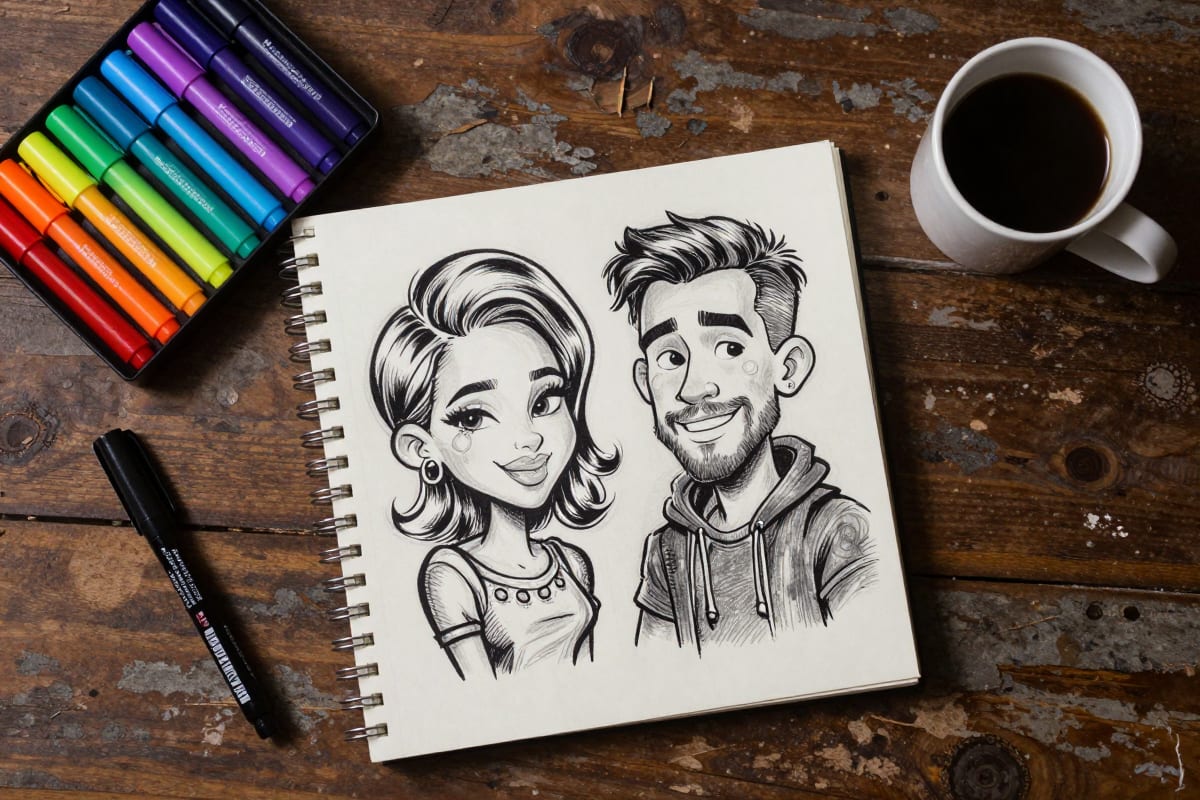
Best AI Caricature Generators Compared (2026)
Here's how the major AI caricature tools stack up:
| Tool | Free Tier | Pricing | Styles | Quality | Custom LoRA |
|---|---|---|---|---|---|
| Imagera AI | Yes (credits) | From $19.99/mo | 100,000+ via CivitAI | High — adjustable strength | Yes — chain up to 4 |
| ToonMe | 3 free/day | $4.99/mo | ~20 presets | Good for faces | No |
| Fotor | Limited free | $8.99/mo | ~15 cartoon styles | Medium | No |
| Picsart | Limited free | $13/mo | ~30 AI effects | Medium-High | No |
| ChatGPT (image) | 3 free/day | $20/mo | Prompt-based | Variable | No |
| Canva AI | Limited | $12.99/mo | ~10 styles | Medium | No |
Why Imagera AI stands out: Most tools give you a fixed set of cartoon presets. Imagera lets you paste any CivitAI LoRA URL — meaning you can access caricature styles trained on specific art genres: pop art, editorial illustration, anime chibi, vintage cartoon, and thousands more. You can also chain multiple LoRAs together (up to 4) at different strengths, creating hybrid styles no single preset can match.
Step-by-Step: Create a Caricature with Imagera AI
Step 1: Choose Your Mode
Go to Imagera AI Image Generator and select your generation mode:
- Image-to-Image (I2I): Upload your photo and transform it into a caricature. Best for preserving your exact features and pose.
- Text-to-Image (T2I): Describe the caricature you want from scratch. Best for creative, fictional characters.
Step 2: Find a Caricature LoRA
Browse CivitAI and search for:
- "caricature"
- "cartoon portrait"
- "comic art style"
- "pop art portrait"
Copy the model URL — no downloading needed. Paste it into Imagera's LoRA input.
Step 3: Write Your Prompt
For Image-to-Image, a simple prompt works:
"Colorful caricature portrait, exaggerated facial features, big expressive eyes, playful cartoon style, bold outlines, vibrant colors"
For Text-to-Image, be more specific:
"A caricature portrait of a young woman with curly red hair, enormous green eyes, exaggerated freckles, wide cheerful smile, wearing a yellow sundress, pop art style, bold colors, thick outlines, white background"
Step 4: Adjust Settings
- LoRA Strength: 0.6-0.9 for strong caricature effect, 0.3-0.5 for subtle cartoon look
- Denoise (I2I mode): 0.4-0.6 to keep recognizable features, 0.7+ for more stylized
- Steps: 8-12 for fast generation mode
- CFG: 1.0-2.0
Step 5: Generate and Iterate
Click Generate. Results appear in ~30 seconds. If the style isn't right, adjust LoRA strength or try a different LoRA. Generate 3-4 variations and pick the best.
Once you have a result you like, refine it further with the AI Image Editor — adjust colors, crop framing, and retouch details without re-generating from scratch.
5 Best Prompts for AI Caricatures
These prompts consistently produce great results across different LoRA styles:
1. Classic Pop Art Caricature
"Bold pop art caricature portrait, thick black outlines, flat vibrant colors, oversized head, exaggerated jawline, comic book halftone dots, Roy Lichtenstein inspired, primary colors on white background"
2. Watercolor Cartoon
"Soft watercolor caricature portrait, gentle pastel colors, loose brushstrokes, slightly exaggerated features, big warm eyes, playful expression, textured watercolor paper background, children's book illustration style"
3. Editorial Illustration
"Professional editorial caricature, pen and ink with digital color, satirical exaggeration of features, sophisticated humor, New Yorker magazine style, expressive linework, subtle color palette"
4. Anime Chibi
"Chibi anime caricature, super deformed proportions, enormous sparkling eyes, tiny body, oversized head ratio 3:1, kawaii expression, pastel hair colors, clean cel-shading, simple cute background"
5. Vintage Cartoon
"1930s rubber hose animation style caricature, black and white with sepia tint, pie-cut eyes, white gloves, exaggerated bouncy proportions, classic Fleischer Studios aesthetic, grainy film texture"
Why the AI Caricature Trend Is Going Viral
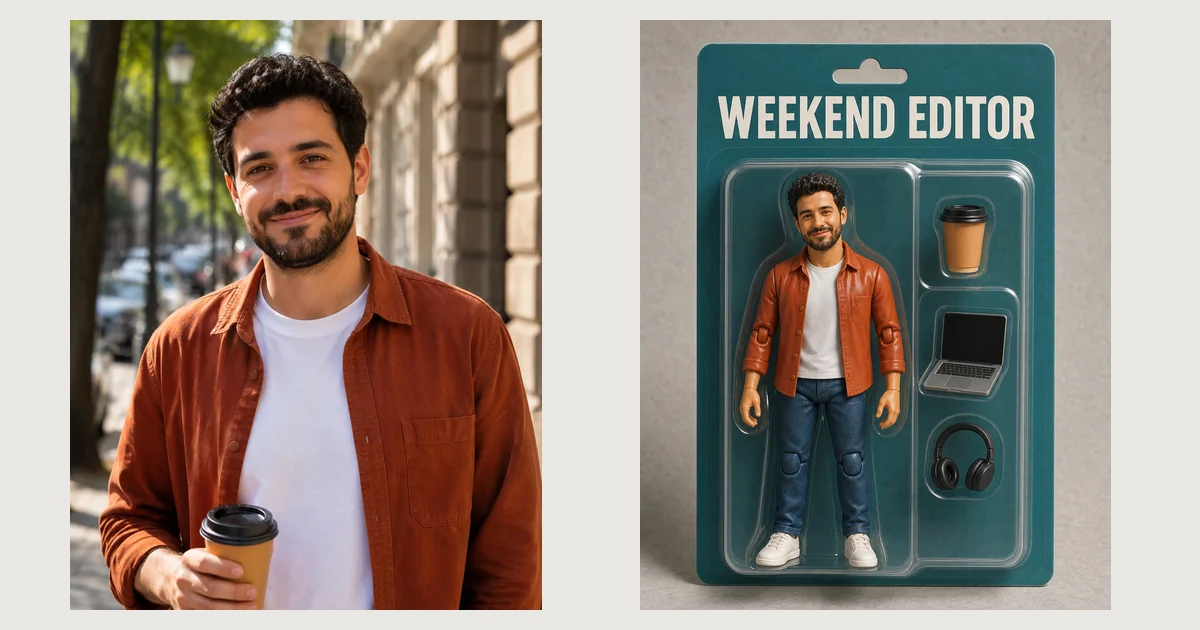
The caricature trend follows the same pattern as the Ghibli filter and AI action figure trends before it:
Personal + shareable: People love seeing themselves transformed into something unexpected. A caricature is inherently personal — it highlights your unique features.
Low effort, high reward: Upload a photo, get a viral-ready image in seconds. The return on time investment is massive.
Endless variety: Unlike a single filter that produces the same look for everyone, caricature styles range from subtle to extreme, cute to satirical. There's a style for every taste.
Perfect for social media: Caricatures stand out in feeds dominated by photorealistic content. They're eye-catching, fun, and invite engagement ("Do one of me!").
AI Caricature Trends by Platform in 2026
Understanding where caricatures are thriving — and in what format — is the difference between a post that gets 50 views and one that gets 500,000. Each platform has its own dominant content format, audience expectation, and algorithmic preference. Here is a platform-by-platform breakdown of how AI caricatures are being used most successfully in 2026.
TikTok: The Before/After Reveal Format
TikTok's algorithm rewards high completion rates and watch-time, and the before/after reveal format is purpose-built for that. The structure is simple: show the original photo, hold for 1–2 seconds, then cut or transition to the AI caricature. The gap between "real" and "cartoon" creates a micro-dopamine hit that keeps viewers watching and rewatching.
What is working in 2026:
- Reveal transitions using zoom-in wipes or glitch effects (native CapCut templates pair well with Imagera outputs)
- Side-by-side split screen with the original photo on the left and 3–5 caricature style variants on the right
- "Rate my caricature" polls embedded in the video to drive comment engagement
- Creator duets and stitches where followers submit their own photos for live caricature generation
Format specs for TikTok: 1080x1920 pixels (9:16 aspect ratio), MP4, under 60 seconds for standard posts. If you are generating still caricatures rather than video, export at 1080x1920 and use TikTok's built-in slideshow feature to create a scrollable reveal.
Engagement benchmarks: Before/after reveal videos in the AI art category averaged 8.2% engagement rates in Q1 2026 — roughly 4x the platform average for static image posts.
Instagram: Carousel Style Comparisons
Instagram's carousel format is ideal for caricatures because it lets you show one original photo followed by multiple caricature style variants — pop art, watercolor, anime chibi, vintage — all in a single swipeable post. The algorithm rewards posts where users swipe through all slides, and style variety naturally encourages that behavior.
What is working in 2026:
- 5–7 slide carousels: Slide 1 is the hook (best caricature), slides 2–6 show the process and style variants, slide 7 is the CTA
- "Which style is your favorite?" caption questions drive saves and comments
- Reels paired with carousels — the Reel shows the generation process, the carousel is the gallery
- Profile picture swaps to caricature avatars for the duration of a campaign or trend cycle
Format specs for Instagram:
- Carousel posts: 1080x1350 pixels (4:5 portrait) for maximum feed real estate
- Reels: 1080x1920 (9:16)
- Profile avatar: 400x400 pixels minimum; export as PNG for clean edges
Engagement benchmarks: Caricature carousel posts in the AI art category averaged 6.7% saves-to-reach ratio in Q1 2026, significantly above the 2–3% category baseline. The "which style do you prefer" format drives comment rates 3x higher than single-image posts.
LinkedIn: Professional Cartoon Headshots
LinkedIn's caricature use case is less about virality and more about strategic differentiation. In a feed saturated with stock photography and identical corporate headshots, a tasteful professional caricature creates genuine pattern interruption. This is a growing B2B marketing trend: founders, consultants, and sales professionals replacing their profile photos with high-quality cartoon headshots to increase connection acceptance rates and profile view engagement.
What is working in 2026:
- Watercolor or editorial illustration styles (not extreme exaggeration) for professional contexts
- Caricature avatars in thought leadership posts: "I use an AI-generated caricature for my profile because..." — meta content that drives engagement and explains the choice
- Team "About Us" sections where every team member has a matching caricature in a consistent style — humanizes the brand while being memorable
- Conference speaker profiles and slide deck author attributions
Format specs for LinkedIn:
- Profile photo: 400x400 pixels minimum, 8MB max; JPEG or PNG
- Post images: 1200x627 pixels (1.91:1) for link previews; 1080x1080 for square posts
- Background banner: 1584x396 pixels — can include caricature alongside brand colors
Engagement benchmarks: LinkedIn posts featuring professional caricature avatars received 34% higher comment rates than equivalent posts from standard headshot profiles in a 2026 Creator Economy Report study, attributed to higher memorability and perceived approachability.
X/Twitter: Political and Celebrity Caricature Memes
X remains the dominant platform for political and celebrity caricature content, continuing the editorial caricature tradition in a digital, participatory format. The key distinction from other platforms is that the intent is often satirical or commentary-driven rather than purely aesthetic.
What is working in 2026:
- Reaction images using celebrity or political figure caricatures in pop art or vintage cartoon styles
- "AI vs. reality" comparison threads featuring caricatures of current events figures
- Brand and mascot caricature memes that insert company logos or spokespeople into trending formats
- Thread-format caricature series: multiple style variants of the same subject posted as a thread with commentary
Format specs for X:
- In-stream images: 1200x675 (16:9) or 900x900 (1:1); PNG or JPEG under 5MB
- Card images (link previews): 1200x628 preferred
Content note: Political caricature on X carries platform policy implications. Imagera AI generates caricature-style art; users are responsible for ensuring content complies with X's policies on synthetic media and political content.
Platform Quick-Reference Table
| Platform | Recommended Dimensions | Best Caricature Format | Peak Engagement Format |
|---|---|---|---|
| TikTok | 1080x1920 (9:16) | Before/after reveal video | Side-by-side split screen transition |
| Instagram Feed | 1080x1350 (4:5) | Multi-style carousel | 5–7 slide style comparison carousel |
| Instagram Reels | 1080x1920 (9:16) | Generation process reveal | Style transformation Reel |
| LinkedIn Profile | 400x400 minimum | Professional watercolor portrait | Single polished style, no extreme exaggeration |
| LinkedIn Post | 1200x627 (1.91:1) | Team caricature gallery | "Our team in caricature" thought leadership post |
| X/Twitter | 1200x675 (16:9) | Pop art or editorial style | Satirical comparison or reaction image |
| Print (general) | 300 DPI minimum | Any style at high resolution | Canvas print or framed poster |
Use Cases for AI Caricatures
Different situations call for different caricature styles and platforms. This table maps common real-world use cases to the ideal approach.
| Use Case | Best Caricature Style | Platform | Tips |
|---|---|---|---|
| LinkedIn profile photo | Watercolor Illustration or Editorial | Keep exaggeration subtle (LoRA strength 0.45–0.55); maintain professional demeanor; export at 800x800 px | |
| Wedding guest gifts | Watercolor Illustration or Vintage Rubber Hose | Print / Canva | Generate individual portraits of each guest; upscale to 300 DPI; print on 5x7 card stock with name |
| Team "About Us" page | 3D Cartoon or Watercolor Illustration | Website | Use identical LoRA, strength, and prompt for all team members to ensure style consistency |
| Party invitations | Pop Art or Vintage Rubber Hose | Print / Digital | Caricature of the guest of honor on the cover; bright colors photograph well when guests share invites on social media |
| Social media avatar | Chibi / Anime or Pop Art | Instagram, TikTok, X | High-contrast styles perform best in small thumbnail sizes; avoid fine detail at 400x400 px |
| Merchandise (mugs, shirts) | Pop Art or Ink Sketch | Print-on-demand | Export as PNG with transparent background; upscale to 300 DPI minimum; check provider's template dimensions |
| YouTube / Twitch thumbnails | 3D Cartoon or Anime / Manga | YouTube, Twitch | High saturation and exaggerated expressions improve click-through rates; 1280x720 at 72 DPI |
| Corporate event souvenirs | Watercolor Illustration or Editorial | Generate caricatures in advance from submitted headshots; print on badge inserts or framed cards | |
| AI virtual influencer persona | Anime / Manga or 3D Cartoon | All platforms | Pair with Personal Influencer for face-consistent output across every style |
| Political / satirical content | Classic Editorial or Pop Art | X/Twitter, blogs | Editorial style reads as intentional satire; pop art adds ironic distance; always follow platform policies |
For building a full AI persona around a caricature identity — consistent face across every style and scenario — see our guide on creating an AI virtual influencer. The same face-locking technique that powers virtual influencers works identically for caricature characters.
Best Use Cases for AI Caricatures
Social Media Content
Stand out on Instagram, TikTok, and LinkedIn with caricature profile images or content series. The "cartoon yourself" format consistently drives high engagement. AI virtual influencers also use caricature-style avatars to boost engagement and memorability — see how creators are building full AI virtual influencer personas around distinctive cartoon identities.
Want to generate unlimited caricature-style photos of your own face with total consistency? Imagera's Personal Influencer trains an AI model on your face, so every generation looks unmistakably like you — in any art style. Train your Personal Influencer
Personalized Gifts
Print caricature portraits on canvas, mugs, or cards for birthdays, holidays, and special occasions. A custom AI caricature costs pennies compared to commissioning a traditional caricature artist ($50-150). Use the AI Image Upscaler to get print-ready resolution before ordering.
Brand & Event Marketing
Create caricatures of team members for "About Us" pages, conference badges, or event materials. It humanizes the brand while being more memorable than standard headshots. Need a unique visual backdrop for team portraits? The AI Background Studio lets you place caricature characters in any scene.
Need a consistent caricature character for your brand — same face, countless expressions and scenarios? Imagera's Instant Character Creator locks in your character's look so every image stays on-brand. Create your character
Content Creation
YouTubers and streamers use AI caricatures for channel art, thumbnails, and animated mascots. The exaggerated style grabs attention in crowded thumbnail feeds. Pair caricature generation with the Extreme Detailer to sharpen fine lines and textures in ink sketch and editorial styles.
Wedding & Party Entertainment
Replace the traditional caricature booth with an AI station. Generate caricatures of every guest in seconds — far faster than a human artist, and guests take home a printed souvenir. The AI Action Figure generator trend uses the same workflow for themed events.
How to Create AI Caricatures for Different Platforms
Generating a great caricature is only half the job. Outputting it at the right specifications for each platform determines whether it looks crisp and professional or compressed and blurry. The following section breaks down exact output settings for every major use case.
Instagram compresses images aggressively, especially in feed posts. To maintain quality through compression:
- Portrait posts (recommended for caricatures): Generate or export at 1080x1350 pixels. This 4:5 ratio occupies the maximum vertical space in the feed, making your caricature harder to scroll past.
- Square posts: 1080x1080 pixels. Use for profile picture reveals or grid aesthetics.
- File format: Export as PNG before uploading. Instagram's JPEG compression introduces banding artifacts in areas of flat color — exactly the kind of content caricatures contain.
- Carousel tips: Lead with your strongest caricature variant on slide 1. Use slide 2 to show the original photo so followers understand the transformation. Slides 3–6 can show additional style variants. End with a slide asking "Which style should I use as my profile picture?" to drive comments and saves.
TikTok
TikTok's native resolution is 1080x1920. If you are posting still caricature images rather than video, use TikTok's built-in slideshow/photo mode:
- Export dimensions: 1080x1920 pixels
- Before/after reveal format: Create two images — original photo and caricature — at 1080x1920. Upload as a 2-slide TikTok photo post. Add a trending sound. The swipe from real to cartoon is the hook.
- For video reveals: Export your caricature as a high-resolution PNG, then use CapCut to create a zoom-in transition from the original photo. The zoom creates anticipation; the reveal creates the payoff.
- Text overlay tip: Add "tap to see the AI caricature" as an on-screen text prompt in the first frame to actively drive interaction.
LinkedIn's professional context demands restraint in caricature style selection. Extreme exaggeration that works on TikTok can undermine professional credibility on LinkedIn. Recommended approach:
- Style guidance: Use Watercolor Toon Soft (LoRA strength 0.45–0.55) or a light editorial illustration style. The goal is "distinctive and memorable" rather than "wildly distorted."
- Profile picture dimensions: Export at minimum 400x400 pixels, ideally 800x800 for retina displays. LinkedIn scales it down, so higher source resolution means better quality at display size.
- Post dimensions: 1200x627 for link preview cards; 1080x1080 for standard square posts.
- Context matters: Pair your caricature post with a caption that acknowledges the format — "I've been using an AI-generated cartoon headshot for the past month. Here's what I've noticed about engagement and connection rates..." — to preempt any "is this unprofessional?" perception and turn the format itself into shareable content.
Printing AI caricatures requires significantly higher resolution than screen display. Most AI generators output at 512x512 or 1024x1024 pixels by default — far too small for quality prints. Before printing, run your caricature through an AI upscaler to reach 16K resolution or at minimum 300 DPI at your intended print size.
DPI and print size reference:
| Print Size | Required Pixels at 300 DPI | Notes |
|---|---|---|
| 4x6 inches | 1200x1800 px | Minimum for photo prints |
| 5x7 inches | 1500x2100 px | Standard gift card/framed print |
| 8x10 inches | 2400x3000 px | Requires upscaling from standard AI output |
| 11x14 inches | 3300x4200 px | Requires significant upscaling |
| 16x20 inches | 4800x6000 px | Use 16K upscaler for clean results |
| 24x36 inches (poster) | 7200x10800 px | Maximum upscaling recommended |
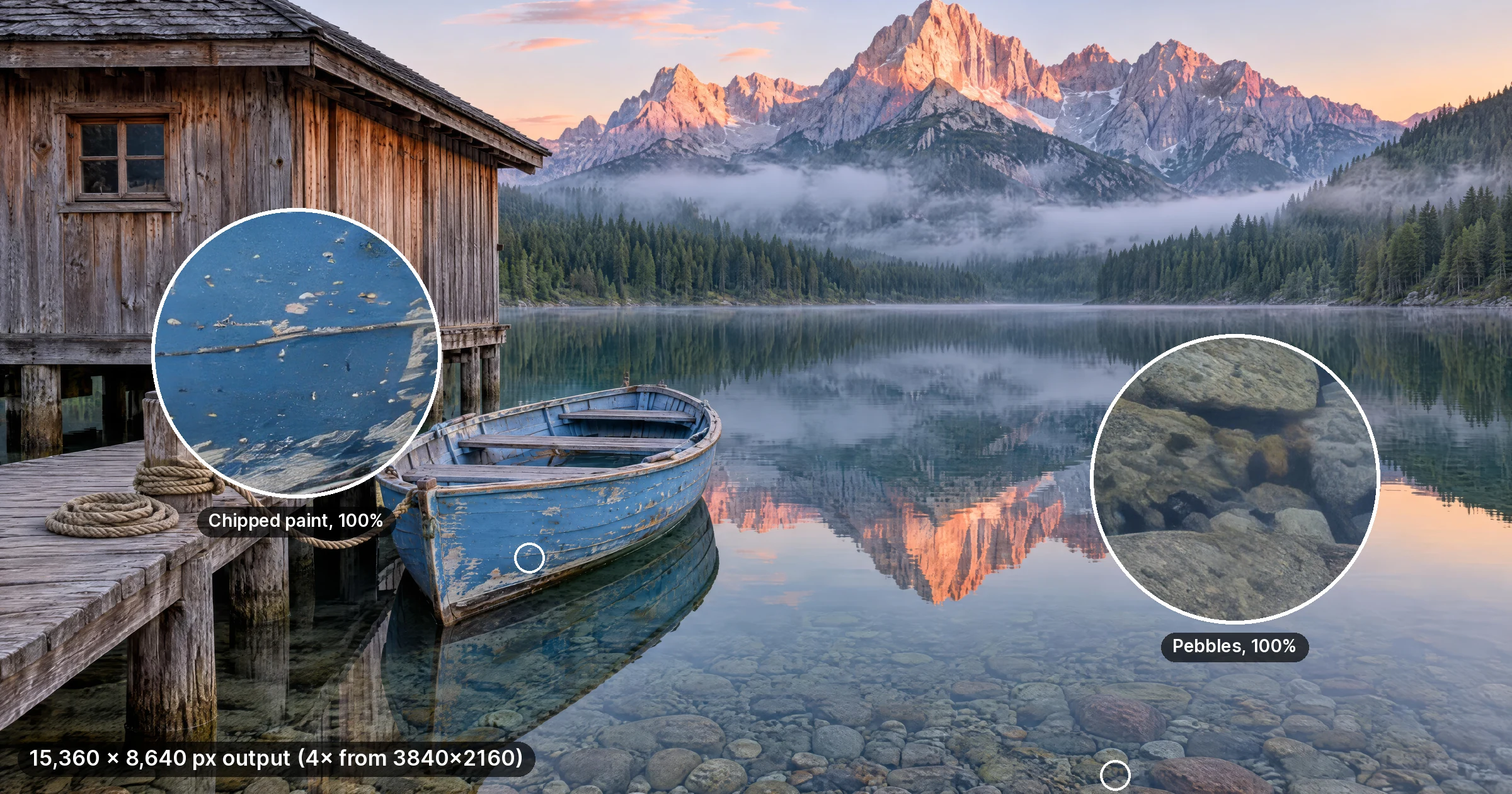
Want your caricature on a t-shirt, canvas, or poster? Imagera's AI Image Upscaler scales your caricature up to 16K (132 megapixels) — print-ready at any size, no quality loss. Upscale to 16K now
- File format for print: Export as PNG or TIFF. Never print from JPEG for caricatures — flat color areas (common in pop art and cartoon styles) develop visible compression artifacts.
- Canvas prints: If ordering canvas, confirm the print provider accepts files at 150 DPI rather than 300 DPI, as canvas texture masks lower resolution more forgivingly than glossy photo paper.
- Recommended formats by output type: Framed prints → PNG at 300 DPI; Canvas → PNG or TIFF at 150–200 DPI; Mugs and merchandise → PNG with transparent background at 300 DPI minimum.
Platform Output Summary Table
| Platform / Use | Dimensions | DPI | File Format | Key Tip |
|---|---|---|---|---|
| Instagram feed (portrait) | 1080x1350 | 72 (screen) | PNG | Avoid JPEG for flat color art |
| Instagram feed (square) | 1080x1080 | 72 | PNG | Good for grid aesthetics |
| TikTok photo post | 1080x1920 | 72 | PNG or JPEG | Use before/after 2-slide format |
| LinkedIn profile photo | 800x800 | 72 | PNG | Use subtle style, not extreme exaggeration |
| LinkedIn post | 1200x627 | 72 | JPEG or PNG | Team caricature galleries work well |
| X/Twitter in-stream | 1200x675 | 72 | PNG or JPEG | Pop art styles perform best |
| Print 5x7 | 1500x2100 | 300 | PNG or TIFF | Upscale before printing |
| Print 16x20 | 4800x6000 | 300 | PNG or TIFF | Use 16K upscaler |
| Canvas 24x36 | 7200x10800 | 150–200 | PNG or TIFF | Canvas forgives slightly lower DPI |
| Merch (mugs, shirts) | Varies by product | 300 | PNG transparent | Check provider template specs |
AI Caricature vs AI Headshot: What's the Difference?
If you've used an AI headshot generator, you might wonder how it differs from a caricature generator.
| Feature | AI Headshot | AI Caricature |
|---|---|---|
| Goal | Look professional and realistic | Look fun and exaggerated |
| Style | Photorealistic | Cartoon/illustration |
| Use case | LinkedIn, resume, corporate | Social media, gifts, branding |
| Feature handling | Enhances and flatters | Exaggerates and stylizes |
| Output | Could pass as a real photo | Obviously artistic |
They serve completely different purposes. A headshot replaces a photographer; a caricature replaces a caricature artist.
Common Mistakes to Avoid
Using low-quality source photos: AI needs clear facial features to exaggerate. Blurry or dark photos produce poor caricatures. Use well-lit, front-facing photos with at least 512x512 resolution.
Setting LoRA strength too high: At 1.0, some LoRAs overwhelm the image and lose all resemblance to the original face. Start at 0.6-0.7 and increase gradually.
Ignoring aspect ratio: Caricature portraits typically look best in portrait orientation (3:4 or 2:3). Landscape ratios can awkwardly crop the exaggerated head proportions.
Expecting photorealism: Caricatures are supposed to look stylized. If your result looks "too real," increase LoRA strength or use a more exaggerated LoRA style.
Using only one LoRA: The magic of Imagera is LoRA chaining. Combine a caricature style LoRA with a color palette LoRA or a background style LoRA for truly unique results.
Skipping the upscaling step before printing: Standard AI output (512–1024 px) looks great on screen but prints poorly at anything above 4x6 inches. Run outputs through the Image Upscaler before sending to print.
Advanced LoRA Chaining Techniques for Unique Caricatures
LoRA chaining is one of the most powerful and underused features in AI image generation — and it is especially transformative for caricatures. Instead of being limited to one style at a time, chaining lets you layer two, three, or four LoRAs simultaneously, each contributing different stylistic elements at independently adjustable strengths. The result is a hybrid style that no single LoRA could produce alone.
What Is LoRA Chaining?
When you load a single LoRA, it biases the diffusion model's generation process toward that LoRA's trained style. When you chain multiple LoRAs, each one applies its own bias — and the diffusion model navigates between all of them simultaneously, blending their influences proportional to the strength values you assign.
The total combined LoRA weight ideally stays below 1.5 across all chained LoRAs. Beyond that threshold, competing style influences can destabilize the generation and produce artifacts. The sweet spot is usually 0.9–1.3 total weight, distributed intentionally across your chain.
Think of it like mixing paint: a dominant color (0.7–0.8 strength) is your primary style, and a secondary color (0.3–0.4 strength) is a tint that shifts the overall result without overwhelming it.
Example Chain Combinations for Caricatures
Chain 1: Textured Editorial Caricature
Caricature Portrait LoRA (0.7) + Watercolor Texture LoRA (0.4)
- The Caricature Portrait LoRA at 0.7 provides the dominant structure: exaggerated facial proportions, bold outlines, and strong feature emphasis.
- The Watercolor Texture LoRA at 0.4 adds a secondary layer of loose, painterly texture — wet edges on outlines, soft bleed effects in flat color areas, and subtle paper grain.
- Combined total weight: 1.1 — well within the stable range.
- The result looks like a hand-painted editorial caricature rather than a digital illustration. This style is well-suited to personalized gifts and framed prints.
- Prompt additions: "watercolor texture, loose brushwork, painted paper, editorial illustration, expressive linework"
Chain 2: Retro Graphic Novel Portrait
Pop Art LoRA (0.8) + Vintage Film Grain LoRA (0.3)
- The Pop Art LoRA at 0.8 establishes the core aesthetic: halftone dots, primary color blocks, thick black outlines, and graphic speech-bubble energy.
- The Vintage Film Grain LoRA at 0.3 introduces a subtle analog degradation — light grain, slight color shift toward warm tones, and mild vignetting.
- Combined total weight: 1.1.
- The grain prevents the pop art look from feeling overly digital and clean. The result sits stylistically between a 1960s screen-printed poster and a comic book scanned from a worn physical copy.
- Prompt additions: "vintage print, aged paper, halftone dots, retro poster, warm tones, film grain"
- This combination works particularly well for X/Twitter caricature content where a slightly nostalgic, editorial-meme aesthetic performs strongly.
Chain 3: Glowing Anime Fantasy Caricature
Anime Chibi LoRA (0.6) + Neon Glow LoRA (0.5)
- The Anime Chibi LoRA at 0.6 sets the structural foundation: super-deformed proportions, enormous eyes, simplified hands, and cel-shaded flat color zones.
- The Neon Glow LoRA at 0.5 adds luminous ambient lighting effects — rim lighting with vibrant color bleed, bloom on highlights, and a generally saturated, futuristic atmosphere.
- Combined total weight: 1.1.
- This pairing is visually striking and well-suited to gaming, streaming, and entertainment contexts. The neon glow elevates the chibi style from cute to aspirational, which performs well on TikTok and Instagram Reels where high-contrast visual hooks dominate.
- Prompt additions: "neon lighting, rim light, bloom, vibrant colors, futuristic, glowing eyes, dark background"
- This style pairs naturally with the Studio Ghibli AI aesthetic for anime-adjacent content, and the high saturation makes it immediately recognizable in compressed social feeds.
Tips for Balancing LoRA Weights
Keep total combined weight under 1.5. This is the single most important rule in LoRA chaining. Above 1.5, you will often see distorted anatomy, artifact flooding, or complete style collapse where neither LoRA's intent comes through clearly.
Use one dominant LoRA and one or two support LoRAs. A 0.75 / 0.35 split (two LoRAs) or 0.65 / 0.35 / 0.25 split (three LoRAs) produces more coherent results than trying to run three LoRAs at equal weights. The dominant LoRA defines the style; the support LoRAs refine or texture it.
Test your chain with a simple face first. Before applying a new chain combination to your actual caricature subject, run a quick generation with a generic prompt ("portrait of a person") to see how the chain behaves. This saves credits and time on your primary subject.
Reduce denoise when chaining in I2I mode. Each additional LoRA increases the cumulative stylization pressure on your source image. With two or more LoRAs chained, a denoise of 0.40–0.50 is usually sufficient to achieve strong stylization while retaining recognizable likeness. Higher denoise values can cause the chained LoRAs to override each other destructively.
Adjust the support LoRA strength in small increments. When a chain produces almost-right results, make 0.05-increment changes to the lower-weight LoRA rather than the dominant one. Small changes to the support LoRA produce noticeable but controlled shifts; large changes to the dominant LoRA can completely change the output's character.
For a deeper dive into how LoRAs work structurally — and how to interpret the parameters that govern their behavior — the What Is LoRA guide provides complete technical context. If you want to build a chain around a LoRA trained specifically on your style, the Train Your Own LoRA guide walks through the full pipeline. And for a comprehensive catalog of high-performing community models across all categories, the Best LoRA Models guide is the most frequently updated reference available.
Want to go further and train your own signature caricature style? Imagera's LoRA Trainer lets you build a custom style model from your own reference images — no GPU, no code, no technical setup required. Train your own caricature LoRA
Related tools on Imagera
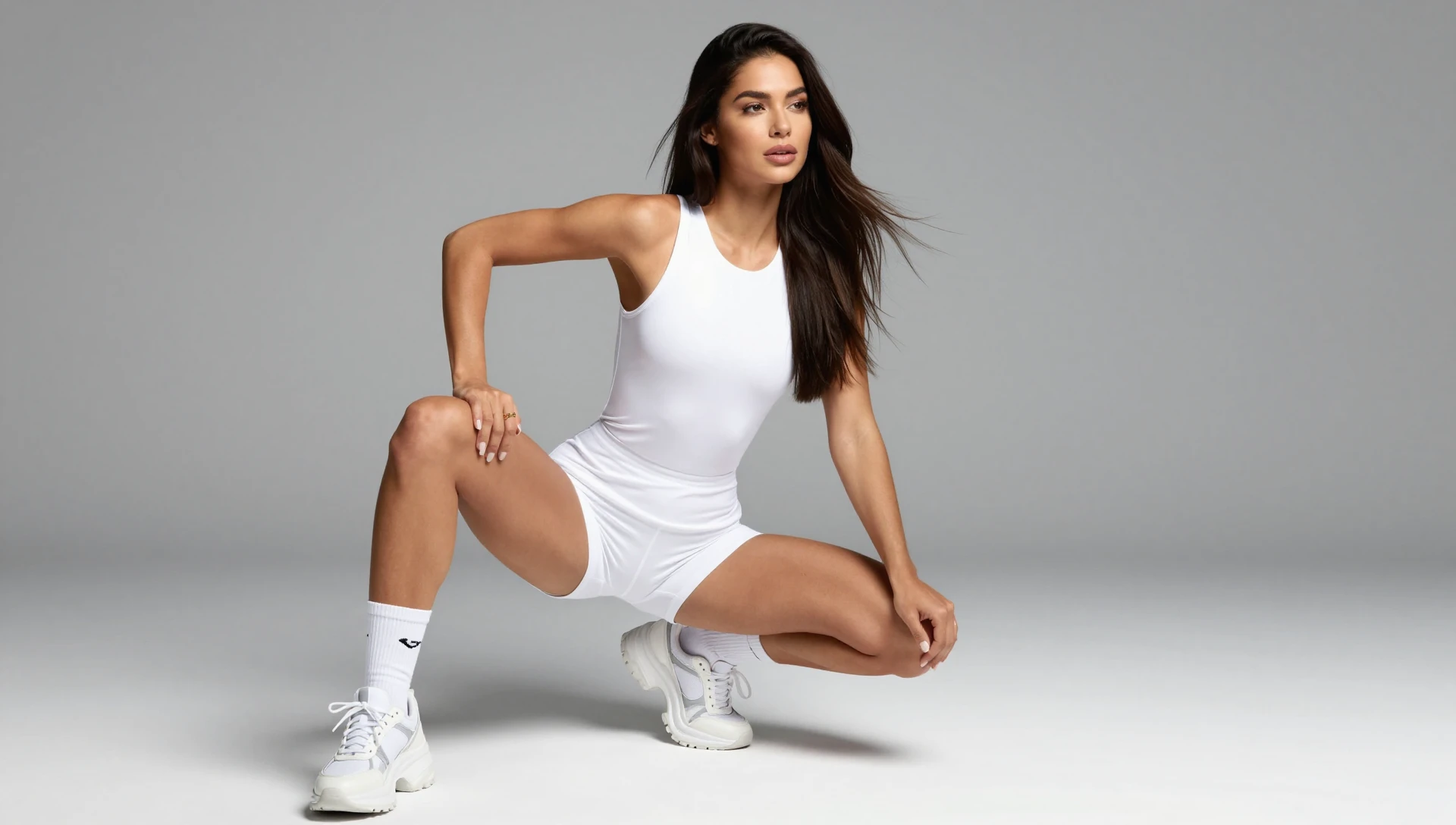
See it in action — real Imagera output
These are real, unedited results from the Imagera lora trainer — the exact tool this guide covers.

How to Do This with Imagera AI
Imagera offers a full toolkit for every caricature use case — from instant one-click transformations to deeply customized style models. Here is which tool to use depending on what you want to achieve:
Instantly transform any photo into a cartoon or caricature style — no LoRA knowledge needed, results in seconds. Try Photo Style Transfer
Access 1,000+ CivitAI LoRA styles and chain up to 4 simultaneously for caricature styles no preset tool can replicate. Try the LoRA Image Generator
Generate unlimited caricatures of your own face — train Imagera on your likeness once and get consistent, on-model results across every style. Set up Personal Influencer
Build a consistent caricature character for your brand or content — lock in the look, generate in any scenario. Create with Instant Character Creator
Train your own caricature style model from your own reference art — no GPU, no code. Start LoRA Training
Scale your caricature to print-ready 4K, 8K, or 16K resolution — sharp at any size, from phone screen to billboard. Upscale with Imagera AI Upscaler
Fine-tune your caricature after generation — adjust colors, crop, and retouch without re-generating. Edit with Image Editor
Add hyper-fine detail to complex caricature styles — ink sketches, editorial illustrations, impressionist portraits. Enhance with Extreme Detailer
Remove or replace backgrounds behind your caricature characters — isolate characters for merchandise, stickers, or composite scenes. Use AI Background Studio
Start Creating AI Caricatures
Whether you want a playful social media avatar, a unique personalized gift, or branded content that stands out, AI caricatures deliver results in seconds that would take a human artist minutes or hours.
Try Imagera AI Caricature Generator →
No credit card required. Access 100,000+ caricature and cartoon styles via CivitAI LoRA integration.
Related Resources
- Best LoRA Models for Realistic AI Images — LoRA selection guide for all styles
- AI Headshot Generator — Professional headshots in 60 seconds
- AI Action Figure Generator — Another viral AI art trend using the same generation workflow
- What Is LoRA? — Complete guide to AI model fine-tuning
- Studio Ghibli AI Art Generator — Anime style alternative to caricatures
- Upscale Image to 16K — Make your caricatures print-ready
- Train Your Own LoRA Model — Build a custom caricature style
- Civitai & Midjourney Alternative Guide — Compare AI platforms with CivitAI LoRA support
- Create an AI Virtual Influencer — Build a cartoon AI persona for social media