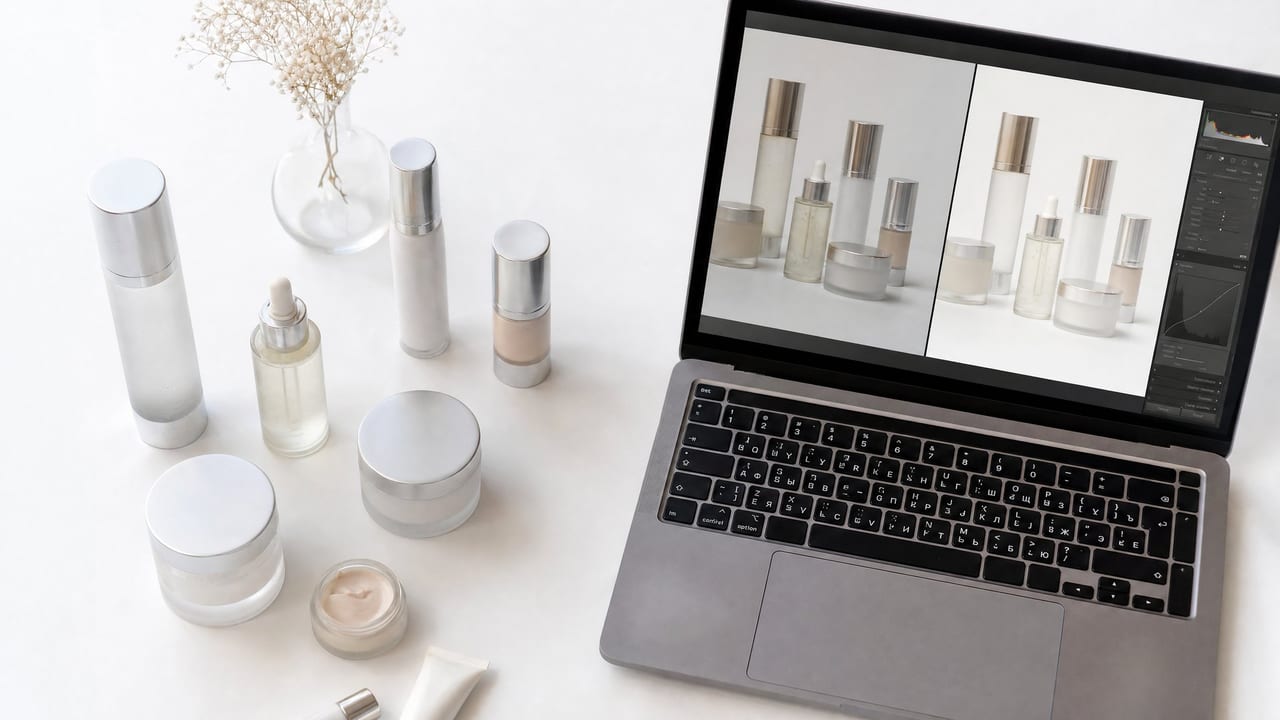
Professional ecommerce product photo editing services take raw, unpolished product shots and transform them into clean, conversion-ready images — removing distracting backgrounds, correcting colour, adding natural shadows, and meeting the strict technical specs required by online marketplaces. The right editing workflow is one of the highest-ROI investments an online store can make.
For a growing store, the product image is the closest thing a shopper gets to holding the item in their hands. It carries the weight that a physical shelf, a knowledgeable salesperson, and a fitting room carry in a brick-and-mortar shop. When the image is clean, accurate, and consistent, buyers feel confident enough to click "add to cart." When it is muddy, inconsistent, or amateurish, they hesitate — and hesitation on an ecommerce page almost always ends in a bounce. This guide breaks down exactly what these services do, what they cost, how AI is changing the economics, and how to build a fast, reliable editing pipeline for your catalogue.
Quick answer: Ecommerce product photo editing turns raw phone shots into clean, listing-ready images by removing backgrounds, fixing color, and upscaling to 4K or 8K. Imagera handles all of it from a single upload, priced in credits.
1.How fast can Imagera edit a batch of product photos for a store listing?
Imagera processes most single product edits in under a minute, so a 20-item catalog can be listing-ready in roughly 20 minutes instead of a multi-day studio booking. You can batch-remove backgrounds, apply consistent white or lifestyle scenes, and upscale to 4K or 8K across 100+ SKUs, keeping every thumbnail visually uniform for 2026 marketplace and Shopify specs.
2.Why do edited product photos sell better than raw phone shots?
Clean, consistent images give shoppers fewer reasons to hesitate: bright, sharp thumbnails read as trustworthy where dim, cluttered phone snaps read as risky. Listings that show multiple high-resolution angles against clean backgrounds simply present better than a single low-light snapshot. With Imagera, editing every SKU to the same 4K standard costs a few credits per image, so keeping a 100+ product catalog looking professionally shot stays affordable without a studio, a photographer, or a per-image editing bill.
3.What Do Ecommerce Product Photo Editing Services Actually Include?
Ecommerce product photo editing is far more than a simple filter. A full-service workflow typically covers background removal and replacement (usually to pure white), colour correction and white balancing, exposure and contrast adjustment, blemish and dust removal, shadow creation for a grounded look, image resizing and sharpening for web, and export to platform-specific specs.
Some providers also offer ghost mannequin editing for apparel (making clothing appear to float without a model), 360-degree image stitching, and lifestyle compositing — placing your product into a realistic scene without an expensive location shoot. Understanding which of these services your store actually needs is the first step toward choosing the right solution.
It helps to think of the work in three tiers. The first tier is corrective: removing the background, fixing colour, and cleaning up dust or scratches so the product looks exactly as it does in real life. The second tier is presentational: adding grounded shadows, standardising crops, and building a consistent look across the whole catalogue. The third tier is creative: placing the product into a lifestyle scene, a styled flat-lay, or an aspirational setting that tells a story and drives desire. Most stores need all three, but they don't need to buy them from the same source or in the same way — and that is where the modern toolset changes the math.
4.What It Does — AI Product Photography on Imagera
Imagera's approach sits squarely in that third, creative tier while still respecting the specs the first two tiers demand. Imagera's AI Product Photography tool turns a single product image into professional product photography scenes. You upload one photo of your product and describe the setting you want — a white marble countertop, a Parisian café table, an outdoor carnival at golden hour, a soft neutral studio backdrop — and the tool generates the surrounding scene, props, lighting, and atmosphere around your product.
The critical detail for ecommerce is that your product stays the product. Labels, logos, packaging text, and the shape of the item are kept in sharp focus and remain legible; only the scene around them changes. That means you can spin up a clean, minimalist white-surface hero shot for a marketplace listing and, from the exact same source photo, a warm lifestyle image for your homepage or an ad — without a photographer, a studio booking, or a prop budget. The tool is browser-based, so there is nothing to install, and output is delivered at HD, studio-quality resolution with a full commercial licence included, so you can use the results on Amazon listings, a Shopify storefront, social ads, email campaigns, and print materials.
It works across the categories most online stores actually sell: cosmetics, skincare, food and beverage, electronics, jewellery, and fashion accessories. Any product with a clear shape and readable branding can be dropped into an AI-generated setting. The pricing is transparent and per-image: 15 credits per scene, with plans starting from $19.99.
5.How It Works — The Real Workflow
Here is the actual step-by-step for generating a product scene, start to finish:
- Upload one product photo. A plain shot on a neutral surface works best — think a phone photo of the item with even light and the label facing the camera. You do not need a pre-edited or background-removed image; a clean source is enough.
- Describe the scene you want. Write a short prompt that names the surface, the setting, the lighting, and the mood. The more specific you are ("positioned on a white marble surface with visible veining, soft box lighting, gently blurred neutral background"), the closer the result matches your intent.
- Generate. The tool builds the surrounding scene while holding your product — its label, logo, and packaging text — in sharp, legible focus. Processing takes seconds rather than the days a traditional outsourced batch requires.
- Review and iterate. If the angle, surface, or lighting isn't right, adjust the prompt and regenerate. Because each scene costs a fixed 15 credits, you can explore several directions for a predictable price instead of paying rush fees or per-revision surcharges.
- Download and publish. Save the HD result and drop it straight onto your listing, storefront, or ad. The commercial licence is included, so there is no separate rights negotiation.
Because the whole loop lives in the browser and finishes in seconds, one source photo can become a full set — a clean marketplace hero, a lifestyle image, and a styled seasonal variant — in a single sitting.
6.Step-by-Step: Building a Consistent Catalogue Set
Consistency is what separates a store that looks professional from one that looks cobbled together. Here is a repeatable process for turning a shelf of raw product photos into a coherent catalogue:
- Standardise your source shots. Photograph every product the same way — same distance, same angle, same neutral surface, label forward. Consistent inputs produce consistent outputs.
- Define one "house" scene prompt. Decide on a signature look (for example, "white marble surface, soft diffused lighting, gently blurred neutral background") and reuse the same core prompt for every hero image so the catalogue feels unified.
- Generate the marketplace hero first. Start with the clinical, clean version that satisfies platform specs. This is the image that must be spotless.
- Branch into lifestyle variants. From the same source photo, write a second prompt for a richer, story-driven setting — a café table, a bathroom vanity, an outdoor scene — for your storefront and ads.
- Batch through the catalogue. Repeat the two-prompt pattern across every SKU. Because each scene is a fixed credit cost, budgeting the whole run is straightforward.
- Audit for consistency. Lay the finished hero images side by side. Every product should share the same lighting mood, surface family, and crop. Fix any outliers by regenerating with the house prompt.
7.How Much Do Product Photo Editing Services Cost for Online Stores?
Pricing varies enormously depending on complexity, volume, and turnaround time. Simple background removal on a straightforward product can run from under a dollar per image at high-volume offshore studios to several dollars per image at boutique retouching agencies. Complex edits — ghost mannequin, multi-layer composites, jewellery retouching — can cost significantly more per image.
The real cost equation, though, includes turnaround time. Traditional outsourced editing often takes 24–72 hours per batch, which creates a bottleneck when you're launching new SKUs frequently. AI-assisted editing tools have disrupted this model, delivering comparable quality in minutes and making per-image costs predictable and low regardless of batch size. For growing stores managing hundreds of products, that speed difference is a genuine competitive advantage.
With Imagera specifically, cost is expressed in credits rather than opaque project quotes: each generated scene is 15 credits, and plans start from $19.99. Because the figure is fixed per image, budgeting a launch is simple arithmetic — you know before you start exactly what a catalogue run will cost, and there are no rush fees, per-revision charges, or minimum-order surprises.
8.Comparison: AI Scene Generation vs Traditional Editing Services
Different jobs suit different tools. This honest comparison shows where each model wins:
| Factor | Traditional outsourced studio | Boutique retouching agency | Imagera AI Product Photography |
|---|---|---|---|
| Turnaround | 24–72 hours per batch | 3–5 business days | Seconds per image |
| Typical cost | ~$0.50–$3+ per image | Several dollars+ per image | 15 credits per scene, plans from $19.99 |
| Lifestyle scenes | Extra fee, needs a shoot or compositing | Custom, high cost | Built in — describe any setting |
| Branding fidelity | Manual, editor-dependent | High, hand-checked | Labels and text kept sharp automatically |
| Revisions | Rush fees common | Slow, per-round | Regenerate with a new prompt |
| Best for | High-volume plain white-background cutouts | Reflective glass, fine jewellery, artistic composites | Fast lifestyle and studio scenes at scale |
The takeaway is not that one model replaces every other. Very high-volume plain cutouts and creatively demanding jobs (transparent glassware, intricate reflective jewellery) still have a place for human editors. But for the everyday work of turning a plain shot into a clean, on-brand studio or lifestyle image, AI scene generation is dramatically faster and more predictable in cost.
9.What Image Specifications Do Major Ecommerce Platforms Require?
Every major marketplace has its own technical rulebook, and failing to meet specs means rejected listings or suppressed search visibility. Most platforms share a core set of requirements: a pure white background (RGB 255, 255, 255) for the primary listing image, a minimum resolution (commonly 1000 pixels on the longest side, though 2000+ is recommended to enable zoom), a specific aspect ratio (usually square or close to it), and JPEG or PNG format with no watermarks, text overlays, or props that obscure the product.
Lifestyle and secondary images are typically more flexible, but the hero shot must be clinical and clean. A reliable product photo editing service will have these specs built into its export presets so you never have to manually resize or re-export. When evaluating any service, ask explicitly whether they stay current with platform requirement updates — specs change, and an outdated workflow creates compliance headaches.
When generating scenes with AI, the practical approach is to make the marketplace hero deliberately minimal — a clean white or near-white surface with soft, even lighting and the product front and centre — so it satisfies the clinical-hero rule, and save the richer, more atmospheric settings for secondary and lifestyle slots where platforms allow more freedom.
10.Common Use Cases — Who It's For
Product scene generation solves different problems for different sellers. A few concrete scenarios:
- The new store owner with a handful of SKUs and phone photos. Instead of booking a studio for a first launch, they generate clean hero shots and a lifestyle image each, then go live the same day.
- The high-frequency seller launching new products weekly. A 72-hour outsourced turnaround is a revenue drag; generating scenes in seconds keeps listings live as fast as inventory arrives.
- The beauty or skincare brand that needs aspirational imagery. A single bottle shot becomes a marble-vanity scene, a café-table flat-lay, and a soft studio hero — all with the label kept legible.
- The Amazon or Shopify seller who needs both a spec-clean primary image and richer secondary slots. One source photo covers both use cases without a second shoot.
- The social and ad marketer who burns through creative variants. Fresh backgrounds and settings for the same product mean more ad tests without more photography.
- The food and beverage seller placing a package into an appetising context — a wooden board, a cafe surface, surrounded by complementary props — without staging a physical set.
11.Can AI Replace Traditional Product Photo Editing Services?
AI-powered editing has matured to the point where it handles the most common ecommerce tasks — background removal, colour normalisation, basic retouching — with accuracy that rivals skilled human editors, and does so in a fraction of the time. For the vast majority of standard product categories (apparel, home goods, electronics, beauty, food and beverage), AI editing produces professional, natural-looking results without manual intervention.
Where human editors still add clear value is in highly complex or nuanced work: intricate jewellery with reflective surfaces, transparent glassware, or bespoke artistic compositing that requires creative judgment. A smart approach for most stores is to use AI editing as the default pipeline and reserve human review for edge cases. This hybrid model gives you speed and scale without sacrificing quality on your most challenging products.
If you want to see what AI-powered editing looks like in practice, Imagera's product photography tool lets you upload a product image and get a clean, marketplace-ready result in seconds — no design skills or software required.
12.Tips for Best Results
- Start with a clean, well-lit source photo. Even light and a label facing the camera give the AI the best foundation to work from. Blurry or heavily shadowed inputs limit how good the output can be.
- Be specific in your prompt. Name the surface, the lighting style, the background tone, and the mood. "White marble surface with visible veining, soft box lighting, gently blurred neutral background" produces a more predictable result than "nice background."
- Keep the marketplace hero minimal. Save busy, atmospheric scenes for lifestyle and secondary slots; the primary listing image should stay clinical and clean.
- Reuse one house prompt across the catalogue. A shared core prompt is the fastest route to a consistent, professional-looking set.
- Iterate cheaply. If the first result isn't right, adjust one variable at a time — surface, then lighting, then background — and regenerate rather than rewriting the whole prompt.
- Match the scene to the product's real context. A skincare bottle belongs on a vanity; a snack belongs near food props. Believable context builds buyer trust.
13.Common Mistakes to Avoid
The most damaging mistakes are inconsistent backgrounds (some images slightly grey, some pure white), colour inaccuracy (the product looks different in the photo than in real life, driving returns), over-retouching (the product looks plasticky or fake, eroding buyer trust), and ignoring secondary angles (relying on a single hero shot leaves buyers uncertain and more likely to bounce).
A subtler but equally important mistake is ignoring image file size. Heavily compressed images load fast but look pixelated; unoptimised large files slow page load and hurt SEO. The right editing workflow compresses intelligently — maintaining visual quality at the smallest possible file size.
Two more traps are specific to scene generation. First, over-styling the hero image: a busy lifestyle scene may violate a marketplace's clean-background rule and get the listing suppressed, so keep the primary image minimal. Second, mismatched context: placing a product in a setting that has nothing to do with how it is used reads as artificial and undermines trust. Match the scene to the product's real-world context.
Consistency across your entire catalogue is the meta-goal. When every product image follows the same lighting style, background, and crop, your store looks professional and trustworthy. Inconsistency signals a cobbled-together operation, which erodes the confidence buyers need to click "add to cart."
14.Examples — Mini Scenarios
A candle brand refreshing its line. The owner photographs each candle once on a plain table, then generates two scenes per SKU: a clean white-marble hero for the marketplace and a warm, softly lit shelf scene for the storefront. The whole catalogue is refreshed in an afternoon at a fixed per-scene credit cost, and every hero shot shares the same lighting for a unified look.
A skincare seller running ad tests. Starting from one bottle photo, they generate a marble-vanity flat-lay, a café-table scene, and a soft neutral studio shot — three distinct ad creatives without three photo shoots. Because the label stays sharp in every version, brand recognition carries across the whole set.
An electronics accessory store expanding to a new marketplace. The new platform demands a pure-white primary image. The seller generates a minimal, spec-clean hero from the existing product photo to satisfy the requirement, then adds a lifestyle secondary image for the slots that allow more freedom — no reshoot required.
15.How Do I Choose the Best Product Photo Editing Service for My Store?
Start by auditing your actual needs: How many SKUs do you have? How often do you launch new products? Do you need lifestyle shots or just clean white-background images? What's your current editing bottleneck — cost, speed, or quality consistency?
From there, evaluate services on five criteria:
1. Quality consistency at scale. A service that produces great results on ten images but degrades at a thousand is a liability. Request a sample batch of at least 20–30 images before committing.
2. Turnaround time. For product launches and seasonal campaigns, 72-hour turnaround is often too slow. Look for services that offer same-day or real-time processing.
3. Platform spec compliance. The service should understand marketplace requirements and export accordingly, not hand you a generic JPEG and leave spec compliance to you.
4. Revision and approval workflow. Mistakes happen. A clear, fast revision process protects you from listing delays caused by editing errors.
5. Pricing transparency. Flat per-image pricing or subscription tiers are far easier to budget around than opaque project quotes. Understand exactly what's included and what triggers extra charges.
For stores that prioritise speed and want full control without a vendor dependency, an AI-native tool like Imagera offers a compelling alternative: upload, edit, download — with consistent results every time.
16.How Long Does Professional Product Photo Editing Take?
Turnaround time depends heavily on the service model. Traditional outsourced studios typically quote 24–48 hours for standard edits, longer for complex work or large batches. Boutique agencies may take three to five business days. Rush fees are common and can significantly inflate per-image costs.
AI-powered editing operates on an entirely different timeline. Processing a single product image takes seconds; a batch of 50 images can be completed in a few minutes. This matters enormously for ecommerce operations that need to move quickly — a new product line can go from raw photos to live listing in the same afternoon, rather than waiting days for an outsourced batch to return.
The practical implication: if your store launches new products more than a few times per month, or if you run frequent sales that require fresh creative assets, slow editing turnaround is a direct drag on revenue. Building a faster editing pipeline isn't just an operational improvement — it's a growth lever.
17.What Are the Most Common Product Photo Editing Mistakes That Hurt Conversions?
The most damaging mistakes are inconsistent backgrounds (some images slightly grey, some pure white), colour inaccuracy (the product looks different in the photo than in real life, driving returns), over-retouching (the product looks plasticky or fake, eroding buyer trust), and ignoring secondary angles (relying on a single hero shot leaves buyers uncertain and more likely to bounce).
A subtler but equally important mistake is ignoring image file size. Heavily compressed images load fast but look pixelated; unoptimised large files slow page load and hurt SEO. The right editing workflow compresses intelligently — maintaining visual quality at the smallest possible file size.
Consistency across your entire catalogue is the meta-goal. When every product image follows the same lighting style, background, and crop, your store looks professional and trustworthy. Inconsistency signals a cobbled-together operation, which erodes the confidence buyers need to click "add to cart."
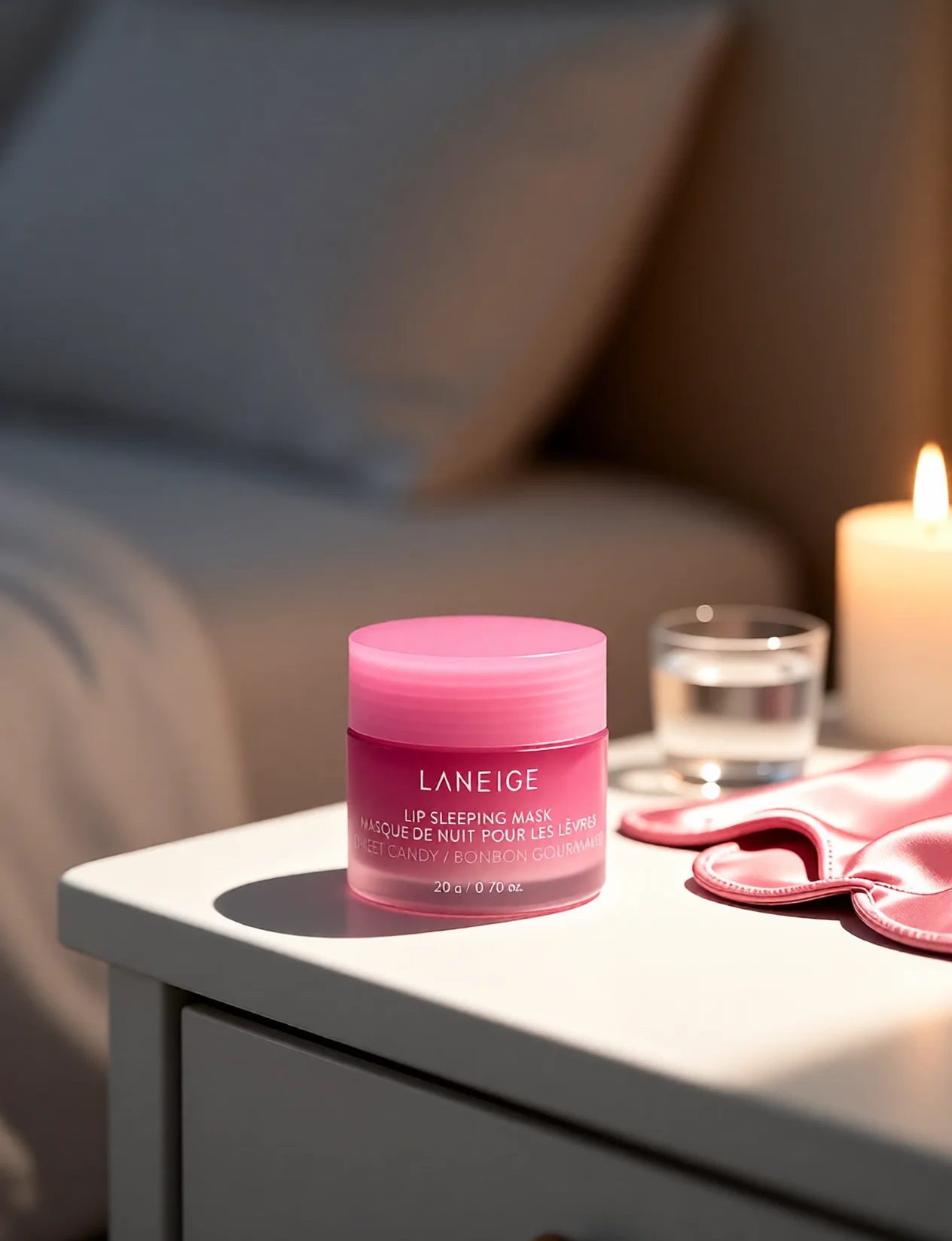
18.See it in action — real Imagera output
These are real, unedited results from the Imagera product photography — the exact tool this guide covers.

19.Bottom Line
Whether you're editing ten products or ten thousand, the principles are the same: clean backgrounds, accurate colour, sharp detail, and consistent presentation across your catalogue. The difference between a store that converts and one that doesn't often comes down to whether the product images make buyers feel confident enough to purchase. Traditional editing services still have a place for the most complex, high-volume, or artistic jobs — but for turning a plain shot into a clean studio or lifestyle scene fast, AI scene generation is faster, cheaper to iterate on, and predictable to budget.
Imagera's product photography tool is built specifically for ecommerce sellers who need professional, marketplace-ready results without the wait or the per-image cost of traditional editing services. Upload your product photos and see the difference in seconds.
20.Tools and Next Steps
| Goal | Tool | What it does |
|---|---|---|
| Turn one product photo into studio and lifestyle scenes | AI Product Photography | Generates campaign-quality scenes around your product while keeping branding sharp — 15 credits per scene, plans from $19.99 |
| Swap or replace a photo background | AI Background Studio | Removes and replaces backgrounds with AI-generated settings |
| Clean up stray hairs and fine imperfections | Smart Detail Enhancer | Surgical, targeted cleanup that leaves the rest of the image untouched |
| Increase resolution for zoom-ready listings | AI Image Upscaler | Enlarges and sharpens images so they meet marketplace zoom requirements |
| Make broader edits to any image | AI Image Editor | Prompt-based editing for a wide range of image changes |