Remove Flyaway Hair AI: Surgical Precision Edits
Remove flyaway hair and fix fine imperfections with surgical AI precision.
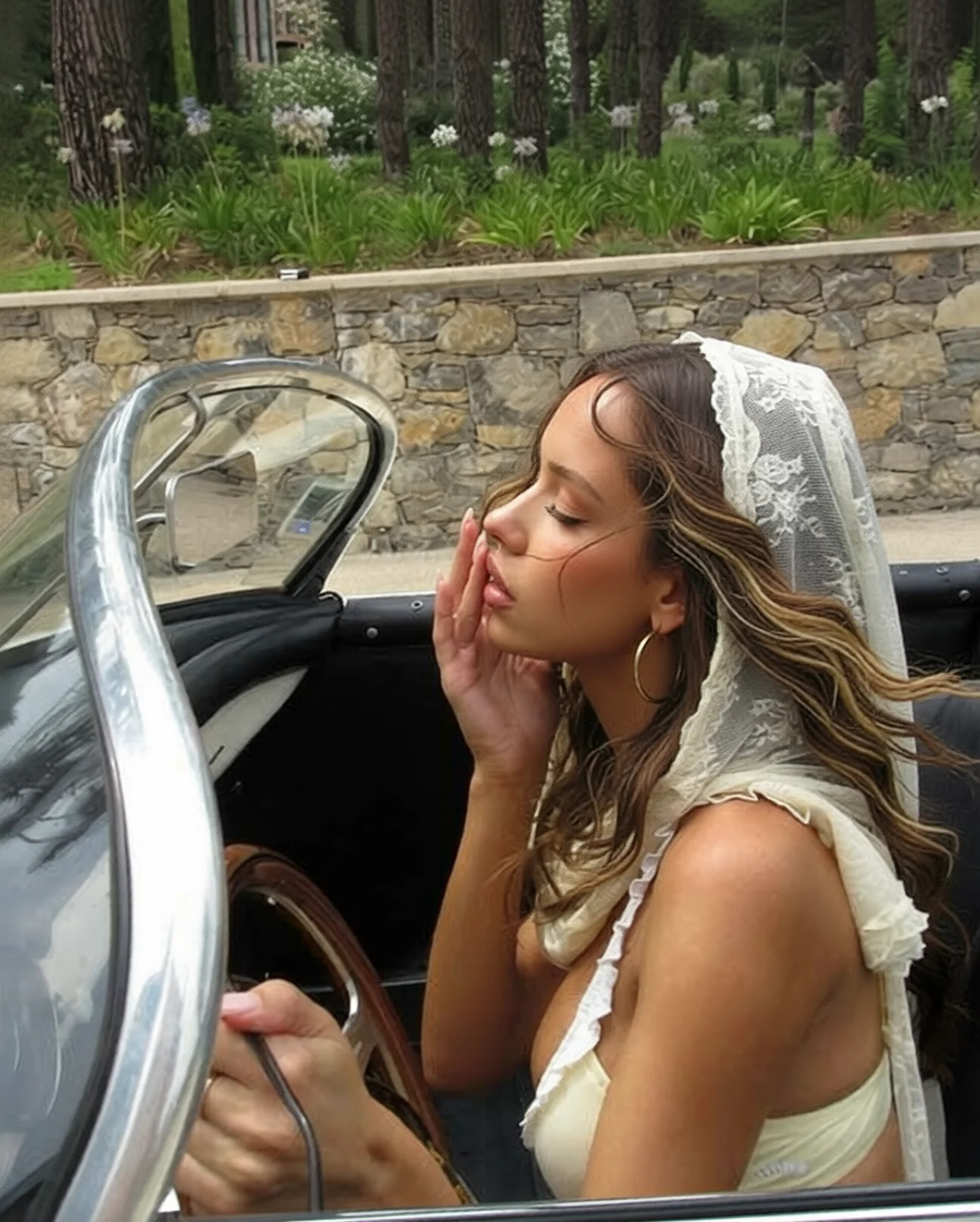
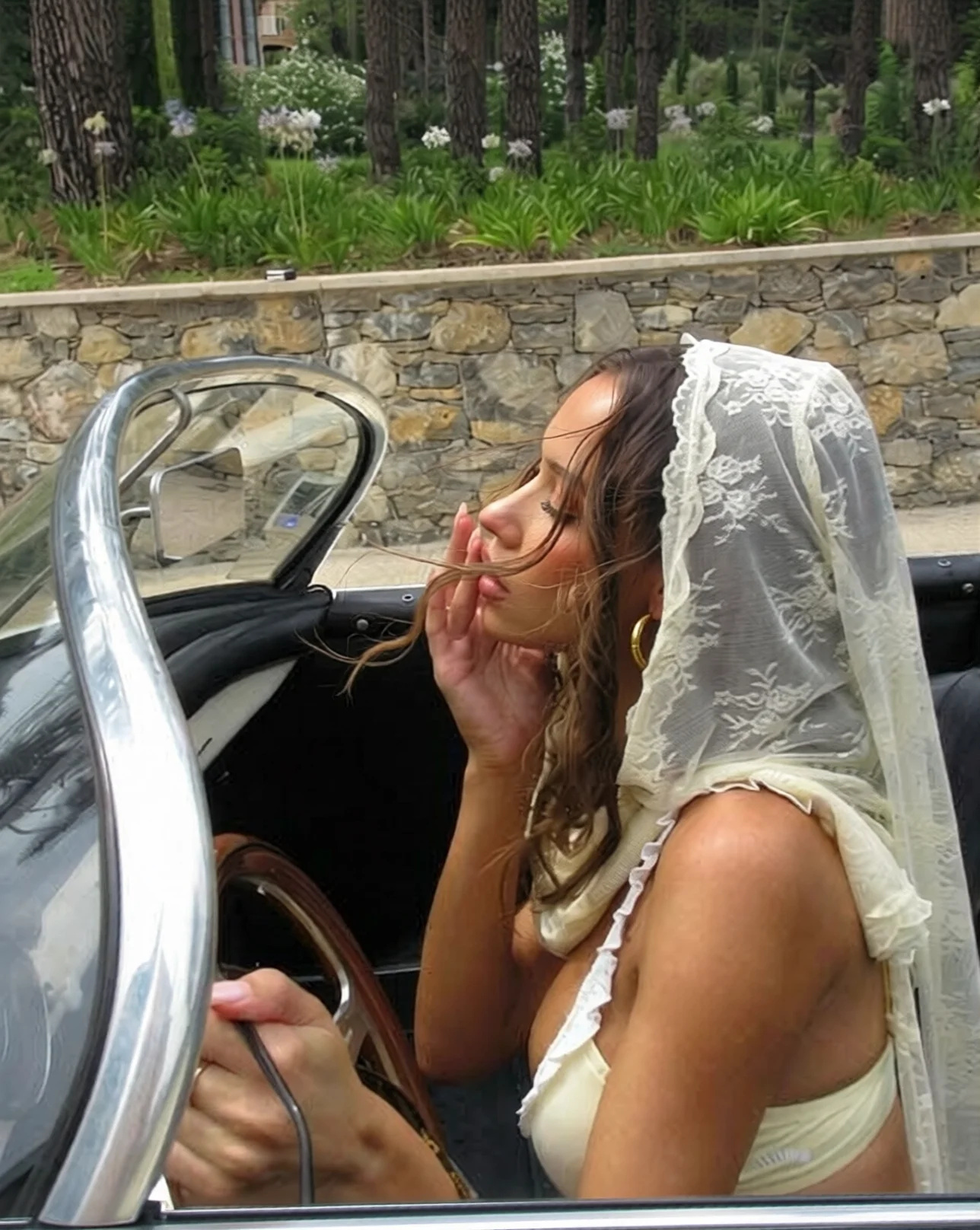 BeforeAfter
What is an AI detail enhancer, and what does it take out?
An AI detail enhancer removes one named nuisance from a photograph you already have — the flyaway strands blowing across a forehead, a stray hair on a dark jacket, a dust speck on a scanned print. You describe the nuisance in plain words instead of masking it, and the portrait is re-rendered from your upload plus that sentence, so the hairstyle, the expression and the setting come back with it. One pass costs 15 credits at 1K, the result downloads as PNG or JPG, and the file on your machine is never altered.
- Credits
- 15 per image at 1K · 20 at 2K
- Formats
- PNG, JPG, JPEG, WebP in · PNG or JPG out
- Per run
- 1 portrait + up to 2 optional references
- Output
- About 2 MP at 2K — screen and small print, not a large canvas
Updated August 7, 2026
Cite this page: https://imagera.ai/image/smart-detail-enhancer
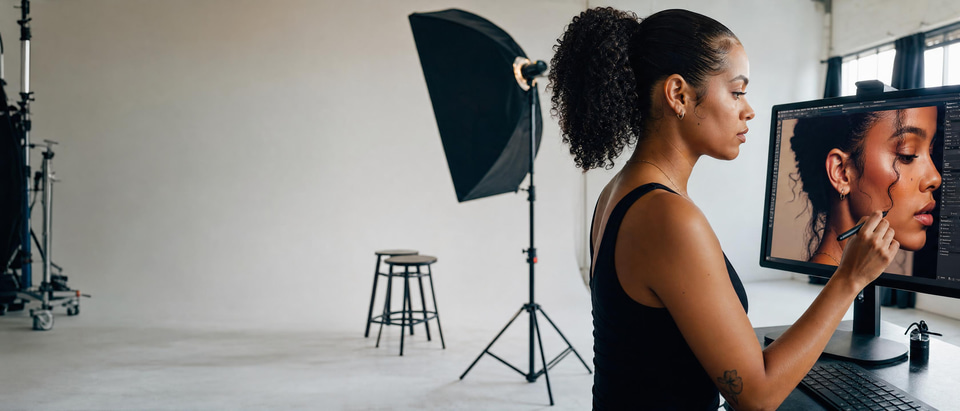 Illustration
What a targeted cleanup pass is for
Surgical Precision Editing
The whole argument of this tool is narrowness. You name one thing — the wisps at the temples, the lint on a black shoulder, the speck near an eye — and that sentence is the entire instruction. There is no brush, no mask and no selection to get wrong, and nothing in the wording invites the tool to restyle a face it was not asked about.
Know more →Natural Language Instructions
Prompts that work read like directions to an assistant: name the location and add a preservation clause. "Remove the fine flyaway strands across the forehead and temples, keep the hairstyle, part and volume exactly the same" lands reliably. "Fix the hair" does not — it leaves the tool to decide what fixing means, which is how a cleanup turns into a restyle.
Know more →Non-Destructive to Overall Image
Every run writes a new image and the file you uploaded is never altered, so a pass that goes further than you wanted costs 15 credits and nothing else — reword the instruction and run it again against the same original. Keep the untouched frame; it is the only version that is definitely right.
Know more →Why this is not a beauty filter
Name one nuisance in plain words. The instruction covers that and nothing else.
It subtracts a distraction; it does not smooth a face
A beauty filter works on the whole face at once — it softens skin, blurs pores and flattens the head toward a helmet, which is why filtered portraits stop reading as photographs. This is the opposite job. The request is one narrow subtraction, so skin texture, pores and the natural edge of the hairstyle are not what the sentence is about. That is why it works as a final pass on a photograph you already like, rather than as a look you apply to it.
A busy background is where automatic blending earns its keep
Strands over a plain studio backdrop are quick to clone out by hand. Strands crossing foliage, a patterned wall or a crowd are where manual work gets slow and starts to smear, because every removed hair leaves a hole that has to be filled with whatever was behind it. Here the background under a removed strand is reconstructed rather than patched from a nearby sample, so a garden stays a garden. Very fine hair over very intricate detail is still the hard case — preview at full size on those.
The frame is re-rendered, so pick a ratio when framing matters
The portrait comes back rebuilt from your upload and your sentence rather than as your pixels with a patch dropped in, which is what lets the fill match the background it sits on. Two consequences worth knowing before you run: fine detail elsewhere in the frame can be reinterpreted rather than reproduced, and with the shape control left on Auto no ratio is sent, so the result returns at the nearest supported shape to the one you uploaded. Choose a ratio in the studio when the framing itself has to survive. Output lands at about 2 MP.
How to remove flyaway hair from a photo
Upload the portrait, name the strands, download. Nothing to mask and nothing to install.
Upload the portrait you want tidied
A phone selfie, a studio headshot or a scanned print all work — PNG, JPG, JPEG and WebP are accepted. One frame is enough; 2 spare slots are there for the rare case where a hairstyle or a texture has to be matched rather than invented.
Name what should disappear
Be specific about location and explicit about what to leave alone: "Remove all fine flyaway hair strands around the face and head while keeping the main hair intact. Clean up the stray wispy hairs blowing across the forehead, temples, and around the hairline." The two ingredients that matter are where the strands are — forehead, temples, hairline, ears, crown — and a clause naming what stays.
Pick an engine, generate, download
1K output is the default at 15 credits per image and is the cheaper of the two, so preview there and check at full size that the strands you meant are gone; re-run only the keeper at 2K for 20 credits when you want the most detail held. The result downloads as PNG or JPG, with full commercial rights on paid plans.
When people reach for this
The final pass on a headshot before it is delivered
Cleaning up flyaways is one of the last steps in professional headshot retouching, and it is the step that makes an otherwise strong frame look finished. LinkedIn portraits, corporate team photos, actor and model comp cards, dating-profile shots: the common thread is a photo that is already good and where a few loose strands are the only thing reading as unpolished.
Small distractions that are not hair at all
The same narrowness handles a loose thread on a sleeve seam, lint or pet hair across a dark jacket, a dust speck left by a dirty sensor, or a stray earring back sitting in shot. Each one is named and located the same way. It is not the tool for removing a large object or rebuilding a scene — that is the broader image editor, linked below.
Scanned prints and older family photos
Scans are a good fit because the same precision that lifts a strand lifts a fine scratch or a dust speck without touching the grain and tone around it, which is what makes an old photo feel authentic in the first place. Heavy damage across a whole print is a restoration job and beyond this; a handful of small marks on an otherwise good scan is exactly its size.
Discover more AI features
Frequently asked questions
What can Smart Detail Enhancer fix?
Remove flyaway hair strands, clean up minor blemishes, fix small imperfections, and remove distracting fine details. It works with surgical precision on specific areas while leaving the rest of your image untouched.
Will it affect the rest of the image?
No. Smart Detail Enhancer only modifies the specific details you describe. Hair volume, overall hairstyle, clothing, background, and all other elements remain perfectly preserved.
Is this good for portrait retouching?
Yes. Popular for professional headshots, fashion photography, and social media portraits. Remove flyaways, clean up hairlines, and fix minor distractions without heavy editing.
How specific can my instructions be?
Very specific. Describe exactly what to remove: "Remove flyaway strands around the forehead and temples" or "Clean up stray hairs near the ears." The AI follows precise instructions.
How do I remove flyaway hair from a photo with AI?
Upload the portrait, then type a targeted instruction such as "remove all fine flyaway hair strands around the face and head while keeping the main hair intact — clean up the stray wispy hairs across the forehead, temples, and hairline, and keep the hairstyle exactly as is." The AI locates the loose strands standing out against the background or skin and blends them into the surrounding pixels, leaving the main hair volume, shape, and part untouched. You do not select or mask anything — the description alone tells the tool what to clean up. Because it works on a flattened image, it is equally happy fixing a phone selfie, a studio headshot, or a scanned print. 1K output is the default at 15 credits and is the cheaper of the two, so explore directions there first; re-run only the winner at 2K for 20 credits when you want the most detail held.
How is this different from a beauty filter or full retouching app?
A beauty filter smooths the whole face uniformly — it softens skin, blurs texture, and often makes portraits look plastic. Smart Detail Enhancer does the opposite: it makes one narrow correction (remove these flyaways, clean up that stray hair) and leaves skin texture, pores, and the rest of the image completely intact. It is a surgical clean-up tool, not a global smoother. That is why photographers use it for a final pass — you keep a real, sharp portrait and simply lose the distracting strands, rather than trading detail for an over-processed look.
Can I use it for professional headshots and LinkedIn photos?
Yes — cleaning up flyaways and stray hairs is one of the most common final steps in professional headshot retouching, and this tool does it in one prompt instead of manual cloning. It is well suited to LinkedIn portraits, corporate team photos, actor and model comp cards, and dating-profile shots where a few loose strands are the only thing making an otherwise strong photo look unpolished. Pair it with the AI headshot generator for the full studio look, and see the guide to realistic AI headshots for how subtle cleanup keeps a portrait believable.
Will it change my skin, makeup, or the background?
No. The edit is deliberately narrow. Smart Detail Enhancer only touches the specific detail you name — the flyaway strands, a stray hair, a small distraction — and holds everything else constant: skin texture and tone, makeup, freckles, the hairstyle shape and volume, clothing, and the background. If you want broader skin work such as evening tone or reducing shine, that is a different job handled by the skin detailer ; this tool stays focused on precise, non-destructive cleanup.
What does flyaway removal cost, and can I preview cheaply?
Pricing is in credits, not per-strand or per-photo dollar charges, and each edit spends the credits per edit shown on this page. 1K output is the default at 15 credits and is the cheaper of the two, so explore directions there first; re-run only the winner at 2K for 20 credits when you want the most detail held. That lets you preview the cleanup, confirm the strands are gone and the hairstyle is intact, and only then commit to the final pass. There is no free cloud credit grant on signup — you generate from a plan or credit pack, and credits do not expire.
How do I write a prompt that removes only the flyaways I mean?
Name the exact strands and where they are, then tell the tool what to leave alone. Strong prompts read like: "Remove the fine flyaway strands blowing across the forehead and temples, keep the main hairstyle and volume exactly the same," or "Clean up the stray wispy hairs near the ears and along the hairline, do not change the part or the ponytail." The two ingredients that matter are location (forehead, temples, hairline, ears, crown) and a preservation clause (keep the hairstyle, keep the volume). Vague instructions like "fix the hair" leave too much open; specific, bounded requests give a clean, predictable result. Run one pass at 1K, the cheaper default size, check the strands you meant are gone, and refine the wording if any were missed.
Can it clean up hair against a busy or textured background?
Yes, and this is exactly where automatic blending earns its keep. Flyaways over a plain studio backdrop are easy to fix by hand; flyaways crossing foliage, a patterned wall, or a crowd are where manual cloning gets slow and starts to smear the background. The AI reconstructs the correct background texture behind each removed strand rather than smudging a nearby patch over it, so the fill matches whatever was there. Very fine hairs over an extremely intricate background are the hardest case, so preview at full size on complex shots — but a busy backdrop is no longer a reason to skip the cleanup.
Does removing flyaways make hair look fake or over-edited?
It should not, because the tool is designed to subtract distractions rather than reshape the hair. It removes the thin, stray strands that stand away from the head — the ones that read as noise — while leaving the main hairstyle, its volume, and its natural edge intact. That is the opposite of a heavy smoothing filter, which flattens the whole head into a helmet. Done well, a viewer cannot tell the photo was retouched; they just see a tidier version of the same real hair. If a result ever looks too clean, ease off by naming only the worst strands rather than asking for a blanket removal.
What image formats can I use, and can I edit on my phone?
Upload PNG, JPG, JPEG, or WebP. Output comes back at high resolution matching your source, and full commercial rights are included on paid plans, so cleaned-up headshots and model shots are cleared for client and marketing use. The whole tool runs in the browser on desktop, tablet, or phone — there is nothing to install — so you can fix a portrait straight from your phone before posting. Your original image is processed securely for the session and not stored afterward, and because the edit is non-destructive you keep the untouched original either way.
Does it work on old or scanned family photos?
Yes. Scanned prints and older photos are a good fit because the same precision that removes flyaways also lifts small, localized distractions — a dust speck, a fine scratch across a face, or a stray strand — without touching the rest of the picture. You describe the specific flaw and where it sits, and the AI repairs just that spot while preserving the surrounding grain, tone, and texture that make an old photo feel authentic. It is a targeted retouch rather than a full restoration, so heavy damage across a whole print is beyond its scope, but for the small imperfections that ruin an otherwise good scan it is fast and non-destructive, and you keep the original scan intact.
Learn more
Prompt guides for precise cleanup, and the other editors in the same suite.
 Guide
GuideReal Camera Mode
Enhance details for authentic, camera-level realism
Edit Images with AI Text Prompts
Remove objects, swap outfits and replace backgrounds by describing the edit
AI Image Prompts Guide
Write precise prompts for surgical detail cleanup
Photography Studio Overview
Explore all 7 AI photo editing tools
Topaz Alternative Online
Compare Imagera smart detail vs Topaz for AI image enhancement
Best LoRA Models for Realism
Pair smart detail enhancement with the best LoRA models
Key takeaways
What is Smart Detail Enhancer?
Surgical-precision AI retouching. Remove flyaway hair strands, clean up minor blemishes, and fix small imperfections — while the rest of the image keeps its composition, colours and framing. The whole frame is re-rendered, so check it at full size.
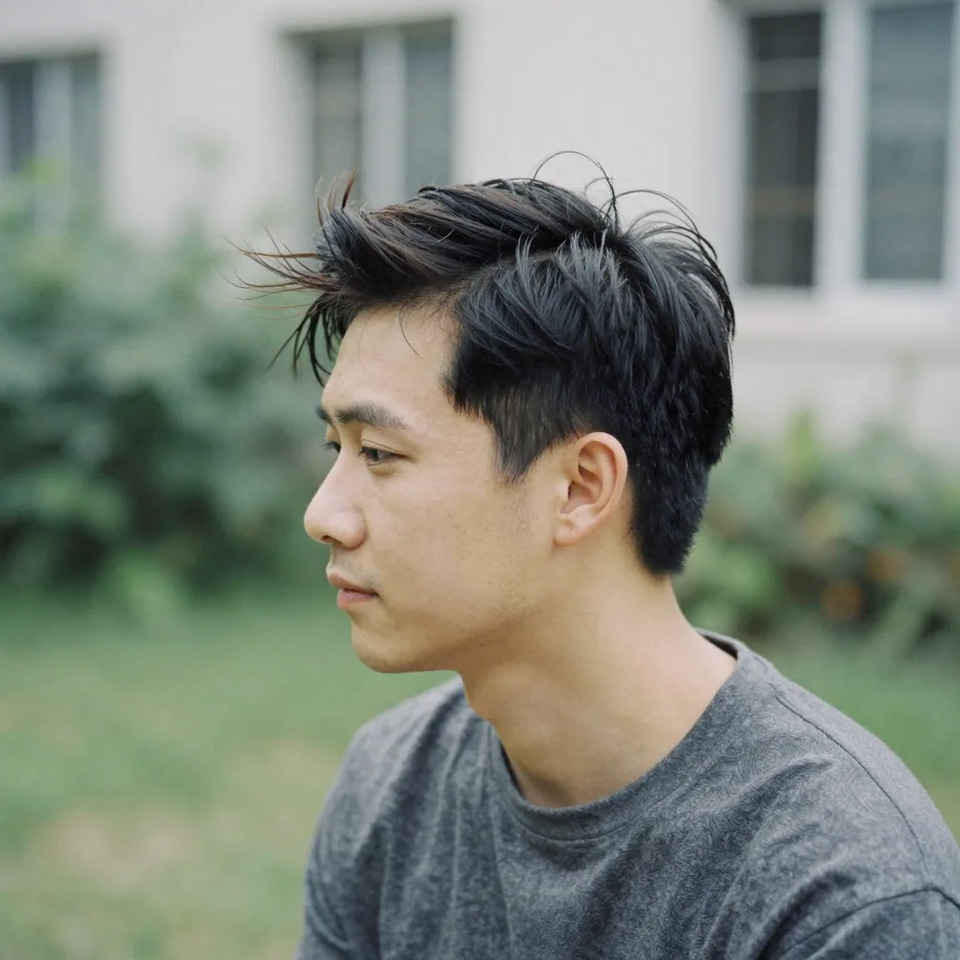
Besides flyaways, what small imperfections can it fix?
It handles the same class of small, localized distractions: a single stray hair crossing the face, a loose thread on clothing, a tiny blemish or spot, a dust speck on a scanned print, or a wispy strand blowing across the forehead. The key is that each fix is narrow and specific — you name the exact thing to remove and the tool blends that spot into its surroundings. It is not meant for large object removal or full-scene edits; for those, use the broader AI image editor .
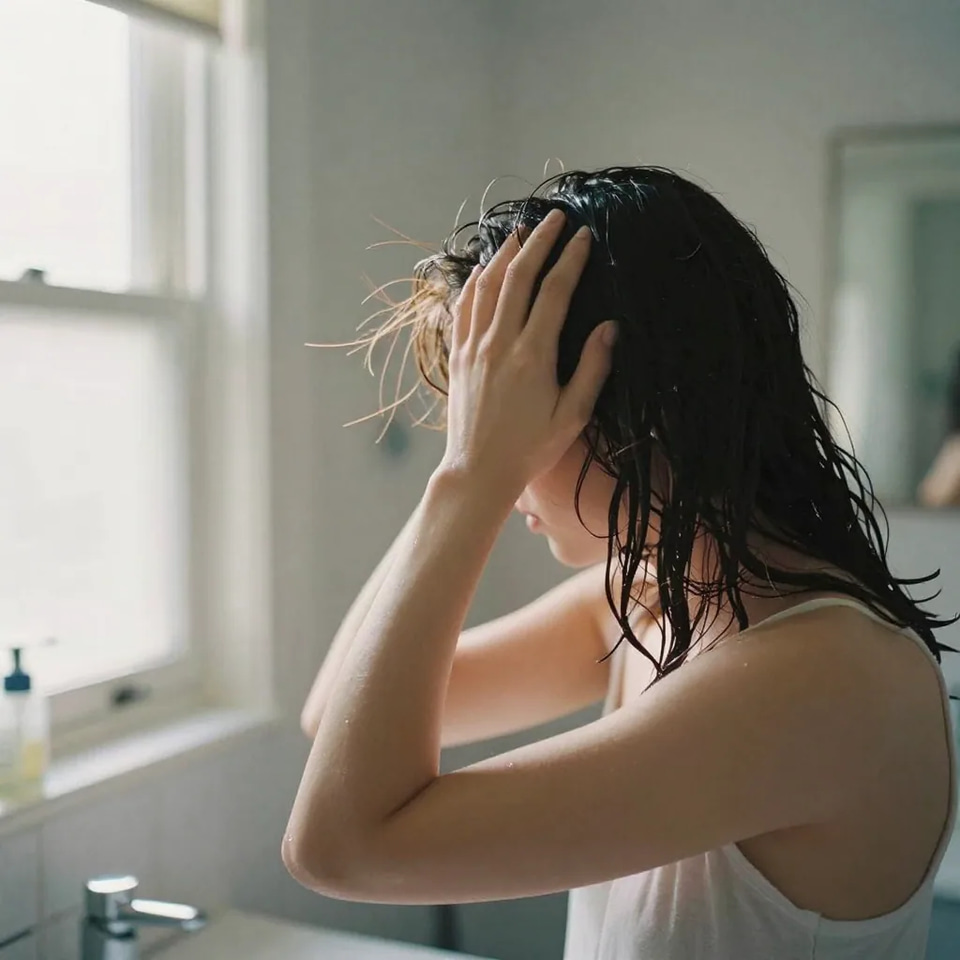
When should I use a different tool instead?
Smart Detail Enhancer is deliberately narrow, so reach for a sibling tool when the job is bigger. Need to even out skin tone, reduce shine, or soften texture across the whole face? That is the skin detailer . Want a fresh studio-style portrait rather than a cleanup of an existing one? Start from the AI headshot generator . Removing a large object, swapping a background, or restyling a scene? Use the broader AI image editor . This tool stays in its lane — precise, non-destructive removal of small strands and distractions — which is exactly why it is the right final step after any of those larger edits.
Cleaning up flyaways: three ways
| What matters | Imagera Smart Detail Enhancer | Photoshop clone/heal | Global beauty filter |
|---|---|---|---|
| Effort | One prompt, seconds | Manual, strand by strand | One tap |
| Skill needed | None | Retouching experience | None |
| Rest of image | Re-rendered from your photo, so the fill matches the background behind each strand | Risk of smudging | Over-smooths whole face |
| Your original file | Untouched — every run writes a new image | Untouched where you work on a copy or a layer | Depends on the app |
| What it costs | 15 credits per image at 1K, charged per run | Your time, plus a subscription to the editor | Usually bundled with the app |
Good to know
AI-powered detail enhancement. Subtle corrections only. Pricing is in credits per edit.
The shot is right. The stray hairs are not.
Open the studio, drop the portrait in and name what should go. The credit cost shows on the button before you run.
Clean up this portrait →