Create standards-ready passport and ID photos
Free passport, visa & ID photos — auto-cropped to any country's exact size, background and file size, right on your device.
Imagera AI - AI content creation platform for generating images, cloning voices, creating avatars, and enhancing videos. Privacy Policy | Terms
Your headshot is the single most important marketing tool you have as an actor — and casting directors don't study it, they scan it. With thousands of submissions per role, the photo has to read instantly and, above all, look exactly like the person who walks into the room. Imagera turns a few of your own selfies into casting-ready headshots in both registers: a grounded theatrical look for film, TV and stage, and a brighter commercial look for advertising. Natural-style lighting, a neutral out-of-focus backdrop and sharp, engaged eyes keep the focus where it belongs — on you. Refine and download every look in the Imagera AI headshot studio.
| Need | Typical alternative | Imagera |
|---|---|---|
| Speed | Desktop installs, queues, or studio bookings | Browser studio — generate when you need it |
| Pricing | Annual seats you may not fully use | Credit-based — pay when you create |
| Workflow | One narrow tool, many tabs | Connected Imagera suite for the full job |
Use Imagera AI Headshot with role-specific guidance — upload selfies and get a professional portrait styled for your profession in minutes.
Professional AI headshot A professional AI headshot is a career-ready portrait generated from selfies with likeness preserved for LinkedIn, licensing, and CVs.
Use Imagera AI Headshot with role-specific guidance — upload selfies and get a professional portrait styled for your profession in minutes.
Before/after demo proof — then open the studio on your own file.
Professional lighting and framing in one pass. Ship LinkedIn-ready portraits today.
Plans start at $19.99/mo
Imagera turns a few selfies into casting-ready actor headshots, producing both a serious theatrical look and a brighter commercial look while preserving your real face. It uses natural-style lighting and a neutral, out-of-focus backdrop, so casting directors — who often scan thousands of submissions per role — still recognise you the moment you walk into the room.
Casting work splits into two registers — serious dramatic and warm commercial. Imagera generates both looks from a single set of selfies in the headshot studio, so you walk away with the two headshots most actors are expected to carry, without booking two separate sessions.
Casting directors expect the person at the audition to match the thumbnail. Imagera preserves your real facial identity and only refines lighting, framing and grooming — so your headshot stays a current, honest reflection of you, not a flattering stranger who can't show up.
Strong casting headshots keep the background simple and out of focus, use soft natural-style lighting rather than dramatic studio effects, and put sharp, engaged eyes front and centre. Imagera applies these conventions so nothing competes with your face.
Casting directories don't ban AI outright, but they require your photo to genuinely represent you. Spotlight's official guidance states a headshot must be 'a true reflection of your current look' — it lets you upload up to 15 images and recommends 4-6 strong, varied looks at a minimum of 500x500px. Because Imagera builds your portrait from your own selfies rather than an invented face, it can meet that bar. Honest caveat: casting needs true likeness above all, so you must still look exactly like the photo when you walk in, and for high-stakes submissions a traditional shoot remains the industry norm.
Spotlight — official photo guidanceWear simple, solid clothing with no logos, slogans, busy patterns or loud jewelry — earthy muted tones (navy, olive, burgundy, charcoal) for theatrical looks and warmer jewel tones for commercial, avoiding pure black or white. Keep makeup and styling natural so casting directors recognise the real you.
Casting headshots use a neutral, out-of-focus backdrop so nothing pulls attention from your face — lighter grays or white tend to suit commercial looks, while darker gray and charcoal suit theatrical. Lighting should be soft and natural rather than dramatic studio effects, with a tight head-and-shoulders crop and your eyes in sharp focus.
submissions a casting director may field for a single small film role — your headshot has seconds to land · source
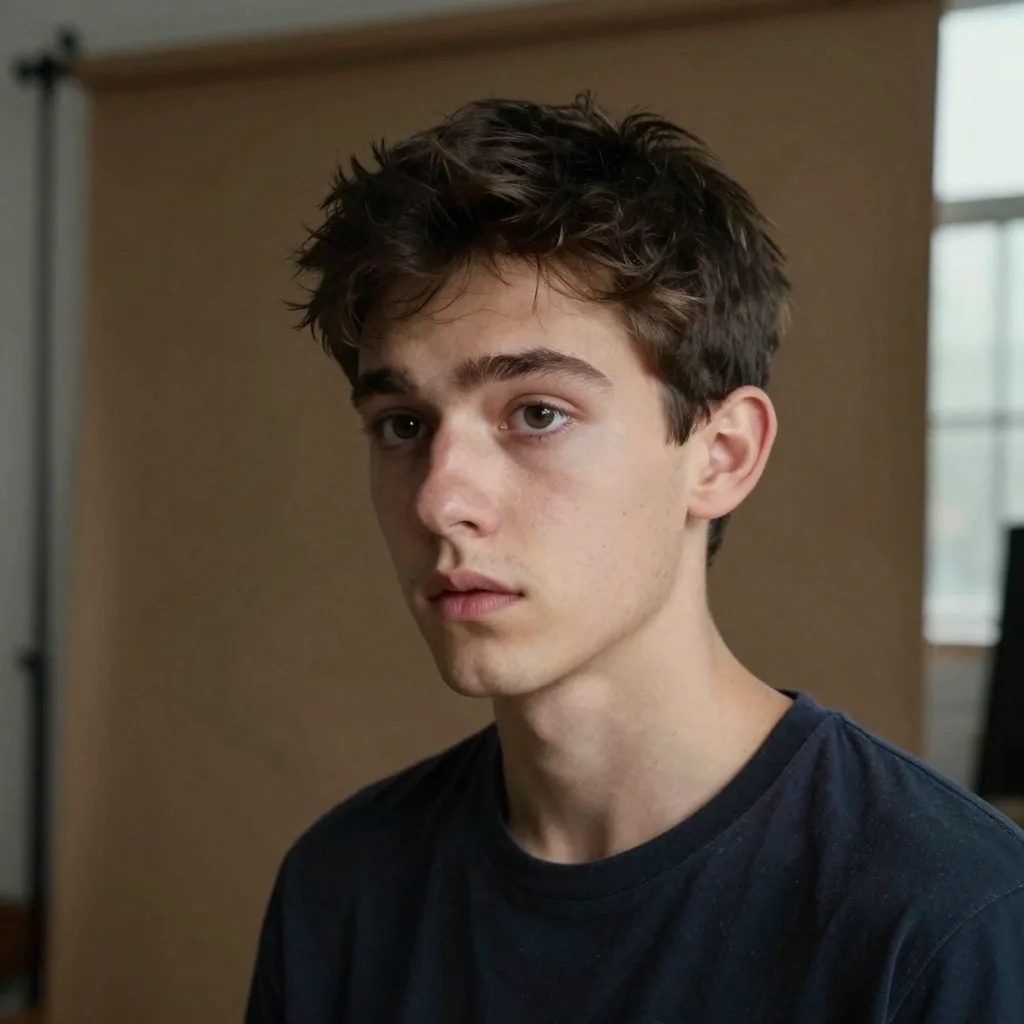
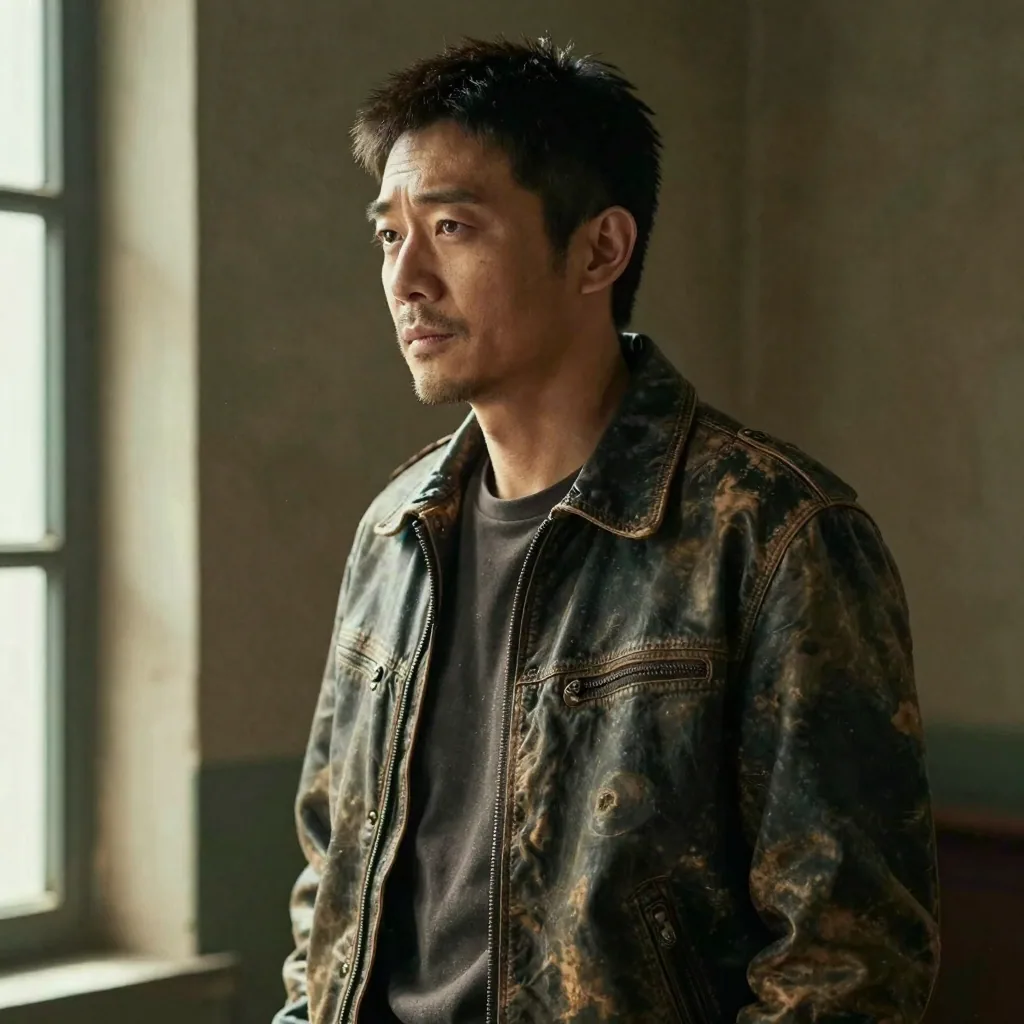
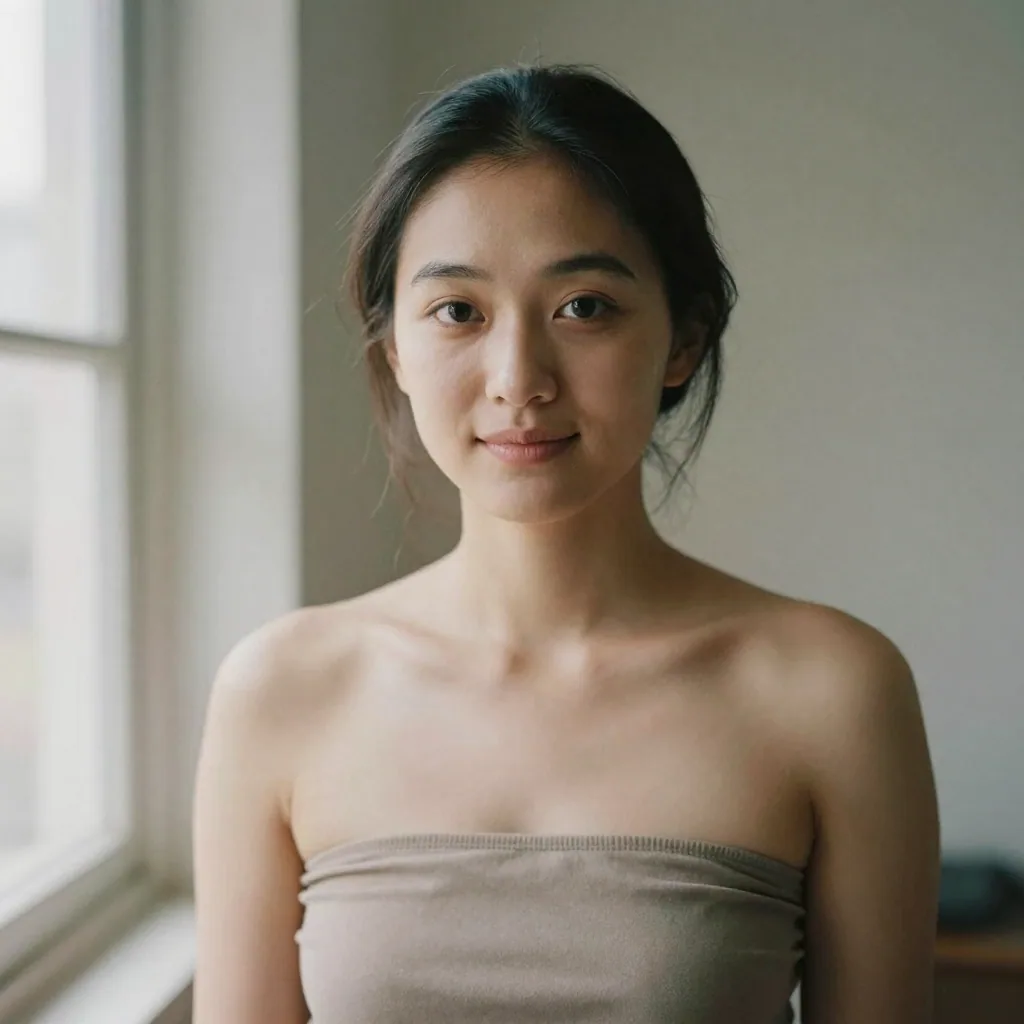
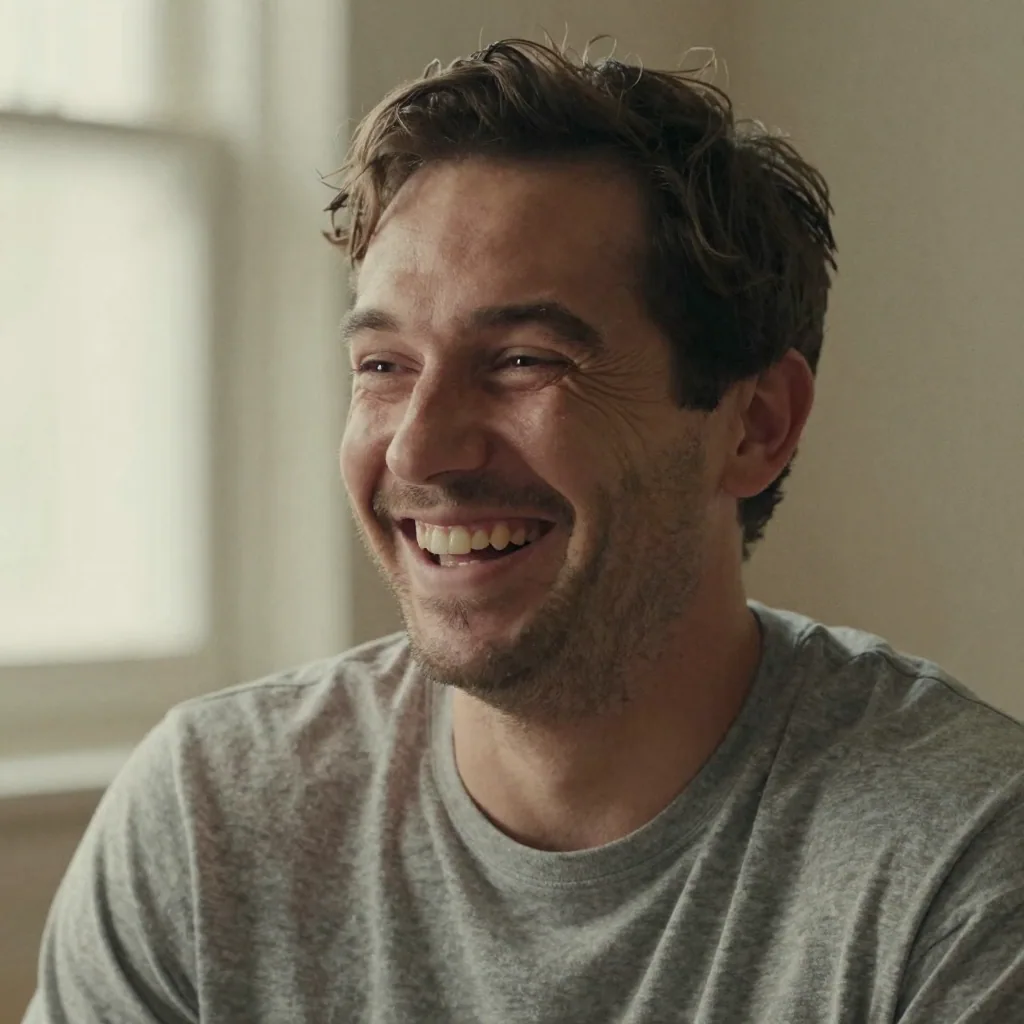
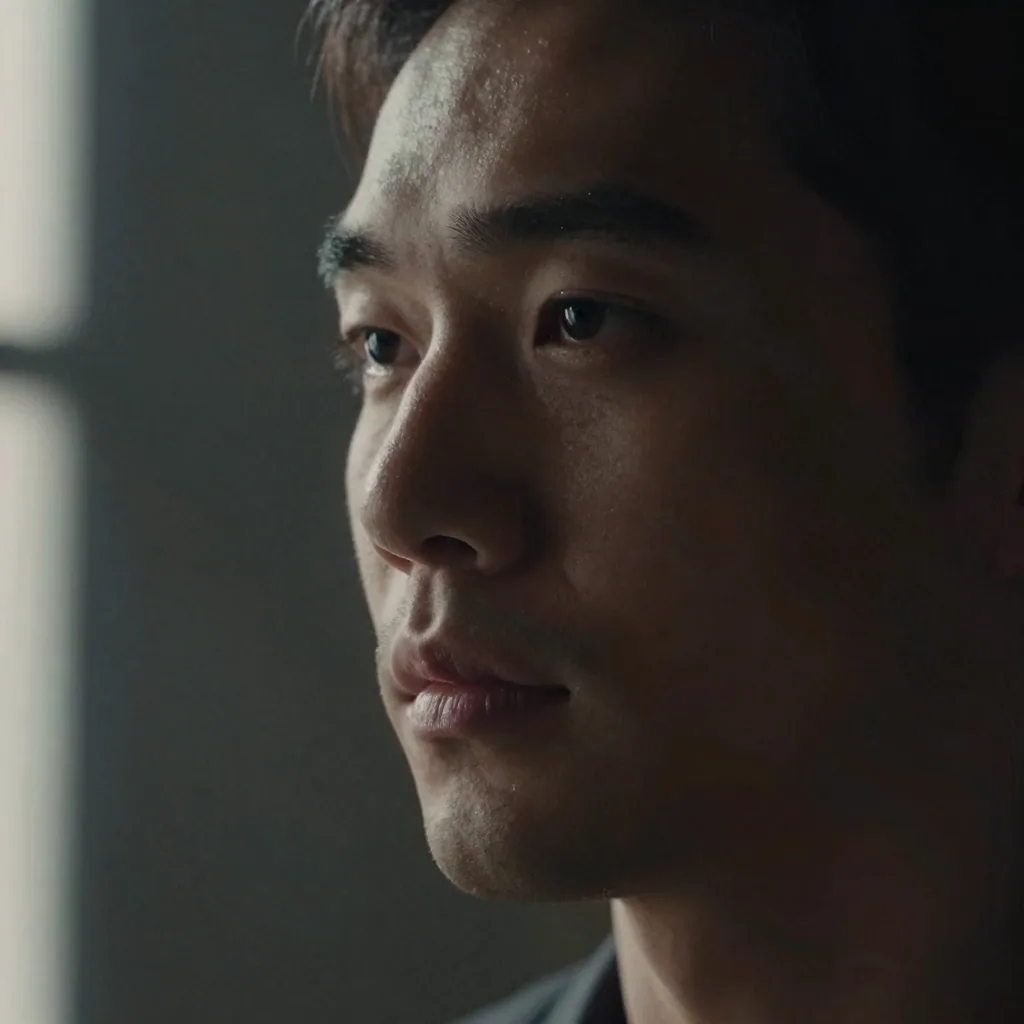
A theatrical (or 'legit') headshot leans serious and grounded — a confident, often unsmiling expression with earthy, muted wardrobe, aimed at film, TV and stage drama. A commercial headshot is brighter and warmer, with a genuine smile and jewel-tone clothing, aimed at advertising. Most actors carry both, which is why Imagera generates a theatrical and a commercial look from a single upload.
Possibly — many casting directors are skeptical of generated images and, above all, expect you to match your photo in the room. Imagera is built to preserve your true likeness rather than invent a flattering stranger, which is what matters most. For the highest-stakes submissions a traditional shoot is still the industry norm; use Imagera when an accurate, current self-portrait is the goal.
These platforms don't ban AI outright, but they require your photo to genuinely represent you. Spotlight's own guidance says a headshot must be 'a true reflection of your current look.' Because Imagera builds the portrait from your real selfies instead of a fictional face, it can meet that bar — as long as you still look exactly like it when you walk into the audition room.
It depends on the look. Commercial headshots usually call for a warm, genuine smile that reads as likable and approachable for advertising. Theatrical headshots are typically more serious or neutral — confidence and emotional depth behind the eyes rather than a big grin. The strongest move is to have both, which is why Imagera produces a smiling commercial and a grounded theatrical version together.
Keep it simple and solid — no logos, slogans, busy patterns or distracting jewelry. For theatrical looks, earthy muted tones like navy, olive, burgundy and charcoal work well; avoid pure black or white. For commercial looks, lean warmer and brighter with jewel tones. Choose necklines that frame your face. Imagera applies these conventions, but starting from neat, uncluttered clothing in your uploads helps.
Yes — this is non-negotiable. Casting directors review huge volumes of submissions and expect the person who walks in to match the thumbnail; if you don't, you've wasted the slot and your credibility. That's why an over-retouched or invented face backfires. Imagera's whole approach is identity-preserving: it refines lighting, framing and grooming while keeping the face that actually shows up at the audition.
At minimum two — one theatrical and one commercial — so you can target dramatic and advertising roles separately. Many actors add a third 'character' or type-specific look. Spotlight lets you upload up to 15 photos but recommends 4-6 strong, varied looks rather than many near-identical ones. Imagera lets you generate several distinct styles from one upload to build that range.
You can lean a headshot toward a type — a tougher edge, softer warmth, or styling that suggests a genre — and some casting directors say period-appropriate styling helps them picture you in a role. But a headshot's job is to look like you now, not to cosplay a character; save full character work for self-tapes and reels. Keep your core headshots honest and current.
Spotlight recommends a minimum of 500×500 pixels and lets you upload up to 15 images; Actors Access and Casting Networks display headshots in portrait ratios and accept standard JPEGs, so a clean, high-resolution file is what you want. Never upload a small, over-compressed image that goes soft when the platform scales it into a submission grid. Imagera exports high-resolution headshots you can crop to the portrait ratio each site expects, so your photo stays sharp whether a casting director views it full-size or as a thumbnail in a list of hundreds.
Colour is the modern standard for casting. Almost every online casting platform, agent submission and comp card now uses colour headshots, because colour carries more information — your eye colour, hair tone and skin — that helps a casting director picture you in a role. Black-and-white headshots read as dated to most casting professionals today and can strip out useful detail. Imagera generates colour headshots by default with natural-looking skin tones, which is what Spotlight, Actors Access and agents expect to see on a current actor's profile.
For online casting profiles, no — upload a clean, borderless image and let the platform display your name from your profile. Printed 8×10 headshots handed out at auditions traditionally carry your name along the bottom, but that's a print convention, not something to bake into the photo itself. Keeping the file clean means the same headshot works for a Spotlight upload, an Actors Access submission and a printed comp card. Imagera outputs a clean, unbordered portrait so you decide later how and where to add your name.
Refresh your headshots whenever your look changes noticeably — a new haircut or colour, significant weight change, growing or shaving facial hair, or a few years passing — because the whole point is that you match the photo in the room. A stale headshot that no longer resembles you wastes an audition slot and dents your credibility with casting. Because regenerating with Imagera takes minutes rather than booking another studio day, it's practical to update the moment your appearance shifts, so your casting profiles always show the actor who actually walks in.
Yes — a comp card typically pairs a clean beauty or headshot with several contrasting looks (a smiling commercial shot, a more serious editorial one, sometimes a full-length), and Imagera can generate several distinct styles from one upload to populate it. Commercial and modelling submissions reward range, so producing a warm smiling frame and a grounded editorial frame from the same set of selfies gives you the variety a comp card needs. Keep every look honest to your real appearance, since agents and clients expect the person on the card to show up to the booking.
For young performers, casting demands an especially current, unretouched-looking likeness because children's appearances change fast, and any photo work should involve a parent or guardian using the child's own recent photos with full consent. Imagera preserves the real face from the uploaded selfies rather than inventing features, which is the right approach for a minor's profile — but given how quickly kids and teens change, refresh the headshots frequently. As with adult actors, the photo must look exactly like the child at the audition, so lean natural and update often.
For lead and speaking roles, casting directors study your headshot for range, type and a strong sense of who you are, so a polished theatrical and commercial pair matters. For background and extra work, casting is faster and more about basic look, availability and reliability, so a clear, current, natural photo that shows your real appearance is usually enough. In both cases the non-negotiable is likeness. Imagera lets you build the two-look theatrical/commercial set for principal submissions and a simple, honest current photo for background registrations from the same upload.
Most working actors carry a small set rather than one universal photo: a grounded theatrical look covers film, TV drama and stage, while a brighter commercial look covers advertising, and some add a character or type-specific frame. You don't need a separate headshot for each medium, but you do want the right register for the kind of role you're submitting for — serious for a dramatic part, warm for a commercial. Imagera produces the theatrical and commercial registers from one upload, so you can match the look to the submission without booking multiple sessions.
Yes — the headshots you generate are yours to use across every surface an actor is seen on: your IMDb profile, agency and management pages, Spotlight, Actors Access, Casting Networks, your personal website and the poster frame on your reel. Using one consistent, current look across all of them builds recognition with agents and casting directors who see you in more than one place. Export the high-resolution file so the same portrait stays crisp from a full-page agency profile down to a small casting-grid thumbnail.
Last updated: June 2026 · Imagera formats real headshots from your own photos and preserves your likeness.
Use the primary CTA on this page to enter the tool.
Add your media or brief and set the options you need.
Create the result and export with commercial rights on paid plans.
Imagera AI Team
Unified AI creation platform
Complete your workflow
These pair with Studio Headshot Maker. Every tile says what the tool actually does — without leaving this page.
Create standards-ready passport and ID photos
Adjust pose and styling while keeping the same face
Prepare finished portraits for high-resolution delivery
AI upscaling to 1080p/2K/4K. Ultra-high resolution. Batch process up to 5 images.
Add freckles, pores, scars, tattoos. Remove blemishes. Fix plastic AI skin instantly.
Edit images with Imagera Edit. Inpaint, modify, and transform any part of your image.
Remove flyaway hair and fix fine imperfections with surgical AI precision.