Create standards-ready passport and ID photos
Free passport, visa & ID photos — auto-cropped to any country's exact size, background and file size, right on your device.
Imagera AI - AI content creation platform for generating images, cloning voices, creating avatars, and enhancing videos. Privacy Policy | Terms
A real estate headshot is your handshake before the handshake — it greets clients on Zillow, the MLS, your yard signs and every sold post before you ever meet. Imagera turns a few selfies into a bright, trustworthy, studio-lit realtor headshot that keeps your real likeness, so the face on the sign matches the agent at the door. Pick a warm, approachable look, export it at the resolution your MLS and brokerage need, and give every agent on your team the same on-brand style — without booking a single sitting. The sections below cover where AI headshots are accepted (Zillow, Realtor.com, the MLS and NAR's true-picture rule), what to wear and which background works at sign-to-thumbnail sizes, how the cost compares to a studio session, and the questions realtors ask most before they update their photo.
| Need | Typical alternative | Imagera |
|---|---|---|
| Speed | Desktop installs, queues, or studio bookings | Browser studio — generate when you need it |
| Pricing | Annual seats you may not fully use | Credit-based — pay when you create |
| Workflow | One narrow tool, many tabs | Connected Imagera suite for the full job |
Use Imagera AI Headshot with role-specific guidance — upload selfies and get a professional portrait styled for your profession in minutes.
Professional AI headshot A professional AI headshot is a career-ready portrait generated from selfies with likeness preserved for LinkedIn, licensing, and CVs.
Use Imagera AI Headshot with role-specific guidance — upload selfies and get a professional portrait styled for your profession in minutes.
Before/after demo proof — then open the studio on your own file.
Professional lighting and framing in one pass. Ship LinkedIn-ready portraits today.
Plans start at $19.99/mo
Yes — Zillow, Realtor.com and the MLS all allow AI-generated real estate headshots, provided the photo accurately represents how you look in person. NAR's Code of Ethics (Article 12) requires a "true picture" in advertising, so Imagera builds your realtor headshot from your own selfies, keeping your real likeness intact. Upload a few clear photos, pick a bright, trustworthy look, and export a high-resolution file that stays sharp on everything from a yard sign to a Zillow thumbnail.
Imagera builds your headshot from your own selfies and preserves your real features — never an invented face. That keeps you aligned with NAR's Article 12 'true picture' standard and ensures the agent on the sign is the one clients meet at the showing. Upload a few recent photos and the likeness stays honest, so nobody feels misled when you arrive to list their home or open the door at a showing.
Trustworthiness is judged from a face in about a tenth of a second, and it's the trait a realtor headshot lives or dies on. Imagera's real estate presets deliver the warm, approachable, well-lit look that converts browsers into buyers and sellers — a genuine smile, steady eye contact and soft, even lighting on a clean background, tuned so it still reads as friendly at the tiny size a Zillow or MLS thumbnail renders.
Generate a consistent style across your yard signs, listings, Zillow profile and the whole brokerage roster. Refresh it any time you rebrand or change firms — without coordinating another group shoot or matching schedules. Each agent uploads their own selfies and picks the same preset, so a fifteen-person team ends up looking like one coherent brand instead of a patchwork of mismatched photos taken years apart.
No major real estate platform bans AI-assisted headshots. Zillow, Realtor.com, Homes.com and your local MLS all expect a clear, current, professional headshot that recognizably matches you — and NAR's Code of Ethics, Article 12, requires REALTORS® to present a 'true picture' in their advertising and marketing. Because Imagera builds your headshot from your own selfies and preserves your real features, it satisfies that standard. The important distinction is between a studio-quality version of you and a fictional one: refining lighting, wardrobe and background is fine, but an AI look that changes your age, weight, hairline or bone structure would break the true-picture rule and, worse, feel like a bait-and-switch when you arrive at the door. Keep the portrait honest and current, and it works everywhere clients research you — from your brokerage roster page to a rider sign on the lawn.
NAR Code of Ethics, Article 12 (true picture in advertising)Dress one level above what you'd wear to meet a client — a fitted blazer, crisp collared shirt or clean knit in solid, muted colours reads as polished and trustworthy. Avoid loud patterns and thin stripes, which can shimmer (moiré) at the small sizes used on yard signs and profile thumbnails, and skip pure white or pure black, which blow out or flatten under studio-style lighting. If your brokerage has a brand colour, a subtle nod to it in your top or a lapel keeps you on-brand without looking like a uniform. Imagera's realtor presets apply polished business attire automatically, but neat, uncluttered clothing in your uploads gives the truest result.
Keep it bright and uncluttered: a soft neutral or light studio backdrop keeps the focus on your face and works at any size, from a 24×18-inch yard sign to a tiny Zillow thumbnail. A subtly blurred architectural or outdoor setting can reinforce a property brand, but skip busy interiors or distracting colour that competes with your expression. Bright, high-key lighting suits the warm, approachable feel real estate depends on, and a light background also keeps the file crisp when the MLS or a sign printer compresses it. Imagera generates clean studio and softly-blurred settings tuned to hold up across every surface a client sees you on.
is all it takes to judge a face's trustworthiness — the #1 trait a realtor headshot must convey (Princeton, Willis & Todorov, 2006) · source


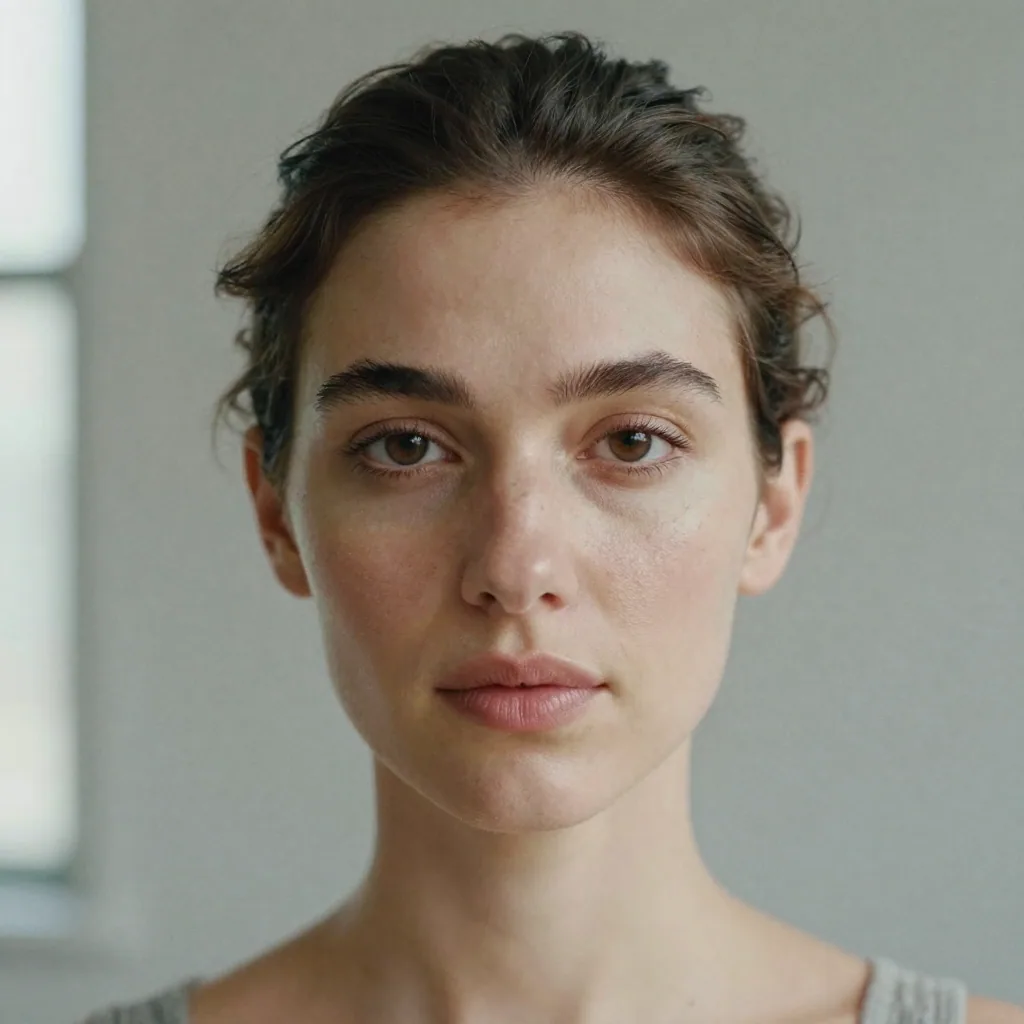

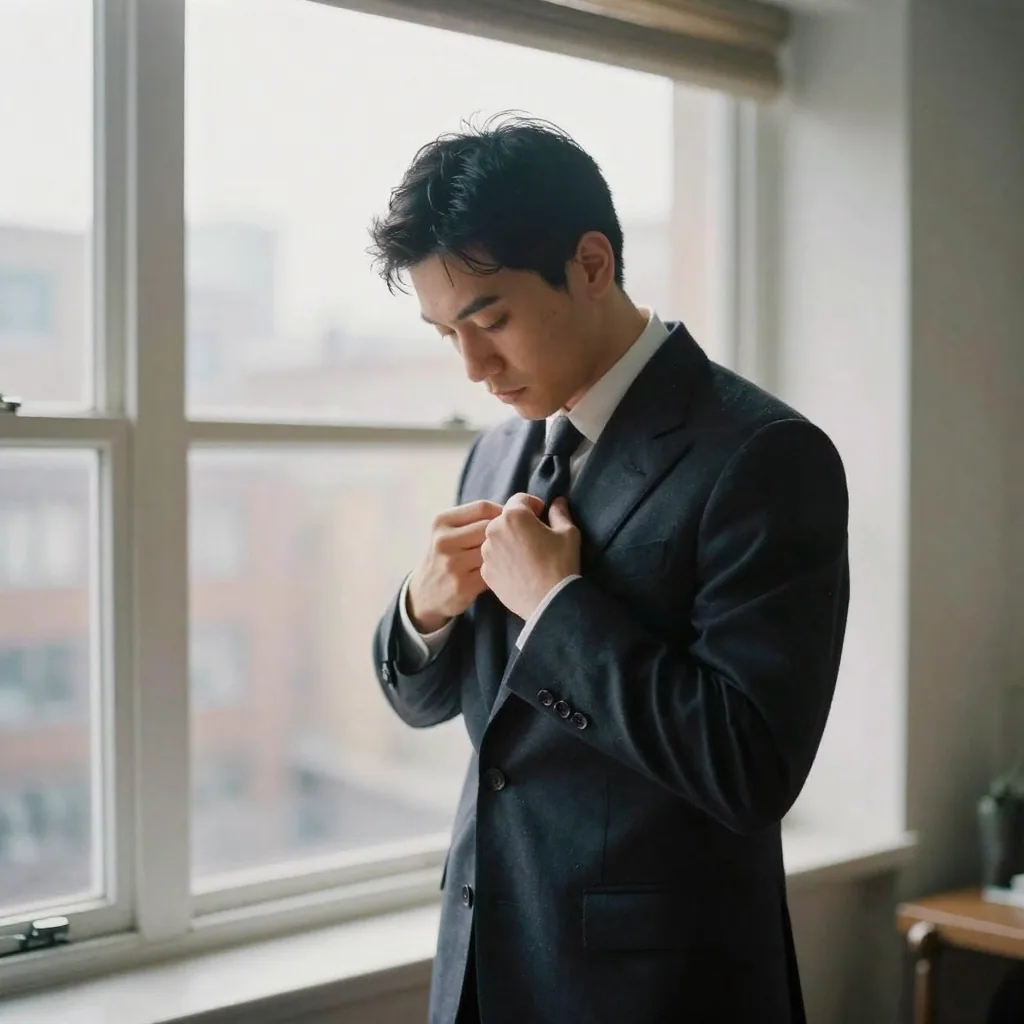
Yes. None of the major real estate platforms ban AI-assisted headshots — they require a clear, current, professional photo that recognizably matches you. NAR's Code of Ethics (Article 12) also requires a 'true picture' in your marketing. Because Imagera builds your headshot from your own selfies and keeps your real features, it meets that bar on Zillow, Realtor.com, Homes.com and your local MLS.
That's exactly what Imagera optimises for. It preserves your real facial identity and only refines lighting, grooming and background, so the agent on the sign is the agent at the door. Upload a few recent, clear selfies from slightly different angles for the truest likeness — clients should recognise you the moment you shake hands, which also keeps you within NAR's true-picture rule.
Yes — the headshots you generate are yours to use on signage, sold-listing graphics, social posts and business cards. A face on a yard sign helps buyers and sellers put a name to a person and builds brand familiarity. Export a high-resolution file so your portrait stays sharp at the standard 24×18-inch sign size and in small social thumbnails alike.
Bright, warm and approachable beats stiff and corporate. Real estate is a trust business, so aim for a genuine smile, steady eye contact and clean, soft lighting on a simple background. Imagera's realtor presets are tuned to that friendly-but-professional look, and you can generate several variations to match a luxury, suburban or commercial brand without re-shooting.
Yes. Each agent uploads their own selfies and picks the same Imagera style, so an entire brokerage ends up with one consistent, on-brand set of headshots for your roster page, listings and signage — without coordinating a single group shoot. Consistent agent photos reinforce a recognisable, professional brand across every yard sign and profile a client sees.
Dress one level above what you'd wear to meet a client — a fitted blazer, crisp collared shirt or clean knit in solid, muted colours. Avoid loud patterns and thin stripes, which can shimmer (moiré) at the small sizes used on signs and profile thumbnails. Imagera's presets already apply polished business attire, but neat clothing in your uploads helps the result.
Your agent profile photo and a property's listing photos follow different rules. For your headshot, MLS systems generally want a clear, current, professional portrait, and many accept JPEGs at 1024×768 or higher. Imagera lets you export at high resolution so you can crop to your platform's exact ratio. Listing photos carry separate MLS rules — like virtual-staging disclosure — that don't apply to your face.
A single professional real-estate headshot session in the US typically runs $125–$500, and you pay again for every reshoot. With Imagera, your headshots run on credits — a fraction of a sitting — and one upload can produce several looks. That makes it easy to refresh your photo each season or brand refresh without re-booking a studio.
Yes — for real estate, a warm, genuine smile is almost always the right call. Buyers and sellers are choosing who to trust with the biggest transaction of their lives, and trustworthiness is judged from a face in about a tenth of a second. A closed, overly serious expression can read as cold. Aim for a relaxed smile with steady eye contact — approachable but still professional. Imagera's realtor style is tuned to that friendly-but-credible look, and you can generate a couple of variations to compare.
The same source file has to work across a huge size range — from a 24×18-inch yard sign viewed from the curb down to a tiny Zillow or MLS thumbnail. Always export the highest-resolution file the studio offers and let each platform scale it down; upscaling a small photo to sign size is what makes agent portraits look soft and pixelated on signage. Imagera exports high-resolution headshots, so one file stays sharp on a rider sign, a business card and a profile avatar alike.
Yes. A luxury or commercial brand often calls for a more formal, editorial look, while a first-time-buyer or suburban-family brand benefits from a warmer, more approachable feel. Because you regenerate from the same upload, you can produce a polished executive style for high-end listings and a friendlier style for everyday clients without booking two sittings — then use each where it fits, from your Zillow profile to your farm-area mailers.
No major brokerage bans AI-assisted headshots — what they and the platforms care about is a clear, current, professional photo that recognisably matches you, and many franchises have their own branding guidelines for background colour or logo placement on marketing. Check your brokerage's brand kit, then generate a headshot that fits it. Because Imagera builds from your own selfies and keeps your real face, it satisfies both the brokerage's standard and NAR's true-picture rule.
Every couple of years at minimum, and sooner after a noticeable change in your appearance, a rebrand or a move to a new brokerage. A current photo that matches how you look at the showing builds trust and keeps you compliant with NAR's true-picture standard; an outdated one that no longer resembles you can feel like a bait-and-switch to clients. Because regenerating with Imagera takes minutes, refreshing is far cheaper and faster than re-booking a studio each time.
Yes — that's a common reason teams use it. Your lead agent, buyer's agents, listing coordinator and office admin can each upload their own selfies and pick the same preset, so the whole team page reads as one coordinated brand rather than a mix of studio photos, phone snaps and old profile pictures. It's especially useful for growing teams that add members throughout the year: a new hire generates a matching headshot on day one, no group shoot required.
They follow entirely different rules. Your agent-profile headshot just needs to be a clear, current, professional portrait that looks like you. Listing photos — the photos of the property itself — carry separate MLS obligations, including disclosure requirements for virtual staging and edits that could mislead a buyer about the home. Imagera's real estate headshots only apply to your face; nothing about generating your portrait touches the property photos or those listing-photo rules.
Bright and neutral wins for real estate. A soft light-grey, off-white or pale studio backdrop keeps the focus on your face, reads as warm and approachable, and stays crisp when a sign printer or the MLS compresses the file. Darker or heavily coloured backgrounds can feel corporate or cold, which works against the trust real estate depends on, and busy scenes get distracting once shrunk to a thumbnail. If you want to nod to a property brand, keep any colour subtle and let your expression lead.
Yes — the headshots you generate are yours to use across every marketing surface a real estate agent touches: business cards, just-listed and just-sold social posts, farming postcards and mailers, your email signature, open-house flyers and sponsor ads. Using one consistent portrait across all of them builds the name-and-face recognition that repeat and referral business depends on. Export the highest-resolution file so the same photo stays sharp whether it's printed on a glossy postcard or shrunk into a social avatar.
Three or four clear, recent, front-facing selfies in soft, even light give the truest, most consistent likeness — enough for the model to learn your face without the noise of sunglasses, hats, heavy filters or group shots. For real estate, choose source photos with a warm, natural expression, since approachability is the trait the headshot needs to convey. If the first result isn't quite right, add a couple more varied photos and regenerate; because it only takes minutes, it's easy to fine-tune the friendly, trustworthy look before you post it to Zillow, your MLS profile or a yard sign.
Last updated: June 2026 · Imagera formats real headshots from your own photos and preserves your likeness.
Use the primary CTA on this page to enter the tool.
Add your media or brief and set the options you need.
Create the result and export with commercial rights on paid plans.
Imagera AI Team
Unified AI creation platform
Complete your workflow
These pair with Studio Headshot Maker. Every tile says what the tool actually does — without leaving this page.
Create standards-ready passport and ID photos
Adjust pose and styling while keeping the same face
Prepare finished portraits for high-resolution delivery
AI upscaling to 1080p/2K/4K. Ultra-high resolution. Batch process up to 5 images.
Add freckles, pores, scars, tattoos. Remove blemishes. Fix plastic AI skin instantly.
Edit images with Imagera Edit. Inpaint, modify, and transform any part of your image.
Remove flyaway hair and fix fine imperfections with surgical AI precision.