Create standards-ready passport and ID photos
Free passport, visa & ID photos — auto-cropped to any country's exact size, background and file size, right on your device.
Imagera AI - AI content creation platform for generating images, cloning voices, creating avatars, and enhancing videos. Privacy Policy | Terms
Whether you're uploading to MyERAS for the residency match or refreshing your photo on a hospital directory, your headshot does one specific job: it helps program directors and patients recognize the real you. Imagera turns a few selfies into a studio-grade portrait that keeps your likeness intact, then formats it to the exact ERAS specification — 2.5 × 3.5 inches, 150 DPI, under 150 KB. Choose business formal for the application, or a white coat or scrubs look for your Doximity profile, practice website and clinic directory — all from one upload, with no studio booking and no midnight cropping before the deadline. The sections below walk through the exact MyERAS photo spec, what to wear for the application versus your clinical profiles, which background to use, and the questions applicants and clinicians ask most before they upload.
| Need | Typical alternative | Imagera |
|---|---|---|
| Speed | Desktop installs, queues, or studio bookings | Browser studio — generate when you need it |
| Pricing | Annual seats you may not fully use | Credit-based — pay when you create |
| Workflow | One narrow tool, many tabs | Connected Imagera suite for the full job |
Use Imagera AI Headshot with role-specific guidance — upload selfies and get a professional portrait styled for your profession in minutes.
Professional AI headshot A professional AI headshot is a career-ready portrait generated from selfies with likeness preserved for LinkedIn, licensing, and CVs.
Use Imagera AI Headshot with role-specific guidance — upload selfies and get a professional portrait styled for your profession in minutes.
Before/after demo proof — then open the studio on your own file.
Professional lighting and framing in one pass. Ship LinkedIn-ready portraits today.
Plans start at $19.99/mo
An ERAS residency photo must be 2.5 × 3.5 inches (about 375 × 525 px at 150 DPI), saved as a JPG or PNG under 150 KB, with your face centered, per the AAMC. Imagera turns your selfies into a studio-grade doctor headshot and formats it to that exact MyERAS spec — so the upload passes on the first try, and you also get a white-coat or scrubs version for your Doximity and hospital profiles from the same photos.
Imagera's document-spec engine formats your headshot to the exact ERAS requirement — 2.5 × 3.5 inches, 150 DPI, JPG or PNG under 150 KB — so you're not manually cropping and re-exporting at midnight before the deadline. That under-150 KB file cap is where most applicants get stuck, because a high-resolution studio photo blows straight past it; the tool sizes, crops and compresses to hit the number automatically.
Your photo is built from your own selfies and keeps your real features, so program coordinators recognize you the moment you walk in. Likeness — not a glamorized stranger — is the entire purpose of the ERAS photo. Upload three or four recent, front-facing photos taken in the last few months for the truest result, so the portrait matches the applicant who actually shows up to interviews.
Generate a business-formal portrait for the application plus a white-coat or scrubs look for your Doximity profile, hospital directory and practice website. Several medical looks from a single set of photos, with no second sitting. It works for the whole care team too — nurses, PAs, NPs and dentists can style the same way — so a department can build a consistent set of profiles without organizing a photo day around clinical schedules.
The AAMC requires a residency photo that is 2.5 × 3.5 inches (about 375 × 525 px at 150 DPI), a JPG or PNG under 150 KB, with your face centered — and sets no rule on attire. The photo exists to help programs identify you at interviews, so a faithful likeness formatted to spec is exactly what counts. Nothing in the requirements bans an AI-assisted or studio-retouched photo; what matters is that the image clearly looks like you and hits the file specification. The under-150 KB cap trips up applicants exporting a full-resolution studio shot, and manually cropping to 2.5 × 3.5 inches at midnight before the deadline is a common source of last-minute panic. Imagera's document-spec engine exports to those precise dimensions and file size automatically, so the MyERAS upload passes the first time.
AAMC — ERAS photo requirementsFor the ERAS upload, business formal in solid neutral colors is the convention — a blazer over a button-down, or a shirt and tie; white coats are not standard for the MyERAS identification photo. Reserve the white coat or scrubs for your hospital directory, Doximity and practice-website portraits, where they help patients recognize their physician. Keep colours muted and patterns simple so nothing distracts from your face at the small size the ERAS photo is displayed. Imagera can render the business-formal, white-coat and scrubs looks from the same upload, so you're covered for both the application and your clinical profiles.
For ERAS, use a plain, evenly lit neutral backdrop — light gray, off-white or pale blue — with head and shoulders centered and no harsh shadows. For a practice website or hospital directory, a soft, slightly blurred clinical or warm-neutral background reads as approachable and credible without competing with your face. A light, even background also keeps the file small, which helps you stay under the ERAS 150 KB cap. Imagera generates both the plain-neutral application backdrop and the softer clinical setting, so you're not locked into one look per shoot.
applicants in the 2026 ERAS residency cycle — each must upload one photo to MyERAS · source
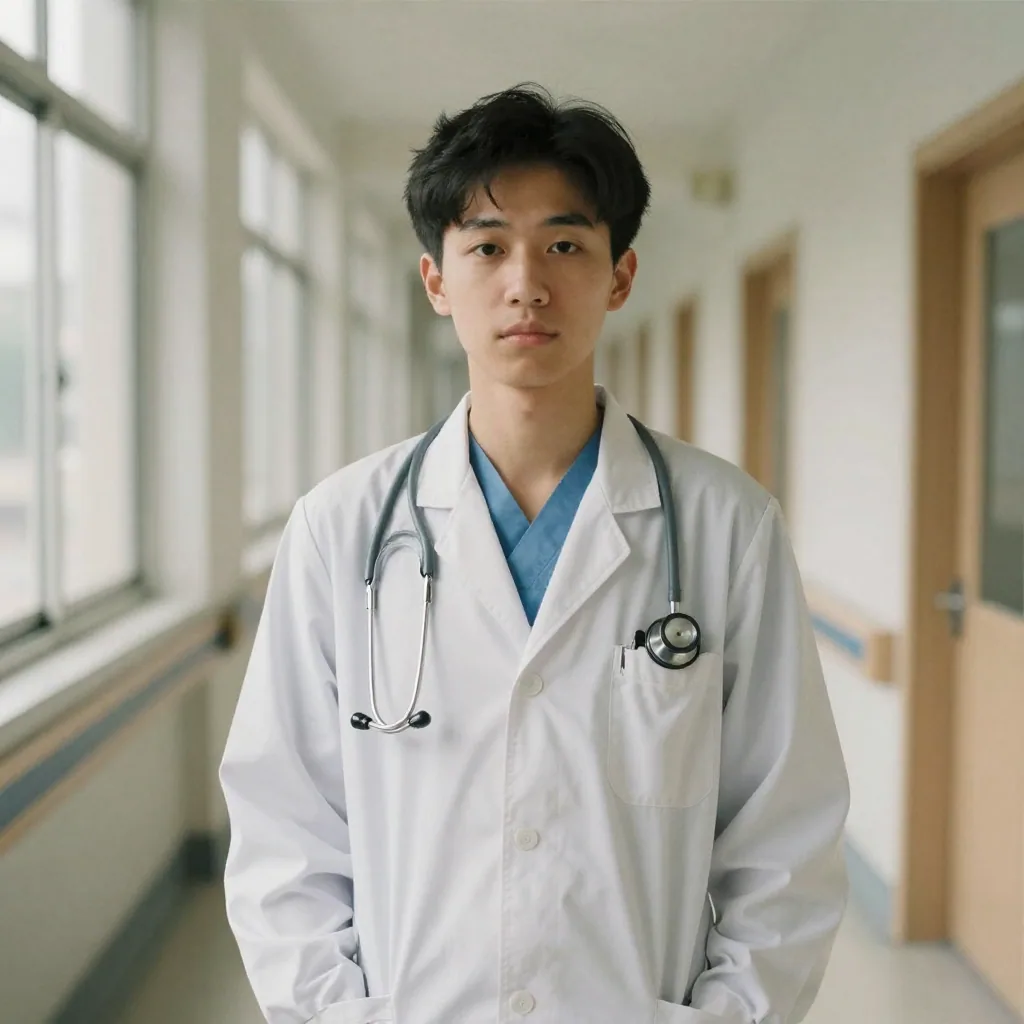
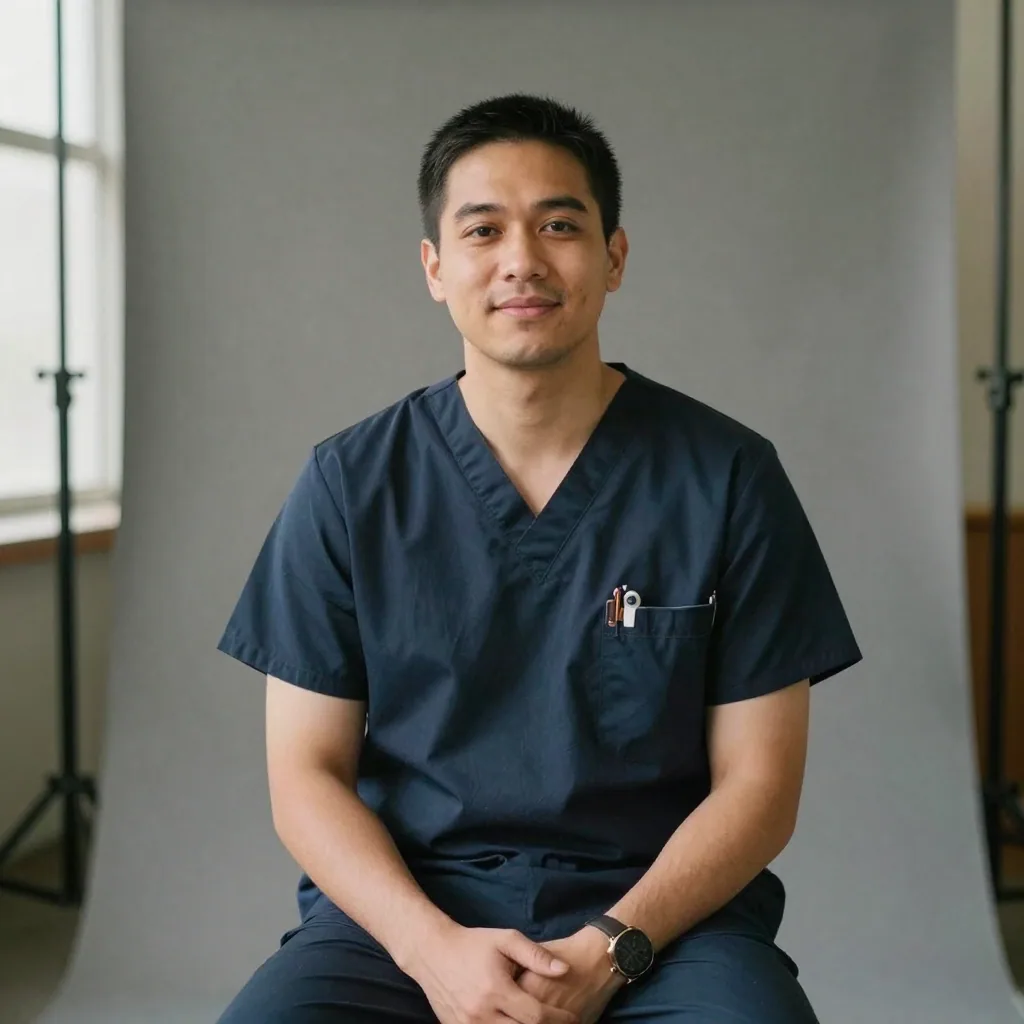
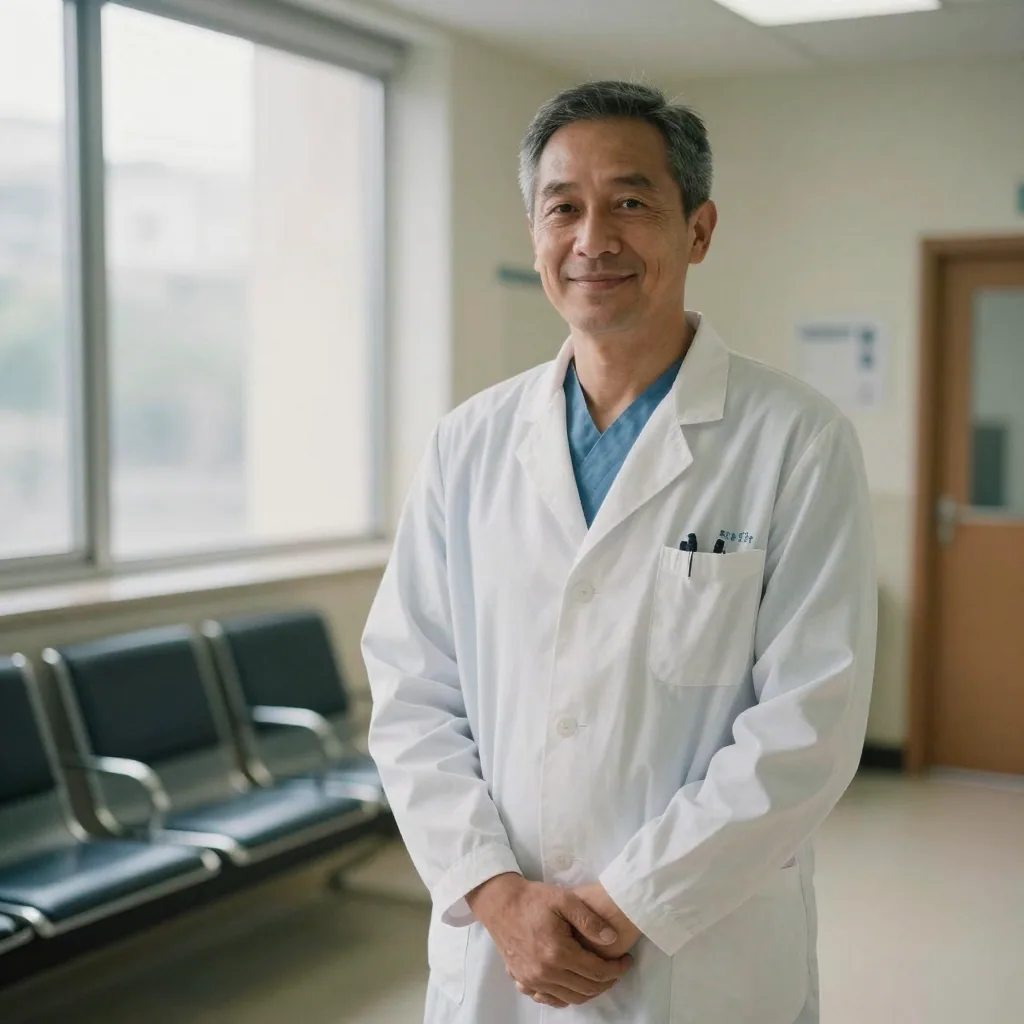
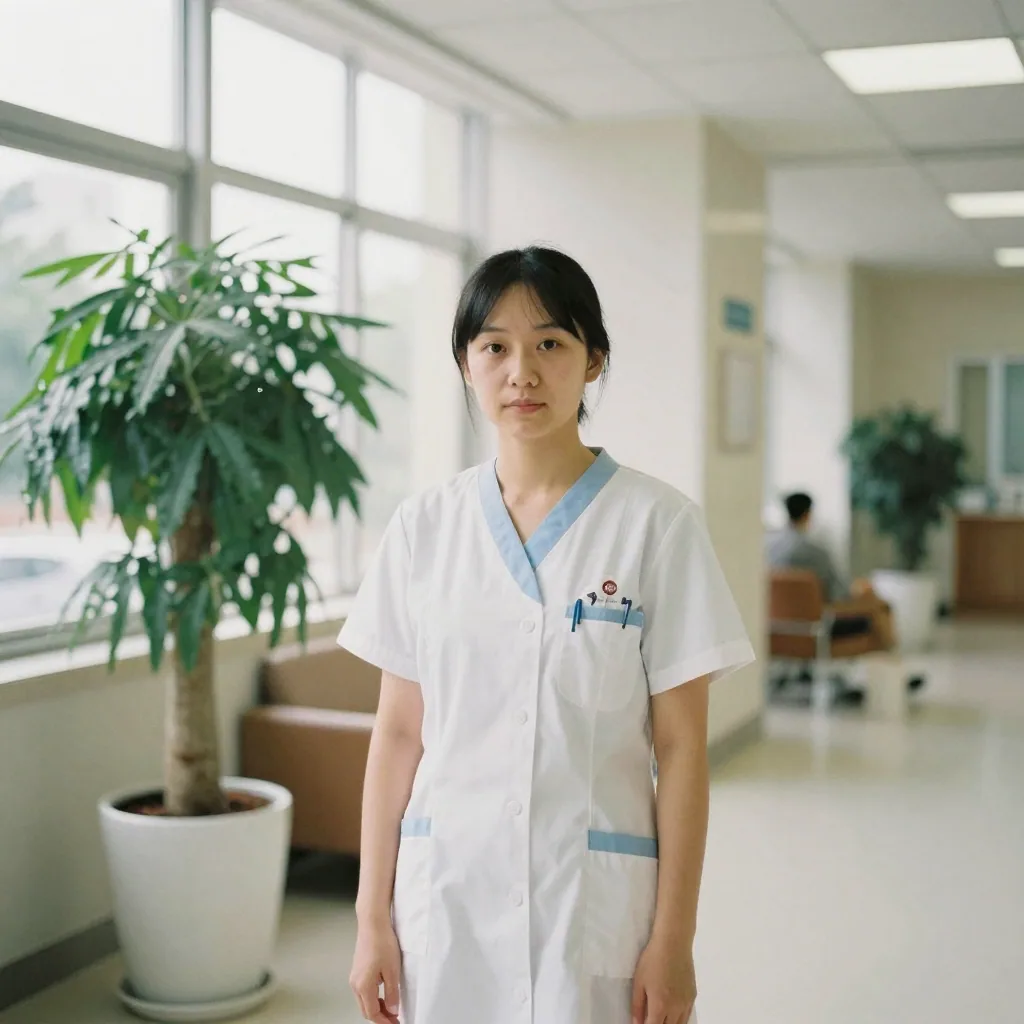
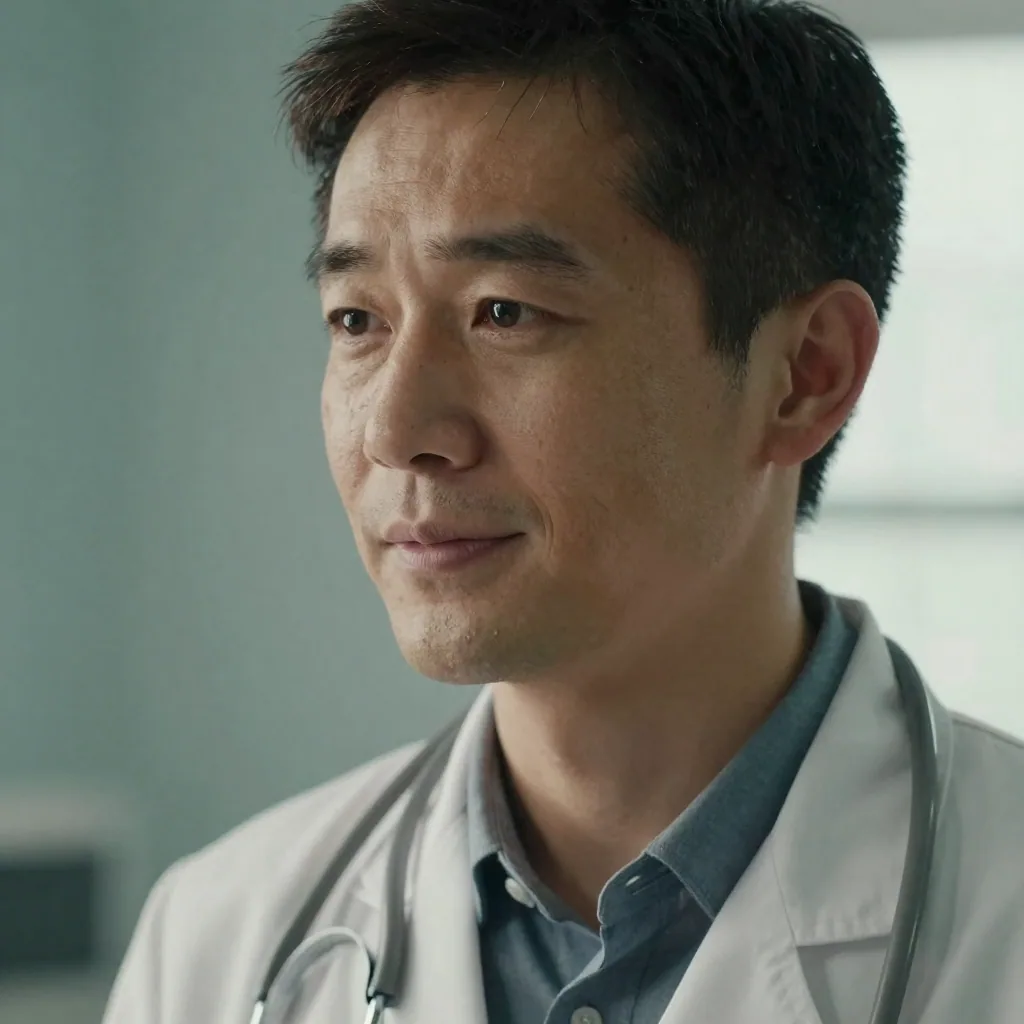
Per the AAMC, your MyERAS photo must be 2.5 × 3.5 inches (about 375 × 525 pixels at 150 DPI), saved as a JPG or PNG no larger than 150 KB, with your face centered. AAMC sets no attire rule. Imagera's document-spec engine formats your generated headshot to those exact dimensions and file size, so the upload passes the first time.
For the official ERAS upload, business formal is the convention — a blazer over a button-down, or a shirt and tie, in solid neutral colors. White coats aren't standard for the MyERAS identification photo. Save the white coat or scrubs look for your hospital directory, Doximity and practice website, where it helps patients recognize their physician. Imagera renders both looks from one upload.
Yes. Alongside the business-formal and white-coat looks, Imagera can style your portrait in clean clinical scrubs — useful for nurses, nurse practitioners, surgeons, residents and care-team directory pages. Pick the look that matches how patients and colleagues see you day to day, and generate it from the same set of selfies without a second sitting.
Imagera styles a realistic white coat or scrubs, but it won't fabricate a specific hospital's ID badge, logo or an embroidered name and credentials, because your headshot should reflect reality rather than invent affiliations you can't verify. For a real badge or monogrammed coat, photograph yourself wearing it, then use Imagera to refine the lighting, background and framing.
That's the priority. An ERAS photo exists so program coordinators can recognize you on interview day, so a faithful likeness matters more than anything else. Imagera builds your portrait from your own selfies and preserves your real features — it only refines the lighting, wardrobe and background. Upload several clear, recent photos from slightly different angles for the truest result.
AAMC's published requirements cover only the file specification and a centered face — they don't ban AI-assisted or studio-retouched photos. What matters is that the image clearly identifies you and meets the 2.5 × 3.5 inch, under-150 KB spec. Because Imagera preserves your real likeness and formats to spec, the photo does exactly what programs need it to do.
Yes. LinkedIn permits AI tools to enhance or create a profile photo as long as it reflects your likeness, and physician directories like Doximity simply ask for a recent, professional, filter-free headshot. Imagera's portrait is built from your own photos, so a single image works across your residency application, Doximity profile, LinkedIn and practice website.
For ERAS, use a plain, evenly lit neutral backdrop — light gray, off-white or pale blue — with your head and shoulders centered and no harsh shadows. For a practice website or hospital directory, a soft, slightly blurred clinical or warm-neutral background reads as approachable and trustworthy. Imagera generates both, so you're not limited to one setting per shoot.
The AAMC specifies 2.5 × 3.5 inches, which at the recommended 150 DPI works out to roughly 375 × 525 pixels — a portrait (taller-than-wide) shape with your face centered and your head and shoulders filling the frame. The file must be a JPG or PNG no larger than 150 KB. That size cap is where many applicants get stuck, because a high-resolution studio photo easily exceeds it. Imagera's document-spec formatting sizes, crops and compresses your headshot to hit those exact numbers so the MyERAS upload passes on the first try.
Yes. The same identity-preserving approach works for any clinician who needs a professional portrait — registered nurses, nurse practitioners, physician assistants, dentists, pharmacists, therapists and allied-health staff. You can style the look in a white coat, clean scrubs or business attire to match how patients and colleagues see you, and use it on your hospital directory profile, a care-team page, Doximity, LinkedIn or a practice website. The ERAS-spec formatting is specific to residency applicants, but the studio-quality headshot itself suits every role on the care team.
AAMC's published requirements govern the file specification and a centered face — they don't prohibit AI-assisted or studio-retouched photos, and the photo's job is simply to help programs identify you at interviews. What would cause a problem is a photo that doesn't clearly look like you when you show up. Because Imagera preserves your real likeness and formats precisely to the 2.5 × 3.5 inch, under-150 KB spec, it does exactly what the identification photo is meant to do: help coordinators recognize the person who walks in.
It should reflect how you currently look, because its purpose is recognition on interview day. A photo from several years or a major appearance change ago defeats the point. Build your Imagera headshot from recent selfies — ideally three or four clear, front-facing photos taken in the last few months — so the portrait matches the applicant who arrives for interviews. If your appearance changes during the cycle, you can regenerate an updated headshot in minutes rather than scrambling for a new studio slot.
Yes. Residency programs, hospital departments and medical groups often want a consistent set of physician and staff portraits for their website and directory. Each person uploads their own selfies and selects the same look — white coat or scrubs, on a shared neutral or clinical background — so the whole team page reads as one coordinated set. New residents and hires generate a matching portrait on arrival, keeping the directory current without organizing a group photo day around clinical schedules.
A warm, approachable expression works well for medicine, where patients and program directors want to feel they can trust you. For the ERAS application, a composed, friendly look with a slight smile is a safe, professional choice — it reads as confident and personable without being casual. For a patient-facing practice-website or hospital-directory portrait, a genuine, reassuring smile is often even better, because it signals the bedside warmth patients look for. Imagera lets you generate a couple of expressions from one upload and pick the one that fits the audience.
Imagera's document-spec formatting is tuned to the ERAS 2.5 × 3.5 inch, under-150 KB requirement, and the same studio-quality portrait works for the profiles and directories that don't impose a strict spec — Doximity, LinkedIn, hospital staff pages and practice websites, which simply want a recent, professional, filter-free headshot. For a different application with its own precise photo dimensions, generate the headshot first, then crop and export to that system's stated size; the underlying portrait stays the same faithful likeness of you.
Three or four recent, front-facing photos in soft, even light give the truest likeness — enough variety for the model to learn your face, without the noise of sunglasses, hats, heavy filters or group shots. Because the ERAS photo exists to help programs recognise you on interview day, use photos that reflect how you look right now, not from years ago. If your first result isn't quite right, add a couple more varied selfies and regenerate; it takes minutes, so there's no penalty for fine-tuning the look before you upload to MyERAS.
A professional session for a residency or physician headshot typically runs from around a hundred dollars into the several hundreds, more in major cities, and you pay again for a reshoot if your first upload gets rejected on size or you change your look during the cycle. With Imagera, your headshot runs on credits — a fraction of a sitting — and a single upload produces a business-formal ERAS photo plus white-coat and scrubs versions for your clinical profiles. If the file needs adjusting for the 150 KB cap, you re-export in seconds rather than re-booking a studio the week before the deadline.
Last updated: June 2026 · Imagera formats real headshots from your own photos and preserves your likeness.
Use the primary CTA on this page to enter the tool.
Add your media or brief and set the options you need.
Create the result and export with commercial rights on paid plans.
Imagera AI Team
Unified AI creation platform
Complete your workflow
These pair with Studio Headshot Maker. Every tile says what the tool actually does — without leaving this page.
Create standards-ready passport and ID photos
Adjust pose and styling while keeping the same face
Prepare finished portraits for high-resolution delivery
AI upscaling to 1080p/2K/4K. Ultra-high resolution. Batch process up to 5 images.
Add freckles, pores, scars, tattoos. Remove blemishes. Fix plastic AI skin instantly.
Edit images with Imagera Edit. Inpaint, modify, and transform any part of your image.
Remove flyaway hair and fix fine imperfections with surgical AI precision.