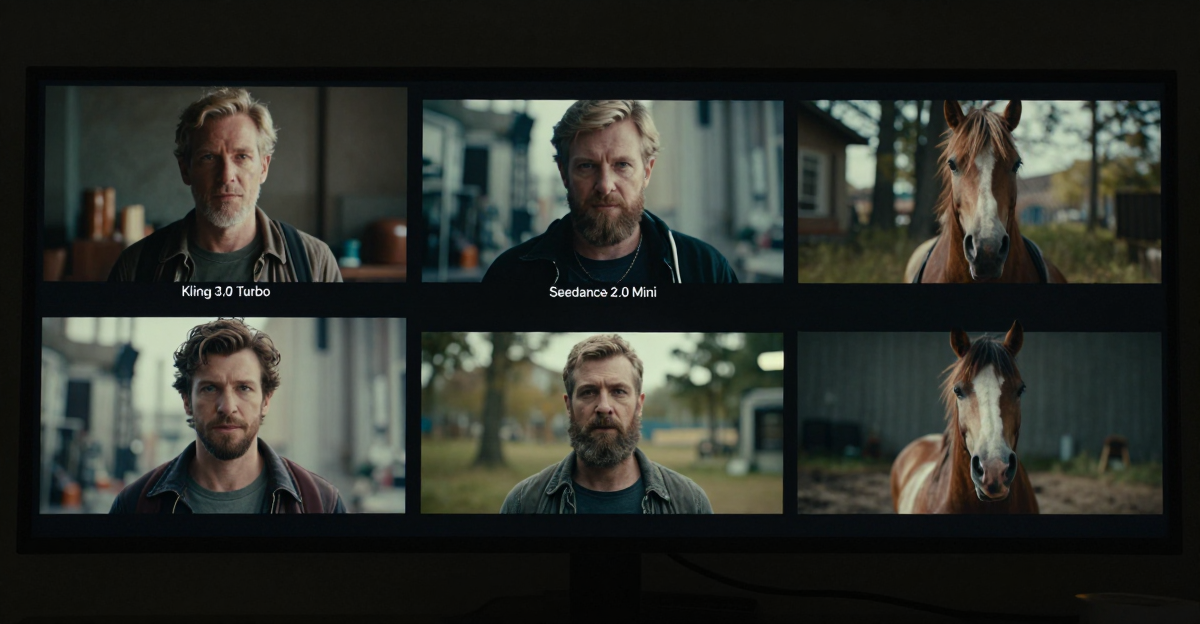

You can complete this on Imagera without installing software: upload a real source file, describe the change, confirm credits up front, generate, and review before you publish. Runway Alternative 2026 — AI Video Without Gen-Only Lock-In — this guide covers the steps, quality checks, and when to open related tools.
Runway set the bar for cinematic AI video tooling. A Runway alternative search usually means: “I need AI video results, but I don’t want to be stuck in one ecosystem’s pricing — or I need more than gen-only tools.”
Product: Runway alternative · Video generator · Product reel maker · Video enhancer
Real Imagera output: a short AI-generated video.
Quick answer: The best Runway alternative in 2026 is Imagera, an AI creative platform that pairs text-to-video and image-to-video with a full editing, upscaling, and reel pipeline in one workspace — so you're not locked into a generate-only tool.
1.Why choose an Imagera as a Runway alternative in 2026?
Because most generators stop at the clip. Imagera runs the whole chain: generate a shot, edit or re-frame it, upscale to 4K (and stills to 8K or 16K), then auto-cut vertical reels — all in one workspace. Many clips render in under a minute, you can batch variations, and each step is billed in transparent credits, so a short test costs a fraction of a finished 4K export.
2.Does an all-in-one platform give you more control than a gen-only tool?
Yes. A gen-only tool typically forces separate apps for editing and upscaling; Imagera keeps all four stages — generate, edit, upscale, publish — under one credit balance, cutting round-trips between tools. Consolidating generation and post-production into a single pipeline means fewer file exports, format conversions, and re-uploads to manage, which is exactly the gen-only lock-in this alternative avoids. With access to 100,000+ models under one workspace, you can pick the right engine for each shot without switching platforms.
3.Quick verdict
| Job | Better fit |
|---|---|
| Directed cinematic generation deep in Gen ecosystem | Runway |
| Product photo → ad reel at catalog volume | Imagera |
| Same character across stills + video | Imagera (influencer / LoRA) |
| Image humanize / upscale / voice in one wallet | Imagera |
| Burst campaigns with low entry cash | Imagera packs from $19.99 |
Answer-first capsule: Imagera is a practical Runway alternative for teams that need AI video plus product reels, character consistency, and image tools without living only inside a Gen-focused editor. Stay on Runway if your entire workflow is already optimized inside their timeline and models.
4.What Imagera's video generator actually does
The Imagera video generator is the tool most people reach for when they type “Runway alternative,” so it is worth being precise about what it does before you compare price. It is a browser tool — nothing to install, no GPU to rent — that turns text prompts or still images into short video clips. In practice it covers three distinct generation modes:

- Text to video — you describe a scene and the AI generates the clip from scratch. Good for concepts, moodboards, faceless content, and shots you cannot film.
- Image to video — you upload a real photo (a product shot, a portrait, a location still) and the tool animates it with natural motion. This keeps your actual subject on screen instead of inventing one.
- First and last frame — you give the tool two keyframes and it interpolates a smooth transition between them. Useful for controlled camera moves, before/after reveals, and loop-friendly clips.
Under one interface you can pick between several AI video models rather than being locked to a single engine. Some of those models generate silent video; a few generate synchronized audio (dialogue, ambient sound, effects) directly from the prompt. Choosing the model per shot is the whole point — a fast, cheap model for exploration, a stronger model for the hero clip.
The genuinely differentiated part is LoRA support. You can attach styles from CivitAI’s public library — paste a LoRA URL and use it instantly, no manual downloads — and chain up to four LoRAs on a single generation, adjusting how strongly each one influences the result. That is how creators get a look that is theirs (for example an anime style layered with a neon-city style) instead of the generic output every prompt-only tool produces. You can save a combination and reuse it so a series of clips stays visually consistent.
Everything runs on credits, not a per-tool subscription, and outputs carry full commercial rights with no watermark. That credit model is the real reason “Runway alternative” buyers land here: you pay for the clips you actually keep, across every tool in the suite, from one balance.
5.Who should evaluate a Runway alternative
- E-com teams generating SKU reels from photos
- Creators who need same character across stills + video
- Agencies that want image tools + enhance + voice in the same wallet
- Buyers priced out of higher Runway tiers for burst campaigns
- Teams that prefer browser + credits over learning another pro NLE-style AI suite
6.Imagera vs Runway (job-based)
| Job | Runway | Imagera |
|---|---|---|
| Directed cinematic gen | Excellent ecosystem | Multi-model video paths |
| Product photo → ad reel | Possible with pipeline | Purpose-built product reels |
| Train-once face/product | Limited native | Personal Influencer / LoRA |
| Image humanizer / upscale | Often external | In-suite image tools |
| Entry spend | Plan-based | Packs from $19.99 |
| Enhance existing footage | Varies | Video enhancer |
7.Feature comparison at a glance
The homepage price is the wrong number to compare — you want the whole picture. Here is an honest side-by-side. Competitor prices are shown in dollars where they publish plan cards; Imagera cost is shown in credits because a single dollar figure would misprice, since the price per credit changes across plans.

| Feature | Imagera | Runway |
|---|---|---|
| Billing model | Prepaid credits, one shared balance | Monthly subscription tiers |
| Entry spend | Pack from $19.99 (no monthly lock-in) | Plan-based, re-check current cards |
| Text to video | Yes | Yes |
| Image to video | Yes | Yes |
| First & last frame | Yes | Yes |
| Multiple video models in one place | Yes — pick per shot | Own Gen models |
| LoRA styles from CivitAI | Yes | Not native |
| Chain up to 4 LoRAs | Yes | No |
| Synchronized audio | On select models | On select models |
| Product reels from photos | Purpose-built tool | Custom pipeline |
| Train-once identity | Influencer / LoRA | Limited native |
| Commercial rights | Included per plan terms | Per plan tier |
| Install / GPU | None (browser) | None (browser) |
Read this as a fit chart, not a scoreboard. Runway’s directed cinematic craft is excellent inside its own editor. Imagera’s advantage is breadth in one wallet — video, reels, identity, image cleanup — and per-shot model choice with LoRA control.
8.Pricing frame (evidence)
Imagera SSOT: $19.99 entry pack class (100 credits), $19.99 Pro monthly. No free generation tier.

Video generations are priced per clip in credits: light/preview tiers cost the fewest credits, HD generations cost more, and each attached LoRA adds a small credit surcharge. That is the number to plan against — not a flat per-video dollar figure, because your effective cost per credit changes with the pack you buy.
Runway: re-check current plan cards — credit systems change. Decision metric = $ per published second, not homepage price.
CTA: Imagera pricing · Runway alternative page
9.Step-by-step: your first clip on Imagera
If you are migrating from Runway, the mental model is the same but the levers are different. Here is the full path from blank screen to exported file.
- Open the studio. Go to the video generator and pick your mode: text to video, image to video, or first & last frame.
- Bring a clean source (image modes). For image to video, upload a sharp, well-lit still. The tool animates what you give it, so fix crop and lighting first with the image tools — a bad still produces a bad clip.
- Write a specific prompt. Describe the subject, the motion, and the mood in one clear instruction. Vague prompts waste credits; concrete ones (“slow push-in on the product, soft studio light, subtle rotation”) land closer on the first try.
- Pick a model for the job. Use a fast, low-credit model to explore ideas. Switch to a stronger model only for the shot you intend to publish.
- Add LoRA styles (optional). Paste a CivitAI LoRA URL to apply a look, and chain up to four with adjustable strength if you want a signature style. Save the chain if you plan a series.
- Set format and quality. Choose your aspect ratio (9:16 vertical for TikTok/Reels/Shorts, 16:9 for YouTube, 1:1 for feed) and resolution. Explore at lower quality; finalize at HD.
- Confirm credits and generate. The cost is shown before you commit, so there are no billing surprises. Generation typically completes in seconds, not minutes.
- Review on a phone, then export. Preview the result on the device your audience uses. Export only the winners; leave rejected takes unenhanced to save credits.
10.Workflow: product ad without a camera crew
- Shoot or export clean product stills.
- Generate with product reel maker (see product reels guide).
- Enhance if needed (video enhancer).
- Optional brand face via influencer training.
- Export for TikTok Shop / Meta ads.
11.Workflow: cinematic short on Imagera
- Write a shot list (not one mega-prompt).
- Generate key stills for continuity.
- Animate selected stills in video generator.
- Upscale finals only.
- Add voice or music from audio tools if the project needs a full stack.
12.Common use cases (who it's for)
“Runway alternative” hides a dozen very different jobs. Here is how each maps to Imagera in practice:
- E-commerce sellers. You have product photos and need scroll-stopping vertical clips for TikTok Shop, Meta ads, and product pages. The product reel maker turns stills into short ads without a shoot, and the credit model means you can test five variants of one SKU cheaply.
- Faceless creators. You run a channel that never shows a face — explainers, motivational clips, aesthetic compilations. Text to video plus LoRA styling lets you produce a batch of on-brand clips in one sitting.
- Social media managers. You need a steady drip of format-correct content across platforms. Generate 9:16, 16:9, and 1:1 from the same idea and keep a saved LoRA chain so the account’s look stays consistent.
- Small agencies. You bill several clients and hate vendor sprawl. One credit balance covering video, reels, identity, enhance, and image tools is easier to budget and reconcile than five separate subscriptions.
- Solo founders and side-hustlers. You want commercial-usable clips without learning Premiere or After Effects. Upload, prompt, confirm credits, export.
- Creators who need a consistent character. You want the same face or product across stills and video for 30 days. Pair the generator with Personal Influencer or LoRA training for train-once identity.
13.Examples: three quick scenarios
Scenario 1 — A Shopify seller launching one product. Export three clean product stills, animate each with a slow push-in and subtle rotation in image-to-video mode, run enhance only on the best clip, and export 9:16 for TikTok Shop. Total spend is a handful of credits, not a camera day.
Scenario 2 — A faceless creator posting daily. Write five short prompts, generate them at a low-credit tier to check composition, then re-run the two strongest at HD with a saved LoRA chain for a recognizable style. Batch a week of content before lunch.
Scenario 3 — An agency matching a client’s existing look. Pull three reference clips from the client’s Runway lookbook, run a side-by-side bake-off on Imagera with matching prompts and a LoRA that approximates the style. If it matches, standardize; if a specific Runway model is contractually required, keep Runway for that one client and move everything else.
14.Tips for best results
- Explore short, finalize long. Test ideas at the cheapest quality tier and short durations, then commit credits only to the take you will publish.
- One instruction, not ten. A single clear sentence about subject, motion, and mood beats a paragraph of contradictory directions.
- Fix the still before you animate. In image modes, the clip inherits every flaw in the source. Crop, relight, and clean up first.
- Use LoRA weights deliberately. Chaining four styles at full strength usually muddies the output. Start with one dominant style and layer others lightly.
- Match the platform up front. Choose the aspect ratio before you generate so you are not re-cropping (and re-paying) later.
- Preview on a phone. Platform compression changes how a clip reads on mobile. Always check on the device your audience uses.
15.Common mistakes that waste credits (and how to avoid them)
Mistake 1: Animating bad stills. Fix lighting and crop first with image tools, then animate.
Mistake 2: 10-second tests when 3 seconds would do. Explore short, finalize long.
Mistake 3: Upscaling everything. Only enhance approved finals via video enhancer paths.
Mistake 4: Ignoring platform compression. Always preview on a phone after export.
Mistake 5: Chasing free forever. Free tools train you to accept watermarks and weak rights. Imagera is pay-first: buy credits, then create.
Mistake 6: Testing on the most expensive model. Use a fast, low-credit model to lock composition. Switch to a stronger model only for the shot you will actually publish.
16.When to stay on Runway
- Your editors are fluent in Runway’s timeline and Gen models
- You only ship cinematic shorts with no need for image/LoRA stack
- A specific Runway model is non-negotiable for a client brand guide
- You already maximized ROI on a Runway plan with high weekly volume
17.Operator evidence
GSC (2026-06-15–07-14): /runway-alternative ~272 impressions, 2 clicks — early ranking; content support needed.
Related commercial posts: Higgsfield alternative · Seedance 2.0 alternative · Best AI video upscaler · Kling alternative · Best AI product video
18.Deeper guide (practical production)
Once you are past the first clip, production quality comes from process, not luck. Three habits separate creators who ship weekly from those who burn credits and give up.
First, storyboard before you generate. A cinematic short is a sequence of intentional shots, not one long mega-prompt. Write a shot list, generate a key still for each beat to lock composition and continuity, then animate the approved stills. This costs fewer credits than re-rolling a complicated single prompt over and over.
Second, build a style you own. The reason so much AI video looks interchangeable is that everyone leans on the same prompt-only defaults. A saved LoRA chain — one dominant look plus one or two light accents — gives a series a recognizable signature and makes your account instantly identifiable in a feed.
Third, enhance selectively. Upscaling and cleanup are for finals only. Run video enhancer on the clip you approved, not on every experiment. That single discipline keeps your cost-per-published-asset honest.
19.Related tools on Imagera
20.Bottom line
A serious Runway alternative is not a clone — it’s a stack that ships finished business video. Imagera targets that with reels, characters, enhance, and credits from $19.99.
Start creating — Runway alternative · Product reels · Pricing
21.Decision tree
- Is your primary output catalog product reels? → Prefer Imagera product reel maker.
- Is your primary output directed cinematic gen with heavy timeline craft? → Prefer Runway unless cost forces a change.
- Do you need identity + stills + video + enhance weekly? → Prefer Imagera suite.
- Are you testing a one-off campaign? → Buy a $19.99 pack and measure cost per published second.
22.Stack comparison for agencies
| Stack piece | Runway-centric | Imagera-centric |
|---|---|---|
| Hero gen | Gen models | Multi-model video |
| Product ads | Custom pipeline | Product reels |
| Character | Prompt skill | Influencer / LoRA |
| Cleanup | External or limited | Video enhancer |
| Voice / podcast | External | Audio tools |
| Billing | Plan credits | Shared credits |
Agencies should price the full stack, not the gen model alone. Hidden vendor sprawl kills margins.
23.Implementation week plan
Day 1–2: Bake-off three prompts on Runway (if you have access) and Imagera video generator. Day 3: Produce five product reels from existing SKUs. Day 4: Run enhance only on finals. Day 5: Calculate $ per published asset and pick the default stack.
24.Related posts
- Kling alternative
- Higgsfield alternative
- Best AI product video generator
- Best AI video upscaler
- Topaz Video AI alternative
25.Objections
“Runway quality is always higher.” Sometimes for cinematic gen. Not always for SKU reels or suite economics. Bake-off with your assets.
“We already trained our team on Runway.” Switching cost is real. Only migrate workflows where Imagera is clearly cheaper or faster.
“Free alternative to Runway?” Imagera is not free. Credits from $19.99 — honest for commercial work.
26.Deep dive: how to evaluate any Runway alternative in 2026
Search intent for “Runway alternative” is commercial. Buyers are past “what is AI video.” They want a shortlist, pricing clarity, and a migration path. Use this checklist every time — including when evaluating Imagera:
- Job fit — Does the tool ship the artifact you publish weekly?
- Identity — Can you keep a face/product consistent for 30 days?
- Cost math — Price ÷ usable seconds (or reels) after failures.
- Suite tax — How many extra tools do you still need to pay for?
- Ops — Browser vs install, team seats, regional access.
- Rights — Commercial use and disclosure requirements.
- Support — Failures, queues, and refund/credit policies.
Primary product links for this article:
- https://imagera.ai/video/video-generator
- https://imagera.ai/video/product-reel-maker
- https://imagera.ai/video/video-enhancer
- https://imagera.ai/image/image-generator
- https://imagera.ai/runway-alternative
- https://imagera.ai/pricing
27.Glossary for buyers
- Talking avatar — Face image driven by audio for speech-looking motion.
- Lip sync — Mouth motion aligned to phonemes/audio.
- Product reel — Short vertical video of a SKU from stills.
- LoRA / train-once — Lightweight identity adaptation for consistency.
- LoRA chaining — Stacking multiple LoRA styles (up to 4 on Imagera) on one generation, each with its own strength.
- Text to video — Generating a clip from a written prompt alone.
- Image to video — Animating a real uploaded still into a moving clip.
- First & last frame — Interpolating a transition between two keyframes.
- Credit pack — Prepaid usage units across tools.
- Pay-first — No free unlimited generation; purchase before create.
28.Extended FAQ
28.1Is Imagera a full NLE like a traditional editor?
No. It is a generation + enhance suite. Pair with CapCut/Premiere for complex timelines if needed.
28.2Can I match a client’s existing Runway lookbook?
Run a side-by-side with three reference clips. If match fails, keep Runway for that client only.
28.3What about team collaboration?
Use shared asset folders outside the tool and a credit budget owner. Process beats features for agencies.
28.4Do I need a powerful computer or a GPU?
No. Everything runs in the browser on Imagera’s side — there is nothing to install and no GPU to rent. That is a common reason people leave heavier desktop-oriented pipelines.
28.5Which aspect ratios and formats are supported?
You can generate 9:16 vertical for TikTok, Reels, and Shorts, 16:9 for YouTube, and 1:1 for feed posts, at HD or lighter quality. Pick the format before generating so you are not re-cropping later.
29.Closing recommendation
If your bake-off shows Imagera is close enough on quality and better on suite economics, standardize on the money pages linked above. If a competitor uniquely wins a mandatory feature, keep that tool for that job only — hybrid stacks are fine when deliberate.
Re-run this evaluation every quarter as models and pricing change.
30.Related product guide
31.Tools and next steps
| Goal | Open |
|---|---|
| Image edits & pose | Imagera Image Editor · Identity Editor |
| Headshots | AI Headshot |
| Product / person reels | Product Reel Maker · Human Reel Maker |
| Talking photo | Avatar Generator · Talking Avatar |
| Pricing | Pricing |
How to ship: upload a master file → write a clear instruction → confirm credits → generate → review on phone → export winners only.