Turn Product Photos into Scroll-Stopping Reels
A product video from photos — no filming, no studio, no editor. Describe your product and vibe, pick a style, and get an ecommerce-ready reel for TikTok, Reels, Shopify and Amazon listings.
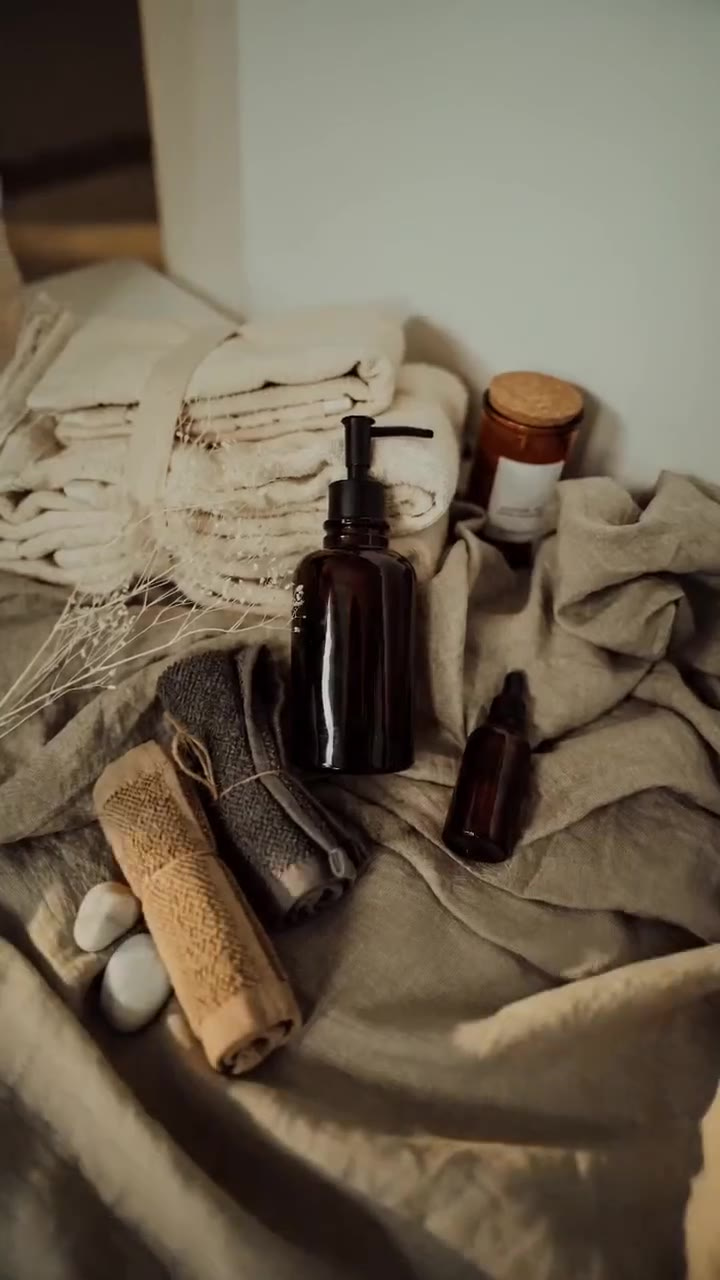
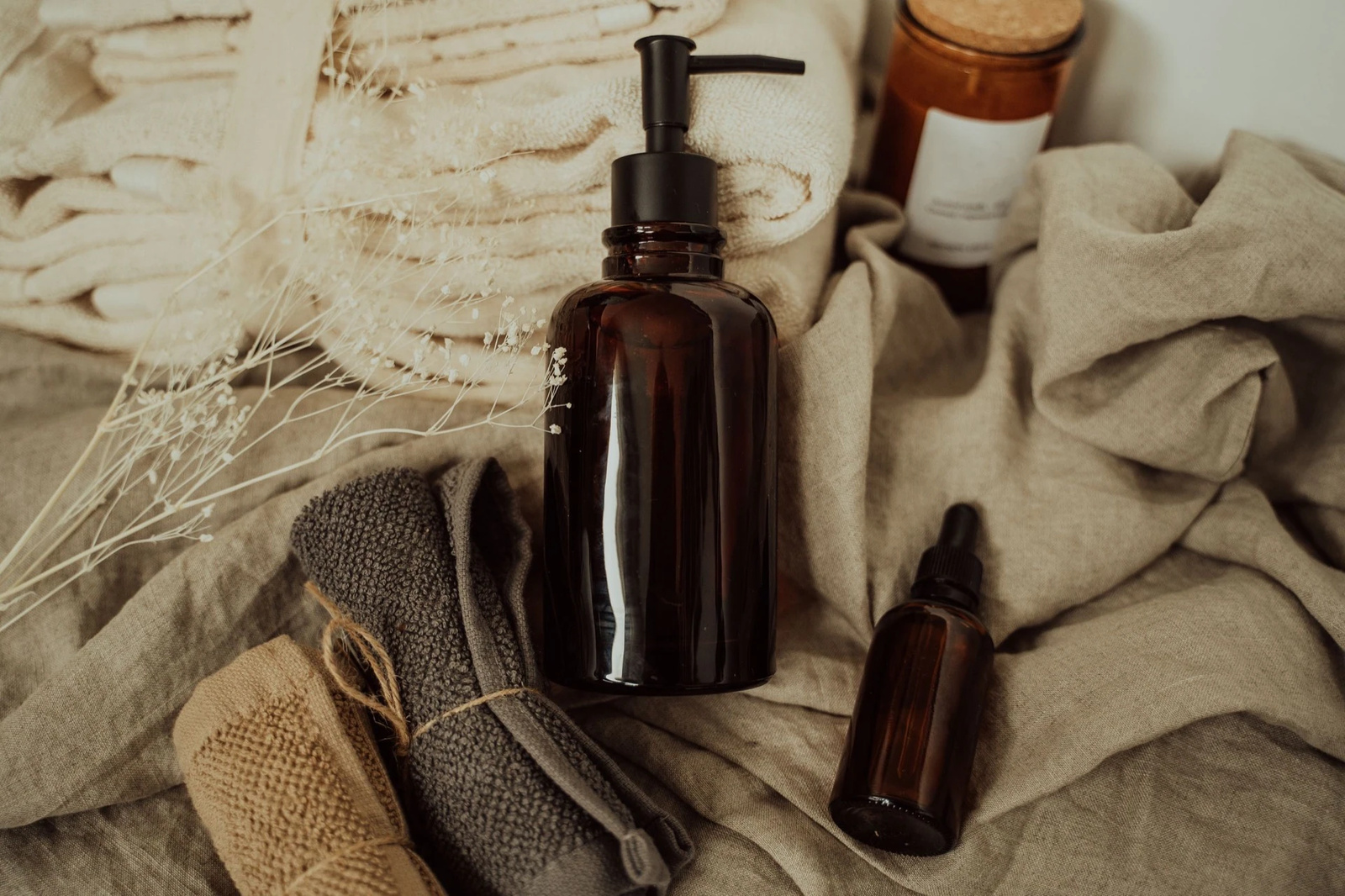 BeforeAfter
What is a product reel maker?
A product reel maker turns still product photos into short motion video for social commerce and shop pages. You upload the shots you already have, describe the product and the mood you want, and pick a camera style; the reel is rendered around your own photos, so the item on screen is the one you sell. Output comes back in 9:16, 16:9 or 1:1 for TikTok, Reels, Shopify and Amazon listings — with no shoot.
- Credits
- From 20 per reel
- Ratios
- 9:16 · 16:9 · 1:1
- Photos
- Up to 9 per reel
Updated September 4, 2026
Cite this page: https://imagera.ai/video/product-reel-maker
What the reel does with a product photo
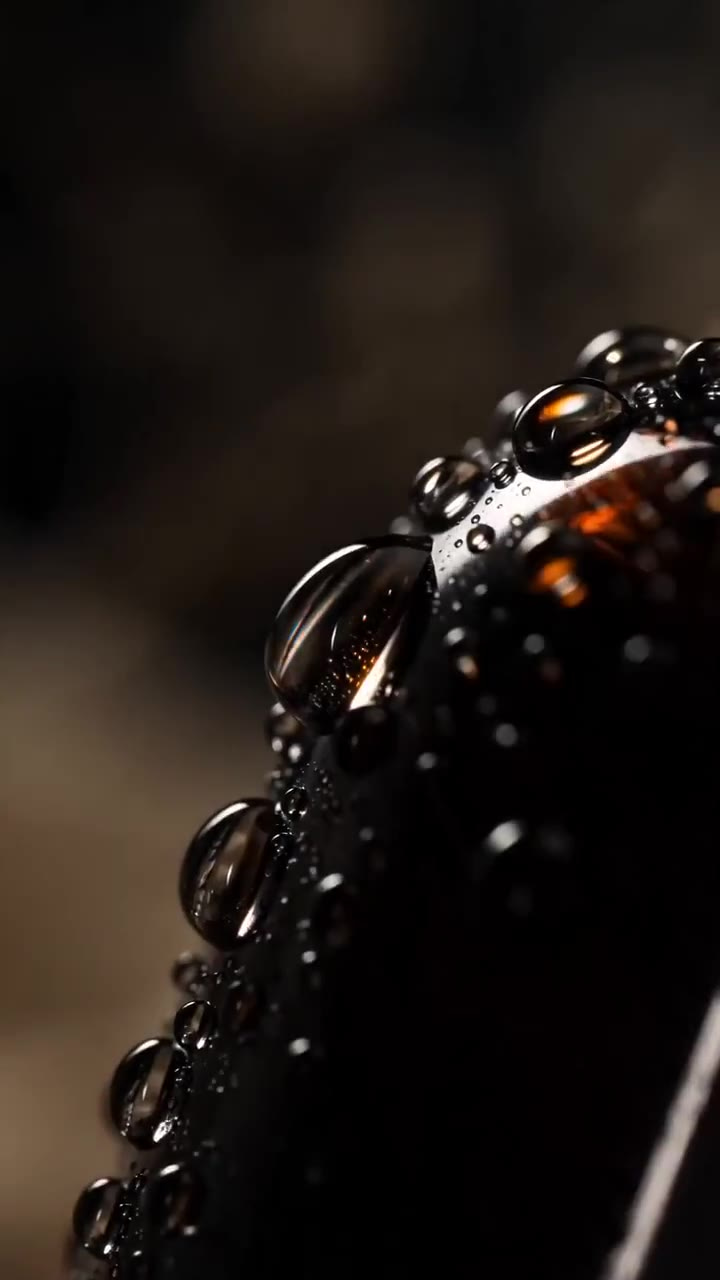
Macro Details
Extreme close-ups of texture, material and craftsmanship. A flat product photo shows the shape; a macro pass shows the finish — the grain of the glass, the weight of the stitching, the way light sits on a surface — which is what a buyer looks for before they add to cart.
Know more →No filming, no studio, no editor
The reel is generated entirely from still photos: no studio session, no turntable rig, no gimbal, no edit. If you can photograph the product on a phone, you can put it in motion — which is what makes per-SKU video realistic for a whole catalog instead of only for hero products.
Know more →Your photos anchor every frame
You describe what the product is and how it should feel, and the camera language is built around it — a slow premium orbit for a skincare jar, a punchy macro cut for sneakers. The description steers the motion, pacing and mood; the product identity comes from your photos, so what buyers watch is what ships.
Know more →Why a product page needs the video, and how this makes one
Motion earns the second a static photo does not — built from the shots you already took.
Why turn product photos into a video at all?
Because a shopper decides in the first second of a scroll, and motion earns that second where a static photo does not. A product reel gives the same catalog image a reason to be watched: the camera orbits the item, light rakes across the texture, the packaging turns to face you. On a Shopify or Amazon product page that video sits in the same gallery your stills already live in — but it is the asset people play. This exists so you can add it from the photos you already shot, instead of booking a studio day, a turntable rig and an editor for every SKU.
How do I make an Amazon listing video from product photos?
Gather the shots you already have — a front hero, packaging and one texture close-up is plenty, and cut-outs on a plain background give the cleanest motion. Describe the product and the mood: "matte skincare jar, calm minimalist morning" produces very different pacing from "high-energy sneaker drop", because the brief drives the camera and not the product identity. Then pick a style and a ratio: 16:9 or 1:1 reads cleanly in Amazon's product-page video slot, 9:16 suits Amazon Posts and off-platform social, and you can regenerate the same product in each ratio without re-shooting. Add captions, price or a logo in your usual scheduler after download.
Which product reel style fits which SKU?
Different products sell on different things — shape, texture, use, or the moment of unboxing. Skincare, candles and fragrance suit Hero Orbit or Dramatic Reveal, where slow premium motion signals a considered item. Sneakers, apparel and accessories suit Turntable or Floating Rotate, because a full turn answers "what does the back look like" before it is asked. Handmade, jewellery and leather goods want Macro Details, which sells the craftsmanship a photo flattens. Home and kitchen goods want Lifestyle Context, so buyers picture the thing in their own room, and flat-lay kits or subscription boxes want Top-Down Flat-Lay, which lays out everything included at a glance. Generate a second style from the same photo set if you want to A/B two hooks.
How to turn product photos into a video
Three decisions: the photos, the brief, the style.
Upload your product photos
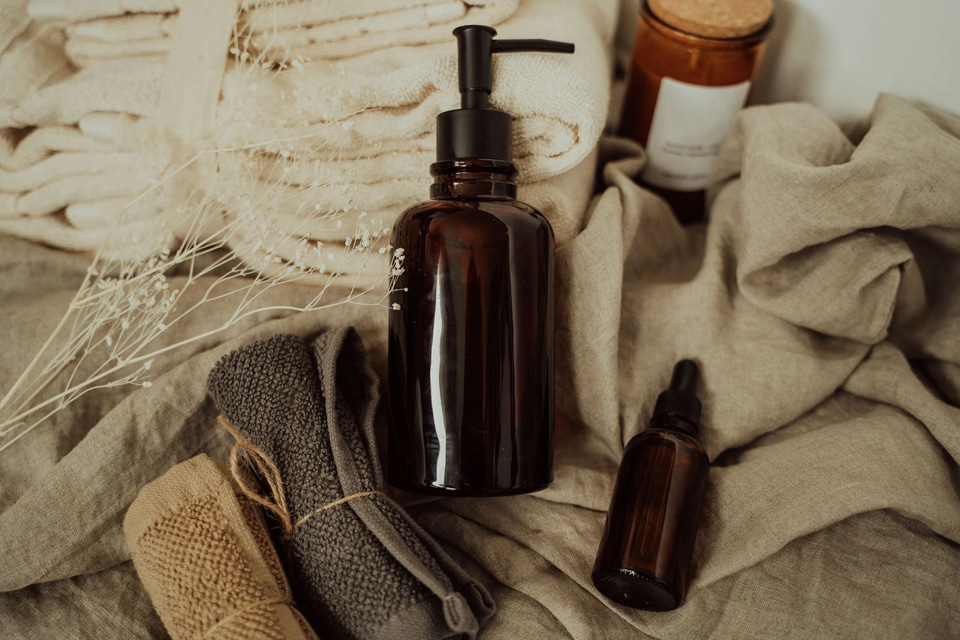
Add up to 9 shots and label each one — front, back, packaging, texture close-up, in use — so the reel knows which is the hero and which is context. A phone is enough; what matters is separation. A well-lit product that sits clearly apart from its background gives the camera a clean edge to move around, and a little breathing room on every side means nothing important is cropped when the frame reflows into 9:16, 16:9 or 1:1.
Describe the product and the vibe
Tell it what the product is and how the reel should feel — "warm minimalist morning", "high-energy gym launch". Naming the material ("brushed aluminium", "matte ceramic") and the mood steers how the camera behaves without altering what you sell. Two or three specific sentences almost always beat one vague one.
Pick a style and generate
Choose from 7 styles — Hero Orbit, Turntable, Macro Details, Lifestyle Context, Dramatic Reveal, Floating Rotate, Top-Down Flat-Lay — or write your own, then set the ratio and the length. The reel renders in minutes, vertical-ready, and the credit cost updates on the generate button as you change engine, length or output size.
Every SKU, every channel
Amazon listing videos
Add a video to your Amazon listing from the product photos you already shot — no studio session.
TikTok & Reels ads
Vertical product video for organic posts and paid creatives alike, generated in the ratio the feed actually wants.
Shopify & Etsy pages
Put a product-page video on every SKU, not just the hero ones, without filming any of them.
Product launches
Tease and launch with cinematic motion built from your render or photo set.
Kickstarter & pre-orders
Make a crowdfunding page feel real with hero orbits and macro detail shots, before a single unit is manufactured.
Handmade & small batch
Give handmade goods the premium-brand video treatment straight from phone photos.
Discover more AI features
Frequently asked questions
How do I turn product photos into a video?
Upload up to 9 product photos to the Product Reel studio, label each one ("front", "packaging", "in hand"), describe your product and the vibe you want, pick a style like Hero Orbit or Turntable, and generate. The AI builds camera motion around your actual product and delivers a vertical reel in a few minutes.
Do I need to film anything?
No — that is the point. The reel is generated entirely from still photos. No studio, no turntable rig, no gimbal, no editor. If you can photograph the product (even on a phone), you can have a product video.
Can I use these as Amazon listing videos?
Yes. Generate in 16:9 or 1:1 for the Amazon product-page video slot, and 9:16 for Amazon Posts and social. Every reel includes full commercial usage rights. As with any listing asset, make sure the video accurately represents your product per marketplace policies.
Why is the product description required?
Unlike rooms and cars, products vary wildly — a candle, a drone and a serum need very different treatment. Your description of the product and vibe drives the motion, pacing and mood, so the reel feels made for your brand rather than generic.
What styles and formats are available?
7 styles — Hero Orbit, Turntable, Macro Details, Lifestyle Context, Dramatic Reveal, Floating Rotate, Top-Down Flat-Lay — plus a custom option where you describe the camera move yourself, in 9:16, 16:9 or 1:1. Clip length runs from 4 to 15 seconds and the output size options depend on the engine you pick; both are set in the studio and both move the price on the generate button.
How much does a product reel cost?
Pricing is per-second in credits and the exact figure is shown on the generate button before you commit — nothing is charged until you confirm. The cheapest reel is 20 credits: the shortest clip at the smallest output size. Longer clips, larger output sizes and the higher-fidelity engines cost more, so you control spend by length, size and engine rather than by a seat fee. Credits are pay-as-you-go and work the same whether they came with a plan or were bought on their own.
What happens if a generation fails?
Every product reel runs on a multi-engine failover pipeline. If an engine fails or declines a render, Imagera automatically re-renders on the next engine in the chain — you are charged once regardless of how many retries it takes, and in the rare case every engine fails, your credits are refunded automatically.
How many product photos should I upload for the best reel?
One clean hero shot is enough to generate a reel, but three to five photos give the AI more to work with — a front hero, a packaging shot, a texture close-up and an in-use moment. For a Turntable or Hero Orbit, a single well-lit product cut-out on a plain background produces the cleanest motion; for Lifestyle Context, add a real-world shot so the AI has an environment to anchor the scene to.
Does the product reel maker work for a single SKU or a full catalog?
Both. Run one SKU when you launch a hero product, or reuse the same style preset across every SKU so a whole catalog gets a consistent, on-brand look without re-briefing each one. Because pricing is per-second in credits and pay-as-you-go, you scale from one reel to a hundred without buying a subscription seat you would not fully use.
Which aspect ratio should I choose for TikTok, Reels, Shopify and Amazon?
Use 9:16 for TikTok, Instagram Reels and Amazon Posts — it fills the phone screen where most product discovery happens. Use 1:1 for the Amazon product-page video slot and Instagram feed posts, and 16:9 for YouTube, a Shopify product-page hero or a website banner. You can regenerate the same product in a different ratio without re-shooting anything.
Will the reel show my actual product or an AI lookalike?
Your uploaded photos anchor every frame, so the product on screen is the exact item you sell — same shape, colour, label and finish. The AI adds camera motion, lighting and pacing around your still; it does not invent a new product. Your written description steers the mood and motion, not the product identity, so what buyers see matches what ships.
Can I add my logo, price or captions to the product reel?
The reel maker delivers clean motion video from your photos. For on-screen text, price tags, captions or a logo bug, layer them in your usual caption or editing step after download — most social schedulers and shop-video tools add text overlays natively. Keeping the generated reel text-free means you can reuse the same clip across channels with different overlays.
Key takeaways
Do I need to film anything?
No — that is the point. The reel is generated entirely from still photos. No studio, no turntable rig, no gimbal, no editor. If you can photograph the product (even on a phone), you can have a product video.
Will the reel show my actual product or an AI lookalike?
Your uploaded photos anchor every frame, so the product on screen is the exact item you sell — same shape, colour, label and finish. The AI adds camera motion, lighting and pacing around your still; it does not invent a new product. Your written description steers the mood and motion, not the product identity, so what buyers see matches what ships.
Can I use these as Amazon listing videos?
Yes. Generate in 16:9 or 1:1 for the Amazon product-page video slot, and 9:16 for Amazon Posts and social. Every reel includes full commercial usage rights. As with any listing asset, make sure the video accurately represents your product per marketplace policies.
Product reel maker vs a product photo studio
| What matters | Imagera | Studio shoot |
|---|---|---|
| Starting point | The product photos you already have | Book a studio, a rig and a crew |
| Turnaround | Minutes per reel, in the browser | Days per product |
| Cost model | Per-second credits from 20 a reel, so every SKU is worth one | A per-shoot fee, which only hero SKUs justify |
| Formats | Regenerate 9:16, 16:9 or 1:1 from the same photos | One deliverable, re-edited for each ratio |
Before it goes on a listing
A reel is a generated render built around your photos. The product itself holds — shape, colour, label and finish carry from the shot you upload — but the staging around it does not: props, surfaces and light are painted by the model and can differ from your original. In the sample set on this page, the reel adds pebbles to the scene that the source photo has no trace of, and beads the glass with condensation that was never there. Watch the clip at full size before you publish it.
As with any listing asset, make sure the video represents your product accurately under your marketplace's own policies. Amazon, Shopify, Etsy and the ad platforms each set rules for product media, and those rules apply to a generated video exactly as they do to a photograph.
Your product photos are one step from a reel
Open the studio with the reel maker already selected. Upload the shots, describe the vibe, pick a style — credits show on the button before you run.
Make my product reel →