AI Style Transfer Online: Photos into Art, Instantly
Transform photos into Ghibli anime, oil paintings, watercolor, and more.
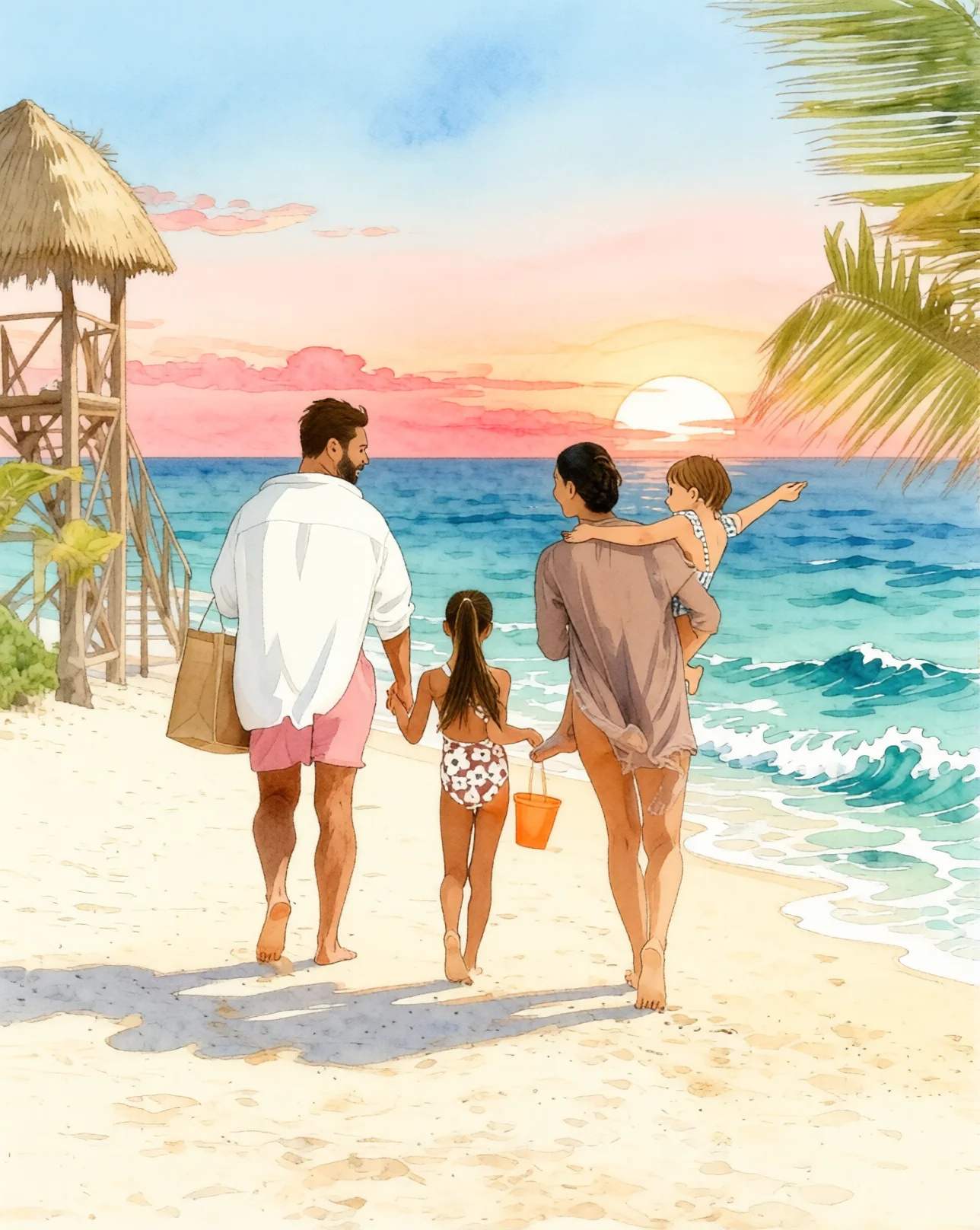
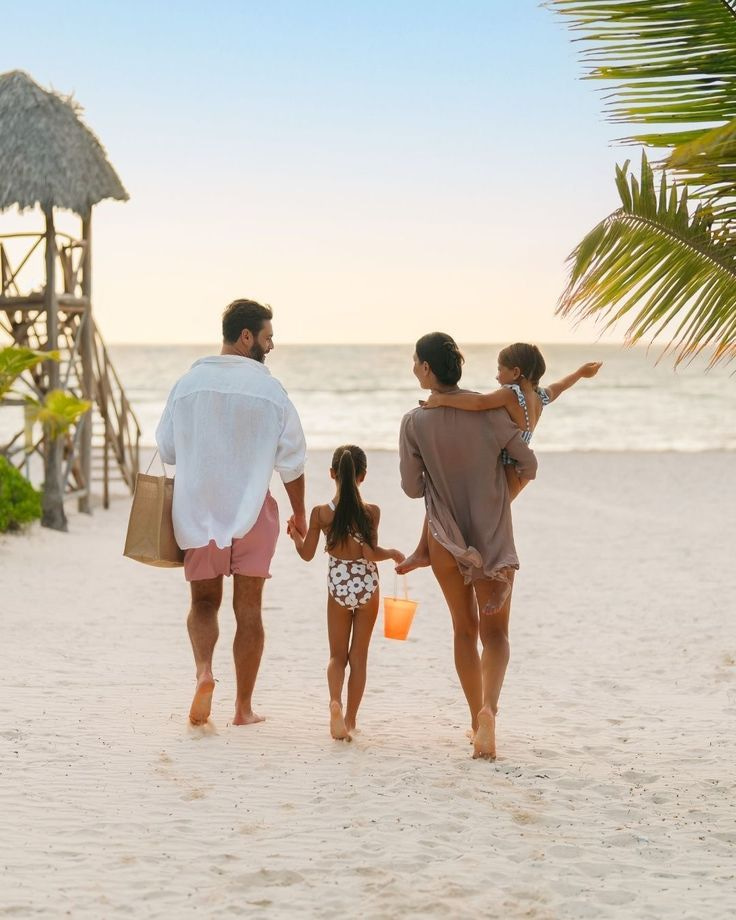 BeforeAfter
What is AI style transfer?
AI style transfer re-renders a photograph in a different artistic medium — hand-drawn anime, oil paint, watercolor, cut paper. You describe the material in plain words; the whole frame is repainted in it, working from the photo you uploaded rather than the description alone, so the subjects and the arrangement of the scene carry through. One image costs 15 credits at 1K and 20 at 2K, the result comes back as PNG or JPG, and the file on your machine is never altered.
- Credits
- 15 per image at 1K · 20 at 2K
- Formats
- PNG, JPG, JPEG, WebP in · PNG or JPG out
- Per run
- 1 photo + up to 2 style references
Updated August 7, 2026
Cite this page: https://imagera.ai/image/photo-style-transfer
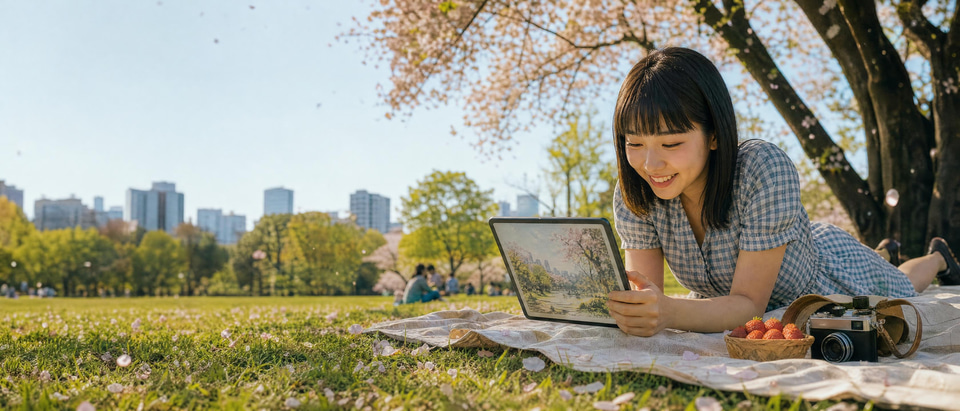 Illustration
What a style pass actually does to a photo
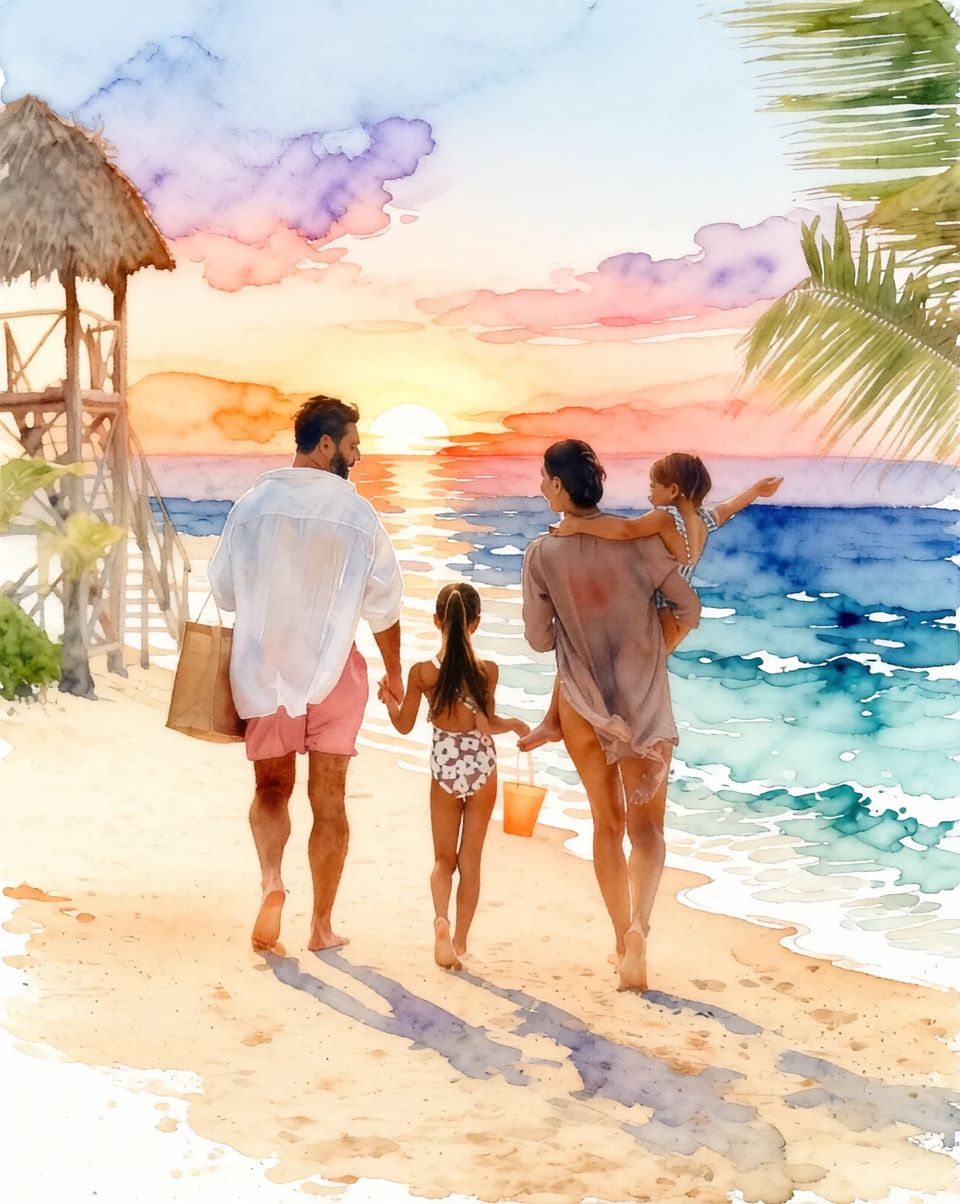
Works with Group Photos
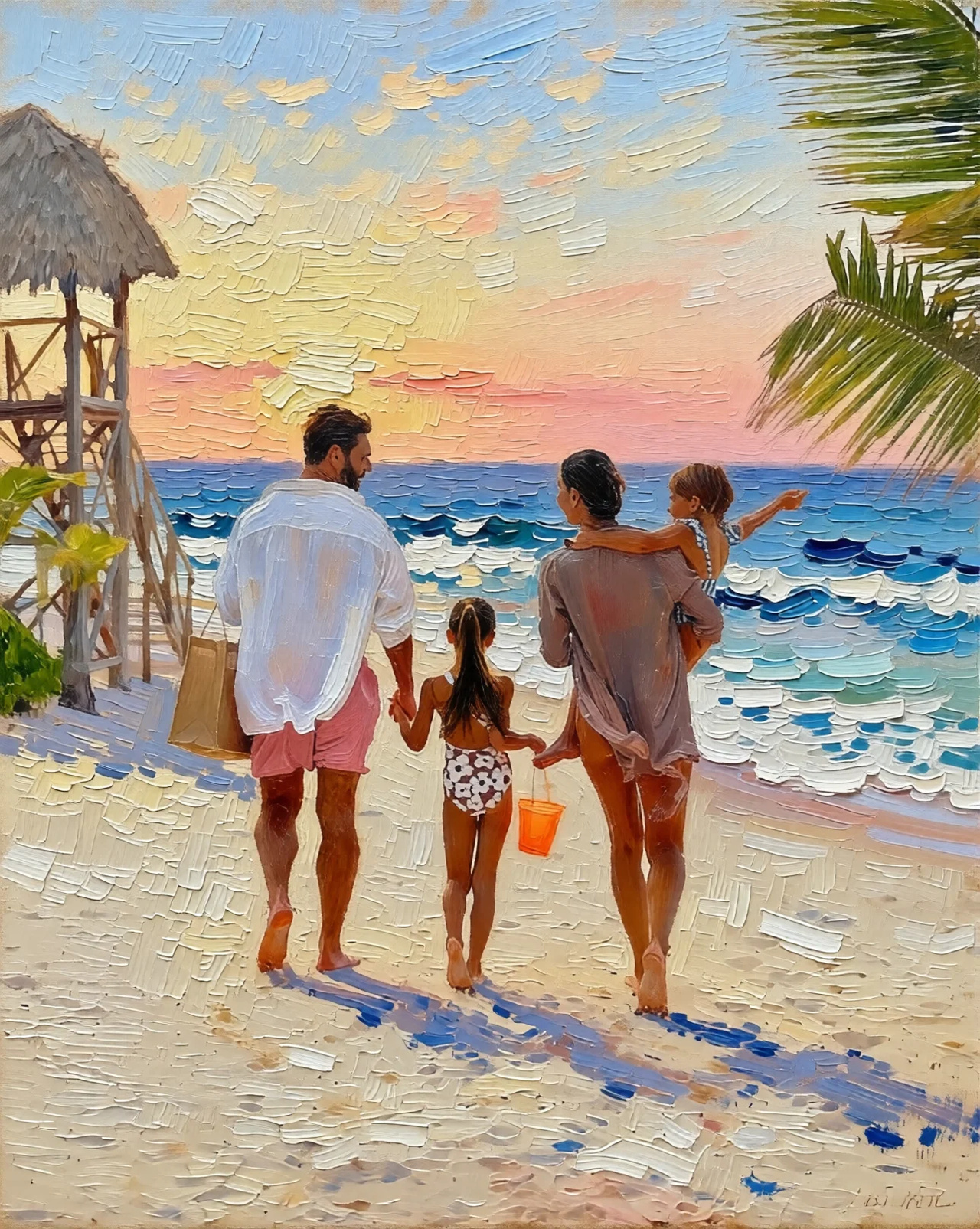
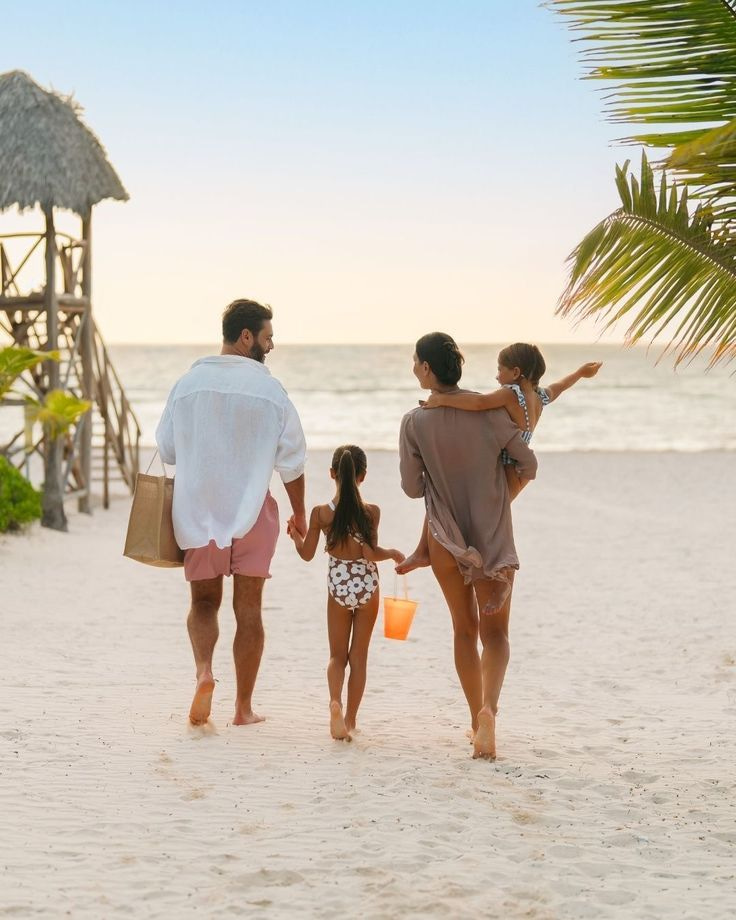
The pass covers the whole frame rather than a subject it has picked out, so a group shot converts the way a single portrait does: four people, the lifeguard tower, the palm and the sea are all repainted in one go.
Know more →Any Art Style on Demand
The four looks on this page came from four sentences typed into the same box over the same photograph. The style is not a menu: "baroque painting with dramatic chiaroscuro", "charcoal sketch", "retro pixel art" and "stained glass" are written exactly the same way, and naming the material lands more reliably than naming an artist.
Know more →Composition Preserved
The run starts from your photograph, not from a description of one, so the subjects and the way the frame is arranged carry through into the new medium — the same four people walk the same stretch of beach in all four styles here. Every surface is genuinely re-rendered, so fine detail is reinterpreted in the material you asked for rather than copied across.
Know more →Why this reads as artwork, not a tinted snapshot
Name the medium in plain words; the whole frame is repainted in it, working from the photo you shot rather than from the description alone.
 BeforeAfter
The medium changes, not the moment
A filter tints a photograph and leaves it a photograph. A style pass rebuilds the frame in the material you name: oil paint with visible impasto ridges, translucent watercolor washes that bleed at the edges, layered cut paper with real depth between the layers, or hand-drawn animation cels. Every surface is re-rendered — sky, sand, fabric, skin — while the people and the layout of the scene carry through. That is why the result reads as a painting of your photo rather than your photo with a tint on it, and why the same source can become four completely different pieces.
Try it now →The layout carries through the repaint
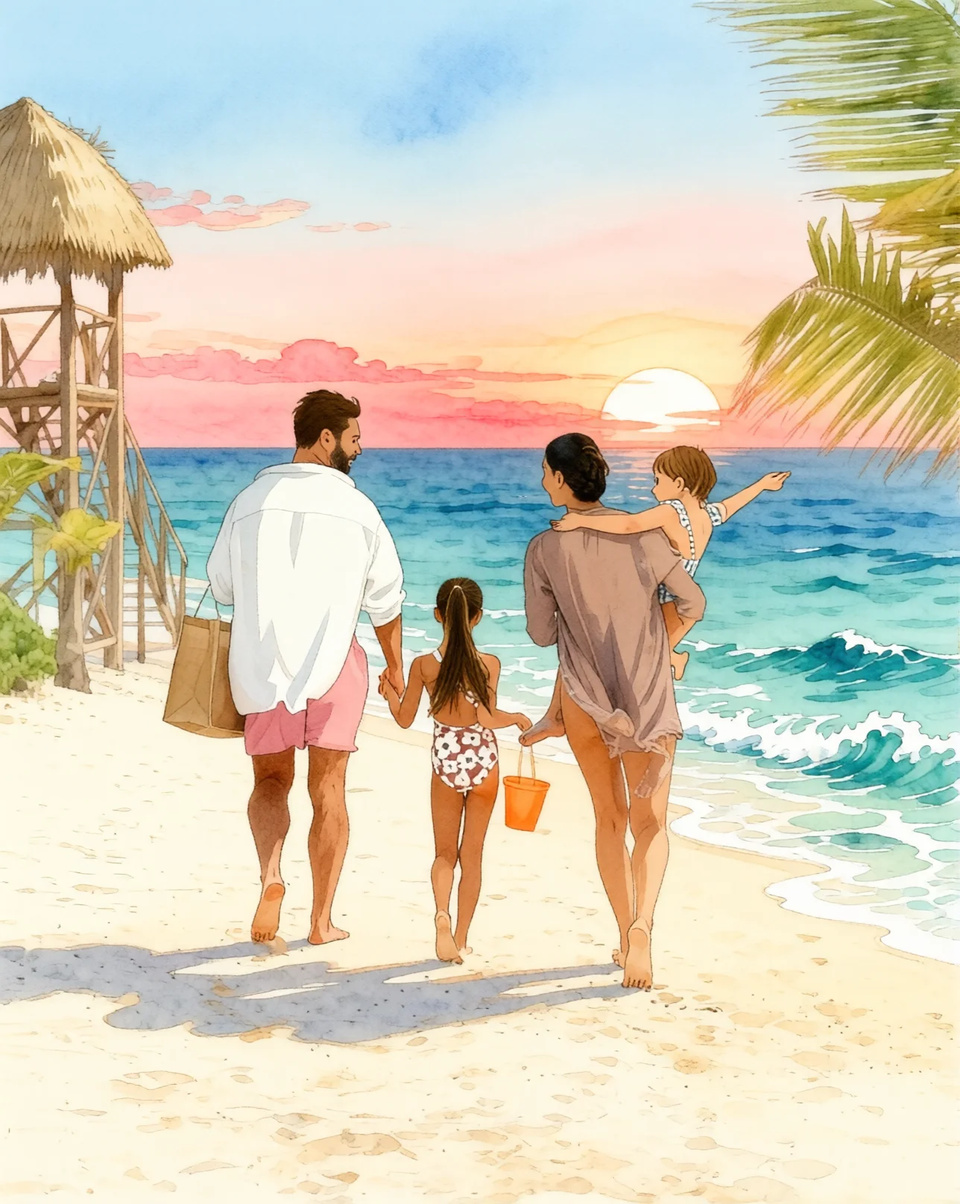
Because the engine works from your photograph rather than from your words alone, the arrangement of the frame survives: in the beach photo here the same four people walk the same way, the lifeguard tower is still on the left and the palm still overhangs the right, in cut paper, oil, watercolor and hand-drawn animation alike. Nothing pins them there mechanically — the instruction is a sentence, and every surface is re-rendered, so a hairstyle or the pattern on a swimsuit is reinterpreted in the new material rather than reproduced. One setting does reframe the picture: left on Auto, the output comes back at the nearest supported aspect ratio to the one you shot, so choose a ratio in the studio when the framing itself has to survive.
Describe any style, not just the four here
The four looks this page shows — Ghibli-inspired anime, oil painting, watercolor and 3D papercraft — are examples, not a menu. "Baroque painting with dramatic chiaroscuro", "charcoal sketch", "retro pixel art" or "stained glass" all work as written. Naming a material beats naming an artist: "thick impasto oil", "soft watercolor with paper texture" and "hand-drawn cels" give the engine something concrete to render. Each medium suits a different subject — hand-drawn animation for portraits, pets and cozy scenes; oil for wall prints, gifts and landscapes; watercolor for soft portraits, botanicals and invitations; cut paper for playful posters, kids' scenes and cards. Keep the wording identical between runs and change only the source image to get a matching set.
How to turn a photo into art with AI style transfer
Upload, describe the medium, download. No brushes, no masks, nothing to install.
Upload the photo you want restyled
One clear photo is enough — a portrait, a group shot, a pet or a landscape all convert. PNG, JPG, JPEG and WebP are accepted. Sharp, well-lit images with a clear subject give the cleanest brushwork, because the engine has crisp shapes and edges to reinterpret in the new medium. Up to 2 optional reference images can pin a palette or a brush style.
Describe the medium in plain words
Type the style the way you would say it: "Transform this photo into an oil painting style. Apply rich oil painting texture with visible brushstrokes throughout the entire image. Thick impasto technique on figures, impressionistic rendering." There is nothing to mask, no brush to pick and no layer to blend — the skill moves from technique to description, and the clearer you are about the material, the more faithful the result.
Pick an engine, generate, download
1K output is the default at 15 credits per image and the cheaper of the two, so explore directions there first; re-run only the winner at 2K for 20 credits when you want the most detail held. The exact cost shows on the button before you run. The result downloads as PNG or JPG, the file you uploaded is never altered, and full commercial rights are included on paid plans.
Where people reach for this
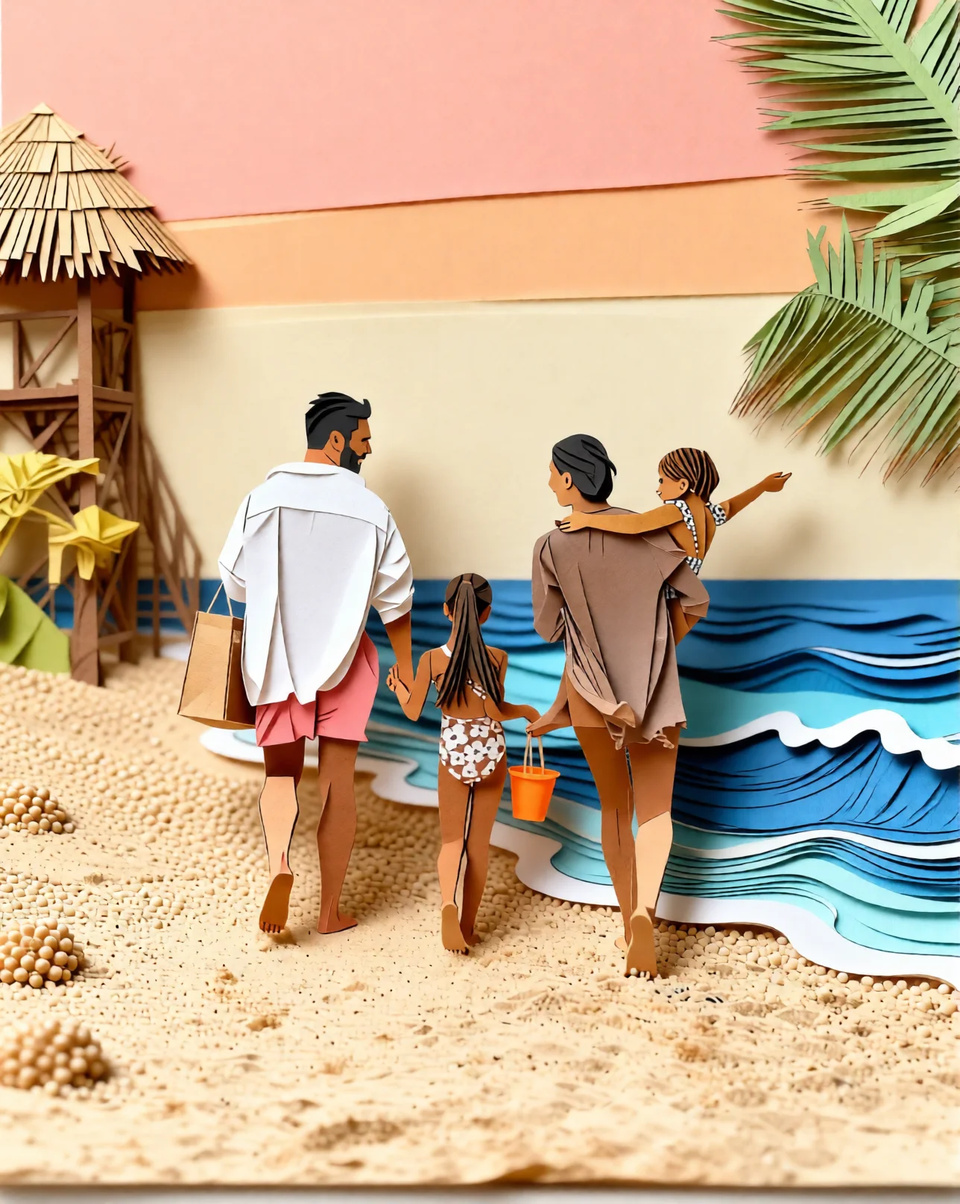
Posters and cards with a crafted, playful look
Cut paper is the most literal of the four media: the sea becomes stacked paper waves, the hut a folded roof, the sand a grain of card, with visible depth between the layers. It reads as a made object rather than a photograph, which is why it suits kids' rooms, birthday cards and posters better than it suits a formal portrait. The prompt behind this frame starts "Transform this photo into a 3D papercraft diorama style."
Try it now →A print or a gift from a favourite photo
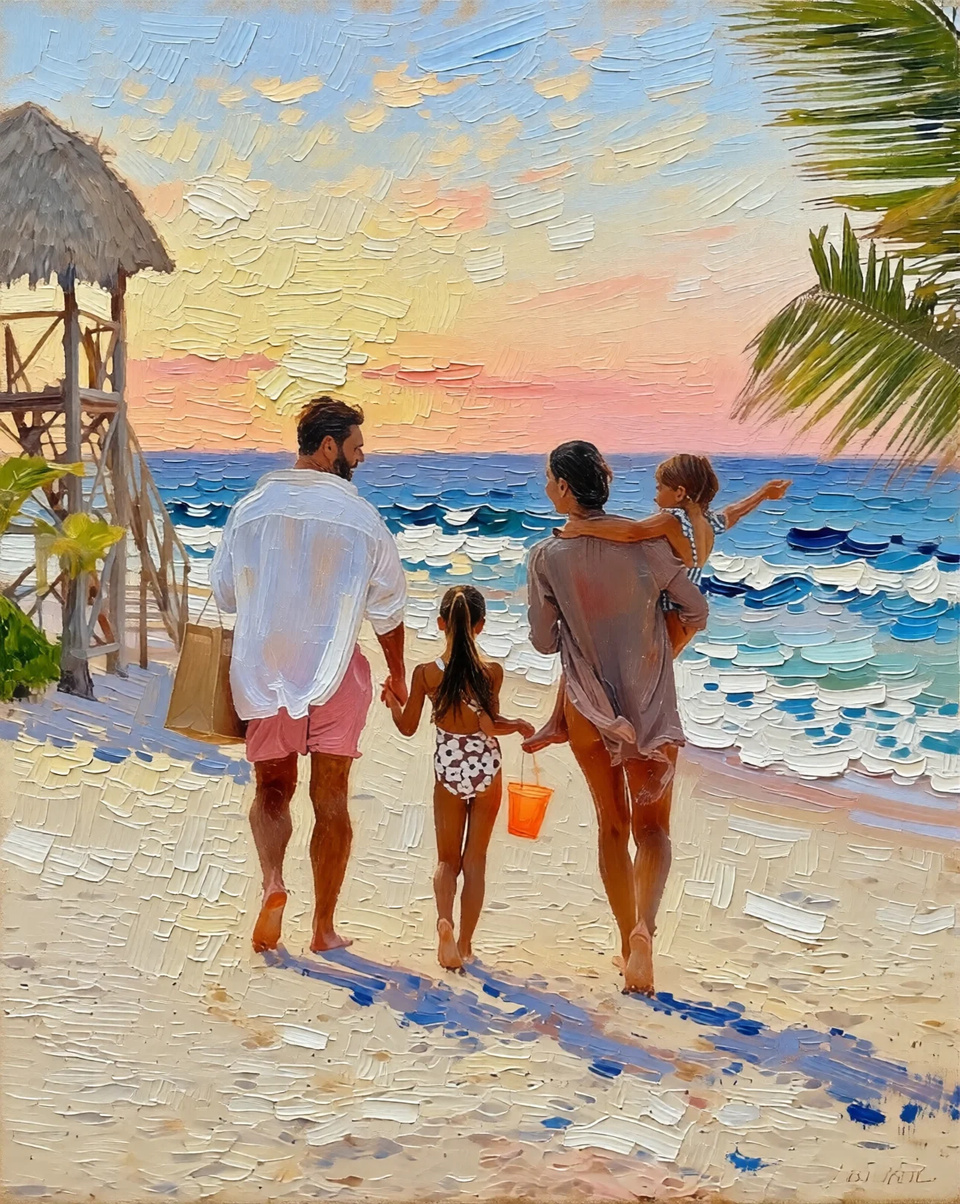
An oil pass over a photograph people already care about is the most common reason to open this — a family shot for the wall, an anniversary present, a pet on canvas. Ask for the material rather than a painter: "rich oil texture, visible brushstrokes, thick impasto on the figures" is what produced the ridged surface in the oil painting further up this page. Full commercial rights are included on paid plans.
Group shots, where everyone has to survive the repaint
A group photo is the harder case, because every face is smaller and there are more of them to lose. The pass covers the whole frame at once instead of picking out one subject, so the four people in the beach photo on this page are redrawn together with the sand, the sea and the light. When likeness matters more than the strength of the style, say so in the instruction — "keep the faces recognizable" — and pick a softer medium.
Discover more AI features
Frequently asked questions
What art styles are available?
Ghibli anime, oil painting, watercolor and 3D papercraft diorama are the four looks demonstrated on this page, but the style is a sentence rather than a fixed menu. Describe any medium — "charcoal sketch", "stained glass", "manga illustration" — and the whole frame is repainted in it, working from the photo you uploaded rather than from your words alone, so the subjects and the arrangement of the scene carry through.
Does it work with group photos?
Yes. The pass covers the whole frame rather than a detected subject, so every person in a group shot is redrawn along with the setting and the light. In the four-person beach photo used on this page, all four stay where they were standing across every medium. Fine detail is still reinterpreted in the new material rather than copied across — a hairstyle or the pattern on a swimsuit is repainted like everything else — so say what has to survive ("keep the faces recognizable") when likeness matters more than the strength of the style.
Can I use custom art style descriptions?
Yes. Beyond the preset styles, you can describe any artistic style. Try "baroque painting", "manga illustration", "pixel art", "charcoal sketch", or any style you can describe.
Will the composition change?
The layout normally carries through: the run starts from your photograph rather than from a description, so subjects, positions and the arrangement of the scene survive into the new medium — that is what the examples on this page show. It is not a lock. Every surface in the frame is re-rendered, so small details are reinterpreted in the material you asked for, and a heavy medium such as cut paper simplifies more than a soft one. One setting does reframe the picture: left on Auto, the output comes back at the nearest supported aspect ratio to the one you shot, which can crop a little, so pick a ratio in the studio when the framing itself has to be kept.
How do I turn my photo into Ghibli anime style?
Upload the photo you want to convert, then type a prompt such as "convert the scene into Ghibli aesthetic with hand-drawn animation look, soft watercolor backgrounds, gentle anime facial features, and expressive eyes." The engine works from the frame you shot, so the composition and every subject carry through while the whole frame is redrawn in the soft, painterly Studio-Ghibli-inspired look — rounded faces, warm skies, and hand-painted scenery. Because the tool reads directly off your pixels, you do not need a reference sheet or an art model; one clear photo is enough. 1K output is the default at 15 credits and is the cheaper of the two, so explore directions there first; re-run only the winner at 2K for 20 credits when you want the most detail held.
What is the difference between AI style transfer and an Instagram-style filter?
A photo filter shifts color, contrast, and grain on top of the existing photo — the photo still looks like a photo, just tinted. AI style transfer rebuilds the image in a genuinely different medium: oil paint with visible impasto brushstrokes, translucent watercolor washes with bleeding edges and paper texture, layered cut-paper papercraft with real depth between layers, or hand-drawn anime linework. It changes the rendering of every surface, not just the tone. That is why the results read as artwork rather than a processed snapshot, and why you can take the same input and produce four completely different pieces from it — a Ghibli frame, an oil canvas, a watercolor, and a paper diorama — each built from the same people, in the same arrangement, as the photo you started with.
Can I turn a photo into an oil painting or watercolor for a print or gift?
Yes. Oil painting and watercolor are two of the most-used styles here, and both are popular for wall prints, personalized gifts, and album covers. For an oil look, prompt "rich oil painting texture with visible brushstrokes, thick impasto on the figures, impressionistic rendering." For watercolor, ask for "delicate translucent washes, bleeding colors, and visible paper texture." 2K output returns roughly 2 megapixels, which is plenty on screen and for a small print — run the result through the image upscaler before ordering a large canvas. Full commercial rights are included on paid plans, so you can print it, sell it, or use it in client work. Photos of people, pets, couples, and landscapes all convert well — a sharp, well-lit source gives the cleanest brushwork.
Does AI style transfer work on pet photos and landscapes, not just portraits?
Yes. The style transfer applies to the entire frame, so pets, landscapes, cityscapes, food, and product shots all convert as cleanly as portraits. A dog becomes a Ghibli-style companion with soft fur shading; a mountain range becomes an oil landscape with impasto ridgelines; a street scene becomes a watercolor with washed skies. Because the run works from your photograph rather than from your words alone, the subject and the arrangement of the frame carry through while the medium changes across the whole picture; a heavy style simplifies fine detail as it goes, so a bold ink or papercraft look flattens texture that a soft watercolor keeps. This makes it useful well beyond avatars, from pet memorial art to stylized travel scenes.
How much does it cost to turn a photo into art, and can I test styles cheaply?
Pricing is in credits, not per-image dollar charges, and each transfer spends the credits per edit shown on this page. 1K output is the default at 15 credits and is the cheaper of the two, so explore directions there first; re-run only the winner at 2K for 20 credits when you want the most detail held. That makes it realistic to test a Ghibli pass, an oil pass, and a watercolor pass on the same photo before committing to a final direction. There is no free cloud credit grant on signup; you generate from a plan or a credit pack. Monthly plan credits reset each month, while add-on credit packs stay in your account until you use them.
Do I need any art or software skills to use style transfer?
None at all. Traditional style transfer used to mean either learning a painting program or wrestling with node-based filters, and even then matching brushwork across a whole image took hours. Here the entire process is: upload a photo, type the style you want in plain words, and download the artwork. You never mask a subject, pick a brush, or blend a layer. That is the point of a prompt-driven tool — the skill moves from technique to description. The clearer you are about the medium ("thick impasto oil," "soft watercolor with paper texture," "hand-drawn Ghibli cels"), the more faithful the result, but there is no learning curve to clear before your first good output.
Can I make a matching set of images in the same style?
Yes, and it is one of the most useful things you can do with it. Because you describe the style in words, you can apply the same description — say a consistent watercolor or Ghibli-anime look — across a batch of photos so they read as one cohesive series. Creators use this to give an entire feed or channel a single art direction, brands use it to turn a product line into matching illustrations, and families use it to render several photos in one painterly style for a gallery wall. For the tightest consistency, keep the style wording identical between runs and only change the source image.
What kinds of photos give the best style-transfer results?
Sharp, well-lit photos with a clear subject convert most cleanly, because the AI has crisp shapes and edges to reinterpret in the new medium. Portraits with even light produce the most flattering anime and oil results; landscapes with a strong horizon and depth make rich watercolor and oil scenes; and simple, uncluttered compositions turn into the cleanest papercraft dioramas. Very dark, blurry, or busy images can lose some detail in translation, since there is less structure for the style to hold onto. If a first pass looks muddy, start from a higher-quality source or a tighter crop and the brushwork sharpens noticeably.
Is the style transfer reversible, and are my originals kept?
Each run produces a new stylized image; the file on your machine is never touched. The work itself happens on Imagera's servers rather than inside the page: your photo is uploaded over an encrypted connection so the engine can read it, and the finished image is saved to your library, where you can download it again or send the same source through a second style later. Nothing is destructive — if a watercolor pass is not the vibe, generate an oil or Ghibli version from the same original without losing anything. This makes it safe to experiment freely across several art directions before you settle on the one to print or publish.
Learn more
Prompt guides for describing a medium, and the other editors in the same suite.
AI Image Prompts Guide
Describe art styles for better AI transformations
Photography Studio Overview
Explore all 7 AI photo editing tools
Prompt Writing Guide
Master prompts for Ghibli, oil painting, and watercolor styles
Midjourney Alternative
Compare style transfer quality — Imagera vs Midjourney artistic modes
DALL-E Alternative
Compare artistic style options — Imagera vs DALL-E for creative transformations
Stable Diffusion Alternative
Apply artistic styles without local setup — compare Imagera vs Stable Diffusion
Key takeaways
What is Photo Style Transfer?
Turn any photo into Ghibli anime, oil painting, watercolor art, a 3D papercraft diorama, or any art style you can describe in a sentence. The whole frame is repainted in that medium, working from the photo you uploaded, so the subjects and the arrangement of the scene carry through.
Does it keep the number of people and their positions?
In practice, yes: the run starts from your photograph, not from a description of one, so the people and the way the frame is arranged carry through. In the four-person beach shot on this page, four people stay four people, standing where they stood, in all four media. It is a tendency and not a lock — every surface is re-rendered, so fine detail is reinterpreted in the new material, and leaving the output shape on Auto returns the nearest supported aspect ratio to the one you shot. That is still the difference from a text-to-image generator, which would invent a new scene rather than restyle yours.
How is style transfer different from a full AI image edit?
Style transfer changes the whole picture into one artistic medium while keeping the composition. A general edit changes specific things — the background, an object, the text — while keeping the photo photographic. If you want to convert an entire shot into anime or oil paint, use Photo Style Transfer. If you want to swap only the backdrop or recolor an outfit, use the broader AI image editor, replace just the scene with AI Background Studio, or generate fashion colorways with the AI Look Book.
AI style transfer vs a filter vs a generator
| What matters | Imagera | A preset photo filter | A text-to-image generator |
|---|---|---|---|
| What changes | Every surface is re-rendered in the medium — brushstrokes, washes, cut paper, linework | Colour, contrast and grain shifted on top of the same pixels | Nothing is changed — a new picture is made from your words |
| Who and what is in the result | The people and objects from your photo, in the arrangement you shot | The same photo, tinted | Whoever the model invents to fit the description |
| Choice of style | Any medium you can describe in a sentence | A fixed list of presets | Any medium you can describe in a sentence |
| Per image | 15 credits at 1K, the same for a second medium on the same photo | Usually bundled with the editing app | Varies by tool |
| Your original file | Untouched — every run writes a new image | Untouched where the app edits non-destructively | Nothing to alter |
Good to know
AI-generated style transfers. Artistic interpretation may vary. Pricing is in credits per edit.
Same photo. A different medium.
Open the style transfer studio, drop the photo in and name the medium. The credit cost shows on the button before you run.
Restyle this photo →