Imagera AI - AI content creation platform for generating images, cloning voices, creating avatars, and enhancing videos. Privacy Policy | Terms

    IMAGERAAI
    Blog Post
    AI Content Creation

    Best Prompts for Realistic AI Images (2026)

    The exact camera, lens, lighting, and film keywords that make AI images look like real photographs. Copy-paste prompt recipes for Midjourney and Flux.

    By Sarah Chen8 min readJuly 8, 2026Updated: July 9, 2026
    Share:

    TL;DR

    Add camera model, focal length (85mm f/1.8), film stock (Kodak Portra 400), lighting condition, and explicit imperfection keywords (visible pores, film grain, slight asymmetry) to any AI prompt. These five layers push models like Flux, Midjourney V7, and Stable Diffusion into true photographic realism without any post-processing.

    Most AI images give themselves away in the first second. The skin is too smooth. The light has no direction. Every strand of hair is perfect in a way no camera ever captures. The fix is not a better model — it is a better prompt.

    This guide covers the exact camera, lens, film stock, lighting, and imperfection keywords that push any major model toward true photographic realism. Every technique below works in 2026 across Midjourney V7, Flux Pro, Stable Diffusion, and Imagera's built-in generator. Copy the prompt recipes at the end and paste them straight into your tool of choice.

    If you want the broader picture on what makes AI images make AI images look real, that companion piece covers composition, post-processing, and model selection. This article goes deep on the prompt layer specifically.


    1.Why Most Photorealism Prompts Fail

    The default output of every AI image model is optimised for visual appeal, not photographic accuracy. Without explicit instruction, models smooth skin, distribute light evenly, and eliminate the micro-noise that real cameras introduce. The result looks impressive at thumbnail size and unconvincing at full resolution.

    The solution is to speak the language of photography. Cameras, lenses, film stocks, and lighting conditions are concepts these models have absorbed from millions of labelled photographs. When you name them precisely, the model shifts into a fundamentally different rendering mode.

    There are five layers to get right:

    1. Camera body and sensor — signals the overall image character
    2. Focal length and aperture — controls perspective and depth of field
    3. Film stock or sensor profile — sets colour science and grain structure
    4. Light source and quality — determines shadow direction and colour temperature
    5. Imperfection and texture language — prevents the airbrushed default

    Hit all five and the result is an image that reads as photographed rather than generated.


    2.The Prompt Keyword Table

    The table below maps individual keywords to the photographic effect they produce. Use it as a reference when building or diagnosing a prompt.

    Prompt KeywordEffect on Output
    Shot on Canon EOS R5Triggers full-frame sensor character, high dynamic range
    Shot on Leica M11Adds rangefinder micro-contrast and colour neutrality
    Shot on Fujifilm GFX 100SMedium-format depth and tonal gradation
    85mm f/1.8Classic portrait compression, creamy background blur
    35mm f/2.8Wider candid feel, more environmental context
    50mm f/1.4Natural perspective matching human vision
    105mm f/2.8 macroExtreme surface detail, compressed backgrounds
    Kodak Portra 400Warm skin tones, organic grain, lifted shadows
    Fujifilm Superia X-TRA 400Cool-leaning shadows, fine grain, street photography feel
    Kodak Tri-X 400Black-and-white documentary grain
    Ilford HP5 PlusSofter monochrome grain, high contrast potential
    Golden hourDirectional warm sidelight, long shadow casting
    Overcast diffused daylightFlat even light, soft shadow edges, natural colour
    North-facing window lightCool, directional, classic portrait studio look
    Rembrandt lightingTriangle shadow beneath one eye, high drama
    Practical lamp with warm spillIntimate interior realism
    Visible skin poresPrevents plastic, airbrushed skin
    Natural subsurface scatteringAdds translucency depth under skin surface
    Subtle facial asymmetryBreaks uncanny symmetry of AI defaults
    Fine film grainMicro-texture across the image surface
    Flyaway hairs, stray strandsEliminates perfect hair rendering
    Slight motion blur on edgesAdds kinetic life to moving subjects
    RAW photo, uneditedSignals unprocessed photographic output
    Chromatic aberration on edgesLens fringing that reads as optical realism
    VignetteDarkened corners typical of wide-aperture lenses

    3.Camera and Lens Keywords: The Fastest Win

    The single highest-leverage addition to any prompt is a camera and lens specification. Compare these two prompts:

    • Weak: "portrait of a woman in a cafe"
    • Strong: "portrait of a woman in a cafe, shot on Fujifilm GFX 100S, 110mm f/2 equivalent, shallow depth of field, natural window light"

    The second prompt activates the model's understanding of medium-format optical characteristics. The background blur has the correct quality. The tonal gradation from shadow to highlight is gradual rather than clipped. The skin retains micro-detail because medium-format glass renders it that way.

    For portraits, the 85mm focal length is the workhorse. It compresses backgrounds without distorting facial proportions. The 50mm is better for environmental portraits where you want the subject to feel grounded in their surroundings. The 35mm suits street and documentary work where a candid, slightly wide perspective is appropriate.

    For product and architecture shots, a longer lens (100–135mm) removes perspective distortion, while a 24mm or wider adds dramatic spatial exaggeration — useful for architecture but rarely for people.


    4.Film Stock Keywords: Colour Science and Grain

    Film stock references do two things simultaneously: they set a colour palette and they introduce grain structure. Both are powerful photorealism signals.

    Kodak Portra 400 is the most widely understood film stock in this context. It produces warm, slightly muted skin tones with lifted shadow values — the look associated with high-end editorial and wedding photography. Add it to any portrait prompt that needs warmth and organic texture.

    Fujifilm Superia X-TRA 400 leans cooler. Shadows pick up a slight green-teal cast. The grain is finer and more uniform. It reads as street photography or travel documentary.

    Kodak Tri-X 400 is the reference for black-and-white realism. The grain is chunky and directional. Highlights clip sharply. It is the look of mid-century photojournalism and still reads immediately as analogue.

    You can combine a film stock with a camera body: "shot on Leica M11, Kodak Portra 400 emulation, 50mm f/2, natural light" gives the model a fully coherent photographic system to simulate.

    Learn more about refining specific image types in our guide to how to make AI faces look real.


    5.Lighting Keywords That Change Everything

    Light quality in photography is defined by two things: source size relative to subject and direction. Large sources produce soft shadows; small sources produce hard shadows. Name both.

    For soft, flattering portraiture:

    • "Soft north-facing window light" — large, diffused, cool, even
    • "Overcast natural daylight" — giant ambient source, minimal shadows
    • "Studio beauty dish, frontal" — defined but still soft

    For dramatic or editorial work:

    • "Rembrandt lighting, single key light at 45 degrees" — triangle shadow pattern under one eye
    • "Hard side light, single bare strobe" — deep shadows, strong texture emphasis
    • "Backlit golden hour, rim lighting" — glowing edges, silhouette potential

    For interior realism:

    • "Warm practical lamp at frame left, ambient room light fill" — mixed colour temperature, realistic domestic scene
    • "Neon sign spill, urban night" — hard coloured light with street photography grit

    The direction word matters as much as the quality word. "Window light" is vague. "Window light entering from camera left, subject at 45 degrees to source" gives the model a specific geometry to render.

    For more depth on achieving natural light in portraits, see make AI photos look real.


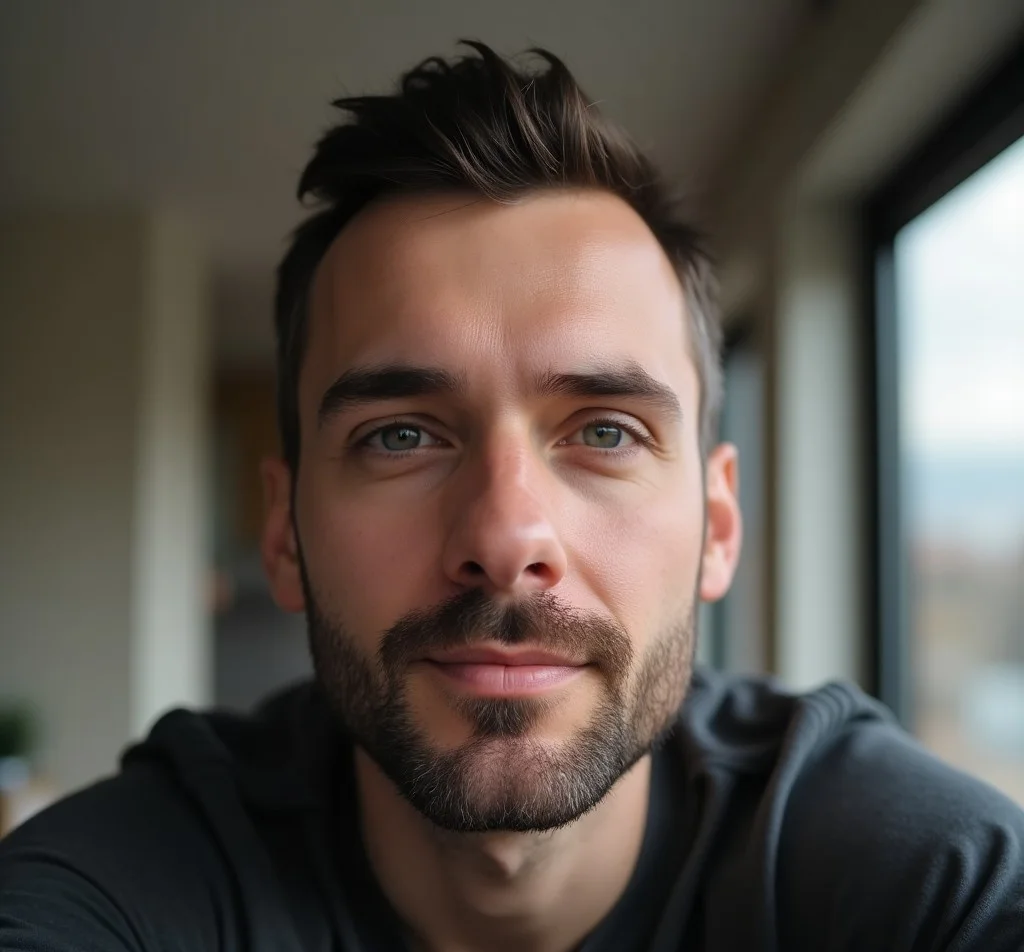
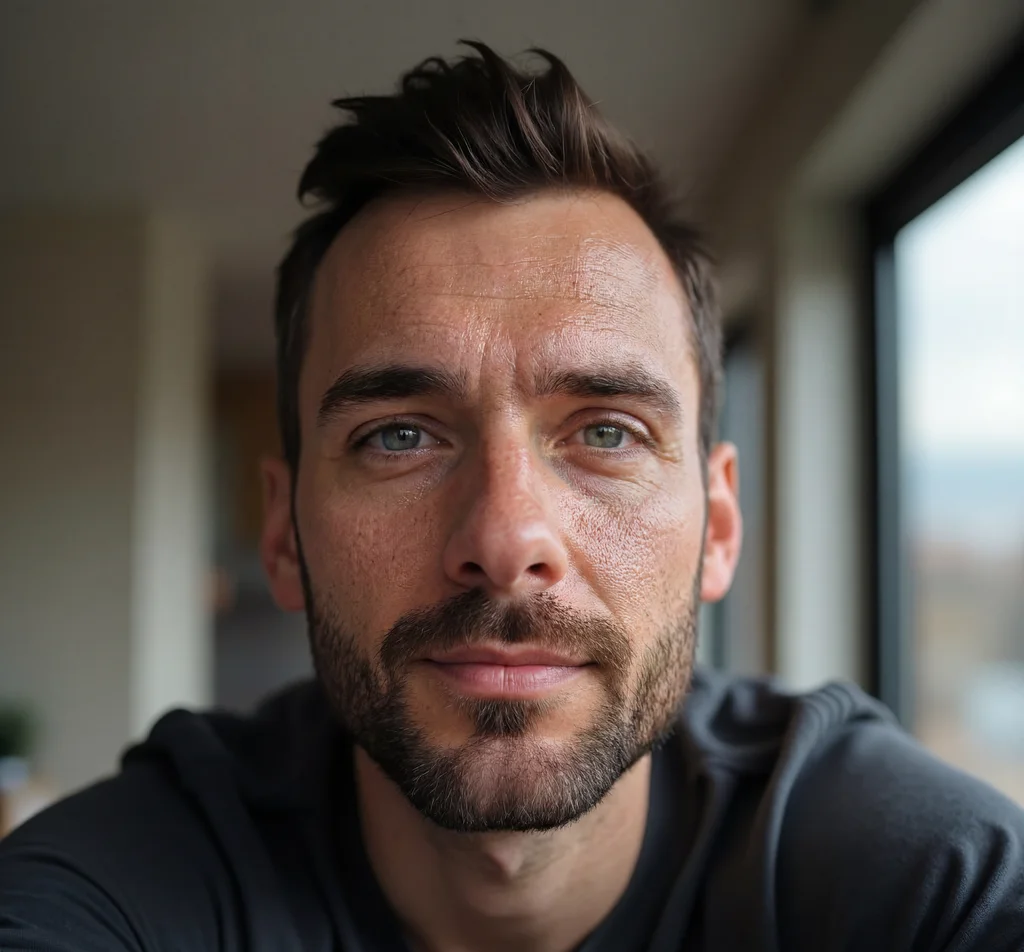
    6.Imperfection Keywords: The Detail Most Prompts Miss

    AI models default to perfection. Every pore is smoothed. Every hair falls into place. Every surface is pristine. Real photographs are not like this, and audiences recognise the difference immediately.

    Add a dedicated imperfection block to every photorealism prompt:

    For human subjects:

    visible skin pores, natural subsurface scattering, subtle facial asymmetry, fine peach fuzz, slight eye redness, natural lip texture, flyaway hairs, micro-expression lines

    For environments and objects:

    surface scratches, worn fabric texture, uneven paint, dust particles in light beam, fingerprint smudges on glass, natural wood grain variation

    For the image itself:

    fine film grain, slight chromatic aberration on high-contrast edges, subtle lens vignette, natural colour noise in shadows

    Pair this with a negative prompt to reinforce the instruction: "cartoon, illustration, plastic skin, waxy, airbrushed, overly smooth, oversaturated, CGI, 3D render"


    7.Copy-Paste Prompt Recipes

    Use these directly in Imagera, Midjourney, Flux Pro, or Stable Diffusion.

    Recipe 1 — Natural light portrait:

    Editorial portrait of a woman in her late thirties, shot on Canon EOS R5, 85mm f/1.8, soft north-facing window light, Kodak Portra 400 emulation, visible skin pores, natural lip texture, subtle facial asymmetry, flyaway hairs, shallow depth of field, RAW photo, documentary photography

    Recipe 2 — Street documentary:

    Candid street portrait of a middle-aged man at a market stall, shot on Leica M10, 35mm f/2, overcast diffused daylight, Fujifilm Superia X-TRA 400, natural skin imperfections, worn jacket texture, fine film grain, slight chromatic aberration, environmental portrait, photojournalism

    Recipe 3 — Indoor dramatic portrait:

    Close-up portrait of an elderly craftsman in his workshop, single warm practical lamp at frame left, slight ambient fill, shot on Sony A7R V, 50mm f/1.4, Rembrandt lighting, visible pores, deep laugh lines, calloused hand texture, wood shaving detail in foreground, Ilford HP5 Plus, photorealistic, RAW photo

    Recipe 4 — Product with hands:

    Ceramic coffee mug held in two hands over a reclaimed wood table, morning north light from window, shot on Nikon Z9, 105mm macro, steam visible, subtle finger skin texture, natural nail imperfections, fine grain, warm colour temperature, RAW photo, lifestyle product photography

    Recipe 5 — Black and white documentary:

    Street photographer at work in a crowded night market, rain on pavement, practical neon light from above, shot on Leica Q3, 28mm f/1.7, Kodak Tri-X 400, heavy film grain, high contrast, motion blur on crowd at edges, environmental candid, documentary photography

    Want to run these on a realistic AI image generator without the trial-and-error? Imagera handles the generation and lets you refine with one click. Plans start at $4.99/month — see Imagera pricing.


    8.Putting It Together: The Five-Layer Formula

    Every strong photorealism prompt follows this structure:

    [Subject + scene] + [camera body] + [focal length and aperture] + [light source and quality] + [film stock or sensor profile] + [imperfection block] + [negative prompt]

    The order matters. Lead with the subject so the model anchors on the right content. Follow with technical parameters that shape how the subject is rendered. End with quality and imperfection language that overrides the model's default polish.

    Shortcutting any of the five layers pushes the output back toward the illustrated, over-smooth default. All five together produce results that hold up at full resolution.


    Frequently Asked Questions

    What single keyword does the most to make an AI image look like a real photo?
    Specifying a camera and lens combination — for example 'shot on Canon EOS R5, 85mm f/1.8' — does more heavy lifting than any other single addition. It forces the model to simulate real optical characteristics: bokeh, lens compression, and depth-of-field falloff that are instantly recognisable as photographic rather than illustrated.
    Which film stock names work best in AI prompts?
    Kodak Portra 400 produces warm, slightly desaturated skin tones that read as analogue and organic. Fujifilm Superia X-TRA adds cooler shadows and a street-photography grain structure. Kodak Tri-X 400 is the go-to for black-and-white documentary realism. Add the film name after your lighting description and before quality tags.
    Why do AI portraits still look plastic even with a detailed prompt?
    The model defaults to smoothed, airbrushed skin unless you explicitly request imperfections. Add 'visible skin pores, subtle facial asymmetry, fine peach fuzz, natural subsurface scattering' to your prompt and pair it with a negative prompt that includes 'plastic skin, waxy skin, airbrushed, overly smooth'. Both sides of the equation matter.
    Does focal length matter in AI image prompts?
    Yes. The 85mm focal length compresses background elements and creates flattering subject separation, making portraits read as professionally shot. The 35mm lens produces a wider, more candid environmental feel. A 50mm sits between the two and mimics natural human vision. Choosing the right focal length for your scene trains the model on the correct perspective geometry.
    How do I get natural-looking lighting in AI images?
    Name a specific light source and quality rather than using generic terms. 'Soft north-facing window light' beats 'good lighting'. Other high-signal phrases include 'golden hour rim light', 'overcast diffused daylight', 'practical lamp with warm spill', and 'Rembrandt lighting with a single softbox'. The more specific the source, the more coherent the shadow direction and colour temperature.
    Can I use these prompt techniques on Imagera?
    Yes. Imagera's image generator accepts full natural-language prompts and responds well to camera, lens, lighting, and film stock keywords described in this guide. Plans start at $4.99/month, and the Pro plan at $19.99/month unlocks higher-resolution outputs where fine texture detail like grain and pores is most visible.

    Sarah Chen

    AI Content & SEO Specialist

    The Imagera AI team consists of AI researchers, content strategists, and SEO experts dedicated to helping creators produce high-quality AI content.

    Areas of Expertise:

    AI Image GenerationAI Voice RecreationAI Avatar CreationContent Marketing

    Put this guide to work

    Generate photorealistic images with 100K+ models and styles.