Voice Design: Clone, Design & Use Custom AI Voices
Clone voices from audio, design from text, or use 9 built-in presets. 11 languages supported.
What is AI voice design?
AI voice design is the step where you create the voice itself — its tone, accent, age and personality — before generating a single line of speech. In Imagera you describe the voice you want in plain language, clone one from a 5–60 second recording, or pick one of 9 presets. The result saves to your library as a reusable identity you can select again in Voice Changer, across 11 language options.
- Credits
- 30 per cloned or designed voice · 9 presets at no credit cost
- Sample
- 5–60 seconds · MP3, WAV, M4A, FLAC or WebM up to 25MB
- Languages
- 11 options, including auto-detect
- Reuse
- Selectable in Voice Changer and the language dubber
Updated September 4, 2026
Cite this page: https://imagera.ai/audio/voice-design
 Illustration
Three ways to get a voice
Clone Any Voice
Upload a 5-60 second audio sample. The studio extracts a speaker embedding that carries that voice’s tone, accent, and delivery.
Know more →Design from Description
Describe the voice you want — age, gender, accent, emotion. AI generates a unique voice matching your specifications.
Know more →9 Built-in Presets
Instantly use professional-quality preset voices. No setup required — just pick and start generating.
Know more →Why a saved voice beats a stock narrator
Create the identity once — from a brief or a recording — and select it again whenever you re-voice or dub something in Voice Changer.
Clone a real voice from a 5–60 second sample
Upload a short recording and the studio extracts a speaker embedding that reproduces that person’s tone, accent and delivery. A clean 15–30 second sample usually beats a long noisy one: record in a quiet room with no music or chatter, hold a steady mic distance, speak at your normal pace, and keep to one speaker — overlapping voices confuse the embedding. MP3, WAV, M4A, FLAC and WebM up to 25MB are accepted. Clone when you need to match a specific voice you have the rights to use.
Try it now →Design a voice from a written brief
Describe age, gender, accent, tone and emotion in plain language and the studio builds a brand-new synthetic voice that has never existed — no source recording, no actor to book. That is a different job from plain text-to-speech, which reads a script in whichever fixed voice the app ships with: here you are choosing who speaks, not just what is said. Design when you want an original character voice; the result saves straight to your library for 30 credits.
One saved identity, reused in Voice Changer
Every voice you keep is pinned to a fixed reference — a speaker embedding for a clone, the saved sample for a designed voice, the preset name and its sample for a preset — so selecting it again returns the same voice instead of a fresh roll of the dice. Open Voice Changer with an existing recording and that voice replaces the speaker; switch to the language dubber and the same voice speaks the translated transcript. Selecting a saved voice never repeats the 30-credit creation charge — the studio you use it in charges for that generation as it normally does. The 9 presets cost no credits at all.
How to create a custom AI voice
Three steps in the browser, with the credit cost visible before you generate.
Choose a creation mode
Clone (upload a recording), Design (describe the voice in text) or Preset (pick one of 9 ready-made voices). 3 modes, one studio — pick the one that matches what you have to start from.
Provide the input
Name the voice — the Create button stays locked until you do — then upload a 5–60 second sample in MP3, WAV, M4A, FLAC or WebM, write a brief covering age, gender, accent and emotion, or select a preset. Set the language, or leave it on auto-detect.
Generate and save
Press Create — 30 credits for a clone or a design, no credits for a preset — and the studio generates a sample line in the new voice and writes it to your library in the same step. Play the sample back, rename it from the library list if you want, and it is ready to select in Voice Changer.
What people build with a custom voice
One voice across a whole back catalogue
Clone your own voice once, then open Voice Changer with an older episode, a rough take or a clip recorded on a different microphone and re-voice it in that saved identity. Because the voice is a stored reference rather than a fresh generation each time, the tone your audience recognises in episode one is the tone they hear in episode fifty — and a series recorded across months of different rooms and mics can be pulled back to one consistent sound.
An original character, with nobody to cast
Design a voice from a brief — a gravelly older mentor, a bright young lead — and you have a performer who has never existed and never needs booking. Record a scratch take yourself, re-voice it in Voice Changer with that saved character, and the character sounds identical in every line you cut, weeks apart, without a casting call or a second session.
Multilingual dubs from one identity
Hand the language dubber a recording and it transcribes, translates and re-voices it with your saved voice, so a course, product explainer or ad series reaches new regions without re-casting and without losing the through-line that ties the content together. Designed and preset voices localise most cleanly; for a clone, results are strongest when the target language matches the sample, so generate a short test line before committing to a full localised narration. 11 language options, including auto-detect.
Discover more AI features
AI Podcast Maker
Script to full episode. Multiple AI hosts that sound completely human.
Lipsync Studio
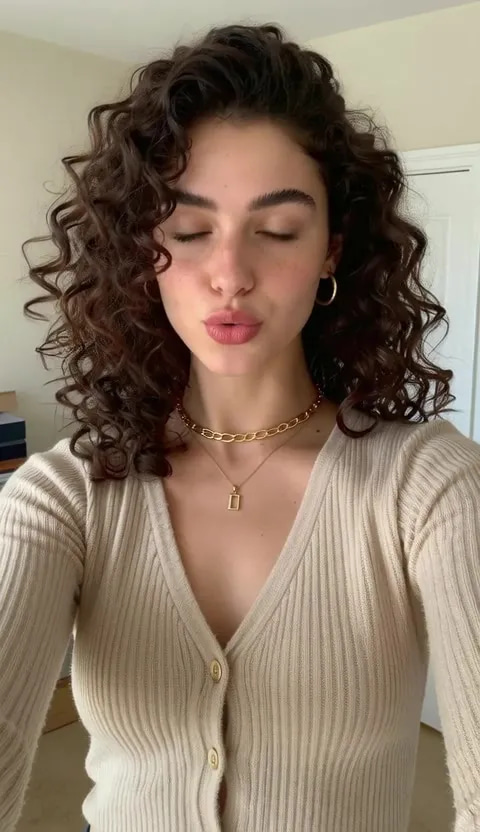
No camera, no shoot, no retakes — a photo and a voice note become a video of that person saying it, or a clip you already shot says something new.
Music Factory
Full AI music studio. Generate, extend, remix, add vocals, separate stems, and more.
AI Model Arena
Compare answers from several AI models in one Sandbox conversation.
Voice Studio
Transcribe, translate, dub, and lip-sync audio in one place
Frequently asked questions
How long should my voice sample be?
5-60 seconds of clear speech works best. A quiet environment with minimal background noise produces the highest quality clones.
What languages are supported?
Voice Design supports 11 languages: English, Chinese, Spanish, French, German, Italian, Japanese, Korean, Portuguese, Russian, and Auto-detect.
Can I use my voices in Film Studio?
Film Studio has been retired, so there is no actor slot to assign a voice to. Saved voices are selected in Voice Changer instead: pick one to re-voice an existing recording, or to speak the translated script in the language dubber. The voice is a stored reference, so the same character sounds the same in every clip you run through it.
How many credits does it cost?
Voice cloning costs 30 credits. Designed voices from text description cost 30 credits. Preset voices are included at no extra cost.
What audio formats are supported?
MP3, WAV, M4A, FLAC, and WebM. Maximum file size is 25MB.
What are preset voices?
Preset voices are 9 professionally crafted voices ready to use instantly — no cloning or processing required. They include diverse male and female voices across multiple languages and styles.
What is the difference between cloning a voice and designing one from text?
Cloning starts from a real recording: you upload a 5-60 second sample and the studio extracts a speaker embedding that reproduces that person's tone, accent, and delivery. Designing starts from a written brief instead — you describe age, gender, accent, and emotion, and the studio builds a brand-new synthetic voice that has never existed. Clone when you need to match a specific person; design when you want an original character voice with no source recording.
Can I create a consistent brand voice for a series of videos?
Yes. Clone or design a voice once, save it to your voice library, and reuse the exact same voice across every episode, ad, and explainer. Because the saved voice is a fixed embedding rather than a fresh generation each time, narration stays recognizably the same from clip to clip — which is what makes a channel or brand sound like one identity instead of a rotating cast of stock voiceovers.
Do cloned voices work across different languages?
The 11 supported languages cover English, Chinese, Spanish, French, German, Italian, Japanese, Korean, Portuguese, Russian, and Auto-detect. A designed or preset voice can speak the languages the underlying synthesis supports. For cloning, results are strongest when the target language matches the language of your sample; cross-language transfer can shift accent, so test a short line before committing to a full narration.
How do I record a good sample for cloning?
Use a quiet room with no music or background chatter, hold a steady distance from the mic, and speak naturally at your normal pace for 15-30 seconds. Avoid clipping (shouting into the mic) and heavy room echo. One speaker only — overlapping voices confuse the speaker embedding. MP3, WAV, M4A, FLAC, and WebM up to 25MB all work; a clean 20-second WAV usually beats a noisy 60-second phone recording.
Can I use voices I create for commercial projects?
On paid Imagera plans you can use generated voices in client work, ads, videos, and social content, subject to Imagera commercial terms. When you clone a real person's voice you are responsible for having their permission — clone your own voice, or a voice you have explicit rights to use. Free-tier limits may apply, so check the plan page before shipping a paid campaign.
Learn more
Guides on scripting for AI narration, pairing a voice with a talking presenter, and pay-per-use voice pricing.
GuideLipsync Studio
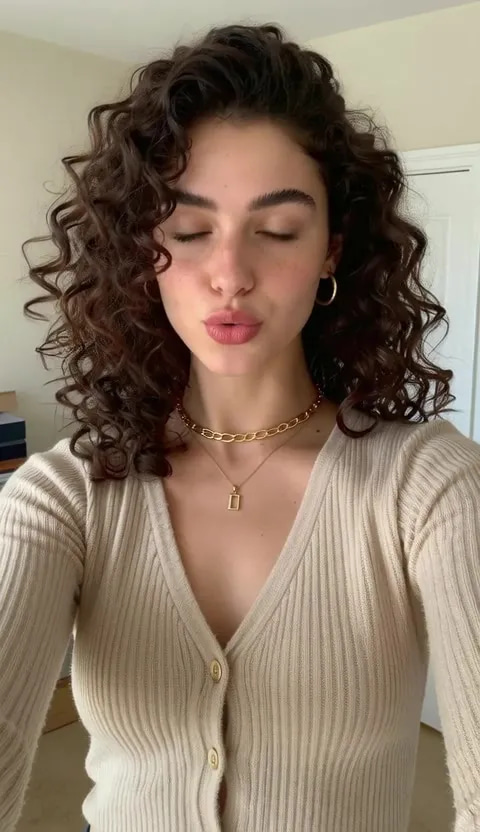
Use generated voices to create lip-synced talking videos
 Article
Hedra Alternative
Pair AI voices with lip-synced avatars — compare Imagera vs Hedra
ElevenLabs Alternative: Affordable AI Voice Generator
Compare Imagera vs ElevenLabs — pay-per-use voice cloning and text to speech without subscription
Prompt Writing Guide
Write scripts and prompts for AI voice generation
All AI Tools
Explore the complete Imagera audio toolkit
AI Audio Detection
Check recordings for AI voice clones and synthetic speech
Suno Alternative
Compare Imagera vs Suno for AI audio — voice generation and music creation
Browse All Comparisons
Side-by-side comparisons of Imagera vs other AI voice tools
Clone, design or preset — which mode should I use?
| What matters | Clone | Design | Preset |
|---|---|---|---|
| What you start with | A 5–60 second recording of the voice | A written brief — age, gender, accent, emotion | Nothing — pick one of the 9 |
| Best for | Matching a specific real voice you have the rights to use | An original character voice that has never existed | A ready-made voice with nothing to record or describe |
| What gets saved | A speaker embedding extracted from your sample | Your brief and the sample the studio generated | The preset name, plus the sample it generated |
| Credits | 30 | 30 | 0 |
Consent and commercial use
On paid Imagera plans you can use generated voices in client work, ads, videos, and social content, subject to Imagera commercial terms. When you clone a real person's voice you are responsible for having their permission — clone your own voice, or a voice you have explicit rights to use. Free-tier limits may apply, so check the plan page before shipping a paid campaign.
Create your voice
Open the studio with clone, design and preset modes ready. Credits show on the button before you run.
Create your voice →