Spot Deepfakes & Face Swaps
Upload a still photo with a face in it. 15 credits per check, and the result is a likelihood, not a verdict.
How the deepfake and face-swap check works
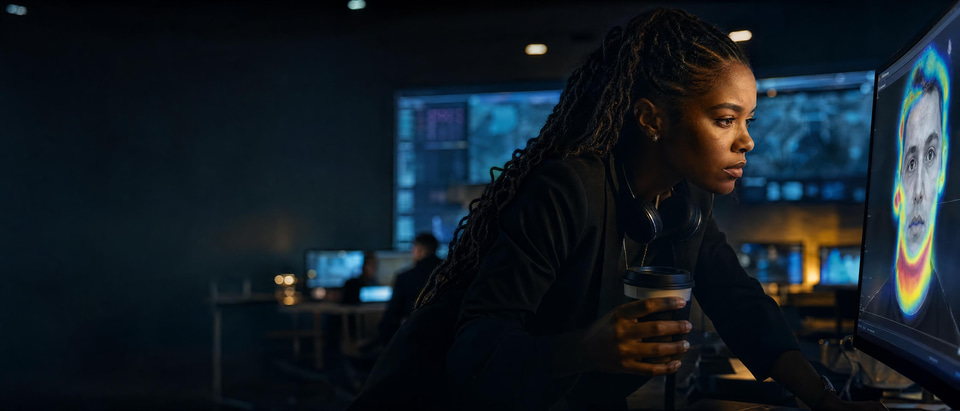
Upload a still photo with a face in it. A vision model inspects that face for the marks a swap or an AI edit leaves: blend seams at the jaw, hairline and ears, light on the face that disagrees with the rest of the picture, eyes and teeth that do not match, and a face sharper or softer than its surroundings. It tells you how likely the face is to be swapped or manipulated, how sure it is, and which of those marks it found.
- Price per check
- 15 credits
- Files
- JPEG, PNG, WebP or HEIC, up to 50 MB, one photo per check
- What you get
- An AI probability from 0 to 100%, a confidence figure and a label, with the signals behind them
- If the photo cannot be read
- The check fails and the credits are returned
Updated October 11, 2026
Cite this page: https://imagera.ai/detect/ai-deepfake-detection
 Illustration
The three readings
Likely manipulated · 65–100%
Several marks agree. Find the original picture before you share or act on it.
Know more →Possibly manipulated · 41–64%
Mixed or weak evidence. Read the signals and check the places they name.
Know more →Likely authentic · 0–40%
Few marks found. Not proof: compression and filters can hide them.
Know more →Where a swap leaves marks
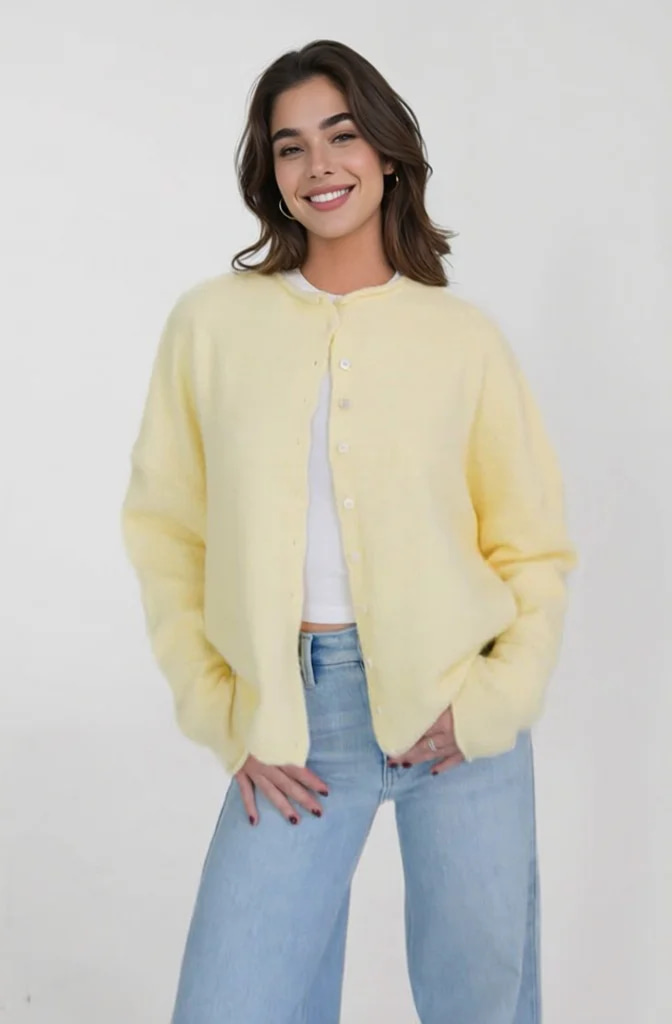
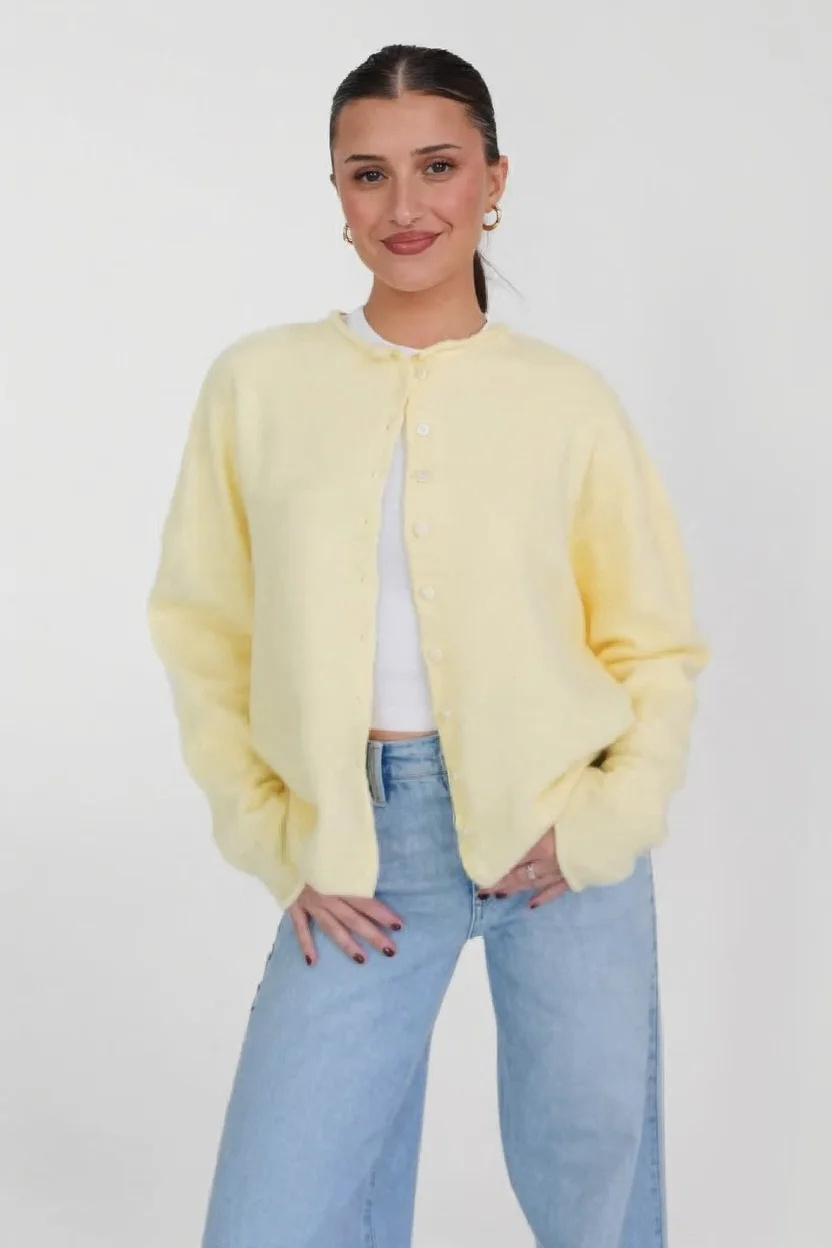
The check looks in five places. Read the example above against them, then do the same with your own photo once the result names a place. Inputs and unedited output from Imagera Head Swap, our own face-swap tool. Shown to make clear what a swap is, not as a detection result.
Jaw, hairline and ears
Where the new face meets the old head or neck. Skin tone or texture that changes across that line is a blend seam.
Try it now →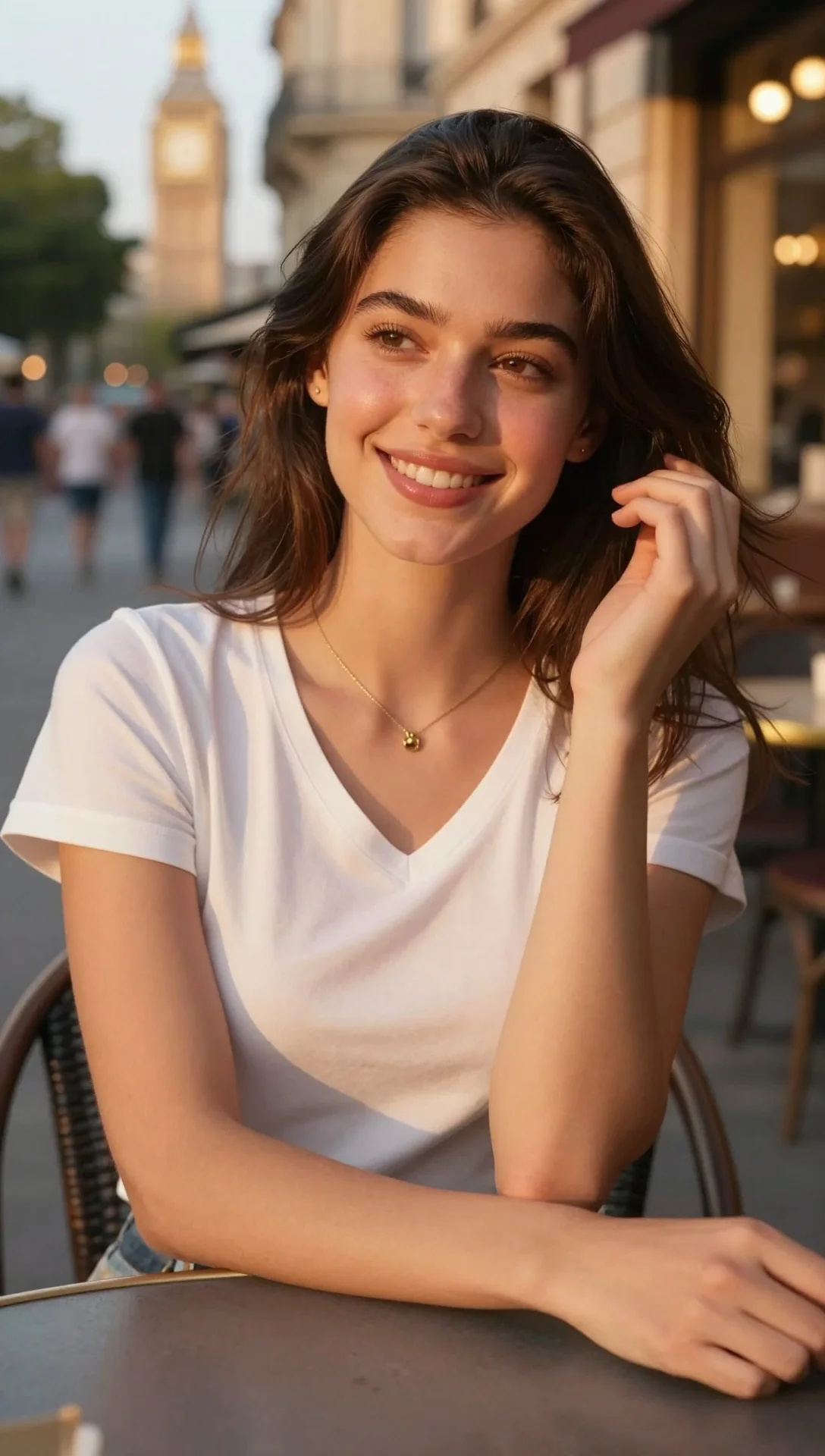
Light on the face
In the example the head came from an outdoor picture in warm light and the body against a white studio wall. Highlights, shadows or colour that disagree with the scene are a mark.
Try it now →Eyes and teeth
Reflections that differ between the two eyes, irregular pupils, and teeth that blur into one even strip.
Sharpness
A face noticeably sharper or softer than the neck, hair and background around it.
Identity details
Features that drift or asymmetries that flip, and glasses or earrings that melt into the skin.
It can tell you about
One face, in one photo, at a time. Here is where its answer stops. A face swapped in from another picture, whether the face alone or the whole head with its hair. A face regenerated or retouched by AI, even when nothing was swapped. How sure it is: mixed or weak evidence comes back as a middle score with low confidence, not a forced answer. Photos as JPEG, PNG, WebP or HEIC: phone pictures, profile photos, screenshots and saved images.
It cannot
Tell you who the person is, or confirm it is really them. It never compares the face with other photos of anyone. Name the app, model or person that made the edit. Check a video. It takes still photos only; a clip goes to the AI video detector (20 credits), which watches faces across every frame. Check a live call or stream. It reads files, so save a still first, knowing a screenshot is compressed. Prove a photo is genuine. A low score means it found few marks, not that none exist.
How to check a photo for a face swap
Upload the photo
One picture as JPEG, PNG, WebP or HEIC, up to 50 MB. Use the original file if you can get it.
Run the check
It costs 15 credits, shown on the button before you press it.
Read the marks it lists
Each signal names a place on the face. Zoom in there yourself before you decide anything.
What moves a score
Filters and heavy retouching
Beauty filters, smoothing and heavy edits can make a real face look synthetic. The check keeps its confidence modest when it sees them.
Compression and small faces
Re-shared copies, screenshots and low-resolution pictures lose the detail seams live in, and can hide real marks. A face only a few pixels wide leaves little to judge.
Only what it can see
It judges the pixels in front of it, never the subject, the setting or the story around the picture.
No accuracy percentage
Imagera does not publish an accuracy percentage for its detectors, because it has not run a benchmark that could support one. Every result is a likelihood to weigh, not a verdict.
Discover more AI features
Pro LoRA Generator
For advanced users — bring your own LoRA for a consistent style or character.
Real Film Grain
Add authentic camera noise and film grain. Achieve photorealistic quality.
Instant Voice Cloner
10-second sample = perfect clone. Any voice. Any emotion. Professional studio quality.
AI Model Arena
Compare answers from several AI models in one Sandbox conversation.
Frequently asked questions
What is the difference between a deepfake and a face swap?
A face swap puts one person's face, or whole head, onto another picture. Deepfake is the wider word for any face swapped, regenerated or altered by AI. This check covers both: it looks for the marks either one leaves on a face.
How do I check if a photo is a deepfake?
Upload the photo as JPEG, PNG, WebP or HEIC and run the check for 15 credits. Read the score, the confidence and the signals, then zoom in on the places the signals name: the jaw, the hairline, the eyes and the light on the face. If it matters, find the earliest copy of the picture and ask where it came from.
Can it tell me who is in the photo, or whether it is really them?
No. It estimates whether the face was swapped or manipulated. It does not recognise people and never compares the face with other photos, so it cannot confirm an identity. Verify that through the person or a source you already trust.
Can I check a video for deepfakes?
Use the AI video detector for clips (20 credits): it watches faces, motion and lighting across the whole video, so face-swapped clips are in scope. The deepfake check takes still photos only.
Will a beauty filter or retouching make a real photo look fake?
It can. Filters, smoothing, heavy edits and compression can make a real face look synthetic and can also hide real marks. The check keeps its confidence modest on pictures like that, so read the confidence figure alongside the score.
What do the results mean?
You get one of three readings with a probability: likely manipulated (65–100%), possibly manipulated (41–64%) or likely authentic (0–40%), plus a confidence figure and the signals behind it. It is a likelihood to weigh, never proof either way.
How accurate is the deepfake check?
Imagera does not publish an accuracy percentage for its detectors, because it has not run a benchmark that could support one. No detector catches every swap, newer tools leave fewer marks, and a clean result is not proof a photo is genuine. Use it as one input next to the source of the picture and your own look at the face.
How much does it cost, and what if it fails?
Each check costs 15 credits, shown on the button before you run it. If the detector cannot read the photo, the check fails and the credits are returned. Plans and credit packs are on the pricing page.
How long does a check take, and what happens to my photo?
The result appears as soon as the check finishes: a photo goes to the same hosted judge as the image check. The photo is uploaded and stored in your account, which is what puts it in your history. It is not used for training, and the AI provider that runs the check is contractually barred from using it for anything else.
Key takeaways
What does the deepfake check do?
It inspects one face in one photo for swap seams, mismatched light and blending, and returns an AI probability from 0 to 100%, a confidence figure and a label, with the signals behind them.
What can it not do?
It does not identify people, name the tool that made an edit, or check videos; clips go to the AI video detector.
What does it cost?
15 credits per photo, shown before you run it, and returned if the photo cannot be read.
Not a face photo? Pick the right check
| What you have | The check | Credits |
|---|---|---|
| A picture that may be AI-generated from scratch | AI image detector | 15 credits |
| A video, including a face-swapped clip | AI video detector | 20 credits |
| A voicemail, voice note or call recording | AI voice detector | 20 credits |
| An essay, post or message | AI text detector | 10 credits |
Check the Photo Before You Share It
One photo, one face, 15 credits. Read the marks it finds, then look for yourself.
Check this photo →