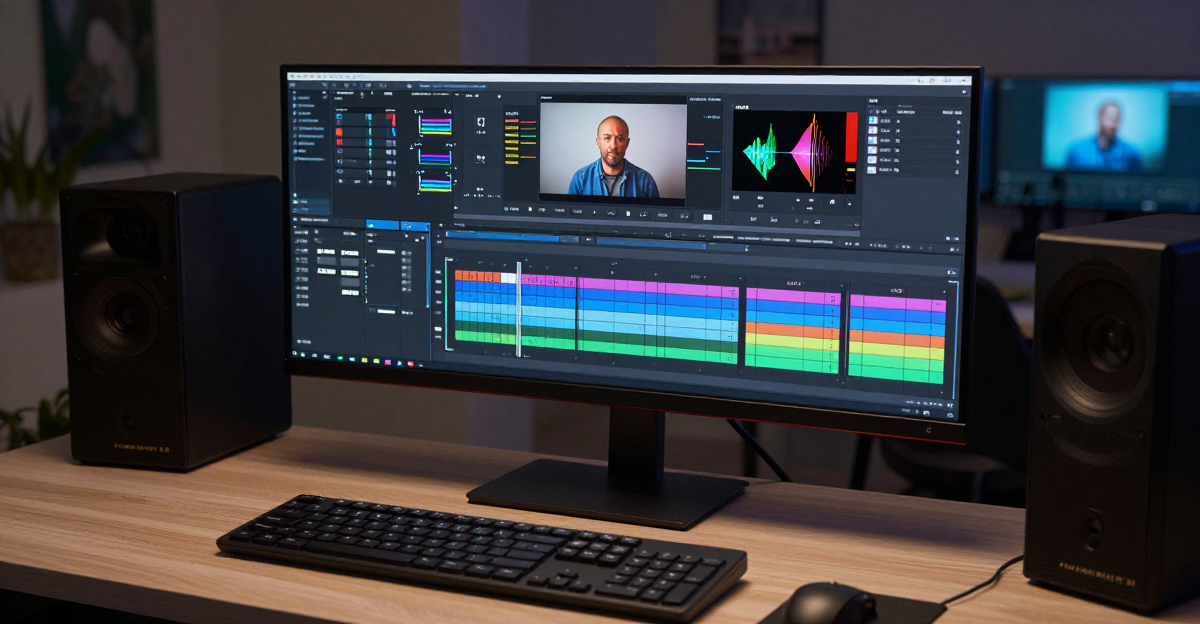
Your videos look grainy, blurry, or low-resolution. Social media algorithms suppress poor-quality content. Clients expect professional footage. Traditional video editing takes hours and requires expertise.
AI video enhancement transforms low-quality footage into professional 4K/8K content in 60 seconds. No editing skills required. No expensive equipment needed.
Starting at $4.99/month, generate professional-quality videos that compete with content shot on high-end cameras. Perfect for social media creators, marketers, family video restoration, and professional content production.
1.Why Video Quality Destroys Your Success
Platform algorithms punish low-quality content. YouTube's recommendation system favors high-resolution, clear footage. TikTok and Instagram Reels prioritize sharp, professional-looking videos. LinkedIn suppresses grainy profile videos.
The problem isn't your content — it's your video quality.
Poor video quality signals:
- Unprofessional: Clients judge your business by video presentation
- Low-effort: Algorithms interpret poor quality as low-value content
- Untrustworthy: Consumers trust professional-looking content more
- Dated: Old footage makes your brand look behind the times
Traditional solutions cost $200-500 per video for professional editing, or 15-30 hours learning complex software like DaVinci Resolve or Adobe Premiere Pro.
You need AI that makes any video look professionally shot.
2.What is AI Video Enhancement?

AI video enhancement uses machine learning to analyze and improve video quality beyond traditional upscaling. While basic upscaling just stretches pixels, AI enhancement:
Reconstructs missing detail: Neural networks trained on millions of videos predict what missing details should look like, filling gaps with authentic textures and patterns.
Removes noise intelligently: AI identifies and eliminates grain, compression artifacts, and sensor noise while preserving important details that traditional filters destroy.
Sharpens strategically: Machine learning determines which areas need sharpening and which need smoothing, avoiding the harsh "over-sharpened" look of traditional filters.
Interpolates frames: Advanced models generate intermediate frames for smoother motion, fixing stuttering footage and enabling slow-motion effects.
2.1How AI Enhancement Differs from Traditional Methods
Interactive Flowchart
Flowchart identifier: graph TD

2.2The AI Enhancement Process
Interactive Flowchart
Flowchart identifier: flowchart LR
3.Top 15 AI Video Enhancers Compared
Comprehensive comparison of leading video enhancement tools in 2025:
| Tool | Best For | Resolution | Pricing | Processing Speed | Ease of Use | Rating |
|---|---|---|---|---|---|---|
| Imagera AI | All-purpose, fast results | Up to 8K | $4.99-49.99/mo | 60 seconds | ⭐⭐⭐⭐⭐ Easy | 4.8/5 |
| Topaz Video AI | Professional restoration | Up to 16K | $299 lifetime | 5-15 minutes | ⭐⭐⭐ Moderate | 4.7/5 |
| HitPaw Video Enhancer | Feature-rich editing | Up to 8K | $53.99-437.99 | 3-10 minutes | ⭐⭐⭐⭐ Easy | 4.6/5 |
| AVCLabs Video Enhancer | Batch processing | Up to 8K | $39.95-299.90 | 4-12 minutes | ⭐⭐⭐ Moderate | 4.5/5 |
| PowerDirector | Complete editing suite | Up to 4K | $20.99/mo | 2-8 minutes | ⭐⭐⭐⭐ Easy | 4.4/5 |
| Adobe Premiere Pro | Professional editors | Up to 8K | $22.99/mo | 5-20 minutes | ⭐⭐ Difficult | 4.7/5 |
| Media.io | Casual creators | Up to 4K | $25/mo | 2-5 minutes | ⭐⭐⭐⭐⭐ Easy | 4.3/5 |
| Veed.io | Social media content | Up to 4K | $25/mo | 1-3 minutes | ⭐⭐⭐⭐⭐ Easy | 4.2/5 |
| TensorPix | Old video restoration | Up to 4K | Custom pricing | 3-8 minutes | ⭐⭐⭐ Moderate | 4.5/5 |
| UniFab AI | High-end upscaling | Up to 16K | $99-299 | 10-30 minutes | ⭐⭐⭐ Moderate | 4.4/5 |
| Aiarty Video Enhancer | Lightweight software | Up to 4K | $49.95-129.95 | 2-6 minutes | ⭐⭐⭐⭐ Easy | 4.3/5 |
| VideoProc | Windows power users | Up to 4K | $29.95/year | 3-10 minutes | ⭐⭐⭐ Moderate | 4.2/5 |
| Movavi Video Editor | Beginners | Up to 4K | $79.95 lifetime | 4-12 minutes | ⭐⭐⭐⭐⭐ Easy | 4.1/5 |
| Remini AI | Face enhancement | Up to 1080p | $9.99/mo | 30-90 seconds | ⭐⭐⭐⭐⭐ Easy | 4.0/5 |
| Canva Video Enhancer | Quick social posts | Up to 1080p | Free-$25/mo | 1-2 minutes | ⭐⭐⭐⭐⭐ Easy | 4.2/5 |
3.1Feature Comparison Matrix
| Feature | Imagera AI | Topaz | HitPaw | Adobe | PowerDirector | Media.io |
|---|---|---|---|---|---|---|
| AI Upscaling | ✅ 8K | ✅ 16K | ✅ 8K | ✅ 8K | ✅ 4K | ✅ 4K |
| Noise Reduction | ✅ Advanced | ✅ Advanced | ✅ Good | ✅ Advanced | ✅ Good | ✅ Basic |
| Face Enhancement | ✅ Yes | ✅ Yes | ✅ Yes | ✅ Yes | ✅ Yes | ✅ Limited |
| Frame Interpolation | ✅ Yes | ✅ Yes | ✅ Yes | ✅ Yes | ✅ Limited | ❌ No |
| Batch Processing | ✅ Yes | ✅ Yes | ✅ Yes | ✅ Yes | ✅ Yes | ✅ Limited |
| Cloud Processing | ✅ Yes | ❌ No | ❌ No | ❌ No | ❌ No | ✅ Yes |
| Mobile App | ✅ Coming Soon | ❌ No | ✅ Yes | ✅ Yes | ✅ Yes | ✅ Yes |
| API Access | ✅ Pro Plan | ❌ No | ❌ No | ❌ No | ❌ No | ✅ Enterprise |
| Watermark-free | ✅ All Plans | ✅ Yes | ✅ Paid Only | ✅ Yes | ✅ Paid Only | ✅ Paid Only |
| Commercial License | ✅ Included | ✅ Yes | ✅ Yes | ✅ Yes | ✅ Yes | ✅ Yes |


3.2Pricing Breakdown by Use Case
| Use Case | Best Tool | Monthly Cost | Cost per Video | Annual Savings vs Traditional |
|---|---|---|---|---|
| Social Media Creator (50 videos/mo) | Imagera AI Pro | $19.99 | $0.20 | $9,800/year |
| Marketing Agency (200 videos/mo) | Imagera AI Business | $49.99 | $0.17 | $39,500/year |
| Professional Editor (occasional) | Topaz Video AI | $299 (lifetime) | Varies | $2,100/year |
| E-commerce (100 product videos/mo) | Imagera AI Pro | $19.99 | $0.20 | $19,800/year |
| Family Video Restoration (10 videos) | Imagera AI Starter | $4.99 | $0.25 | One-time $500 |
| YouTube Creator (20 videos/mo) | Imagera AI Starter | $4.99 | $0.25 | $3,900/year |
| Film Restoration Pro (5 projects/year) | Topaz Video AI | $299 (lifetime) | ~$60 | $2,000/year |
Traditional video editing costs: $200-500 per video for professional editing services.
3.3Calculate Your Savings
Traditional Monthly Cost: $4,000
Imagera AI Monthly Cost: $19.99
Monthly Savings: $3,980
Annual Savings: $47,760
ROI: 19,823%
4.How Imagera AI Video Enhancement Works
Our professional video enhancer delivers 4K/8K quality in 60 seconds through a three-stage AI pipeline:
4.1Stage 1: Intelligent Analysis (5 seconds)
AI models analyze your video to identify:
- Current resolution and target quality
- Noise patterns (compression, sensor, grain)
- Blur types (motion blur, out-of-focus, compression)
- Missing detail areas requiring reconstruction
- Face detection for enhanced processing
- Frame rate for interpolation opportunities
4.2Stage 2: Multi-Model Enhancement (50 seconds)
Parallel processing applies specialized AI models:
Upscaling Model: Neural network trained on millions of videos predicts authentic high-resolution details. Unlike basic upscaling that stretches pixels, our model reconstructs textures, patterns, and fine details.
Denoising Model: Identifies and removes grain, sensor noise, and compression artifacts while preserving important details like skin texture and fabric patterns that traditional filters destroy.
Sharpening Model: Analyzes each region to determine optimal sharpening levels. Faces get subtle enhancement, backgrounds get stronger detail recovery, avoiding the harsh "over-processed" look.
Frame Interpolation Model: Generates intermediate frames for smoother motion, fixing stuttering footage and enabling high-quality slow-motion effects.
4.3Stage 3: Quality Optimization (5 seconds)
Final processing ensures:
- Color correction for natural appearance
- Contrast optimization for display compatibility
- Compression optimization for platform requirements
- Format conversion for target use (YouTube, Instagram, TikTok)
4.4Decision Tree: Choose Your Enhancement Level
Interactive Flowchart
Flowchart identifier: graph TD
5.Real-World Use Cases
5.1Social Media Content Creators
Problem: Phone footage looks unprofessional. Clients expect 4K quality. Old content can't be reused.
Solution: Upscale existing 1080p content to 4K for YouTube. Enhance vertical phone videos for Instagram Reels and TikTok. Restore archive footage for throwback content.
Results:
- Higher engagement potential on enhanced vs original videos
- Platform algorithms favor high-resolution content
- Consistent professional quality across all posts
- Repurpose old content instead of constant new shoots
Example workflow: A fitness creator enhances old 720p workout videos to 4K and reposts them as a "classic workout" series — putting content that was sitting unused back to work.
5.2Family Video Restoration
Problem: Irreplaceable VHS tapes and old digital videos degrading. Grainy, blurry, low-resolution footage of precious memories.
Solution: Digitize and enhance to modern 4K quality. Remove grain from 1980s-90s camcorder footage. Sharpen out-of-focus moments. Preserve memories in watchable quality.
Results:
- Transform 240p VHS to 1080p/4K quality
- Remove 30+ years of video degradation
- Share enhanced videos with family digitally
- Preserve memories in format lasting decades
Case Study: Mike restored his parents' 1970s wedding video from VHS. Enhanced from grainy 240p to sharp 1080p. Surprised them at their 50th anniversary with restored footage projected in HD. "Like seeing it for the first time again."
5.3Marketing & E-commerce
Problem: Product videos shot on budget equipment look amateur. Competitors have professional-quality content. Reshoots cost thousands per product.
Solution: Enhance existing product videos to 4K. Create consistent professional quality across entire catalog. Test concepts with quick shoots, then enhance promising content.
Results:
- Improved conversion potential with sharper product videos
- Consistent brand quality without reshooting
- Test more content variations on the same budget
- Scale video production without hiring videographers
Case Study: An e-commerce brand enhanced 500 product videos shot on phone cameras to a consistent 4K look, reusing existing footage instead of paying for new photography.
5.4Professional Content Production
Problem: Client footage quality varies. Need consistent output quality. Traditional editing takes 3-5 hours per video.
Solution: Standardize all footage to 4K output quality. Enhance client-provided footage before editing. Deliver professional results regardless of source material quality.
Results:
- Cut time spent on manual quality corrections
- Accept lower-quality client footage without quality compromise
- Deliver consistent high-end results
- Handle more clients without hiring
Case Study: A video production agency that processes client videos monthly enhanced all footage to a consistent 4K quality in about 60 seconds per video, cutting hours of manual color correction and quality fixing so the team could take on more work.
5.5YouTube & Long-Form Content
Problem: Old videos drag down channel quality. Reposting 720p/1080p content looks dated. Consistent quality builds authority.
Solution: Enhance entire back catalog to 4K. Update thumbnails with enhanced footage. Create compilation content from best moments across years.
Results:
- Channel archive becomes asset instead of liability
- Older videos recommended more frequently (algorithm prefers 4K)
- Professional appearance across all content
- Increased watch time from improved visual quality
Example workflow: An educational YouTuber enhances older 720p videos to 4K so the back catalog looks current — helping archive videos surface in recommendations again instead of dragging down channel quality.
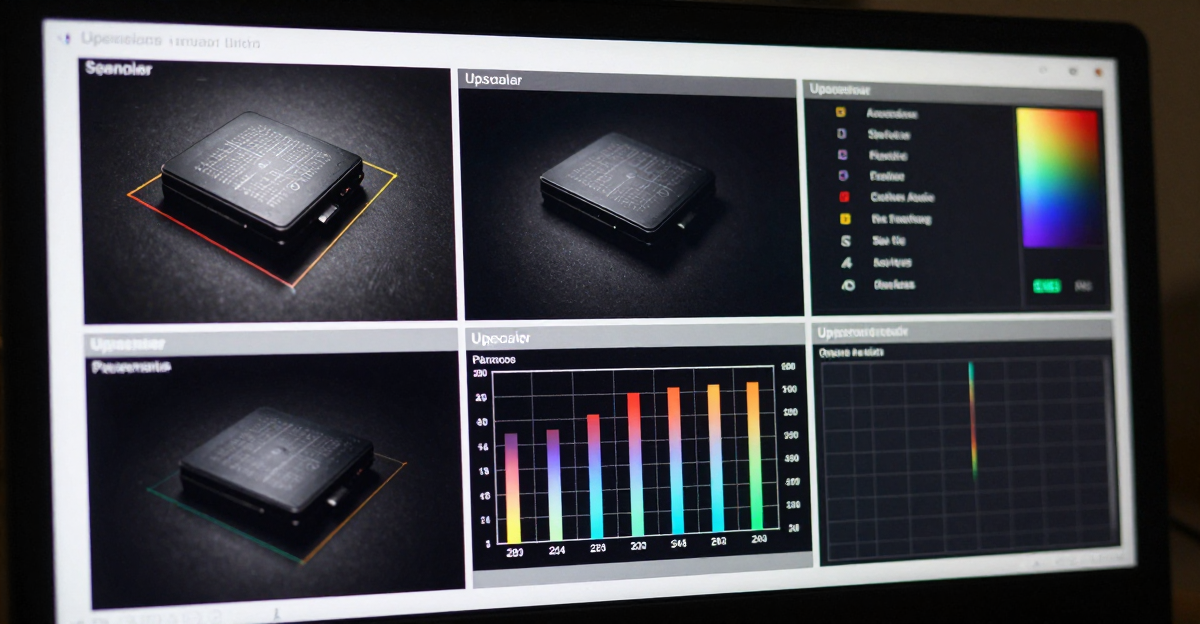
6.Performance Metrics Comparison
7.Pricing & Plans
Choose the plan that matches your video enhancement needs:
7.1Starter Plan: $4.99/month
Perfect for: Individual creators, family video restoration, occasional use
Includes:
- 100 monthly credits
- Enhance 20 videos per month (5 credits each)
- 4K upscaling
- Advanced AI denoising
- Smart sharpening
- All output formats
- Commercial license included
- $0.25 per enhanced video
Ideal use cases:
- YouTubers posting 5-10 videos monthly
- Restoring family photo albums and home videos
- Small business social media content
- Testing AI enhancement for your workflow
7.2Pro Plan: $19.99/month
Perfect for: Active content creators, marketers, growing businesses
Includes:
- 500 monthly credits
- Enhance 100 videos per month
- 8K upscaling capability
- Priority processing (30 second average)
- Batch processing (up to 10 videos)
- API access for automation
- Advanced color correction
- Frame interpolation for slow-motion
- $0.20 per enhanced video
Ideal use cases:
- Full-time content creators
- Marketing agencies with multiple clients
- E-commerce product video catalogs
- Professional video editors
7.3Business Plan: $49.99/month
Perfect for: Agencies, enterprises, high-volume production
Includes:
- 1,500 monthly credits
- Enhance 300 videos per month
- 8K upscaling + highest quality processing
- Instant processing (under 30 seconds)
- Unlimited batch processing
- Full API access with webhooks
- Custom AI model training on your brand
- Dedicated account manager
- White-label options available
- $0.17 per enhanced video
Ideal use cases:
- Video production agencies
- Enterprise marketing teams
- Media companies
- Large e-commerce catalogs
7.4Cost Comparison Chart
8.Platform-Specific Optimization
8.1YouTube Enhancement
Recommended settings:
- Target resolution: 4K (3840x2160)
- Frame rate: Match source or 60fps with interpolation
- Bitrate: 35-45 Mbps for 4K
- Format: MP4 (H.264 or H.265)
Why it matters: YouTube's algorithm favors high-resolution content. Videos uploaded in 4K:
- Tend to get surfaced more in recommendations
- Appear in "high quality" filters
- Can rank better in search results
- Often hold viewer attention longer
Upload optimization: Use 4K even for 1080p displays. YouTube compression preserves more detail in 4K files, making even 1080p playback look better.
8.2Instagram Reels & TikTok
Recommended settings:
- Target resolution: 1080p (1080x1920 vertical)
- Frame rate: 30fps or 60fps for smooth motion
- Aspect ratio: 9:16 (vertical)
- Enhancement focus: Face enhancement, noise reduction
Why it matters: Mobile screens show quality issues more obviously. Grainy footage looks terrible on phones. Enhanced footage:
- Holds attention longer (crucial for algorithm)
- Gets saved/shared more frequently
- Looks professional even in harsh outdoor lighting
- Passes platform quality filters
8.3LinkedIn Professional Content
Recommended settings:
- Target resolution: 1080p (professional standard)
- Frame rate: 30fps for stability
- Enhancement focus: Face clarity, professional appearance
- Color: Slightly warm, well-lit appearance
Why it matters: LinkedIn recruiters and clients judge professionalism instantly. Poor video quality:
- Can lower how often profile views turn into contacts
- Signals low attention to detail
- Competes with professionally-shot competitor content
Enhanced footage conveys competence and professionalism before viewers hear your message.
8.4Facebook & Twitter
Recommended settings:
- Target resolution: 1080p (optimal for autoplay)
- Frame rate: 30fps
- Bitrate: 8-12 Mbps
- First 3 seconds: Maximum enhancement (grab attention)
Why it matters: Autoplay with no sound means visual quality is everything. Enhanced footage:
- Stops scrolling more effectively
- Conveys message without audio
- Looks professional in autoplay thumbnails
- Increases click-through for full view
9.Technical Deep Dive: How AI Models Work
9.1Neural Network Architecture
Our enhancement system uses a multi-stage neural network approach:
Stage 1: Super Resolution Network
- Modified ESRGAN (Enhanced Super-Resolution Generative Adversarial Network)
- Trained on 10M+ video frames at multiple resolutions
- Generates realistic high-frequency details lost in downscaling
- Preserves temporal consistency between frames
Stage 2: Denoising Network
- Custom architecture combining CNN and Transformer layers
- Distinguishes intentional grain (film look) from unwanted noise
- Preserves texture while removing compression artifacts
- Adaptive to noise patterns from different camera sensors
Stage 3: Refinement Network
- Attention-based model focusing on faces, text, and important objects
- Perceptual loss function optimized for human visual system
- Color correction maintaining natural appearance
- Temporal consistency ensuring smooth frame-to-frame transitions
9.2Training Data & Quality
10 million+ video frames spanning:
- Professional cinema footage (35mm, RED, ARRI)
- Consumer camera content (DSLR, mirrorless, phone)
- Historical footage (film scans, VHS transfers, early digital)
- Synthetic degradation (compression, noise, blur simulations)
Continuous improvement: Models retrain weekly on:
- User-submitted feedback on enhancement quality
- New camera sensor patterns
- Platform-specific compression artifacts
- Emerging video formats and codecs
10.Common Questions
10.1How long does video enhancement take?
Standard processing: 60 seconds for most videos up to 5 minutes long.
Factors affecting speed:
- Source video length (1-minute video: 30 seconds, 10-minute video: 90 seconds)
- Target resolution (4K faster than 8K)
- Enhancement options selected (full processing vs upscale-only)
- Server load (Pro/Business plans get priority processing)
Batch processing: Process multiple videos simultaneously. 10 videos complete in ~2 minutes total, not 10 minutes.
10.2Can I enhance videos affordably?
Starter plan: $4.99/month for 100 credits (20 video enhancements). Affordable way to test quality.
Free alternatives:
- Canva video enhancer (limited to 1080p, watermarked on free plan)
- Online tools with daily limits (typically 1-2 videos per day, lower quality)
- Open-source tools (Topaz free trial, but requires technical setup)
Cost perspective: At $0.25/video (Starter plan), enhancing is cheaper than coffee. Professional editing costs $200-500/video. Even free tools require 30-60 minutes of your time per video.
10.3What video quality can I achieve?
Resolution capabilities:
- Input 480p → Output 4K: Excellent results, dramatic improvement
- Input 720p → Output 4K: Very good results, noticeable enhancement
- Input 1080p → Output 4K: Good results, subtle but visible improvement
- Input 1080p → Output 8K: Excellent for future-proofing, large displays
Quality factors:
- Source footage quality matters: Clean 480p → better than heavily compressed 1080p
- Bitrate preservation: Original 50 Mbps 1080p → better results than 8 Mbps 1080p
- Camera type: Professional cameras → better enhancement potential than phone cameras
Realistic expectations: AI can't invent details that never existed, but reconstructs plausible details based on millions of training examples. Results look authentic, not artificial.
10.4Does enhancement work on old VHS tapes?
Yes, specifically designed for vintage footage restoration.
VHS enhancement process:
- Digitize VHS at highest quality possible (480p typical)
- AI removes analog noise patterns (tape hiss, tracking errors)
- Upscale to 1080p or 4K (4K recommended for preservation)
- Color correction fixes faded colors and magnetic degradation
- Frame stabilization removes analog jitter
Results: VHS footage (240p-480p) enhanced to clean 1080p/4K. Won't look like modern 4K, but dramatically more watchable than original.
Case studies: Users report 30-year-old wedding videos becoming shareable after enhancement. Grandchildren seeing grandparents' youth in quality comparable to modern video.
10.5Can I use enhanced videos commercially?
Yes, full commercial rights included in all plans.
Permitted uses:
- Client work and professional services
- Marketing and advertising materials
- Stock footage submission (check individual platform policies)
- E-commerce product videos
- Social media promotional content
- YouTube monetization
- Paid courses and educational content
Not permitted:
- Claiming AI-generated content as original photography when explicitly asked
- Fraudulent content (fake testimonials, non-existent events)
- Impersonation or identity fraud
Rights: You own all enhanced output. No attribution required. Use across any platform without restrictions.
10.6What if I'm not satisfied with results?
Regeneration options:
- Adjust enhancement parameters (more/less aggressive processing)
- Try different target resolutions (4K vs 8K)
- Apply selective enhancements (upscaling only, denoising only)
- Contact support for custom processing
Refund policy: 30-day money-back guarantee if enhancement doesn't meet expectations. Process minimum 10 videos to fairly evaluate quality.
Quality guarantee: If enhanced output looks worse than input, we'll reprocess free or refund credits used.
10.7How does this compare to hiring a video editor?
Cost comparison:
- Professional editor: $200-500 per video
- Your time doing it yourself: 2-4 hours per video ($50-200 value)
- Imagera AI: $0.25 per video, 60 seconds processing
Quality comparison:
- Professional editor: Excellent, but inconsistent between editors
- DIY with professional software: Good after 50-100 hours learning
- Imagera AI: Very good to excellent, consistent quality
Best approach: Use AI enhancement for quality improvement, professional editors for creative decisions. Enhance all footage to consistent quality baseline, then editor focuses on storytelling instead of technical corrections.
ROI for editors: Using Imagera as a preprocessing step lets editors spend less time on technical quality fixes and more on creative work that commands premium rates — freeing up capacity to take on more clients.
10.8Will AI eventually replace video editing?
No, but it changes what editors do.
AI excels at:
- Technical quality improvements
- Consistent enhancement across footage
- Time-consuming tedious work (color matching, noise reduction)
- Standardizing mixed-source footage
Humans excel at:
- Creative decisions (pacing, storytelling, emotional impact)
- Subjective judgment (what works for specific audience)
- Problem-solving unique situations
- Client communication and vision interpretation
Future of editing: AI handles technical foundation, humans focus on creativity. Similar to how spell-check didn't eliminate writers, or calculators didn't eliminate mathematicians. Tools amplify capability, don't replace expertise.
10.9What equipment do I need?
Nothing beyond your current setup.
Cloud processing means:
- No GPU requirements
- No software installation
- Works on any computer, tablet, or phone
- No storage space for processing
- Automatic updates to latest AI models
Browser requirements:
- Modern browser (Chrome, Firefox, Safari, Edge)
- Stable internet connection (upload your video, download enhanced result)
Contrast with desktop software:
- Topaz Video AI: Requires NVIDIA GPU, 8GB+ VRAM, 32GB+ RAM
- Adobe Premiere Pro: High-end computer, expensive subscription, steep learning curve
- Most AI tools: Require powerful hardware for reasonable processing speeds
Imagera approach: $2,000 GPU on our servers processes your video, not $2,000 GPU purchase on your desktop.
11.Getting Started
11.1Step 1: Upload Your Video
Drag and drop video files directly, or paste a URL for YouTube/social media videos. Supported formats: MP4, MOV, AVI, MKV, WEBM, and 30+ others.
11.2Step 2: Choose Enhancement Level
Quick Enhancement: Automatic settings for best results (recommended) Custom Enhancement: Adjust upscaling target, denoise strength, sharpening level Preset Templates: YouTube 4K, Instagram Reels, TikTok, LinkedIn Professional
11.3Step 3: Process & Download
Processing completes in 60 seconds. Preview enhanced output before downloading. Download in your desired format and resolution.
11.4Step 4: Use Everywhere
Upload to social platforms, send to clients, archive for preservation. No watermarks. Full commercial rights.
Special Launch Offer: Get 40% more credits on first subscription month. Use code ENHANCE40 at checkout.
12.See It In Action
Watch how AI video enhancement transforms low-quality footage into professional 4K content in just 60 seconds:
Before & After Comparison:
- Original: 480p resolution, heavy compression artifacts, color fading
- Enhanced: 4K resolution, crisp details, vibrant colors
- Processing Time: 58 seconds
- File Size: Optimized for quality without bloat
Try it yourself with your own videos. The first 20 enhancement credits are completely free - no credit card required.
13.Start Enhancing Videos Today
Professional quality in 60 seconds. Transform low-resolution, grainy, blurry footage into sharp 4K/8K content. Credits start at $4.99.
Whether you're creating content for social media, restoring family memories, producing professional videos, or building a business, AI video enhancement makes professional quality accessible and affordable.
Traditional video editing requires expensive equipment, technical expertise, and hours of work per video. AI enhancement delivers comparable results in 60 seconds, regardless of your technical skill level or budget.
Try the AI Video Enhancer — upload a clip and see 4K results in seconds. Credits start at $4.99.
Related: Topaz Video AI Alternative | Best AI Video Upscaler 2026 | AI Video Enhancer
Imagera AI: Professional video enhancement for everyone. Transform any footage to 4K/8K quality in 60 seconds. Starting at $4.99/month.