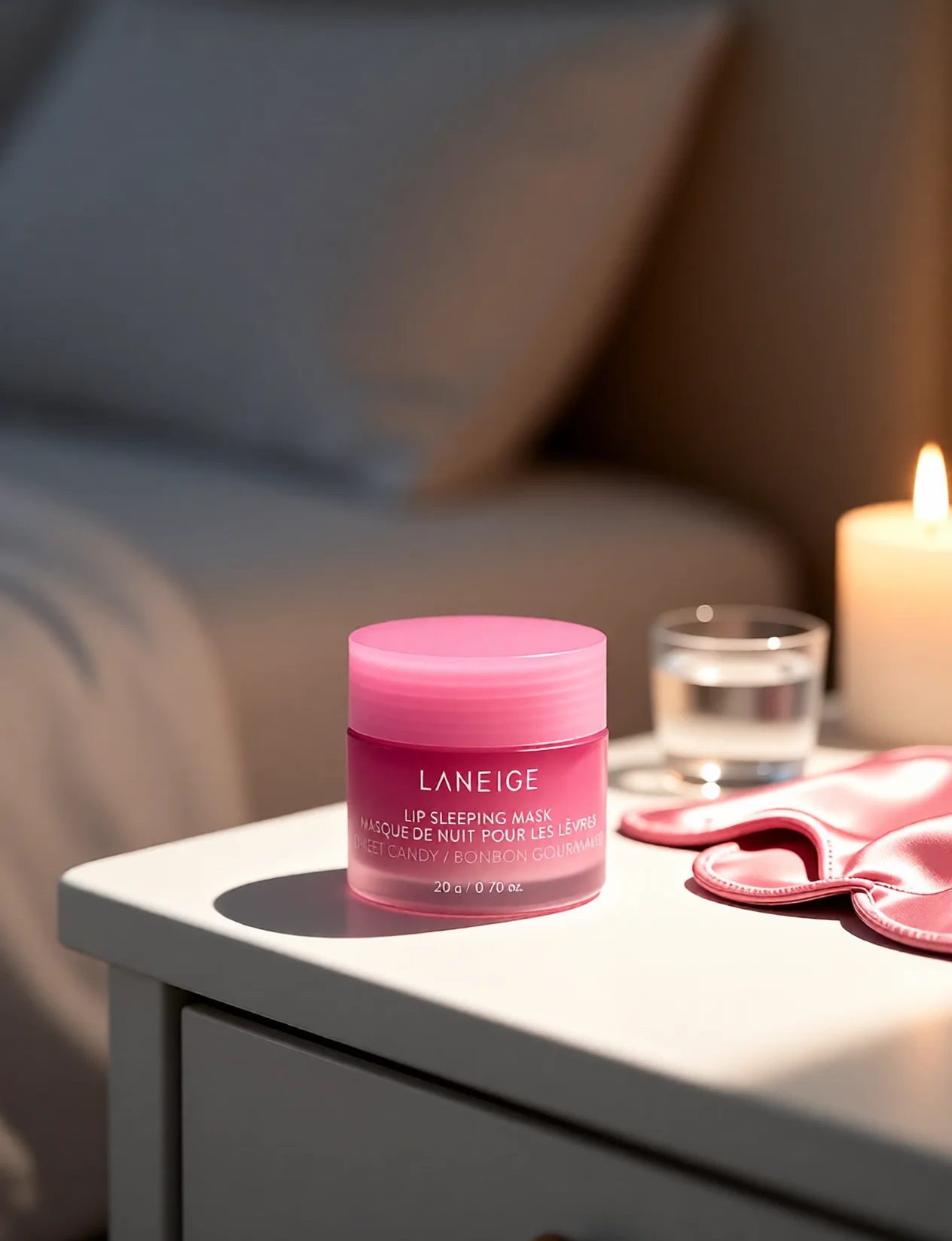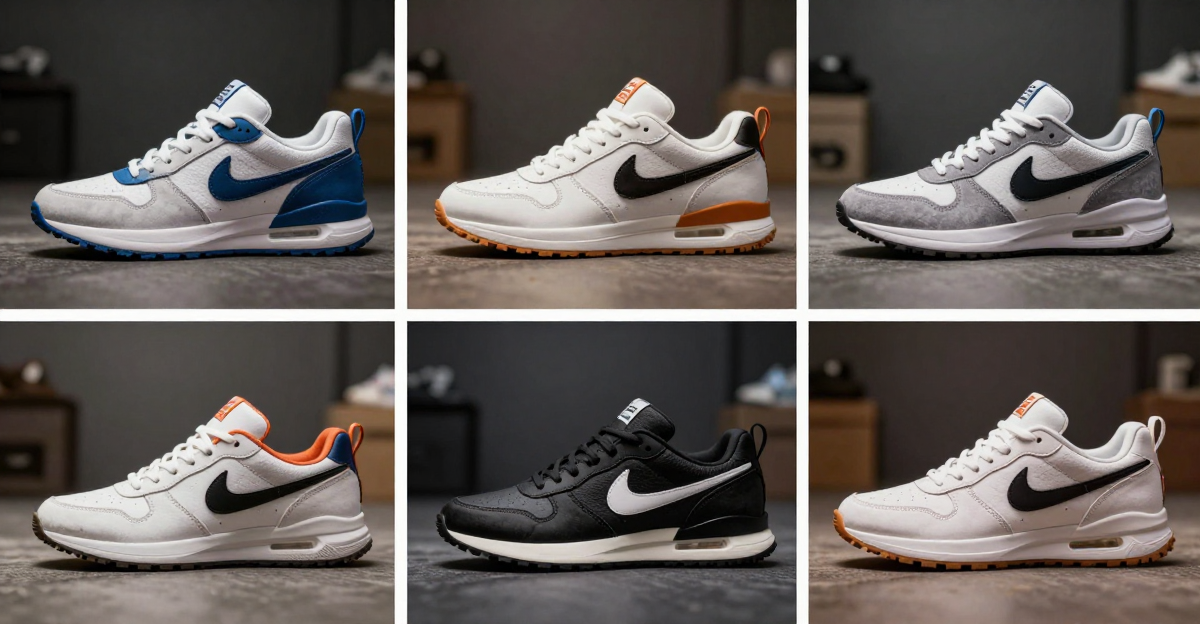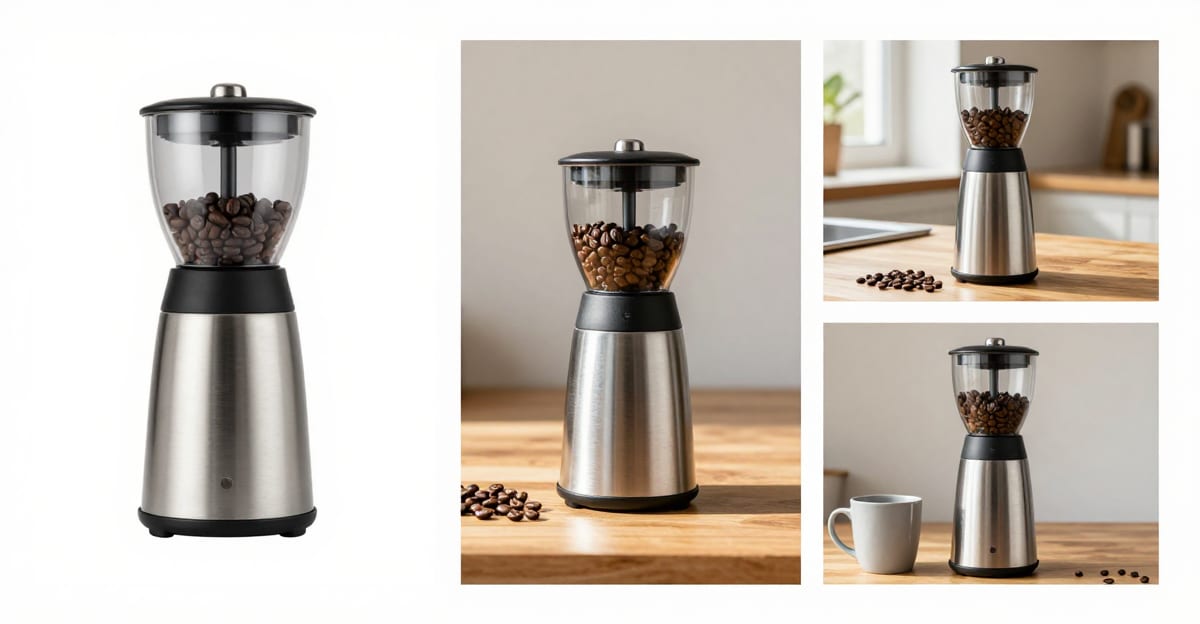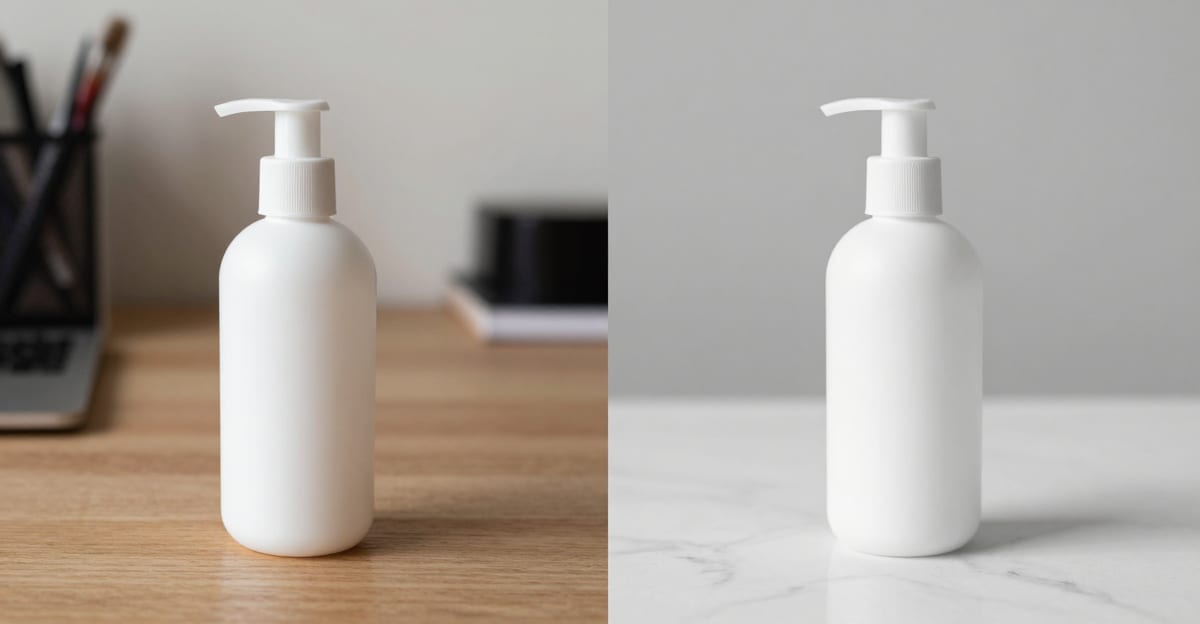
If you have one clean, well-lit photo of your product, you can produce studio-grade ecommerce product photography with AI in a few minutes — no studio booking, no lightbox, no photographer. You upload the single photo, describe the scene you want (crisp white background, marble counter, golden-hour patio, cafe table), and the tool re-stages your product into a photorealistic shot.
This is enough for most Shopify, Etsy, and Amazon listings that need scene and background variety. It is not a full replacement for a real shoot when you need true material texture, human-worn fit, or a hundred SKUs on a deadline.
This guide covers exactly what AI product photography can and can't do, the workflow from one photo to a full listing set, and an honest decision table for when to shoot for real instead.
Last updated July 2026.
Real Imagera output: a product photo turned into a promo reel.
Quick answer: Imagera turns a single product photo into unlimited on-brand studio, lifestyle, and seasonal scenes online, so you can build a full catalog from 1 upload instead of booking a physical shoot.
1.How does AI product photography work from just one photo?
Imagera reads your 1 uploaded product image, preserves its exact shape, color, and label, then regenerates it into any background you describe. You can produce 100+ scene variations from that single photo, export up to 4K or 8K resolution, and generate each new angle or setting in under a minute, replacing a 2026 studio shoot that once took hours per SKU.
2.Is AI product photography good enough for online stores in 2026?
Yes. Imagera keeps the product pixel-faithful while swapping backdrops, so 1 photo covers dozens of listings, seasonal campaigns, and marketplace formats. Shoppers rarely buy from a single flat cutout, so being able to generate 10+ context-rich scenes per product at 4K, each in under a minute, gives every listing the variety it needs without a second shoot.
3.What "AI product photography" actually means
There are two different things people call AI product photography, and they matter for your expectations:
-
Scene and background generation from a real product photo. You start with an actual photo of your actual product. The AI keeps the product and re-stages the environment — surface, lighting, backdrop, props. Your product's shape, label, and color stay yours. This is the reliable, listing-safe version.
-
Fully generated products from a text prompt. No source photo — the AI invents a product from scratch. This is fine for mood boards and concepting, but you should never list a fully-invented render as the item a customer receives.
For real ecommerce, you want the first kind. Imagera's AI Product Photography tool works from a single source image and re-stages the scene around your real product, so what the buyer sees is what ships.
4.What the tool does, in plain terms
Imagera's AI Product Photography takes one source image of your real product and produces a new, photorealistic product photography scene around it. You upload the photo, write (or pick) a scene description, and the tool returns a staged shot — the product on a white surface with soft, diffused lighting; on natural marble with visible veining; on a cafe table in an elegant patisserie; on a bright platform against a golden-hour outdoor background; on a clean vanity with a soft, blurred backdrop.
The key idea is that your product is the fixed truth and the scene is the variable. The tool changes the surface, the light, the depth of field, and the props — not the item itself. That's what makes it listing-safe: buyers see a better-looking presentation of the same product that ships to them.
Each generated image costs 25 credits, and because you're re-running the same source photo through different scene descriptions, you can build a full multi-scene listing set from a single upload. You don't pay for a studio, a photographer's day rate, or reshoots — you pay per generated scene.
5.The workflow: one photo to a full listing set
You do not need studio gear. You need one decent source photo and a clear idea of the scenes you want.
5.11. Shoot one clean source photo
Use natural window light or a cheap softbox. Put the product on a plain, uncluttered surface. Fill the frame. Keep it in focus. This single photo is the "truth" the AI preserves — the sharper and more evenly lit it is, the better every generated scene looks.
A few things that make a source photo work well: even lighting with no harsh, blown-out highlights; the whole product visible and unobstructed; a neutral background (a white or gray wall, a plain table) so the tool has a clean subject to isolate; and a resolution high enough that the label and edges are crisp. If your only usable photo is small or slightly soft, upscale it first with Imagera's image upscaler before staging, so the output stays sharp.
5.22. Re-stage into multiple scenes
Upload that one photo, then describe each scene. A strong ecommerce set usually includes:
- A clean studio/white shot — for the primary listing image
- A neutral premium surface — marble, concrete, or oak for a "considered" feel
- A lifestyle/in-context scene — cafe table, bathroom vanity, outdoor patio
- A seasonal or campaign scene — holiday, summer, back-to-school
From one source photo you can re-run for as many scenes as you want without reshooting — a typical listing set is 4–6 backgrounds.
The scene description is where you get control. Be specific about three things: the surface the product sits on (white bedside table, natural white marble with veining, marble cafe table), the lighting (soft diffused light with gentle shadows, softbox for even illumination, golden-hour sunset), and the background treatment (beautifully blurred with soft gray-beige tones, neutral cream, a real outdoor fairground behind a sharp-focus platform). Vague prompts produce generic scenes; concrete prompts produce the exact look you had in mind.
5.33. Keep angles honest
Generate scenes, not fictional angles you can't verify. If your source photo is a front view, keep generating front-facing scenes. If you need a true back or bottom view, photograph it — don't ask AI to invent product geometry it has never seen.
If you genuinely need multiple viewpoints of a product you can photograph, that's a different job than scene staging. Shoot each real angle you need, then stage each of those photos separately. For catalog work where you want consistent turnaround views generated from a real reference, Imagera also offers a dedicated angle changer — but the same honesty rule applies: only present views a buyer can trust.
5.44. Finish and export
Export at the resolution your platform needs (Amazon's main images need at least 1000 px on the long side, ideally 1600 px+, so buyers can zoom; Shopify and Etsy are more forgiving). If your source photo is small, upscale it before staging so the output stays sharp.
Want to know the exact size and background rules for one marketplace? See our companion guide on Amazon product photography requirements.
6.Step-by-step: your first listing set in one sitting
If you want a concrete run-through, here's the whole thing start to finish for a single product:
- Photograph the product once. One sharp, evenly lit shot on a plain surface. Ten minutes with window light is enough.
- Open the AI Product Photography tool and upload that photo.
- Generate the primary image. Use a clean white-surface prompt with soft, diffused lighting and a gently blurred background. This is your listing hero and, for Amazon, your compliant main image.
- Generate a premium-surface variant. Re-run the same source photo with a marble or oak surface prompt for a "considered," high-end feel.
- Generate a lifestyle scene. Describe an in-context setting that fits your buyer — a vanity, a cafe table, an outdoor patio at golden hour.
- Generate one campaign or seasonal scene. Swap in a holiday, summer, or back-to-school backdrop so you have a ready-to-use promotional image.
- Review each output honestly. Check that the product's shape, color, and label match what ships. Discard anything that drifted.
- Upscale and export to your platform's required dimensions, then upload to your listing.
That's a four-to-six image set from one upload in a single sitting, at 25 credits per generated image, with no reshoot in the loop.
7.AI vs a real shoot: an honest decision table
AI product photography is genuinely good for a large slice of ecommerce work — and genuinely wrong for another slice. Here's how to decide per product.
| Situation | Best choice | Why |
|---|---|---|
| You have 1 good photo, need scene/background variety | AI | Re-stage one photo into many scenes cheaply |
| Fast seasonal/campaign refresh on existing SKUs | AI | Swap backdrops in minutes, no reshoot |
| Small catalog, tight budget, no studio access | AI | Studio-grade look without studio cost |
| Complex texture (jewelry facets, fabric weave, glass) | Real shoot | Fine specular detail is hard to fake convincingly |
| Product worn/held by a person (fit, drape, scale) | Real shoot | Human interaction and true fit need a model |
| 100+ SKUs on a hard deadline | Real shoot / batch studio | Consistency at volume favors a controlled set |
| You need a verifiable back/underside/interior view | Real shoot | Don't let AI invent unseen geometry |
| Regulated claims (supplements, medical, food) | Real shoot + review | Compliance risk if the image misrepresents |
The pattern: AI wins on scene variety, speed, and cost; a real shoot wins on fidelity, human wear, scale, and volume. Many stores use both — a real hero shot, then AI to spin up seasonal and lifestyle variations.
8.Cost comparison: what you're actually deciding between
Cost is usually the first reason sellers try AI, so it's worth being concrete and honest about the trade. A traditional product shoot has real fixed costs: a photographer's day or half-day rate, studio time, props and surfaces, and turnaround days before you get files back. Freelance product shoots commonly run into the low-to-mid hundreds of dollars per session in many markets, and a full studio day costs more.
With Imagera, the unit is credits, not a session. Product photography scenes are 25 credits per generated image, and credits come from your plan. Because you re-run one source photo through many scene prompts, the marginal cost of the fifth background is the same 25 credits as the first — there's no reshoot fee, no second studio booking, and no waiting on delivery.
| What you get | Traditional shoot | Imagera AI Product Photography |
|---|---|---|
| Primary white/studio shot | Included in session fee | 25 credits |
| Each additional background/scene | Often a reshoot or re-edit | 25 credits per scene |
| Lifestyle / seasonal variant | New setup or new session | 25 credits per scene |
| Turnaround | Days (shoot + edit + delivery) | Minutes per image |
| Fixed costs (studio, props, day rate) | Yes | None |
Plans and how credits map to dollars are on the pricing page. The honest read: AI is dramatically cheaper for scene variety and refreshes on products you can already photograph. It does not replace the cases in the decision table above where a real shoot wins on fidelity, human fit, or verifiable angles.
9.Who it's for
Solo Shopify and Etsy sellers who can take one good phone photo but can't justify a studio. This is the core case — you get consistent, professional-looking scenes without a photographer.
Amazon sellers who need a compliant pure-white main image plus lifestyle secondaries, and want to refresh them without re-booking a shoot every season.
Dropshippers and resellers who have a clean supplier photo and want to differentiate their listing with distinctive, branded scenes instead of the same generic image every competitor uses.
Small brands doing seasonal campaigns — holiday, summer, back-to-school — who need the same SKUs restaged into fresh backdrops on a schedule.
Marketplaces and catalog teams looking to standardize the look of many products (one surface, one lighting style) cheaply, so a mixed-source catalog reads as one brand.
It's a poor fit if your product's entire value is in fine texture (high jewelry, cut glass), if you must show a real person wearing or using it, or if you need verifiable angles the tool has never been shown a photo of.
10.Platform notes: Shopify, Etsy, Amazon
Shopify. No hard background rule. Consistency is your competitive edge — pick one surface and lighting style and reuse it across the catalog so your storefront looks like one brand, not a mixed bag. AI makes that consistency cheap.
Etsy. Buyers expect a handmade, human feel. A pure white-box shot can feel sterile here. Lean on lifestyle and in-context scenes (a candle on a windowsill, a mug on a linen table). AI is well-suited to that warmth without staging a real set.
Amazon. The strictest of the three. Your main image must be on a pure white background (RGB 255, 255, 255) with the product filling most of the frame and no props, text, or logos. Secondary images can be lifestyle. AI can produce both — a compliant white main and lifestyle secondaries. The full checklist is in our Amazon product photography guide.
11.Tips for best results
- Start with the best source photo you have. Everything downstream inherits its sharpness and lighting. A slightly soft source produces slightly soft scenes. Upscale before staging if needed.
- Write specific prompts. Name the surface, the lighting quality, and the background treatment. "White marble vanity, soft diffused light, blurred neutral-cream background" beats "nice product shot."
- Add a believable shadow. Ask for gentle, directional shadows so the product looks physically placed on the surface, not floating above it.
- Match the scene to the buyer. A skincare product belongs on a vanity; a coffee bag belongs on a kitchen counter or cafe table. On-context scenes convert better than abstract ones.
- Keep one consistent look for your primary images. Reuse the same surface and lighting across SKUs so your storefront feels cohesive, then vary the lifestyle secondaries.
- Generate a few options per scene and pick the best. Small prompt tweaks produce meaningfully different results; choose the frame where the product reads most accurately.
12.Common mistakes to avoid
- Using a cluttered or badly lit source photo. Garbage in, garbage out — the tool preserves whatever flaws the source has.
- Asking AI to invent angles it hasn't seen. If the source is a front view, don't request a back or underside. Photograph those for real.
- Over-cleaning the scene until it looks like stock. A perfectly empty, shadowless background reads as fake. Keep a real surface and a soft shadow.
- Changing the product itself. Don't nudge the color, enlarge the item, or add features it doesn't have. That's a returns and policy problem.
- Forgetting to regenerate after a product change. New packaging or a new colorway means the old scenes are now inaccurate — restage the affected images.
- Skipping the resolution check. Exporting below your marketplace's minimum (especially Amazon's zoom threshold) hurts the listing even if the scene looks great.
13.Examples: what a real set looks like
Here are concrete scene recipes you can adapt from a single uploaded photo:
- The compliant hero. "Minimalist product photography on a white surface, soft diffused lighting with gentle shadows, background softly blurred in gray-beige tones." Clean, zoomable, Amazon-safe as a main image.
- The premium counter. "Upscale product photography on natural white marble with visible veining, softbox lighting for even, flattering illumination." Reads as considered and high-end.
- The lifestyle cafe. "Product on a marble cafe table in an elegant Parisian patisserie, surrounded by pastel French macarons." Warm and in-context — strong on Etsy and as an Amazon secondary.
- The golden-hour outdoor. "Product on a sharp-focus white platform in the foreground; behind it, a real outdoor fairground during golden-hour sunset." Great for a seasonal or campaign image.
- The vanity scene. "Product at a slight angle on a white marble vanity, background soft and blurred in neutral cream tones." Ideal for beauty and personal-care listings.
Same product, one upload — five distinctly different, honest presentations.
14.Honest trade-offs and how to avoid problems
It can look "too perfect." Over-clean AI scenes read as stock. Add a believable surface and a soft, directional shadow so the product looks physically placed, not floating.
Reflective and transparent items are hardest. Glass, chrome, and clear liquids carry reflections of a real environment. AI reflections can look wrong. For these, a real shoot or heavy manual finishing is safer.
Never misrepresent. The generated scene should change the background, not the product. Don't use AI to make a product look larger, a different color than it ships, or to add features it doesn't have. That's a returns and trust problem — and on Amazon, a policy problem.
Match the truth in the box. If you update packaging or add a colorway, regenerate the affected scenes so the listing shows what actually arrives.
Used this way, AI product photography is a legitimate, professional tool — you're producing real photos of your real product in better-looking, studio-quality scenes.
15.Bottom line
If you have one clean photo of a product you can honestly photograph, AI product photography is the fastest, cheapest way to build a full, consistent, scene-varied listing set — a compliant white hero, a premium-surface variant, and lifestyle and seasonal scenes — for 25 credits per generated image, with no studio, photographer, or reshoot. It does not replace a real shoot when fidelity, human-worn fit, verifiable angles, or high-volume consistency are on the line. The strongest stores use both: a real hero where it matters, AI for the variety around it.
16.Deeper guide (practical production)
17.Related tools on Imagera
18.See it in action — real Imagera output
These are real, unedited results from the Imagera product photography — the exact tool this guide covers.