Imagera AI - AI content creation platform for generating images, cloning voices, creating avatars, and enhancing videos. Privacy Policy | Terms

    IMAGERAAI
    Blog Post
    AI Content Creation

    Why Illuminarty Flags AI Images — and the Fix (2026)

    Illuminarty flags AI images using heatmaps and generator fingerprints. What it detects, why AI images look fake, and how to create photorealistic images.

    By Sarah Chen8 min readJuly 8, 2026Updated: July 9, 2026
    Share:
    Why Illuminarty Flags AI Images — and the Fix (2026)

    TL;DR

    Illuminarty flags AI images using three layers: frequency-domain noise analysis, regional texture coherence scoring, and generator fingerprinting. The root cause of a flag is almost always the same thing — images that look synthetic because they lack the noise, texture variance, and lighting physics of a real camera. The fix is not a workaround; it is making better, more photorealistic images. Imagera addresses all three layers Illuminarty measures at generation time, producing results with natural authentic photo quality.

    Why Illuminarty Flags AI Images — and the Fix (2026)

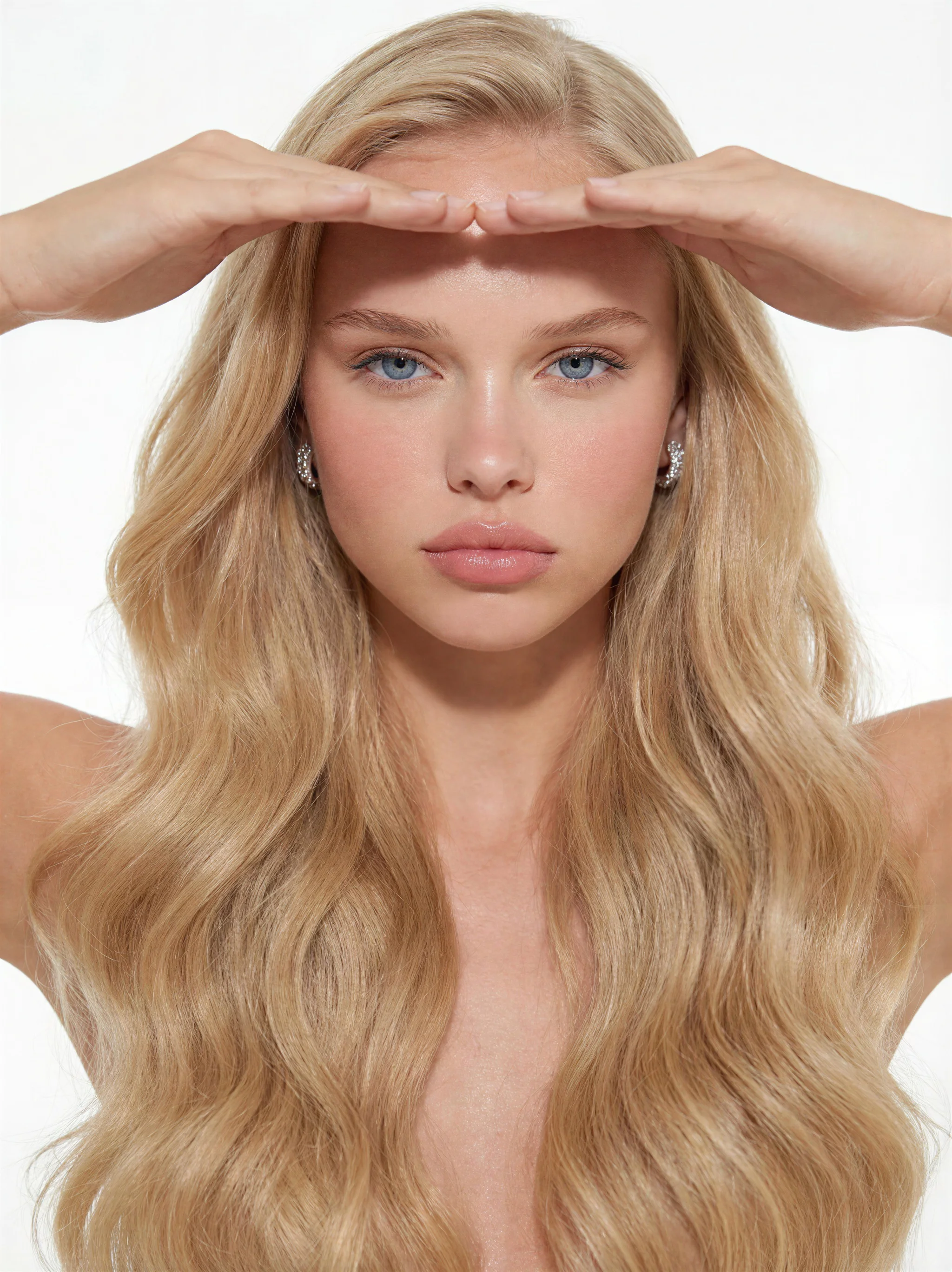
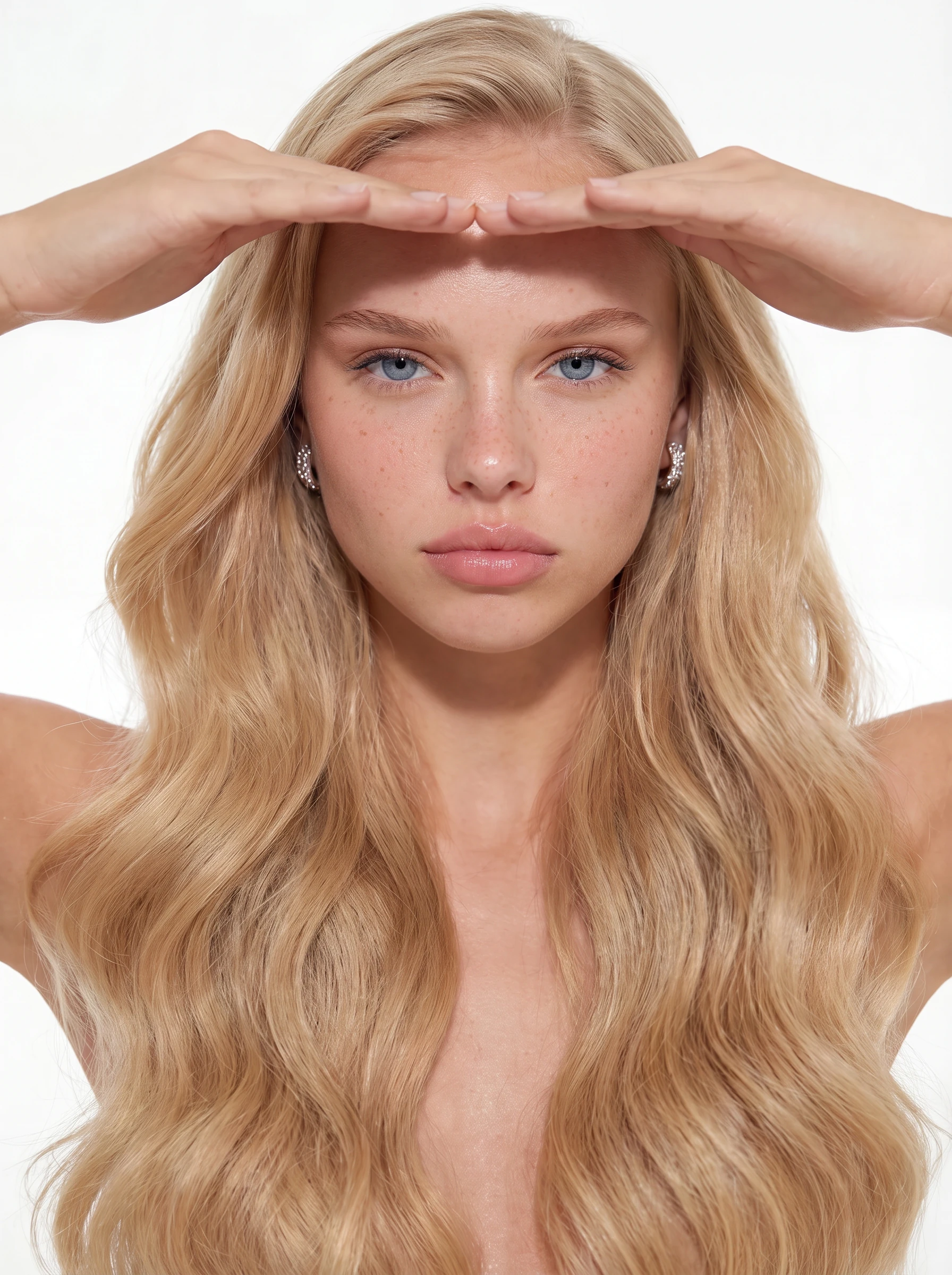
    A split-panel showing an AI-generated product photograph alongside its Illuminarty scan result with a heatmap overlay

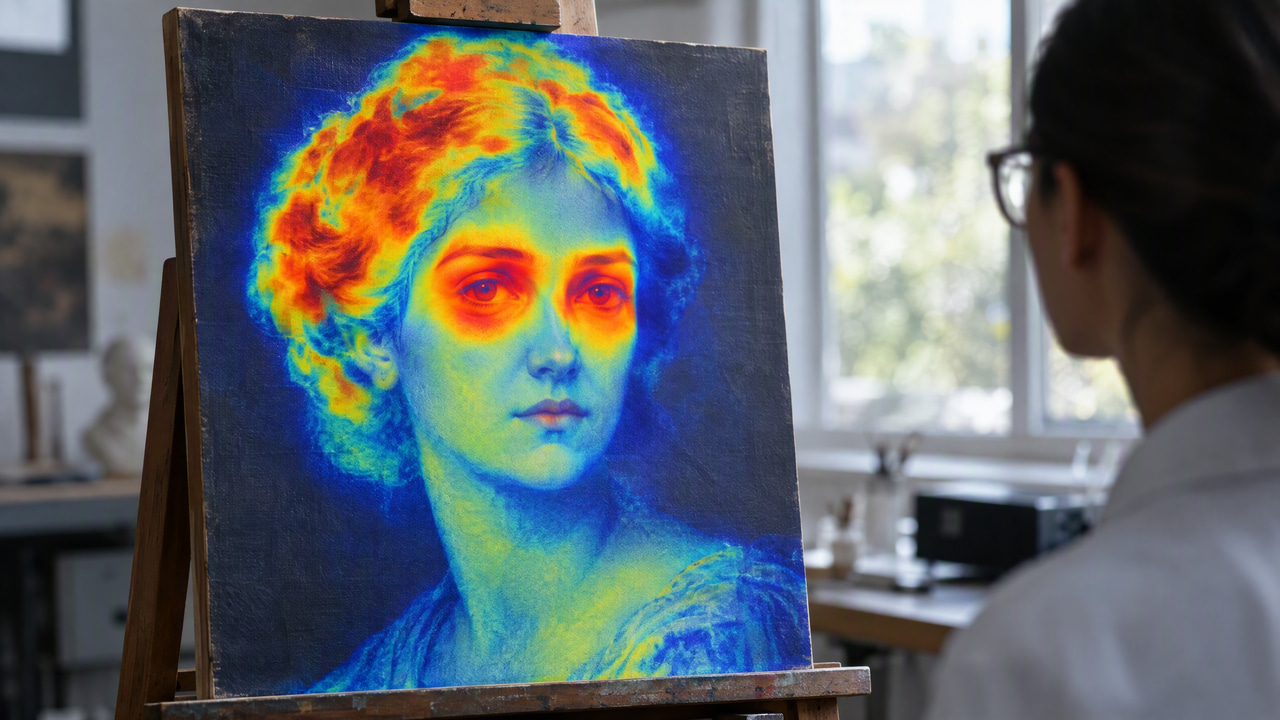
    If you have ever uploaded an AI image to Illuminarty and watched a warm-red heatmap bloom across the face you spent twenty minutes prompting, you already understand the problem. Illuminarty is not a simple yes-or-no detector. It is a localization engine that pinpoints exactly which pixels made your image look synthetic, and it even tells you which AI model it thinks you used.

    For commercial photographers, marketers, and content teams who rely on AI-generated visuals, that level of specificity deserves a clear answer: what is Illuminarty actually measuring, and what does that mean for producing better, more photorealistic images?

    This guide covers how Illuminarty works under the hood, what it genuinely catches, where its accuracy breaks down, and why the core answer to a flag is almost always the same thing — the image looks fake because it lacks the physical properties of a real camera capture.

    For the complete guide to AI detection tools, see the overview on how AI image detectors work.


    1.What Makes Illuminarty Different from Other Detectors

    Most AI image detectors output a single probability score. Illuminarty does something more granular: it runs a regional classifier that produces a spatial probability map over the image, then surfaces that map as a heatmap you can inspect. This changes what detection means in practice.

    A whole-image classifier that averages confidence across every pixel will often miss a partially AI-generated image — for instance, a real photograph where the background was AI-inpainted. Illuminarty regional approach catches exactly that scenario because it is not averaging anything away.

    The second capability that sets it apart is generator fingerprinting. After flagging an image, Illuminarty attempts to match its spectral and textural signature against a database of known generators. In independent 2026 testing, it correctly identified the specific Midjourney version approximately 78% of the time on images it had already flagged. It carries similar identification capability for DALL-E 3 and Stable Diffusion XL variants.

    That combination — localization plus attribution — is why Illuminarty has become a preferred tool for editorial fact-checkers and stock platform moderators.


    2.How Illuminarty Classifier Actually Works

    Illumarty detection pipeline operates in three layers:

    1. Frequency domain analysis. Real photographs, shot on actual camera sensors, carry specific noise patterns — photon shot noise, read noise, and Bayer demosaicing artifacts — embedded in the high-frequency components of the image. AI generators produce images through learned probability distributions, and the noise they introduce is statistically different from what a CMOS or CCD sensor produces. Illuminarty first layer compares these frequency signatures against what real sensor output looks like.

    2. Texture coherence scoring. AI models, particularly diffusion-based generators, tend to produce locally consistent textures that lack the micro-variations found in real-world surfaces. Skin in AI images is the canonical example: real skin has visible pores, micro-wrinkles, and subtle discoloration that create textural entropy. AI skin tends toward uniformity. Illuminarty classifier scores this coherence regionally, which is how it produces the heatmap rather than a flat score.

    3. Generator fingerprinting. Each major AI generator has characteristic compression behavior, upsampling artifacts, and color distribution patterns. Illuminarty maintains a reference database of these fingerprints and runs a secondary classification pass to identify the probable source model. Images that have been through significant post-processing — multiple JPEG re-saves, heavy color grading, strong sharpening — are harder for Illuminarty to attribute, even when it correctly flags them as AI-generated.


    3.Illuminarty Accuracy: What the Numbers Actually Say

    Accuracy figures for AI detection tools depend heavily on dataset composition, so treat any single number carefully. With that caveat:

    • Independent 2026 benchmarking places Illuminarty at approximately 91% overall accuracy on balanced test sets, second only to Hive Moderation among publicly available tools.
    • On images from generators not in its training data — newer or less common models — accuracy drops noticeably. Illuminarty own documentation acknowledges this limitation.
    • False positive rates in published studies range from 6% to 12% for comparable tools. Heavily retouched real photography, wedding portraits with aggressive skin smoothing being the most commonly cited example, regularly triggers positive flags.
    • Illuminarty requires higher-resolution input for reliable results and has a file size limit, which means compressed or downscaled images can produce less reliable scores in either direction.
    • Results vary by image type, generation method, and post-processing applied.

    The implication for commercial users: Illuminarty is precise enough that you can address what it measures directly.


    4.Why Fake-Looking AI Images Get Flagged — and the Realism Fix

    The table below maps Illuminarty detection mechanisms to the specific image properties that trigger flags, and what producing genuinely photorealistic images looks like for each.

    Why Fake-Looking Images Get FlaggedWhat Illuminarty MeasuresThe Photorealism Fix
    AI-smooth, uniform skin with no pore variationRegional texture coherence scoringAuthentic micro-texture variance in skin, fabric, and surface materials
    Missing or synthetic sensor noiseFrequency domain analysis of high-frequency bandsNatural photon-level noise consistent with real camera sensor output
    Characteristic model artifacts (MJ aesthetic, DALL-E color clustering, SD upsampling halos)Generator fingerprinting against known model databaseGeneration that does not amplify model-specific spectral fingerprints
    Physically implausible shadow directions or flat fill lightingLighting consistency checkMulti-source lighting that follows real-world physics with environmental bounce
    Unnaturally clean subject-background separationEdge artifact detectionNatural depth-of-field transitions without synthetic edge sharpening
    Noise-free JPEG blocks inconsistent with real capture pipelineCompression pattern analysisCompression artifacts consistent with a realistic camera-to-JPEG workflow

    5.Where Illuminarty Accuracy Breaks Down

    Understanding the limits is as important as understanding the capabilities.

    False positives on real photography. Any real photograph that has been heavily retouched — particularly one that has passed through a beauty filter or skin-smoothing tool — risks triggering Illuminarty texture coherence check. This means a clean result on Illuminarty signals that an image statistical profile resembles real camera output, not that the image is provably a photograph.

    Newer generators. Illuminarty generator database requires training on known output. When a new model releases, or when a model updates significantly enough to alter its fingerprint, identification accuracy falls. Detection accuracy also drops because reference fingerprints no longer match cleanly.

    High-compression and downscaled images. The frequency domain analysis that underpins Illuminarty most reliable detection layer requires intact high-frequency data. A heavily compressed JPEG or downscaled image has lost much of the information the classifier needs, which can produce lower confidence levels in either direction.

    Close-up of an Illuminarty heatmap result showing a clean scan on a photorealistic AI product image generated by Imagera


    6.How to Make AI Images Look Real: Addressing What Illuminarty Measures

    The right framing for commercial work is this: the goal is to produce images that carry authentic photographic properties — natural noise, physically coherent lighting, realistic texture variance — that a real photograph would also carry. That is what makes an image genuinely photorealistic, and it is what makes images hold up to scrutiny.

    Imagera generation pipeline addresses the specific properties Illuminarty measures:

    Sensor-consistent noise. Imagera applies photon-level noise profiles calibrated to real camera sensor characteristics, not a uniform grain filter. The noise is spatially correlated in the way that real sensor noise is, which reads correctly in frequency domain analysis.

    Texture variance at the micro level. Skin, fabric, and surface materials rendered by Imagera carry the kind of micro-variation — visible pores, subtle surface roughness, non-uniform micro-shadows — that a real photograph would show. This is the specific property that causes the smooth-skin false positive problem, and Imagera addresses it at the generation stage rather than in post-processing.

    Physically coherent lighting. Imagera lighting engine models environmental bounce and multi-source interactions, producing the shadow relationships and specular highlights that physically accurate scenes require.

    No single-model fingerprint. Because Imagera does not route all generation through a single model with a fixed aesthetic, its output does not carry the characteristic fingerprints — the Midjourney color palette, the DALL-E soft-edge compression behavior, the Stable Diffusion upsampling halo — that generator identification looks for.

    You can test this yourself through Imagera photo-quality workflow, which walks through generation settings optimized for photorealistic commercial output.


    Making AI images that look like real photography is legitimate when you hold commercial rights to the generated content and when the images are not being used to deceive in a materially harmful way.

    Legal commercial uses include stock photography, product marketing, editorial illustration, and advertising — provided the content is accurate and does not fabricate identities or situations. Imagera grants full commercial rights on all plans, starting from $4.99/month, with Pro plans from $19.99/month for heavier volume work. See Imagera pricing for details.

    The cases that are not legitimate — fabricating evidence, creating synthetic identities for fraud, impersonating real people — remain wrong regardless of how photorealistic they look. The photorealism conversation here is specifically about the commercial photography use case, where natural, authentic photo quality is a valid creative and economic goal.


    8.Practical Steps for More Photorealistic AI Images

    For users generating images for commercial work, the following practices address the specific mechanisms Illuminarty measures:

    • Generate at full resolution. High-frequency detail — the noise and texture that make images read as real camera quality — only survives at full resolution. Do not downsample before reviewing.
    • Use Imagera photo-realistic rendering presets. These apply noise profiles and texture variance calibrated to real camera output, not aesthetic grain.
    • Avoid post-processing that re-smooths texture. Beauty filters and aggressive noise reduction after generation undo the micro-texture work and push images back toward a synthetic-looking profile.
    • Do not over-sharpen edges. Edge sharpening in post-processing creates clean, unnaturally crisp transitions that read as synthetic rather than natural.
    • Check images through the photo-quality workflow before committing them to a campaign or stock submission.
    • Retain compression artifacts consistent with real capture. Noise-free JPEG blocks are a tell. A realistic save pipeline produces the kinds of compression patterns you would expect from a camera-to-computer workflow.

    For how these photorealism principles apply across Hive, AI or Not, and similar tools, see the dedicated guides on does Hive detect AI images and AI or Not detector accuracy, as well as the full overview of how AI image detectors work.

    For a broader look at photorealistic AI image generation techniques that address multiple detectors at once, the pillar post covers the complete set of properties that make AI images look and feel like real camera quality.


    Frequently Asked Questions

    How accurate is Illuminarty at detecting AI images?
    Independent testing in 2026 puts Illuminarty overall accuracy at approximately 91% on a balanced dataset, placing it second behind Hive Moderation. Accuracy drops meaningfully on generators not in its training data, on heavily post-processed images, and on images re-saved through multiple compression cycles. Results vary by image type and generation method.
    Does Illuminarty tell you which AI model created an image?
    Yes. Illuminarty includes a generator identification layer that attempts to match an image spectral and textural fingerprint to known generators including Midjourney (with version-level specificity approximately 78% of the time), DALL-E 3, and Stable Diffusion XL. This goes beyond a binary verdict and is one of Illuminarty most distinctive features for editorial fact-checkers and moderators.
    What does Illuminarty heatmap actually show?
    Illuminarty heatmap overlays a color gradient on regions the classifier considers statistically anomalous compared to real photographs. High-confidence flagged areas appear in warmer colors. The localization is effective at spotting AI-smoothed skin, unnaturally consistent backgrounds, and areas where lighting fails to match the implied source. It shows regional probability distributions, not individual pixel edits.
    Why do AI images look fake and get flagged by Illuminarty?
    AI images tend to be flagged because they lack three things real cameras produce naturally: sensor-level noise in high-frequency bands, micro-texture variance in skin and surfaces, and physically coherent lighting with real environmental bounce. Diffusion models produce locally smooth, statistically uniform outputs that look different from real camera captures in ways that Illuminarty classifier is specifically trained to measure.
    Does Illuminarty produce false positives on real photos?
    Yes, and this is a documented limitation. Heavily retouched real photographs — especially wedding portraits with aggressive skin smoothing or beauty-filter processing — regularly trigger false positives on Illuminarty. Professional studio photography with perfect, even lighting can also score above the flagging threshold because its statistical profile resembles AI output. A clean result signals photographic statistical properties, not a guarantee of origin.
    Is it legal to create photorealistic AI images for commercial use?
    Yes, provided you hold full commercial rights to the generated images and are not using them to deceive in a materially harmful way — for example, fabricating a person identity, creating fake evidence, or misrepresenting a product. Using commercially licensed AI-generated images in marketing, stock libraries, or editorial work is legal in most jurisdictions. Imagera grants full commercial rights on all plans from $4.99/month.
    Will images that look more photorealistic also perform better on other detectors?
    Generally yes. The underlying image properties that produce natural, authentic photo quality — real sensor noise, realistic texture variance, coherent lighting — are what multiple classifiers measure. Illuminarty, Hive, and AI or Not each use different architectures, so individual scores vary, but improving photorealism at the generation stage tends to improve results across all of them. Results vary by tool and image type.

    Sarah Chen

    AI Content & SEO Specialist

    The Imagera AI team consists of AI researchers, content strategists, and SEO experts dedicated to helping creators produce high-quality AI content.

    Areas of Expertise:

    AI Image GenerationAI Voice RecreationAI Avatar CreationContent Marketing

    Put this guide to work

    Generate photorealistic images with 100K+ models and styles.