Quick answer: Text-to-image is an AI technique that turns a written prompt into an original picture, letting you generate artwork, product shots, or concept images from a plain-language description in seconds.
1.How does text-to-image generation actually work?
You type a prompt, and Imagera's AI interprets your words, composition, and style cues, then renders a matching image. A typical generation finishes in under 60 seconds, and you can request 4K or 8K output for print. Since 2026, a single prompt can yield 4 or more distinct variations, so you compare options before choosing, refining wording across a few tries to sharpen results.
2.What kinds of prompts get the best text-to-image results?
Specific prompts of 20-40 words that name subject, lighting, and style tend to work far better than vague three-word requests, and adding a couple of concrete details usually improves the output. Clarity and detail matter more than length, so on Imagera you can refine one detail at a time, reviewing the credit quote before each generation.
3.Definition
Text-to-image refers to AI systems that generate images based on written text descriptions, commonly called prompts. You describe what you want to see in natural language, and the model produces a corresponding visual from scratch — no drawing or photography skills required. The output is a newly synthesized image rather than a search result or a retrieved stock photo, which means the same prompt can yield many distinct variations. Text-to-image is a form of conditional image generation, where the text serves as the condition that steers what the model creates.
In the broader landscape of artificial intelligence, text-to-image sits at the intersection of natural language processing and computer vision, and it belongs to the family of generative models — systems that learn the underlying distribution of a dataset well enough to produce brand-new samples from it. Where a classifier answers "what is in this image?", a generative image model answers the inverse question: "given this description, what image could plausibly match it?" This is a fundamentally harder task, because a single short prompt maps to an effectively infinite set of valid images. The model is not looking up an answer; it is sampling one plausible image out of a vast space of possibilities, which is why running the same prompt twice generally returns different results.
Text is the conditioning signal, but it is rarely the only one. Modern text-to-image systems often accept additional inputs — a reference image, a rough sketch, a pose skeleton, a segmentation map, or a fixed random seed — so the practitioner can constrain the output beyond words alone. Understanding text-to-image therefore means understanding both the language side (how a prompt is interpreted) and the vision side (how pixels are actually assembled), as well as the many control levers that sit between them.
4.How It Works
Text-to-image models pair a language understanding component with an image generation component. A text encoder converts your prompt into a numerical representation, or embedding, that captures its meaning. This embedding then guides the image generator, which in most modern systems is a diffusion model. Diffusion models learn to reverse a gradual noising process: they start from random noise and, step by step, remove noise while nudging the result toward the description in your prompt. Attributes such as subject, style, composition, lighting, and color are all interpreted from your text and reflected in the final pixels. Many systems are trained on large datasets of image-and-caption pairs, so the model learns statistical associations between words and visual features.
To see the mechanism in more detail, it helps to break the pipeline into stages. First comes text encoding. The prompt is tokenized and passed through a language model — often a transformer-based text encoder — that outputs a sequence of embeddings. These embeddings are the model's internal understanding of concepts like "golden retriever," "backlit," or "watercolor," and crucially they encode relationships between words, so "a red cube on a blue sphere" is treated differently from "a blue cube on a red sphere."
Second comes the generation loop. During training, a diffusion model is shown real images that have had varying amounts of noise added to them, and it learns to predict the noise that was added at each step. At inference time this is run in reverse: the system begins with a field of pure random noise and repeatedly asks the network, "given the current noisy image and this text embedding, what noise should I remove to move closer to a clean image that matches the prompt?" Each denoising step produces a slightly cleaner image, and after a fixed number of steps — anywhere from a handful to several dozen — a coherent picture emerges. The text embedding is injected into the denoising network at every step, typically through a cross-attention mechanism that lets each region of the image attend to the relevant words in the prompt.
Third, most production systems operate in a compressed latent space rather than directly on full-resolution pixels, an approach known as latent diffusion. A separate model called a variational autoencoder first compresses images into a smaller latent representation; diffusion happens in that compact space, which is dramatically cheaper to compute; then a decoder expands the final latent back into a full-resolution image. This is the key optimization that made high-quality text-to-image fast and affordable enough for everyday use.
A fourth ingredient is classifier-free guidance. To make the image follow the prompt more closely, the model is effectively run twice at each step — once conditioned on the text and once unconditioned — and the difference between the two predictions is amplified by a "guidance scale." Higher guidance pushes the image to match the words more literally but can reduce diversity and introduce artifacts; lower guidance yields more varied, sometimes looser interpretations. This single knob is one of the most important controls a user has.
5.Common Use Cases
- Marketing and advertising: generating on-brand campaign imagery, social posts, and ad creative without a full photo shoot.
- Product and e-commerce visuals: creating concept mockups, lifestyle scenes, and background variations for listings.
- Concept art and design: rapid prototyping of characters, environments, and moodboards for games, film, and illustration.
- Editorial and blog graphics: producing custom header images and article illustrations on demand.
- Storyboarding and pre-visualization: sketching out scenes and shots before committing to production.
- Personal and creative projects: avatars, artwork, and visual experimentation from a simple description.
- Architecture and interior design: visualizing room layouts, material palettes, and renovation concepts before drafting detailed plans.
- Education and publishing: creating diagrams, historical reconstructions, and illustrative figures for textbooks, courses, and presentations.
- Fashion and apparel: exploring print patterns, garment concepts, and styled lookbook imagery early in a design cycle.
6.Key Approaches
Several model families are used for text-to-image generation, each with different trade-offs:
- Diffusion models: the dominant approach today, generating images through iterative denoising. They tend to produce high detail and support flexible control, at the cost of running multiple inference steps.
- Autoregressive and transformer-based models: generate an image as a sequence of tokens, similar to how language models predict words, then decode those tokens back into pixels.
- GAN-based models: an earlier generation approach using a generator and discriminator trained against each other; fast at inference but historically harder to steer with detailed text.
Beyond these core architectures, several related methods extend or specialize text-to-image systems:
- Latent diffusion: a diffusion variant that runs the denoising process in a compressed latent space rather than on raw pixels, making generation faster and cheaper without a large quality penalty.
- Cascaded and super-resolution pipelines: some systems generate a small image first and then use additional models to upscale it in stages, producing high resolution while keeping the initial generation lightweight.
- Consistency and distilled models: techniques that compress the multi-step denoising process into just a few steps, trading a small amount of fidelity for much faster generation — useful for real-time or high-volume workflows.
- Adapter and fine-tuning methods: lightweight training approaches such as LoRA and textual inversion adapt a base model to a specific subject, character, or art style using only a handful of example images, rather than retraining the whole network.
Practical control also comes from techniques layered on top of the base model, such as negative prompts to exclude unwanted elements, guidance scale to balance prompt-adherence against variety, and fine-tuning methods that adapt a model to a specific subject or style. Structural conditioning methods add a further layer of control by letting a reference input — an edge map, depth map, or pose skeleton — dictate the composition while the prompt supplies the content and style.
7.A Worked Example
Suppose you want a product hero image and you write the prompt: "a ceramic coffee mug on a wooden table beside a window, soft morning light, shallow depth of field, photorealistic." Here is roughly what happens under the hood. The text encoder converts the prompt into embeddings, where tokens like "photorealistic" and "shallow depth of field" carry strong visual associations learned from many captioned photos. The system samples a random noise field, seeded by a specific number so the run is reproducible. Over a series of denoising steps, the network resolves broad structure first — the rough placement of a mug, a table, and a bright window — then progressively refines finer detail such as the mug's glaze, the wood grain, and the softly blurred background that "shallow depth of field" implies.
If the first result places the mug awkwardly, you have several levers. You can raise the guidance scale so "on a wooden table" is honored more strictly. You can add a negative prompt like "text, watermark, extra handles" to suppress common failure modes. You can keep the same seed and tweak a few words to make incremental changes, or change the seed entirely to explore a new composition. If you already have a photo of your real mug, you can supply it as a reference so the generated scene preserves that specific product. This iterative loop — describe, generate, inspect, adjust — is the practical heart of text-to-image work.
8.How It Differs From Image-to-Image
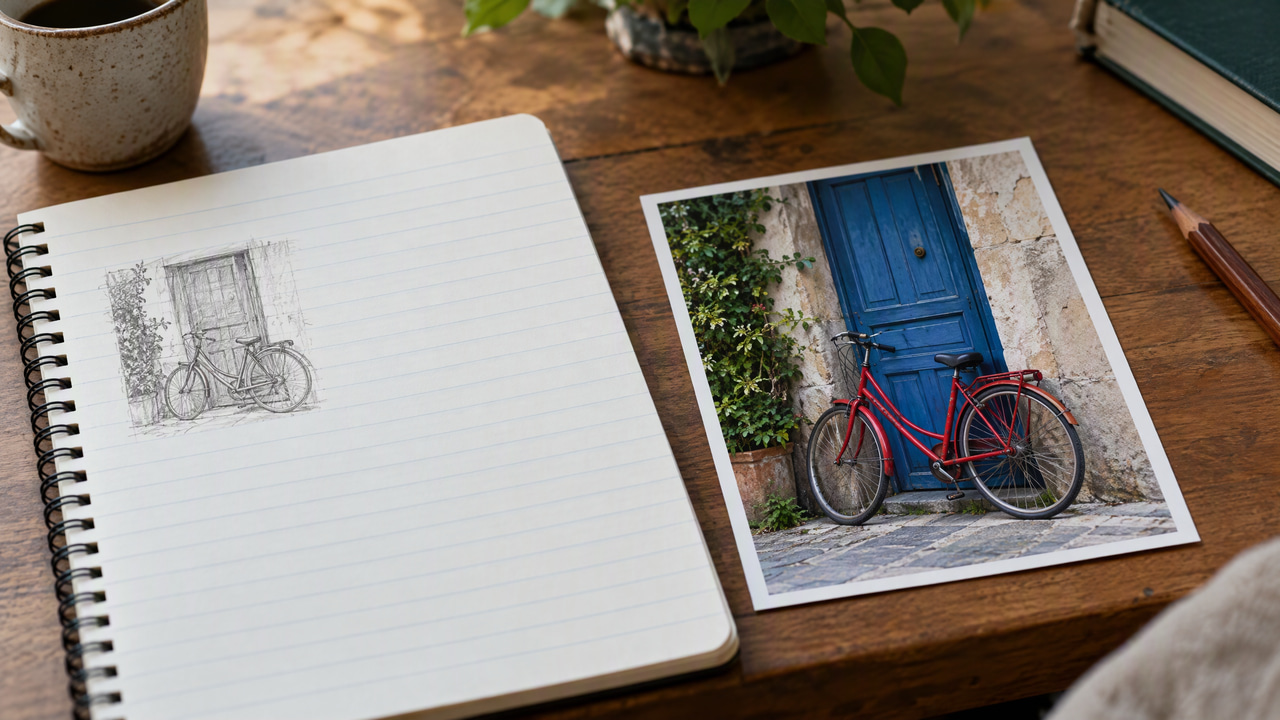
Text-to-image starts from nothing but a written description and a field of random noise; the entire composition is invented by the model. Image-to-image, by contrast, starts from an existing picture and transforms it — restyling it, altering specific regions, changing lighting, or extending it beyond its original borders. The distinction matters in practice: text-to-image gives you maximum creative freedom but less control over exact layout, while image-to-image gives you precise structural grounding because the input picture anchors the result. Many workflows combine both, generating an initial image from text and then refining it with image-to-image edits.
Text-to-image also differs from image search and stock libraries in a fundamental way. Search retrieves an existing photograph that someone already captured; text-to-image synthesizes a new one that may never have existed. That difference has implications for uniqueness, licensing, and how closely the result can be tailored to an oddly specific request that no stock photo would ever cover.
9.History and Evolution
Text-to-image research built on decades of work in computer vision and generative modeling. Early generative image work leaned heavily on generative adversarial networks, which could produce convincing faces and objects but were difficult to condition on detailed text and prone to unstable training. A turning point came with large-scale models trained jointly on paired images and captions, which taught systems to align language and visual concepts far more robustly than before.
The subsequent shift from GANs toward diffusion models proved decisive: diffusion offered more stable training, higher fidelity, and much finer control over the generation process. The introduction of latent diffusion — running the process in a compressed space — cut the computational cost enough to bring high-quality generation to consumer hardware and web applications. More recently, the field has moved toward faster sampling through distillation, better prompt understanding by pairing generators with stronger language models, and richer conditioning through adapters and structural controls. The overall trajectory has been toward images that are more coherent, more controllable, and cheaper to produce.
10.Limitations and Trade-offs
- Compositional accuracy: models can struggle with precise spatial relationships, exact object counts, and correctly binding attributes to the right object — "three red apples and two green pears" is harder than it sounds.
- Text rendering: generating legible words inside an image (signage, labels, logos) remains error-prone, though it has improved substantially.
- Fine anatomical detail: hands, teeth, reflections, and intricate mechanical structures are classic failure points that often require regeneration or editing.
- Determinism: results vary between runs unless the seed and settings are fixed, which can make reproducing an exact image tricky.
- Bias and representation: because models learn from large web datasets, they can reflect and amplify biases present in that training data.
- Licensing and provenance: the legal status of training data and outputs is evolving, so commercial use should be reviewed against current terms and rights.
- Prompt sensitivity: small wording changes can produce large, sometimes unpredictable shifts, which raises the learning curve for consistent results.
11.Common Misconceptions
- "It searches for or collages existing images." It does not paste together retrieved pictures. The model generates new pixels by denoising, guided by learned patterns rather than by copying specific source images.
- "A longer prompt is always a better prompt." Overloaded prompts can dilute the model's focus or introduce conflicting instructions. Clear, well-ordered descriptions with the most important elements up front often outperform sprawling ones.
- "The model understands your intent like a person." It maps words to statistical visual associations. It has no true comprehension of your goals, which is why abstract or highly specific requests may need reframing.
- "Higher resolution settings fix quality problems." Resolution affects size and detail budget, but composition, anatomy, and prompt-adherence issues usually stem from the generation itself and are better addressed through prompting, guidance, seeds, or editing.
12.Best Practices
- Lead with the subject: state the main subject and its key attributes early, then layer in style, lighting, and composition details.
- Be specific about style and medium: words like "studio photograph," "oil painting," or "isometric 3D render" anchor the look far more reliably than vague adjectives.
- Use negative prompts: explicitly exclude recurring problems such as extra limbs, watermarks, or unwanted text.
- Fix the seed while iterating: hold the seed constant to isolate the effect of prompt edits, then vary it once you have a direction you like.
- Tune guidance deliberately: raise it when the model ignores instructions, lower it when results feel stiff or over-saturated.
- Generate in batches: produce several variations and select the strongest rather than expecting a perfect single output.
- Combine with editing: use inpainting or image-to-image passes to correct specific regions instead of regenerating the whole scene.
- Review before publishing: check outputs for artifacts, accuracy, and rights considerations, especially for commercial or public-facing use.
13.Why It Matters
Text-to-image technology changed how visual content is created. It lowers the barrier to producing polished visuals, letting people who lack traditional design or photography skills generate usable images quickly. Designers use it for rapid iteration, marketers for campaign assets, and creators for artistic exploration. Because a prompt can be edited and re-run in seconds, it compresses cycles that once required specialized tools or budgets. As with any generative system, outputs should be reviewed for accuracy, licensing considerations, and unintended artifacts before publication.
14.Frequently Asked Questions
14.1How is a text-to-image model actually trained?
Most systems are trained on large datasets of image-and-caption pairs. A text encoder learns to represent captions as embeddings, while the image generator — typically a diffusion network — learns to reconstruct images from noised versions of themselves, conditioned on those embeddings. Over many examples, the model builds statistical associations between words and visual features, which it later uses to synthesize new images from unseen prompts.
14.2Why does the same prompt produce different images each time?
Generation begins from a random noise field, and the starting noise is controlled by a value called the seed. Different seeds lead the denoising process down different paths, so the same prompt yields different — though thematically consistent — results. Fixing the seed, along with the other settings, makes a run reproducible.
14.3What is a negative prompt?
A negative prompt lists things you want the model to avoid, such as blur, watermarks, extra fingers, or unwanted text. During generation the system steers away from those concepts, which is one of the most effective ways to clean up recurring failure modes without changing your main description.
14.4Can I control the exact composition or use my own image as a reference?
Yes. Beyond the prompt, many systems accept structural conditioning — such as edge maps, depth maps, or pose skeletons — that dictate layout while the prompt supplies content and style. You can also provide a reference image so the output preserves a specific subject, product, or scene, blending the freedom of text-to-image with the precision of image-to-image.
14.5Why do models struggle with text and hands inside images?
Legible text and correct anatomy require fine, globally consistent structure that is hard to reconstruct from noise. Small local errors in letterforms or finger placement are visually obvious even when the rest of the image looks convincing. These areas have improved but remain common trouble spots, and are often fixed with a targeted editing pass rather than a full regeneration.
14.6Is a text-to-image output unique, or could it match an existing picture?
Outputs are newly synthesized rather than retrieved, so they are generally unique and will vary with each seed. That said, for commercial use it is still worth reviewing licensing terms and the provenance of the model, since the legal landscape around training data and generated images continues to evolve.
15.How does text-to-image compare to other AI image methods?
Text-to-image starts from nothing but a prompt, whereas related generative methods begin from an existing image and edit or extend it. The table below contrasts the three most common approaches on what you supply, what steers the output, and when each is the right tool.
| Method | Starting input | What controls the result | Best for |
|---|---|---|---|
| Text-to-Image | A text prompt only | Prompt wording, seed, sampler, guidance scale | Creating a new scene from scratch when you have no source image |
| Image-to-Image | A reference image plus a prompt | Denoising strength balances the source image against the prompt | Restyling, upscaling detail, or keeping a subject while changing the look |
| Inpainting | An image plus a masked region | The mask limits changes to a chosen area; prompt fills it | Fixing hands or text, removing objects, or swapping one element |
16.Related Terms
- Text-to-Video — the video counterpart, generating moving footage from a written prompt.
- Prompt Engineering — the practice of crafting prompts to guide model output.
- Inpainting — editing or filling regions of an image using the same generative techniques.
17.Try It on Imagera
Turn your ideas into stunning visuals with Imagera's AI Image Generator. Simply describe what you envision, and watch as AI brings your words to life in seconds.