1.Definition
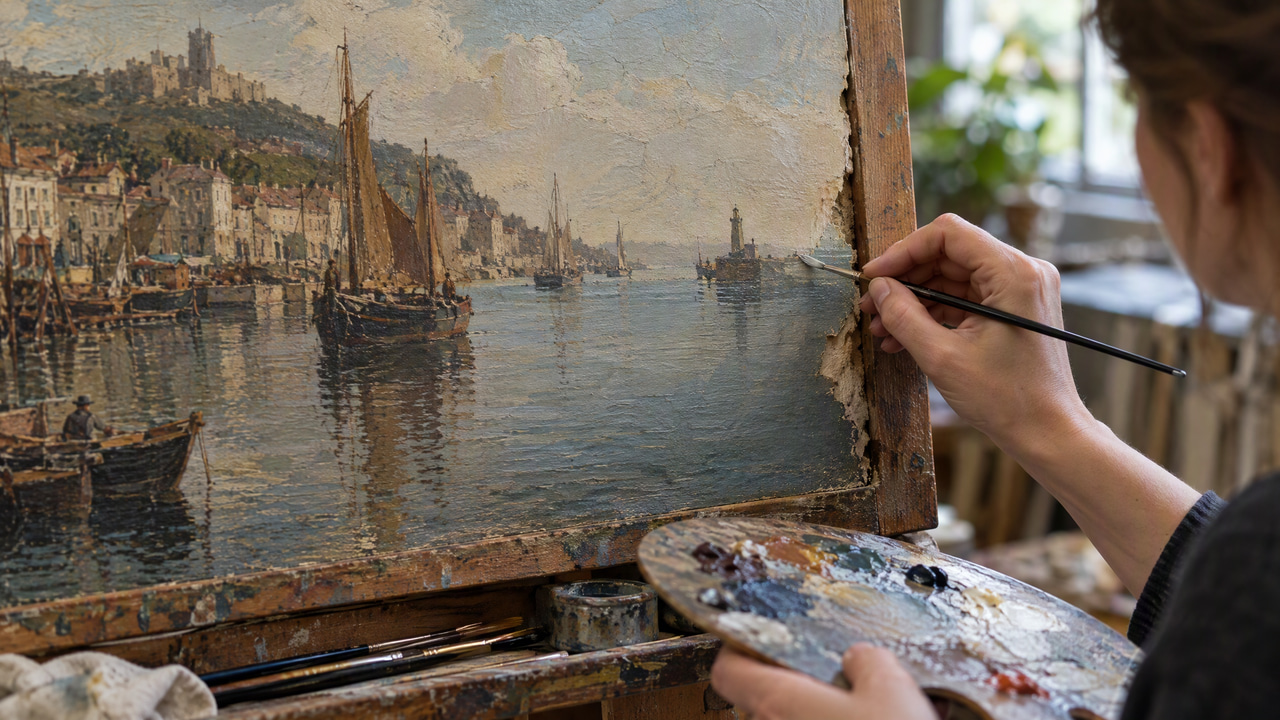
Inpainting is an image editing technique where AI fills in, replaces, or removes selected portions of an image. By analyzing the surrounding pixels and understanding the broader image context, the model generates new content for the chosen region so that it blends seamlessly with the rest of the picture. The term originates from traditional art conservation, where restorers painted over damaged areas of a canvas — modern AI inpainting automates the same idea for digital images.
In the broader field of computer vision and generative modeling, inpainting belongs to the family of conditional image generation tasks. Rather than producing an image from scratch, the model is handed a partial image plus a mask that marks which pixels are missing or should be discarded, and it must produce a plausible completion. This makes inpainting a constrained problem: the answer is not arbitrary, because it must remain consistent with everything visible outside the mask. That constraint is precisely what separates inpainting from unconditional generation and gives it its practical value for editing rather than pure synthesis.
Inpainting sits at the intersection of several disciplines. It draws on image restoration (recovering a degraded signal), image synthesis (inventing new content that never existed in the source), and image understanding (recognizing what objects, materials, and lighting are present so the fill is semantically appropriate). A strong inpainting result satisfies all three at once: it looks like a photograph rather than a patch, it plausibly continues the scene's content, and it respects the physical cues — shadows, reflections, perspective lines, and texture direction — that a viewer's eye uses to judge whether an image is authentic.
2.How It Works
You select a region of your image using a mask — essentially telling the AI which area to regenerate. The model then analyzes the unmasked portions to understand lighting, texture, perspective, and style. Using this context, it generates new pixels for the masked area that match the surrounding content. You can also provide a text prompt to guide what the AI should paint into the selected region, such as replacing a cloudy sky with a clear one or adding an object that was not in the original photo.
Most current inpainting tools are built on diffusion models. During inference, the model starts from noise inside the masked region and gradually denoises it over multiple steps, conditioning each step on both the visible pixels around the mask and any prompt you supply. This lets the fill respect edges, shadows, and reflections at the mask boundary.
Mechanically, the process breaks down into a few concrete stages. First, the mask is encoded — usually as a binary channel where one value marks pixels to keep and another marks pixels to regenerate. In a latent diffusion setup, the visible image is passed through an encoder that compresses it into a smaller latent representation, and the mask is downsampled to match that latent resolution. The model then operates in this compressed latent space, which is far cheaper to compute than working on full-resolution pixels directly. A decoder converts the finished latent back into a full-resolution image at the end.
During each denoising step, the network receives three key inputs: the current noisy latent for the masked area, the clean latent of the visible surroundings, and the mask itself telling it where the boundary lies. Many implementations also re-inject the known visible pixels at every step — a technique often described as "blending" or "known-region replacement" — so that the surrounding image cannot drift as the fill develops. The result is that only the masked region actually changes across the reverse-diffusion trajectory, while everything outside the mask is repeatedly clamped back to its original values.
The model that predicts the denoising step is typically a U-Net or transformer-based backbone with cross-attention. Cross-attention is what lets a text prompt influence the fill: the words are embedded by a text encoder, and at each layer the image features attend to those word embeddings, nudging the generation toward the described content. Self-attention within the image, meanwhile, is what lets pixels far from the mask boundary inform the fill, so a texture on one side of an object can be continued correctly on the other. What the network has "learned" during training is a broad prior over natural images — statistical knowledge of how skin, sky, fabric, brick, foliage, and thousands of other materials behave — which it applies to produce a completion that is not just smooth but photographically plausible.
3.Types and Key Approaches
- Diffusion-based inpainting: The dominant modern approach, described above. It iteratively denoises the masked region while conditioning on the surroundings and an optional prompt. It handles large, complex holes and prompt-guided content addition better than earlier methods because it draws on a learned generative prior rather than only copying nearby texture.
- GAN-based inpainting: Before diffusion became standard, generative adversarial networks were the leading learned approach. A generator proposes a fill and a discriminator judges whether the completed image looks real, and the two train against each other. GAN inpainting is fast at inference and still used where speed matters, though it can struggle with very large masks or highly varied content.
- Encoder–decoder and contextual-attention networks: Convolutional architectures that explicitly borrow features from distant, visible parts of the image to fill the hole. Contextual attention layers find visible patches that match the missing region's context and paste transformed versions of them, which works well for repetitive structure like walls, floors, or foliage.
- Classical (non-learned) inpainting: Traditional algorithms that predate deep learning. Diffusion-based PDE methods propagate color and structure inward from the mask edge, and exemplar or patch-based methods copy similar patches from elsewhere in the image. These are computationally light and still useful for small scratches and dust, but they cannot invent genuinely new objects — they only extend existing structure.
- Prompt-guided versus prompt-free inpainting: Prompt-free (or "context-only") inpainting reconstructs whatever the surroundings imply, which is ideal for object removal where you want the background rebuilt. Prompt-guided inpainting lets you specify new content — "add a wooden bench," "change the shirt to red" — turning the mask into a targeted generation window.
4.A Worked Example
Suppose you have a photo of a beach at sunset with a stray plastic bag sitting on the sand in the lower-left corner, and you want it gone. You start by painting a mask over the bag, deliberately extending the mask a few pixels past the bag's outline so its faint shadow and any color spill are also covered. You leave the prompt empty because you want the model to reconstruct sand, not invent something new.
When you run the fill, the model encodes the visible beach, notes the warm low-angle sunset light, the direction of the sand's grain and the gentle gradient from bright foreground to shaded background, and the subtle blue cast from the sky reflecting on damp sand. Over its denoising steps it grows new sand into the masked hole, continuing the grain direction and matching the local brightness so the patch does not appear lighter or flatter than its surroundings. Because the known-region replacement keeps the rest of the frame locked, the horizon, the waves, and the sky are untouched.
Now suppose instead you wanted to replace the bag with a starfish. You would paint the same mask but add the prompt "a small starfish half-buried in wet sand." The cross-attention pathway steers the fill toward that content, and the model still borrows the scene's warm light and sand texture from the surroundings, so the starfish reads as if it were photographed there rather than pasted in. This single example captures the two core modes of inpainting: contextual reconstruction and prompt-guided replacement.
5.Common Use Cases
- Object removal: Erasing unwanted people, signs, wires, or clutter from a scene and reconstructing the background behind them.
- Blemish and defect repair: Fixing skin imperfections, dust spots, scratches, or sensor artifacts in portraits and product shots.
- Photo restoration: Rebuilding torn, faded, or missing regions of old and damaged photographs.
- Background replacement: Swapping or extending backgrounds while keeping the main subject intact.
- Creative editing: Adding new elements — clothing, accessories, furniture, or scenery — that were never in the original capture.
- E-commerce cleanup: Removing tags, price stickers, or reflections from product photography for a cleaner catalog look.
- Real estate photography: Clearing driveways of cars and bins, removing a "For Sale" sign for a hero shot, or tidying a cluttered room so the space itself is the focus.
- Fashion and apparel: Adjusting a garment's fit, removing wrinkles, or swapping an accessory across a shoot without re-photographing the model.
- Film and VFX prep: Wire removal, rig removal, and cleanup plates where a distracting object must be painted out of frames before compositing.
- Cultural heritage and archives: Repairing scanned documents, artwork, and historical photographs where physical damage has destroyed part of the image.
6.How It Differs From Outpainting
Inpainting and outpainting are closely related but solve different problems. Inpainting regenerates content inside the existing image boundaries — a masked region surrounded on all sides by known pixels. Outpainting, by contrast, extends the image beyond its original edges, generating new content where there was no reference pixel data at all. Inpainting also differs from general image-to-image editing: it confines changes to the masked area and leaves everything else untouched, whereas full image-to-image transformations can alter the entire frame. The masking step is what gives inpainting its precision and predictability.
The practical consequence is how much surrounding context the model gets. Inpainting is well-constrained because the hole is bounded by real pixels on every side, so the model has strong cues about what belongs there. Outpainting is under-constrained because at least one edge opens onto nothing, giving the model more creative latitude but also more room to drift from the original scene's intent. This is why outpainting benefits more from a descriptive prompt, while object-removal inpainting often works best with no prompt at all.
7.How It Differs From Object Segmentation
It is easy to conflate inpainting with segmentation because they often appear in the same workflow, but they are opposite operations. Segmentation is an understanding task: it identifies which pixels belong to an object and produces a mask. Inpainting is a generation task: it takes a mask and produces new pixels. In a typical editing pipeline, segmentation runs first to isolate the thing you want gone, and inpainting runs second to fill the space it leaves behind. Neither replaces the other — a good segmentation model gives inpainting a clean, tight starting mask, and a good inpainting model turns that mask into an invisible edit.
8.History and Evolution
Digital inpainting as a formal problem was introduced in the image-processing literature around the turn of the millennium, adapting the manual restoration practices of art conservators into automatic algorithms. Early methods were partial-differential-equation approaches that smoothly propagated surrounding color and structure into small gaps, and exemplar-based patch methods that copied and stitched similar regions from elsewhere in the same image. These worked well for scratches and small holes but broke down on large missing areas or anything requiring genuinely new content.
The deep-learning era shifted inpainting from copying to generating. Convolutional encoder–decoder networks learned to hallucinate plausible content, and the arrival of generative adversarial networks pushed realism forward by pitting a generator against a discriminator. Refinements such as partial and gated convolutions handled irregular masks more gracefully, and contextual-attention layers let networks borrow structure from distant visible regions. The most recent shift has been to diffusion models, whose iterative denoising and strong learned priors handle large masks, complex scenes, and text-guided content addition far better than prior approaches, which is why the majority of modern editing tools now use them under the hood.
9.Limitations and Trade-offs
- Large masks lose fidelity: The more of an image you erase, the less surrounding context the model has to anchor its guess, so very large holes are more likely to produce vague or invented content that does not match what was actually there.
- It reconstructs plausibility, not truth: Inpainting fills a hole with something believable, not with the real content that was lost. For restoration of a face or a document, the result is an educated guess, and it can confidently produce a detail that never existed.
- Fine structure is hard: Text, faces, hands, and rigid geometric patterns are unforgiving. A slightly warped letter or an extra finger breaks the illusion instantly, and these regions often need higher resolution or multiple attempts.
- Boundary seams and lighting mismatch: When a fill ignores the existing light direction, color temperature, or grain, a faint edge or a patch that reads as too clean can appear at the mask border.
- Compute and speed: Diffusion inpainting is iterative and heavier than a single-pass GAN or classical method, so quality and turnaround are a trade-off, especially at full resolution.
- Repeatability: Because generation is stochastic, two runs on the same mask can differ. That is useful for exploring options but means you may need to regenerate to get the best result.
10.Common Misconceptions
- "Inpainting recovers the original hidden pixels." It does not. It synthesizes new pixels that fit the surroundings. If the true content is unknowable from context, the fill is an invention, not a recovery.
- "A bigger mask always gives a cleaner result." The opposite is usually true. Erasing more than necessary removes the very context the model relies on, so tight masks with a small margin generally outperform broad ones.
- "Inpainting and outpainting are the same tool with different names." They share machinery but solve different problems — filling a bounded interior hole versus extending past the image edge into empty space — and they behave differently with prompts and masks.
- "You always need a text prompt." For object removal you often want no prompt, so the model rebuilds the background implied by the surroundings rather than inventing new content.
11.Why It Matters
Inpainting transformed photo editing by making complex retouching accessible to anyone. Work that once required hours in professional software — removing unwanted objects, fixing blemishes, or replacing backgrounds — can now be done in seconds with natural-looking results. Because edits stay localized to the mask, inpainting is also a reliable building block inside larger creative pipelines, where a single region needs to change without disturbing the rest of a carefully composed image.
12.Best Practices
- Extend the mask slightly past the target: Include a small margin of surrounding pixels rather than tracing an object's edge exactly. This gives the model boundary context to blend against and avoids a faint outline where old and new pixels meet.
- Match the prompt to the existing scene: When adding or replacing content, describe the lighting, time of day, and camera angle already present in the frame. A fill that ignores the existing light direction or perspective is the most common reason an edit reads as fake.
- Work at full resolution when detail matters: Inpainting a region on a downscaled image and then upscaling can soften the fill. For faces, text, and fine texture, edit at the original resolution.
- Fix complex areas in passes: Instead of masking a whole cluttered background at once, repair one element at a time. Smaller masks give more context per pass and let you redo any single result without losing good edits.
- Leave the prompt empty for pure removal: When the goal is to erase an object and rebuild the background behind it, an empty or minimal prompt lets the surroundings dictate the fill instead of introducing unrelated content.
- Cover shadows and reflections, not just the object: A removed object usually leaves a shadow, a reflection, or a color cast. Include these in the mask so the edit does not leave a telltale ghost where the object used to be.
- Regenerate and compare: Because results vary between runs, produce a few candidates and keep the one whose lighting and texture match best, rather than accepting the first output.
13.Frequently Asked Questions
13.1Does inpainting change the rest of my image?
No. A properly implemented inpainting pipeline only regenerates the pixels inside the mask and repeatedly clamps everything outside it back to the original values during generation. The rest of the frame — composition, colors, and unmasked subjects — stays exactly as it was, which is what makes inpainting suitable for precise, localized edits.
13.2Do I need a text prompt to use inpainting?
Not always. For object removal, an empty prompt is often best because you want the model to rebuild the background implied by the surroundings. A prompt becomes useful when you want to add or replace content — for example, painting a new object into the masked area or changing a garment's color — where the words steer what the model generates.
13.3Why does my inpainted region look slightly different from the surrounding photo?
The usual causes are a lighting or color-temperature mismatch, a mask that traced the object too tightly, or working at a reduced resolution. Extending the mask a few pixels past the target, describing the scene's existing light in the prompt, and editing at full resolution typically resolve visible seams. Regenerating a couple of times and keeping the best candidate also helps because generation is stochastic.
13.4Can inpainting restore an old photo perfectly?
It can dramatically improve damaged photos, but it reconstructs plausible content rather than the exact lost original. Where the surrounding image gives strong cues — continuing a wall, a sky, or a fabric pattern — results can be very convincing. Where the missing content is unknowable, such as a destroyed face, the fill is an educated guess and should be treated as a reconstruction, not a recovery of the true pixels.
13.5What is the difference between inpainting and simply cropping something out?
Cropping removes content by shrinking the frame, which discards part of your composition. Inpainting keeps the frame intact and fills the removed region with new, matching content so nothing is missing and the aspect ratio and layout are preserved. This is why inpainting is the go-to for removing an object from the middle of a scene, where cropping is impossible.
13.6Is inpainting the same as the "healing brush" in traditional editors?
They share a goal but differ in capability. A classic healing or clone tool copies texture from a source area you pick and blends it in, which works for small, uniform patches. AI inpainting uses a learned model that can synthesize entirely new, context-aware content across large or complex regions, understand what objects and materials are present, and follow a text prompt — going well beyond copying nearby pixels.
14.Related Terms
- Stable Diffusion — the diffusion-model family that powers many inpainting tools.
- Text-to-Image — generating full images from a prompt, the technique inpainting builds on to fill masked regions.
- Image Segmentation — the process of isolating regions and objects, often used to create precise inpainting masks.
15.Try It on Imagera
Edit and enhance your images with precision using Imagera's AI Image Editor. Select any region and let AI seamlessly fill, replace, or remove content in your photos.
Quick answer: Inpainting is an AI editing technique that fills in a masked or missing region of an image with new, context-aware pixels, letting you remove objects, repair damage, or replace areas so the result blends seamlessly with the surrounding scene.
16.How does AI inpainting work in Imagera?
Inpainting uses the selected area and surrounding image as context for an edit. Where the chosen model supports a mask, mark the region and describe the desired replacement; otherwise use the supported reference and prompt controls. Review the credit quote before generating, then inspect both the edited region and its boundaries for unwanted changes.
17.Why is inpainting better than manual photo retouching?
Manually cloning out a removed object in a traditional editor is slow, fiddly work that often leaves visible seams. Inpainting handles it in a single pass, matching the surrounding lighting, color, and texture so the edit disappears into the scene. Diffusion-based inpainting also tends to produce more coherent textures than older patch-based fill methods, especially across large gaps. Imagera supports edits up to 8K, so even a stack of small fixes stays crisp and detailed.
18.Choosing a Mask and Prompt Strategy by Task
Different editing goals call for different masking and prompting choices, and matching the two is what keeps an inpainted region from reading as a patch. The table below maps common inpainting tasks to a practical mask approach, whether a text prompt tends to help, and the detail most likely to trip up the result.
| Task | Mask approach | Text prompt | Watch out for |
|---|---|---|---|
| Object removal | Cover the object plus its shadow, reflection, and color spill | Usually leave empty so surroundings dictate the fill | Leftover ghost shadow if the mask is too tight |
| Blemish or defect repair | Tight mask with a few pixels of margin | Rarely needed | Softened or flattened skin and product texture |
| Adding a new element | Mask the empty region where it should appear | Describe the object plus the scene's light and angle | Perspective or lighting that ignores the frame |
| Background replacement | Mask everything except the subject edges | Describe the replacement scene | Halos or fringing along the subject outline |
| Old-photo restoration | Mask the torn or missing region | Optional, guided by nearby cues | Invented detail where content is unknowable |
| Text or logo cleanup | Mask the marked area over a plain surface | Empty, so the surface rebuilds cleanly | Warped structure if the underlying pattern is complex |