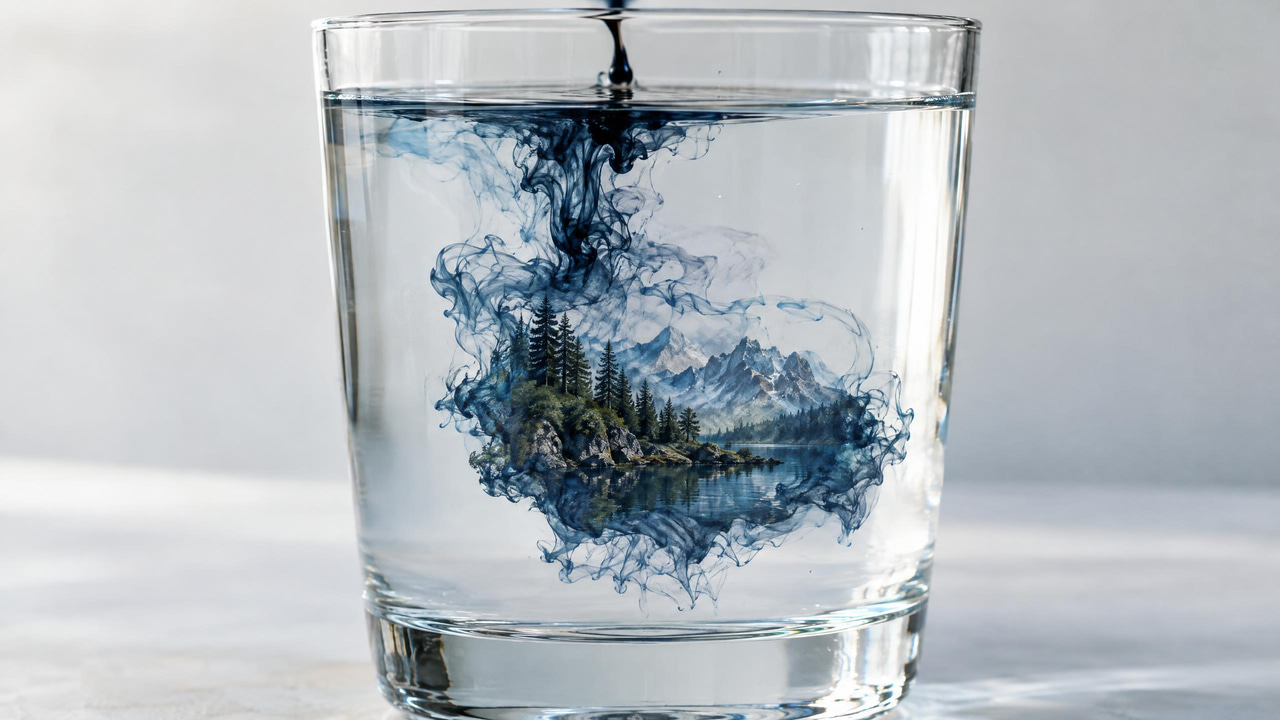
Quick answer: Stable Diffusion is a latent text-to-image model that generates pictures by starting from random noise and progressively "denoising" it toward a prompt, running efficiently in a compressed latent space rather than on full-resolution pixels.
1.How does Stable Diffusion turn a text prompt into an image?
Stable Diffusion encodes your prompt, then denoises random latent noise across roughly 20 to 50 steps to build the picture. Working in a latent space compressed about 8x smaller than full pixels lets a single 512x512 render finish in under 60 seconds on consumer GPUs, and in 2026 workflows like Imagera's chain these results up to 4K and 8K.
2.Why do creators still use Stable Diffusion in 2026?
It remains popular because a compact model runs on a single GPU, supports 100+ community fine-tunes and LoRA add-ons, and gives you granular control over prompts, styles, and composition that many closed tools keep locked down. Latent diffusion became one of the dominant open approaches to image synthesis, and Imagera builds on that lineage with credit-based rendering with the current quote shown before generation.
3.Definition
Stable Diffusion is an open-source deep learning model that creates images from text prompts. First released in 2022, it uses a technique called latent diffusion to progressively transform random noise into a coherent image guided by your written description. Because the model weights are openly available, it can be run locally, fine-tuned, and extended, which distinguishes it from closed, API-only image generators.
In the broader landscape of generative artificial intelligence, Stable Diffusion belongs to the family of diffusion models, a class of generative techniques that learn to reverse a gradual noising process. It sits alongside other text-to-image approaches such as autoregressive transformers and generative adversarial networks (GANs), but its particular design — running the diffusion process inside a compressed latent representation rather than at full pixel resolution — is what made it both efficient and widely reproducible. This efficiency is the reason the model can generate a detailed image on a single consumer graphics card in seconds to a minute, rather than requiring a data-center cluster.
The term "Stable Diffusion" is often used loosely to mean two related things: the specific series of released model checkpoints, and the entire open ecosystem of tools, fine-tuned variants, adapters, and interfaces that grew around those checkpoints. When a practitioner says they "use Stable Diffusion," they usually mean a whole workflow — a base model plus samplers, guidance settings, and often several add-on components — not just a single frozen file.
4.How It Works
The model operates in a compressed "latent space" rather than working directly with millions of pixels, which makes it efficient enough to run on consumer graphics hardware. Generation starts with random noise and iteratively removes that noise over a series of steps. A text encoder (typically based on CLIP) converts your prompt into embeddings that steer each denoising step, so the image drifts closer to matching your description with every iteration. A component called the U-Net predicts the noise to subtract at each step, and once the latent is fully denoised, a variational autoencoder (VAE) decodes it back into a full image.
To understand the mechanism more precisely, it helps to separate the two phases the model was built around. During training, the system takes real images, compresses each one into a small latent tensor using the encoder half of the VAE, and then repeatedly adds small amounts of Gaussian noise until the latent is indistinguishable from pure static. The U-Net is trained to look at a noisy latent, along with a timestep value and the text embedding, and predict the noise that was added. By learning to predict noise across every level of corruption, the network implicitly learns the structure of the data — what plausible images look like once the noise is stripped away.
At generation time this process runs in reverse. The model begins with a fresh random latent, then applies the trained U-Net over and over to subtract predicted noise a little at a time. Each denoising pass nudges the latent toward a region of latent space that corresponds to an image matching the prompt. Because the text embedding conditions every step, the sampler is not just cleaning up noise — it is steering the trajectory toward content that satisfies the description. After the final step, the decoder half of the VAE expands the cleaned latent back into a full-resolution picture.
Three learned components do the heavy lifting. The text encoder maps language into a vector space the image model can read. The U-Net is the denoising network, with cross-attention layers that let the text embedding influence spatial regions of the latent. The VAE handles the round trip between pixels and latents so the expensive diffusion loop can run on small tensors. Everything else — samplers, schedulers, guidance — is inference-time machinery layered on top of these trained weights.
Several settings shape the output. The number of sampling steps trades speed for detail, the sampler algorithm determines how noise is removed, and the classifier-free guidance scale controls how strictly the model follows the prompt versus generating freely. A fixed random seed makes results reproducible, so the same prompt and settings return the same image. Negative prompts let you describe what to avoid, and image-to-image workflows let an existing picture seed the process instead of pure noise.
Classifier-free guidance deserves a closer look because it is central to how the model balances creativity and control. During inference the U-Net is run twice per step: once conditioned on your prompt and once with no conditioning at all. The guidance scale then amplifies the difference between those two predictions, effectively pushing the image harder toward the prompt. A low scale lets the model wander and produce softer, sometimes more natural results; a high scale enforces the description but can introduce oversaturation and harsh edges. This single dial is one of the most consequential knobs a user adjusts.
5.Types & Techniques
The Stable Diffusion family includes several architectures. Earlier versions (1.x and 2.x) work at lower base resolutions, while later releases such as SDXL and subsequent iterations use larger models and improved text understanding for more detailed images at higher resolution. Around these base models sits a range of techniques practitioners rely on:
- Fine-tuned checkpoints retrain the base weights on specific data to specialize a model's style or subject matter.
- LoRA adapters add lightweight, swappable modules that teach new concepts without retraining the entire model.
- ControlNet conditions generation on structural inputs such as edges, depth maps, or pose skeletons for precise composition control.
- Textual inversion and embeddings capture a specific concept as a reusable prompt token.
Beyond these headline techniques, the ecosystem includes a number of families worth distinguishing. Base checkpoints ship as general-purpose models trained on broad image data; community fine-tunes then specialize them toward particular looks such as photographic realism, anime, or illustration. Adapters like LoRA, LyCORIS, and related low-rank methods are small files that layer style or subject knowledge onto a base model and can be mixed and weighted, which is why a single generation might combine several at once. Structural conditioning tools such as ControlNet and its variants operate on a different axis entirely — they do not change the style but constrain the geometry, letting a pose, sketch, or depth map dictate composition while the base model fills in appearance.
Samplers form another axis of choice. Different sampling algorithms follow different numerical paths from noise to image, so the same prompt and seed can produce visibly different results depending on which sampler and how many steps you use. Some samplers converge to a stable result in relatively few steps, while others continue to shift the image as steps increase. Schedulers, which control how much noise is removed at each step, interact with sampler choice and are often bundled together in tooling.
6.A Worked Example
Consider generating a product photograph of a ceramic coffee mug on a wooden table. A practitioner might start with a base checkpoint tuned for photographic realism and write a prompt describing the subject, lighting, camera angle, and background. They set a moderate guidance scale so the model respects the prompt without oversaturating, choose a sampler, and pick a step count high enough for clean detail.
The first batch of images uses several seeds. One seed places the mug convincingly but adds an unwanted second mug in the background; another gets the composition right but renders the wood grain flat. The practitioner keeps the promising seed and switches to an image-to-image pass at a low denoising strength, feeding the good result back in to refine texture while preserving the overall layout. To fix a stray reflection on the rim, they mask that region and inpaint it, regenerating only the masked pixels. Finally, because the base image is at the model's native resolution, they run a separate upscaling step to reach print-ready dimensions. The end result is not one lucky click but a short pipeline: generate, select, refine, correct locally, then upscale.
This walkthrough illustrates a general truth about the model — its power comes as much from the surrounding workflow as from any single generation. The base checkpoint supplies the raw capability, but seeds, image-to-image refinement, masked inpainting, and upscaling are the levers that turn a rough draft into a finished asset.
7.Common Use Cases
- Concept art and mood boards for games, film, and product design.
- Marketing and social media visuals generated from a text brief.
- Editing existing photos by masking a region and regenerating it (inpainting) or extending a canvas beyond its original borders (outpainting).
- Product mockups and packaging visualizations for e-commerce listings.
- Style transfer and illustration, where a base image is reinterpreted in a new artistic look.
- Training custom subjects or styles so a brand, character, or aesthetic can be reproduced consistently.
Across industries these use cases take concrete forms. In game and film pre-production, art directors iterate through dozens of environment and character variations before committing an artist's time, using the model to explore silhouettes, palettes, and lighting moods quickly. In advertising and e-commerce, teams generate lifestyle backdrops for existing product shots, produce seasonal creative variants, and prototype packaging without a full photo shoot. In publishing and editorial, illustrators use image-to-image passes to draft compositions that a human then finishes by hand. Architecture and interior design studios apply structural conditioning to turn line drawings or depth passes into rendered mood images. Independent creators and small businesses rely on the same tools to produce thumbnails, blog artwork, and brand assets on a budget that would not support commissioned photography.
8.How It Differs From GANs
Before diffusion models rose to prominence, generative adversarial networks were the dominant approach for synthesizing realistic images, and comparing the two clarifies why diffusion took over for text-to-image work. A GAN trains two networks against each other — a generator that produces images and a discriminator that tries to tell real from fake — and produces an image in a single forward pass. Diffusion models instead generate iteratively, refining an image across many denoising steps.
That structural difference has practical consequences. GANs can be extremely fast at inference because they generate in one shot, but they are notoriously difficult to train stably and prone to "mode collapse," where the generator produces a narrow range of outputs. Diffusion models are slower at inference because they run many steps, but they train more stably, cover a wider diversity of outputs, and scale more gracefully to open-ended text conditioning. The step-by-step nature of diffusion also makes it easy to inject control — negative prompts, guidance scaling, image-to-image seeding, and structural conditioning all hook naturally into the iterative loop, whereas bolting equivalent controls onto a single-pass GAN is far harder. For prompt-driven, editable, controllable image generation, the iterative design is the reason diffusion became the default.
| Aspect | Diffusion (Stable Diffusion) | GAN |
|---|---|---|
| How an image is made | Iteratively, across many denoising steps | In a single forward pass |
| Inference speed | Slower — runs many steps | Faster — one shot |
| Training stability | More stable to train | Harder to train; prone to mode collapse |
| Output diversity | Wide, varied outputs | Can collapse to a narrow range |
| Text conditioning | Scales gracefully to open-ended prompts | Harder to steer with free-form text |
| Fine control | Negative prompts, guidance, img2img hook in naturally | Equivalent controls are far harder to bolt on |
9.History & Evolution
Stable Diffusion emerged from research on latent diffusion models and was first released publicly in 2022. The key innovation it popularized was moving the diffusion process into a compressed latent space, which cut the computational cost enough to make high-quality generation feasible on widely available hardware. Its open release under a permissive license was as significant as the model itself: because anyone could download the weights, a large community formed almost immediately, producing interfaces, fine-tuned checkpoints, and add-on techniques at a pace no single organization could match.
Subsequent releases refined the architecture along several lines. Later versions increased the base resolution the model was trained at, improved the text encoder for better prompt understanding, and grew the size of the U-Net, with SDXL representing a notably larger and more capable generation than the original 1.x line. Alongside the base models, community-driven techniques matured in parallel — LoRA adapters made customization lightweight, ControlNet added structural control, and improved samplers reduced the number of steps needed for clean results. The broader arc is one of an open base model catalyzing an ecosystem, where advances in tooling often mattered as much as advances in the weights themselves. The same latent-diffusion principle later informed text-to-video and audio generation systems, extending the approach well beyond still images.
10.Limitations & Trade-offs
Stable Diffusion has real constraints worth planning around:
- Legible text is unreliable. Base models often produce garbled letters in signs and logos. Later versions improved this, but precise typography is best added afterward.
- Anatomy and fine structure can break down. Hands, teeth, and small repeated details like fingers or jewelry are common failure points at lower step counts.
- Output is a lottery within your settings. Because generation begins from random noise, prompt phrasing and seed choice heavily influence results, so a usable image often means running several seeds.
- Guidance scale is a balancing act. Pushing it too high forces prompt adherence at the cost of oversaturated, artifact-heavy images, while too low produces vague results that drift from the description.
- Native resolution matters. Generating far above a model's trained resolution tends to duplicate subjects or distort composition, so high-resolution work usually pairs a base generation with a separate upscaling step.
Two further trade-offs shape real projects. First, running the model locally demands capable hardware — enough graphics memory to hold the model and its adapters, and enough compute to keep iteration times workable — which is a barrier for larger models like SDXL on modest machines. Second, the model reflects the data it was trained on, so it can carry stylistic and demographic biases and may struggle with subjects that were underrepresented in training. These are not bugs to be patched with a setting; they are properties of the training distribution that practitioners work around through prompting, fine-tuning, and human review.
11.Common Misconceptions
- "It searches for and stitches together existing images." It does not retrieve or collage source pictures. The model stores learned statistical patterns in its weights and synthesizes each image from noise; it has no database of images to copy from at generation time.
- "A better prompt always fixes a bad result." Prompting matters, but seed, sampler, step count, guidance scale, and the choice of checkpoint often matter just as much. Many failures are resolved by changing the seed or model rather than rewording the prompt.
- "Stable Diffusion is a single program you install." It is a family of model weights used through many different interfaces and services. The experience varies widely depending on which front end, checkpoint, and add-ons you use.
- "More sampling steps always mean a better image." Beyond a point, additional steps yield diminishing or no visible improvement and simply cost more time. The right step count depends on the sampler, and some samplers reach a clean result quickly.
12.Best Practices
- Lock the seed while you iterate. Fixing the seed lets you change one variable at a time — a word in the prompt, the guidance scale, the sampler — and see its isolated effect, rather than chasing a moving target.
- Start with a moderate guidance scale. Extreme values in either direction cause predictable problems. A middle-of-the-road setting is a reliable baseline you can nudge from once the composition is close.
- Use negative prompts deliberately. Describing what to avoid — extra limbs, blur, watermarks, low detail — is often as effective as describing what you want, especially for cleaning up recurring artifacts.
- Match the model to the resolution. Generate near a checkpoint's native resolution to avoid duplicated subjects, then upscale in a separate pass for large final sizes instead of forcing a high resolution up front.
- Fix problems locally with inpainting. When most of an image is right, mask and regenerate only the broken region rather than rerolling the entire generation and losing the parts that worked.
- Pick the right checkpoint before adding adapters. A base model tuned for your target look — photographic, illustrative, or stylized — gets you most of the way there; adapters and structural conditioning refine from that foundation rather than compensating for the wrong starting point.
- Keep a record of settings. Because results are reproducible from prompt, seed, and parameters, saving those alongside your favorite outputs lets you regenerate or extend them later with confidence.
13.Why It Matters
Stable Diffusion made high-quality AI image generation broadly accessible rather than limited to a few hosted services. Its open release sparked a large ecosystem of custom checkpoints, extensions, and community workflows, and it became a common foundation for research and creative tools. Because it can run offline, it also gave users control over privacy, cost, and customization that cloud-only tools often do not offer. The same diffusion approach later influenced text-to-video and audio generation, extending its impact beyond still images.
14.Frequently Asked Questions
14.1Is Stable Diffusion free to use?
The model weights are open and can be downloaded and run at no licensing cost, which is why local use is often described as free aside from the hardware and electricity it consumes. Hosted services built on it may charge for the convenience of running it in the cloud, but the underlying model itself is openly available.
14.2What hardware do I need to run it locally?
A graphics card with enough video memory to hold the model and any adapters is the main requirement. Smaller, older versions run on modest consumer cards, while larger models such as SDXL benefit from more memory and faster hardware. Users without capable local hardware typically use a hosted service instead.
14.3How is Stable Diffusion different from a hosted image generator?
The core difference is openness. Stable Diffusion's weights are public, so it can be run locally, fine-tuned, and extended with community tools, giving control over privacy and customization. Closed, API-only generators keep their weights private and are accessed only through a provider's service. Many people use hosted interfaces to run open models, which blends the two experiences.
14.4Why do my images have distorted hands or garbled text?
These are known weak spots. Fine repeated structures like fingers and the precise letterforms in text are difficult for the model, especially at lower step counts and on earlier versions. Later models improved both, but the common fixes are running more seeds, using negative prompts, inpainting the problem area, or adding text separately after generation.
14.5What does the seed actually control?
The seed initializes the random noise the generation starts from. The same seed with the same prompt and settings produces the same image, which makes results reproducible. Changing only the seed explores different images within your current settings, which is why cycling through seeds is a standard way to find a usable result.
14.6Can I create a specific character or style consistently?
Yes. Techniques like fine-tuned checkpoints, LoRA adapters, and textual inversion let you teach the model a particular subject or aesthetic so it can be reproduced across many images. This is how brands, characters, and consistent art styles are maintained across a project rather than relying on prompt wording alone.
15.Related Terms
16.Try It on Imagera
Generate detailed images from text prompts using Imagera's AI Image Generator, powered by modern diffusion models with an intuitive interface for prompting, editing, and refining your results.