
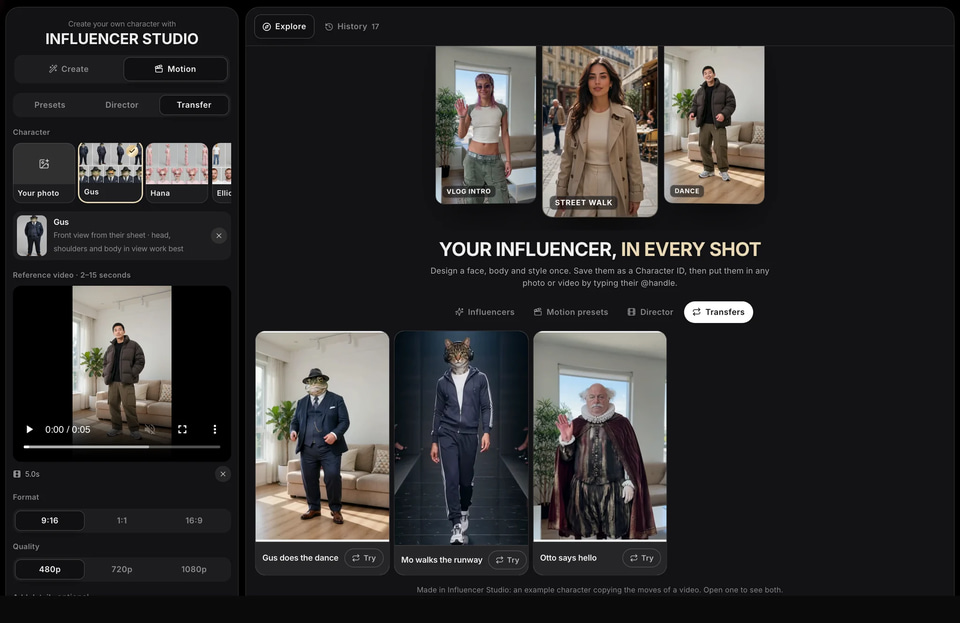
Imagera AI - AI content creation platform for generating images, cloning voices, and enhancing videos. Privacy Policy | Terms

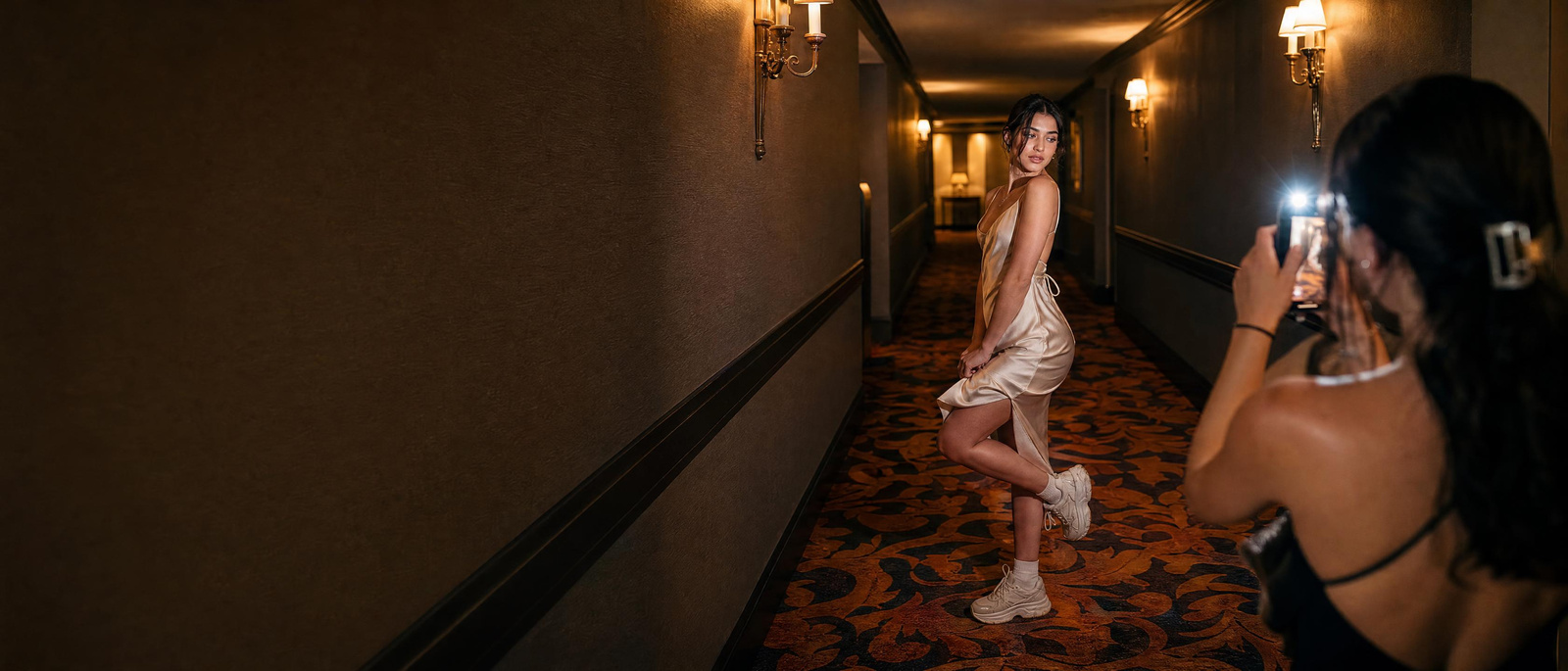
A young creator posing in a hotel corridor with flashIllustration
All workflows

Imagera workflow · AI Influencer

Design a person once. Use them in every photo and video.

30 credits per Character ID

Build a character from a few choices or from a photo, get a Character ID sheet that keeps the face, and put them in any scene, video or trend — the same person every time.

Real results · tap to view

You bring
A few choices, or one photo
You get
A Character ID and clips of them
Best for
Social pages, brand faces, ads

Watch first

How AI Influencer works, in 63 seconds.

The whole job on the real product, step by step, with captions. Press play, or open it full screen.

What you will learn

Real results

What it makes. Drag the line to see before and after.

11 examples, 7 with the input they started from. Each says whether it is a real result or an illustration.

  • Output: The same young woman films a night city vlog, made from her selfie
    Input: The same young woman films a night city vlog, made from her selfie

    Photo → clip · drag the lineThe same young woman films a night city vlog, made from her selfie

  • Output: The same young woman films a walking day-in-the-life clip, made from her selfie
    Input: The same young woman films a walking day-in-the-life clip, made from her selfie

    Photo → clip · drag the lineThe same young woman films a walking day-in-the-life clip, made from her selfie

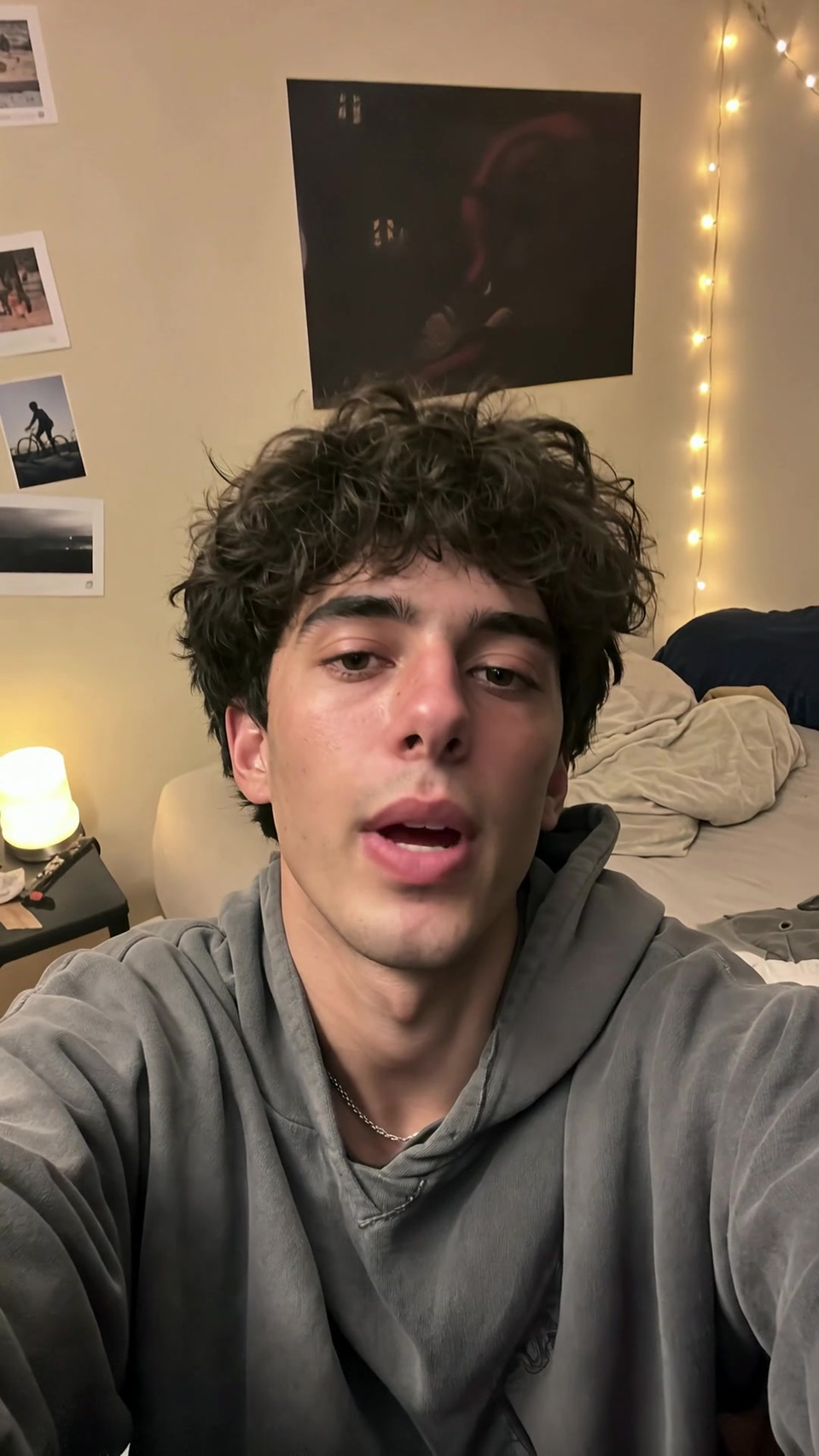
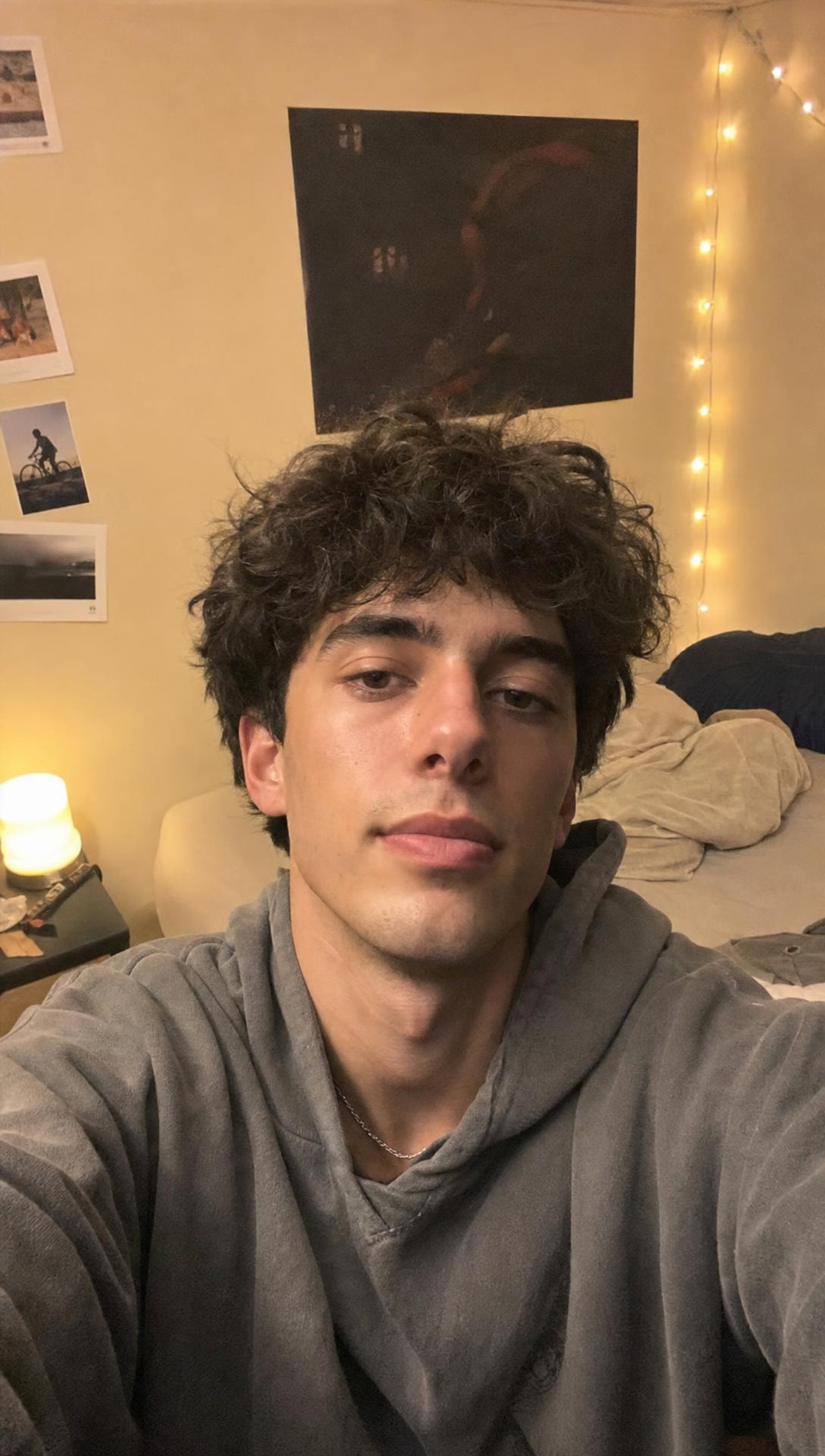
  • Output: The same young man films a casual talking clip in his room, made from his selfie
    Input: The same young man films a casual talking clip in his room, made from his selfie

    Photo → clip · drag the lineThe same young man films a casual talking clip in his room, made from his selfie

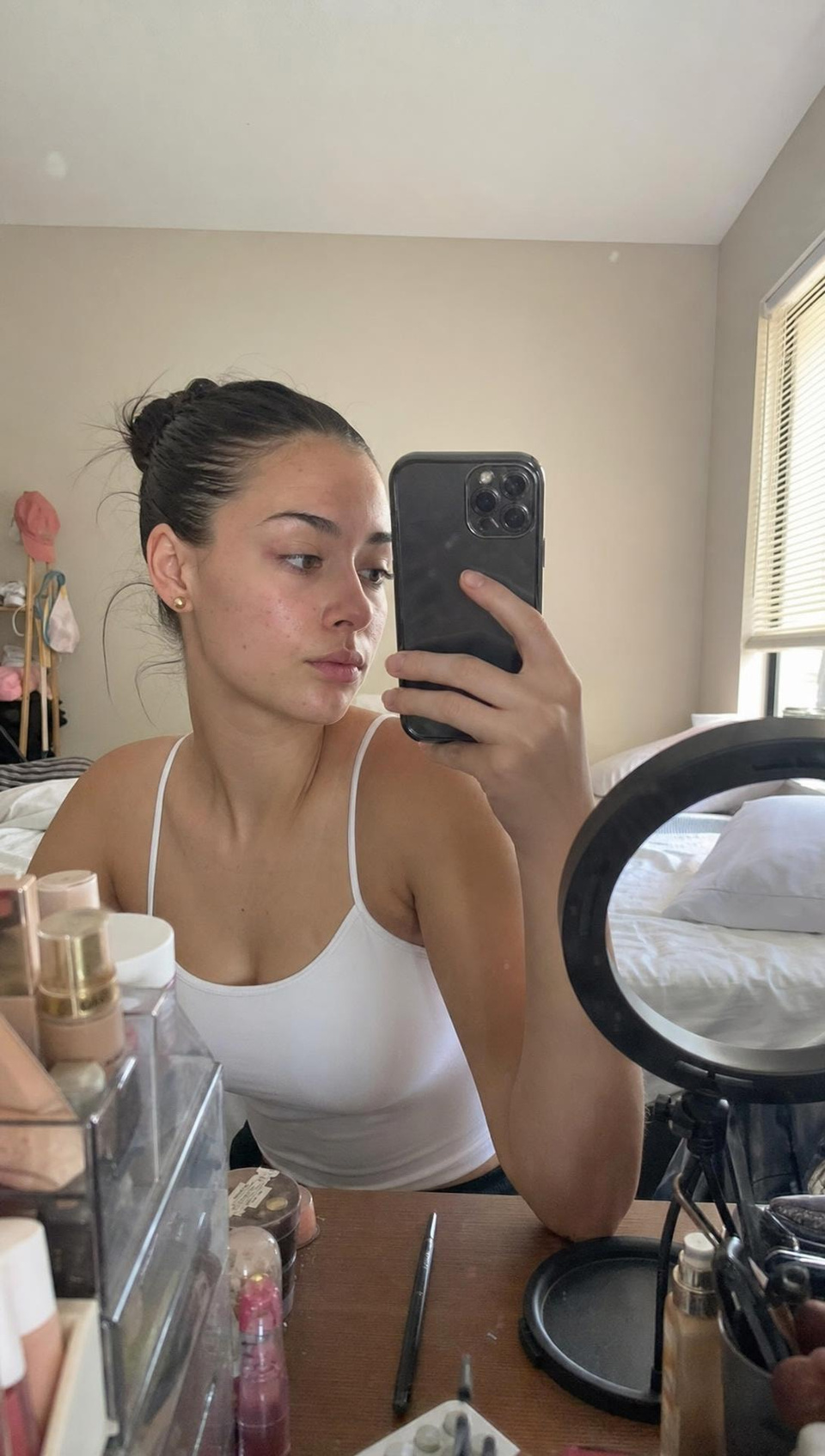
  • Output: The same young woman films a get-ready-with-me clip at her vanity, made from her photo
    Input: The same young woman films a get-ready-with-me clip at her vanity, made from her photo

    Photo → clip · drag the lineThe same young woman films a get-ready-with-me clip at her vanity, made from her photo

  • Output: The same woman in an editorial night-street portrait, made from her selfie
    Input: The same woman in an editorial night-street portrait, made from her selfie

    Input → output · drag the lineThe same woman in an editorial night-street portrait, made from her selfie

  • Output: The same man in a golden-hour beach editorial, made from his selfie
    Input: The same man in a golden-hour beach editorial, made from his selfie

    Input → output · drag the lineThe same man in a golden-hour beach editorial, made from his selfie

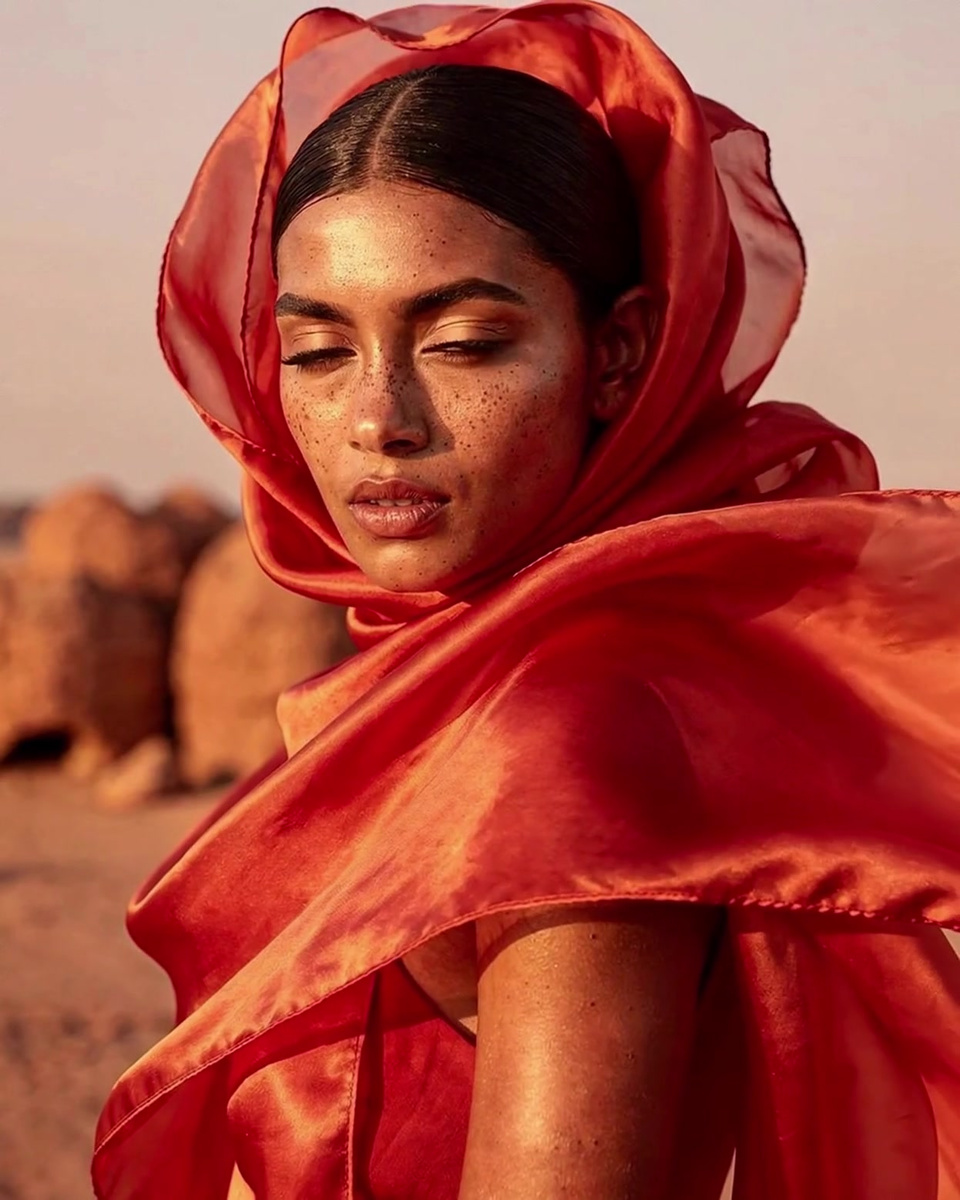
  • Output: The desert fashion reel recreated with a new person on a beach at golden hour
    Input: The desert fashion reel recreated with a new person on a beach at golden hour

    Input → output clip · drag the lineThe desert fashion reel recreated with a new person on a beach at golden hour

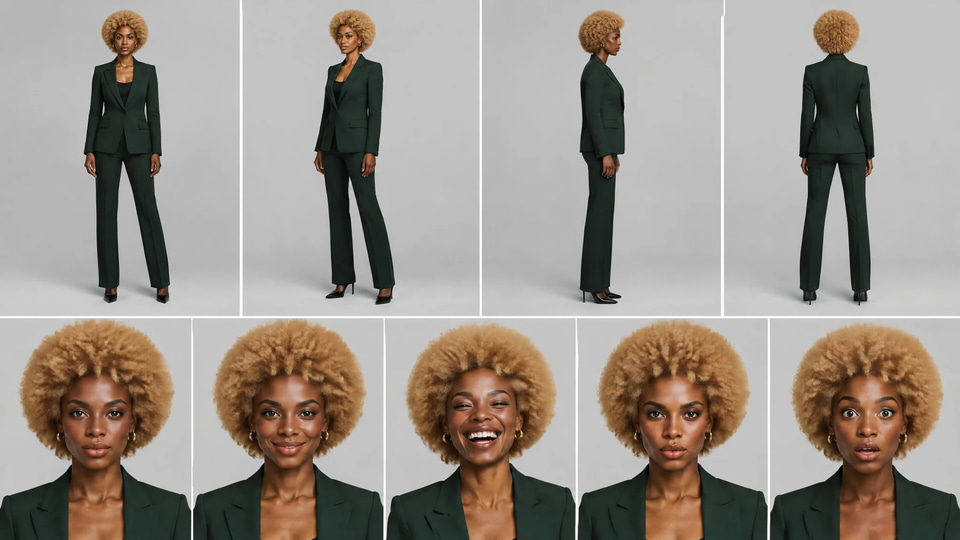
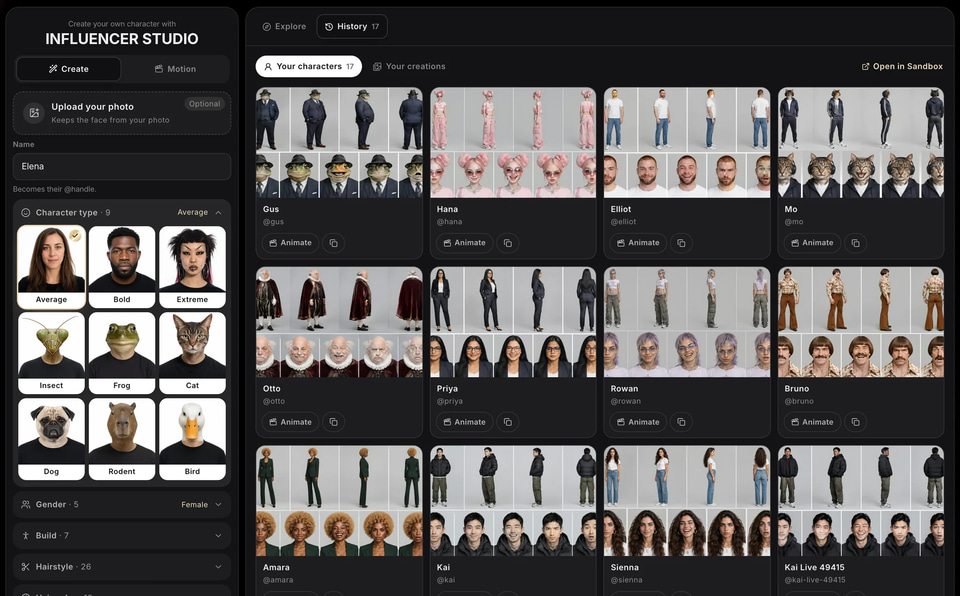
  • Amara's Character ID sheet, made in Influencer Studio

    Real resultAmara's Character ID sheet, made in Influencer Studio

  • The same chestnut-bobbed woman from the reference, now wearing a camel coat at a Parisian café

    Real resultThe same chestnut-bobbed woman from the reference, now wearing a camel coat at a Parisian café

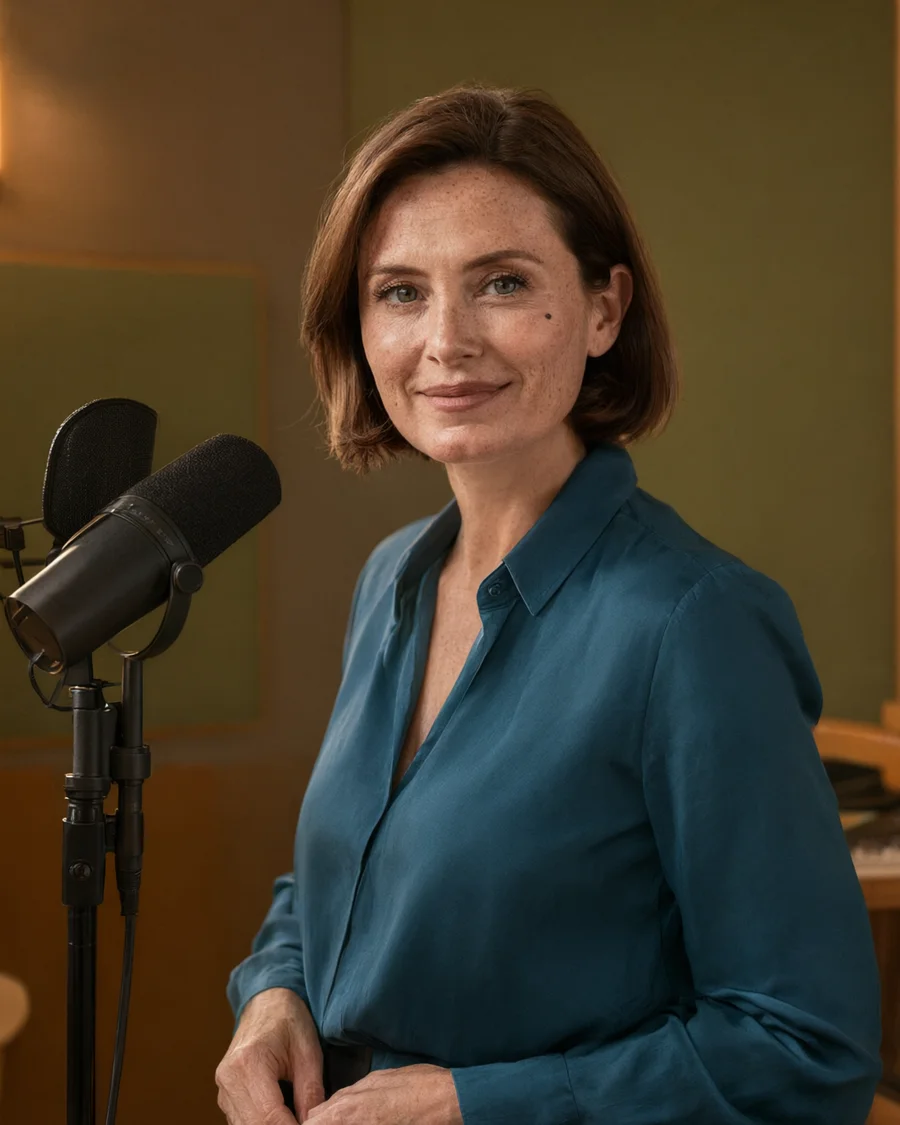
  • The same chestnut-bobbed woman in a petrol-blue blouse beside a recording microphone

    Real resultThe same chestnut-bobbed woman in a petrol-blue blouse beside a recording microphone

  • IllustrationFriendly presenter in an olive green studio

Step by step

6 steps, each on the real screen.

Every screen below is AI Influencer itself, captured from the product.

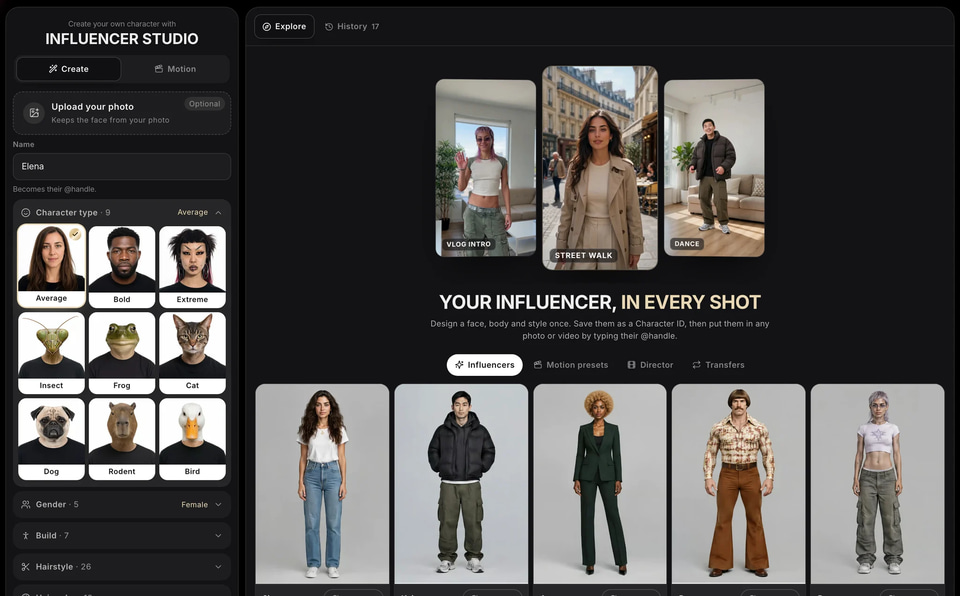
    • Shuffle for ideas, then change one thing at a time.
    Design your character: a screen of Influencer Studio
    Screen
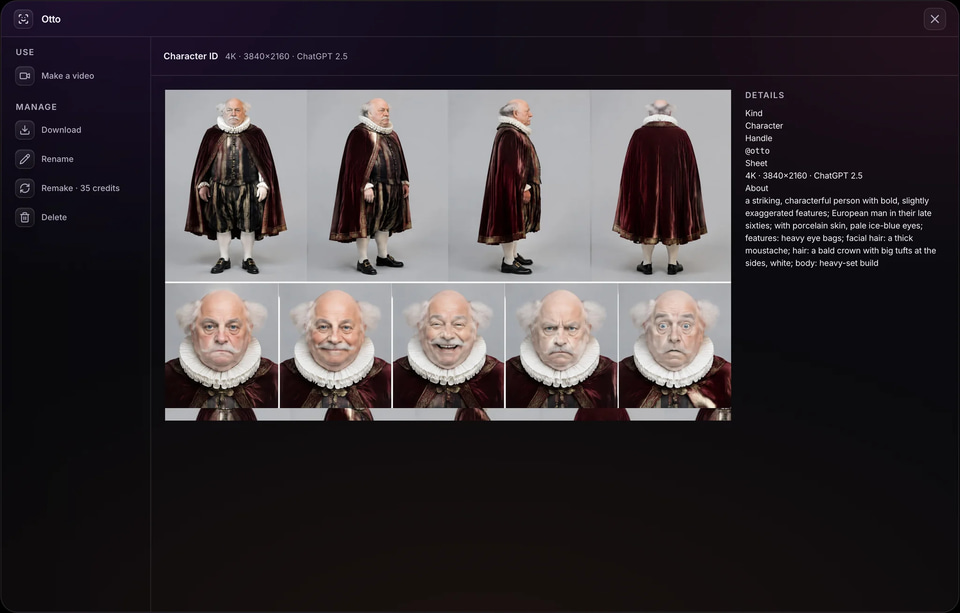
    • The sheet is what keeps the face the same in every image and video.
    Get a Character ID: a screen of Influencer Studio
    Screen
    • Works across studios: UGC ads, long films, music videos.
    Use them anywhere: a screen of Influencer Studio
    Screen
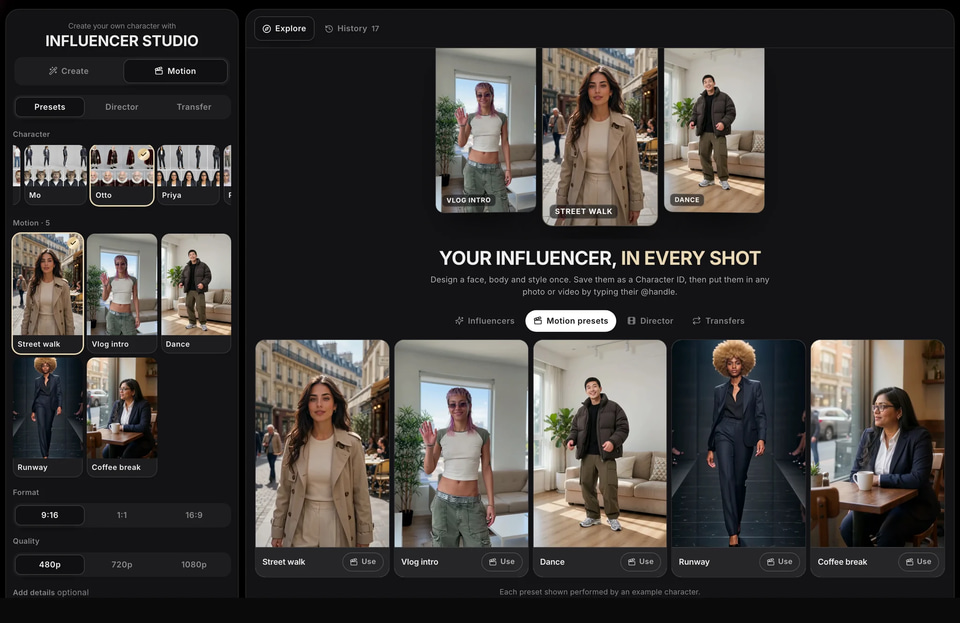
    • The price shows on the button before anything runs.
    Animate a preset: a screen of Influencer Studio
    Screen
    • One person, full body in frame and a steady camera work best.
    Copy any video’s moves: a screen of Influencer Studio
    Screen
    • A Character ID sheet is enough for most work; training adds control over long series.
Design your character: a screen of Influencer Studio
01 Design your character

Use cases

How people use it, start to finish.

Each one is a play you can copy: who it is for, the moves, and what you end up with.

Output: The same young woman films a walking day-in-the-life clip, made from her selfie
Input: The same young woman films a walking day-in-the-life clip, made from her selfie
Real result

Social page builders

A character-led social page

One recognisable person posting in many places and moments.

  1. Design the character around one niche: fitness, food, travel, fashion.
  2. Save the Character ID and make a week of photos in different scenes.
  3. Add short clips with the motion presets: a vlog intro, a walk, a dance.
  4. Post on a schedule; keep the face and style fixed.

A page with a consistent person and steady posts.
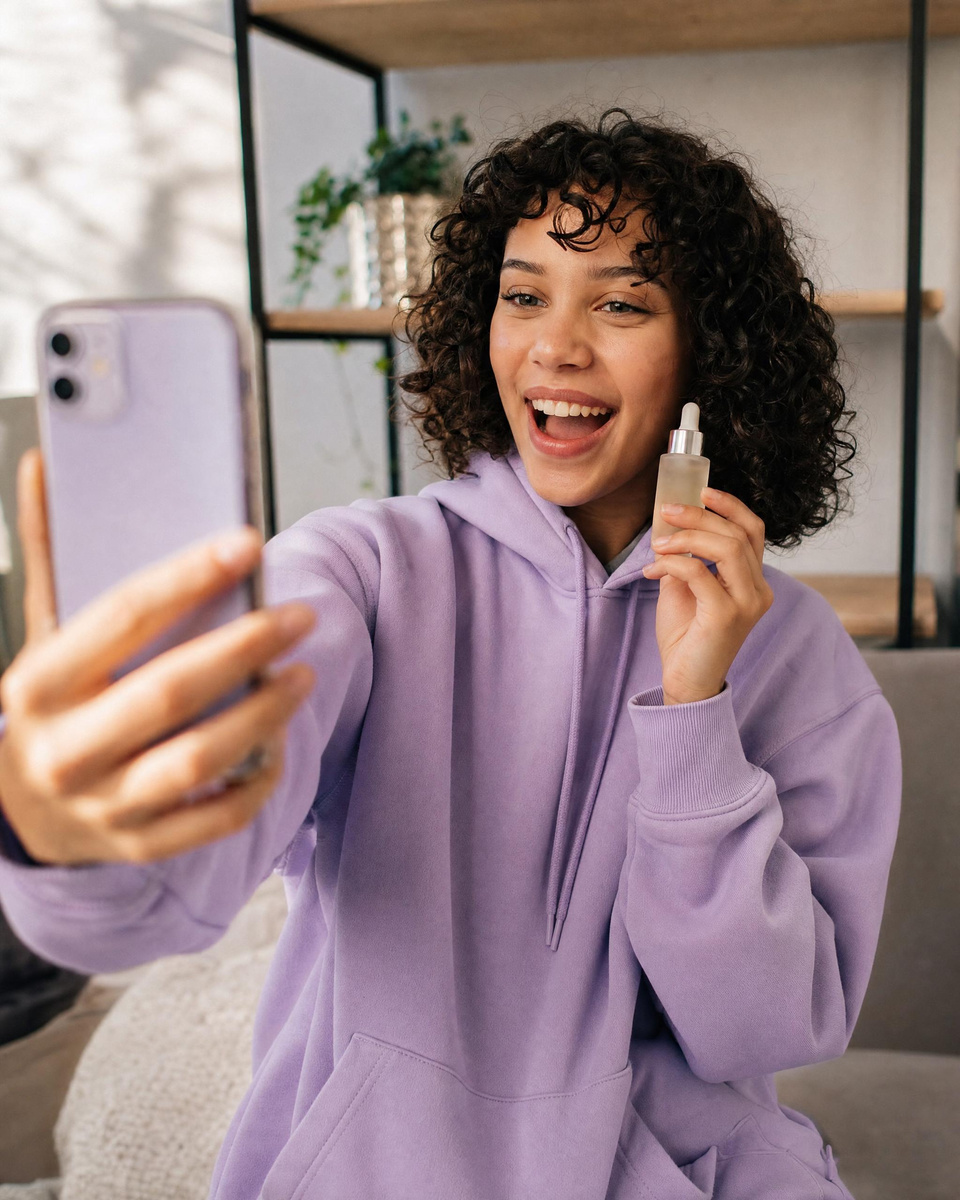
Output: The same young man films a casual talking clip in his room, made from his selfie
Input: The same young man films a casual talking clip in his room, made from his selfie
Real result

Brands

A face for your brand

The same person in every post, ad and video.

  1. Design the brand character, or upload a photo with consent.
  2. Use the @handle in UGC Video Ads to hold your product.
  3. Use the same character in long-form stories and music videos.

One brand face across every format.

Output: The desert fashion reel recreated with a new person on a beach at golden hour
Input: The desert fashion reel recreated with a new person on a beach at golden hour
Real result

Trend creators

Your character on every trend

Your character copies the moves of a trending clip, beat for beat.

  1. Save the trending clip.
  2. Use Copy any video’s moves with your character.
  3. Post while the trend is climbing.

Trend videos without filming yourself.

Before you start

What to bring, and what to do if something looks off.

What to prepare

Photo (optional)
One clear, front-facing faceReal people without their consent
Personality
A niche and a style you can post every weekA look that changes every post

If something looks off

The face drifts
Use the @handle, not a description; the sheet carries the face.
Clips look stiff
Pick a preset with natural movement, or copy the moves of a real clip.

Where it sells

Where this work earns. Sourced, never promised.

Figures are the publishers’ own, for the whole market — not a typical result for one person.

Price

30 credits per Character ID

You see the exact price before anything runs; a run that fails costs nothing.

Also
65 credits per 8 s clip, from
Frames
9:16 · 1:1 · 16:9
You bring
A few choices, or one photo
You get
A Character ID and clips of them
What a monthly plan makes at 30 credits per Character ID
  • Starter240 credits8
  • Pro850 credits28
  • Business4,400 credits146

A plan’s credits refresh monthly. Failed runs are refunded.

Questions

Asked before the first run.

Can I use a real person?
Only yourself or someone who has given consent. The studio keeps the face from the photo.
Do I need to train a LoRA?
No. A Character ID sheet keeps the face for most work; train only for long series that need more control.
A creator on a café terrace in morning lightIllustration

ONE FACE, EVERY POST

Design a character. 30 credits per Character ID

You bring a few choices, or one photo. You get a Character ID and clips of them.