Turn Car Photos into Cinematic Reels
Turn car photos into rolling-shot reels
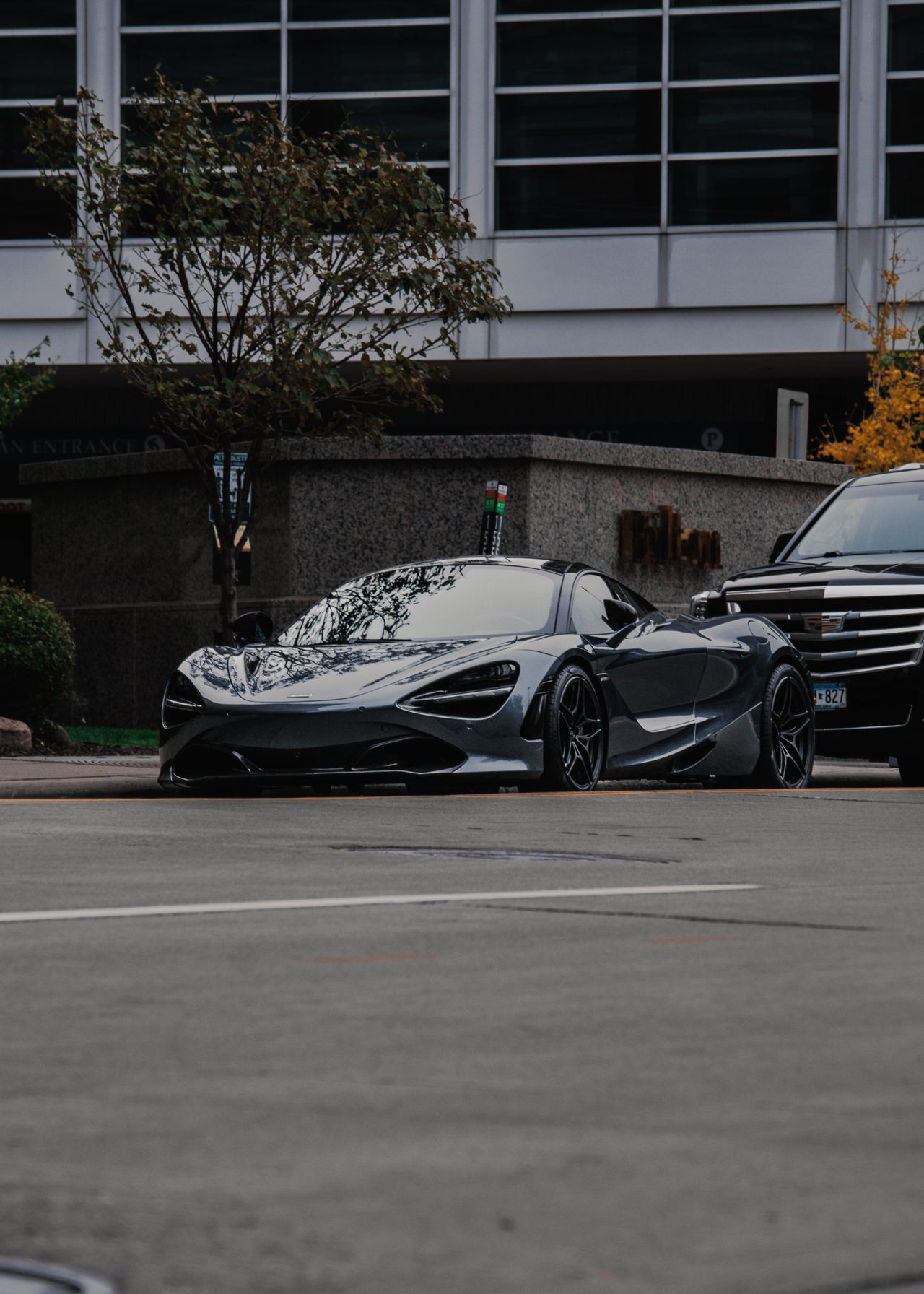
How do I turn car photos into walkaround reels?
Upload up to 9 car photos, label each shot — front 3/4, interior, wheels — and drag them into the order the camera should follow. Pick a shot style, then generate. Reference-to-video AI treats each photo as a scene anchor and builds realistic camera movement between them, so the finished vertical reel shows the car in your own photos, walkaround style, in minutes rather than in a filming day.
- Credits
- From 20 per reel
- Output
- 9:16 · 16:9 · 1:1 · 4–15s
- Photos
- Up to 9 per reel
Updated September 4, 2026
Cite this page: https://imagera.ai/video/car-reel-maker
What the reel does with the photos you already have
The car on screen is your car
Reference-to-video AI treats each photo you upload as a scene anchor and generates the motion between them — the slow orbit around the body, the push-in on the badge, the sweep across the dash. It works from your shots, in the order you set them, rather than producing some other vehicle that looks approximately right.
Know more →6 shot styles, or describe your own
Rolling Shot, Showroom Orbit, Detail Close-ups, Dealership Promo, Low-Angle Launch and Night City Roll. Each one is a camera move and a lighting setup rather than a filter over a slideshow, and there is a custom option where you write the move and the mood yourself. Generate a second style from the same photo set when you want two hooks to test.
Know more →It delivers, or the credits come back
If an engine fails or declines your shots, the reel re-renders on the next engine automatically and you never see the failure. You are charged once however many attempts it takes, and in the rare case nothing delivers the credits return on their own — no support ticket.
Know more →Shot in the driveway, delivered like a commercial
A hired crew is the right call for a flagship brand film. For everyday inventory and private sales, the cost and turnaround make per-car video impractical — which is the gap this fills.
It reads like a gimbal walkaround, not a slideshow
Each of your car photos anchors a scene and the camera movement is generated between them: the slow orbit around the body, the push-in on the badge, the sweep across the dash, the low-angle roll past the wheels. What used to need a videographer with a gimbal, a rolling rig for the tracking shots and an editor to cut it together now comes out of the stills you already take for the listing — as a vertical, feed-ready reel that shows the car in motion where a photo gallery just sits there.
The reel is only as convincing as the frames it grows from
Reflective paint and glass are what trip up car footage, so the photography matters more than any setting in the studio. Park in open, even light — an overcast sky or a bright indoor bay — rather than harsh midday sun that blows out the hood and hides the body lines. Shoot each angle straight and level at about hip height, keep the whole car in frame with a little room around it, and wash the car first: streaks and dust get magnified once the paint starts catching moving light.
Match the style to the job, not to the car
A lot listing wants different energy from a private For-Sale post or an enthusiast build feature. Dealership Promo and Showroom Orbit repeat cleanly across every unit on a lot; Rolling Shot is what makes a phone-pic ad read as a proper listing; Detail Close-ups covers a specced-up or modified car; Low-Angle Launch is the hero treatment and Night City Roll keeps a car page fresh. Same photo set, different film.
How to make a car reel from photos
Three steps per car, starting from the shots you already take for the listing.
Upload your car photos
Add up to 9 shots — front 3/4, rear, profile, interior, wheels, engine bay. Phone photos work. Clean car, even light, uncluttered background: the same set you would shoot for a good listing is the set that builds a convincing walkaround.
Label and order the shots
Tag each photo ("front 3/4", "interior", "wheels") and drag them into the sequence you want the camera to follow — exterior reveal, then interior, then the details buyers zoom in on. The motion is generated in that order, so the reel presents the car the way you would in person.
Pick a style and generate
Choose one of the 6 shot styles or describe your own, set the ratio — 9:16 for social, 16:9 or 1:1 for a site or a feed post — and generate. The credit total is on the button before you commit, from 20, and the reel comes back in minutes with full commercial rights.
From the lot to the For-Sale post
Dealership inventory
Give every unit on the lot a walkaround reel without pulling a salesperson off the floor to film. Reuse one preset and the whole lot matches.
Private sales
A cinematic reel makes your Marketplace, Craigslist or Autotrader listing stand out from phone-pic ads — from the photos you were going to post anyway.
Instagram & TikTok
Vertical 9:16 car reels built for the feeds where car buyers actually scroll.
Auction listings
Bring a Bring-a-Trailer or Cars & Bids style listing to life with motion from your photo set, so the car moves in the feed instead of sitting in a gallery.
Detailing & wrap shops
Turn before/after photo sets into promo reels that show off the finish in motion — order the shots from starting condition to finished result and pick Detail Close-ups.
Car pages & clubs
Keep an enthusiast page active with fresh reels cut from every photoshoot, without a new shoot each time.
Discover more AI features
Frequently asked questions
How do I make a car reel from photos?
Upload up to 9 photos of the car to the Car Reel studio, label each shot ("front 3/4", "interior", "wheels"), drag them into order, pick a style like Rolling Shot or Showroom Orbit, and generate. The AI adds camera motion and lighting between your photos and delivers a vertical reel in a few minutes.
Can AI make a car walkaround video from photos?
Yes. Reference-to-video AI uses your actual photos as scene anchors and generates realistic camera movement between them — orbiting the body, pushing in on the wheels, sweeping across the interior. It reads like a walkaround shot on a gimbal, but it comes from the photos you already took.
Does it work for dealership inventory at volume?
That is the core use case. Each car needs only the photos you already shoot for the listing. Upload, reuse the same style preset across units, and every car on the lot gets a consistent, branded-feeling walkaround reel.
What styles and formats are available?
6 styles — Rolling Shot, Showroom Orbit, Detail Close-ups, Dealership Promo, Low-Angle Launch and Night City Roll — plus a custom option where you describe the camera move and mood yourself. Output is 9:16, 16:9, 1:1 (9:16 is the default for Reels and TikTok), and lengths run from 4 to 15 seconds. The resolutions on offer depend on the engine you pick, up to 4K on the ones that render it.
How much does a car reel cost?
Pricing is per-second in credits and always shown on the generate button before you commit — the cheapest combination of engine, length and resolution is 20 credits for a reel, and the number climbs with length, resolution and the engine you choose. Credits are pay-as-you-go, so a single private-sale reel needs no subscription and a lot of inventory scales linearly.
Can I use the reels in ads and listings?
Yes — every reel includes full commercial usage rights. Post it on social, embed it in listings, run it as a paid ad or send it to buyers directly.
What happens if a generation fails?
Every car reel is backed by a multi-engine failover pipeline. If an engine fails or declines a render, Imagera automatically re-renders on the next engine — you are charged once regardless of retries, and in the rare case every engine fails, your credits are refunded automatically.
Which car photos should I upload for the best walkaround reel?
Start with a front 3/4 hero, then a rear 3/4, a straight profile, an interior/dashboard shot, and one or two details like the wheels or badge. Six to nine photos give the AI enough coverage to build a convincing walkaround. Shoot in even light with the car clean and the background uncluttered — the same photos you would take for a good listing work perfectly for a reel.
Can I control the order the camera moves through the car?
Yes. After uploading, you label each photo ("front 3/4", "interior", "wheels") and drag them into the sequence you want the camera to follow — for example exterior reveal, then interior, then detail close-ups. The AI generates motion between your shots in that order, so the reel tells the walkaround story the way you would present the car in person.
What is the fastest way to make walkaround reels for a whole dealership lot?
Pick one style preset — Dealership Promo or Showroom Orbit are consistent choices — and reuse it across every unit. Each car only needs the photos you already shoot for the listing, so a salesperson uploads the set, applies the shared preset, and every vehicle on the lot gets a matching, branded-feeling walkaround reel without pulling anyone off the floor to film.
Which aspect ratio is best for car reels on different platforms?
Use 9:16 for Instagram Reels, TikTok and Facebook Marketplace where buyers scroll on their phones. Use 16:9 for a YouTube walkaround, a dealership website hero or an Autotrader-style listing, and 1:1 for a feed post. You can regenerate the same car in a different ratio without re-shooting, so one photo set covers every channel.
Will the reel show the actual car or a generic AI vehicle?
Your uploaded photos anchor every frame, so the car on screen is the exact vehicle in your photos — same colour, trim, wheels and plate area. Reference-to-video AI adds camera motion, lighting and transitions around your stills; it does not swap in a different car. For listings, that means the reel matches the unit a buyer will actually come to see.
Can detailing, wrap and body shops use it for before-and-after reels?
Yes. Upload the before and after photo sets, order them so the reel moves from the starting condition to the finished result, and pick Detail Close-ups to highlight the paint, wrap seams or ceramic-coat shine in motion. It turns the static before/after grid most shops post into a scroll-stopping reel from the same photos.
Key takeaways
How close can the camera get?
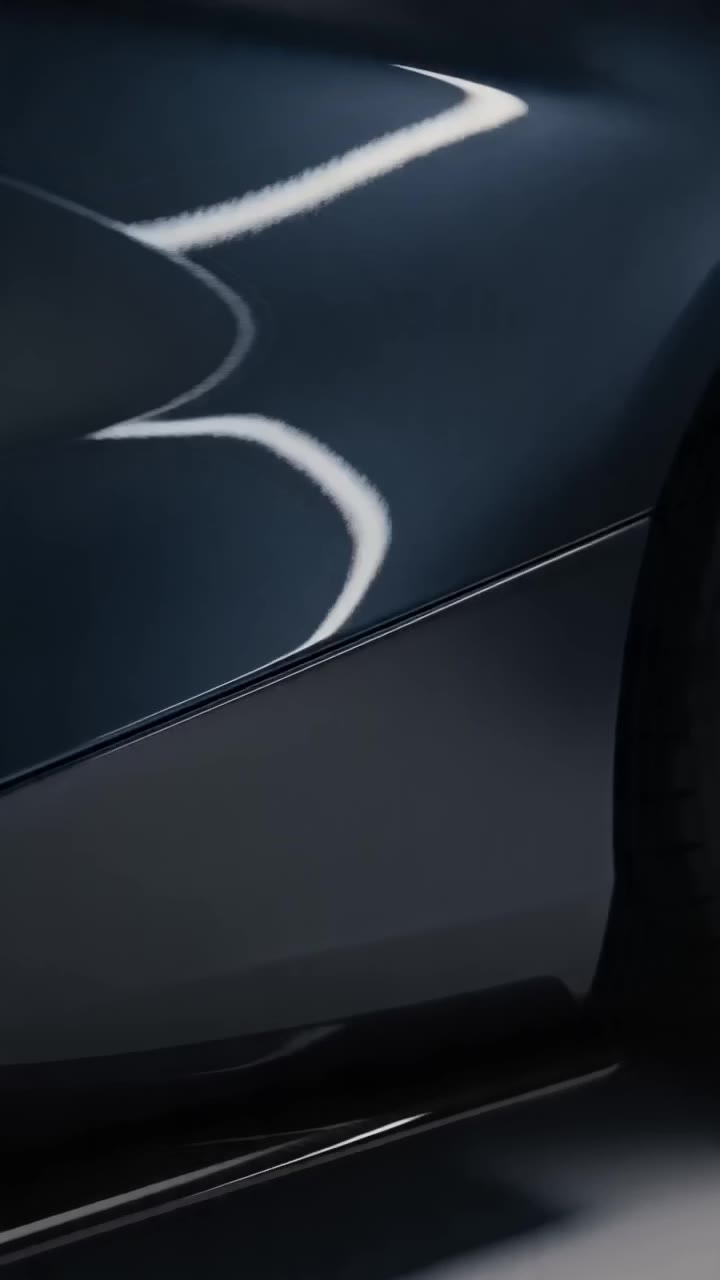
Close enough to fill the frame with paint, sill and wheel arch. This frame is from a detail pass generated from one photograph of the car — the camera drops in on the flank and lets the light run down the panel, which is the shot a specced-up or freshly detailed car is sold on.
Can one photo set give me more than one reel?
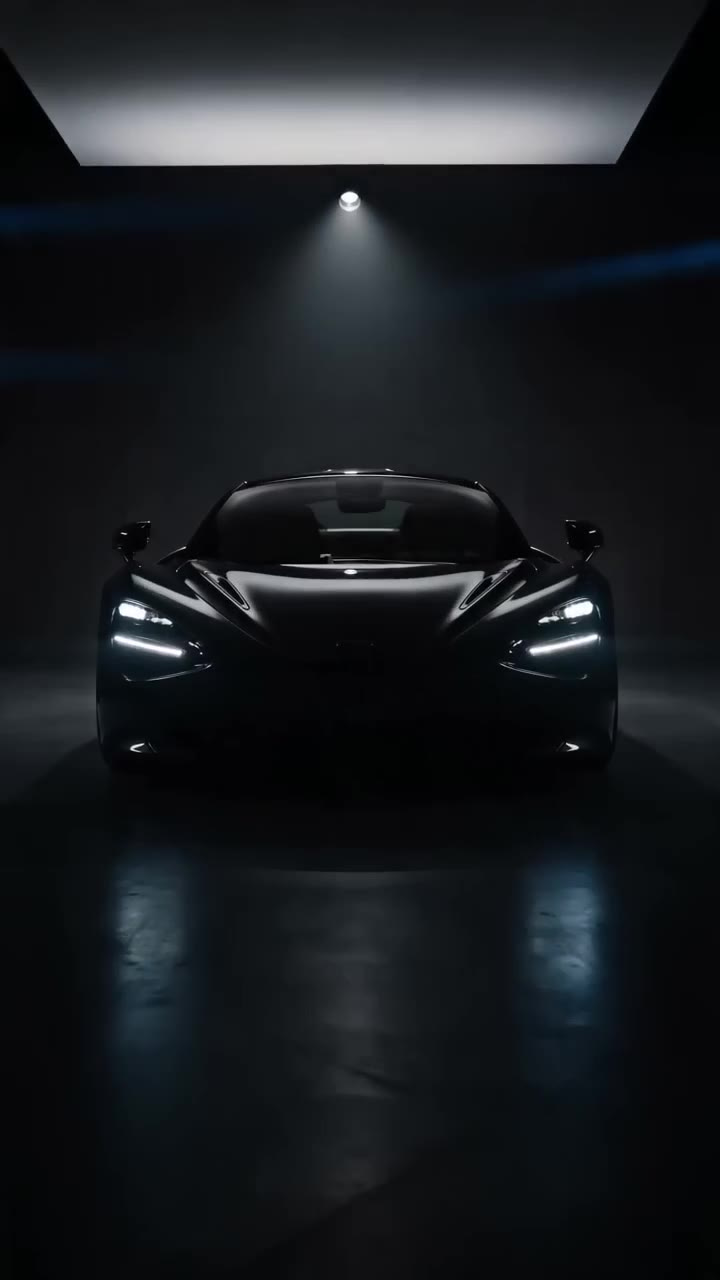
Yes. Every sample on this page — the dusk drive, the detail pass and this showroom reveal — was generated from the same single photograph. Change the style, generate again, and the same shots give you a second hook to test without going back out to the car.
Car Reel Maker vs hiring an automotive videographer
| What matters | Imagera | Hiring a videographer |
|---|---|---|
| Starting point | The listing photos you already shoot | Schedule a crew, a gimbal and a rolling rig |
| Turnaround | Minutes per unit | Days per vehicle |
| Cost at volume | Per-second credits from 20 a reel — viable for the whole lot | A per-shoot fee, so hero units only |
| Consistency | Reuse one preset for a matching look every time | Varies by shoot and by editor |
| If a render fails | It re-renders on the next engine, charged once | Rebook the crew and the car |
Your car photos are one step from a reel
Upload the shots, set the order, pick a style — and post the walkaround today. Credits show on the button before you run.
Make my car reel →