AI Recast — Replace the People in a Video
Replace the people in a short clip with your photos or Character IDs. Motion, camera, cuts and sound stay.
What is AI recasting?
AI recasting replaces the people in a video you already have with the people in your pictures. In Hermes Recast you add a 5–30 second clip and one photo or saved Character ID per person, up to 4; the motion, camera, cuts and soundtrack stay as shot, and the new cast plays every moment of it. Charged per second of the clip.
- Credits
- From 190 for a 5-second clip at 768p
- Clip
- 5–30 seconds · 768p or 1080p out
- People
- Up to 4, a photo or Character ID each
Updated October 14, 2026
Cite this page: https://imagera.ai/video/ai-recast
What stays and what changes
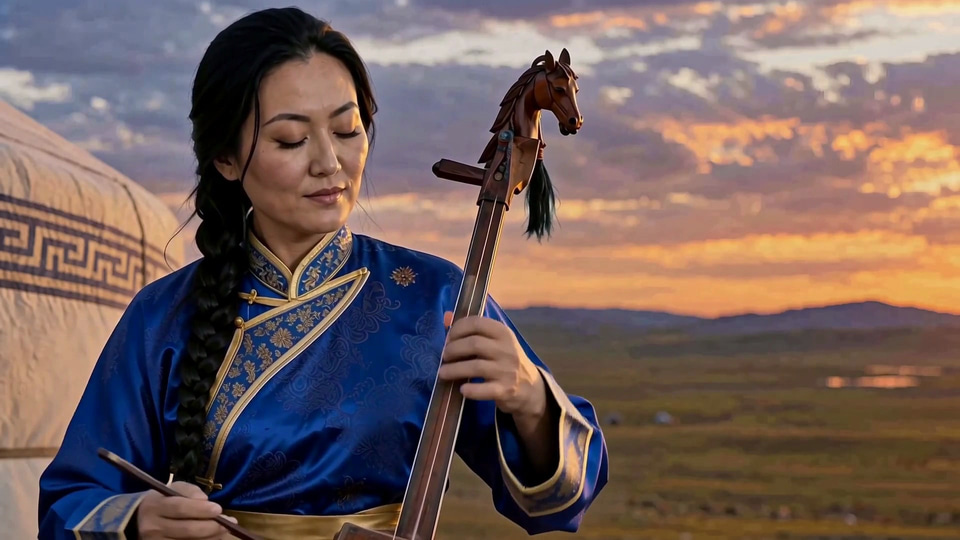
Every shot, every cut
The new person is tracked through the whole clip — wide shots, close-ups and the cuts between them — and the timing of each shot is kept.
Know more →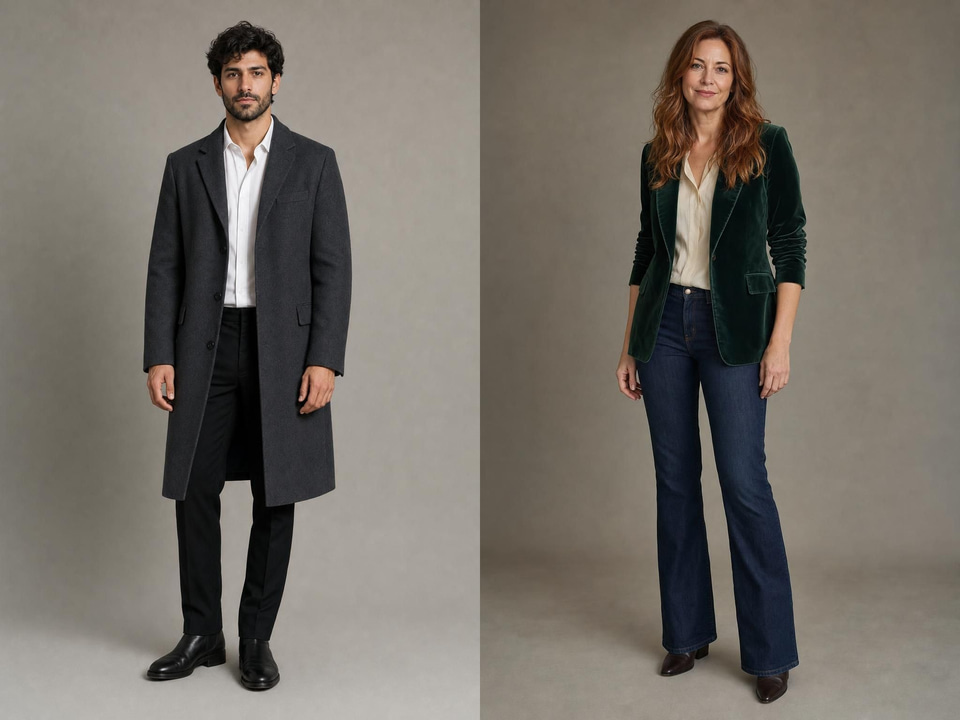
The whole person, not a face
Face, hair, build and clothes come from your pictures — one full-length photo per person, like these two — so a cast change reads as different people rather than masks.
Know more →The sound stays
The soundtrack is the source clip’s own: dialogue, music and room sound play exactly as recorded.
Know more →Who can go into the shot
A saved Character ID, a single photo, even an illustrated character — the clip decides how they move.
One photo per person is enough
One clear, full-length photo carries a person across: the face, hair, glasses and cardigan here all come from the picture, while the raised cup, the smile and the sip are the source clip’s, frame for frame. The voice is the original too — Recast changes how someone looks, not how they sound. A saved Character ID works the same way: type @ and it goes in as its full-body front view, ready for the next clip as well.
Try it now →Held across the cut
This clip cuts from a wide shot to a close-up at three seconds in. The same woman, braid and blue robe play both shots, and the bowing keeps the source’s timing — the people are tracked shot by shot, not frame by frame.
Try it now →Name the clothes, and they come through
The outfit comes from your picture, and naming it in the prompt makes sure of it: this run asked for “her dark green field jacket and cream sweater — no hat and no scarf”, and the hat and neckerchief of the source are gone while the kettle pour, the mate cup and the camera’s push-in stay exactly as shot.
Try it now →What these runs cost and took
Every example here is a real run of Imagera Hermes Max Recast at 1080p, made through the product on 14 October 2026: 290 credits for a 5-second clip and 345 credits for a 6-second clip, each charged exactly the price quoted before it ran, and 116, 149, 157, 165 and 172 seconds from submit to finished file. They are not all perfect. In this terrace walk the new face, beard and hat came through, but the red shawl and cream cardigan stayed the source’s instead of the poncho in his photo — even though the prompt named the poncho. When an outfit does not come through, name it again, keep only what must stay, and run it again.
Try it now →How to replace the people in a video
Start from a clip you already have. Nothing is reshot.
Bring the clip
Upload the video whose people should change: 5 to 30 seconds, with no single shot over 15 seconds.
Choose the new cast
Add one clear photo per person, up to 4, or type @ to cast a saved Character ID.
Recast it
Say who becomes whom if it is not left to right, check the credits on the button, and press Generate. The finished clip keeps the original sound.
What people recast
A mascot or presenter in any trend
Take a clip that already works and put your brand character in it — the timing, the camera and the sound are the parts you keep.
Casting tests before a shoot
See the same scene with different leads side by side, from one take, before anyone is booked.
One character across a series
Save a person once as a Character ID and recast them into each new clip, so the face and the outfit hold from episode to episode.
Frequently asked questions
What is AI recasting?
Recasting swaps the people in a video you already have for the people in your pictures. The movement, the camera, the cuts and the soundtrack come from the clip; the face, hair, build and clothes come from your picture. Nothing is reshot.
How do I swap a person in a video with Imagera?
Open Hermes Recast in the Sandbox, add a 5–30 second clip and one picture per person, and press Generate. The credits are on the button before you run it, and the result is saved to your library.
Can I put my own character into a video?
Yes. Type @ and pick a saved Character ID, or choose it in the picture slot’s IDs tab: it goes in as one full-body view of that person. A plain photo works just as well. To cast the same person again and again, make them a Character ID once in the Sandbox’s Character ID section.
How many people can I recast at once?
Up to 4, one picture each. They replace the main people from left to right unless you write who becomes whom.
How long can the video be?
5 to 30 seconds, and no single shot can run longer than 15 seconds. Trim a longer clip first; one outside the range is refused before anything is charged.
Is the original sound kept — whose voice does the new person have?
The source soundtrack is kept exactly as recorded: music, room sound and the original speaker’s voice. So the new person mouths the original line in the original voice; Recast changes how someone looks, not how they sound.
What photo gives the best result?
One clear, well-lit picture per person with the face visible, ideally full length in the clothes they should wear — the outfit comes from the picture, not the clip. A saved Character ID goes in as its full-body front view, which works the same way.
Can I change the background too?
No. Recast changes the people only; the setting, light and camera come from your clip. To change the scene itself, edit the clip with the AI Video Editor.
What does Recast get wrong?
Not every detail carries over. An outfit can stay the source’s — in the terrace walk on this page the face, beard and hat changed but the shawl and cardigan did not — and hands or a held prop can drift. Naming what must change or stay in the prompt (“he wears the rust poncho”, “keep the cup”) and running it again helps.
How is this different from a face swap?
A face swap changes the face and keeps the body and clothes. Recast replaces the whole person — face, hair, build and outfit — while the motion and the shot stay the same.
How is this different from the Character Swapper?
The Character Swapper makes your character copy a video’s movement in a new shot. Recast keeps the original shot and puts your person into it — the same frame, camera and sound, with a new cast.
What does a recast cost?
It is charged per second of your clip, more at 1080p than at 768p — 190 credits for a 5-second clip at 768p. The exact price is on the Generate button before you run, and failed runs are not charged.
Can I recast real people?
Only recast people whose likeness you have the right to use, and never to deceive. Content filters stay on for every run.
Key takeaways

What is AI recasting?
Recasting swaps the people in a video you already have for the people in your pictures. The movement, the camera, the cuts and the soundtrack come from the clip; the face, hair, build and clothes come from your picture. Nothing is reshot.
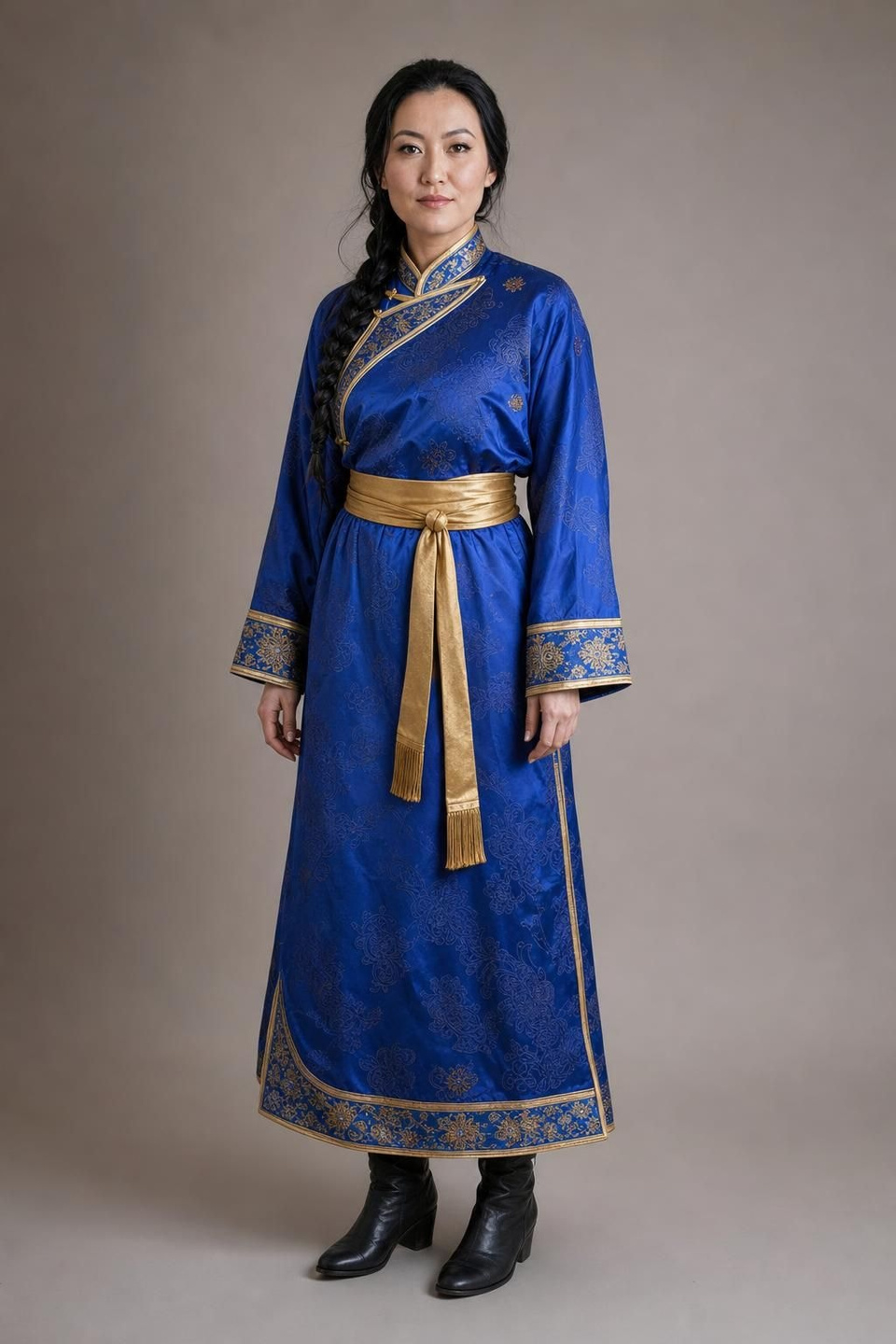
How do I swap a person in a video with Imagera?
Open Hermes Recast in the Sandbox, add a 5–30 second clip and one picture per person, and press Generate. The credits are on the button before you run it, and the result is saved to your library.
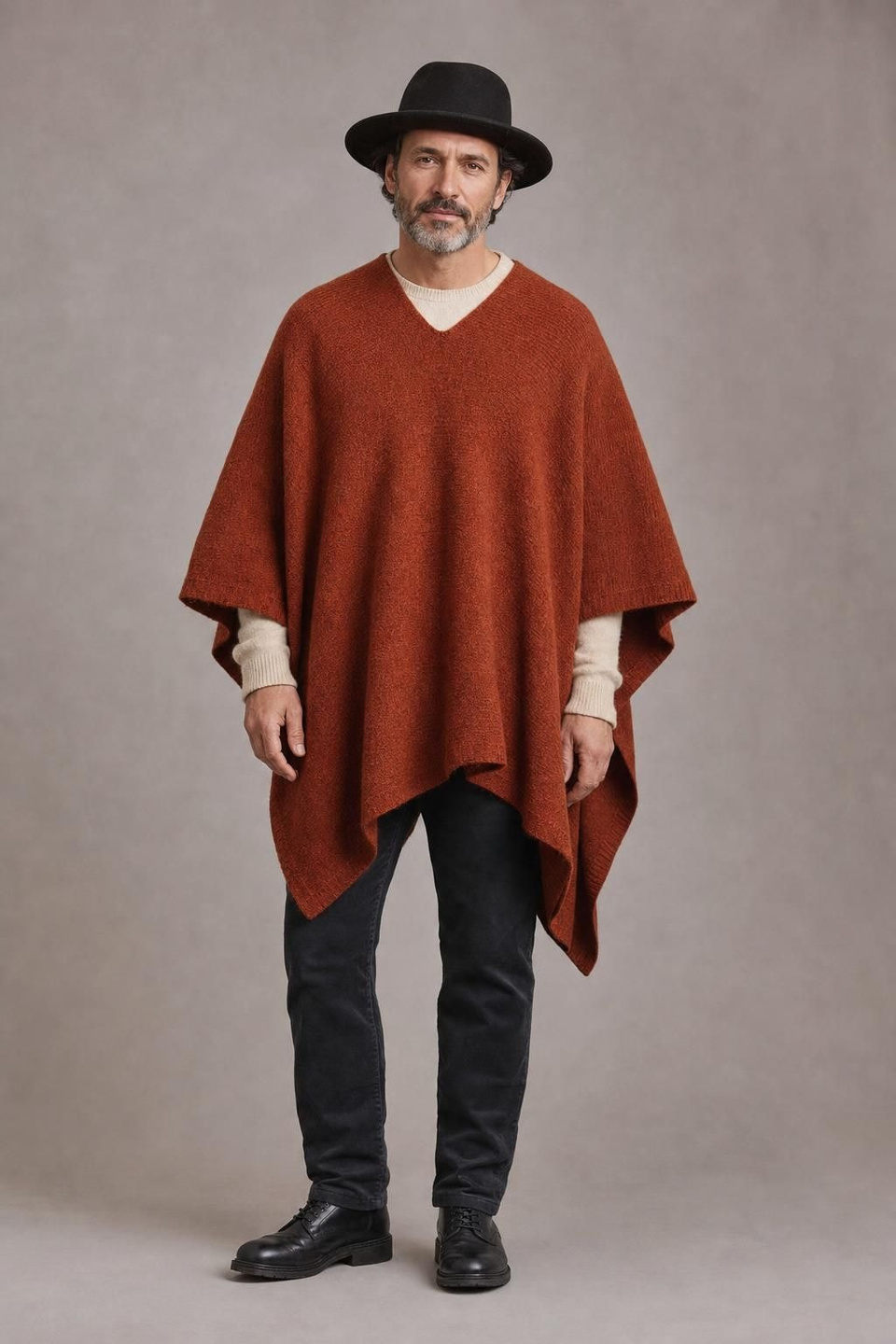
Can I put my own character into a video?
Yes. Type @ and pick a saved Character ID, or choose it in the picture slot’s IDs tab: it goes in as one full-body view of that person. A plain photo works just as well. To cast the same person again and again, make them a Character ID once in the Sandbox’s Character ID section.
Recast vs a face swap vs a reshoot
| What matters | Hermes Recast | Face swap | Reshoot |
|---|---|---|---|
| What changes | The whole person: face, hair, build and clothes | The face only | Everything |
| What stays | Motion, camera, cuts, timing and sound | Everything but the face | Nothing — it is a new take |
| Who can go in | A photo or a saved Character ID, including illustrated characters | A face photo | Whoever you can book |
| People per clip | Up to 4, tracked across shots | Usually one face | Any |
| Cost of a new version | From 190 credits per run | Low | A new shoot |
Using Recast responsibly
Recast only people whose likeness you have the right to use, and never to mislead anyone about who said or did something.
Character IDs you save stay in your account, where you can rename or delete them at any time.
Put your cast in the shot
Upload a clip, add who goes in, and recast. Credits show on the button before you run.
Recast a video →