Instant Consistent Influencer Generator
Upload 1–5 photos and instantly generate consistent influencer images in any scene or pose. No training needed — results immediately. From 20 credits an image.
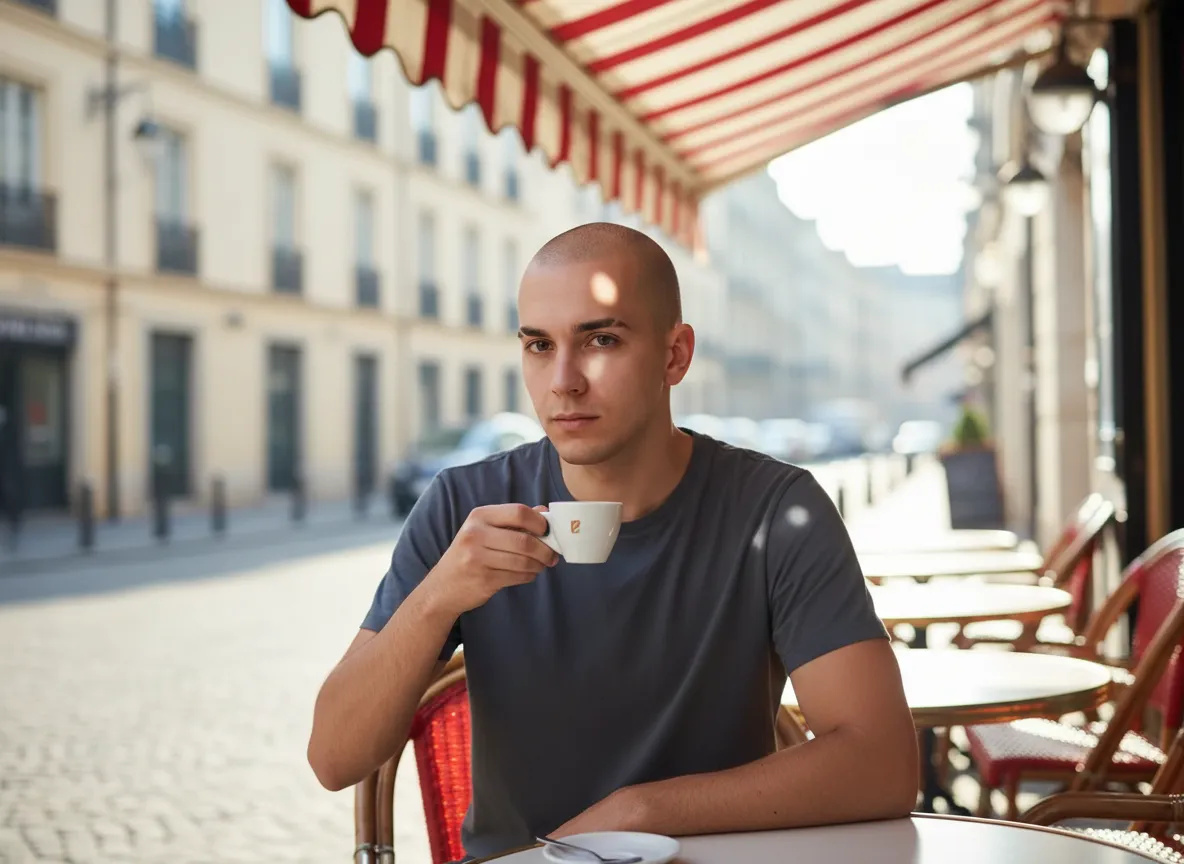
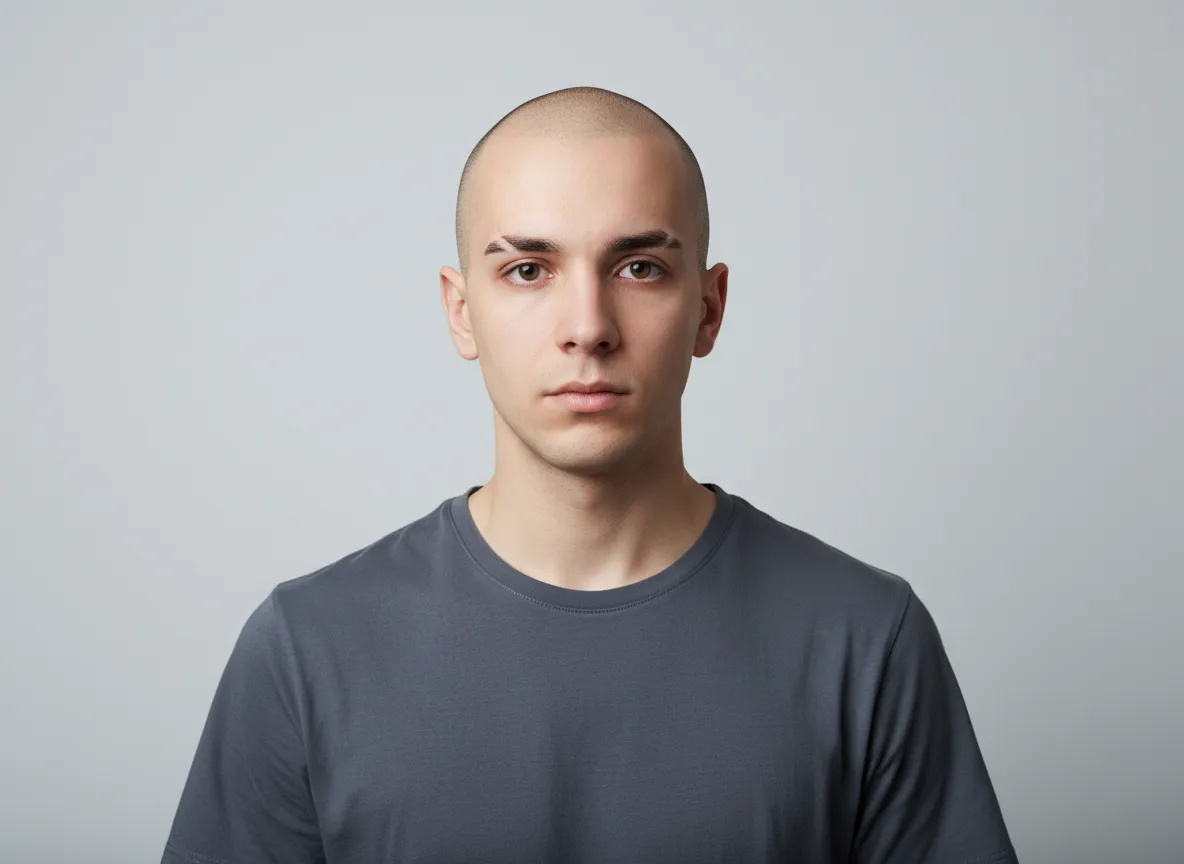 BeforeAfter
How do I get consistent AI photos without training a model?
Instant Character reads the face straight from your reference photographs instead of from a model you had to build first. You add 1 to 5 clear pictures of the person, describe the scene you want, and the run comes back with that same recognisable face in a setting that was never photographed. There is no training step in between: you upload and generate in the same session.
- Credits
- 20–35 an image, 30 on the engine and quality the studio opens with
- Reference photos
- 1–5 clear pictures of the person
- Training
- None — the photographs carry the identity
- Where it runs
- In the browser, nothing to install
Updated October 10, 2026
Cite this page: https://imagera.ai/image/personal-influencer/instant-character
 Illustration
What skipping the training run buys you
No training run to sit through
The defining difference is that Imagera removes the training step entirely. Consistency-from-photos workflows have historically required a two-part process: assemble a photo set, run a training job, wait, and only then generate. Imagera's Instant Consistent Influencer Generator collapses that into a single flow — upload a few photos and create right away — using its own consistency technology to carry the likeness without a separate build phase.
Know more →A handful of photos is the whole input
It also asks for less input to get moving. One to five photos is enough, rather than the larger sets a training-based method typically wants. That lowers the barrier for people who do not have a big archive of clean shots on hand and makes the tool genuinely usable for a quick idea, not only for a planned long-term project. Fewer photos and no training means the distance between 'I want to try this' and 'here are my first images' is short.
Know more →Fast enough to iterate on
Treat generation as an iterative process rather than a one-shot bet. Since results come back immediately, generate a small batch, keep the frames that hold the likeness and composition well, and adjust the prompt on the ones that miss. If a particular pose or angle is not translating cleanly, rephrase it or pick a nearer variation. This review-and-refine rhythm is faster and more predictable than trying to write one perfect prompt up front.
Know more →How a run without a model actually works
A few photographs of the person, a line describing the scene, and a picture back in the same session.
What it actually does
The Instant Consistent Influencer Generator turns a handful of your own photos into a repeatable on-screen identity you can place into almost any scene. You upload one to five clear pictures of a person, describe the setting you want, and the tool generates new images that keep the same recognizable face and general likeness across each one. The point is continuity: instead of a plain image generator inventing a different stranger on every prompt, this keeps a single person believable from shot to shot.
What goes in, and what a run costs
A run takes the photographs and a prompt: up to 5 reference pictures of the person on the engine the studio opens with — one is enough to start — plus a line describing the scene, which the studio refuses to run without. The references decide who is in the picture; the prompt decides everything else, so wardrobe, location, framing and light are things you write, and the person is not. Each image is priced on its own, from 20 credits on the lower-cost engine and 25 to 35 across the quality rungs of the higher one, with 30 the quote the studio opens on. A run can produce more than one image and the button prices the whole batch before you commit.
Where the likeness slips, and why
Because Instant Character works directly from your reference photos rather than from a learned model, most likeness problems trace back to what those photos gave the tool to work with. If a generation comes back looking like a cousin of your subject rather than the subject, the usual cause is a reference set that leaned too hard on one angle, one expression, or one lighting setup. The tool carries whatever information is clearest in your inputs, so a folder of near-identical straight-on selfies teaches it the front of the face well and leaves it guessing the moment your prompt asks for a three-quarter turn.
How to generate a consistent character instantly
Three steps in the browser. No install, no GPU.
Where an instant consistent face earns its keep
Keeping one face across a feed
The most common use is maintaining a consistent personal brand across a content feed. A creator who posts regularly can generate a run of images — different backgrounds, outfits, and settings — while staying recognizably the same person to their audience. That continuity is what makes a feed feel like one identity rather than a scattered set of unrelated pictures, and it is exactly what a plain generator struggles to hold.
The same presenter across a campaign
It also fits campaign and marketing work where the same presenter needs to appear in several placements. A small business can generate a founder or spokesperson figure across a landing page hero, a set of ads, and a few social posts without booking repeated photoshoots for each one. Because everything comes from the same reference set, the person stays coherent across the whole campaign even as the scenes change.
Work that has to land today
There is a strong fit for speed-sensitive and exploratory work too. When you need a fast turnaround — a quick set of variations for a client to react to, or a test of a concept before investing in a larger setup — the no-training path lets you produce options in one sitting. It is a practical way to prototype a look, validate a direction, and only then decide whether a heavier, training-based approach is worth it for a longer-running project.
Discover more AI features
Pro LoRA Generator
For advanced users — bring your own LoRA for a consistent style or character.
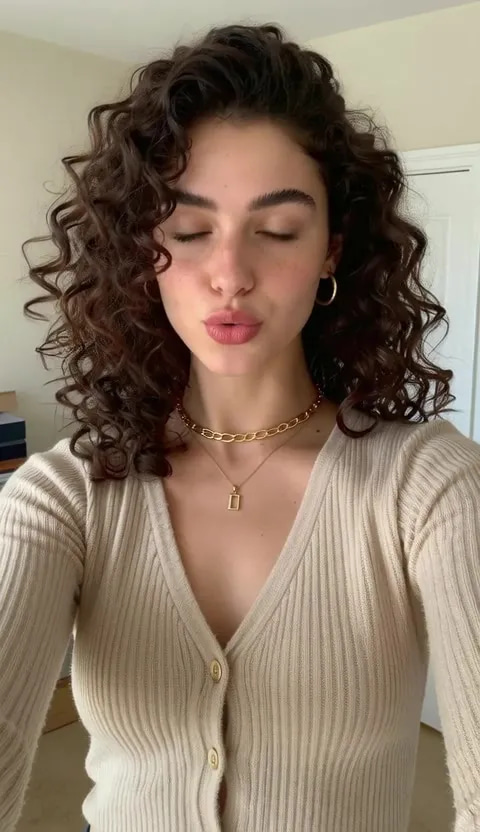
Lipsync Studio
No camera, no shoot, no retakes — a photo and a voice note become a video of that person saying it, or a clip you already shot says something new.
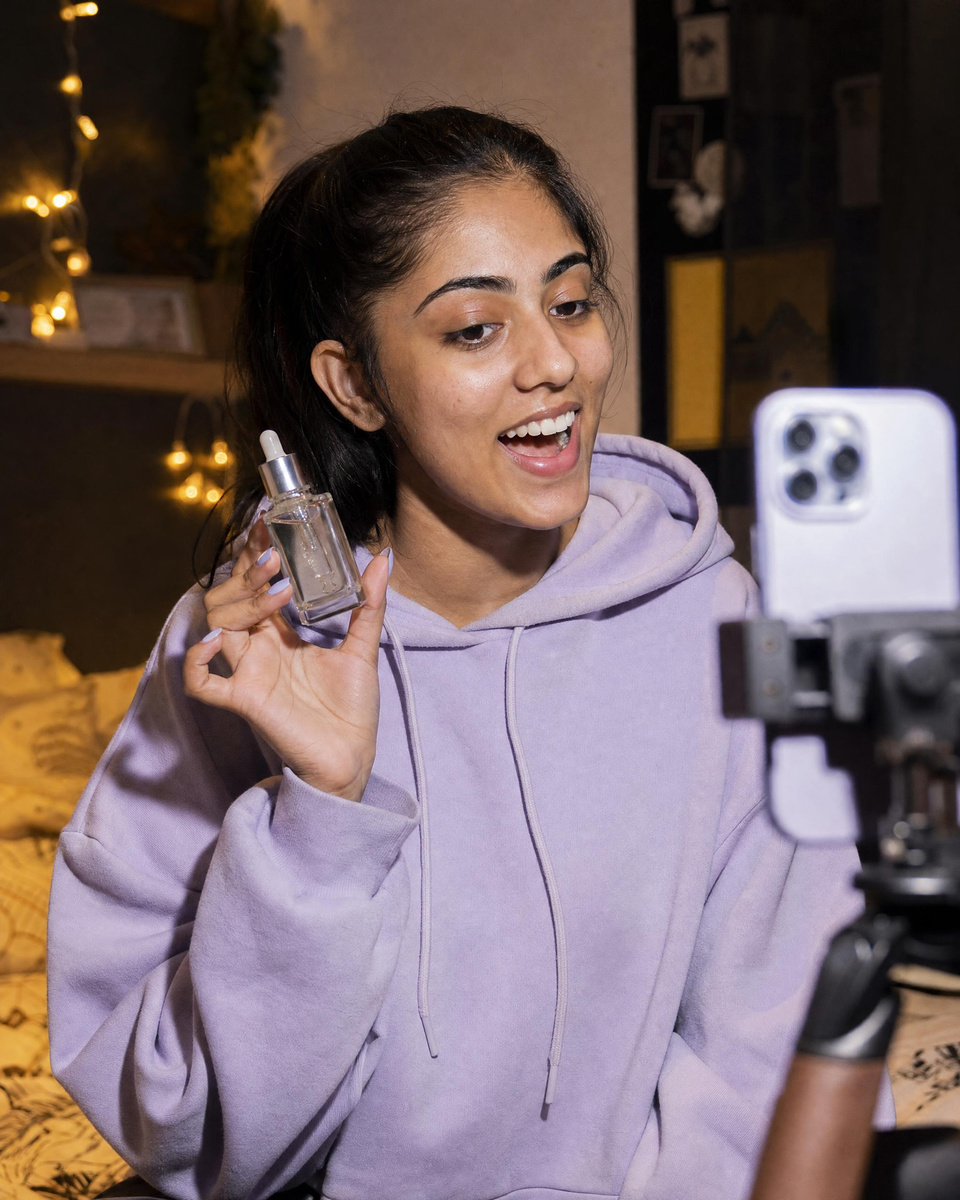 Illustration
Creator program
Run an AI influencer account? Post what you make with your link and earn 30% of what each customer you refer pays for 12 months
AI Influencer Generator
Create a consistent virtual influencer — generate a face or train yours, then make photos and reels
LoRA Trainer
Train custom AI models on your own images
Frequently asked questions
How is this different from LoRA training?
Instant Character doesn't require a training step. Upload 1–5 photos and get immediate results using Imagera AI's proprietary consistency technology.
What does one image cost?
A flat credit charge per image on the engine and quality you have selected: 20 credits on the lower-cost engine, and 25, 30 or 35 across the three quality rungs of the higher one — 30 is the quote the studio opens on. Asking for more than one image in a run multiplies that rate, the total is shown on the button before you commit, and failed runs are not charged. There is no training run to pay for and it comes out of the same credit balance as the rest of the suite.
How many photos do I need, and how good do they have to be?
People also ask how many photos they really need and how good those photos must be. You can start with as few as one and go up to five, and quality matters more than quantity — clear, well-lit shots that show the face plainly will outperform a larger pile of dim or cluttered images. There is no minimum project size and nothing to install; if you have a couple of good photos and a scene in mind, you have everything required to generate.
The face keeps drifting — what should I change?
Prompt phrasing is the second place drift creeps in. A prompt that piles on strong descriptors about age, styling, or mood can quietly pull the face away from the person, because those words compete with the reference for control of the same features. If your results keep aging the subject up or down, or softening a distinctive jaw or brow, try stripping the prompt back to scene and wardrobe only and let the photos own the identity. Describe the world in detail and describe the person as little as possible.
When should I train a model instead?
Training becomes the better fit as a project lengthens and the demand for identity stability rises. A persona you intend to run for months, across many poses and unusual angles, benefits from a model that has learned the face from a broader set rather than inferred it from a few shots each time. The trade you accept is a larger photo requirement and a dedicated build phase up front, in exchange for a more robust likeness that holds up under harder prompts. A common and sensible pattern is to start on Instant Character to prove the concept and lock the creative direction, then graduate the same person to a trained identity once the project justifies the heavier setup.
Key takeaways
What a generated frame gives back
The same recognisable person — the same head, brow and jaw — in a place and a light that were never photographed, at a framing you asked for in words. Nothing about the scene came from your upload except the person in it, which is the point: the setting is a prompt term and the identity is not.
What a reference photograph needs to be
Start with your reference photos, because they set the ceiling on everything that follows. Use clear, in-focus images with even lighting and an unobstructed view of the face. Providing a small range — for example a straight-on shot plus a slight three-quarter angle — gives the tool more to work with than several near-identical selfies, and it tends to carry the likeness more reliably into new poses. Avoid heavy filters, extreme shadows, or photos where the face is small or partly hidden.
Instant Character vs. Training-Based and Manual Approaches — Which Fits Your Project?
| Dimension | Imagera Instant Character | A training-based workflow | A manual photoshoot |
|---|---|---|---|
| Time to first image | Immediate — no training step or wait | Assemble photos, run training, then generate | Schedule, shoot, and edit before any usable image |
| Reference photos needed | 1–5 clear photos | Larger photo set to learn the identity | A live subject present for the session |
| Skill required | Upload, write a prompt, generate in the browser | Comfort setting up and waiting on a training run | Camera, lighting, and photography know-how |
| Consistency across scenes | Same recognizable person carried across prompts | Strong, robust identity once trained | Consistent, but limited to what you shot that day |
| Setup and hardware | Runs in the browser, nothing to install | No install, but a dedicated build phase | Studio or location, gear, and crew |
| Cost model | 20–35 credits an image (30 as the studio opens), no training run to pay for, from the balance the whole suite shares | Credits, with time spent on the training step | Per-session costs plus talent and location |
Use responsibly
Use only photographs you have the right to use: your own likeness, or a person who has agreed to their pictures being used this way. A run puts a recognisable face into a setting that never happened, so treat the output as what it is — a generated picture, not a record of an event — and label it as AI-generated wherever the platform you are posting to asks you to.
Results vary with the photographs you supply and with how the prompt is written; a reference set that is dim, filtered or all one angle carries less of the person into a new scene. Images generated on a paid plan carry commercial rights under the Imagera terms, and the condition that matters sits upstream of us: you must have been entitled to use those photographs in the first place.
The same person, without building a model first
Upload the photographs you already have, describe the scene, and generate. If the project outgrows it, the trained path is one page away.
Generate a consistent character →