Ideogram released Ideogram 4.6 on November 19, 2026. The model both makes and edits images, and it is built around one idea: keeping precise control as you refine a picture over several rounds of requests. It outputs images up to 4K. You can use it in the Ideogram Image app, and developers can reach it through a public API.
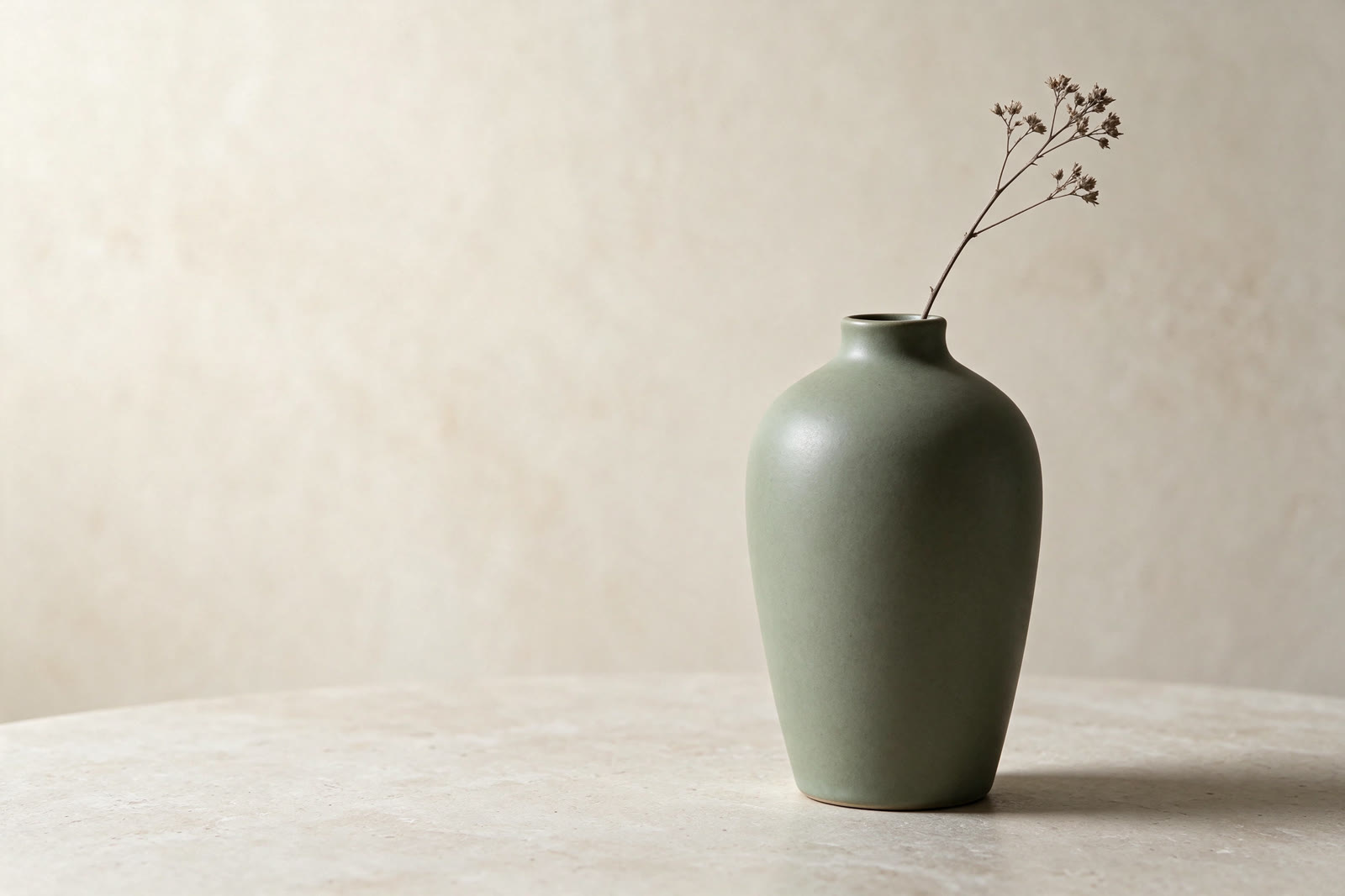
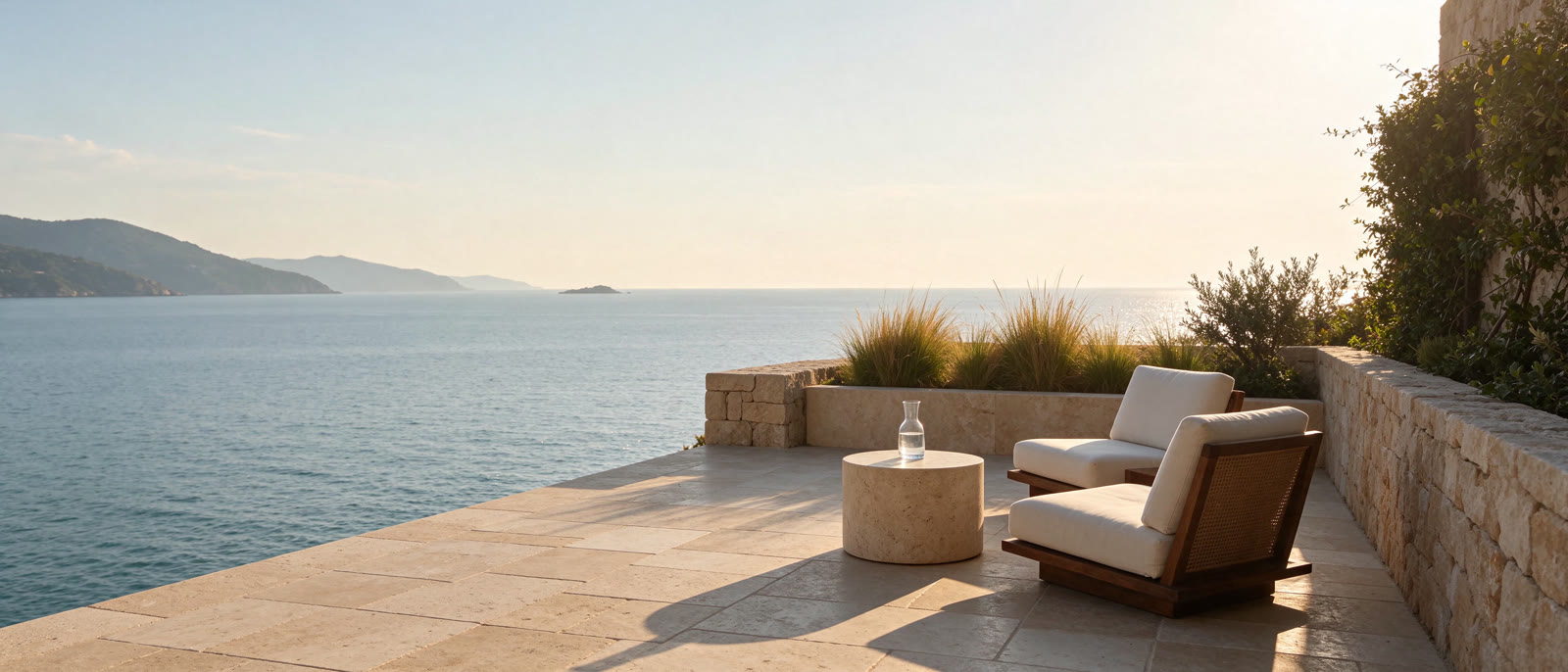
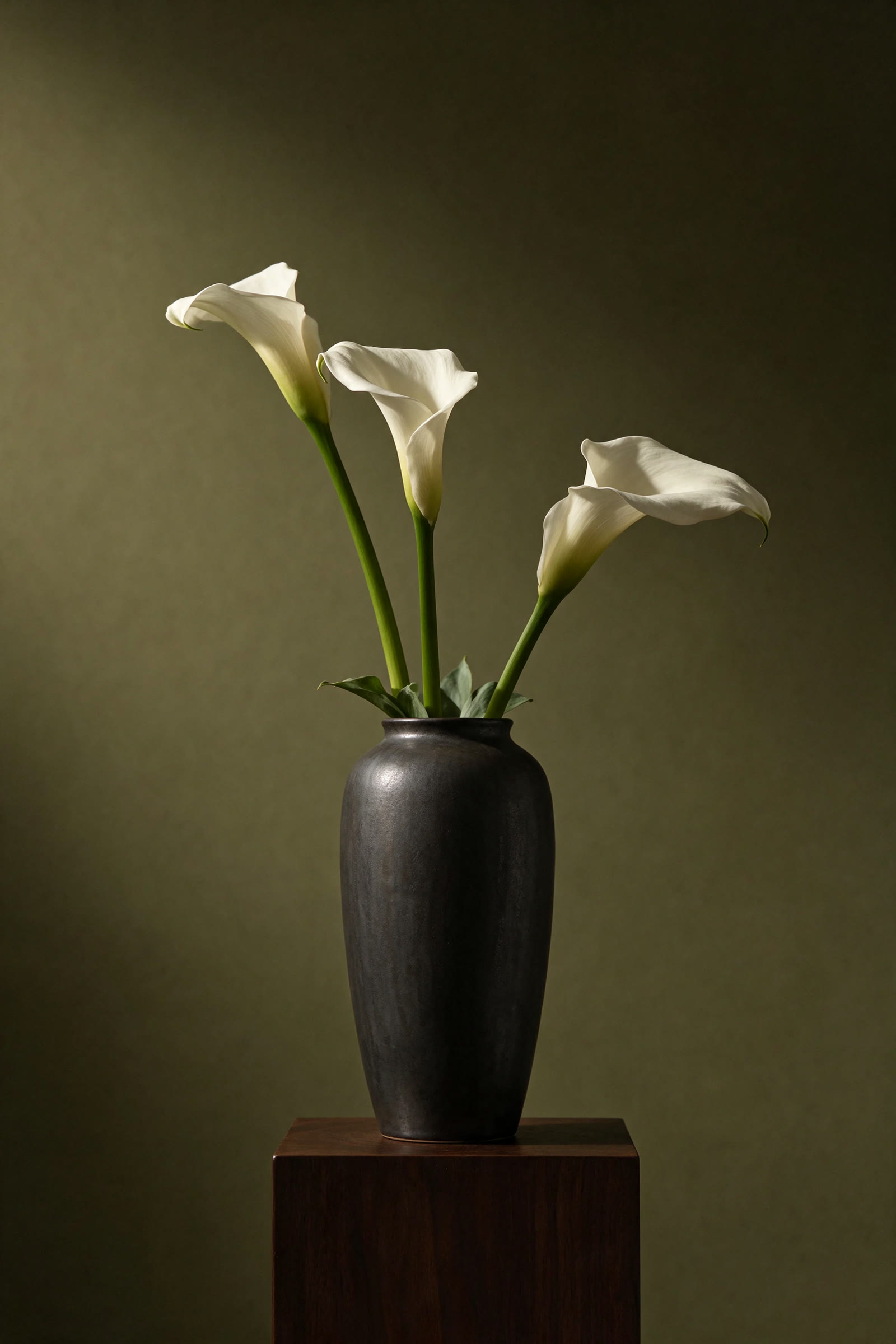
Made with Imagera Saxa from the templates below; Ideogram 4.6 is not on Imagera yet, so it made none of these.
What is Ideogram 4.6?
Ideogram 4.6 is an image-generation and image-editing model focused on precise, multi-turn creative control. It is designed for a back-and-forth workflow. You generate or upload an image, ask for a change, look at the result, and ask for the next change.
The emphasis is on steering a single image toward a finished state across a sequence of edits. Producing one image from one prompt is only the first step in that process.
Output goes up to 4K. You can use the same model for the first draft and the final file.
What output sizes and formats does Ideogram 4.6 support?
Ideogram 4.6 supports 2K and 4K output. You can also set custom dimensions, with each side anywhere from 256 to 8,192 pixels.
There is a ceiling on total size. The maximum area is 4,096 × 4,096 pixels. A single side can stretch long, but the full canvas cannot exceed that area.
Aspect ratios run from 1:6 to 6:1. That range covers very wide formats such as banners and very tall formats such as vertical posters or phone-screen layouts.
How does Ideogram 4.6 compare with Ideogram 4.5?
Ideogram reports that 4.6 ranked first in Rapidata's Multi-step Image Edit benchmark with a score of 1,892 ±32. Ideogram 4.5 placed behind it at 1,866 ±30.
The benchmark measures multi-step editing, which is the model's stated focus. If your work is mostly chained edits on a single image, this is the comparison that applies to you.
Both scores come with published error margins. Read the two results with those ranges in mind, not as single fixed points.
Who can use Ideogram 4.6, and how?
You can reach the model in two ways: through the app or through the API.
In the Ideogram Image app, Ideogram 4.6 appears when the model is available in your account. You choose it from the Model picker. Leaving the setting on Auto is not the same as selecting 4.6, so pick it by name if you want this model.
Developers can use Ideogram 4.6 through a public API today. You can use it to build editing steps into your own apps, pipelines or content tools.
If you do not see the model in the app, first check whether it is available in your account.
How do you write prompts for Ideogram 4.6?
Ideogram says results depend on the source image and the request. A clean, well-chosen starting image gives the model more to work with. A clear request tells it what to change.
The model is built for multi-turn work, so treat each prompt as one step. Ask for one change, check it, then move on. Ideogram advises reviewing output after every edit, especially across longer sequences, where small drift can add up.
When you review, look at the parts you did not ask to change as well as the parts you did. Ideogram warns that an edit may change text, faces, colors, or product details. Check those areas first. Then compare the result to your original image, not just to the previous step.
Ready-to-use Ideogram 4.6 prompt templates
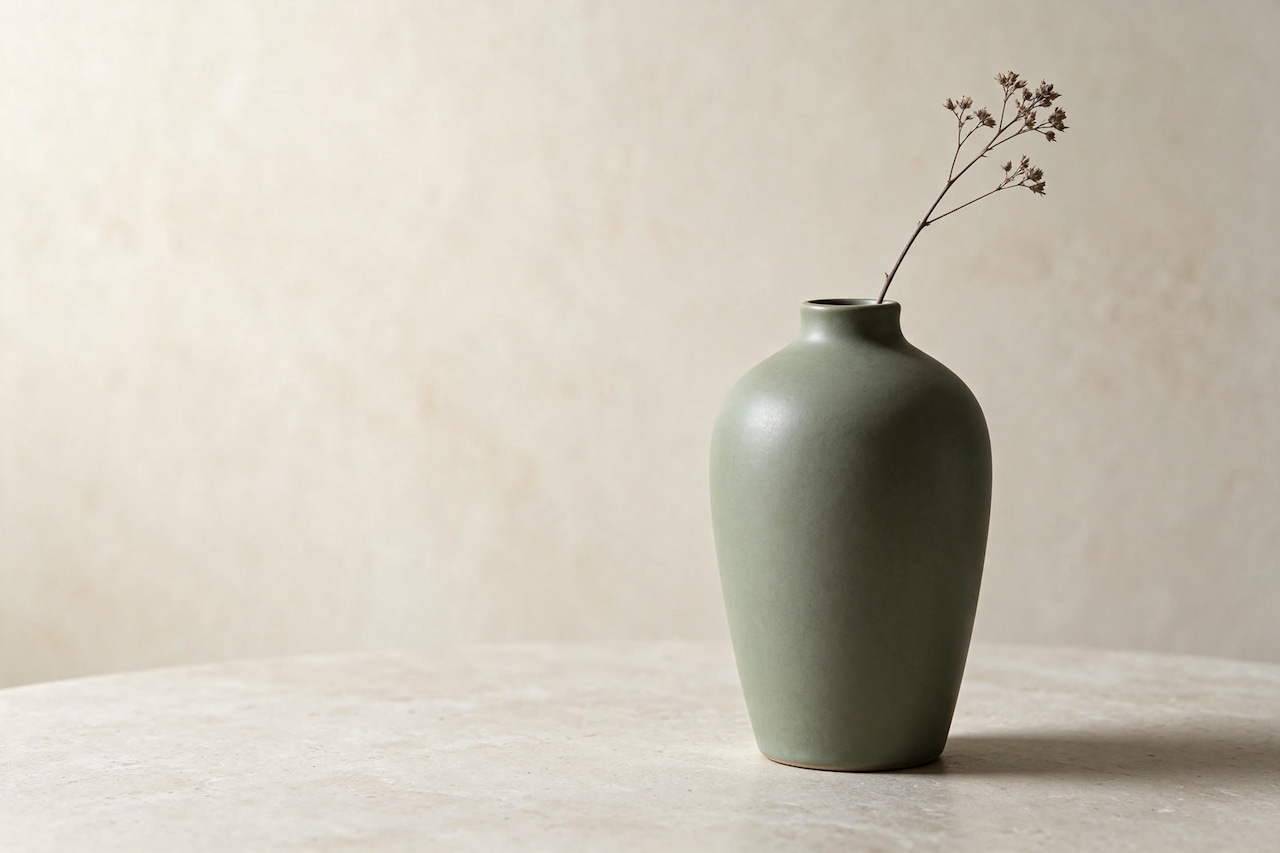
The six templates below are base generation prompts. Each one is meant to produce a clean starting image that you can then refine one change at a time. We ran three of them on our own model, Imagera Saxa, so you can see the starting images they produce before you adapt them.
| # | Template | Written for (Ideogram 4.6) | Runs today on | Settings |
|---|---|---|---|---|
| 1 | Precisely Arranged Product Ad | Image generation with precise creative control | Imagera Saxa | 2K, 3:2 |
| 2 | Ultrawide Hospitality Banner | Wide-aspect image generation | Imagera Saxa | 2K, 21:9 |
| 3 | Vertical Botanical Art Poster | 2K image output | Imagera Saxa | 2K, 2:3 |
| 4 | Residential Listing Interior | Image generation | Imagera Saxa | 2K, 4:3 |
| 5 | Professional Editorial Portrait | Image generation | Imagera Saxa | 2K, 3:4 |
| 6 | Seasonal Restaurant Social Ad | Image generation | Imagera Saxa | 2K, 1:1 |
1. Precisely Arranged Product Ad
Change the vase color and surface material to match your campaign palette.
PromptCreate a commercial product advertising photograph of a single unbranded sage-green ceramic vase on a pale limestone tabletop against a warm ivory studio wall. Position the vase in the right third of the image, with its entire silhouette visible and generous empty space on the left for later ad copy. Place one slender dried branch inside the vase, leaning toward the right edge. Light the scene with one large softbox from the upper left, producing a soft shadow that falls to the right. Frame at tabletop height with a 70 mm lens, keeping the vase sharp and the wall softly blurred. Use matte surfaces and restrained, natural colors. No lettering, logos, labels, or additional objects.
2. Ultrawide Hospitality Banner
Replace the coastal setting with the destination your hospitality campaign promotes.
PromptCreate an ultrawide hospitality advertising photograph of an inviting coastal hotel terrace overlooking a quiet sea. Place two cream upholstered lounge chairs and a low round travertine table in the right half of the frame, with a single clear water carafe on the table. Keep the left half visually calm, showing pale blue water and open sky for later website copy. Warm early-morning sunlight enters from the right and casts long, soft shadows across the sandy stone terrace. Photograph from seated eye level with a 28 mm wide-angle lens, keeping the horizon straight and the furniture proportions natural. No people, lettering, logos, or signage.
3. Vertical Botanical Art Poster
Swap the calla lilies for another flower to build a coordinated wall-art collection.
PromptCreate a text-free botanical art poster for an adult interior-design collection, depicting three white calla lilies in a tall charcoal ceramic vessel on a dark walnut pedestal. Set the arrangement against a muted olive studio backdrop, with the pedestal entering from the bottom edge and generous empty space above the flowers. A narrow studio light from the upper left illuminates the curved petals and creates a gentle gradient across the background. Use a straight-on, eye-level composition and the perspective of an 85 mm lens, with crisp flower edges and softly receding background detail. Show the artwork edge to edge, not as a framed print or room mockup. No words, borders, logos, or signatures.
4. Residential Listing Interior
Customize the furnishings and architectural finishes to suit the property concept you are presenting.
PromptCreate a property-marketing visualization of a contemporary living room with warm oak flooring, off-white plaster walls, a beige linen sofa, a rectangular oak coffee table, and a large window overlooking a planted courtyard. Arrange the sofa along the right wall and place a single olive-green armchair beside the window. Soft daylight enters through the window on the left, revealing believable wood grain and fabric texture without harsh glare. Frame from the doorway at standing eye level with a 24 mm wide-angle lens, showing the full seating area, some ceiling, and the floor in the foreground. Keep vertical walls straight and room proportions believable. No people, text, logos, or watermarks.
5. Professional Editorial Portrait
Adjust the adult subject's clothing and workspace to reflect the profession you want to portray.
PromptCreate a professional editorial portrait of a fictional adult architect in their early forties, wearing a charcoal overshirt over a plain cream shirt, seated at a tidy oak worktable in a quiet design studio. Include a small unmarked cardboard building model near the lower edge of the frame and softly blurred shelves behind the subject. The person looks toward the camera with a relaxed, attentive expression and rests both hands naturally on the table. A large window just outside the frame on the left provides soft daylight, with gentle shadow on the opposite cheek. Use an eye-level, waist-up composition with an 85 mm portrait lens and natural skin texture. No readable text, branded objects, or logos.
6. Seasonal Restaurant Social Ad
Replace the dish and seasonal ingredients with the menu item you want to advertise.
PromptCreate a square restaurant advertising photograph of roasted autumn squash with lentils, wilted greens, and a spoonful of herb yogurt in a shallow unbranded ivory ceramic bowl. Place the bowl slightly below center on a dark walnut restaurant table, with a folded natural linen napkin entering from the lower left and a plain stainless-steel fork resting on it. Keep the upper quarter of the image uncluttered for later advertising copy. Soft window light from the upper right highlights the roasted edges and produces gentle shadows beneath the bowl. Photograph from a forty-five-degree angle above the table with a 50 mm lens, keeping the food sharp and the far table edge softly out of focus. No people, lettering, packaging, or logos.
What can you use today?
Ideogram 4.6 has a public API but is not on Imagera yet. Until then, these cover the same jobs:
- Imagera Saxa: runs the 6 templates above today.
- AI Image Generator: the current image models, compared in one place.
- Sandbox: image, video, audio and 3D models in one place, one account and one credit balance.