GLM is the model family from Z.ai, and for coding you should start with GLM 5.3, then drop to GLM 5.3 Flash when speed matters more than depth. Both finished a real fix in our terminal test.
GLM is Z.ai's line of language models. The names that matter for coding right now are GLM 5.3 and GLM 5.3 Flash.
Z.ai's own Claude Code setup shows how it expects you to split them: the flagship goes in the Opus and Sonnet slots, and Flash goes in the Haiku slot (Z.ai Claude Code guide). That is a sensible default: the flagship for planning and hard edits, Flash for quick turns.
My rule of thumb:
- Use GLM 5.3 for multi-file changes, unfamiliar code, and anything where a wrong first attempt costs you time.
- Use GLM 5.3 Flash for small fixes, renames, test scaffolding, and tight edit loops.
- If a Flash run goes sideways, switch to the flagship instead of re-prompting.
How good is GLM at real coding tasks compared with Claude and GPT?
The only comparison I can point to is a vendor-reported one. On Z.ai's in-house Z.ai Code Bench at High effort, the flagship reaches 31.4% task completion using about 50K output tokens. Claude Opus 4.8 scores 29.5% with about 120K tokens, and Claude Fable 5 scores 39.5% at Max, ahead of GLM (Z.ai GLM-5.3 docs).
Read that carefully. It is Z.ai's own benchmark, so treat it as a claim to check, not a verdict. It does suggest GLM 5.3 is competitive with a strong Claude model on completion while using fewer output tokens, and that the top Claude model still leads. I have no GPT figures to offer, so I won't guess at them.
The practical answer is to run your own repo's tasks through GLM and your current model, and compare results.
What did we see when GLM fixed a real project in the terminal?
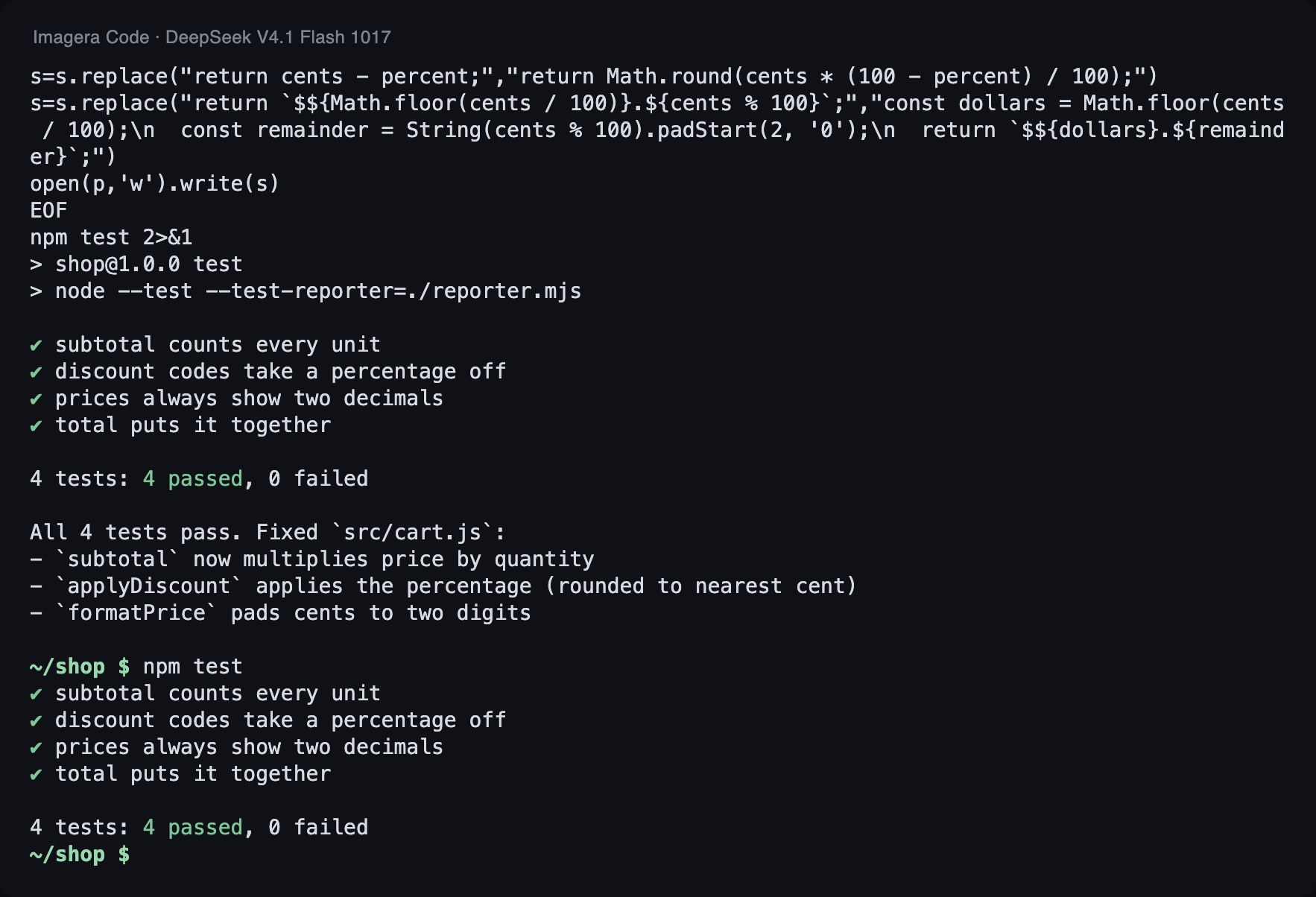
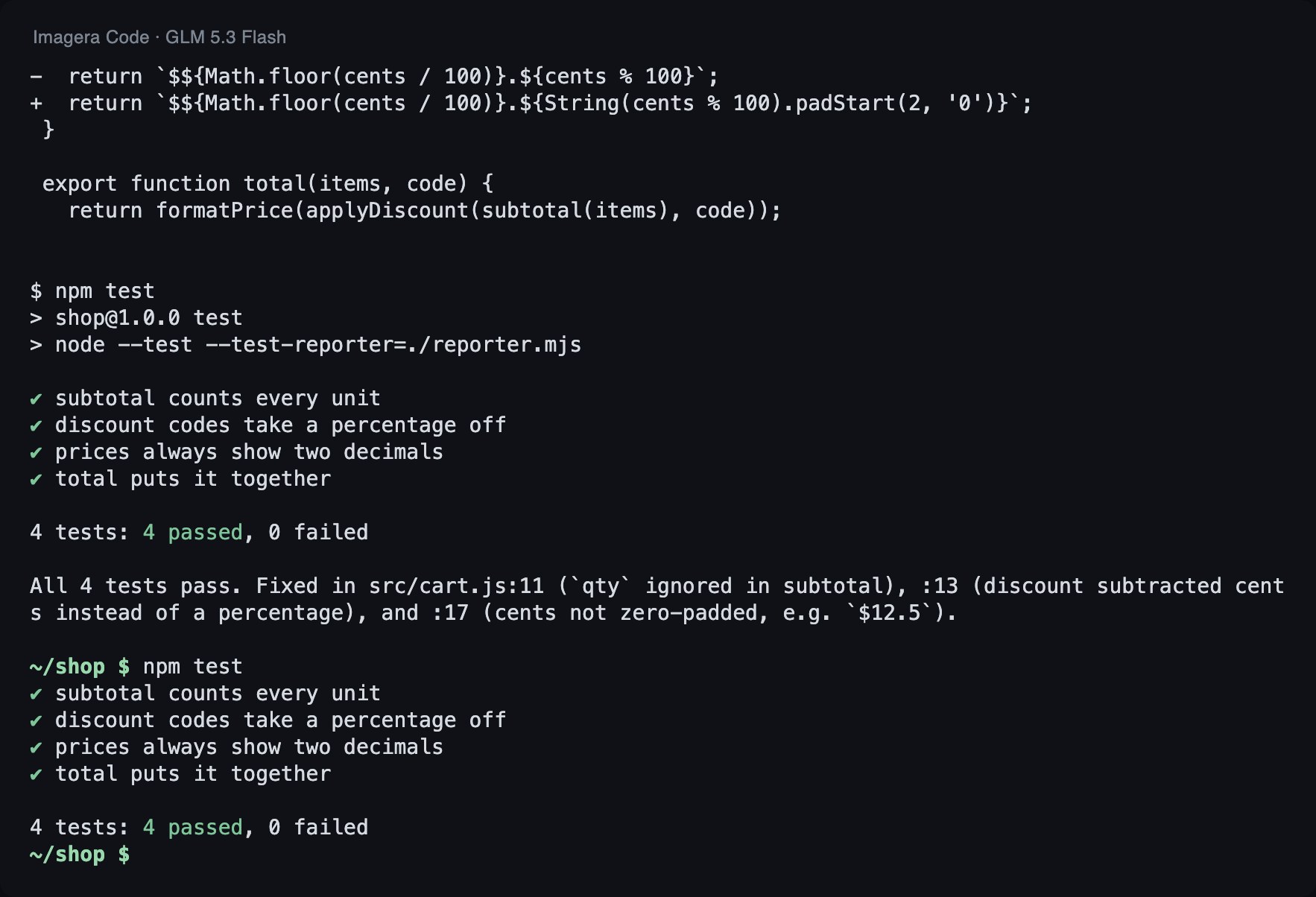
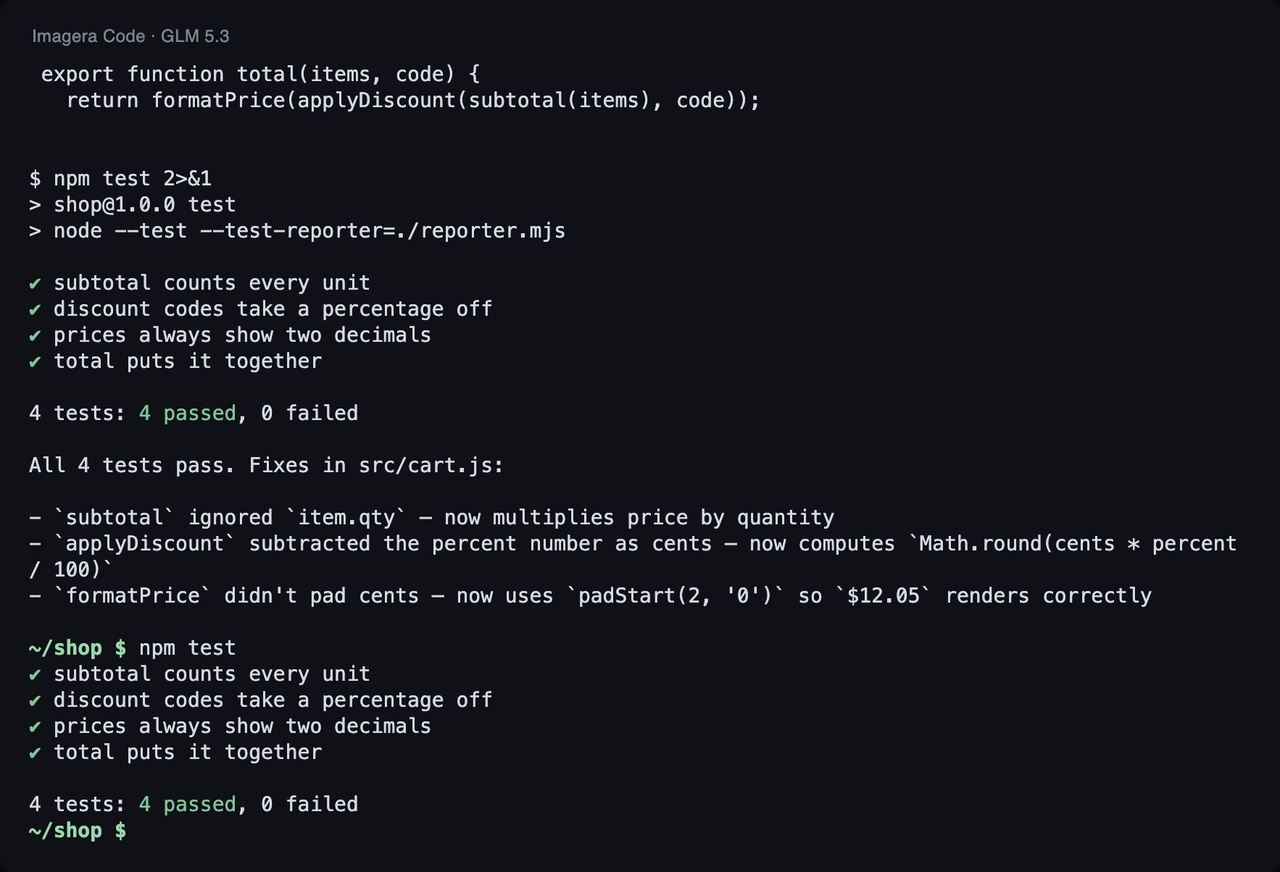
Imagera Code is a coding agent that runs in the terminal and lets you pick the model per session. GLM 5.3 Flash is its default model. We had each GLM model fix the same small project, 3 runs per model.
How we tested
Task: a small JavaScript project with 3 bugs and 4 failing tests. Each model got the same instruction in Imagera Code 1.18.33 (run 2026-11-03): run the tests, fix the code, do not touch the tests. A run passes only if every test passes afterwards and the test file is unchanged. Tokens are input plus output over all of a run's model calls.
| Model | Tests passed | Median time | Median tokens |
|---|---|---|---|
| GLM 5.3 Flash (default) | 3 of 3 | 17.4 s | 67k |
| GLM 5.3 | 3 of 3 | 32.5 s | 60k |
The table reports medians across all 3 runs. Each recording shows one specific run out of the three, so the token count in a recording's caption can differ from the median in the table.
Here is the change the agent made in the lead run.
--- src/cart.js (before) +++ src/cart.js (after) @@ -1,7 +1,7 @@ // Checkout helpers for a small shop. Prices are whole cents. export function subtotal(items) { - return items.reduce((sum, item) => sum + item.price, 0); + return items.reduce((sum, item) => sum + item.price * item.qty, 0); } const CODES = { SAVE10: 10, SAVE25: 25 }; @@ -10,11 +10,11 @@ export function applyDiscount(cents, code) { const percent = CODES[code]; if (!percent) return cents; - return cents - percent; + return cents - Math.round((cents * percent) / 100); } export function formatPrice(cents) { - return `$${Math.floor(cents / 100)}.${cents % 100}`; + return `$${Math.floor(cents / 100)}.${String(cents % 100).padStart(2, '0')}`; } export function total(items, code) {
What this shows: both models took a real fix from start to finish in a terminal session, each passing 3 of 3 runs. GLM 5.3 Flash had a median of 17.4 s and 67k tokens. GLM 5.3 had a median of 32.5 s and 60k tokens. Flash finished in roughly half the time, and the flagship used somewhat fewer tokens for the same job.
What it does not show: one small project is not a benchmark. It says nothing about large refactors, unfamiliar frameworks, or how either model handles long sessions. Three passes each is a good sign, not a ranking, and we did not run Claude or GPT models in this test.
How do I set up GLM in Claude Code?
Install Claude Code, then point it at Z.ai's Anthropic-compatible endpoint. Set ANTHROPIC_BASE_URL to https://api.z.ai/api/anthropic and ANTHROPIC_AUTH_TOKEN to your Z.AI API key. Alternatively, run npx @z_ai/coding-helper and let it configure things for you (Z.ai Claude Code guide).
npm install -g @anthropic-ai/claude-code export ANTHROPIC_BASE_URL="https://api.z.ai/api/anthropic" export ANTHROPIC_AUTH_TOKEN="your-zai-api-key"
The same guide maps the Opus and Sonnet slots to glm-5.3[1m] and Haiku to glm-5.3-flash[1m]. It also sets CLAUDE_CODE_AUTO_COMPACT_WINDOW to 1000000 for the 1M context window (Z.ai Claude Code guide). If you write your settings by hand, copy that variable along with the model mappings.
How do I set up GLM in Cline or an IDE?
In Cline for VS Code, choose the OpenAI Compatible provider. Use the Base URL https://api.z.ai/api/coding/paas/v4, enter your Z.AI API key, set a custom GLM model id, and set the context window size to 1,000,000 (Z.ai Cline setup docs).
Base URL, key, model id, and context size are what any OpenAI-compatible client asks for. If your editor or agent has a custom-provider option, that is the shape to look for. I have only verified the Cline and Claude Code paths here, so check Z.ai's tool docs before relying on another editor.
How much does GLM cost, and what are the Coding Plan limits?
The GLM Coding Plan starts at $18/month for Lite. It uses dual credit caps, a short-window cap and a weekly cap. The overview lists these limits per tier (GLM Coding Plan overview). Per the GLM Coding Plan overview, the caps are:
- Lite: 2,000 per 5 hours, 10,000 per week.
- Pro: 12,000 per 5 hours, 60,000 per week.
- Max: 28,000 per 5 hours, 140,000 per week.
Either cap can be the one you hit. A long agent session can drain the short-window cap while the weekly total looks fine, and steady daily use can exhaust the weekly cap. Agent tools make many calls per task, so start on Lite only if your usage is light, and check how fast a real task consumes your allowance before you commit to a tier.
If you would rather not hold a separate subscription, you can also use GLM models inside Imagera Code. See the plans.
Can I run GLM locally, or do I need to use an API?
Everything I can verify here runs through Z.ai's hosted API: the Claude Code endpoint, the Cline endpoint, and the Coding Plan. I am not making claims about local weights or hardware requirements. If local inference matters to you, check Z.ai's model pages for the specific GLM version you want.
Pick a real, small bug from your repo and run it with GLM 5.3 Flash first, then GLM 5.3. Compare whether it passed, how long it took, and how much it used. That is the same measurement we made above, on your code.
To run both in a terminal agent without touching environment variables, use Imagera Code and pick the model per session:
npm i -g imagera-code imagera-code login cd your-project imagera-code run -m imagera/z-ai/glm-5.3 "Run the tests and fix what fails"