DeepSeek handled the bug fix we gave it: in our terminal test, every DeepSeek model passed 3 of 3 runs. That is one small project, so read it as a reason to try DeepSeek on your own code, not as proof it suits every workflow. Start with deepseek-flash, which is served by DeepSeek-V4.1-Flash-1017 with a 1M-token context window and up to 384K max output tokens, per DeepSeek Models & Pricing.
Is DeepSeek good at coding?
Here is what we can support. DeepSeek's V4 preview release states that DeepSeek-V4-Pro is open-source SOTA on Agentic Coding benchmarks and rivals top closed-source models on Math/STEM/Coding. That is a vendor claim about benchmarks.
Our own evidence is narrower. We had DeepSeek models fix a small project in a terminal agent, and they finished the job. We did not test writing new features, explaining unfamiliar code, or generating test suites, so we make no claim about those.
Your codebase, language, and prompting style decide how it performs for you. The reliable check is to give it a real task from your repo and see whether the result passes your tests.
How does DeepSeek compare with ChatGPT and Claude?
We did not test ChatGPT or Claude models, so we will not rank them against DeepSeek. The only comparison we can offer is DeepSeek's own benchmark claim above, and you should weigh it as a vendor statement.
You can run your own comparison. Claude Code, a terminal coding agent, can be pointed at DeepSeek's endpoint. DeepSeek's integration guide shows using https://api.deepseek.com/anthropic with a DeepSeek API key and the model deepseek-flash[1m]. Because the tooling can stay the same, you can run one task on two models and diff the results.
Which DeepSeek model should I use for coding?
Use deepseek-flash. It is served by V4.1-Flash-1017, and the 1M-token context window means you can include several files in one request, as listed in DeepSeek Models & Pricing.
Do not rely on the deepseek-v4-pro name for now. DeepSeek documents that from 04:00 UTC on 14 Sep 2026, deepseek-v4-pro requests route to V4.1-Flash at Flash rates until V4.1-Pro launches, and it recommends setting the model to deepseek-flash (release notes). Set deepseek-flash explicitly so you know what you are getting.
What did our test show about DeepSeek models?
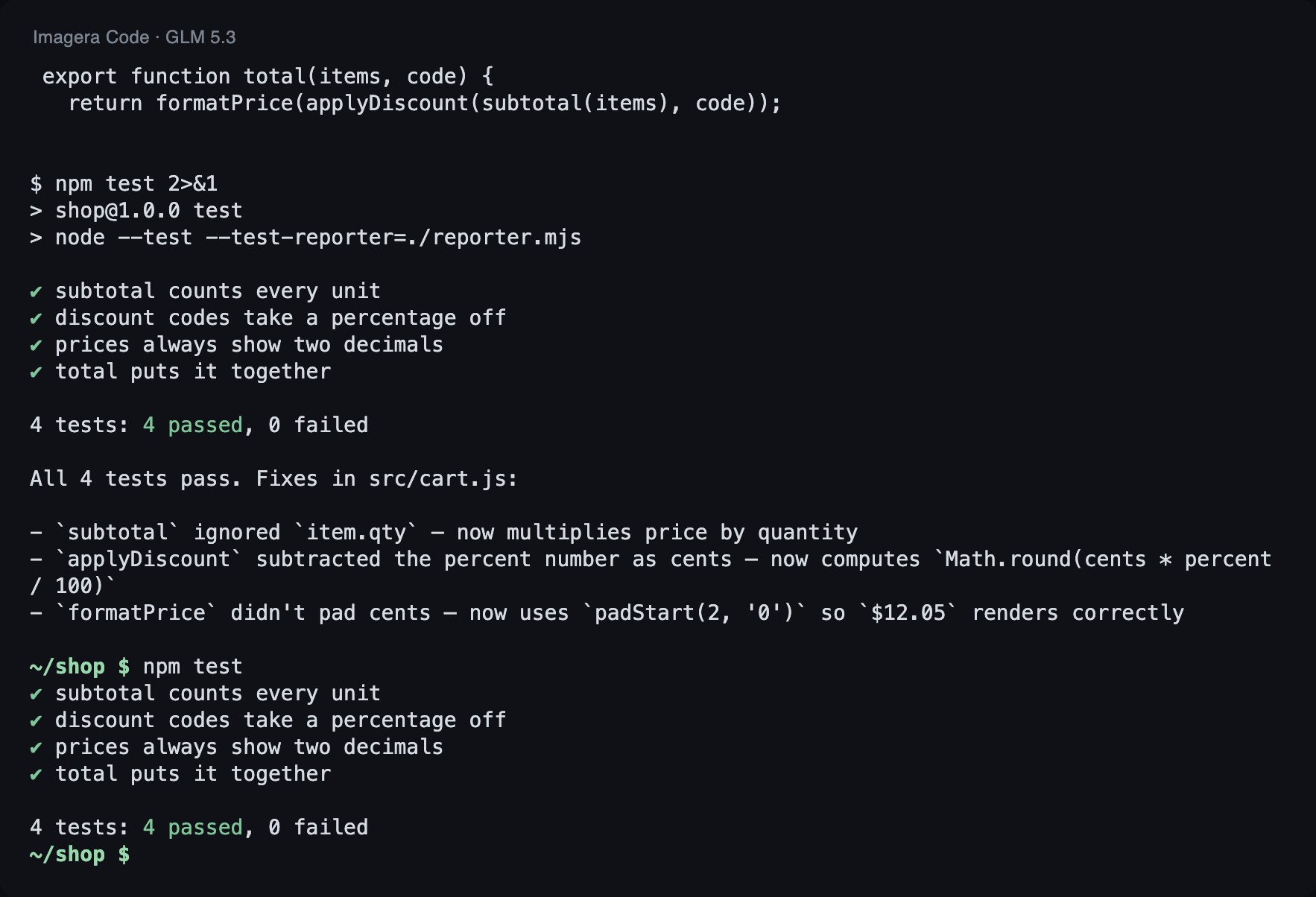
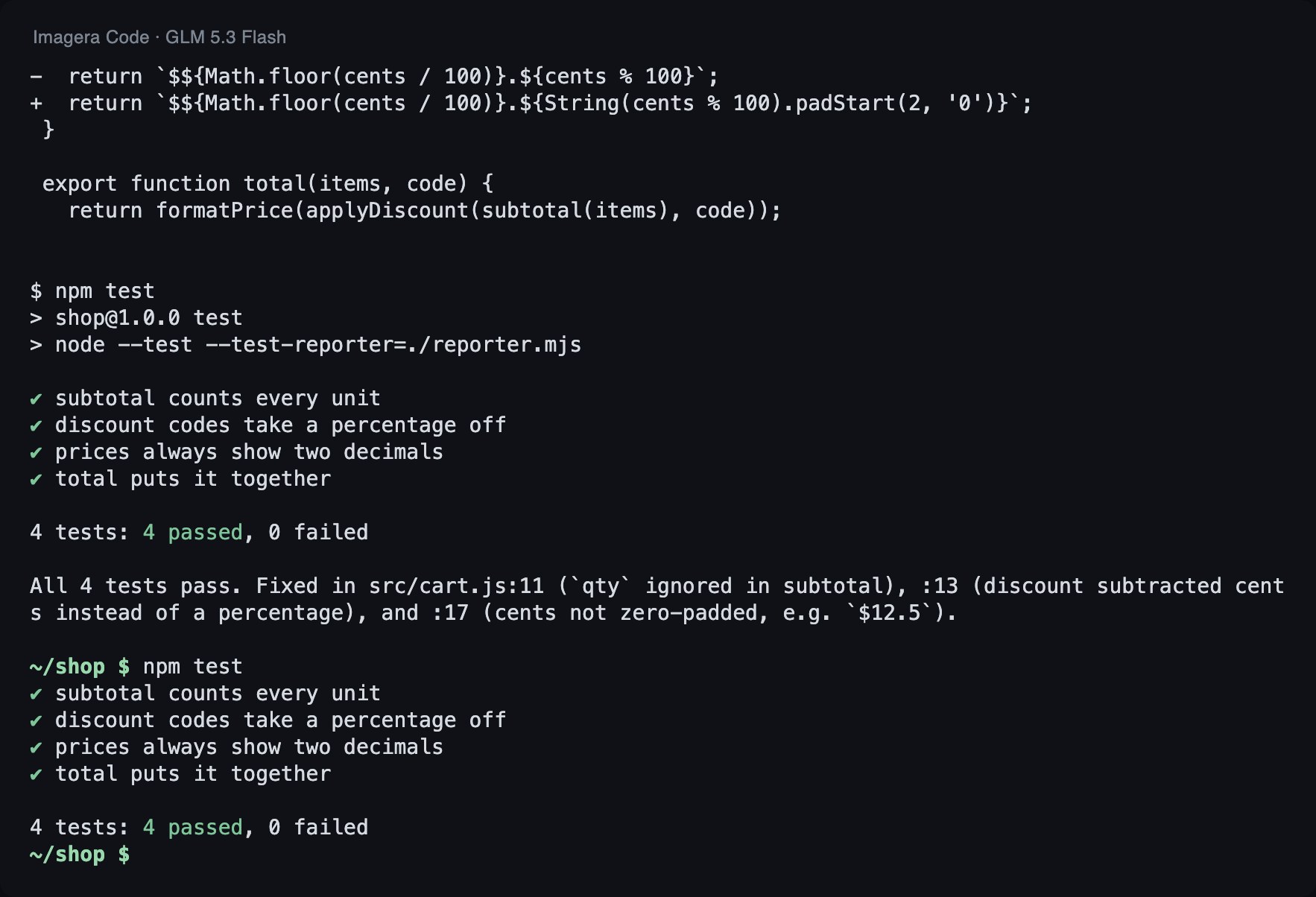
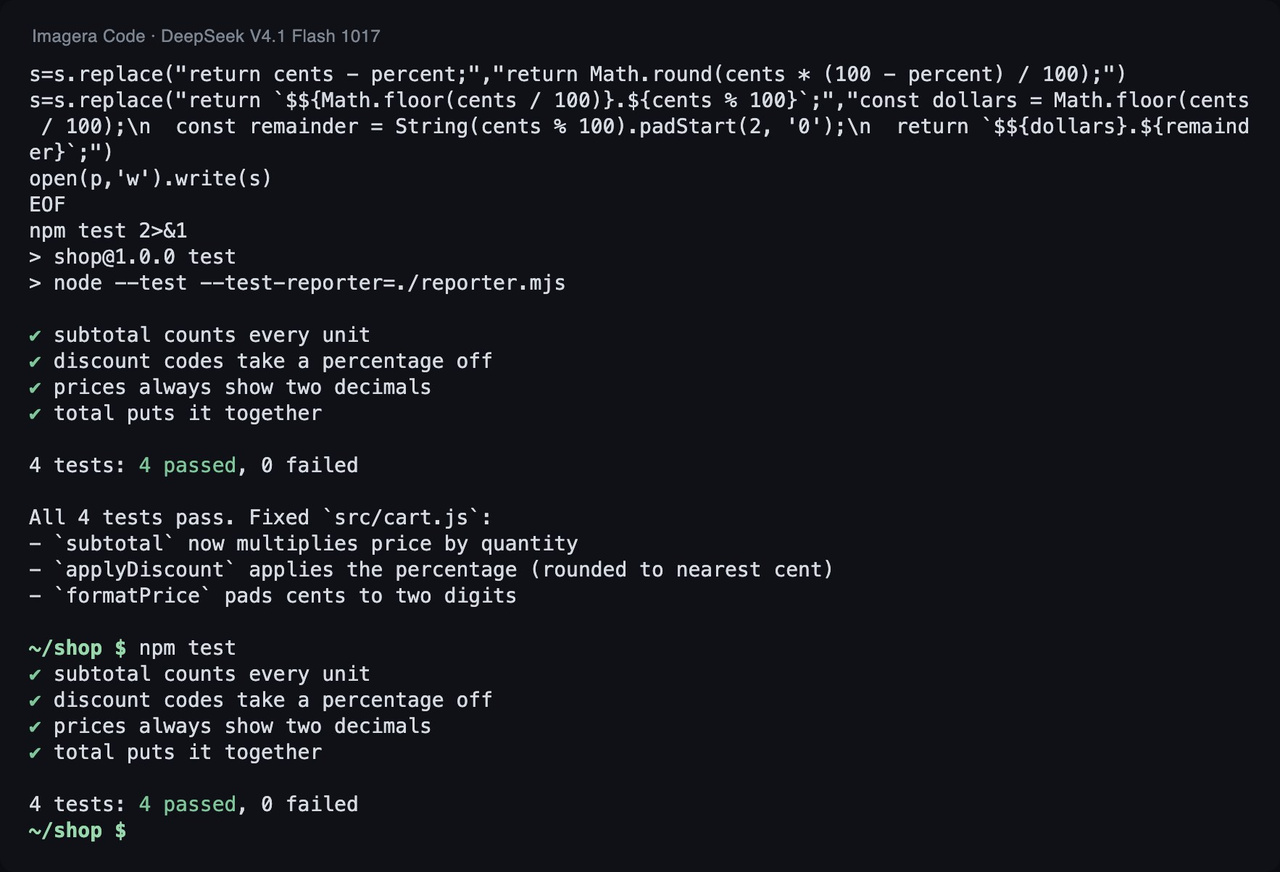
We ran Imagera Code, a coding agent that runs in the terminal and lets you pick the model per session, against the same small project with four models. Each model got 3 runs, and we recorded pass or fail, time, and tokens.
How we tested
Task: a small JavaScript project with 3 bugs and 4 failing tests. Each model got the same instruction in Imagera Code 1.18.33 (run 2026-11-03): run the tests, fix the code, do not touch the tests. A run passes only if every test passes afterwards and the test file is unchanged. Tokens are input plus output over all of a run's model calls.
| Model | Tests passed | Median time | Median tokens |
|---|---|---|---|
| GLM 5.3 Flash (default) | 3 of 3 | 17.4 s | 67k |
| DeepSeek V4.1 Flash | 3 of 3 | 13.2 s | 53k |
| DeepSeek V4.1 Flash 1017 | 3 of 3 | 12.3 s | 42k |
| DeepSeek V4 Pro 0813 | 3 of 3 | 24.1 s | 55k |
Here is the code change the agent made in the lead run:
--- src/cart.js (before) +++ src/cart.js (after) @@ -1,7 +1,7 @@ // Checkout helpers for a small shop. Prices are whole cents. export function subtotal(items) { - return items.reduce((sum, item) => sum + item.price, 0); + return items.reduce((sum, item) => sum + item.price * item.qty, 0); } const CODES = { SAVE10: 10, SAVE25: 25 }; @@ -10,11 +10,13 @@ export function applyDiscount(cents, code) { const percent = CODES[code]; if (!percent) return cents; - return cents - percent; + return Math.round(cents * (100 - percent) / 100); } export function formatPrice(cents) { - return `$${Math.floor(cents / 100)}.${cents % 100}`; + const dollars = Math.floor(cents / 100); + const remainder = String(cents % 100).padStart(2, '0'); + return `$${dollars}.${remainder}`; } export function total(items, code) {
All four models passed 3 of 3 runs, including the default, GLM 5.3 Flash, which had a median of 17.4 s and 67k tokens. The two DeepSeek Flash variants were the fastest and used the fewest tokens: DeepSeek V4.1 Flash had a median of 13.2 s and 53k tokens, and DeepSeek V4.1 Flash 1017 had 12.3 s and 42k tokens. That second variant is the one the deepseek-flash API name is served by, per DeepSeek Models & Pricing. DeepSeek V4 Pro 0813 was the slowest at 24.1 s with a median of 55k tokens, and it passed no more runs than the others. For a small, well-scoped fix, we saw no benefit from the Pro model.
One earlier result pulls the other way. In our 2026-09-30 benchmark of the same CLI, a different two-bug project with 3 runs, DeepSeek V4.1 Flash passed 0 of 3 because one vendor produced runaway output. The same model name passed here and failed there, so the project and the serving vendor both matter.
This is a single small project, not a benchmark. It shows whether each model finished a real fix in the terminal, how fast, and at what token usage. It does not show how they handle large refactors, unfamiliar frameworks, or long sessions, and it does not compare them with ChatGPT or Claude models.
How do I start using DeepSeek to write, debug, and explain code?
Start with a task you can verify, and keep the loop tight.
- Pick a failing test or a clear bug. Give the model the error output, the relevant file, and what you expect. A stack trace plus the function beats a paragraph of description.
- Ask for a minimal change. "Fix this without changing the public interface" prevents sprawling rewrites.
- Run the tests yourself. Treat the output as a patch from a colleague, not as truth.
- For explanations, paste the code and ask specific questions. "What invariants does this function assume?" works better than "explain this."
- For new code, state the constraints. Language version, libraries you allow, error handling style, and a sample input and output.
If the first answer is wrong, paste the failing output back instead of rewording the prompt. The real error gives the model something concrete to work from, and it keeps you checking against the tests.
Can I use DeepSeek in my IDE, through an API, or locally?
The API, IDE completion, and terminal agent routes are documented. Local use is something we did not test.
API. Use model name deepseek-flash against DeepSeek's API with a DeepSeek API key, as described in DeepSeek Models & Pricing.
IDE. For inline completion, DeepSeek's FIM (Fill-In-the-Middle) Completion guide describes a beta that supports code completion with a max of 4K tokens via base_url=https://api.deepseek.com/beta. It documents Continue as a VS Code plugin for that feature. FIM is for completing code at the cursor, so keep it separate from chat-style edits in your mind.
Terminal agents. Claude Code can be pointed at DeepSeek using the setup in DeepSeek's Claude Code guide. Follow it for the exact settings. Imagera Code takes a different route: it is a terminal agent where you pick the model per session, which is how we ran the test above.
Locally. We did not test self-hosting, and the material we worked from documents the hosted API, not downloadable weights. Runtimes such as Ollama and vLLM exist to serve weights on your own hardware, but a model you run that way is not the same thing as the hosted deepseek-flash. Before you commit, check the model page for which weights are offered, their license, and the hardware they need. Then rerun one of your own tasks, because our test results and DeepSeek's benchmark claims apply to the hosted models, not to a local variant. If code must never leave your network, this is the route to evaluate.
Is DeepSeek free, and is it safe to share my code?
We have no verified information about a free tier, so do not build a workflow on the assumption of one. The API route needs a DeepSeek API key, as the Claude Code guide shows.
On cost, the numbers we can stand behind are about limits and routing. A request can return up to 384K output tokens on deepseek-flash, so cap output in your tooling if spend matters. Since 14 Sep 2026, deepseek-v4-pro requests are billed at Flash rates until V4.1-Pro launches, per the release notes. Current rates for each model are listed on DeepSeek Models & Pricing. We do not copy them here because they change. In our test, token usage per fixed project ranged from 42k to 67k across models, which gives you a rough sense of how much a small fix consumes.
On safety, treat any hosted model the same way. Whatever you send leaves your machine and is subject to the provider's data terms. Read those terms before you paste proprietary code. Never send secrets such as API keys, tokens, .env files, or customer data. Strip or mock them first. If your employer has a policy on external AI tools, follow it.
How to try it in the terminal
If you want to compare DeepSeek models against your own project, install Imagera Code, start a session, and choose a model. Run the same task on a Flash model and the default, then compare the diff, time, and token usage. Plan details are on the plans page.
npm i -g imagera-code imagera-code login cd your-project imagera-code run -m imagera/deepseek/deepseek-v4.1-flash-1017 "Run the tests and fix what fails"