Quick answer: Imagera is a full-featured alternative for AI image upscaling, enlarging photos up to 16K resolution with a 2x, 4x, or 8x factor while restoring fine detail, and it bundles editing, generation, and video tools in one credit-based workspace.
How much can Imagera upscale an image, and how fast?
Imagera upscales images by 2x, 4x, or 8x, reaching up to 16K resolution for print-ready results. Each photo is priced from 15 credits, and the exact quote shows before you run a batch. Because upscaling, denoising, and detail recovery run in a single pass, you skip juggling several separate tools.
Why choose Imagera instead of a single-purpose upscaler?
A dedicated upscaler handles one task, while Imagera adds 100+ AI tools spanning generation, editing, and video in one login. Instead of stitching together a handful of separate apps, you keep a single credit balance that covers a 4K headshot, an 8K real-estate shot, and a reel, cutting down on context-switching.
Let's Enhance Alternative: Why Compare Imagera in 2026
If you have landed here searching for a Let's Enhance alternative, you are probably weighing whether a monthly subscription is the right fit for how often you actually upscale images. Let's Enhance (letsenhance.io) is one of the older names in AI image enlargement, and it does its core job well: it takes a small or soft photo and enlarges it with denoising and preset-based enhancement. But its billing runs on recurring plans, and the credits tied to those plans disappear when you stop paying — which is a poor match for anyone who upscales in bursts rather than every single week.
This article compares Let's Enhance with Imagera Image Upscaler, a browser-based tool that upscales images with smart enhancement, deblurring, and artifact removal. We look at real 2026 pricing, resolution ceilings, credit rules, and honest strengths on both sides — including a dedicated section on where Let's Enhance is genuinely the better pick. The goal is to help you match the tool to your workflow, not to oversell one option.
Why People Look for a Let's Enhance Alternative
There are three concrete, honest reasons people shop around after trying Let's Enhance.
1. The subscription doesn't match irregular use. Let's Enhance sells personal plans starting around $9/month billed annually (or $12/month billed monthly) as of 2026, refilling 100 credits a month, where one credit equals one processed image. If you only enlarge a handful of photos each month, you are paying for capacity you never touch. Reviews repeatedly note that the model fits steady, high-volume users far better than occasional ones.
2. Subscription credits are lost when you cancel. Per Let's Enhance's own help documentation, when you cancel a subscription your remaining credits are forfeited at the end of the billing period. Personal-plan credits do roll over month to month, but only up to a cap of six monthly budgets, and everything evaporates once the plan ends. That creates pressure to keep paying just to preserve credits you already bought.
3. Watermarks and tiering on lower plans. Let's Enhance's free tier applies a watermark, and the maximum output resolution is gated by plan — roughly up to 256 megapixels on Starter and up to 512 megapixels only on the Max/business tiers as of 2026. If your ceiling and your watermark status depend on how much you pay each month, the pricing math gets complicated fast.
Imagera vs Let's Enhance: Feature Comparison
| Feature | Let's Enhance | Imagera |
|---|---|---|
| Pricing model | Monthly/annual subscription + pay-as-you-go bundles | Pay-per-use credits, entry pack from 350 credits |
| Credit expiration | Subscription credits lost on cancel; roll over up to 6× monthly | Credits don't expire |
| Max output | Up to ~512 MP on top plans; ~256 MP on Starter (as of 2026) | Up to 16K resolution |
| Enhancement approach | Presets (Prime, Gentle, Old Photo), denoise | Smart enhancement, deblurring, artifact removal |
| Watermark | Free tier watermarked; paid downloads watermark-free | No watermark on output |
| Custom models | Fixed preset modes | Custom upscaler model support |
| Batch processing | Bulk upload supported | Browser-based, single and multi-image |
| Install / hardware | Browser, no install | Browser, no install, no GPU, any device |
| Scope | Upscaling and enhancement focused | Bundle: upscale, restore, headshots, product, background, edit, video |
| Developer access | Web app plus API | Browser-based suite |
| Trial | 10 credits on signup | Pay-per-use entry pack from 350 credits |
Note that the two tools measure size differently. Let's Enhance quotes total megapixels of output (up to ~512 MP on its highest tiers), while Imagera targets resolution up to 16K. Both are large enough for print and large-format work; verify the exact dimensions your specific project needs before committing, since a "16x" enlargement or a megapixel cap can behave differently depending on your source file's starting size.
Where Let's Enhance Wins
An honest comparison has to name what the incumbent does better, and Let's Enhance has real advantages:
- Established, refined product. It has been iterating on upscaling for years, with a large user base and a track record on portraits, products, and old-photo restoration.
- Guided presets lower the learning curve. Prime for realistic photos, Gentle for pure enlargement without invented detail, and Old Photo for damaged scans give beginners a clear starting point without fiddling with settings.
- Batch and bulk workflows. If you routinely process dozens or hundreds of images at once, Let's Enhance's bulk upload is built for that rhythm.
- Predictable cost for heavy regular users. If you genuinely enlarge 100–500 images every month, a fixed monthly plan can be cheaper per image than paying as you go.
- API access. Developers who want to wire upscaling into their own pipeline have a documented API — something a browser-first suite doesn't aim to replace.
- Very high megapixel ceiling. On the Max and business tiers, output can reach around 512 MP, which suits billboards and large-format print.
Where Imagera Wins
- Pay-per-use, no subscription. The entry pack starts at 350 credits and there is no recurring monthly commitment to maintain.
- Credits don't expire. You are not on a clock; buy credits once and use them whenever a project appears, without losing them if you take a few months off.
- No watermark on output. Results come clean, regardless of how small your credit purchase was.
- Resolution up to 16K with artifact control. The Imagera Image Upscaler pairs enlargement with deblurring and artifact removal aimed at clean edges.
- Custom upscaler model support. Beyond fixed presets, you can bring a custom upscaler model into the flow.
- Part of a broader bundle. Upscaling sits alongside restoration, headshots, product photos, background tools, humanizing, editing, and video — every one of the rivals here does a narrower job.
- No account lock-in to keep credits alive. Your balance isn't held hostage by an active subscription.
Pricing Compared
The two pricing philosophies are genuinely different, so the honest answer is "it depends on volume."
Let's Enhance is subscription-first. As of 2026, personal plans run roughly $9/month (Starter, 100 credits) to $34/month (Max, 500 credits) billed annually, with monthly billing higher. Credits refill each month and roll over up to a six-month cap, but they are forfeited when you cancel. Let's Enhance also sells pay-as-you-go bundles (around 20, 50, or 120 credits) that do not expire — a nod to occasional users, though at a higher per-image rate than the subscription.
Imagera's credit packs need no plan. The entry pack starts at 350 credits, credits do not expire, and there is no watermark. The break-even reasoning is straightforward: if you reliably process one to five-hundred images every month, a Let's Enhance subscription can beat per-image pricing and is the sensible pick. If your usage is spiky — a batch of product shots one month, nothing the next, a restoration project later — pay-per-use avoids paying for idle months and avoids losing credits when you pause. For most freelancers and small businesses with uneven workloads, non-expiring credits remove the "use it or lose it" tax entirely.
How the Imagera Image Upscaler Works (Step by Step)
- Open the tool at Print-Ready 16K Upscaler in any browser — no install, no GPU, and no download required on desktop or mobile.
- Upload the image you want to enlarge. A soft, low-resolution, or slightly compressed source works fine as the starting point.
- Choose your target resolution, up to 16K, based on where the final image will be used — web, print, or large-format.
- Enable smart enhancement, deblurring, and artifact removal so the enlargement reconstructs edges and texture while keeping visible artifacts down.
- Optionally select a custom upscaler model if your project needs a specific look rather than the default enhancement.
- Preview the result, confirm detail and edges look natural, and adjust settings if the output looks over-sharpened or too smooth.
- Download the finished image with no watermark. Credits are drawn from your pay-per-use balance, which does not expire.
Common Use Cases
E-commerce and Product Photos
Marketplaces and print catalogs demand crisp, high-resolution imagery. Upscaling a product shot to a larger, cleaner resolution helps listings look professional without a reshoot. For heavier retouching on the same images, pair upscaling with the Imagera Extreme Detailer to recover fine texture.
Restoring Old or Scanned Photos
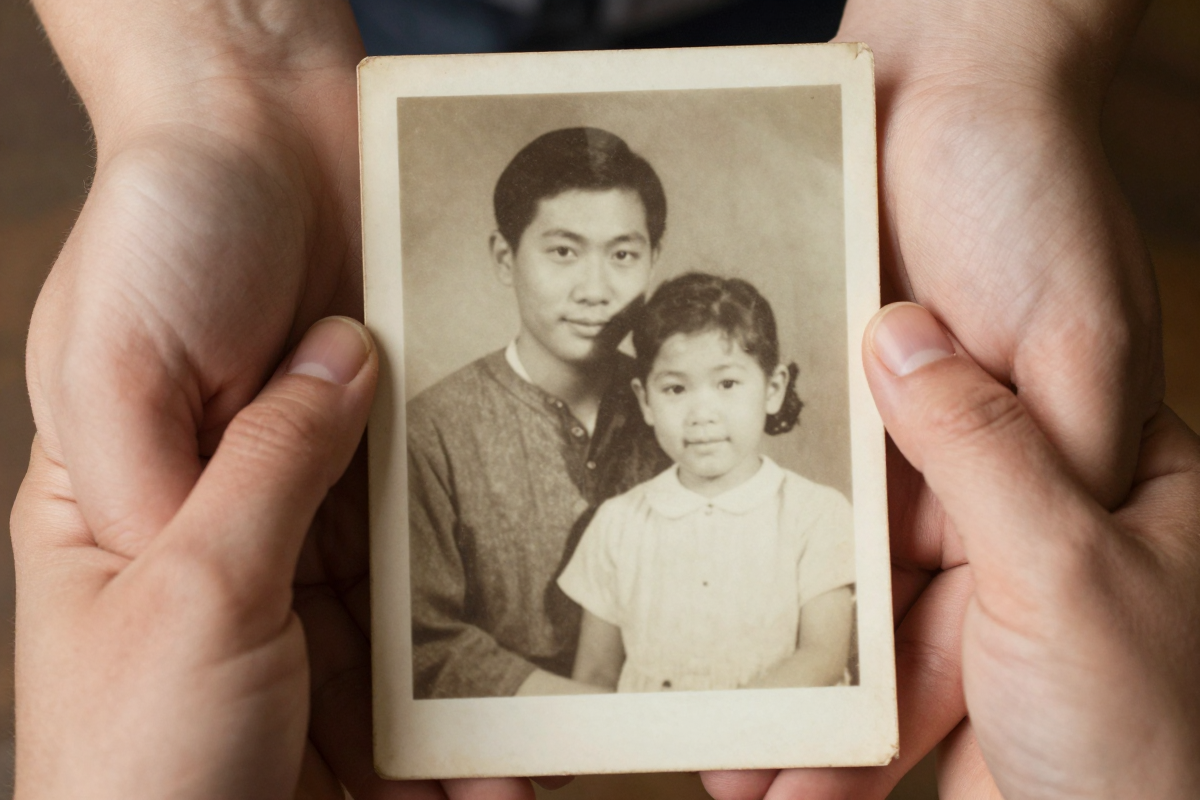
Family scans and archival images are often small and soft. Enlarging them with deblurring and artifact removal can make faces and details legible again — though results depend heavily on how much real detail survives in the original.
Print and Large-Format Output
Posters, banners, and gallery prints need far more pixels than a screen. Targeting a higher resolution before sending to print reduces the visible softness that appears when a small file is stretched across a large surface.
Upgrading AI-Generated Images
Images from generators often arrive at modest resolution. A finishing pass through the upscaler brings them up to a usable print or hero-image size while smoothing the artifacts that generation can leave behind.
What AI Upscaling Can and Cannot Do
AI upscaling is reconstruction, not magic, and being honest about the limits saves disappointment.
What it can do: enlarge a reasonable source several times over, sharpen soft edges, reduce noise and compression artifacts, and plausibly rebuild texture like skin, fabric, and foliage. On a decent starting image, the difference between a stretched enlargement and an AI-enhanced one is substantial.
What it cannot do: invent information that was never captured. If a face is a tiny blur of a few pixels, no upscaler can recover the person's true likeness — it will guess, and the guess may look convincing but be wrong. Heavy over-processing can also introduce a "plastic" look or hallucinated detail, a complaint noted across upscalers including Let's Enhance's more aggressive modes. Text and fine logos can warp during enlargement, which is exactly why Let's Enhance offers a Gentle mode. The practical rule: the better your source, the better the result, and you should always review output at full size before using it for anything important.
See it in action — real Imagera output
These are real, unedited results from the Imagera restore old photos — the exact tool this guide covers.


Bottom Line
Let's Enhance is a capable, mature upscaler, and for a specific user — someone enlarging many images every month, on a schedule, who values guided presets and API access — its subscription model is reasonable and its top-tier megapixel ceiling is high. If that describes your workflow, it remains a solid tool and this comparison is not trying to talk you out of it.
For everyone whose usage is uneven, though, the friction is real: paying monthly for capacity you may not use, and losing your credit balance the moment you cancel. Imagera Image Upscaler answers that with pay-per-use credits that don't expire, no subscription, no watermark, output up to 16K with deblurring and artifact removal, and custom upscaler support — all inside a broader finishing bundle rather than a single-purpose app. If you want to enlarge images on your own schedule without a recurring bill, start with the Imagera Image Upscaler and buy only the credits you need.
Related: Topaz Gigapixel alternative · Topaz Video AI alternative · Imagera Extreme Detailer