AI Outfit Changer: Swap the Clothes, Keep the Shot
Swap the clothes in a photo for a different outfit: suits, dresses, knitwear, shoes. The person, pose and background stay the same.

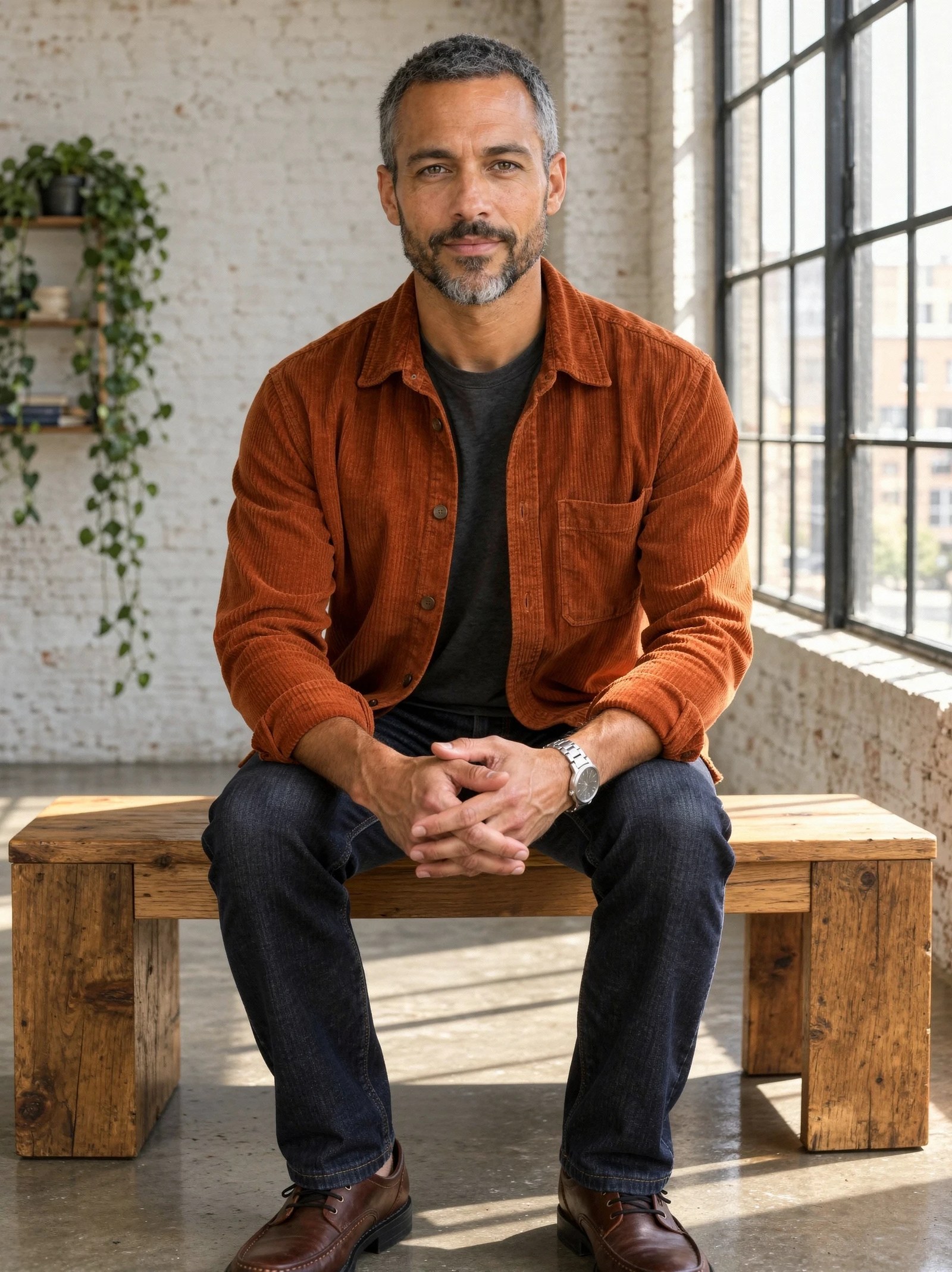 BeforeAfter
What is an AI Outfit Changer?
An AI outfit changer replaces the clothes a person is wearing in a photo with a different outfit you describe, such as a suit, a dress or knitwear and sneakers, while keeping the person, pose and background. Upload a photo, name each garment, and Fast Edit redraws the clothing. Each edit costs 15 credits at the default settings; recoloring the same garment is a separate look book tool.
- Credits
- 15 per edit on Fast Edit at the default settings
- Model
- Fast Edit
- Input
- One photo, plus optional reference images
Updated September 30, 2026
Cite this page: https://imagera.ai/image/ai-outfit-changer
What it does
Real garment swaps
Jackets, suits, dresses, knitwear and shoes are replaced, not tinted, with folds and fit that follow the pose.
Know more →Same person and setting
Face, hair, accessories and background carry over, so every outfit reads as the same photo.
Know more →Describe or show it
Write the outfit in a sentence, or add a garment photo as a second image and ask for it.
Know more →Real results
Each example is one run on Fast Edit in the Sandbox, shown with the instruction it was given.
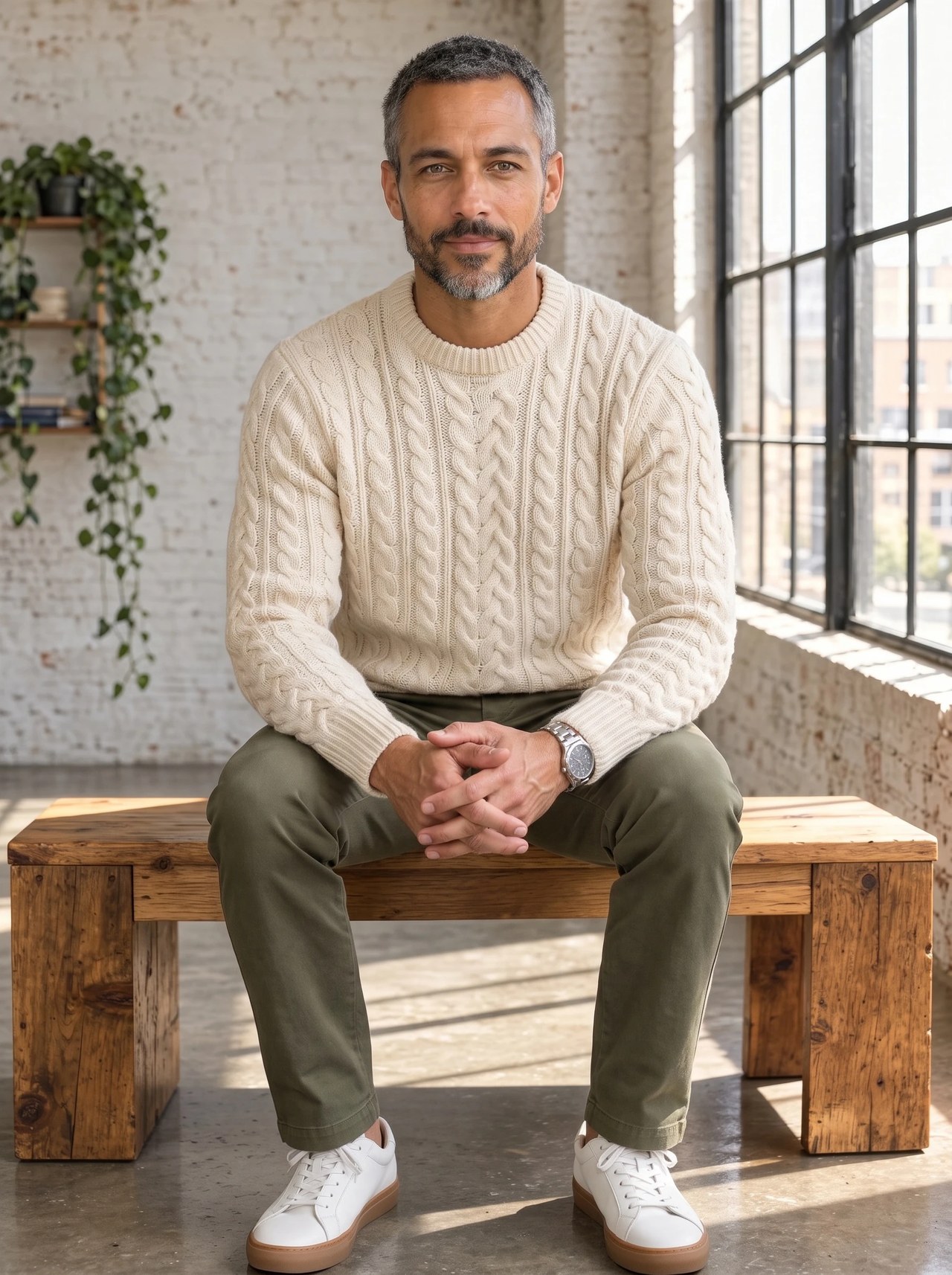
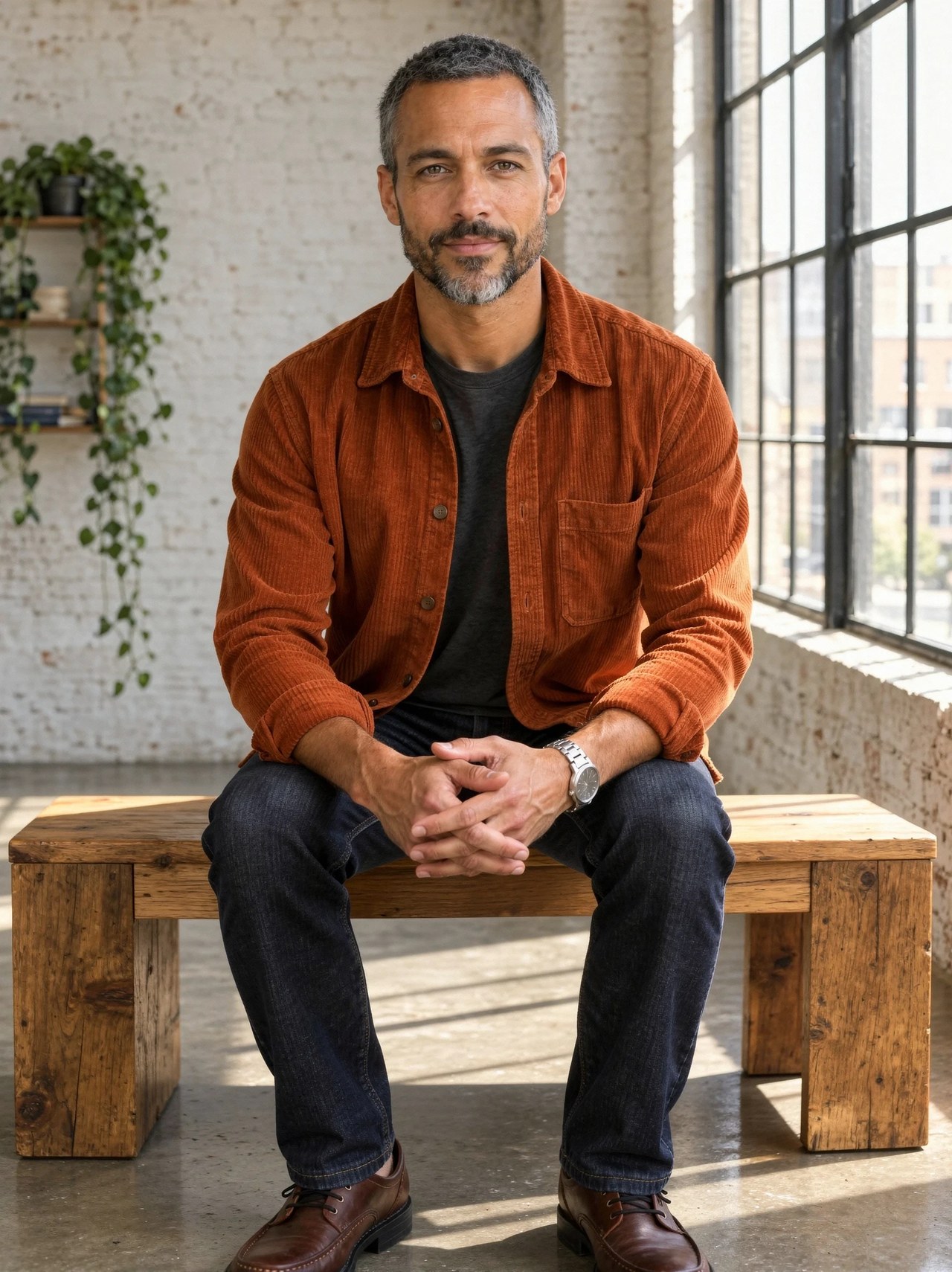 BeforeAfter
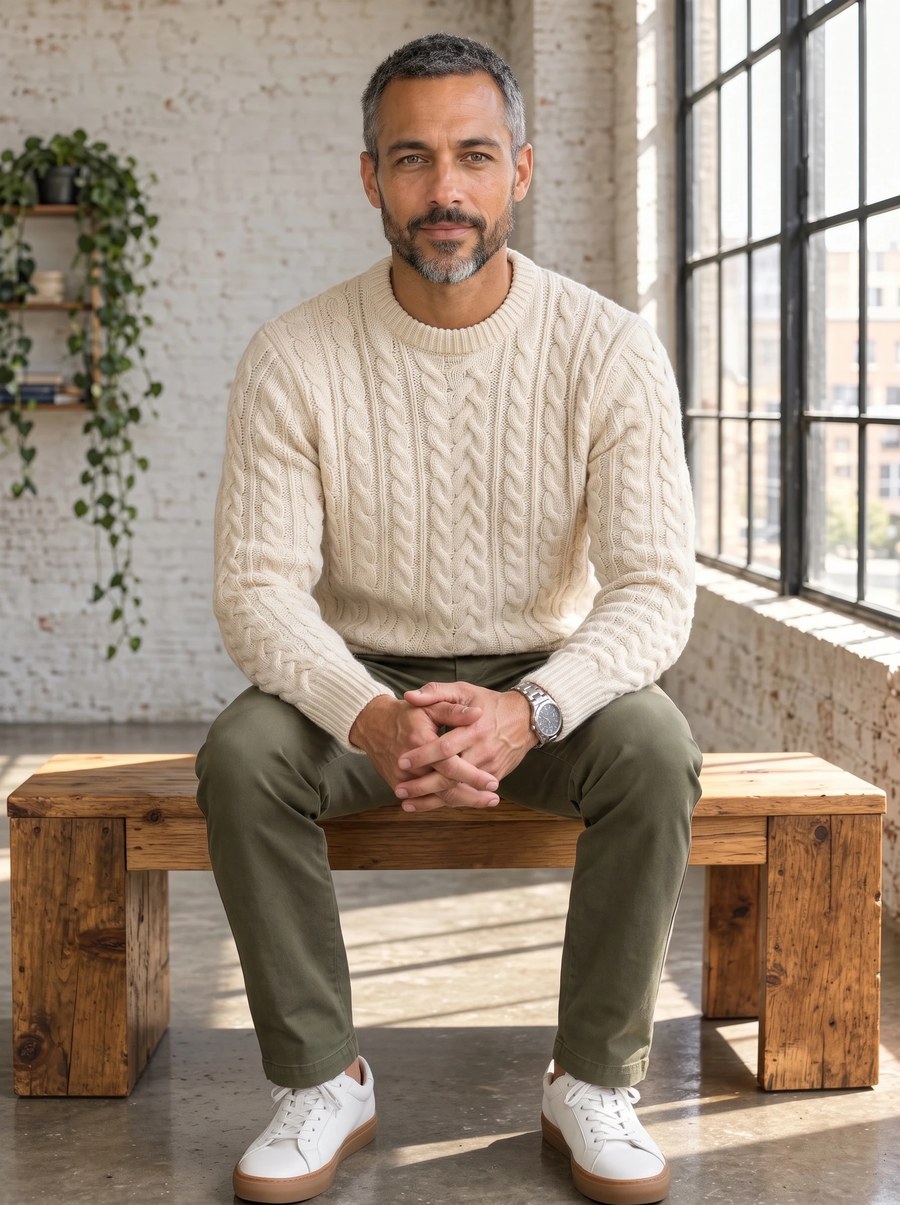
Overshirt and jeans to knitwear and chinos
One run on Fast Edit with this instruction: "Replace his rust corduroy overshirt, charcoal t-shirt and dark jeans with a cream cable-knit wool sweater, olive chino trousers and white leather sneakers. Keep his face, beard, grey hair, expression, wristwatch, clasped hands, seated pose, the wooden bench, the brick loft, the plants and the window light exactly the same."
Try it now →Name every garment and its replacement
List top, bottom and shoes: "replace the overshirt and jeans with a cream cable knit, olive chinos and white sneakers". Unnamed pieces may be redrawn too.
Try it now →Show a garment when it must match
Add a photo of the item as a second image and refer to it, for example "dress him in the jacket from the second image".
Try it now →How it works
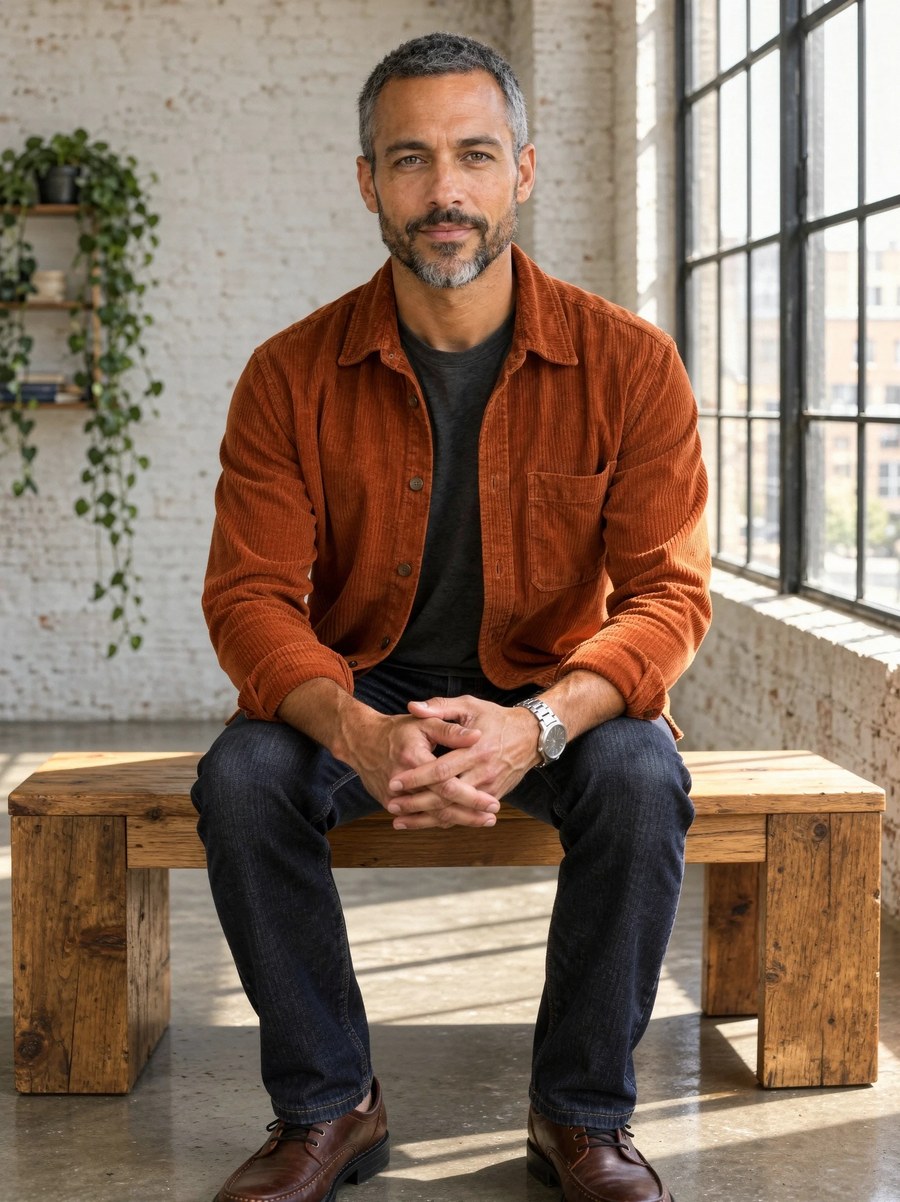
Add your photo
Open the Sandbox from this page and add the photo. A sharp, evenly lit image works best.

Describe the change
Edit the instruction or keep it. The first example on this page came from: "Replace his rust corduroy overshirt, charcoal t-shirt and dark jeans with a tailored navy wool two-piece suit, a crisp white open-collar shirt and brown leather shoes. Keep his face, beard, grey hair, expression, wristwatch, clasped hands, seated pose, the wooden bench, the brick loft, the plants and the window light exactly the same."
Generate and review
A run costs 15 credits at the default settings; faster or larger settings cost more, and the Generate button shows the exact figure. Check the result at full size and re-run with a tighter instruction if something drifted.
Who uses it
Styling ideas
Try formal, casual and seasonal looks on the same photo before a shoot or an event.
Try it now →Creators and personal brands
Keep one strong photo and change the outfit for different posts and platforms.
Try it now →Small fashion brands
Mock up how a piece could be styled on a model before booking a full shoot.
Try it now →Related tools
Frequently asked questions
How does the AI outfit changer work?
Upload a photo, write what the person should wear instead, and Fast Edit redraws the clothing on the same body and pose. You can also add a photo of a garment as a second image and ask for it by name. An edit costs 15 credits at the default settings; the Generate button shows the exact cost before you run.
Does it change the garments or only their color?
It replaces them. On this page a corduroy overshirt and jeans became a navy suit, and in a second run a cable-knit sweater with chinos and sneakers. To keep the same garment and only change its color, use the look book tool instead.
Will the face, pose and background stay the same?
The instruction asks for that and the examples show it: face, hair, watch, hands, bench and loft all come back as the same shot. The edit redraws the whole picture rather than pasting a patch back in, so the match is very close but not pixel-identical. Check each result at full size and re-run any frame that drifted with a tighter instruction.
What should I write in the instruction?
Name every piece that should change and what replaces it, down to the shoes, then list what must stay. "Replace the jacket and jeans with a navy suit and white shirt, keep the face, watch and background" works better than "make it formal".
Can I use it for product or catalog photos?
Yes, for styling ideas, social posts and mood boards. For a product page that must show an exact garment, add that garment as a reference image and check the result closely, because stitching, logos and fabric pattern can be simplified.
Key takeaways
Who uses an AI outfit changer?
Stylists and shoppers previewing looks, creators planning shoots, and small brands mocking up styling ideas before booking a model.
AI outfit changer vs look book recolor?
The outfit changer swaps one set of clothes for another. The look book keeps the same garment and produces color variations of it.
Limits
Results are AI previews. Fit, fabric and fine garment details can differ from a real item.
AI Outfit Changer
Open the Sandbox with Fast Edit and a working instruction loaded. Add your photo and run.
Change the outfit →