The short answer: pick Claude Code if you already pay for a Claude plan and want an agent that works across your codebase. Pick Cline if running models on your own machine is the requirement. Pick Imagera Code if you want a terminal agent where you choose the model per session. Stay on Cursor if your complaint is only price or privacy, because it has options for both.
IDE-native alternatives such as Windsurf and GitHub Copilot exist, but this page sticks to terminal agents and Cline, the routes I have details on. Details on Cursor, Claude Code and Cline below were read from their own pages in November 2026. Check those pages before you commit, because plans change.
What are the best Cursor alternatives, and which one should I use?
Match the tool to the reason you are leaving:
- Pricing tied to a plan you already have: Claude Code.
- Code that must stay on your machine: Cline with a local model.
- Freedom to switch models without switching tools: Imagera Code.
- Inline suggestions while you type: I have no measurements for any tool here, so test before you leave.
You do not have to pick one. A terminal agent and an editor can run side by side on the same repository.
How do they compare with Cursor on autocomplete, codebase understanding, and multi-file agents?
I am not going to rank autocomplete quality. I have no measurements for it, and it depends heavily on language and project. Try each tool on your own code for a day.
On codebase understanding and multi-file edits, the agent-style tools are built for the job. Claude Code is an agentic coding tool that reads your codebase, edits files, runs commands, and integrates with your development tools. That covers the loop most people want from an agent: read, change several files, run something to check.
Imagera Code works the same way from the terminal. It reads the project, edits files and runs commands. The difference is that the model is a session setting rather than a fixed part of the product.
Claude Code is the better choice if you want one vendor's agent and already pay that vendor. Staying on Cursor is the better choice if you have no complaint about the agent itself and only want to change what you pay or how your data is handled.
Which alternatives are cheaper or free, and what usage limits do they have?
Start with what you pay now. Cursor Plus costs $8/mo and includes a base weekly pool of usage for Cursor models. Cursor Premium costs $30/mo and includes 4x Plus included usage.
Claude Code is included in all paid Claude plans. If you already subscribe, you do not buy it separately. I am not quoting its usage limits here, since they vary by plan and change. Read them on the pricing page.
Imagera Code is billed in credits. What a session uses depends on the model you choose and how many tokens it consumes, which is why the test below reports tokens. See the plans for current terms.
I am not claiming a free tier for any tool here. If free matters, running a local model through Cline is the closest route, with the hardware cost on you.
Can I keep my current editor, extensions, and workflow?
With Imagera Code, yes. It runs in the terminal, so your editor, extensions, keybindings and debugger stay as they are. You review the agent's changes with the git tooling you already use.
Claude Code, per its overview, reads your codebase, edits files, runs commands and integrates with your development tools. Check how it fits your editor setup before you rely on it.
If you leave Cursor for a terminal agent, you are changing where the AI work happens. For some people that is the reason to leave. For others it is the reason to stay, so run both side by side for a week before deciding.
Which options let me use my own models or run locally to keep my code private?
For local inference, Cline can run with local inference on your machine using Ollama, LM Studio, or Atomic Chat. That is the strongest answer to "my code must not leave the machine".
You can also stay on Cursor and tighten it. Privacy Mode ensures your code is never used for training by Cursor or other AI model providers. You can also add your own API keys so Cursor uses your preferred models and your provider bills you directly for those requests. If your complaint is model lock-in or privacy rather than the product itself, check these before you migrate.
Imagera Code fits when you want to pick the model per session; the test below covers eight of them. I am not claiming local-model support for it, so for fully local work use Cline's documented route.
What did our test show about picking a model per session?
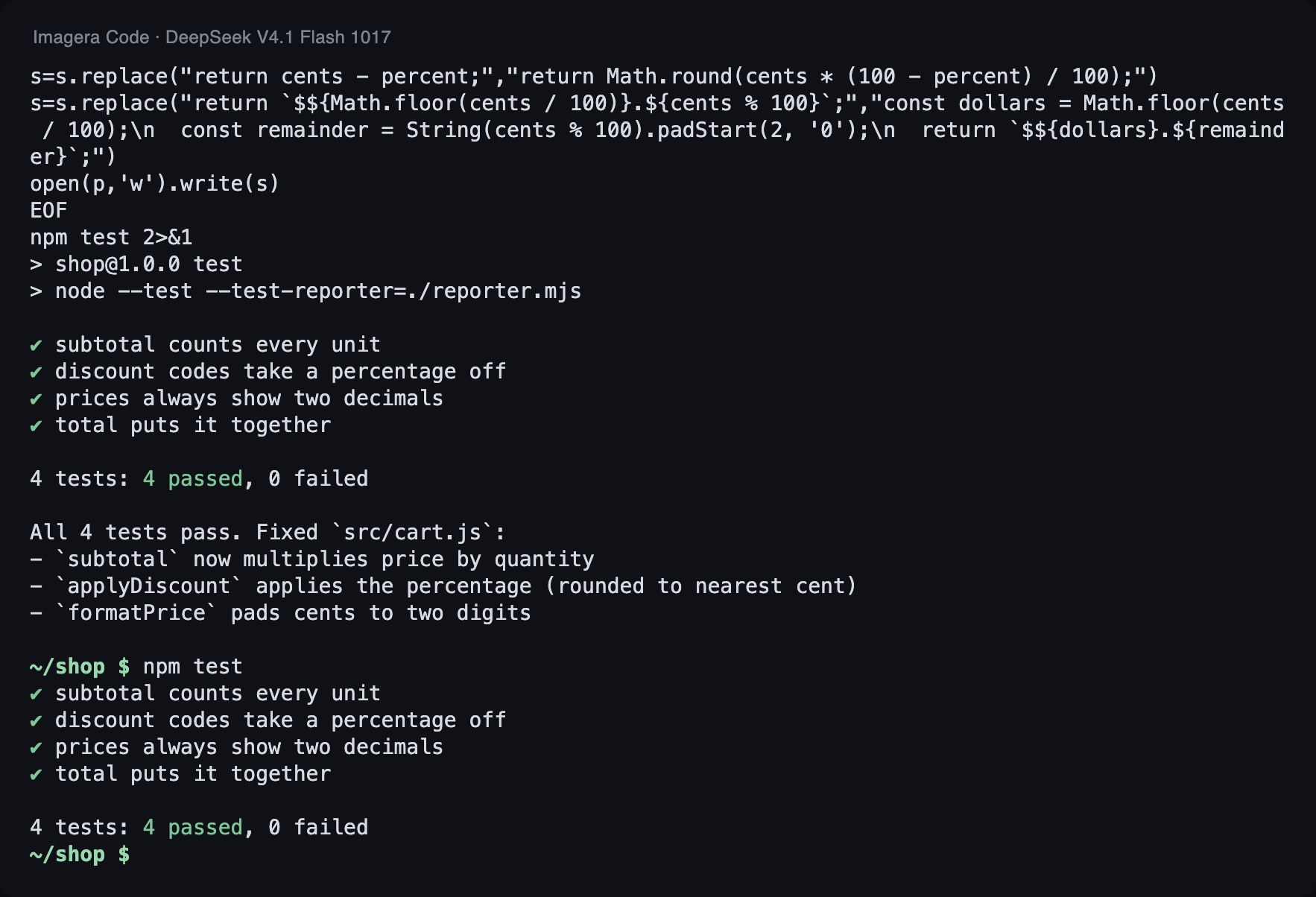
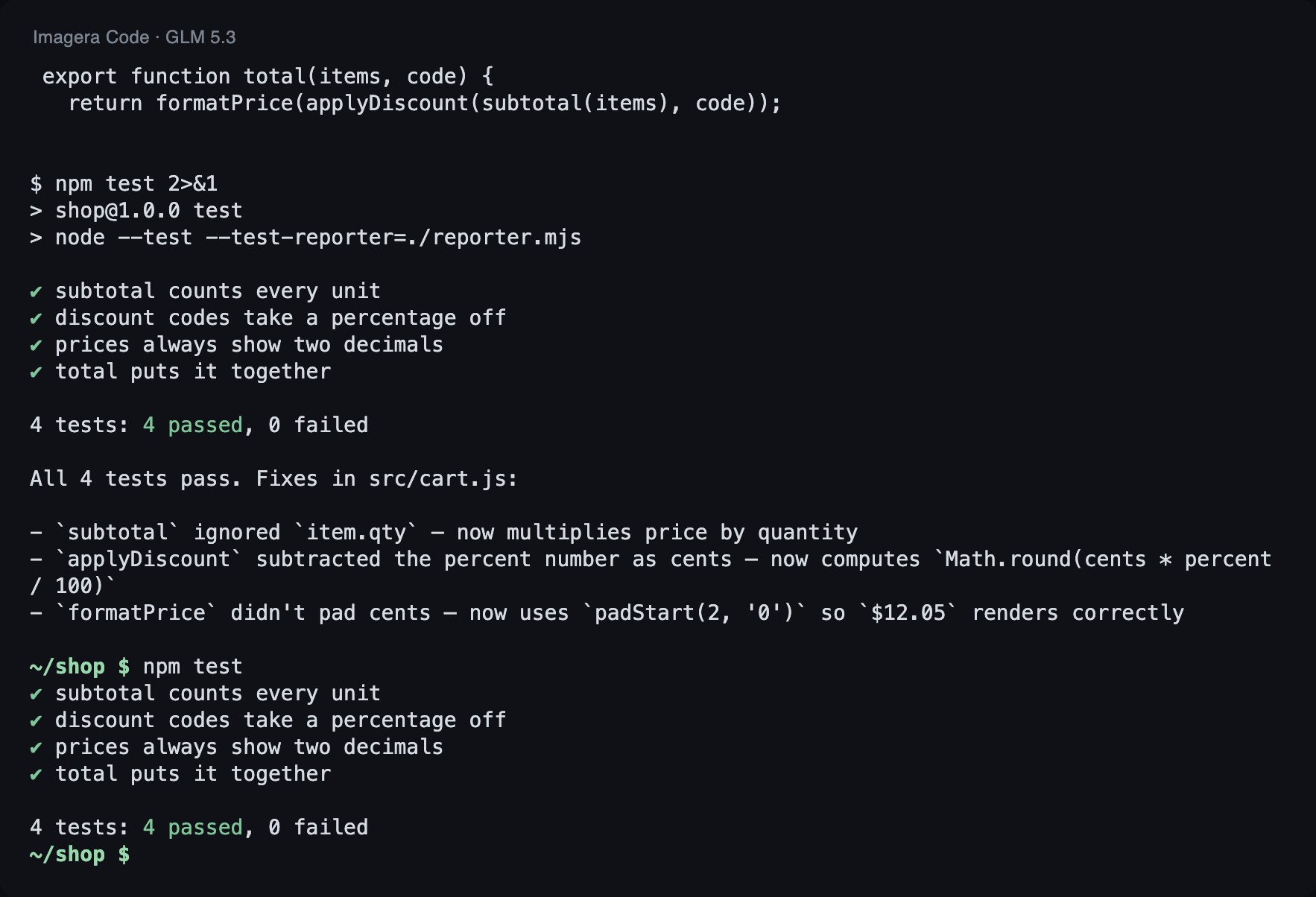
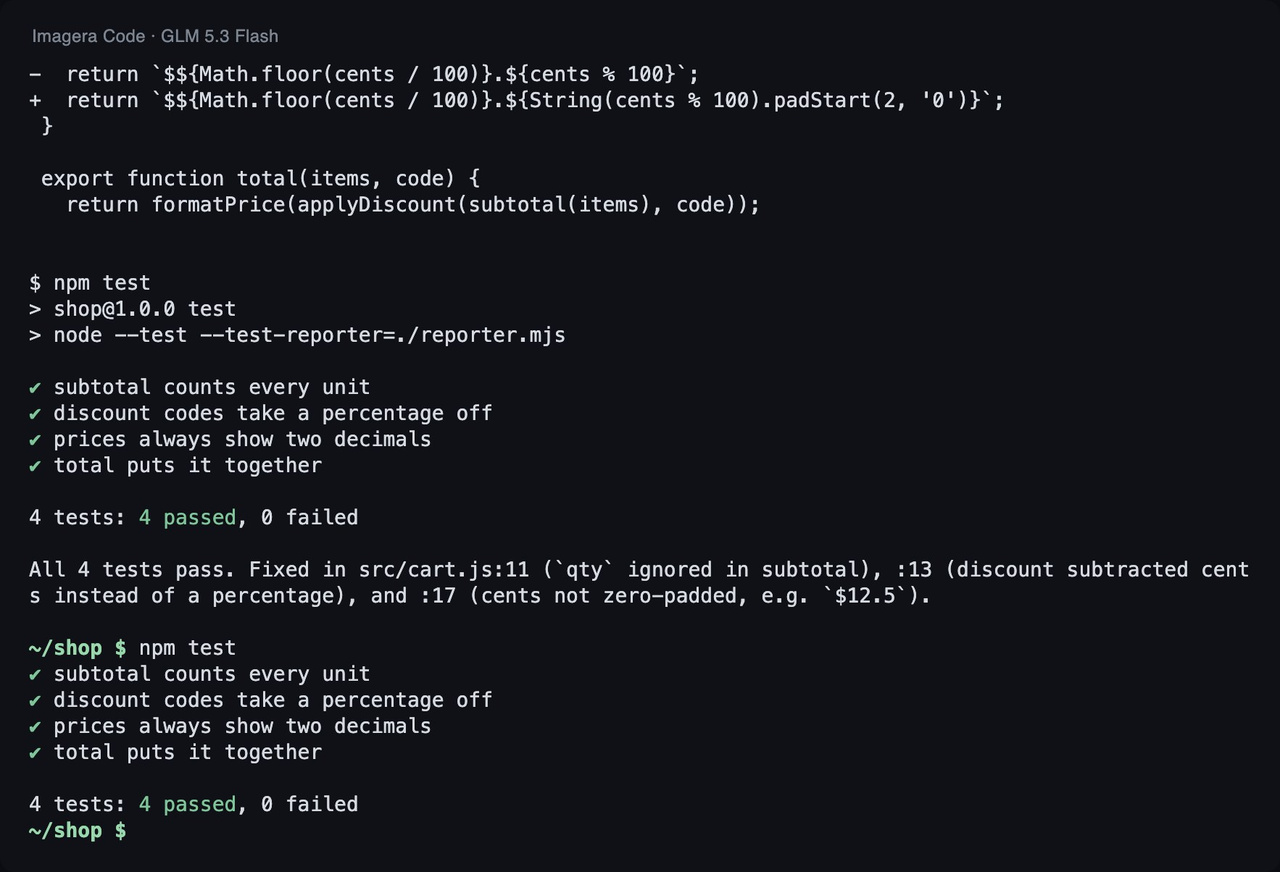
We gave Imagera Code the same small project to fix with each of eight models, three runs per model. Every model passed all three runs. The differences were time and usage.
How we tested
Task: a small JavaScript project with 3 bugs and 4 failing tests. Each model got the same instruction in Imagera Code 1.18.33 (run 2026-11-03): run the tests, fix the code, do not touch the tests. A run passes only if every test passes afterwards and the test file is unchanged. Tokens are input plus output over all of a run's model calls.
| Model | Tests passed | Median time | Median tokens |
|---|---|---|---|
| GLM 5.3 Flash (default) | 3 of 3 | 17.4 s | 67k |
| GLM 5.3 | 3 of 3 | 32.5 s | 60k |
| DeepSeek V4.1 Flash | 3 of 3 | 13.2 s | 53k |
| DeepSeek V4.1 Flash 1017 | 3 of 3 | 12.3 s | 42k |
| DeepSeek V4 Pro 0813 | 3 of 3 | 24.1 s | 55k |
| GPT-6 Luna | 3 of 3 | 339.4 s | 61k |
| Claude Haiku 5.5 | 3 of 3 | 173.9 s | 63k |
| Claude Sonnet 5.5 | 3 of 3 | 26.4 s | 62k |
The fastest were DeepSeek V4.1 Flash 1017 (median 12.3 s, 42k tokens) and DeepSeek V4.1 Flash (13.2 s, 53k tokens). The default, GLM 5.3 Flash, took 17.4 s and 67k tokens. Claude Sonnet 5.5 took 26.4 s. GPT-6 Luna took 339.4 s and Claude Haiku 5.5 took 173.9 s, both with token usage close to the others. So the wait was not about how much they used.
Here is the change the agent made in the lead run:
--- src/cart.js (before) +++ src/cart.js (after) @@ -1,7 +1,7 @@ // Checkout helpers for a small shop. Prices are whole cents. export function subtotal(items) { - return items.reduce((sum, item) => sum + item.price, 0); + return items.reduce((sum, item) => sum + item.price * item.qty, 0); } const CODES = { SAVE10: 10, SAVE25: 25 }; @@ -10,11 +10,11 @@ export function applyDiscount(cents, code) { const percent = CODES[code]; if (!percent) return cents; - return cents - percent; + return Math.round(cents * (100 - percent) / 100); } export function formatPrice(cents) { - return `$${Math.floor(cents / 100)}.${cents % 100}`; + return `$${Math.floor(cents / 100)}.${String(cents % 100).padStart(2, '0')}`; } export function total(items, code) {
One earlier result matters. In our 2026-09-30 benchmark of the same CLI, a different two-bug project with three runs, DeepSeek V4.1 Flash passed 0 of 3, and one vendor produced runaway output. It passed all three runs on this project, so treat either result as specific to its task.
What this shows: each model finished a real fix in the terminal, how long it took, and how many tokens it used. Median wait ranged from 12.3 s to 339.4 s on the same simple fix.
What it does not show: it is one small project with three runs per model, so it is not a benchmark. It says nothing about large refactors, autocomplete, or code quality beyond passing the check. Do not use it to rank the models. Use it to see that choosing the model per session can change the wait a lot.
How do I try it?
Run one real bug through two or three models and compare.
For Imagera Code, install it, point it at a repository, and pick the model for the session:
npm i -g imagera-code imagera-code login cd your-project imagera-code run -m imagera/z-ai/glm-5.3-flash "Run the tests and fix what fails"
If you would rather start with another tool, the setup lives in their docs. For Claude Code, begin with the Claude Code overview. For Cline with a local model, follow the local models guide for Ollama, LM Studio, or Atomic Chat.