Short answer: To check if a video is AI-generated, get the most original copy you can, trim it to 30 seconds or less around the moment you doubt, and scan it with an AI video detector. Read the AI probability itself, not just the heading above it. Then confirm with checks no detector can make for you: earlier uploads, the account that first posted it and any Content Credentials. On Imagera, a video scan costs 20 credits and accepts MP4, WebM or MOV files up to five minutes and 50 MB. Treat every result as a likelihood, not proof.
The clip usually arrives the worst possible way: forwarded twice, cropped to vertical, with captions burned in, and someone asking "is this real?" before they share it again. Below is the order of checks that gets you the most reliable answer, and what each one can't tell you.
1.How do you check a video step by step?
Five steps, in this order: get the most original copy, trim it to the moment you doubt, scan it, read the percentage rather than the heading, then corroborate by source and by eye. The first two steps decide how much the scan can see. The last one decides how far you can trust what it tells you.
1.1Step 1: Get the most original copy
Ask the sender for the file itself, not a screen recording of it. If the clip came from a post, download it from the earliest post you can find rather than from a re-share. Every re-upload re-encodes the video and throws away the fine detail detectors read. Use a screen recording only if nothing else exists, and weigh its score accordingly.
1.2Step 2: Trim to 30 seconds around the moment you doubt
A scan doesn't read every frame. On a clip of 30 seconds or less, it samples 12 frames spread evenly between the 5% and 95% marks and scores the first eight of them as stills, which covers roughly the first two-thirds of the clip. On anything longer, motion is read in just three 3-second windows. So trim to 30 seconds or less, start a couple of seconds before the moment that looks wrong, and keep that moment in the first half of the trim. The uploader also rejects files over 50 MB or longer than five minutes.
1.3Step 3: Upload it to the video detector
Open the AI video detector, choose the Video tab and drop in the file. It takes MP4, WebM and MOV (QuickTime). If your clip is in another format, export it as MP4 at its original resolution first. The cost, 20 credits, shows on the button before you run. Scans often finish in under a minute but can take up to about ten.
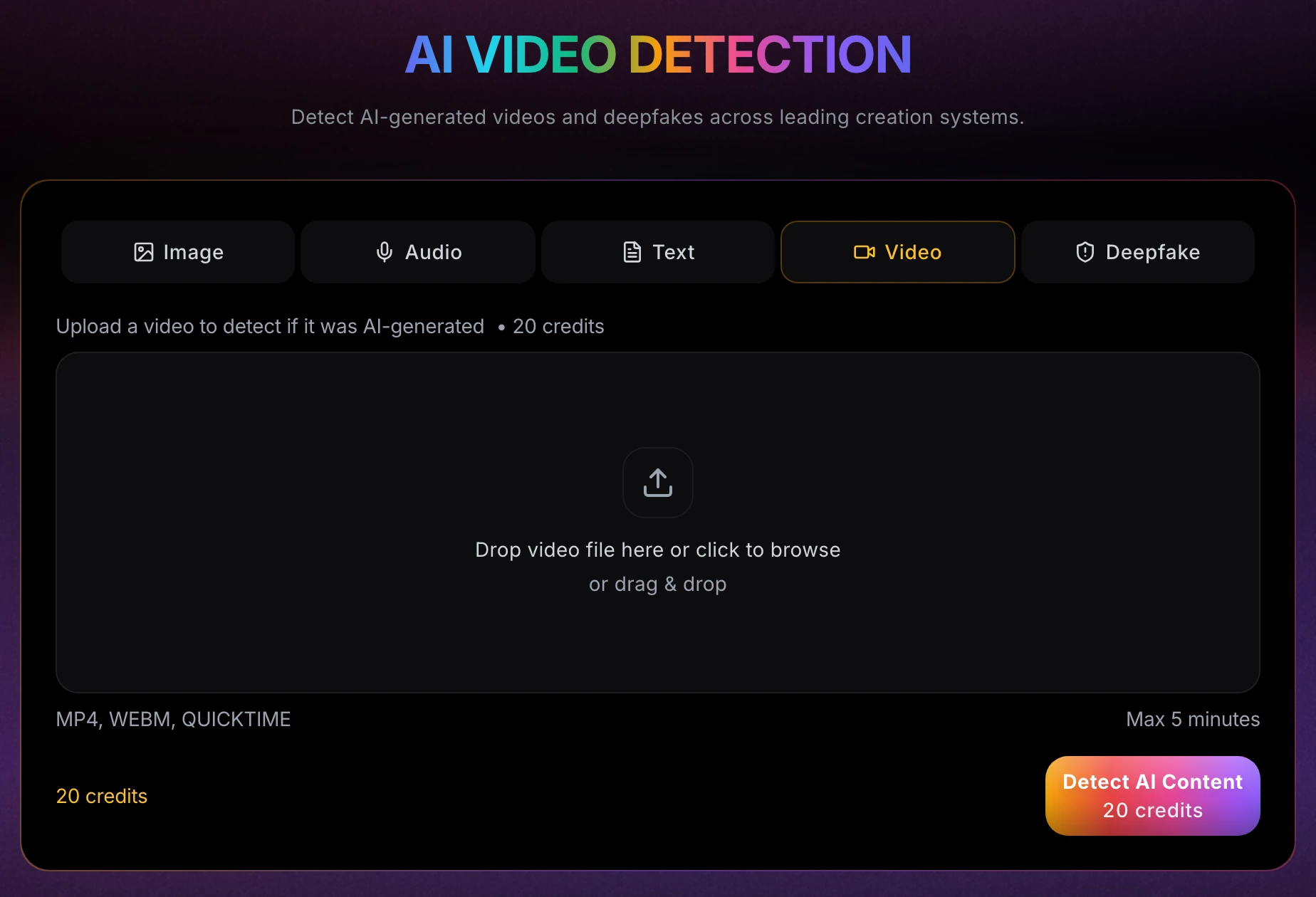
Real screenshot, September 2026: the Video tab of the detection studio before a scan. The price is on the button before you commit.
1.4Step 4: Read the percentage, not the heading
The headline number is the AI probability, from 0 to 100%. The heading above it only tells you which side of 50% the score landed on: 51% reads "AI-Generated" and 49% reads "Authentic / Real", although the evidence behind the two is nearly the same. The scan's own confidence is simply how far the number sits from 50%. Treat anything between about 35% and 65% as undecided, and let the source checks settle it.
1.5Step 5: Corroborate by source and by eye
Before you share, report or act on the clip, run at least one check that doesn't depend on the pixels. The source checks below cover how.
2.What does the scan actually measure?
A video scan blends three measurements into one AI probability. Motion between frames carries the most weight: half the score, or about two-thirds when the clip has no sound. Eight frames scored as stills make up most of the rest. If there is a soundtrack, its first four seconds count for a fifth. The scan never names the generator.
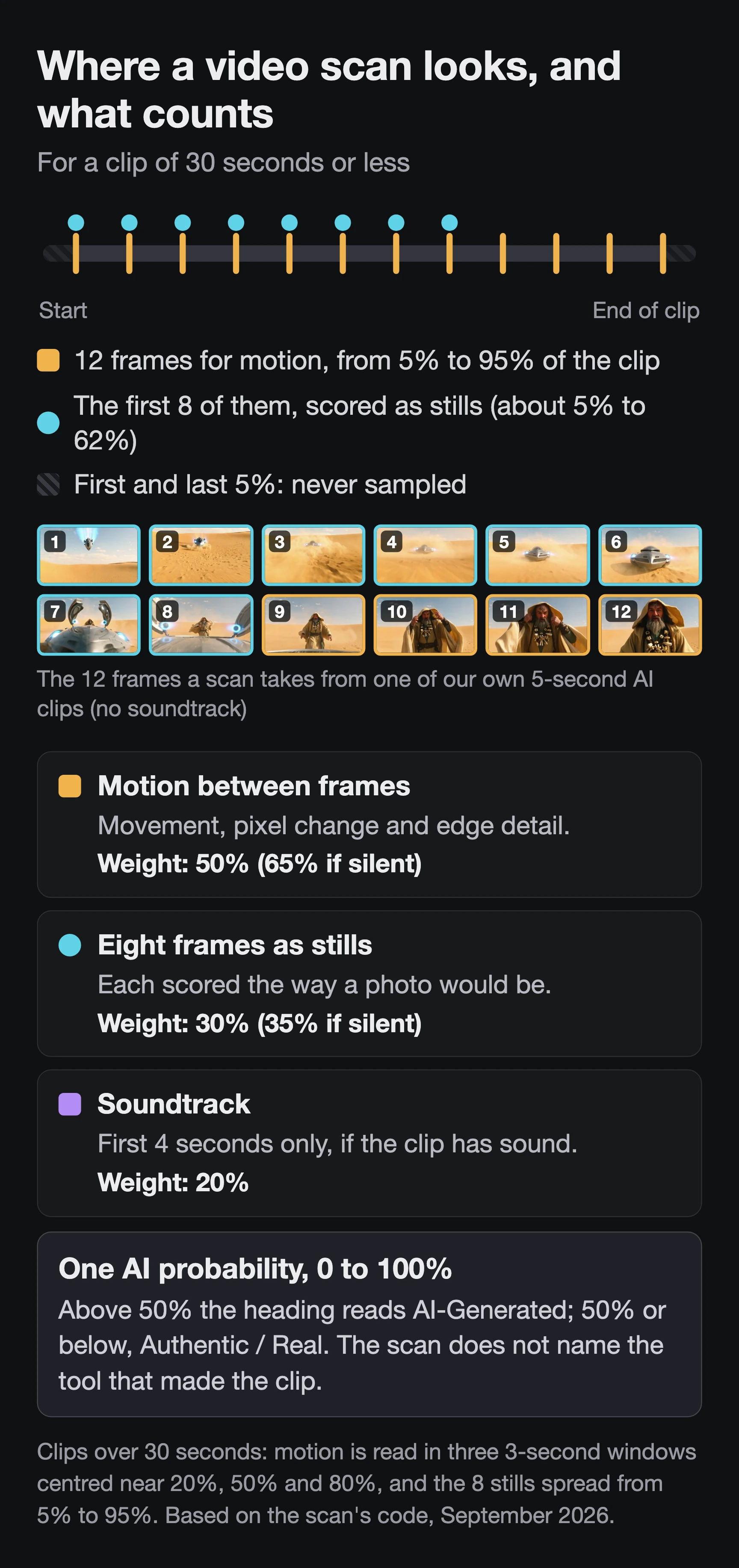
Our example clip shows why the trim matters. The character's face only fills the frame in the final second, in frames 10 to 12. Those frames feed the motion check, but none of the eight still scores looks at the face.
2.1What kinds of footage push the score up or down?
The motion score is built from how much the picture changes between sampled frames, how uneven that movement is across the frame, and how many edges each frame contains. Real footage moves those numbers too:
| Footage | Pushes the score | Why |
|---|---|---|
| Hard cuts, fast pans, whip zooms, shaky handheld | Up, toward AI | Large pixel changes between sampled frames count toward AI |
| Fast action against a still background, or movement in many directions | Up, toward AI | Uneven, varied motion across the frame counts toward AI |
| Very detailed or high-resolution scenes: foliage, crowds, 4K | Up, toward AI | Edges are counted per frame as a raw number, so more detail and more pixels add up |
| Static talking head, locked-off camera, plain background | Down, toward real | Little change between frames and few edges |
| Low-resolution, downscaled or heavily compressed copies | Down, toward real | Fewer pixels and smoothed detail leave fewer edges to count |
So a real handheld 4K clip of a street festival can score high, and a generated talking head against a plain wall can score low. Weigh the number against the kind of footage you uploaded.
Here is how to act on the headline result:
| What you see | What it suggests | What to do next |
|---|---|---|
| 65% or higher on the original file | Generated-video signals in this copy | Corroborate the source before you share, report or act on it |
| Between about 35% and 65% | Undecided, whichever heading it shows | Find a better copy, trim tighter and scan once more. Then rely on source checks. |
| Below 35% on a re-uploaded copy | Weak evidence either way | Don't read it as "real". Find the original file. |
| Below 35% on the original file | No generated-video signals in the parts sampled | Still not proof. A face swapped into real footage needs a face check (below). |
3.Why is a re-uploaded copy weaker evidence?
Every re-upload re-encodes the video. Compression strips the fine texture the still scores rely on and smooths away edges the motion check counts, so a score from a re-shared copy is weaker evidence, in either direction, than one from the original file. Re-uploading usually strips provenance data as well, so that check gets harder too.
3.1How we measured the loss
- Clip: one of our own AI-generated clips, 1280×720, five seconds, about 3.0 Mbit/s (1.9 MB).
- Re-share stand-in: the same clip re-encoded twice at a 600 kbit/s target with a standard H.264 encoder, as if it had been re-shared more than once.
- Measures: average structural similarity (SSIM) to the original, computed with ffmpeg, and edges counted on the 12 frame positions a scan samples, with the edge settings the scan uses.
- Not a detection result: we measured both files ourselves, separately from the detector.
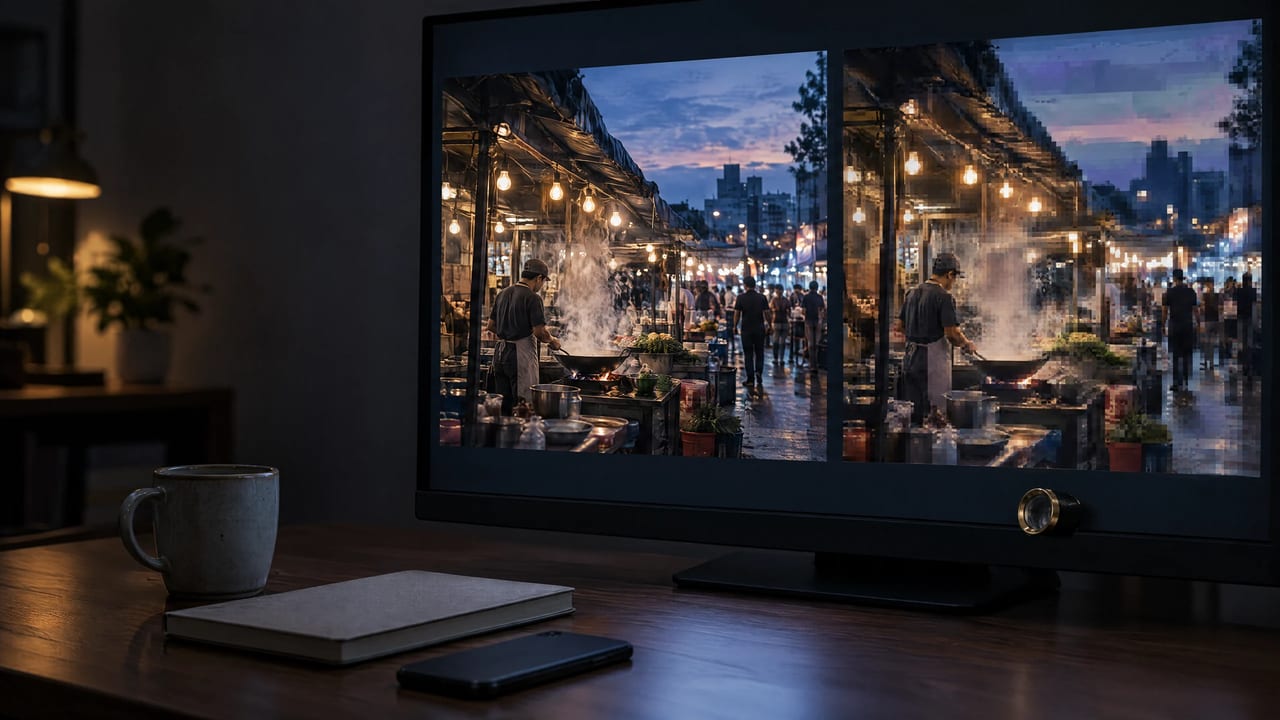
The re-encoded file shrank from 1.9 MB to 0.4 MB. Its average SSIM was 0.964, which sounds close, but up close the beard, the forehead mark and the knuckles turn into blocks. It also had 31% fewer edges (6,407 per frame against 9,236).

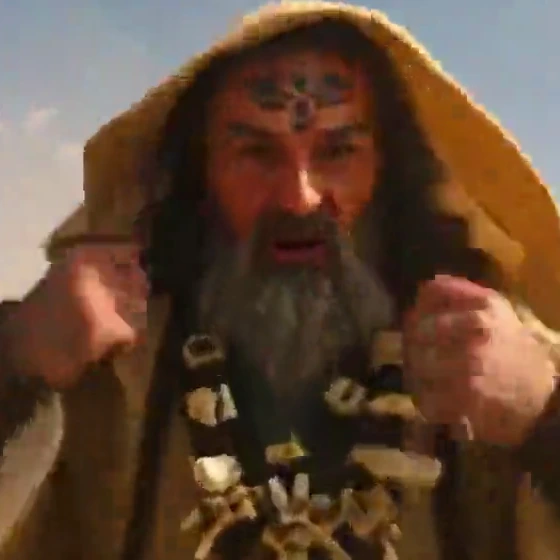
Real frames at their native size, not enlarged, from one of our own AI-generated clips (SSIM for this frame: 0.949). This shows what compression removes, not a detection result.
Researchers flag the same weak point. Help Net Security's 15 May 2026 report on Vector Institute research calls the assumption that detector signals survive "a re-encoded social media upload" "the least tested and the most fragile". Crops, speed changes, mirror flips, stickers and burned-in captions change the pixels too.
Content Credentials are signed records of how a file was made, and some AI tools attach them. According to a Lumethic review updated 13 August 2026, Instagram, Facebook, X and YouTube remove them on upload. LinkedIn shows them on images, though whether they survive a download is undocumented, and TikTok has said it will attach them to content made in its app (Lumethic, Aug 2026). So a missing credential on a downloaded clip tells you nothing, while a present one is worth reading. You can inspect an MP4 or MOV file with the Content Credentials Inspect tool.
4.What should you check by eye?
Step through the sharpest copy you have, frame by frame and full screen. Careless generations give themselves away in text that shifts between frames, in hands and background people, in shadows that disagree and in mouths that don't close on "p", "b" and "m". Recent generators pass most of these tells, so a clean-looking clip proves nothing.
- Text that won't hold still. Signs, labels and screens whose letters change between frames.
- Background people. Missing fingers or missing limbs on the people behind the subject.
- Shadows that disagree. A subject lit from one side while a nearby object's shadow falls another way.
- The mouth on "p", "b" and "m". Lips that don't fully close on those sounds, and teeth that render as one white block.
- Skin that stays too smooth. A waxy, overly clean face whose wrinkles vanish during expressions.
- Eyes. Blinking that is too regular or too rare, and eyes that never make the small quick shifts real eyes make.
These tells come from a March 2026 checklist by TechCabal. On recent generators, the DF26 benchmark (below) found people close to chance.
5.How do you check the source?
A detector judges pixels. Source checks judge where the clip came from, and they often settle the question faster. Find the earliest upload, read the account that posted it, and check the voice and any face on their own. An earlier post from a creator who labels their own work as AI answers the question outright.
- Find the first upload. Screenshot a sharp frame and run a reverse image search. An earlier post, a different caption or a creator's own account usually tells you more than any score.
- Read the account. Look at its age, what else it has posted, and whether it labels its own work as AI.
- Check the voice on its own. The video scan already counts the first four seconds of the soundtrack. The audio detector also reads only the opening four seconds of a file, so export the audio, cut it to start at the line you doubt, and scan that. It accepts MP3, WAV, OGG and FLAC and costs 20 credits. Our guide to telling whether a voice is AI explains how to read that result.
- Check a face that might be swapped. A face swapped into real footage can pass a whole-video check. Pause on a sharp, front-facing frame, save it as a still and run the deepfake detector. It checks face photos (JPEG, PNG, WebP or HEIC) for 15 credits. It does not take video.
- Check any stills that come with the clip. Thumbnails and screenshots have their own tells. See 10 visual signs an image was made by AI.
6.What can't a detector result prove?
A detector score is a likelihood about the copy you uploaded, not a finding of fact. It can't prove a clip is real, say who made it or why, or justify an accusation on its own. Imagera publishes no accuracy figure for its detectors, and recent research shows detectors trailing the newest generators.
- There is no published accuracy figure. Imagera has not run a benchmark that could support one. Be wary of any tool that quotes a figure without saying what it was measured on.
- Detectors trail new generators. DF26, a benchmark published on 7 September 2026, built 2,420 synthetic clips of people speaking to camera with seven recent video models. On those clips, both human viewers and state-of-the-art deepfake detectors performed close to random chance (arXiv, Sept 2026; reported by Unite.AI, 14 Sept 2026).
- A high score doesn't say who, why or when. It says the copy you uploaded looks generated to the detector. It doesn't say who made the clip or whether it was ever presented as real.
- A score is never enough to accuse someone. For anything with consequences, such as an HR decision, a news story or a payment, combine the scan with at least one independent check and a human review.
7.Check a clip now
Got a video you need to verify? Open the AI video detector, choose Video, and drop in the most original copy you can find, trimmed to 30 seconds around the moment you doubt. The 20-credit cost shows on the button before you run. Then finish with a source check before you share it.
8.Related resources
- AI video detector: scan an MP4, WebM or MOV clip up to five minutes long
- Deepfake detector: check a paused frame of a face for a swap
- How to tell if a voice is AI: the audio side of a suspicious clip
- 10 visual signs an image was made by AI: tells for stills and thumbnails