"Face swap video" covers two different jobs. You might want to change only the face in a clip, keeping the body, clothes and sound. Or you might want a whole new person performing the clip's movement. Imagera does both in the browser, on clips up to about 30 seconds. Video Face Swap replaces just the face. Character Replacement puts the whole character from your photo into the clip. This page covers which one to pick, how long a clip can be, what each costs and what the law says about swapping real people.
1.Face swap or character replacement: which one you need
| Video Face Swap | Character Replacement | |
|---|---|---|
| What you upload | The clip, plus one photo of the new face | One photo of your character, plus a clip of someone moving |
| What changes | Only the face | The whole person, head to shoes |
| What stays | Body, clothes, motion, framing and the clip's own sound | The clip's movement and timing. The background can come from the clip or from your photo |
| Clip length | Up to 32 seconds | 3 to 30 seconds |
| Charged by | Each 10 seconds of clip | Each second of the motion clip, at Standard (720p) or Pro (1080p) |
| Where it runs | Video Face Swap in the Sandbox | Character Replacement |
Use Video Face Swap when the clip is already right and only the face should change: a presenter re-shoot, or a stunt double's shot.
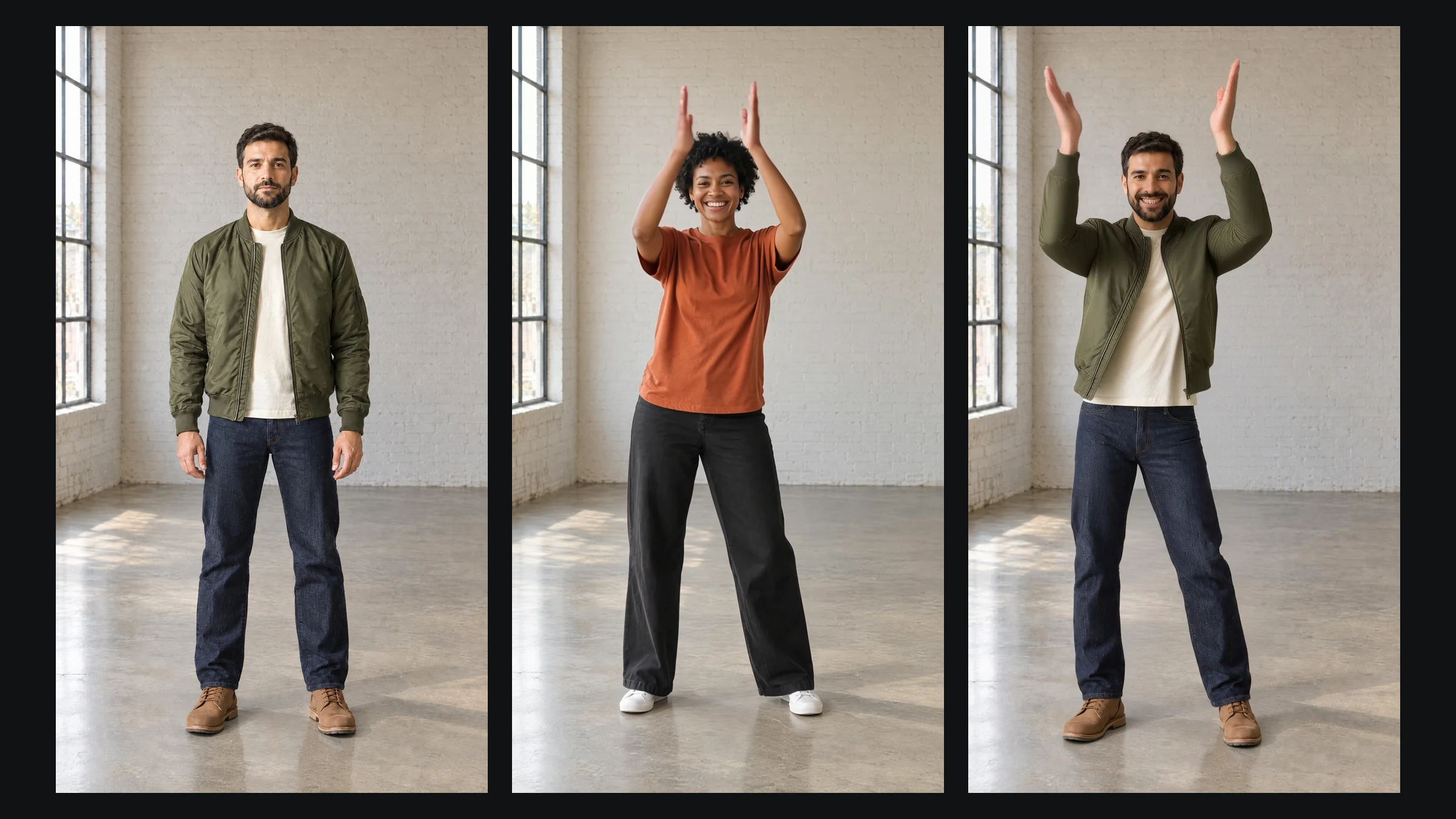
Use Character Replacement when the performance is what you want but the performer is not. A trending dance is the classic case, redone by your own character, mascot or illustrated figure. Imagera's old video face-swap page now redirects there.
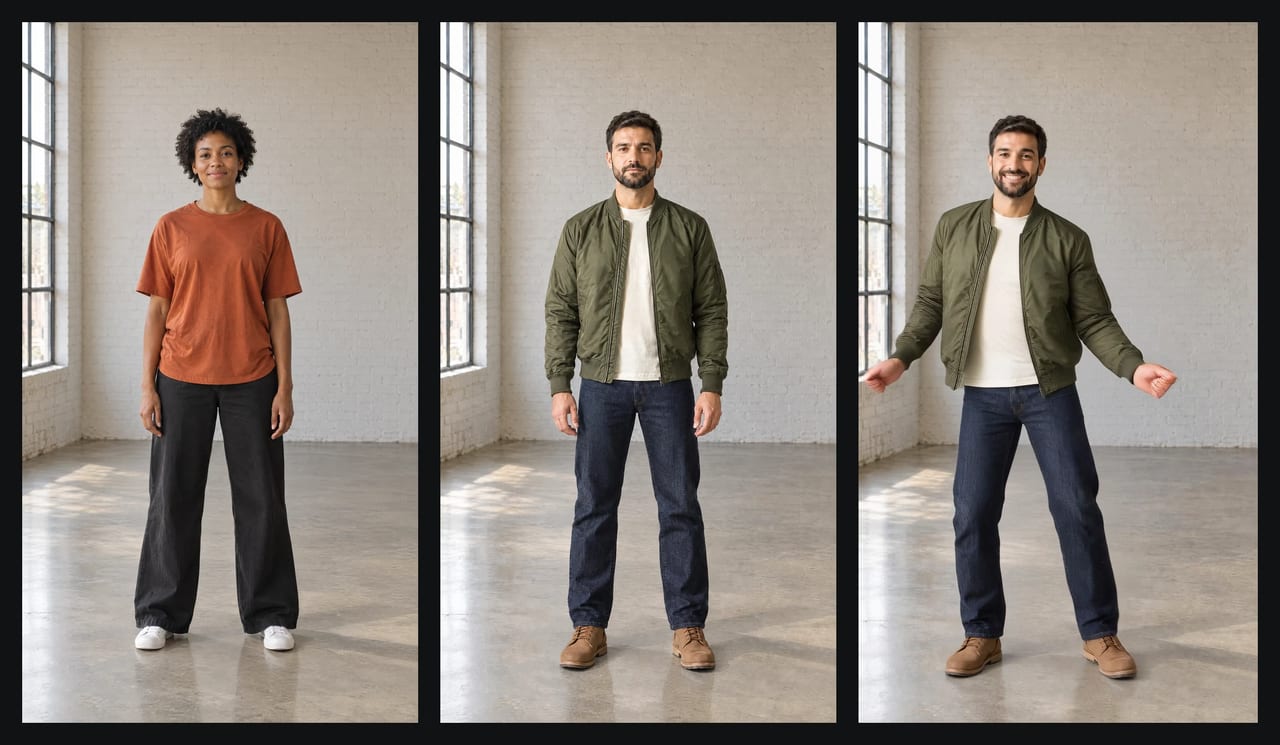
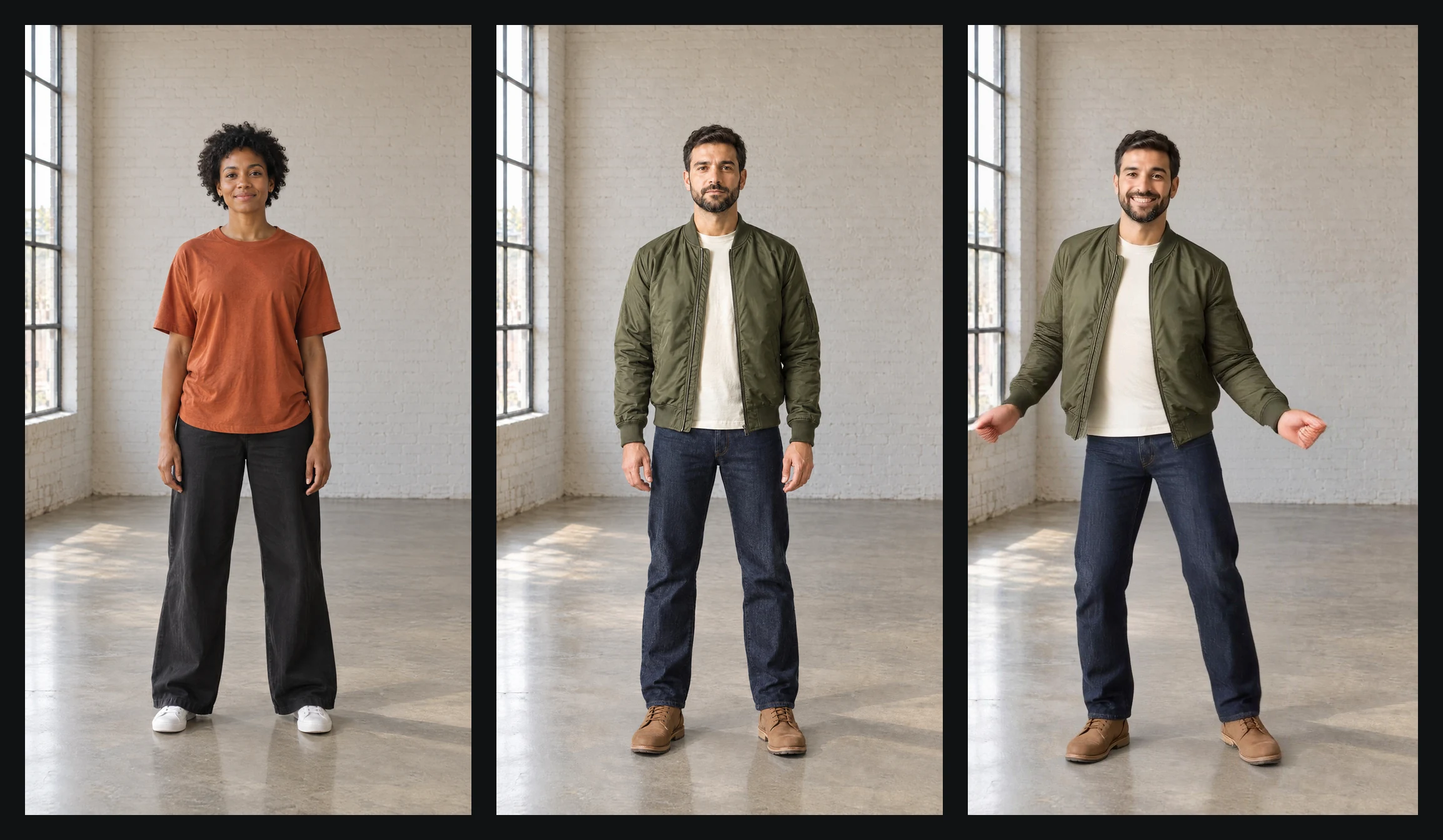 Real Character Replacement result, September 22, 2026. Left: the first frame of the motion clip. Middle: the character photo, which is that frame with our invented character edited in. Right: a frame of the output, where he performs the clip's movement in the same room. Both people are invented.
2.Can you face swap a 30-second video?
Yes. Both tools take a clip of about 30 seconds in one run:
- Character Replacement: the motion clip must be 3 to 30 seconds long. The engine's published limits also cap the clip at 100 MB (MP4 or MOV) and the photo at 10 MB (JPEG or PNG). Both must be larger than 340 pixels, with a shape between 2:5 and 5:2 (limits checked September 30, 2026).
- Video Face Swap: clips up to 32 seconds. A longer clip is stopped before it runs, with its length named, so nothing is charged for it.
There is no single run of 60 seconds or 2 minutes. For a longer video, cut the source into pieces of 30 seconds or less, run each piece with the same photo, and join the results in your editor. Cut on a still moment, such as a pause or a held pose, so the joins don't jump.
3.How to replace a person in a video, step by step
- Pick the clip. One person, fully in frame from head to shoes, with a steady camera and no cuts. The engine follows one subject, and it loses footwork that leaves the frame.
- Pick the photo. A full-body photo of your character, facing the camera, hands visible and nothing covering the face. Photos, illustrations, 3D renders and AI-generated characters all work as long as the figure has a readable human shape.
- Open Character Replacement and press Start Animating Characters. It opens the Sandbox with the motion-transfer model already selected. Add the photo and the clip.
- Choose the background in the advanced settings. By default the result keeps the clip's scene. Switch Background source to your photo if your character should stay in their own setting.
- Choose the quality. Standard renders at 720p and costs less. Pro renders at 1080p, for the version you keep.
- Check the credits on the Generate button, then run it.
For photo framing, clip choice and the settings that fix a result that looks wrong, read the full walkthrough: how to replace a character in a video with your photo.
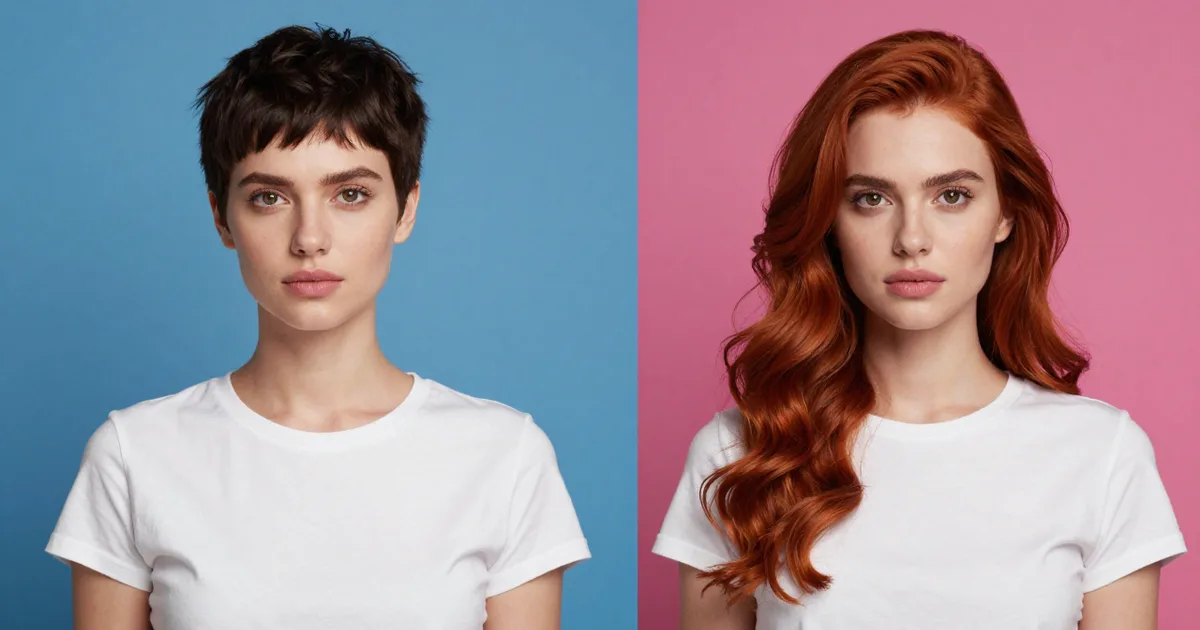
For a single still where the hair should change too, use the AI Head Swap for photos instead.
4.Why swapped faces drift or flicker
Most drift comes from the inputs, not the render:
- The subject leaves the frame or turns away. The engine has nothing to follow for those frames. Pick a clip where the person stays visible and mostly faces the camera.
- Something passes in front of the face or body. Hands over the face, a microphone or another person all break the track.
- The lighting disagrees. A face photo lit from the left pasted into a scene lit from the right reads as fake at once. Match the light direction.
- The photo is too small or too cropped. A chest-up headshot gives the engine no legs to animate. Use a full-body photo for Character Replacement and a sharp, front-facing face for Video Face Swap.
Scrub the whole result before you post it. Faces and hands during fast moves are where problems show first.
5.What it costs
Imagera charges credits per run, and the Generate button shows the exact total for your clip before anything runs.
- Video Face Swap is priced per 10 seconds of clip.
- Character Replacement is priced per second of the motion clip, and Pro costs more per second than Standard.
Credits come with a plan or as a one-off pack. The Starter plan is $19.99 a month for 400 credits, and credit packs start at 350 credits for $39.99. Every plan is on Pricing. Run a short piece of the clip first, check the result, then run the full length.
6.Do you need an app or a download?
No. Both tools run in the browser on a phone or a computer, and the finished clip goes to your library, where you can download it again later. There is nothing to install and no graphics card to buy. Desktop face-swap software needs a capable GPU and a local setup; here the rendering happens on Imagera's servers.
7.Consent and the law
Only swap faces you have the right to use: yourself, invented characters, or people who have agreed. Imagera's terms prohibit impersonation, non-consensual likenesses and deceptive content. Two laws now apply to swapped video:
- United States: the TAKE IT DOWN Act (Public Law 119-12, signed May 19, 2025) makes it a federal crime to knowingly publish non-consensual intimate images, including AI-made "digital forgeries". Covered platforms had one year to set up a removal process, and must take a reported image down within 48 hours of a valid request.
- European Union: under Article 50 of the AI Act, a business or professional that uses AI to make a deep fake image, audio or video must disclose that it was artificially generated or manipulated. For evidently artistic, satirical or fictional work, a disclosure that doesn't spoil the work is enough. Under Article 113, the Regulation's general application date is August 2, 2026.
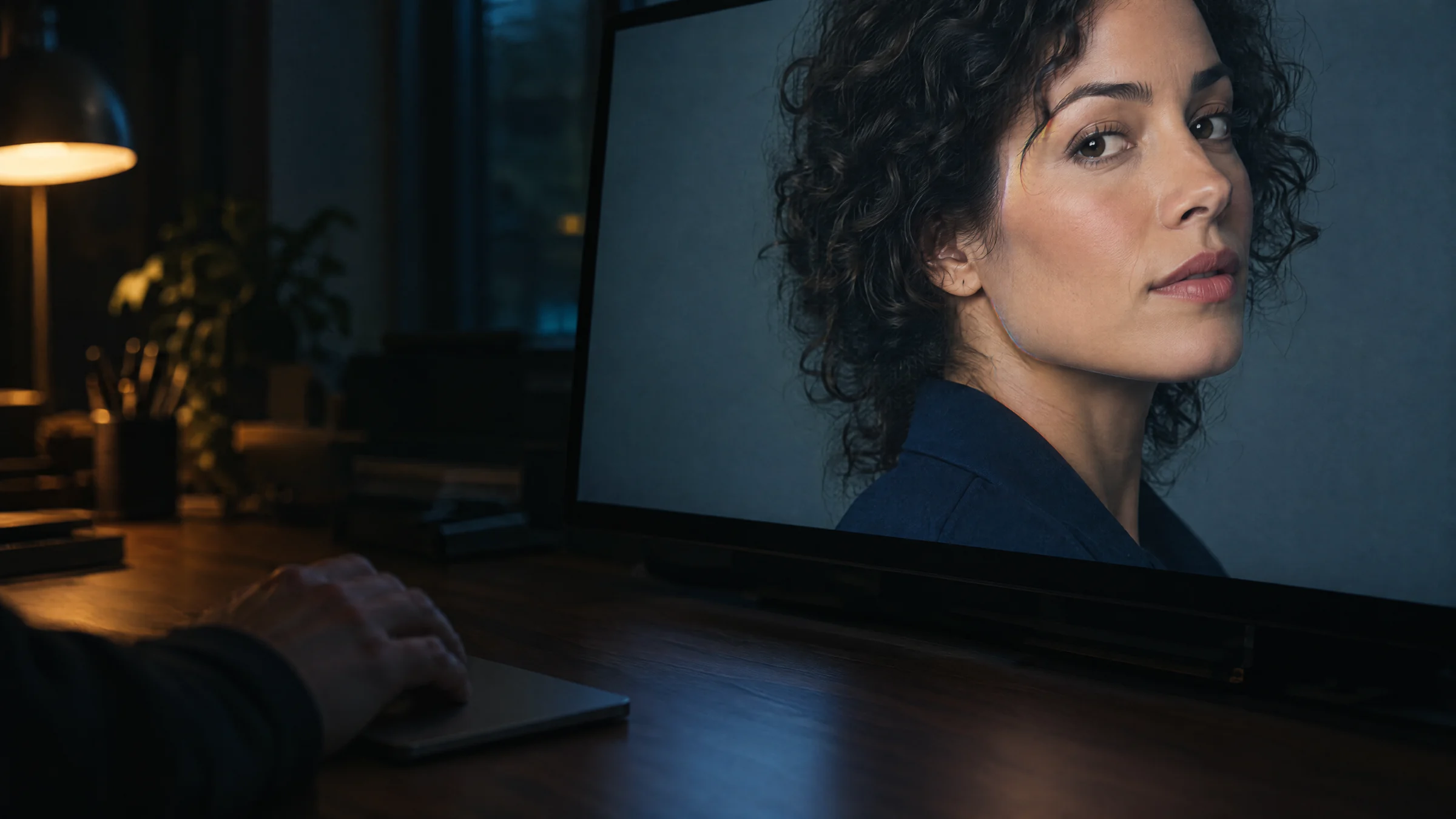
If you received a clip and suspect it was swapped, see how to tell if a video is face-swapped, or scan it with the AI deepfake detector.
8.Try it on your own clip
Open Character Replacement with a full-body photo and a clip of 30 seconds or less. If only the face should change, use Video Face Swap instead.