Most people who search for a Magnific AI alternative are not unhappy with the results — Magnific is genuinely strong at what it does. They are looking because of how it is packaged: a monthly subscription that starts around $39/month (as of 2026), token allowances that historically reset each cycle, and a single-purpose tool that shines on artistic reinvention but can quietly change the details you actually wanted to keep. If you upscale a few images a month, or you need the output to stay faithful to the original face, product, or text, that model can feel like paying for a firehose when you needed a tap.
This article compares Magnific AI with Imagera's Image Upscaler honestly. Magnific is a creative upscaler built to hallucinate believable new detail — a real strength for illustration, concept art, and stylized renders. Imagera is a browser-based, pay-per-use finishing suite built around faithful realism: enhance and enlarge without reinventing the subject. We cover why people switch, a full feature table, where each tool genuinely wins, pricing math, a step-by-step walkthrough, real use cases, and the honest limits of AI upscaling in general.
Quick answer: Imagera is a credible Magnific-style alternative for AI upscaling, delivering detailed 4K and 8K enhancement in a single browser workflow with transparent credit-based pricing instead of subscription tiers.
How does Imagera's upscaler compare for high-resolution image enhancement in 2026?
Imagera upscales images up to 4K and 8K and can add fine texture detail to portraits, product shots, and real-estate photos. You pay only per job in credits, so a batch of ten images simply costs ten times a single job with no monthly lock-in.
What makes Imagera a practical Magnific AI alternative for creators and teams?
Imagera runs entirely in the browser with no download, supports 4K and 8K output, and bundles upscaling alongside 100+ other creative tools, so one credit balance covers many tasks. Its pay-per-job credits are priced in multiples of 5, which keeps costs predictable for occasional and high-volume users alike. If subscription tiers you rarely use feel wasteful, paying only for the jobs you actually run is a straightforward way to keep spending in line with your workload.
Why People Look for a Magnific AI Alternative
There are three concrete, recurring reasons — and none of them are "Magnific is bad."
1. Subscription lock-in and expiring tokens. Magnific is subscription-based. As of 2026 the entry tier sits around $39/month, with higher tiers historically at roughly $99 and $299/month. On the classic monthly plans, unused tokens do not roll over — they expire at the end of the billing cycle, and Magnific has maintained a strict no-refund policy because of GPU costs. Newer platform plans (following the Freepik merge) shift toward credits valid for a longer window, but the core commitment is still a recurring plan. If your workload is spiky — a busy launch week, then nothing for a month — you pay for capacity you never use.
2. It reimagines detail by design. Magnific's signature "Creativity" and "HDR" sliders let the AI invent textures and elements that were never in the source. That is a feature, not a flaw — for art it is the whole point. But at higher creativity settings, faces in complex scenes can be over-enhanced into uncanny artifacts, and fine text can drift. Magnific added a Precision mode to address this, yet the tool's reputation and default temperament lean creative. For portraits, e-commerce product shots, or anything with readable text, "invent new detail" is a risk you have to actively manage.
3. Single purpose at a premium price. Magnific is an upscaler (plus, on the merged platform, access to a broader model catalog). If your real job is "make this photo look finished" — better skin, cleaner edges, background fixes, a video that needs sharpening — you end up stitching several subscriptions together. Imagera bundles upscaling, skin realism, extreme detail, AI-image realism/humanizing, background editing, and video enhancement into one pay-per-use account.
Imagera vs Magnific AI: Feature Comparison
| Feature | Magnific AI | Imagera |
|---|---|---|
| Pricing model | Subscription (monthly/annual) | Pay-per-use credits |
| Entry cost (as of 2026) | ~$39/month tier | One-time credit packs from 350 credits |
| Credit/token expiry | Classic tokens expire each cycle; newer credits valid ~1 year | Credits do not expire |
| Subscription required | Yes | No |
| Platform | Web app | Browser-based, any device, no install/GPU |
| Watermark on output | Not on paid output | None |
| Core upscaling approach | Creative reinvention + Precision mode | Faithful realism enhancement |
| Face / text fidelity | Can over-enhance at high creativity | Prioritizes keeping the original subject |
| Scope | Upscaler (+ broader model catalog post-merge) | Bundle: upscale, skin, detail, realism, background, video |
| Max resolution | Up to ~16x / 10K–16K long edge | High-resolution upscaling in-browser |
| Commercial use | Included on paid plans | Output is yours, no watermark |
| Refund policy | Strict no-refund (as of 2026) | Buy credits as needed |

Where Magnific AI Wins
Being honest matters more than being flattering. Magnific has real, specific advantages:
- Creative "hallucination" is class-leading. When you want the AI to invent believable new detail — skin pores that were never captured, fabric weave, foliage, architectural texture — Magnific's Creativity slider does it more convincingly than most tools. For illustrators, concept artists, and matte-painting work, that is the killer feature.
- Fine-grained creative control. The combination of Creativity, HDR, resemblance, and prompt guidance gives experienced users real direction over the output, not just a one-click enlarge.
- Very high magnification and large-format output. Up to roughly 16x enlargement with outputs reaching 10K–16K on the long edge suits billboards, large prints, and production pipelines.
- A broader creative platform. After merging into the Freepik/Magnific ecosystem, subscribers get access to a wide catalog of image, video, and audio models plus a large asset library — useful if you live inside that one platform all day.
- A Precision mode now exists. Magnific responded to the "it changes my image" critique by adding a fidelity-focused mode, so it is no longer creative-only.
If your work is artistic reinvention at scale and you already run high monthly volume, Magnific's subscription can be worth it.
Where Imagera Wins
- No subscription, no expiry. Imagera is pay-per-use. You buy credits, they sit in your account until you use them, and there is no monthly commitment. For anyone who upscales irregularly, this removes the "am I getting my money's worth this month" pressure entirely.
- Faithful by default. The Image Upscaler and Extreme Detailer are tuned to enhance without reinventing — keeping the face, product, and text you started with. That is the opposite temperament to a creativity slider cranked to "Wild."
- Smaller first step. Buy one 350-credit pack instead of committing to a ~$39/month plan (as of 2026) before you know whether the tool fits your workflow.
- It is a bundle, not one tool. Skin realism, detail enhancement, upscaling, AI-image humanizing, background editing, and video enhancement live in one account, so "finish this image" rarely means "open a second product."
- Browser-based on any device. No install, no local GPU, no downloads. It runs on a laptop, a work desktop, or a phone.
- No watermark, ever. Output is clean and yours.
Pricing Compared
Here is the honest math. Magnific's value depends on volume. As of 2026, the entry tier is around $39/month; if you genuinely run hundreds of upscales monthly and want creative reinvention, the per-image cost is reasonable — but you pay whether you use it or not, and on classic plans unused tokens expire. Miss a month and that money is simply gone.
Imagera flips the model. Credit packs start at 350 credits, pack credits do not expire, and there is no recurring charge. Break-even reasoning is straightforward: if you upscale occasionally — a handful of product photos, a portrait retouch, a print now and then — a subscription that resets every 30 days almost always costs more than buying credits only when you need them. If you upscale constantly and specifically need creative reinvention, Magnific's subscription may still pay off. The dividing line is usage pattern and intent (faithful vs reinvented), not raw quality.
Two caveats in the interest of honesty: Imagera has no forced subscription, but it also has no free tier — it is a premium pay-per-use tool. And Magnific's no-refund policy (as of 2026) means you should be confident before committing to an annual plan. Prices on both sides change; verify current numbers before you buy.
How Imagera Image Upscaler Works (Step by Step)
- Go to the Imagera Image Upscaler in your browser — no install or sign-in wall to see the tool.
- Upload the image you want to enlarge or sharpen. Photos, product shots, portraits, and AI-generated renders all work.
- Choose your target scale or output size. Imagera enhances resolution while keeping the original subject intact rather than inventing new content.
- For heavier restoration — soft focus, low-detail skin, texture recovery — send the image through the Extreme Detailer for a stronger, still-faithful pass.
- Preview the result. Because the approach is faithful, faces, text, and product details should read as the same image, only cleaner and larger.
- Download the full-resolution file with no watermark. Credits are drawn per use, and whatever you don't spend stays in your account.
Common Use Cases
E-commerce and Product Photography
Marketplaces demand large, crisp images, but reinvented product detail is a liability — customers expect the item to match what ships. Imagera's faithful upscaling enlarges catalog shots and cleans up edges without altering the actual product, which is exactly where a high-creativity setting would get you in trouble.
Portraits and Headshots
For people, identity fidelity is everything. Upscaling a portrait should keep the person recognizably themselves. Imagera's realism-focused pass improves skin and detail while avoiding the "someone else's face" drift that aggressive creative reinvention can introduce.
Print and Large Format
Turning a web-resolution image into something printable at poster size needs clean enlargement. Imagera raises resolution for print while preserving the composition — and because it is pay-per-use, a one-off print job doesn't require a monthly plan.
Restoring Old or Low-Res Photos
Soft scans, small originals, and compressed uploads benefit from detail recovery. Pairing the Image Upscaler with the Extreme Detailer recovers texture and sharpness while staying anchored to the real photo instead of guessing a new one.
What AI Upscaling Can and Cannot Do
Honesty about the technology matters. Here is where every AI upscaler — Magnific, Imagera, and the rest — hits real limits.
What it can do: convincingly increase resolution, recover soft or compressed detail, sharpen edges, improve micro-contrast, and make small text or UI elements more legible. Faithful tools do this while keeping the subject intact; creative tools do it while adding plausible new texture.
What it cannot do: invent correct information that was never captured. If a face is a handful of blurry pixels, no upscaler knows what that person truly looks like — it can only produce a plausible guess. Creative modes make this obvious (they hallucinate), but even faithful upscaling is interpolation, not time travel. Text that is fully illegible in the source may sharpen into confident nonsense. Heavily damaged or extremely low-resolution originals set a hard ceiling on the achievable result. And no upscaler fixes fundamentally bad composition, motion blur baked into the capture, or blown-out highlights with no recoverable data.
The practical takeaway: match the tool to the intent. If you want the AI to reimagine an image into something richer and more stylized, a creative upscaler like Magnific is the right instrument. If you want the same image, faithfully, only larger and cleaner, a realism-focused tool like Imagera is the safer choice — especially for faces, products, and text.
See it in action — real Imagera output
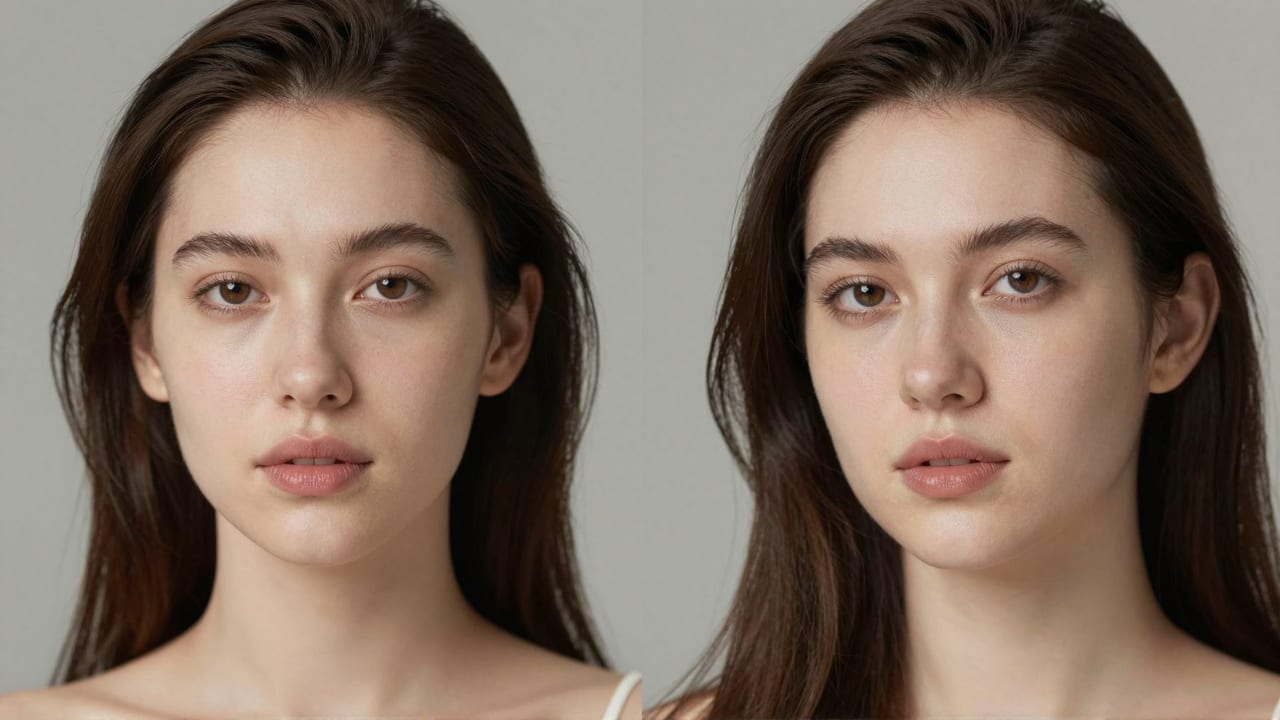
These are real, unedited results from the Imagera image upscaler — the exact tool this guide covers.

Bottom Line
Magnific AI earned its reputation honestly: it is one of the most convincing creative upscalers available, and for illustrators, concept artists, and anyone who wants the AI to invent believable new detail, its Creativity and HDR controls are genuinely valuable. The trade-offs are the subscription model that starts around $39/month (as of 2026), token allowances that historically expire, and a creative temperament that can reshape faces and text when you needed them left alone.
If your work is the opposite — enlarge and clean up an image while keeping it faithfully itself — Imagera's Image Upscaler is built for that, with pay-per-use credit packs from 350 credits that don't expire, no watermark, and a full finishing bundle behind it. Try the Imagera Image Upscaler on a real image and judge the fidelity for yourself.
Related: Topaz Gigapixel Alternative: AI Image Upscaler (2026) · Imagera Extreme Detailer